Notepad3: F11 Full Area Position: toolbar over text area until first character typed

When pressing F11, the toolbar remains visible over the first line, or, when the first line is active, parts of it are shown below/around the first line.
Apart from that I'm unsure why there's a margin around Np3's window: at the left, bottom and right, there's a 7px margin. Is this intentional? Doesn't seem to help with anything.
Notepad3 (64-bit) v5.19.815.2595
Compiler: MS Visual C++ 2019 v16.2.(0-2) (VC v1922)
OS Version: Windows 10 Version 1809 (Build 17763)
Locale: en-US (Codepage: 'ANSI (CP-1252)')
Scintilla v420
Oniguruma v6.9.3
UChardet v2018.09.27
TinyExpr v2018.05.11
UTHash v2.1.0
 ltGuillaume
All 23 comments
F11 in Notepad3 (64-bit) v5.19.108.1602 is correct 👍

F11 from Notepad3 (64-bit) v5.19.630.2381 is buggy 👎
Also the show line numbers has disappears. 🤔

 hpwamr
on 1 Sep 2019
hpwamr
on 1 Sep 2019
Feel free to test dev beta ver _5.19.902.2615_BETA.
 RaiKoHoff
on 2 Sep 2019
RaiKoHoff
on 2 Sep 2019
Tested with Notepad3 (64-bit) v5.19.902.2614 BETA
Helas, bug NOT corrected... 😢

hpwamr
on 2 Sep 2019
Tested with Notepad3 (64-bit) v5.19.902.2615 BETA
Yes, the bug is gone. 👍 😃

As far as I am concerned, this issue may be closed....
hpwamr
on 2 Sep 2019
For me, the bug seems to be fixed, too. Thanks!
@RaiKoHoff Could you explain why, instead of being maximized, those margins at the bottom and sides show up?
ltGuillaume
on 2 Sep 2019
@ltGuillaume : I think this is a Win 10 issue related to its window "snapping" functionality - I have to dig deeper to narrow it down...
RaiKoHoff
on 3 Sep 2019
Ah ok. Why not just
    pWinInfo->x = mi.rcMonitor.left;
    pWinInfo->y = mi.rcMonitor.top;
    pWinInfo->cx = mi.rcMonitor.right;
    pWinInfo->cy = mi.rcMonitor.bottom;
instead of
    pWinInfo->x = mi.rcWork.left - (mi.rcWork.left - mi.rcMonitor.left);
    pWinInfo->y = mi.rcWork.top - (mi.rcWork.top - mi.rcMonitor.top);
    pWinInfo->cx = (mi.rcWork.right - mi.rcWork.left);
    pWinInfo->cy = (mi.rcWork.bottom - mi.rcWork.top);
I've never seen F11 mean anything else than actual full-screen. Instead, Np3 uses it to "fill the work area".
ltGuillaume
on 3 Sep 2019
Feel free to test dev beta ver _5.19.913.2632_BETA.
RaiKoHoff
on 13 Sep 2019
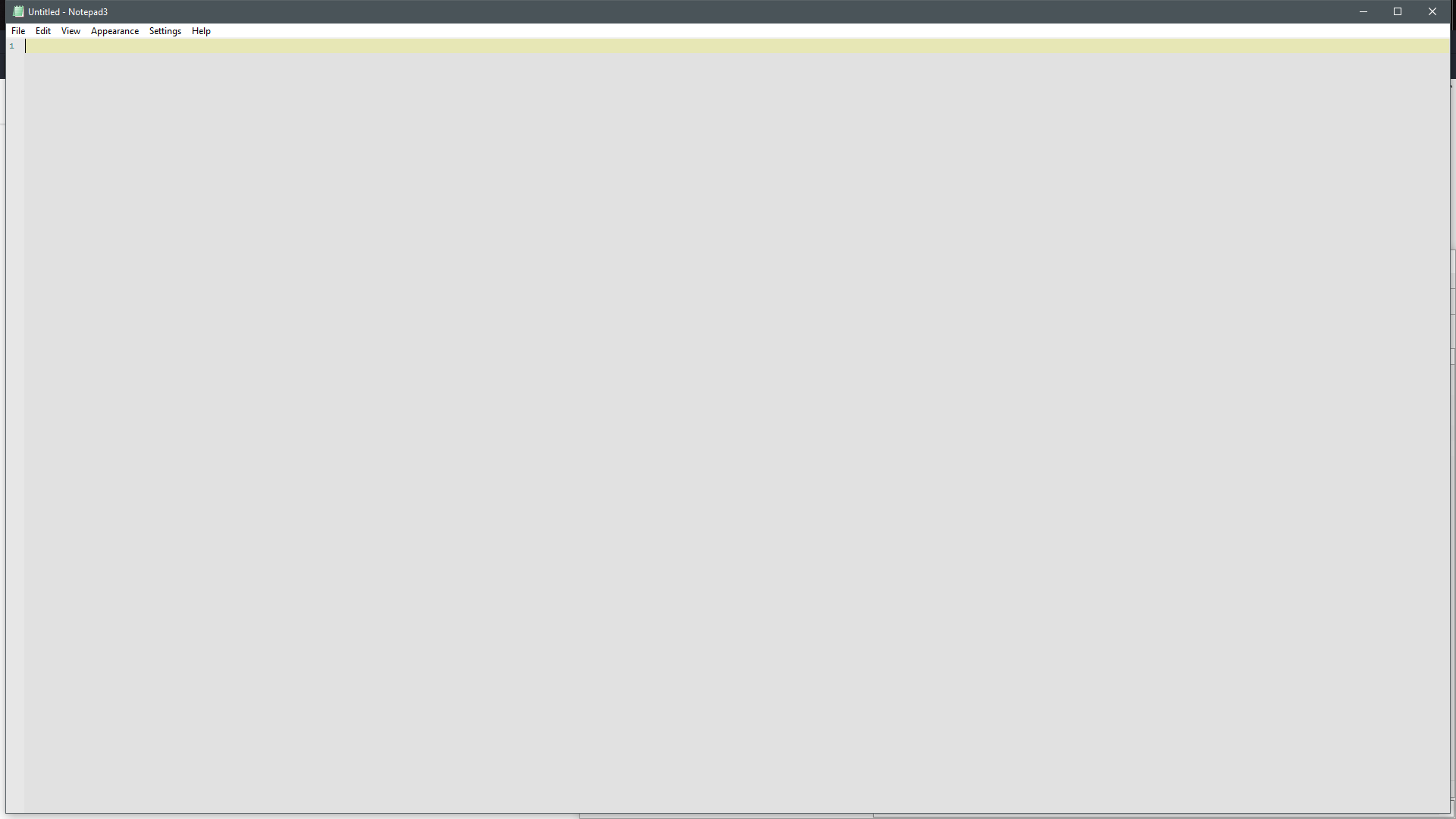
I see the following change: before, Np3 did not cover the task bar after pressing F11, now it does. There are still margins around left/right/bottom I can't explain. See screenshot.
ltGuillaume
on 13 Sep 2019
The small borders are a Win10 OS feature :eyes: , with Win7 the complete screen is filled, and debugging in Win10 shows, that correct "full screen" coordinates are queried and set for the window.
So the offset must be set by the operating system ? I have to dig deeper into that issue...
RaiKoHoff
on 16 Sep 2019
Maybe hide the window decoration with style -0xC40000. I think that's an improvement even if it wouldn't solve this issue.
This AutoHotkey script seems to work perfectly with Notepad3.
ltGuillaume
on 16 Sep 2019
Feel free to test dev beta version _5.19.916.2635_BETA.
(Couldn't test on Win10 yet, but i fear, the margins are still there).
RaiKoHoff
on 16 Sep 2019
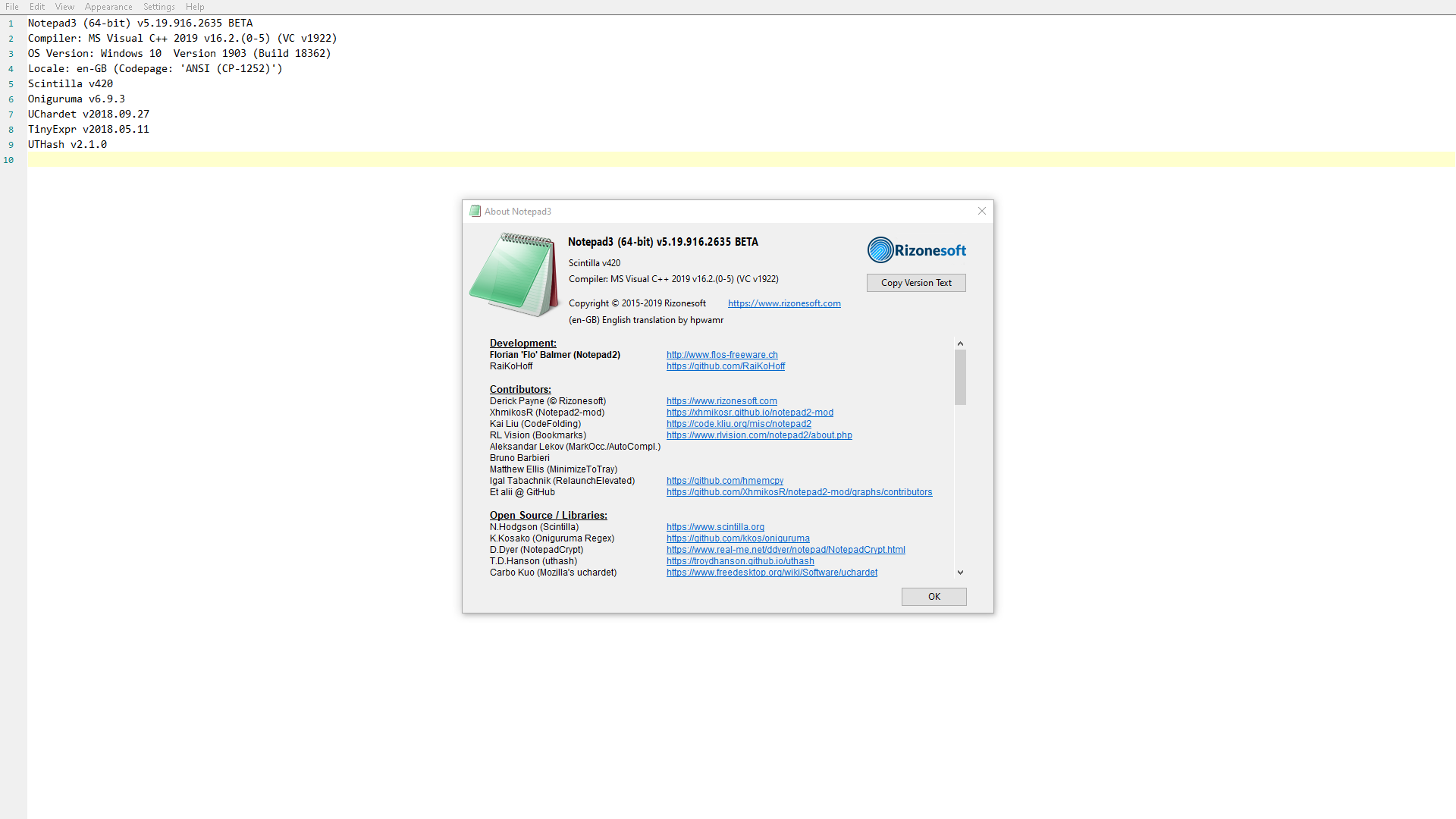
Nope, concerning the margins it works perfectly now! 👍
There is one thing remaining, though: after returning from full-screen mode, the window still has the always-on-top flag. This should be removed (actually it shouldn't be there at all), unless the Always On Top setting is enabled.
ltGuillaume
on 16 Sep 2019
(Couldn't test on Win10 yet, but i fear, the margins are still there).
Nope, Its now a FULL "Fullscreen" ! 😉
hpwamr
on 16 Sep 2019
There is one thing remaining, though: after returning from full-screen mode, the window still has the always-on-top flag. This should be removed, unless the
Always On Topsetting is enabled.
Hello @ltGuillaume , I don't have that (Always On Top( and I can't reproduce it ? 🤔
hpwamr
on 16 Sep 2019
Strange, there's actually no way I _can't_ reproduce it. Without an .ini file I see the same thing. I've also tried in a virtual machine (clean installation), same thing.
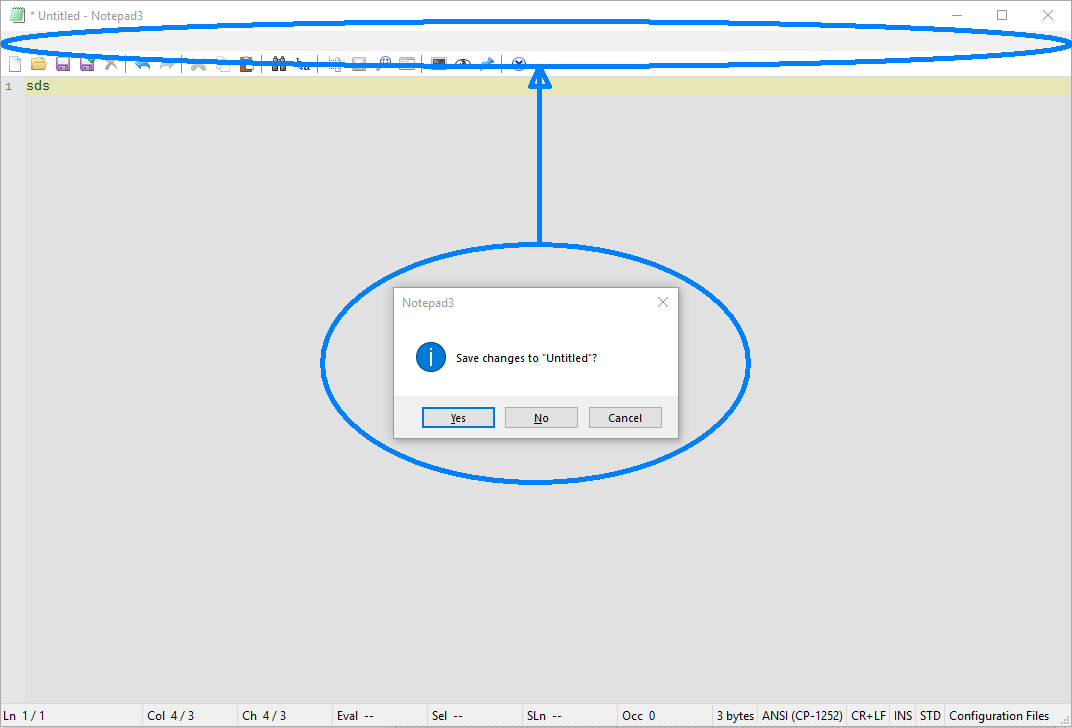
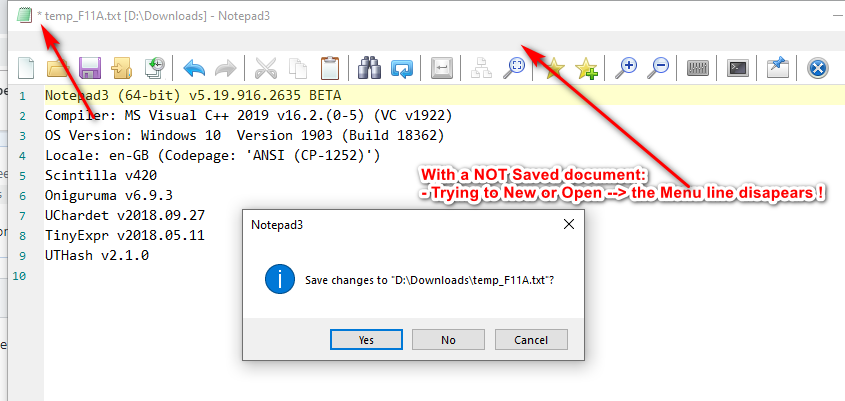
Tested on Windows 10 1709 and Windows 10 1809 LTSC.Not sure if this glitch (ALSO in non-fullscreen mode) is also new (menu bar disappears when asked to save changes):
ltGuillaume
on 16 Sep 2019
Tested on Windows 10 1709 and Windows 10 1809 LTSC.
Not sure if this glitch is also new (menu bar disappears when asked to save changes):
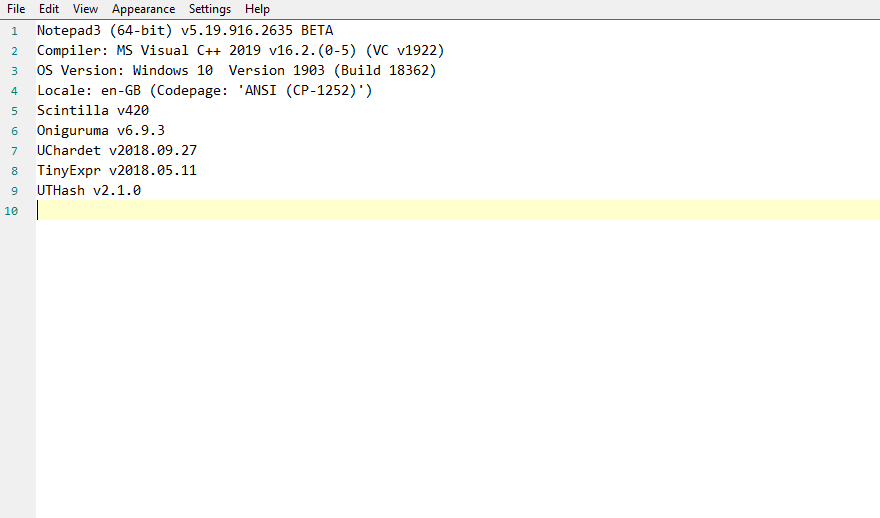
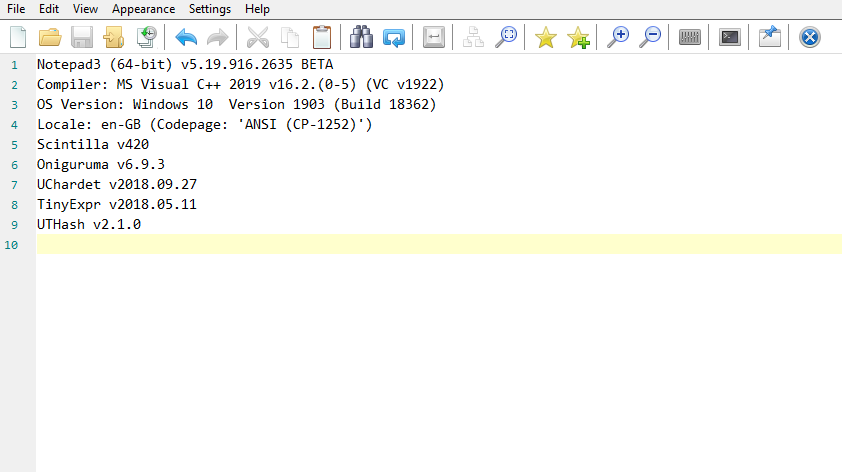
It seems that we have NOT the same (F11) "Full Screen" ?
Just F11:
Just F11 + add Toolbar:
hpwamr
on 16 Sep 2019
Tested on Windows 10 1709 and Windows 10 1809 LTSC.
Not sure if this glitch is also new (menu bar disappears when asked to save changes):
OK I can reproduce it. 🤔
- Open a document and modify somethings.
- Do not save it, but try to "New" (Ctrl+N) or "Open" (Ctrl+O) document.
hpwamr
on 16 Sep 2019
Tested on Windows 10 1709 and Windows 10 1809 LTSC.
Not sure if this glitch is also new (menu bar disappears when asked to save changes):It seems that we have NOT the same (F11) "Full Screen" ?
Just F11:
Just F11 + add Toolbar:
The screenshot I posted for the 2nd issue I described in https://github.com/rizonesoft/Notepad3/issues/1586#issuecomment-531827259 wasn't made in full-screen mode. Sorry, I shouldn't have "polluted" this thread with a different issue, as it caused some confusion.
ltGuillaume
on 16 Sep 2019
I shouldn't have "polluted" this thread with a different issue, as it caused some confusion.
Yes, it's better, but after a double check, I understood it. 😉
And yes, I can reproduce it as described above: https://github.com/rizonesoft/Notepad3/issues/1586#issuecomment-531841847
hpwamr
on 16 Sep 2019
Please open a new issue for the (disappearing) menu bar and move/copy the comments, it has nothing to to with this Full Screen issue.
After a first analysis, I have no idea, what is going on with the Menu Bar on WM_CLOSE event.
After this has low priority (no one is blocked by this), it will go to the end of the to do list :grimacing:
RaiKoHoff
on 17 Sep 2019
@RaiKoHoff https://github.com/rizonesoft/Notepad3/issues/1646
I think this issue can be closed 😎
ltGuillaume
on 17 Sep 2019
As far as I am concerned, this issue may be closed....
hpwamr
on 17 Sep 2019
Related issues
ltGuillaume
·
41Comments
 ghost
·
36Comments
ghost
·
36Comments
 bravo-hero
·
51Comments
bravo-hero
·
51Comments
 craigo-
·
43Comments
RaiKoHoff
·
34Comments
craigo-
·
43Comments
RaiKoHoff
·
34Comments