Neovide: Invalid menu position when using multiGrid
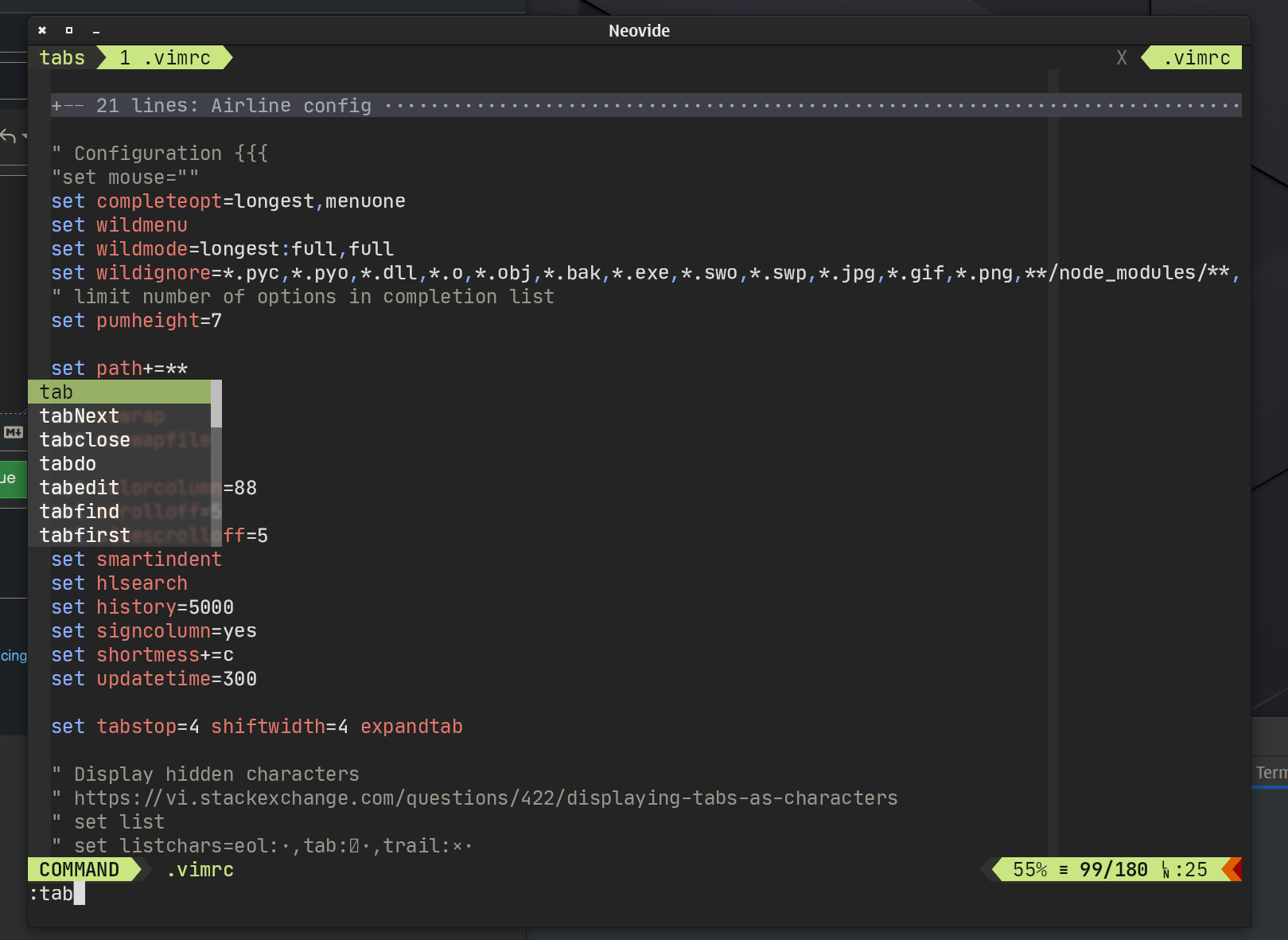
When using multiGrid, command menu suddenly appears at the center of window, not at the bottom.
I'm using gnome on wayland, with 4k display.
 last-partizan
All 12 comments
This is a known issue. I believe it is an upstream issue, but I haven't done the necessary work to determine for sure.
 Kethku
on 4 Mar 2021
Kethku
on 4 Mar 2021
@Kethku upstream for what? neovim?
In case it might help, I encountered it in gnvim also (https://github.com/vhakulinen/gnvim/issues/80#issuecomment-675689996).
last-partizan
on 4 Mar 2021
Upstream in neovim. And yes, that is helpful that its in gnvim too.
Kethku
on 5 Mar 2021
It's already reported to neovim repository as well. But, unfortunately, received no attention.
last-partizan
on 13 Mar 2021
I fixed it, now we're waiting for fix to be merged :)
last-partizan
on 13 Mar 2021
Amazing. Thanks so much for digging in!
Kethku
on 13 Mar 2021
@last-partizan I noticed that the characters are positioned incorrectly vertically on the screencap to the PR you made. Do you have any details about what that font is?
Kethku
on 21 Mar 2021
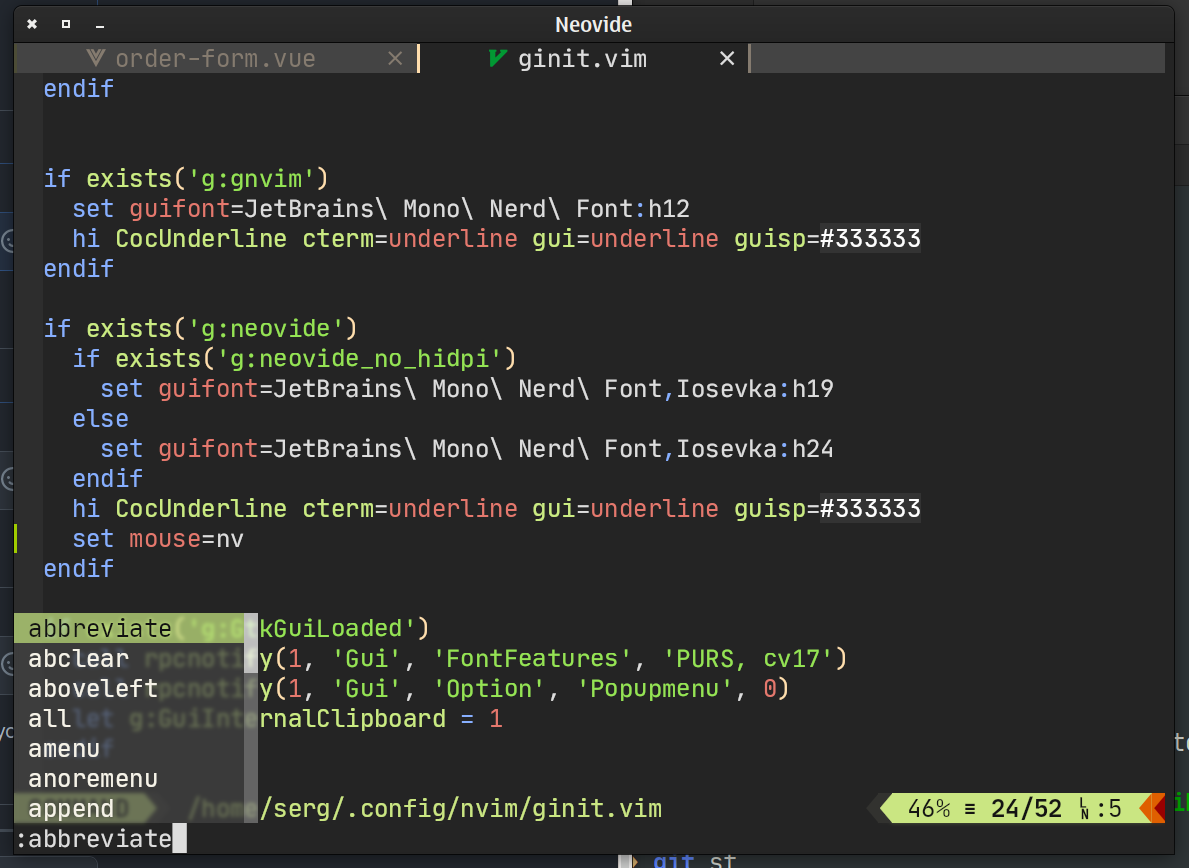
@Kethku what do you mean by _incorrectly_? it looks fine for me. I'm using JetBrains Mono Nerd Font, with Iosevka fallback.
set guifont=JetBrains\ Mono\ Nerd\ Font,Iosevka:h24
And this is how it looks with my patch.
last-partizan
on 21 Mar 2021
https://user-images.githubusercontent.com/301015/111036752-7ec07600-8429-11eb-8662-d257ed03895e.png
I was looking at the positioning here
Kethku
on 21 Mar 2021
which looks somewhat different from the example you've linked. Not sure why
Kethku
on 21 Mar 2021
Some differences are:
- screenshot in the PR using neovim from build folder, not installed globally, so it can't load some plugins.
- my scrrenshot here is the same version, but already installed, so everything loaded correctly. Most notably: vim-airline.
But aside from that, i don't see any differences. Menu is positioned at the same correct spot.
Height of the font is exactly right. This is somewhat mysterious fontconfig shit, previously in gnvim i was setting font size to floats, to get this look, but now when i changed monitor to 4k and gnvim to neovide, h24 gives me what i want. Previously, i was using h11.25 with gnvim, becouse with just 11 and with 1080p resolution font was too wide.
Here is my gnvim screenshot, it's using h12 (neovide and gnvim using differen't font size scales, probably becouse gnvim respects gnome scaling settings, and neovide is not). Font is wider than neovim.
last-partizan
on 22 Mar 2021
This is fixed now in neovim#master :)
last-partizan
on 13 Jun 2021
Related issues
 aj3423
·
45Comments
aj3423
·
45Comments
 ssxwcz
·
50Comments
ssxwcz
·
50Comments
 harish2222
·
31Comments
harish2222
·
31Comments
 IBS27
·
29Comments
IBS27
·
29Comments
 shaunsingh
·
27Comments
shaunsingh
·
27Comments