Neovide: Font Fallback Fails for Certain Glyphs
Describe the bug
(continued form https://github.com/Kethku/neovide/issues/741#issuecomment-867731459)
To Reproduce
Steps to reproduce the behavior:
- Download/install neovide
- Set gui font to a nerd font (user is using CaskaydiaCove Nerd Font, (I believe this is Cascadia Code)
- Open a Nerdtree buffer
- See error
Expected behavior
Glyphs should render correctly.
Screenshots
(top terminal, bottom neovide)
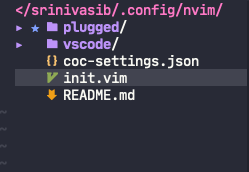
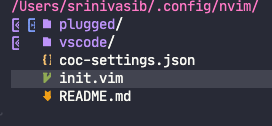
Desktop (please complete the following information):
- OS: MacOS 11
- Neovide Version: Latest intel build pulled from github actions (running on an m1 machine)
- Neovim Version: 0.5.0 nightly
Please run neovide --log and paste the results here:
--not run, don't think its required for this issue
Additional context
User is using Cascadia code nerd font, but has tried it with "FiraCode, FuraCode and JetBrainsMono nerd fonts. None of them worked." I will test this on my personal machine shortly
 shaunsingh
All 27 comments
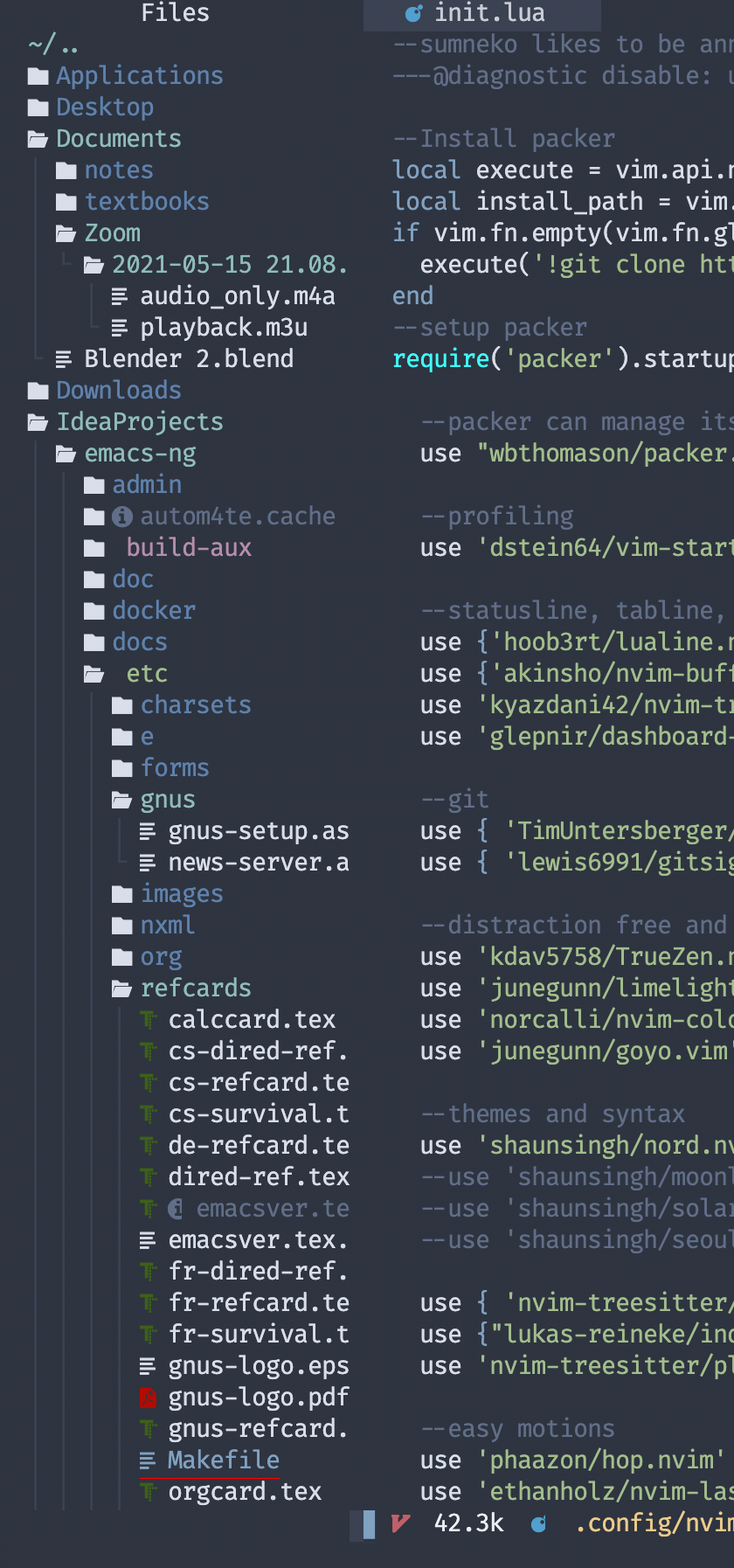
I can't repro this on my machine. I am using the FiraCode nerd font and the latest release of neovide built from source. I checked, and the arrow/star glyphs are included with the nerd font
shaunsingh
on 24 Jun 2021
Which icon set do you use and which filetree is that?
 IBS27
on 24 Jun 2021
IBS27
on 24 Jun 2021
I am using the nvim-devicons, which is using the glyphs provided in the nerd font
The tree itself is nvim-tree, and the icons are defined in my personal config here: https://github.com/shaunsingh/vimrc-dotfiles/blob/a5546ba505341531234a43afe44046e9cb8636aa/.config/nvim/init.lua#L1169 (it appears blank because GitHub doesn't have the glyphs, if you paste it into a terminal it should work)
shaunsingh
on 24 Jun 2021
I can see that you are using lua. But, my config isn't based on it.
IBS27
on 24 Jun 2021
Lua shouldn't be an issue. If you would like to test my config, you can use
lua <<EOF
--code goes here
EOF
Note that you need to install nvim-tree and nvim-devicons for this to work
shaunsingh
on 24 Jun 2021
I tried your config. And I liked it. It worked fine except that a couple of glyphs were not working.
IBS27
on 24 Jun 2021
could you kindly send a screenshot showing the glyphs not working
shaunsingh
on 24 Jun 2021
It's fine. I replaced those with some very similar looking emojis from the mac emoji viewer. It works now.
IBS27
on 24 Jun 2021
Ok so this is a font fallback issue. Unfortunately its niche enough that I'm not gonna make it super high priority in the short run.
 Kethku
on 25 Jun 2021
Kethku
on 25 Jun 2021
What about the dead keys issue? When will that be fixed?
IBS27
on 25 Jun 2021
dead keys are tracked here: https://github.com/Kethku/neovide/issues/445
Wanna help out?
Kethku
on 25 Jun 2021
Yeah! I can help in testing it on mac.
IBS27
on 25 Jun 2021
@Kethku how do you use the .snap files? I am kinda new to all this.
I want to try out your latest commit. how do I do that?
IBS27
on 25 Jun 2021
pinging @j4qfrost as I know nothing about various linux packing systems. I'm as in the dark as you
Kethku
on 25 Jun 2021
Oh. So is that snap file only for linux?
IBS27
on 25 Jun 2021
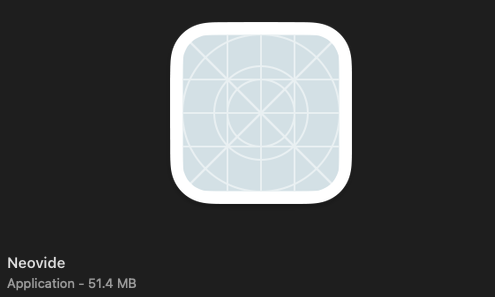
And I tried the latest mac build of neovide. That is the one with the new icons. The icon doesn't show.
IBS27
on 25 Jun 2021
@shaunsingh I think you've been working on a better mac build. Does your new PR set the icon?
Kethku
on 25 Jun 2021
The cargo bundle command should already set an icon for the dmg, everything's ng installs just fine for me. I have it running just fine on the Mac mini.
 j4qfrost
on 25 Jun 2021
j4qfrost
on 25 Jun 2021
@IBS27 @Kethku snap is just for Linux.
j4qfrost
on 25 Jun 2021
@Kethku how do you insert emojis in neovide? In terminal vim I just press the fn key on mac and I get the emoji picker. But if I do the same thing in neovide it doesn't take it. The emoji feature in neovide is useless if I can't insert emojis.
IBS27
on 25 Jun 2021
It's not useless as the primary use case for it was to enable linting overlays which depends on some emoji.
Is what you describe standard behavior on Mac?
Kethku
on 25 Jun 2021
By what I described, what exactly do you mean?
IBS27
on 25 Jun 2021
@Kethku I tried out the latest build and the dead keys issue seems to be fixed.
IBS27
on 25 Jun 2021
@Kethku the icon is still not working. Can I just get the .icns file of the icon for mac as it looks weird now.
IBS27
on 25 Jun 2021
@IBS27 Can you try cloning this: https://github.com/Kethku/neovide/pull/746, and running make dmg? That should create a .dmg build that you can open and run, with the icon.
shaunsingh
on 25 Jun 2021
I tried it. It throws an error while building. This always happens when it starts building skia-bindings.
IBS27
on 25 Jun 2021
I have the same problem on Windows, but I believe the description of the bug is wrong.
It doesn't seem to have anything to do with font fallbacks, it happens when using patched fonts with all the required glyphs.
Instead I'm fairly sure it's related to how colored double width glyphs are rendered. For me it happens with telescope.nvim, but only if I set the option color_devicons to true. It does not happen in nvim-tree.lua, but that's because it has a workaround in the plugin itself
This is not a unique problem to Neovide, some terminals also have the same problem, but others like Alacritty, which I'm using render the glyphs correctly.
The issue is discussed here https://github.com/nvim-telescope/telescope.nvim/issues/674, and here https://github.com/nvim-telescope/telescope.nvim/issues/358
The fix for nvim-tree (adds highlight to the space following the glyph) is here https://github.com/kyazdani42/nvim-tree.lua/pull/162
 fredizzimo
on 8 Jul 2021
fredizzimo
on 8 Jul 2021
Related issues
 reisub0
·
39Comments
reisub0
·
39Comments
 ssxwcz
·
50Comments
ssxwcz
·
50Comments
 Ninmi
·
53Comments
Ninmi
·
53Comments
 aj3423
·
45Comments
aj3423
·
45Comments
 harish2222
·
31Comments
harish2222
·
31Comments