Files: when the settings tab is opened, the tabs on the top are shifting towards complete left. So, when we switch between normal tab and setting tab, tabs on top are shifting. this irritates me a little bit becuase the tabs are not present where i expected them to be.
Describe the bug
A clear and concise description of what the bug is.
To Reproduce
Steps to reproduce the behavior:
- Go to '...'
- Click on '....'
- Scroll down to '....'
- See error
Expected behavior
A clear and concise description of what you expected to happen.
Screenshots
If applicable, add screenshots to help explain your problem.
Desktop (please complete the following information):
- OS Version: [e.g. Windows 10 1903 18362.175]
- App version: [v0.5.0]
Additional context
Add any other context about the problem here. Does this problem occur again after restarting the app?
 bhupathi189
All 18 comments
This could get solved by opening the settings tab always on the left:
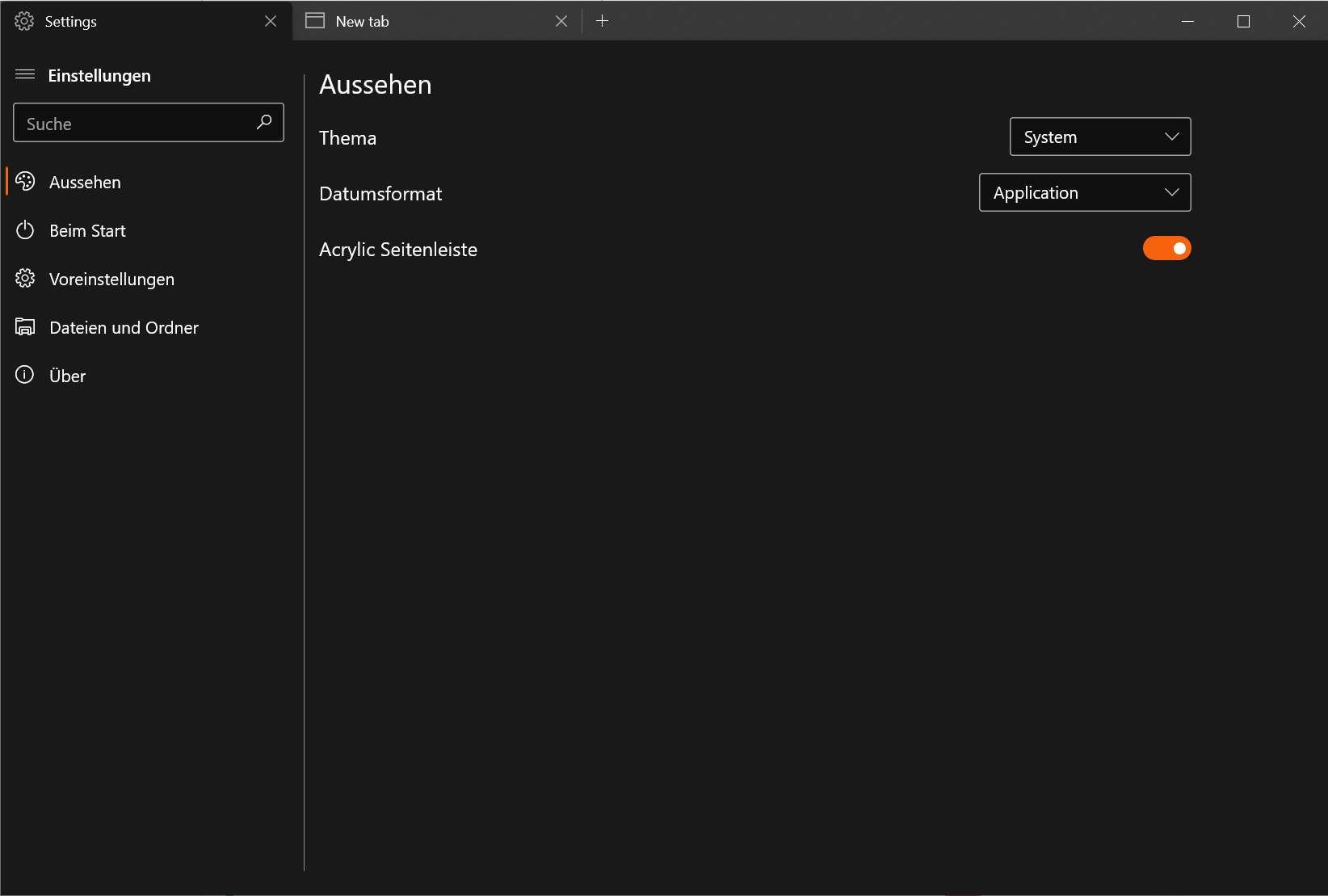
And don't show the settings tab when returning to a normal tab. (so that you would have to click on the settings button again to go into settings again. (Maybe you could remember the state of the settings tab nonetheless...)
BTW: the settings tab then should probably have the same width of the sidebar
 szaimen
on 9 Apr 2020
szaimen
on 9 Apr 2020
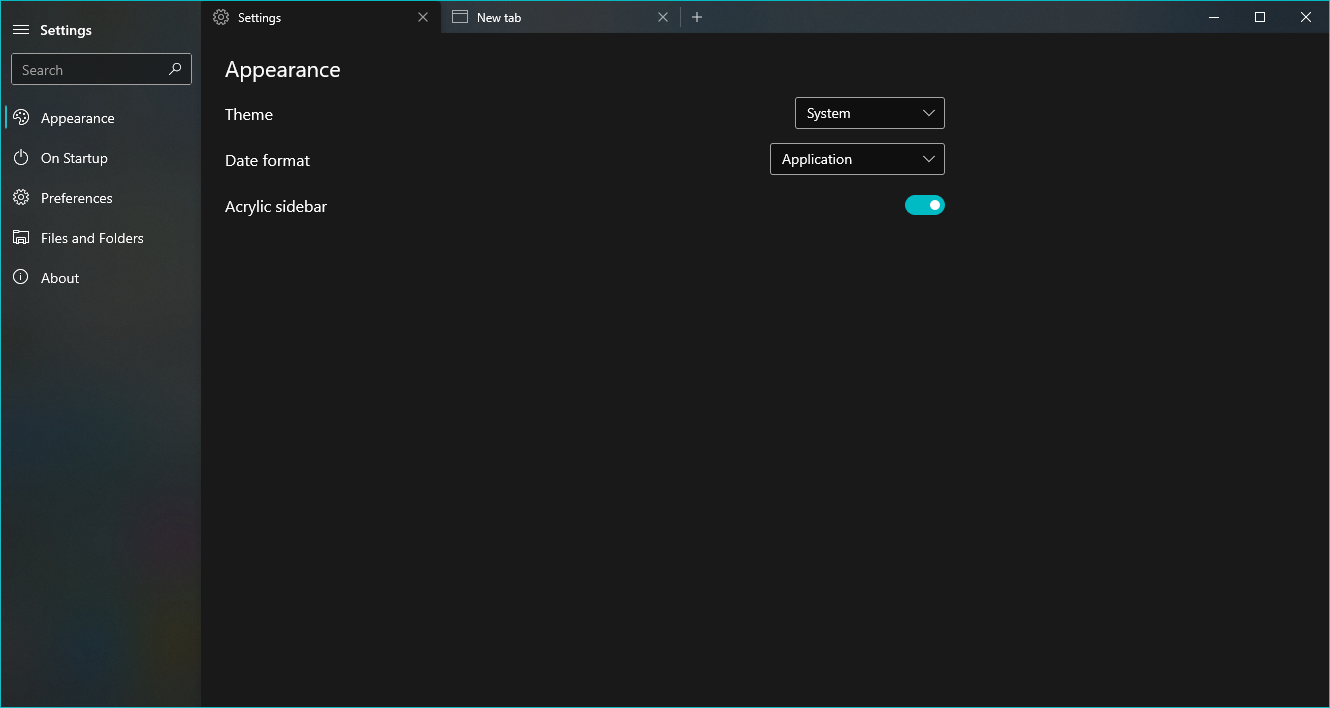
IMO it should look more like this:
 Darhagonable
on 9 Apr 2020
Darhagonable
on 9 Apr 2020
IMO it should look more like this:
Yes, that would look better but wouldn't solve the reported problem of moving tabs...
szaimen
on 9 Apr 2020
Yes, that would look better but wouldn't solve the reported problem of moving tabs...
Yes it would. The tabs wouldn't be shifting in any way.
Darhagonable
on 9 Apr 2020
yes, wherever the setting tab is whole tabs are shifting towards left
bhupathi189
on 9 Apr 2020
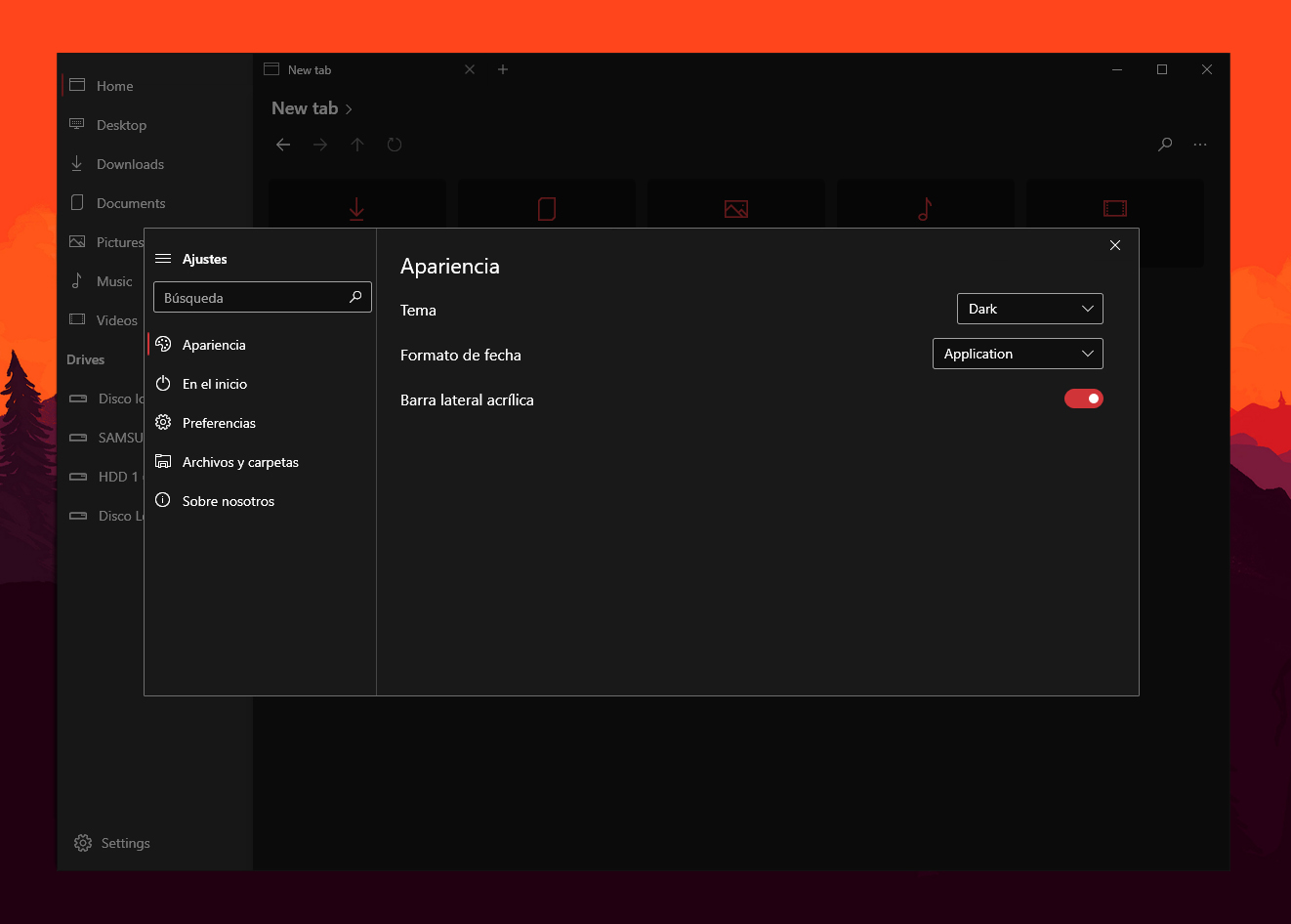
what if it appears as a popup?
 XPoppyX
on 9 Apr 2020
XPoppyX
on 9 Apr 2020
what if it appears as a popup?
I would be okay with that 👍
Maybe to make it easier for the developers just open this in a new window?
szaimen
on 9 Apr 2020
maybe it is not difficult to put it in a popup, better wait for them to respond to see what they say about it
XPoppyX
on 9 Apr 2020
Alternatively, couldn't it just open at the end like a new tab typically would (see: Microsoft Edge)? That way it just acts as a normal tab, and doesn't move any of the others around.
 generalguy41
on 9 Apr 2020
generalguy41
on 9 Apr 2020
Alternatively, couldn't it just open at the end like a new tab typically would (see: Microsoft Edge)? That way it just acts as a normal tab, and doesn't move any of the others around.
Like my concept? Just that mine changes the options in the side menu too.
Darhagonable
on 9 Apr 2020
Alternatively, couldn't it just open at the end like a new tab typically would (see: Microsoft Edge)? That way it just acts as a normal tab, and doesn't move any of the others around.
Like my concept? Just that mine changes the options in the side menu too.
Yes, I think your concept with opening the tab at the end of the list would also work👍
szaimen
on 9 Apr 2020
yes, it would be much better
bhupathi189
on 9 Apr 2020
Hello there. I've felt for a long time that Settings should be a separate experience from the instance tabs, and understand that our current solution (shifting the tabs over) is not a very good one.
We've seen success with AppWindow for the Properties dialog, so that looks like what we'll do, but I'm going to leave this open for more feedback.
 duke7553
on 9 Apr 2020
duke7553
on 9 Apr 2020
mmm it is unlikely that more people than us will come to give their opinion on this
XPoppyX
on 10 Apr 2020
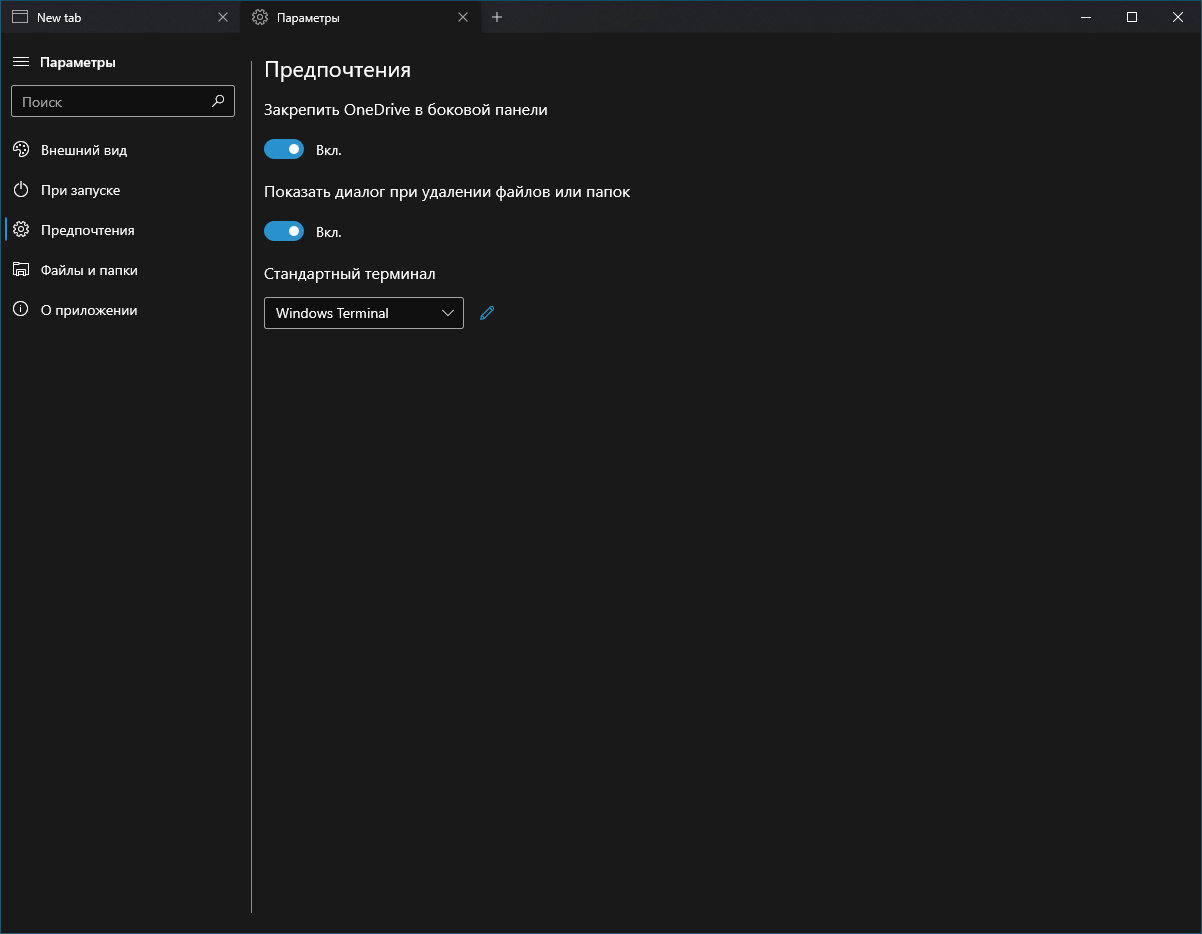
What do you think about moving all controls under their captions like all other Windows apps settings?
 tsvietOK
on 10 Apr 2020
tsvietOK
on 10 Apr 2020
I just want to mention that most users are not opening the settings page on a day to day basis. That being said I think it is extremely important to have a good experience for those few times. A simple way to solve this would be to extend the settings sidebar into the title bar.
 yaichenbaum
on 12 Apr 2020
yaichenbaum
on 12 Apr 2020
In my opinion I think the navigation bar of the settings pages should be identical (visually) with the default navigation bar. There shouldn't be a harsh translation.
Alternatively this is also a very smooth looking solution
https://www.youtube.com/watch?v=CR_xn4Lu00o
 R3voA3
on 12 Apr 2020
R3voA3
on 12 Apr 2020
@R3voA3 #582 includes some changes to address this issue that are inspired by the link you shared.
yaichenbaum
on 14 Apr 2020
Related issues
 KaKi87
·
31Comments
KaKi87
·
31Comments
 BuraChuhadar
·
23Comments
BuraChuhadar
·
23Comments
 SOI7
·
22Comments
SOI7
·
22Comments
 rashil2000
·
24Comments
duke7553
·
75Comments
rashil2000
·
24Comments
duke7553
·
75Comments
Most helpful comment
IMO it should look more like this:
