Ferdi: Enabling/disabling service cause API error and loose state on restart
Describe the bug
In the latest beta version 5.4.1 beta1 if i quit the app and relaunch it my Telegram service launches disabled and i need to enable it again.
When I enable the service I get a message in RED at the bottom of the app saying that the "There was an error while trying to perform and authentication request ....", it goes off after a few seconds.
Screenshots
If applicable, add screenshots to help explain your problem.
Desktop (please complete the following information):
- iOS 10.14.6
- Ferdi 5.4.1. beta1

Additional context
Add any other context about the problem here.
 ammarmalhas
All 11 comments
I have experienced the same and created a ticket in https://github.com/getferdi/server/issues/13. @vantezzen any ideas?
 kytwb
on 28 Nov 2019
kytwb
on 28 Nov 2019
Hmm, can you look at the developer tools network tab to see what queries are getting send and what errors there are?
 vantezzen
on 28 Nov 2019
vantezzen
on 28 Nov 2019
{"message":"Invalid POST arguments","messages":[{"message":"required validation failed on name","field":"name","validation":"required"}],"status":401}
Sending {isEnabled: false/true} if I remember correctly (no name).
kytwb
on 28 Nov 2019
It's being worked on at the API level, closing this ticket in favour of https://github.com/getferdi/server/issues/13.
Thanks for reporting @ammarmalhas, I will come back to report in here once it's fixed.
kytwb
on 28 Nov 2019
@ammarmalhas this should be fixed now.
kytwb
on 28 Nov 2019
Great, but what do I do? Do I download the app again?
ammarmalhas
on 28 Nov 2019
Nothing needed. When you enable the service now, you shouldn't have the red error message you saw earlier and things should be working as expected. Let us know if it is not 😄
kytwb
on 28 Nov 2019
I just use beta 1 as I have it downloaded this morning?
ammarmalhas
on 28 Nov 2019
Yes 😄 The error was on the API side, and it has been fixed and deployed (see https://github.com/getferdi/server/issues/13).
No changes required in the client.
kytwb
on 28 Nov 2019
I tried it, it seems to be working well. I will give it a few more restarts and see. On another note, when will the password (lock) kick-in? Is there a time value after which the app locks itself? maybe this can be a feature for later, time after which the app locks itself? Thanks
ammarmalhas
on 28 Nov 2019
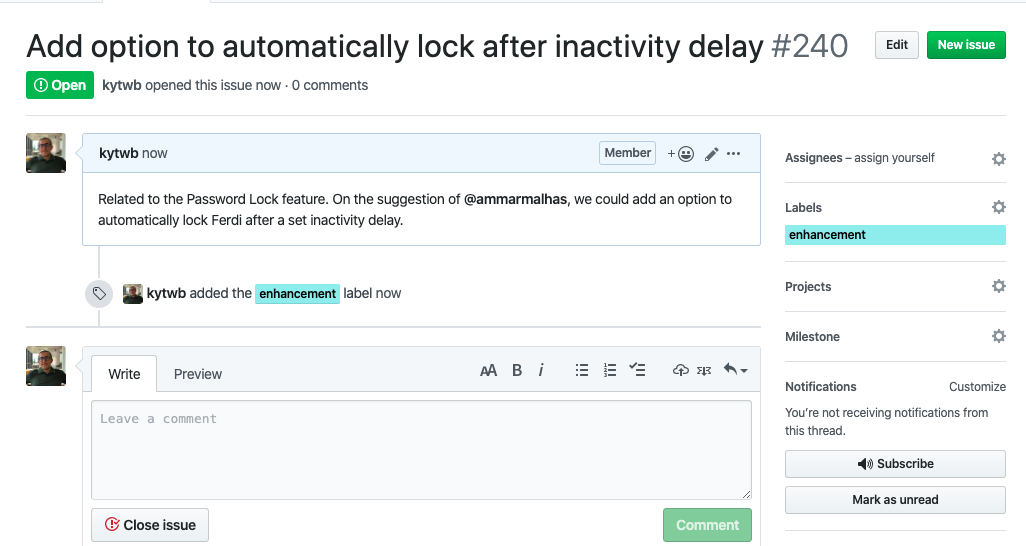
I have created an issue for this improvement (see https://github.com/getferdi/ferdi/issues/240). Please subscribe to the issue (bottom right corner of the screenshot below) to be kept in the loop on progress.
kytwb
on 28 Nov 2019
Related issues
 webbad
·
34Comments
webbad
·
34Comments
 webworker01
·
34Comments
webworker01
·
34Comments
 Dunkh4n
·
49Comments
Dunkh4n
·
49Comments
 Ansem93
·
21Comments
Ansem93
·
21Comments
 incace
·
34Comments
incace
·
34Comments