Facebook-for-woocommerce: Update available but reducing to lower version
Today I saw an update available with version 1.9.10 and did an update and to my surprise it was reduced to 1.9.7 from 1.9.8 instead of the new version 1.9.10 . Hope the wrong zip wasn't uploaded for the updated version
 binnythap
All 29 comments
same for me, also does anyone have a problem deleting products in facebook_
when i check a product the active button is not working?
warmr regards B
 birken1119
on 13 Feb 2019
birken1119
on 13 Feb 2019
same for me. update from 1.9.8 to 1.9.10 results in version display 1.9.7
 mensmaximus
on 13 Feb 2019
mensmaximus
on 13 Feb 2019
Automated Support Message
Hello,
Thanks for your interest in our plugin! Our developer team tries to provide personal support on GitHub whenever possible.
If you have a feature request or feedback for the developers, reply with Feature Request or Feedback.
If you are a developer or have a question for the developers related to code, reply with Developer Question.
If you are running ads with us, reply with Advertiser.
If you have encountered a bug or a problem with the plugin, keep reading for information that can help you resolve the issue yourself or provide us details we need to help you.
Search Existing Issues
First, please search our issues to see if your problem has been reported before.
There may already be a workaround or a solution to your problem. You can use the search bar near the top of our issues page. Be sure to search both _open_ and _closed_ issues.
If you do find a similar issue, leave a comment on that issue instead of creating a new one. Your comment helps us prioritize which existing issues are important and urgent.
Common Resolution Methods
If you are experiencing a problem or bug and have not found any similar issue, please try the following:
- Upgrade to the latest version of the plugin
- Try to
Resyncproducts using the button on the plugin config page - Reset the plugin by selecting
Reconfigure > Advanced Options > Delete, and setting up this plugin again - Try deactivating other plugins that you think may be interfering, then reset and set up again
Necessary Information
If the above steps did not help, please provide the following information in your next comment in order for us to debug your problem:
- WooCommerce version
- WordPress version
- Plugin version (please note: we only support up-to-date versions of the plugin)
- A screenshot of where you see the problem (for example: if it is on Facebook, provide a screenshot of Facebook, if it is on WooCommerce, provide a screenshot of WooCommerce. You can provide multiple screenshots if the problem relates to different screens.)
- The URL of your website
- The URL of your Facebook Page
- The URL(s) of where you took your screenshot(s)
- If applicable, detailed steps you took in order to see the problem
Please include Debug Ready in your reply so our automated system can note your issue for manual review. Please be aware that due to a high volume of issues, we may not be able to respond immediately.
Response Time
We prioritize issues with the tags Advertiser or Multiple Reports.
For issues that have the tags Debug Ready, Feature Request or Developer Question, we aim to respond within 30 days.
If you have not responded to our automated message with one of the above phrases, such as Debug Ready, we may close your issue after 30 days. If a Feature Request is inactive (without new requests, messages or pull requests) for 6 months, we may close it.
Please note that we are not always able to provide support for issues related to interaction from other plugins with this plugin or related to the Facebook advertising interface. To get support related to Facebook ads, try visiting the Facebook Ads Help Center.
For more information on our response times, visit Facebook Support on GitHub.
Thank you,
The Facebook Dev Team
 antareius
on 13 Feb 2019
antareius
on 13 Feb 2019
Same, Upgrade from 1.9.8 > 1.9.10, version now shows 1.9.7 and that there's an update to 1.9.10 available. First time I thought I'd just missed ticking it to update. but updating again from 1.9.7 > 1.9.10 does appear to install (the modified times on the files are all now) but still 1.9.7 showing as installed.
 bighippo999
on 14 Feb 2019
bighippo999
on 14 Feb 2019
I guess the upgrade wasn't meant to be to 1.9.10 but a jump back in time to 1.9.7 . I guess the author likes 1.9.7 too much since it still is the same.
binnythap
on 15 Feb 2019
Same issue here on 3 sites. I've checked the files and facebook-for-woocommerce.php on the websites contains the version number 1.9.7, although the version here on github contains 1.9.10. Something's going wrong during the update process. It seems that an older version is retrieved instead of the latest version from this repo.
This happens exactly the same after updating again and the issue exists for 3 days now (since 1.9.10 became available).
 JosKlever
on 15 Feb 2019
JosKlever
on 15 Feb 2019
The issue happens because in the release zip file facebook-for-woocommerce.php file contains version 1.9.7
 najdanovicivan
on 15 Feb 2019
najdanovicivan
on 15 Feb 2019
same.
 drd34d
on 16 Feb 2019
drd34d
on 16 Feb 2019
same
 sillyonthestreet
on 17 Feb 2019
sillyonthestreet
on 17 Feb 2019
And the funny thing is that when I checked previously on https://woocommerce.com/products/facebook/
they had listed the version as 1.9.8 and now their listed version is a lower one 1.9.7 . Very mysterious. Wish the author did something to resolve this issue.
binnythap
on 17 Feb 2019
Solution insert the three newest files updated 7 days ago, to the plugin via FTP; changelog.txt, facebook-for-woocommerce.php and fbutils.php in the right folder (s) then version is 1.9.10 and the plugin works
 mickesdesign
on 19 Feb 2019
mickesdesign
on 19 Feb 2019
@mickesdesign That's not a solution but a workaround. The solution is to update the zip file, so all users don't have to modify the plugin files manually.
@antareius Can you please fix this? The "Need More Info" label is not appropriate here.
JosKlever
on 19 Feb 2019
@mickesdesign I just tried that but it didn't fix it.
Also if you look at the 1.9.10 release files, even the changelog.txt has no reference to 1.9.10.
drd34d
on 19 Feb 2019
@drd34d
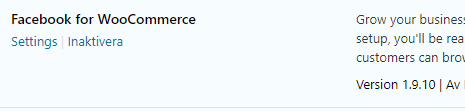
you loaded the entire directory as a zip from github.com because i did, then i picked out the individual files and sent them into the plugin on my wp web page via FTP see the screenshot
mickesdesign
on 19 Feb 2019
@mickesdesign thanks mate but that didn't work. The 1.9.10 zip in the releases keeps coming with 1.9.7 files in it.
I circumvented the issue by using the 1.9.8. Now atleast I can sync and update the products.
drd34d
on 19 Feb 2019
You can updated directly via zip from github master branch
Install the following Wordpress plugin to be able to do updates via zip https://wordpress.org/plugins/update-theme-and-plugins-from-zip-file/
Download sources from master branch https://github.com/facebookincubator/facebook-for-woocommerce/archive/master.zip
Extract the downloaded zip file.
I got the directory facebook-for-woocommerce-master
Just make sure that directory containing the sources is named facebook-for-woocommerce
Compress the facebook-for-woocommerce directory to zip
Install the zip via WP-Admin
Here is already prepared zip with correct format from current sources version 1.9.10
facebook-for-woocommerce.zip
Just make sure that you have update-theme-and-plugins-from-zip-file plugin before tying to upload the zip. Otherwise you'll get an error that plugin is already installed
najdanovicivan
on 19 Feb 2019
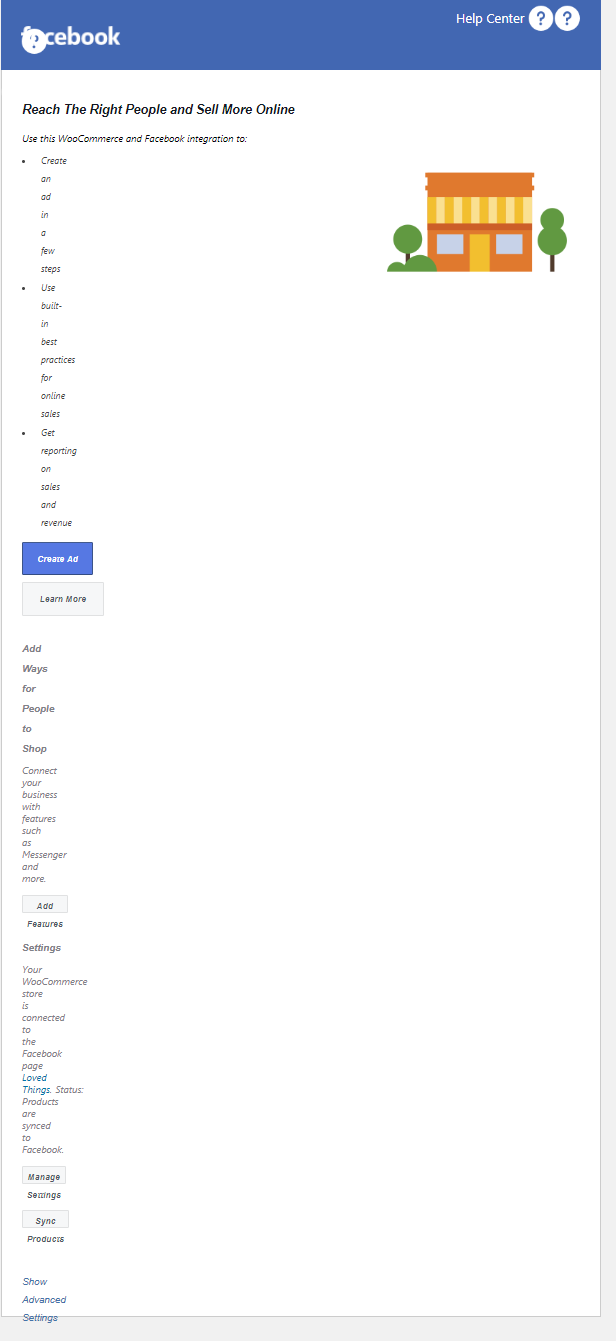
@najdanovicivan When i download and install the plugin useing your link the plugin gets a design issue
see my screenshot, the sync box in woo is not the same
mickesdesign
on 20 Feb 2019
same design issue here @mickesdesign mentions when downloaded and manually uploaded.
binnythap
on 21 Feb 2019
I love that when you view changelog there is nothing there. Great work!
 StefsterNYC
on 21 Feb 2019
StefsterNYC
on 21 Feb 2019
@mickesdesign I only downloaded sources from git and made the zip. The issue is created by the plugin developers. I see there is another commit on git maybe it fixes your issue. Here is the zip with the latest sources
facebook-for-woocommerce.zip
najdanovicivan
on 21 Feb 2019
My god, this is amazing? Support didn´t do anything to fix this issue after 28 days...Is somebody working here? Hellloooooo
 cube1973
on 13 Mar 2019
cube1973
on 13 Mar 2019
@cube1973 I was thinking the same thing the other day. Decided to deactivate, remove and try installing via Wordpress Add Plugin. It install 1.9.11 and seems to have stayed at 1.9.11. I've done it on 3 sites and so far it's ok. Will see what happens when 1.9.12 lands. I agree this should have had a proper response in 28 days.
bighippo999
on 13 Mar 2019
It´s a shame that a Facebook product has this level of support. I asked support another question 3 months ago and not reply yet.
I don´t know where Zuckerberg spends his millions of $ but clearly not here. He doesn´t care about this product. Same for Facebook campaigns, support is useless or doesn´t exist. Facebook have to learn a lot about Google and its level of support. Google is a lot better in support
cube1973
on 13 Mar 2019
More than a month, still no solution? :)
sillyonthestreet
on 19 Mar 2019
Automated Support Message - Issue Closed
Hello,
Because it has been 30 days since this issue was updated and you have not included Debug Ready in your reply, our automated system will now close your issue.
If you are still having this problem, please open a new issue and reference this one.
For more information on our response times and support policy, visit Facebook Support on GitHub.
Thank you,
The Facebook Dev Team
 yinghechen1993
on 19 Apr 2019
yinghechen1993
on 19 Apr 2019
Haha, I am still stuck on 1.9.7.....
 rallevondalle
on 23 May 2019
rallevondalle
on 23 May 2019
Cannot believe the amount of trouble with this plugin. Mine is stuck at 1.9.10. Says an update to 1.9.12 is available but stays at 1.9.10. Really do not want to delete and reinstall because I have close to 1000 products so resyncing is a huge pain. This has been so unstable I am seriously considering dropping the Facebook store.
 filch
on 4 Jun 2019
filch
on 4 Jun 2019
Downloading 1.9.12 from https://woocommerce.com/my-account/downloads/

The version number in the core file is 1.9.10:

 stianandreassen
on 6 Jun 2019
stianandreassen
on 6 Jun 2019
So, is it actually 1.9.12 but just has the wrong version code?
Sent from my iPad
On Jun 6, 2019, at 5:09 AM, Stian Andreassen notifications@github.com wrote:
Downloading 1.9.12 from https://woocommerce.com/my-account/downloads/
The version number in the core file is 1.9.10:
—
You are receiving this because you commented.
Reply to this email directly, view it on GitHub, or mute the thread.
filch
on 6 Jun 2019
Related issues
 sm7uge
·
37Comments
sm7uge
·
37Comments
 NicoleParberry
·
46Comments
NicoleParberry
·
46Comments
 JEJSD
·
53Comments
JEJSD
·
53Comments
 Aprilhead
·
47Comments
Aprilhead
·
47Comments
 bbihun12
·
31Comments
bbihun12
·
31Comments
Most helpful comment
@mickesdesign That's not a solution but a workaround. The solution is to update the zip file, so all users don't have to modify the plugin files manually.
@antareius Can you please fix this? The "Need More Info" label is not appropriate here.