Facebook-for-woocommerce: No products in Facebook page shop?
My Woocommerce products once were synced to my FB shop on my FB page. At one time they disappeared, but I didn't notice until recently.
The sync works in a way that the products show up in the product catalog in business manager, but not in the shop.
Just updated to v1.7.10 and resynced, but no change.
Why won't the products show up in my FB shop? (undless I'm totally mistaken, they should?)
 sm7uge
All 37 comments
Hi @sm7uge,
Yes, they should appear on your facebook page shop. We fixed a bug in 1.7.10 and just released v1.7.11.
Can you upgrade and re-config your fb setting?
steps:
- deactivate and delete plugin with old version
- go to 'WooCommerce' -> Settings-> Integration -> facebook for woocommerce -> re-config your facebook settings -> advance options -> delete
- 'get started' on original 'facebook for woocommerce' window
- finish set-up
Your products should finished synced and then your shop will finish processing after that. But as page admin, you should be able to see your products under your shop page.
If it still doesn't work, please tell us your site url and facebook page url for further investigation.
Thanks.
 mengyingdu
on 1 Feb 2018
mengyingdu
on 1 Feb 2018
In your link to 1.7.11 it seems like I get 1.7.10 when downloading? at least that is 1.7.10 stated after installation, even if the zip-file states 1.7.11.
When the sync was finished I got an error above Facebook window under integration:
Facebook extension error: Facebook for WooCommerce
(#200) Permissions error
One line says "Created product item XXX on Facebook." But that's just one out of 28 products. There is 26 products in business manager product catalog and 26 products in the store.
By the way, what's up with Wordpress plugin updates? Not just for this plugin. When I went there to delete v1.7.10 there was an automatic update to 1.7.11, but I choose to delete instead of updating. After installation of what I thought was 1.7.11, which shows as 1.7.10, there is no automatic update displayed in wordpress plugins. I've seen this behaviour for several plugins the last week or so...
sm7uge
on 1 Feb 2018
I saw another thread about something wrong with 1.7.11, so I now downloaded the version again and installed and now everything seems okay. Products synced to Facebook as they should.
Thanks.
sm7uge
on 2 Feb 2018
I appear to be having a similar issue on 1.7.11 - what is the delay I should expect between syncing a product feed into Product Manager (done, working well), and the products showing up on the Facebook Page front end?
My Facebook for Woocommerce settings confirm there are 97 products in my feed, and I have even been able to create Ads with the product feed, but nothing shows on Shop tab of Facebook page (https://www.facebook.com/aesthetiqueliftwear/)
 wazman21
on 6 Feb 2018
wazman21
on 6 Feb 2018
Wazman21, there is no shop on your Facebook page? Turn it on under the settings.
sm7uge
on 6 Feb 2018
It's definitely they and on, but is empty without the product feed working
wazman21
on 6 Feb 2018
Hm, i can't see it...?
sm7uge
on 6 Feb 2018
Yep, because you aren't an admin. It's not visible when empty. Because the feed isn't working.
wazman21
on 6 Feb 2018
Could be the same problem as #281 ? The shop selector is easy to miss during the setup, and can default to off in some cases.
 dmitridr
on 15 Feb 2018
dmitridr
on 15 Feb 2018
Thank you @dmitridr - can't believe I missed that - legend.
wazman21
on 15 Feb 2018
Nice. Closing this out.
dmitridr
on 16 Feb 2018
Hello ,
I am having the same issue. My products are synced successfully. They don't appear under shop tab.Shop tab is ON. Tried to delete reconfigure again.No success. Cataloge is empty with 0 products.FB support couldn't resolve my issue.Help please! My facebook page is https://www.facebook.com/pg/draganadujovic%20/shop/?ref=page_internal
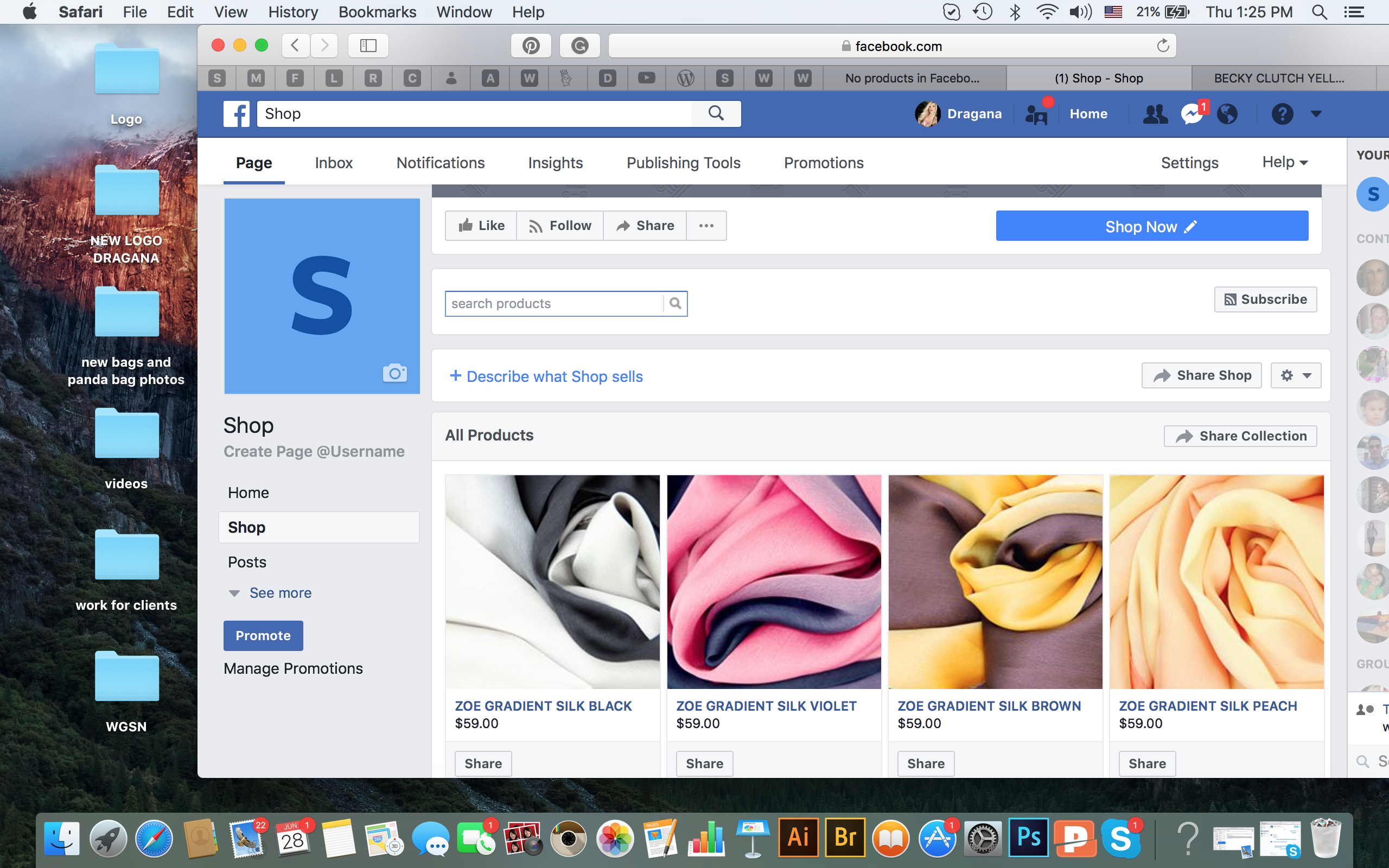
Tried to do the same with test page SHOP products and guess what ? products appear there .
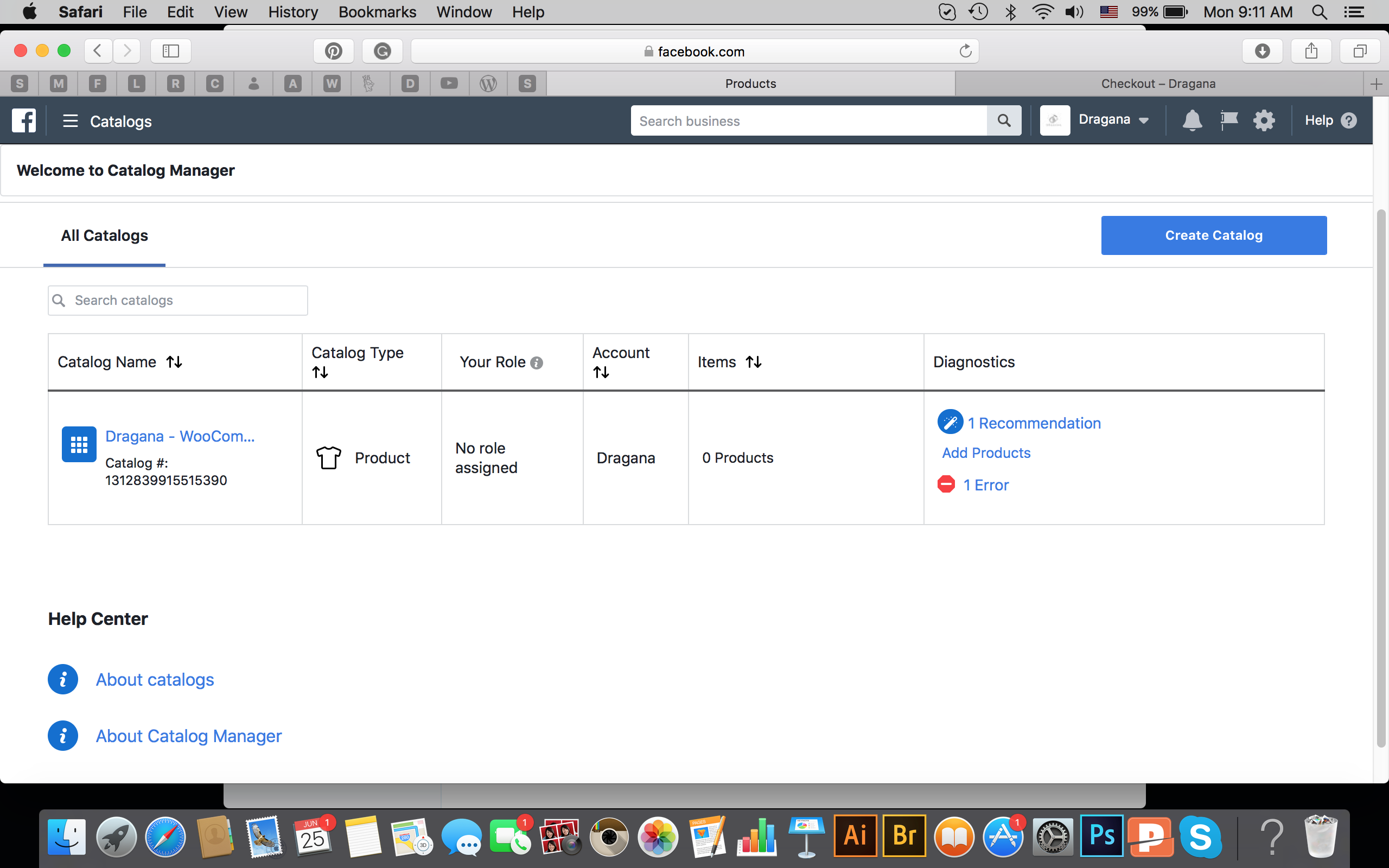
Tried also to delete plugin and install again did not help
 dragad
on 28 Jun 2018
dragad
on 28 Jun 2018
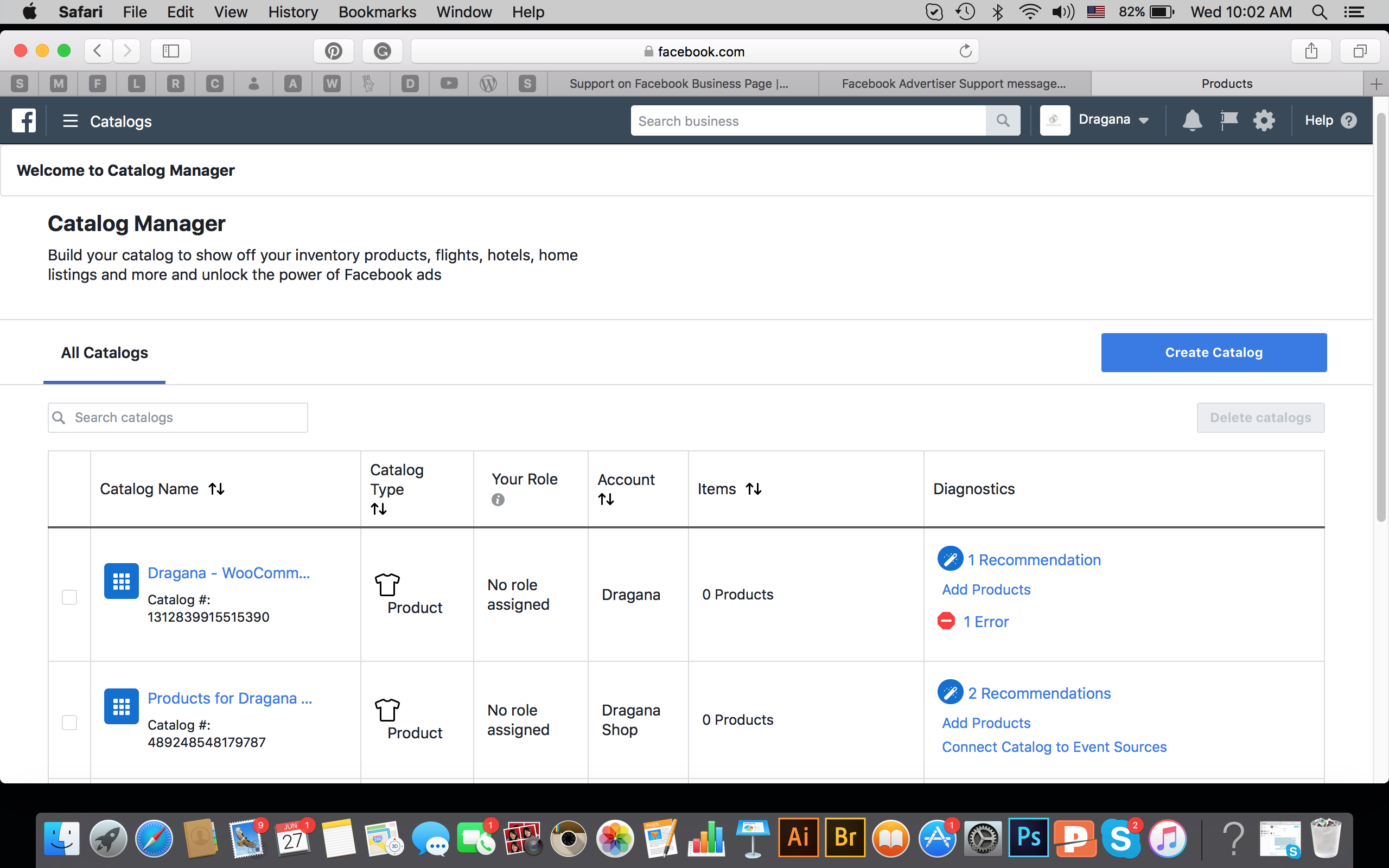
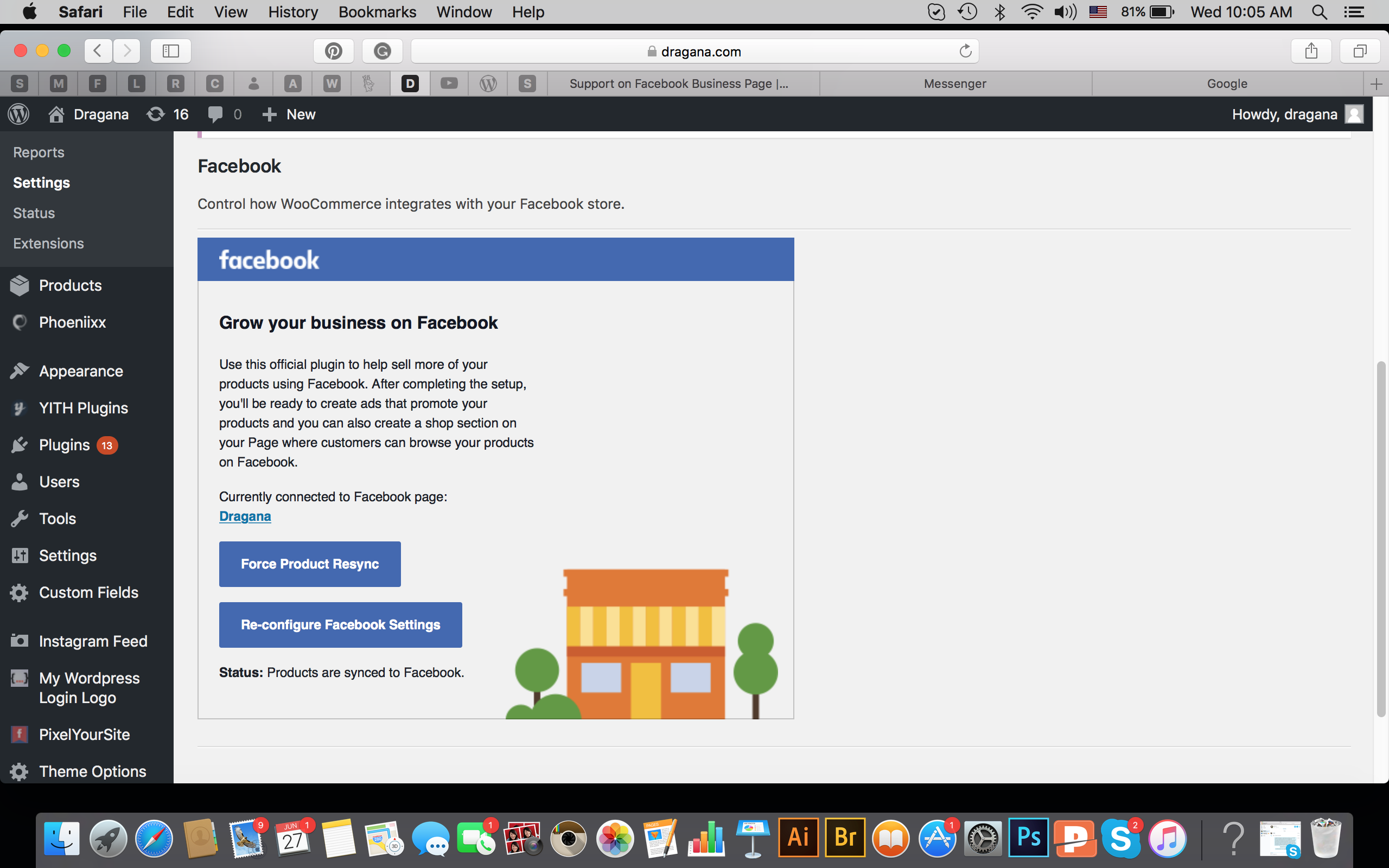
dragad
on 28 Jun 2018
Why I don't see products under my primary page Dragana ? And on test page SHOP successfully products appeared
dragad
on 28 Jun 2018
I had exactly the same problem. I was using an old version of the plugin. I´ve just updated it to 1.9.1 and reconfigure the plugin, and all my products started to appear in the shop tab. Good luck!
 walpap
on 28 Jun 2018
walpap
on 28 Jun 2018
Thank you @walpap I am using the same plugin as you 1.9.1 but still doesn’t work. It looks like the page has issue because I was able to sync products by opening new FB page.
But still mistery why the shop is not working on my primary page :(
dragad
on 29 Jun 2018
Hi
I followed the steps about deleting the old version, installing the new (1.9.1) one and re-synching.
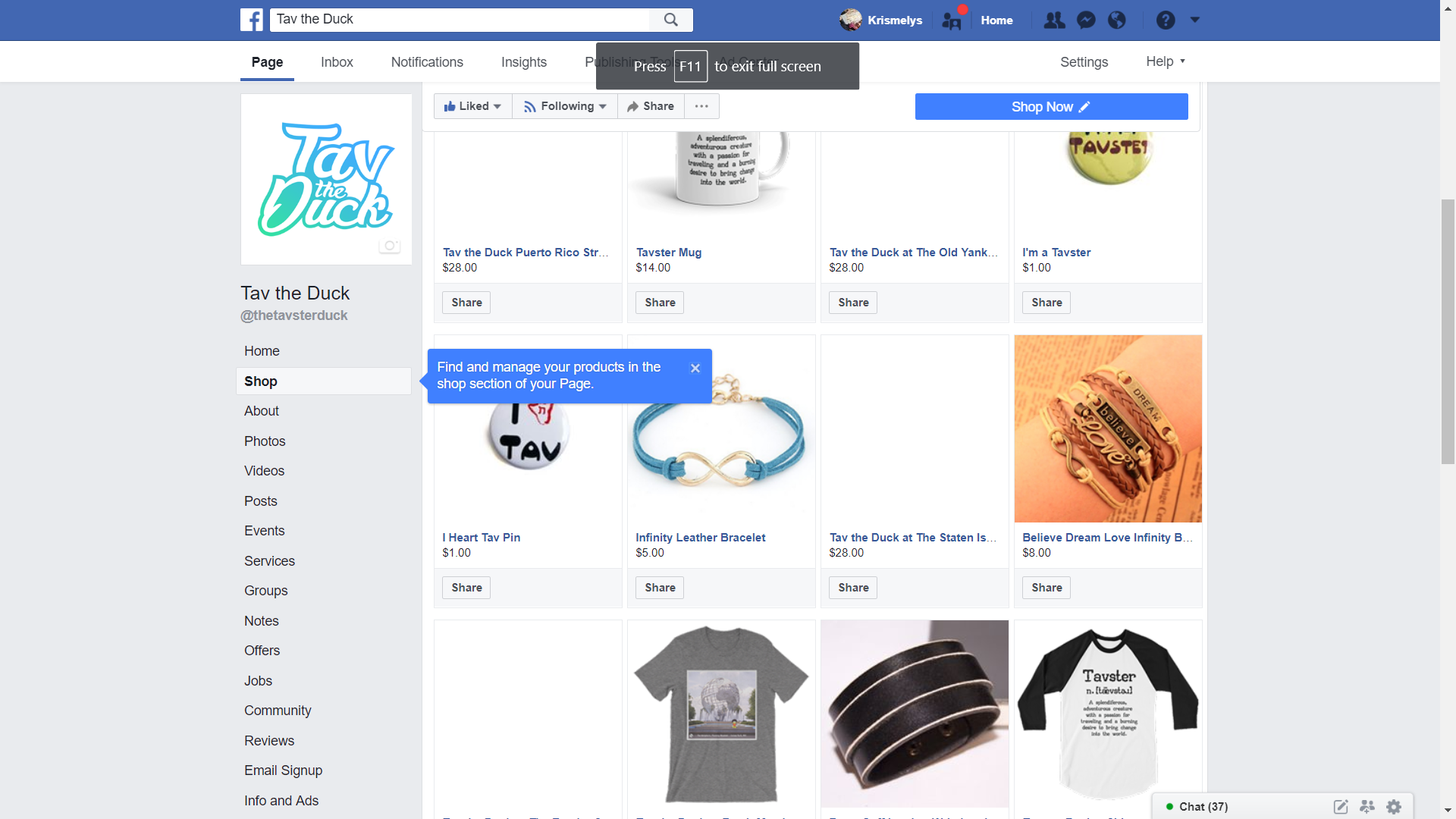
The same issue as before is still happening. Some of the item's images do not appear in the FB Shop...
Thanks in advance
Kris
This is my FB link:
https://www.facebook.com/pg/thetavsterduck/shop/?rid=36053343534&rt=6
 TavtheDuck
on 12 Jul 2018
TavtheDuck
on 12 Jul 2018
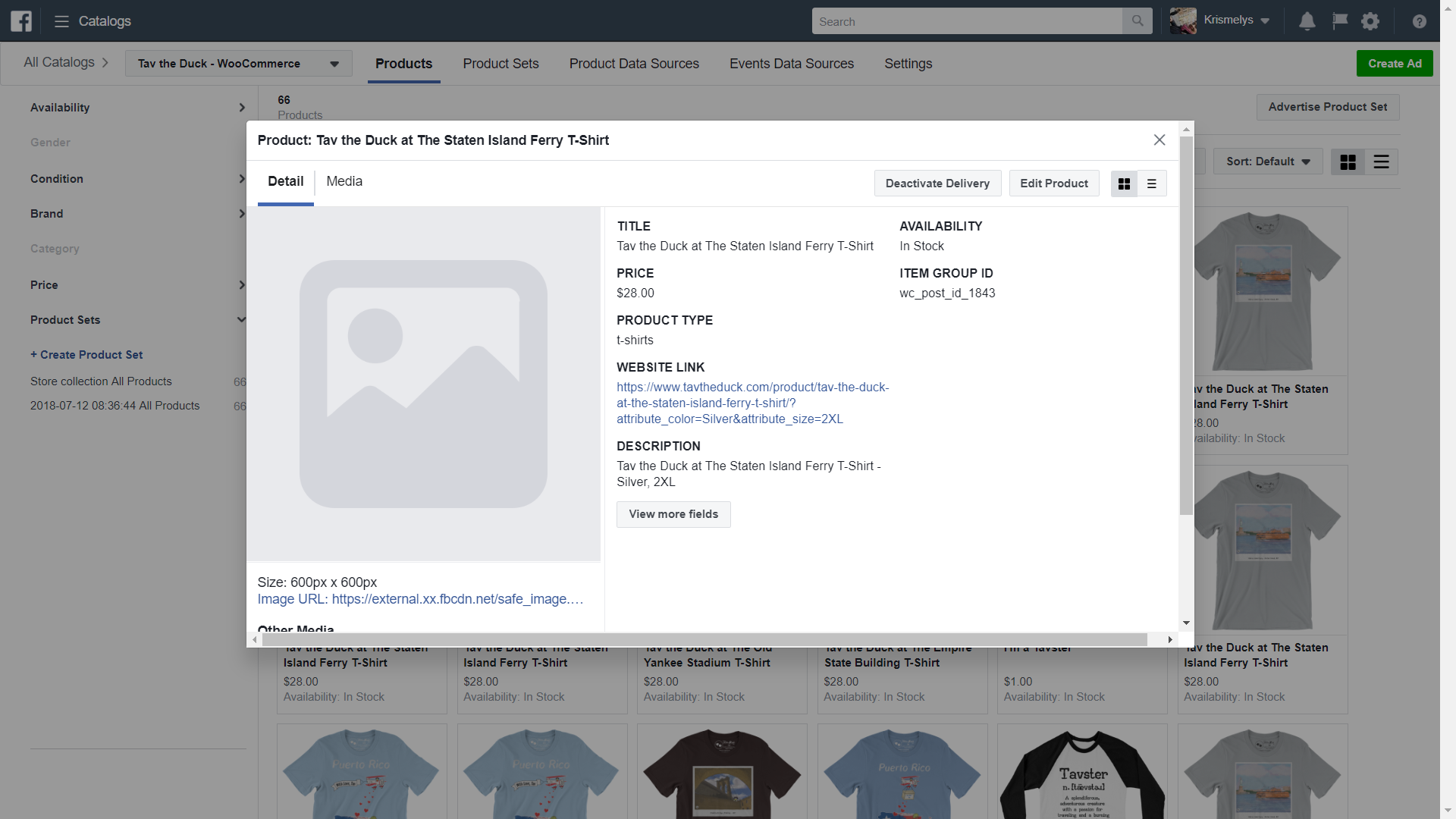
The products images that do not show on the FB Shop also do not show in the backend of the Shop/Catalog.
TavtheDuck
on 12 Jul 2018
ive done everythgin recommended. i have the most current versions of everything. ive synched, resynched, same result. I can see the products on the back end, but when i go to my business page and click shop, it tells me I have no products.
 pps559
on 18 Jul 2018
pps559
on 18 Jul 2018
I had the same problem, but after I deleted the page from business manager, and I have synced products again, my shop with products appears fine.
dragad
on 18 Jul 2018
dragad, are you saying to delete the facebook page from business manager? where is that? how do i do that?
pps559
on 18 Jul 2018
Yes correct, go to business settings, click “Pages”.Select Facebook page that you want to delete from business manager and click remove.Confirm remove again, and try to sync products again. And check the shop tab after products are synced.
dragad
on 19 Jul 2018
i just looked it up, and i dont thik i have a facebook business manager account. But i still dont see my products on "shop" on my business page. They are there when i verify through woocommerce and pixel, but when im on the actual facebook business page, nothing. PLEASE HELP!
pps559
on 19 Jul 2018
i dont have "business settings"
pps559
on 19 Jul 2018
I had exactly the same problem. I think you do have page connected with bus. manager because I see your screenshot with catalogue from bus.manager.Go to YouTube “how to remove Facebook page from business manager follow the steps
dragad
on 19 Jul 2018
nope. i dont have those options. when i click the drop down on facebook, there is no business manager setting
pps559
on 19 Jul 2018
im looking at everything. my pixel is firing, i have pixel helper, but when i try to connect to my woo db facebook says the pixel is not ready
pps559
on 19 Jul 2018
totally lost. ive done and redone everythgin and nothing is working. to the piont that im angry. is there an easier way?
pps559
on 19 Jul 2018
HELP
pps559
on 19 Jul 2018
I know it gets frustrated. I have products synced but still 6 products are under processing. Not yet processed :( It is always something. I would try to remove that page first from bussines manager.They were saying here, that they had issues with shop when is connected to bus. Manager
dragad
on 19 Jul 2018
I dont think you are understandig me. I dont have the business manager.
pps559
on 19 Jul 2018
ok, just ceated a business manager page - still the same result. I need like a phonecall or screenshare or something
pps559
on 19 Jul 2018
Platform shop settings
Use Checkout Urls
I have another products on my shop tab and can't add any photos and price or anything I need help please
 firo100
on 3 Dec 2018
firo100
on 3 Dec 2018
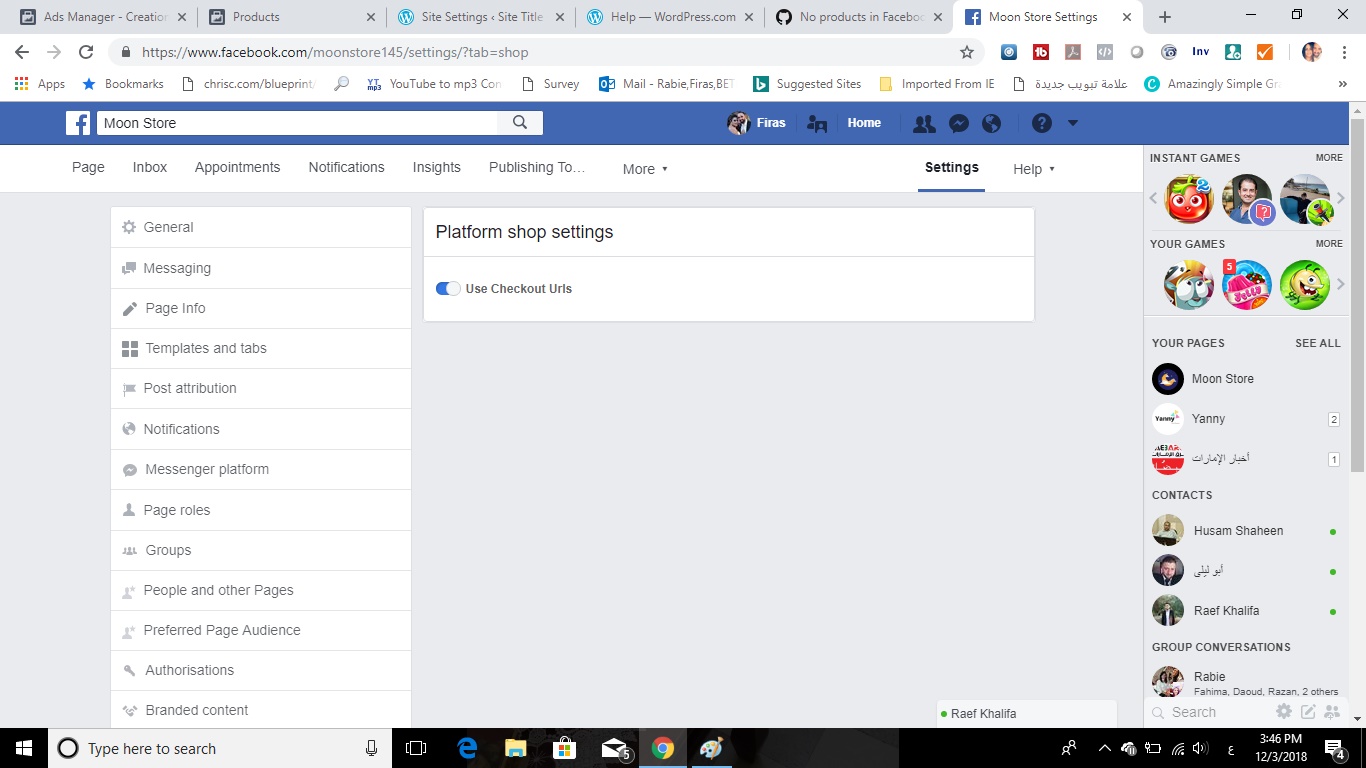
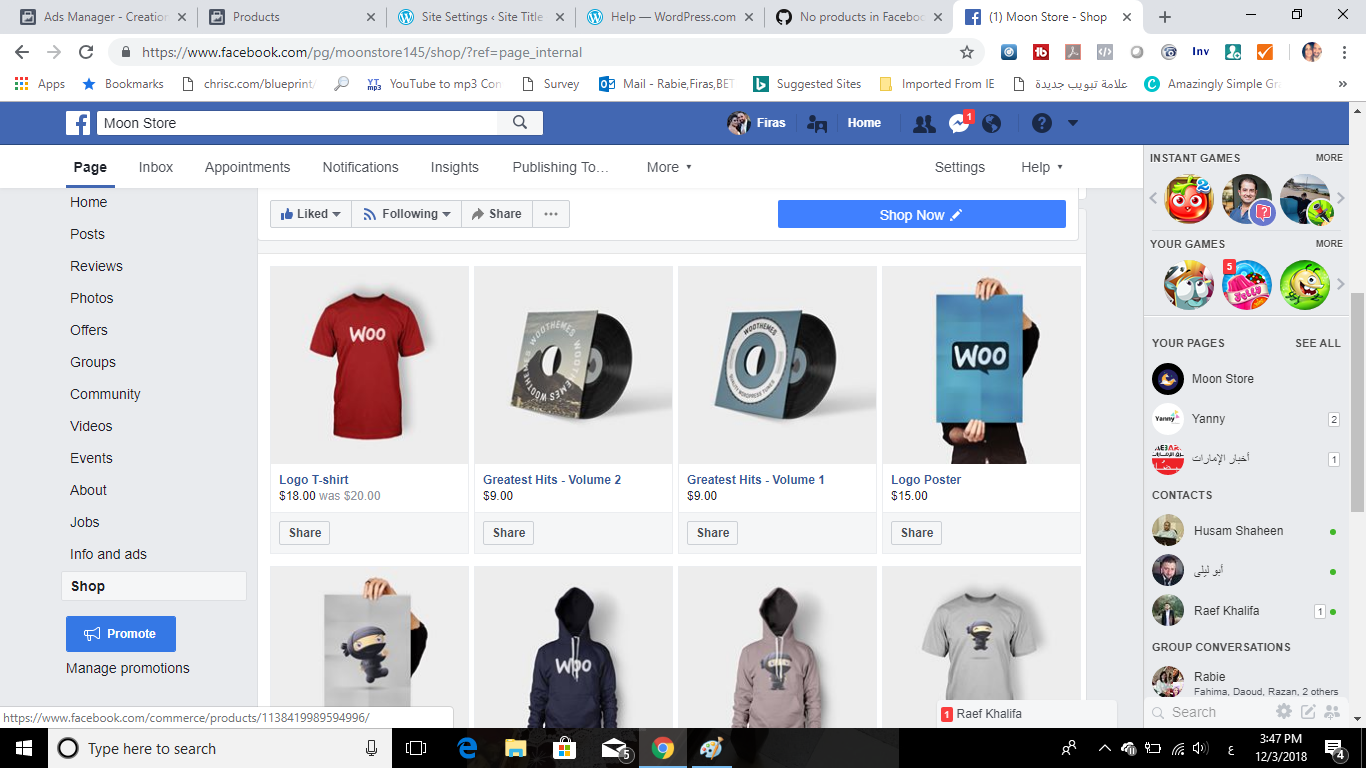
the first one when I go to shop settings
the second one when I go to shop tab I find these products that need to be deleted
firo100
on 3 Dec 2018
firo100,
In woocommerce:
- Delete the demo products, or
- Unpublish the products, or
- Edit the products and untick the box "Visible" on Facebook
sm7uge
on 4 Dec 2018
Im also having the same. It says pixel has been created and syncing but it does not show on my page
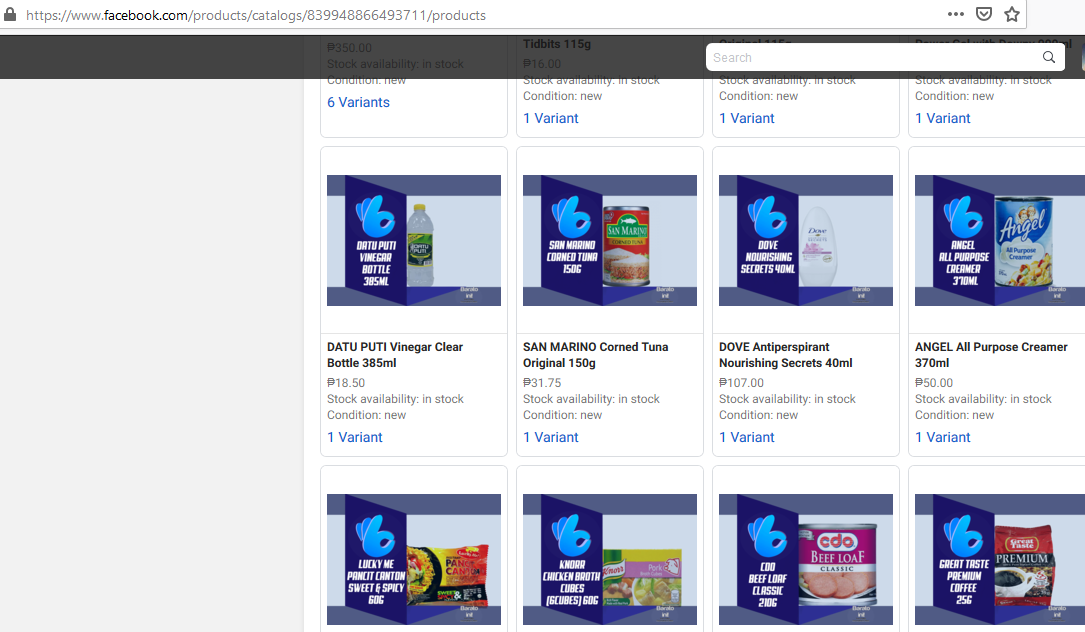
 baratoini
on 13 May 2020
baratoini
on 13 May 2020
i still dont see the products in my fb page shop. :(
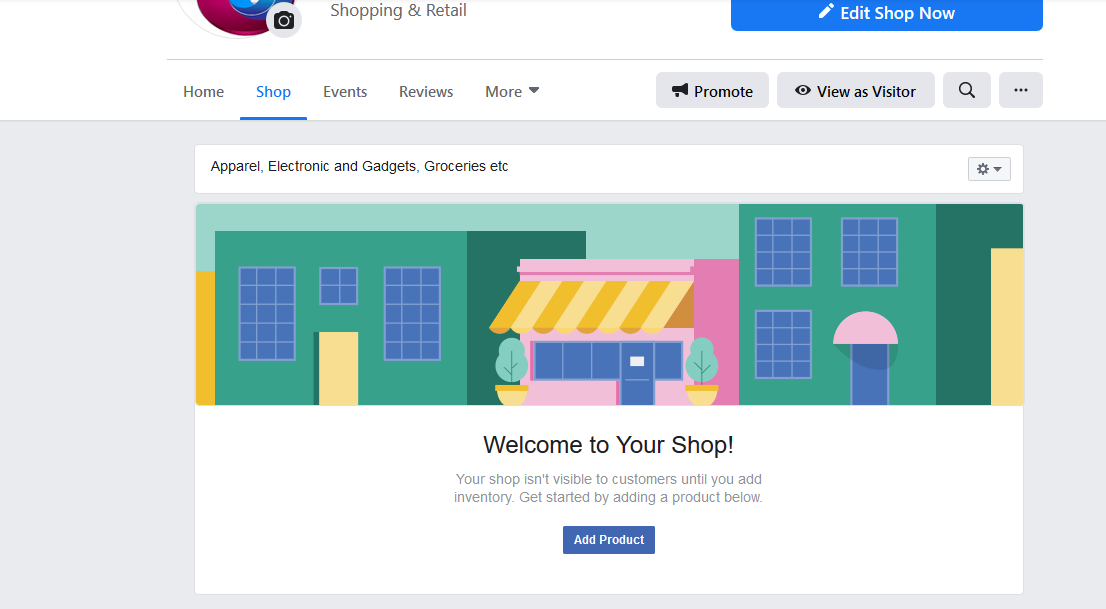
baratoini
on 13 May 2020
Related issues
 jerome2612
·
30Comments
jerome2612
·
30Comments
 StefsterNYC
·
28Comments
StefsterNYC
·
28Comments
 Aprilhead
·
47Comments
Aprilhead
·
47Comments
 boutzamat
·
72Comments
boutzamat
·
72Comments
 revendo
·
24Comments
revendo
·
24Comments