Facebook-for-woocommerce: Product Shops Out of Stock
Hello, I just uploaded the latest version of the Plugin 1.8.7 and synced 30 products from my Woocommerce. Each product has 3 variations, Top Size, Bottom Size, Bottom Coverage.
Each product I go to says out of stock and user cannot purchase the item. I have the Stock Status set for each product to In Stock, but I don't manage stock.
Why is it showing Out of Stock in the Facebook shop?
Woocommerce: https://islaraeswim.com/shop/
Facebook Page: https://www.facebook.com/islaraeswim/shop/
Thank you
 bbihun12
All 31 comments
I too am using version 1.8.7 and all products are showing as out of stock, any help?
Woocommerce: https://jecodesigns.co.uk/shop/
Facebook Page: https://www.facebook.com/Jecodesigns/shop/
Thanks
 tro127
on 4 Jun 2018
tro127
on 4 Jun 2018
I'm seeing the same issue with latest release or some other change on Facebook's side.
WordPress version 4.9.6
WooCommerce version 3.4.1
plugin version 1.8.7
The majority of my over 700 items currently in the catalog are showing this OUT OF STOCK state in the Facebook shop even though the Catalog availability state on every item I have is In Stock. I've included screenshots of only one item as an example.
https://www.flairtradeconsign.com/product/backpack-purse/
https://www.facebook.com/pg/flairtradeconsign/shop/
The catalog is in sync with WooCommerce, I have not tried to reset the plugin at this point as it appears to be a broader issue.

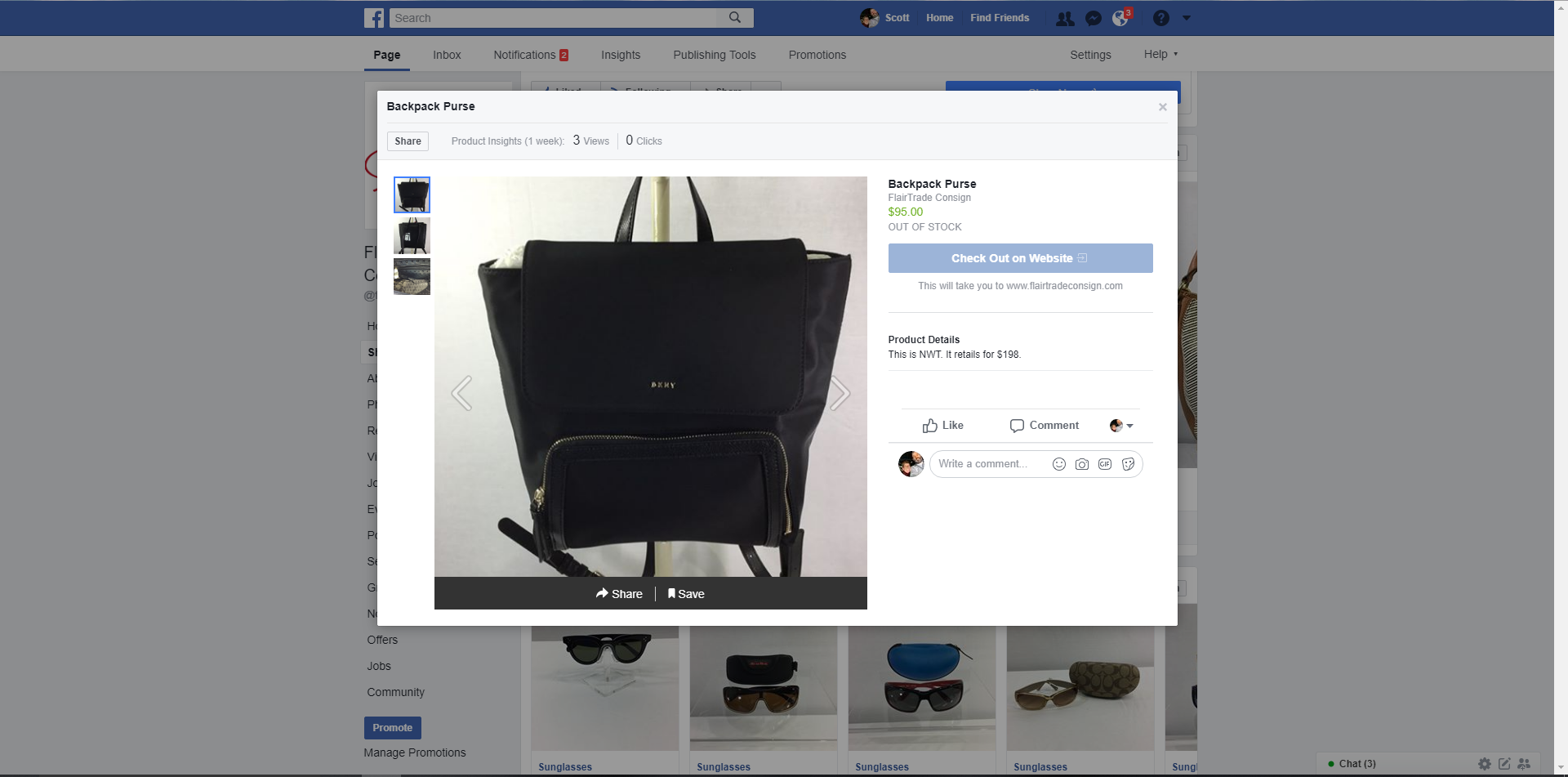
 FlairTrade
on 4 Jun 2018
FlairTrade
on 4 Jun 2018
Hi @FlairTrade @bbihun12 @tro127 ,
This is caused by a recent change from Facebook shop team. The fix is landed now. However, for the existing products with this problem, please expect 1-2 days then resync for a fix.
Sorry for this inconvenience.
 mengyingdu
on 4 Jun 2018
mengyingdu
on 4 Jun 2018
Can confirm, this is not a bug in the plugin but a bug in all FB shops. 1-2 days is the current ETA for a fix from the shops team.
 dmitridr
on 4 Jun 2018
dmitridr
on 4 Jun 2018
Thanks for the quick response
tro127
on 5 Jun 2018
Thank you for the response.
On Jun 5, 2018, at 1:12 AM, tro127 notifications@github.com wrote:
Thanks for the quick response
—
You are receiving this because you were mentioned.
Reply to this email directly, view it on GitHub, or mute the thread.
bbihun12
on 5 Jun 2018
Not shooting the messengers, but how frustrating to constantly deal with bugs like this and then be provided an a 48 hour ETA for a fix. I realize this is a "free" service but our traffic does drive significant value for Facebook. You'd think there would be a bit more love and urgency for the small business community... Thanks for the response, acknowledgement and insight @mengyingdu @dmitridr
FlairTrade
on 5 Jun 2018
Update : I'm told the fix is live, but the data migration to fix existing shops is in progress. If you don't want to wait for the migration, you may have some success in getting rid of the bug now if you do a Force Resync.
dmitridr
on 6 Jun 2018
@dmitridr thanks for the update. I can confirm doing a Force Resync fixes newly added items but not existing at this point. It looks like the only options maybe to wait for the official data migration or possibly reset which isn't ideal with existing tagged product.
FlairTrade
on 6 Jun 2018
@dmitridr
Thank you for updating and adding me to this thread. I have done a force resync earlier this morning and another one this afternoon, but didn't really help. Should i just wait or there's something else I should try now?
 sfconcas
on 6 Jun 2018
sfconcas
on 6 Jun 2018
Thanks for trying that. If a force resync doesn't work, you can try a full reset of the plugin, via Reconfigure > Advanced Options > Delete and then set up again. If you prefer to wait, I'll check with our shops team about the status of the fix and post here when I have an update.
dmitridr
on 7 Jun 2018
@dmitridr Thank you so much, then I suppose the only thing left to do it's the option you just suggested, I am only afraid it'll delete my shop and it'll again start it all from zero. Will I have the same issue if I reconfigure the plugin? I mean, will I have to wait again for the shop to be processed again?..Or should I for now wait for your updates?
Sorry for the many questions
sfconcas
on 7 Jun 2018
@sfconcas it depends on how much of a hurry you are in. If you want to have it fixed by today, then trying a reset may be your only way. You should not have the processing issue again, but processing may still take a few hours. If you are not in a rush, I recommend waiting. I think the shops team migration will finish before long, but still waiting on an update from them for how much longer.
dmitridr
on 7 Jun 2018
@dmitridr
and I am back to square one, after trying as you suggested the force re sync a few times nothing happened, so I just deleted and set it again as you suggested, now I don't have any more items to add in my website and facebook shop, so if you guys can keep an eye on the shop and see if it can be reviewed or fixed I truly appreciate it.
I am sure you already have the details but just in case the facebook shop page is:
https://business.facebook.com/JSLaserCraft/shop/
Once again, thank you so much for the help, I don't know how we all could have done without your help!
sfconcas
on 7 Jun 2018
@dmitridr that was faster than I thought, the shop has already been approved! can I ask you something? Variations, are they added through facebook? I have them on the website but not all of them are displayed on facebook, I guess fb uses them differently, not sure, I need to figure that out.... and would you know how can I use the shoppable instagram now that facebook is active?
thank you so much, for everything, I will never say it enough
sfconcas
on 7 Jun 2018
@sfconcas Glad everything is working for you! Variations should be correctly uploaded to FB, each variation is a different product on FB, but in the Shop they show up as one product with a drop down to select the variation.
If you have a specific bug relating to one product and one variation I would search through our issues to see if this problem has been reported, and comment in the issue if so, if not please open a new issue on us with the details of which variation is not correctly being uploaded. It may take us some time to get to though, we are prioritizing critical bugs (such as the one in this thread).
The update from the shops team on the out of stock issue is the migration was delayed due to a separate infrastructure problem, but it is running now. I still have no ETA, will continue to press the shops team for an ETA.
dmitridr
on 8 Jun 2018
Okay I have an ETA from the shops team for those of you still experiencing this problem: the migration should finish today. I'll update and close this task when all shops are migrated/fixed.
dmitridr
on 8 Jun 2018
Appreciate you keeping us updated. I reset my shop to resolve my issues, couldn’t wait this long. Time is money😜
FlairTrade
on 8 Jun 2018
@dmitridr Guys thank you very much for being so amazing, the shop is up and running, I don't thing I have nay issues now. I am not sure this is a bag or just the way fb import listings but I thought t'd ask before opening a ticket.I have variations in every listing, but instead of seeing variations, well I see, but in the dropdown menu of the variations I can only see "any" instead of the name of the variations, is that something normal or something that tI can fix?
Perhaps the screenshots will help,
Regards,
Simon
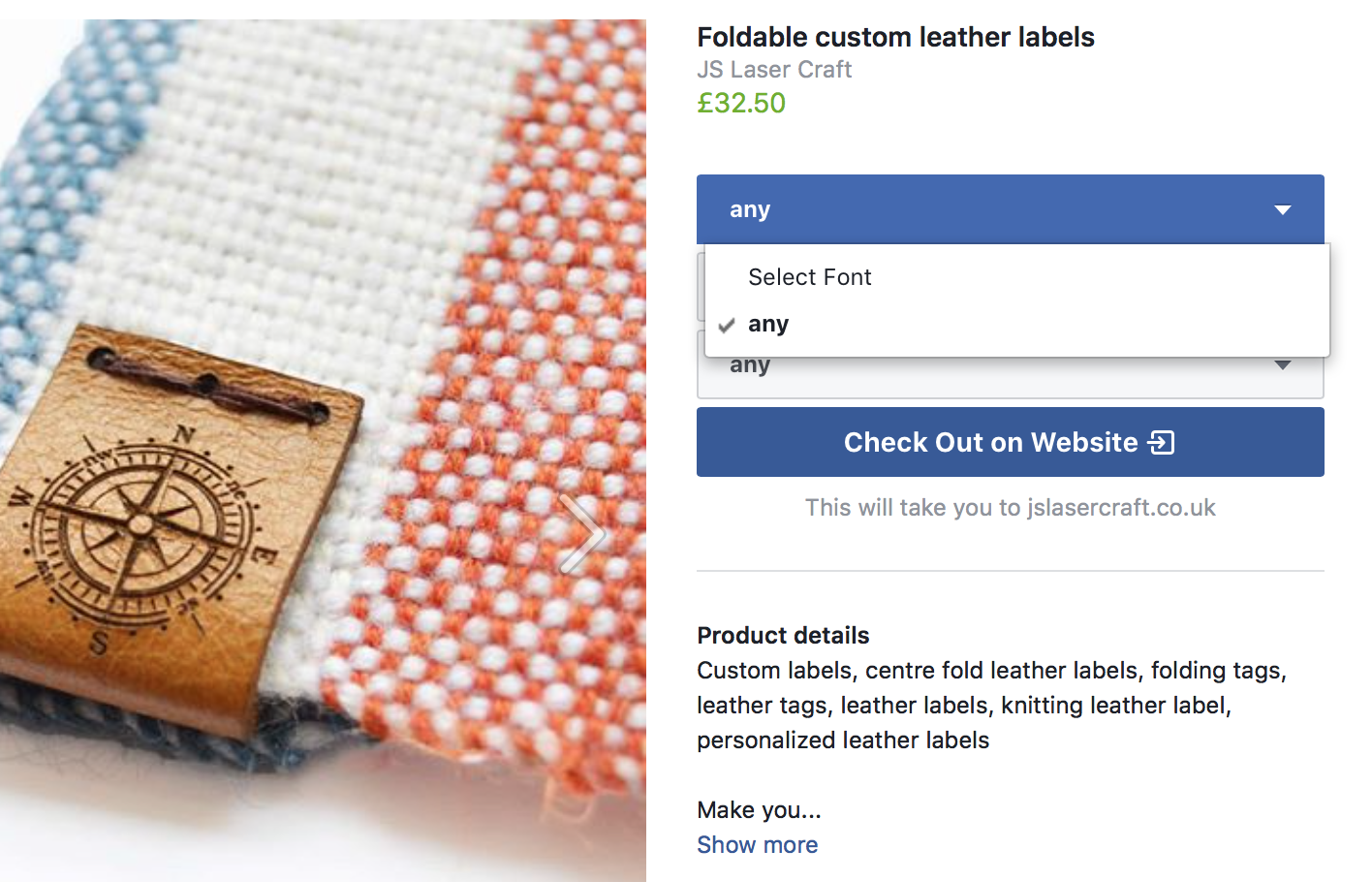
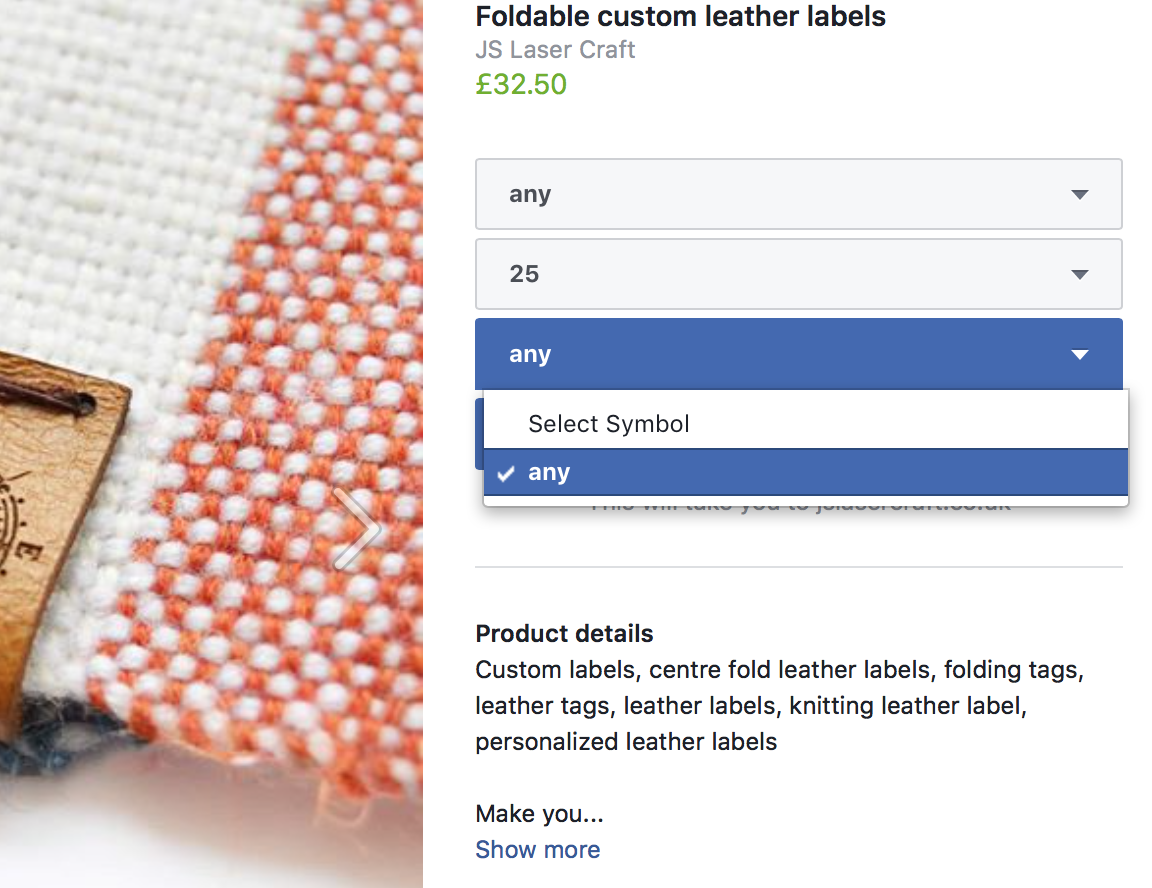
sfconcas
on 9 Jun 2018
All shops should be fixed now. Please comment here or open a new issue if you're still seeing out of stock problems.
@sfconcas Facebook attempts to mirror the product configuration from WooCommerce. If your WooCommerce configuration for the product variants is set to Any Font for all of the variations you have, we will likewise copy that configuration onto FB. On the other hand, if you manually configure each of your variations to have a specific Font, Facebook should copy over the variations that you have configured. Hope that helps clarify. If you think this is a bug (your setting on WooCommerce is not any for the variations of this product), feel free to open a separate issue!
dmitridr
on 11 Jun 2018
Hi guys,
Is this issue resolved? Because our store is still having this stock issue :( it is really disruptive.
Our online store is: https://hetopia.com
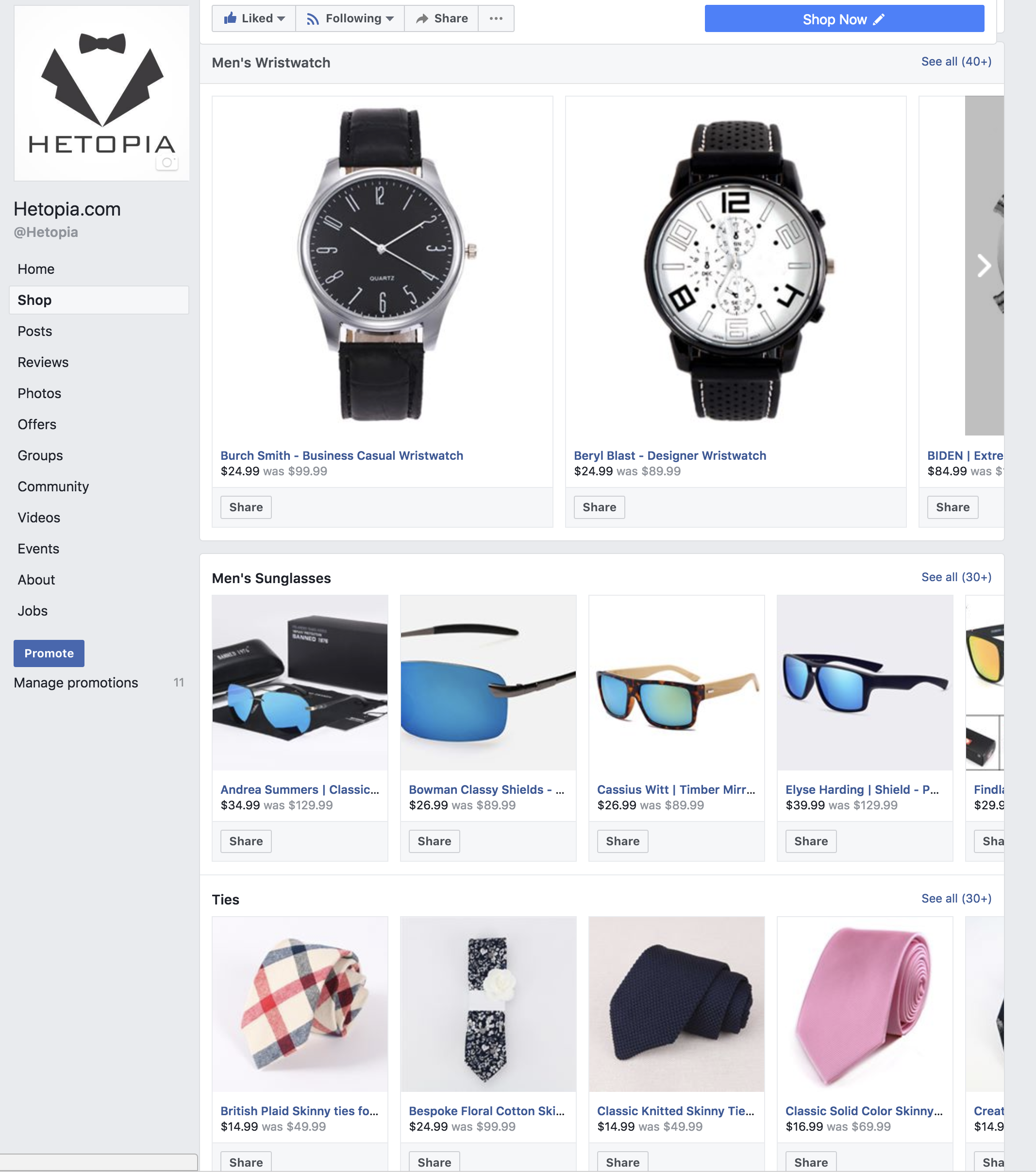
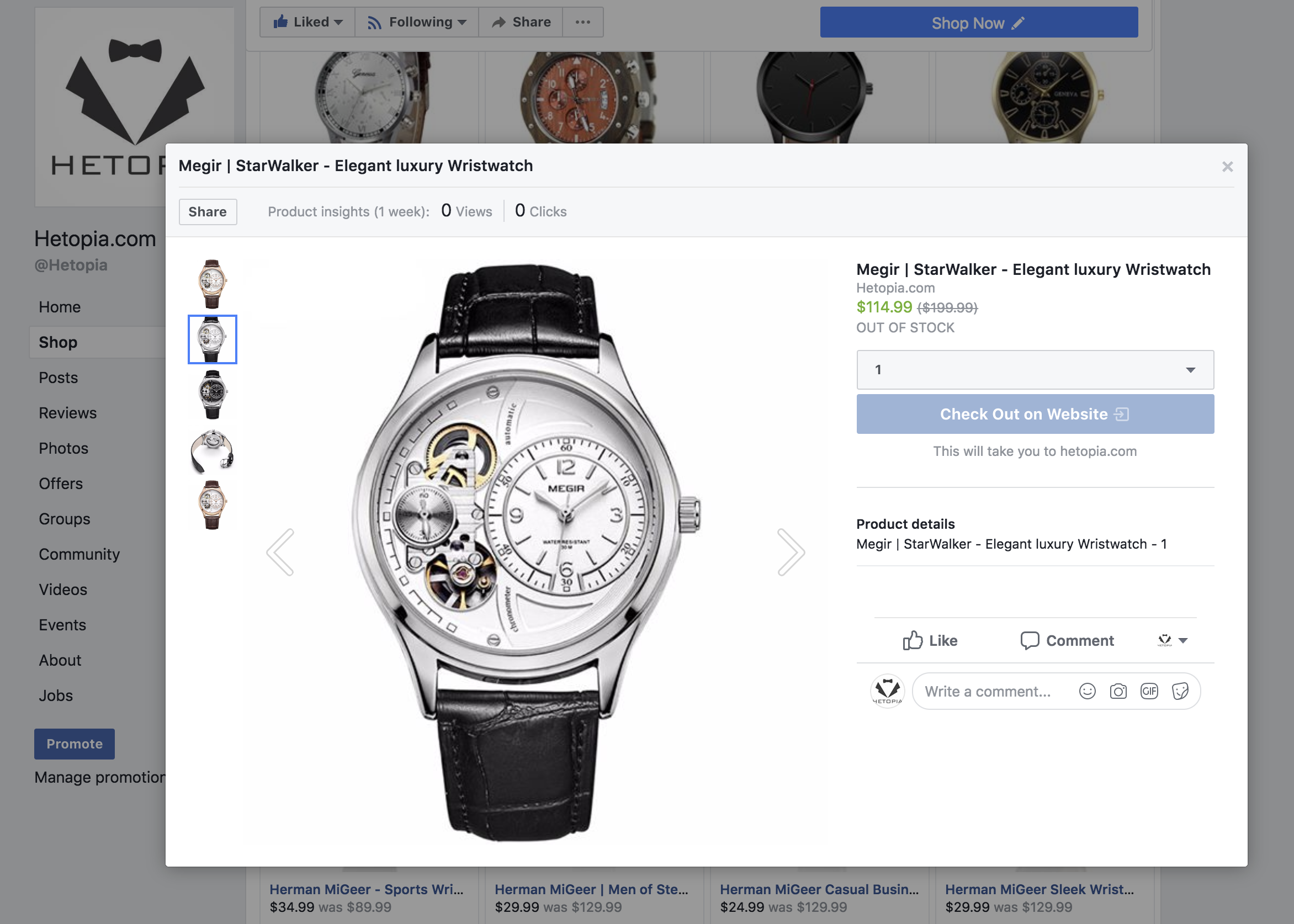
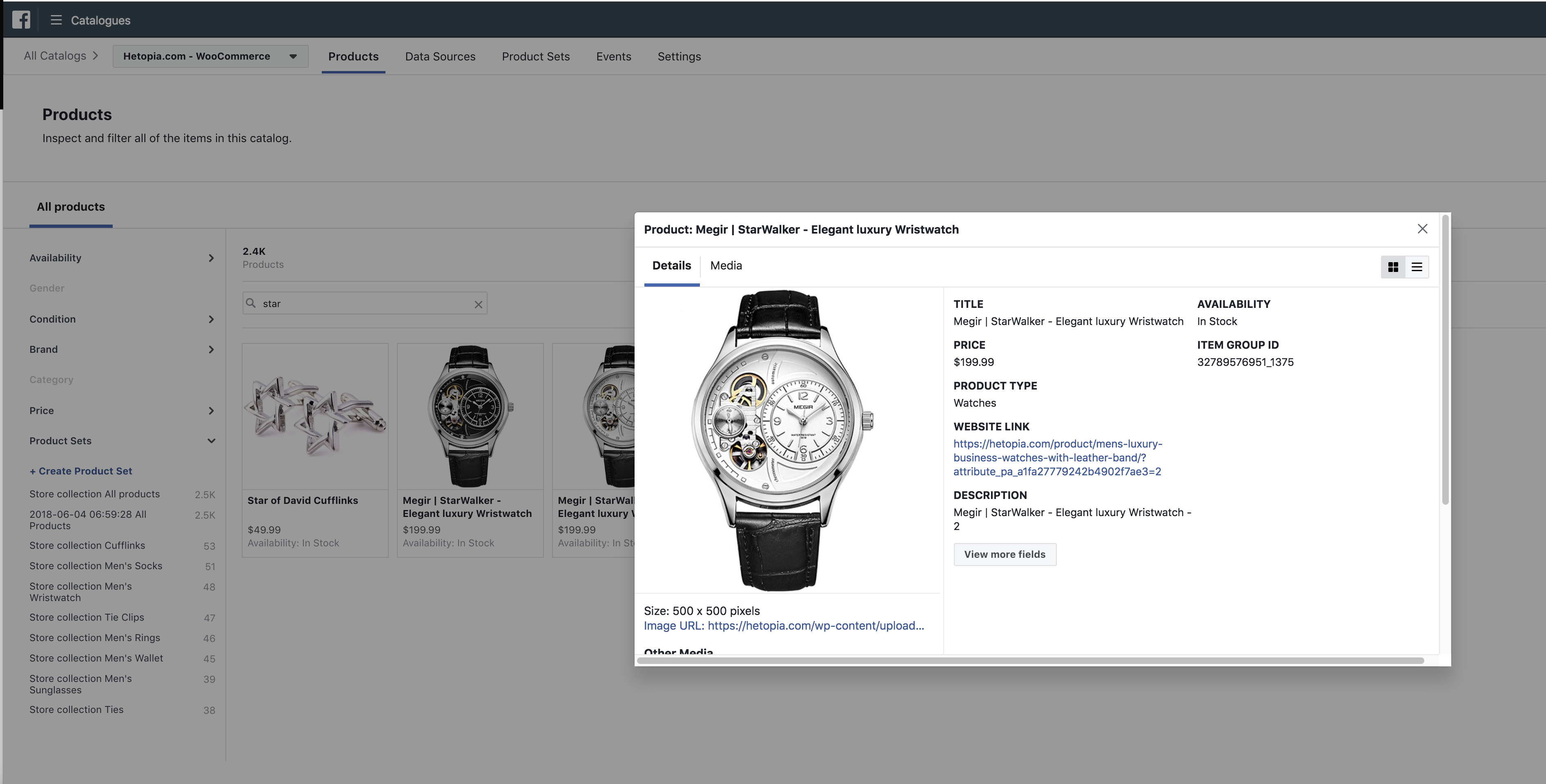
However the data that is uploaded is correct see last image
 Joshuagier
on 12 Jun 2018
Joshuagier
on 12 Jun 2018
I tried force resync but it still does not work
Joshuagier
on 12 Jun 2018
I am having this issue as well. All items are showing "Out Of Stock" but my inventory in my catalog shows "100 in stock".
 hotshotfiregirl
on 8 Feb 2019
hotshotfiregirl
on 8 Feb 2019
I also have the same issue but with one webshop while at the same time other one is working okay.
It's not woocommerce, I'm uploading all products with .csv files.
Did this happen again maybe?
 MaRad1987
on 23 Mar 2019
MaRad1987
on 23 Mar 2019
Version 1.9.15 having this issue. Spent 30 mins with Facebook support they told me the problem is in the plugin. I don't know what to do, tried resync, reinstall, update, 5 different devices and 10 browsers... All the items are synced correctly in the catalog but all of them out of stock in shop
 KaterynaQ
on 18 Jul 2019
KaterynaQ
on 18 Jul 2019
I also have the same problem, my web is : https://maxbuy.com.vn/ and my facebook shop is https://www.facebook.com/pg/maxbuy.jsc/shop/
 hitlerphung
on 1 Nov 2019
hitlerphung
on 1 Nov 2019
MY uploaded products on facebook is showing out of stock despite they are all in stock in my data feed and the catalog recognise that, but on facebook frontend shop it shows out of stock. this my shop https://web.facebook.com/Knitcollect/. kindly look into it.
 knitcollect
on 25 Feb 2020
knitcollect
on 25 Feb 2020
URGENT!!
my facebook shop page keeps displaying my products as out of stock! See here https://web.facebook.com/pg/Knitcollect/shop/?ref=page_internal, despite doing everything by the book as shown in my datafeed file and catalog. Kindly fix.
knitcollect
on 25 Feb 2020
My facebook shop page also suffers from this situation, I have tried many ways, both deleting all catalogs and re-creating but also.
I've tried using the Facebook xml example file but got the same error
My facebook shop page: https://www.facebook.com/pg/AIRSPACE.Vietnam/shop/?ref=page_internal
Kindly fix.
Thanks!
 hnmkmh
on 26 Feb 2020
hnmkmh
on 26 Feb 2020
Same here, tried a catalog creation through the pixel, facebook xml plugins, can't find a solution to the out of stock error. "The availability of this product is 'in stock' but its inventory is equal to 0. This is contradictory, please fix this in your data source."
 marketjm
on 28 Feb 2020
marketjm
on 28 Feb 2020
After Sync products from woo-commerce to Facebook. The Facebook shop takes the products to review. After reviewing the products, the Facebook shop shows the product as (Out of Stock) and makes the inventory count as zero. Need to fix this error.
 Lekshmanan-B
on 2 Apr 2020
Lekshmanan-B
on 2 Apr 2020
Related issues
 vverloop
·
26Comments
vverloop
·
26Comments
 binnythap
·
29Comments
binnythap
·
29Comments
 Copterview
·
44Comments
Copterview
·
44Comments
 sm7uge
·
37Comments
sm7uge
·
37Comments
 jerome2612
·
30Comments
jerome2612
·
30Comments
Most helpful comment
Not shooting the messengers, but how frustrating to constantly deal with bugs like this and then be provided an a 48 hour ETA for a fix. I realize this is a "free" service but our traffic does drive significant value for Facebook. You'd think there would be a bit more love and urgency for the small business community... Thanks for the response, acknowledgement and insight @mengyingdu @dmitridr