Facebook-for-woocommerce: Product Partial Sync Only
Hello,
Installed the plugin on worpdress and set-up went smoothly. During the product sync process, it detects all 277 products.
However on facebook shop main page, only 140 products are shown.
If i do a manual search on stock code through the "search field" in facebook shop, then the missing products appear individually.
Have tried deleting, reinstallying, re-syncing and nothing seems to work.
Is there any solution or workaround for this?
 neshby
All 39 comments
Try version 1.7.8 of the plugin. We had similar problems with the latest version.
Also see #246
 scrobbleme
on 1 Feb 2018
scrobbleme
on 1 Feb 2018
Hi @neshby,
Did you also see the permission error in #246 (update a product, any error? If no error, then refresh the page, any error? )
If you see the same error, we fixed it in v1.7.11.
If not, can you tell us your site url or facebook page url so I can investigate your problems?
Thanks!
 mengyingdu
on 1 Feb 2018
mengyingdu
on 1 Feb 2018
Hi @scrobbleme,
If you see the same error in #246, it was fixed in v1.7.11. Can you download and try it?
We are prioritizing performance enhancement now, which is reason we refactor code structures. Sorry to hear this inconvenience to you.
Thanks.
mengyingdu
on 1 Feb 2018
Hello and thank for your responses.
We do not see any error, when the plugin syncs it detects all 277 products and says that everything was completed successfully. It is only on the facebook page that we cant see all products on the home page.
Search for missing products through the search field will show the product.
FB Website : https://www.facebook.com/celebritykidssg
Thank you to both of you again.
Cheers!
neshby
on 2 Feb 2018
@mengyingdu Thank you, v.1.7.11 seems to be working again, no error message anymore.
scrobbleme
on 2 Feb 2018
Hello tried,
The recommended versions also give the same problem.
While syncing i randomly see the missing items in the shop. But once the sync is complete, it only 140 products. Hope somebody can help, have run out of options.
Thank You,
Cheers
neshby
on 2 Feb 2018
@neshby Btw. what is the status of the missing products in the products overview?
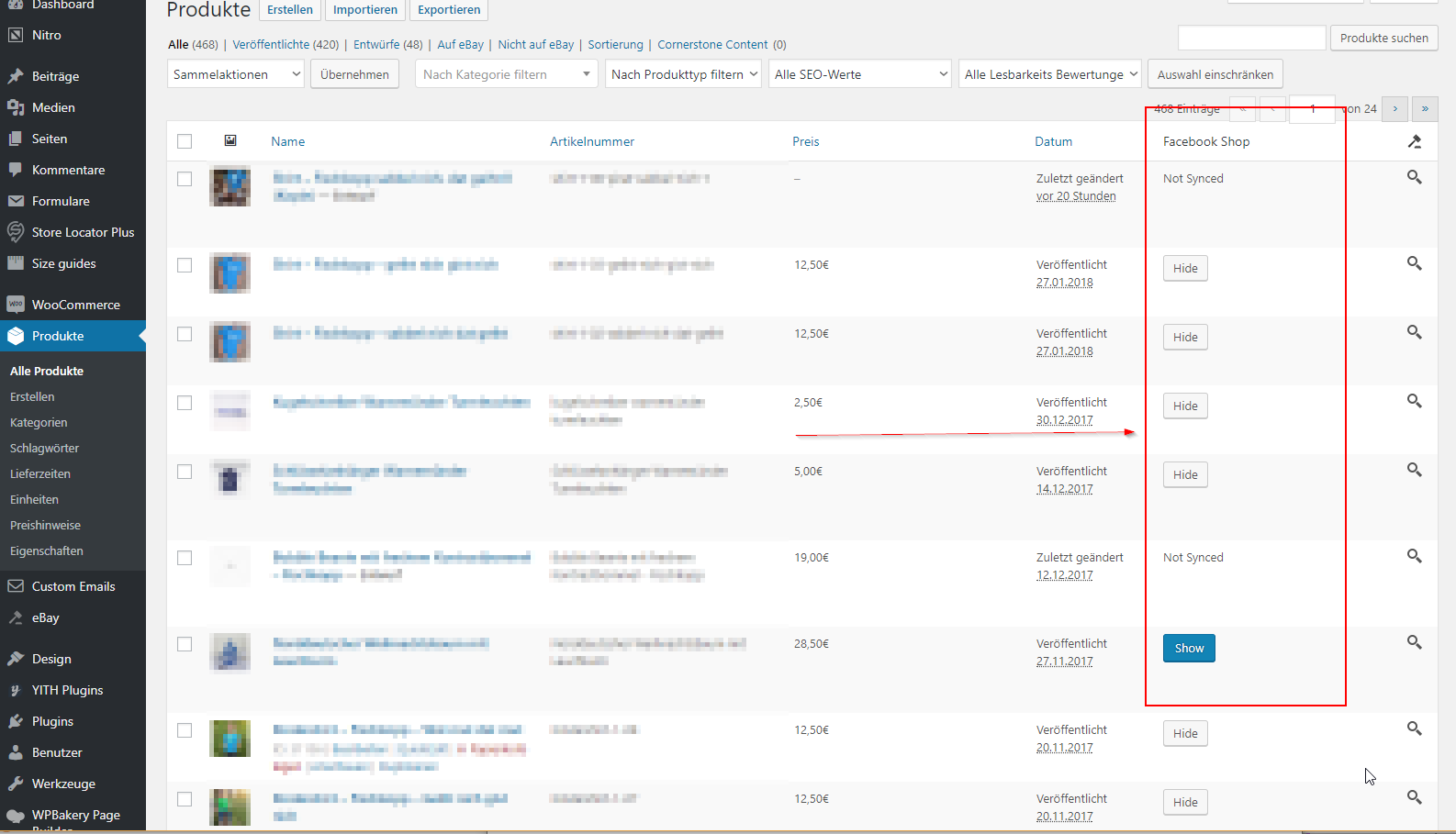
scrobbleme
on 2 Feb 2018
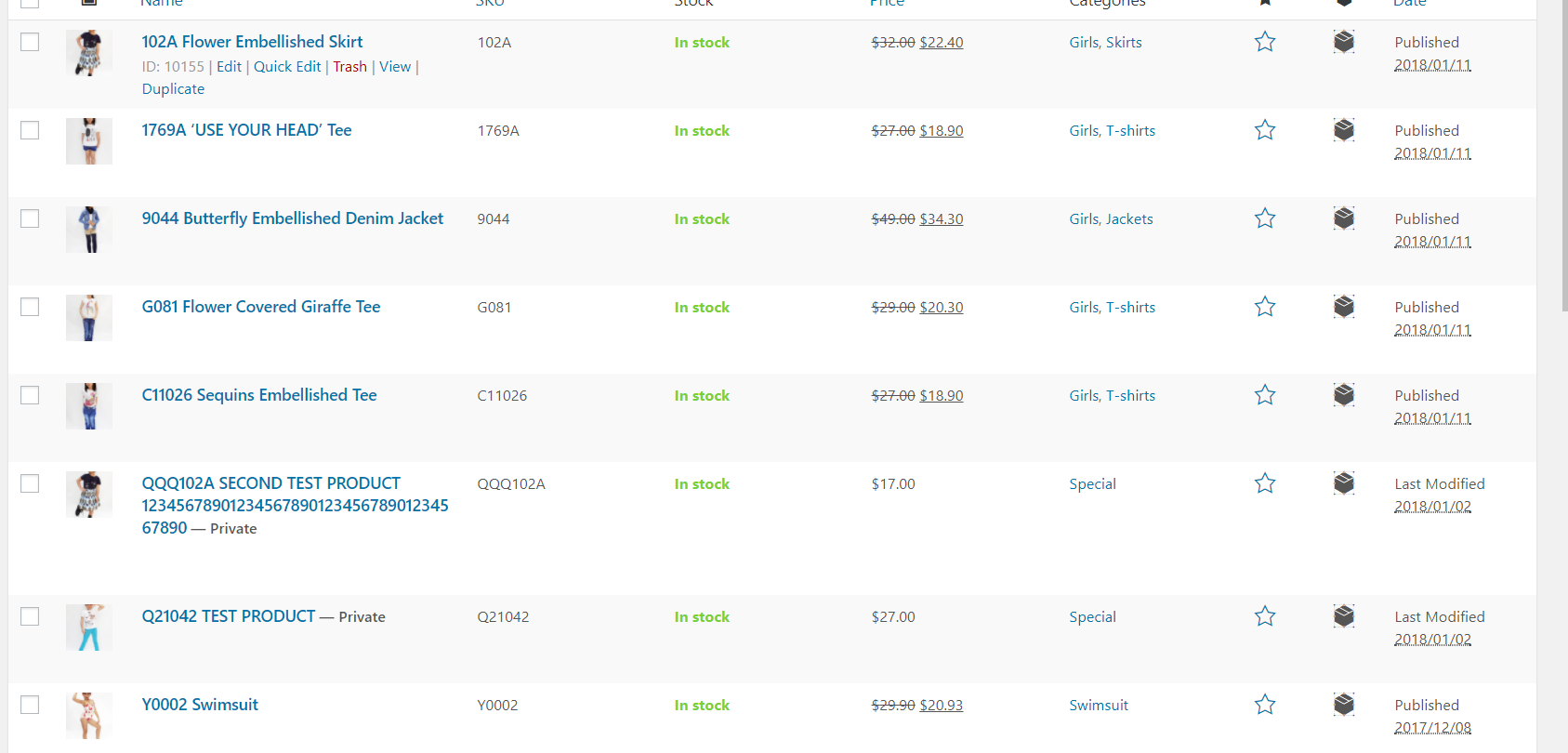
This is what i see.
neshby
on 3 Feb 2018
@neshby at the right top corner under "options" you may enable the "Facebook shop" status.
scrobbleme
on 4 Feb 2018
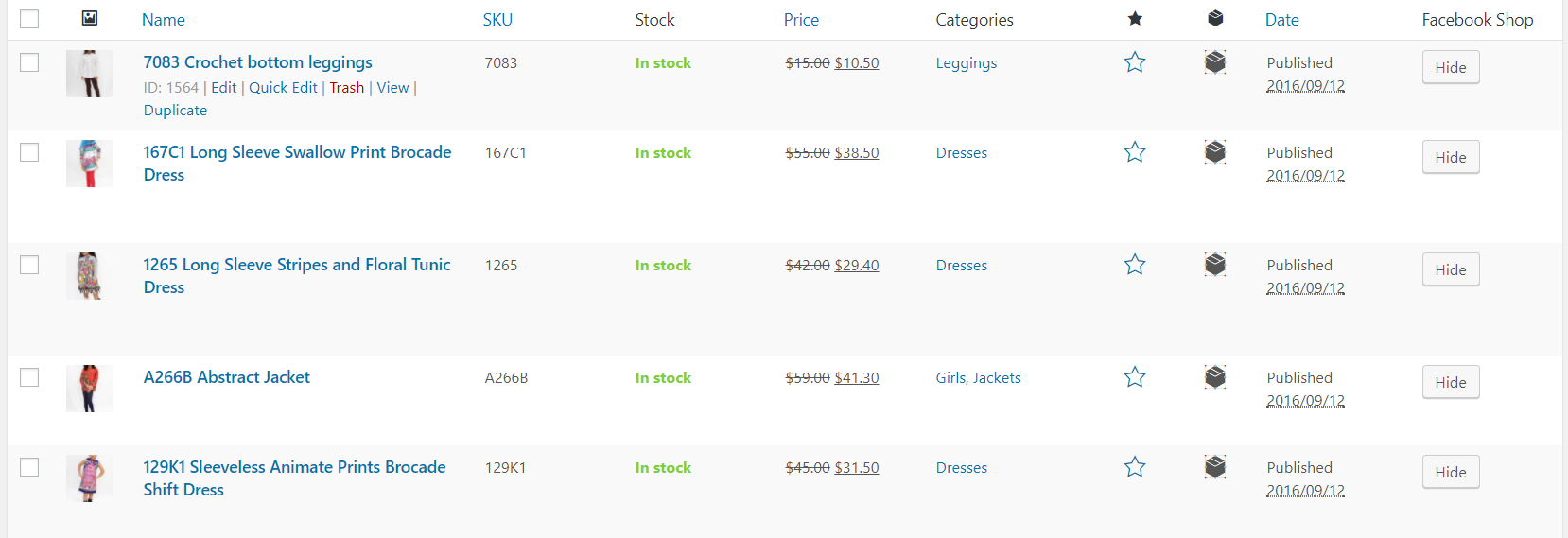
Went through every page, and all of them are synced. I only have the option to hide it.
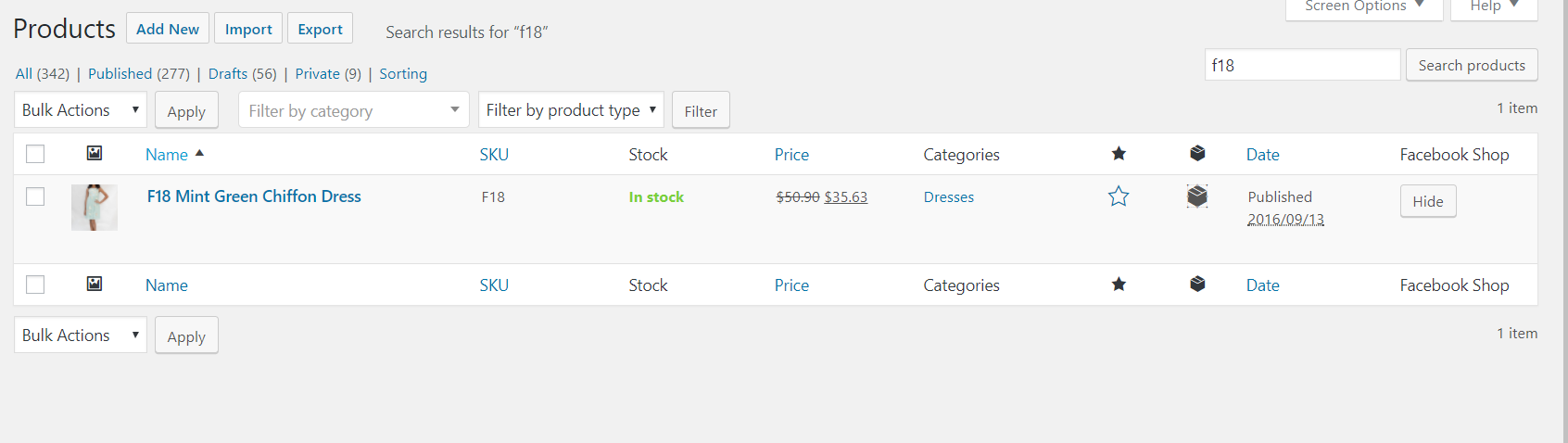
To give you an example, the above product is synced but does not appear in the facebook shop. If you search for it by typing in the product code or description, then it appears.
neshby
on 5 Feb 2018
- Press "hide" and "show" again, maybe something went wrong when synchronising in the first place (have you tried a re-sync?)
- Have a look at the last comment here: https://github.com/facebookincubator/facebook-for-woocommerce/issues/136#issuecomment-342612312
- Always good: have a look into your php log file when doing a sync. Maybe there are some errors
- Maybe compare the product by detail with a product that worked
- ...
scrobbleme
on 5 Feb 2018
have tried multiple re-syncs.
136 does not seem to be applicable, as i have gone through all the products and there is nothing different between the ones that are visible and the ones that aren't.
Will try to look at the php file. However as mentioned before searching for the products on facebook shop, will show them. Its just that they have stopped appearing on the home page.
neshby
on 5 Feb 2018
Hello, how do i find the log file, having difficulty finding it.
Thank You
neshby
on 11 Feb 2018
Often you can get it from your hosting provider. Sometimes directly via FTP, sometimes over your hosting control panel.
You may also try to add the following to you wp-config.php
define( 'WP_DEBUG', true );
define( 'WP_DEBUG_LOG', true );
define( 'WP_DEBUG_DISPLAY', false );
After that and some requests, there should be a filewp-content/debug.log. But please be aware, this file is downloadable. So disable and remove it afterwards.
scrobbleme
on 11 Feb 2018
Ok i tried that, and re-synced the products. After that could not find any debug.log when using file search in cpanel file manager. I found a general error_log but it did not mention any errors related to this.
Anything else i can try?
neshby
on 12 Feb 2018
Hello,
We have seen the partial product sync occur in the past because some of the products are special (for example, are they a special type of product added by a plugin? like Subscription Product or similar?). But also because of unexpected errors.
It would be good if you could send us a screenshot of the settings for one of the products which did not upload, and a url at which we can go to to view the product and examine it. This will help us reproduce the problem on our own servers.
Small Update: We expect v1.8.0 to be out in approximately a week, this changes how product sync works into a feed-file upload approach. This may solve the partial sync problem described here, depending on what the cause is.
 dmitridr
on 13 Feb 2018
dmitridr
on 13 Feb 2018
Hello,
My apologies for the delayed response as i was overseas.
I have enclosed the screenshots of the settings for the product that does not appear on FB Shop.
I checked it with those that appear, and there is no difference in the way it was set up.
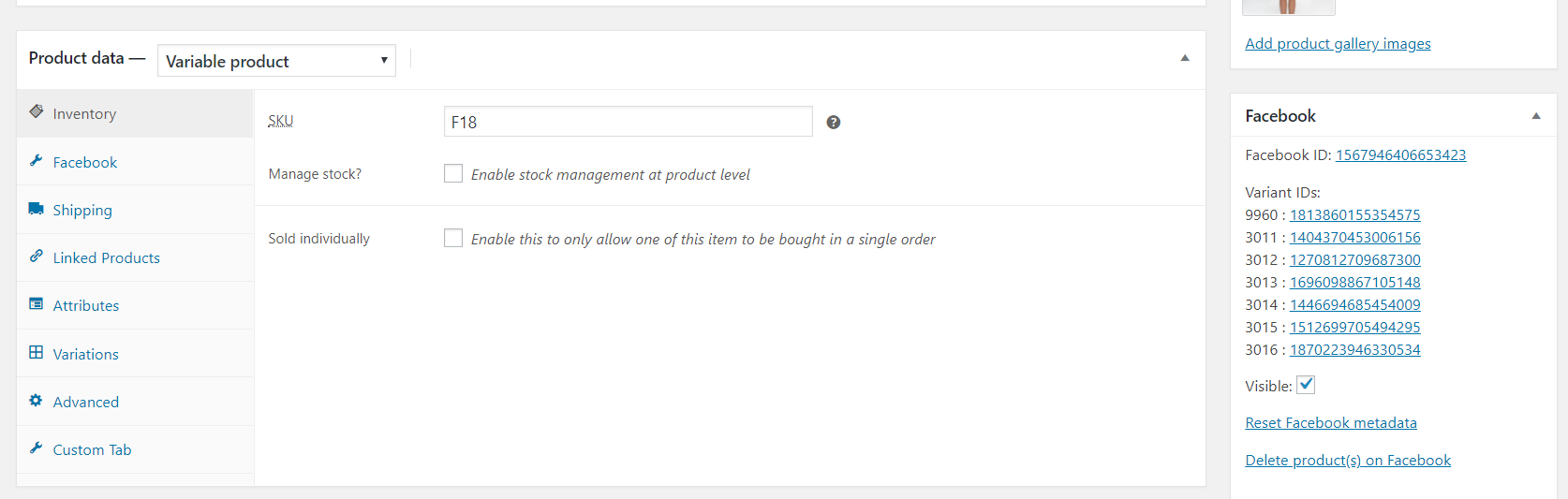
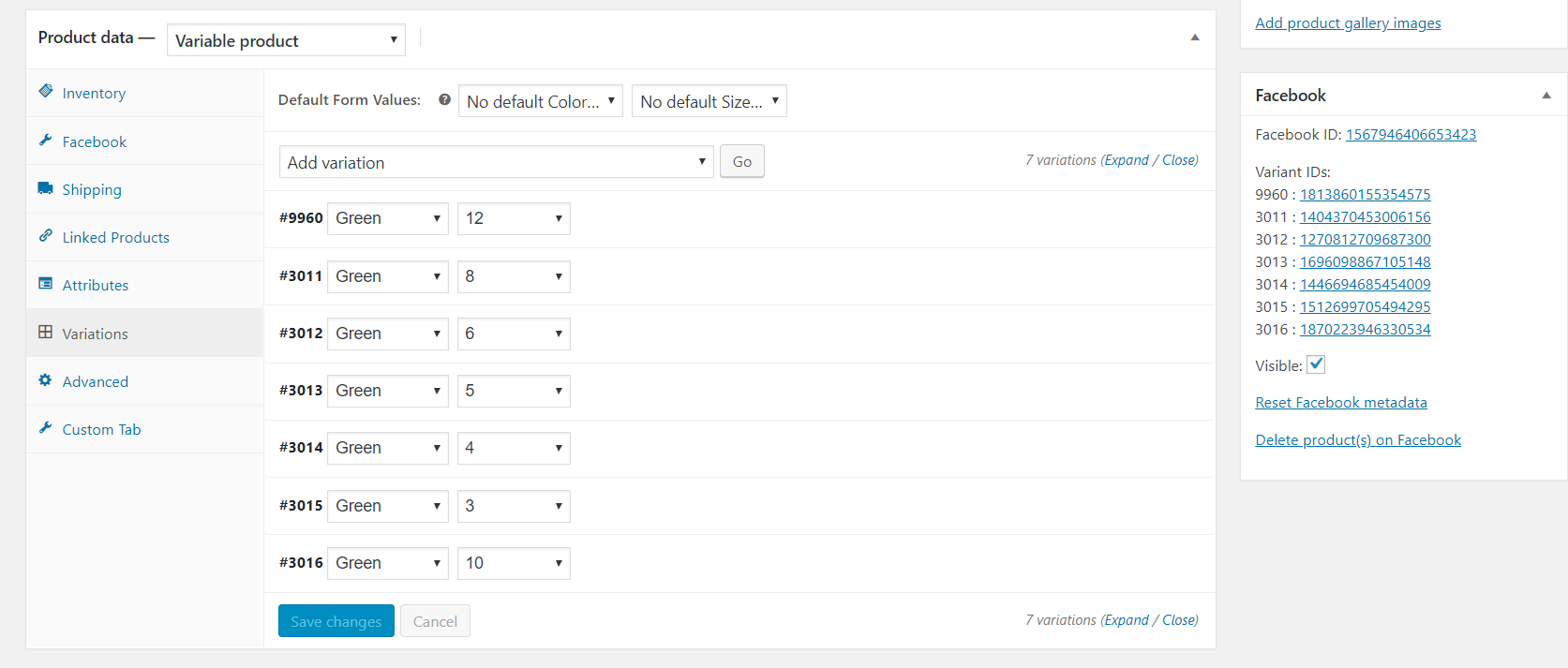
https://www.celebritykids.sg/?s=c51050 (shows on FB shop)
https://www.celebritykids.sg/?s=f18 (does not show on FB shop)
neshby
on 1 Mar 2018
Hi @neshby,
I checked the product you referred to: actually, it's alive on Facebook database.
I checked you fb shop, it seems you disable your shop?
I have forward and ask our shop team about your question. Eg. it's possible they have some ranking rules to show the products directly in the shop section. I will update to you if i get more information.
I would recommend still turn on your fb shop, from our feedback most site owners benefit from that.
Thanks.
mengyingdu
on 3 Mar 2018
Hello,
Could you explain what you mean by FB Shop being disabled? I have a second Facebook account for testing and I am able to see the shop. This account does not have any admin/editor privileges.
Also the products missing from the shop home page are now appearing when I search for them. However I thought that by default the home page would just show every single product?
I also checked with my admin account, and the shop seems to be enabled.
Thank you for your time in helping me with this. I really appreciate all the support I’ve been getting from all you.
With Best Regards,
Yuvanesh
From: mengyingdu [mailto:[email protected]]
Sent: Saturday, 3 March 2018 7:09 AM
To: facebookincubator/facebook-for-woocommerce facebook-for-woocommerce@noreply.github.com
Cc: neshby yuvanesh@ktss.asia; Mention mention@noreply.github.com
Subject: Re: [facebookincubator/facebook-for-woocommerce] Product Partial Sync Only (#249)
Hi @neshby https://github.com/neshby ,
I checked the product you referred to: actually, it's alive on Facebook database.
I checked you fb shop, it seems you disable your shop?
I have forward and ask our shop team about your question. Eg. it's possible they have some ranking rules to show the products directly in the shop section. I will update to you if i get more information.
I would recommend still turn on your fb shop, from our feedback most site owners benefit from that.
Thanks.
—
You are receiving this because you were mentioned.
Reply to this email directly, view it on GitHub https://github.com/facebookincubator/facebook-for-woocommerce/issues/249#issuecomment-370082113 , or mute the thread https://github.com/notifications/unsubscribe-auth/AfrDVn4N1Hzq4m3s-szHgOtrzMnIcXfdks5tadD2gaJpZM4R1bTS . https://github.com/notifications/beacon/AfrDVt9O_pozda7JLKl3JB_FEw1zUVaOks5tadD2gaJpZM4R1bTS.gif
neshby
on 5 Mar 2018
I have the same problem - Product Partial Sync Only
But it is Syncing 100%, but shows only 50%
Described in the next theme - https://github.com/facebookincubator/facebook-for-woocommerce/issues/295
 aavvaavv
on 5 Mar 2018
aavvaavv
on 5 Mar 2018
Hi @neshby ,
Can you tell me your testing fb shop? And which product you can't see it? Screen shot is better.
Thanks.
mengyingdu
on 5 Mar 2018
Hi @mengyingdu
Also:
Testing fb shop: https://www.facebook.com/pg/annaskoblikovabridal/shop/?ref=page_internal
I can't see next product: item id: 0134_10104
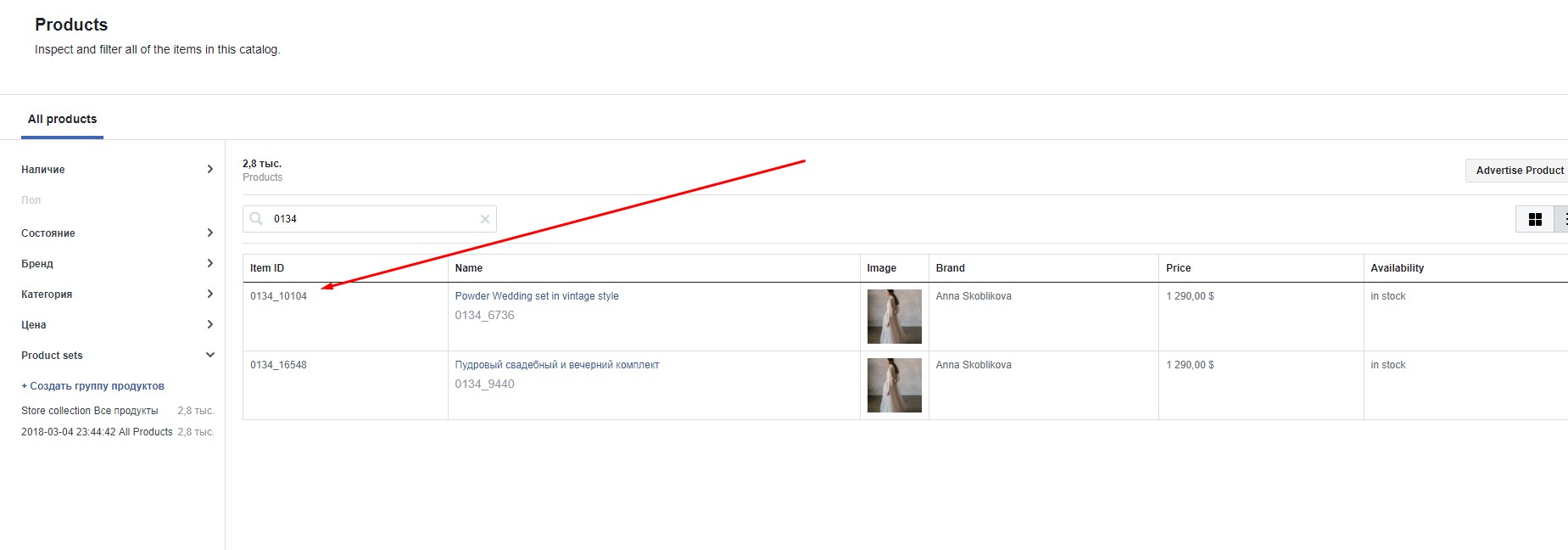
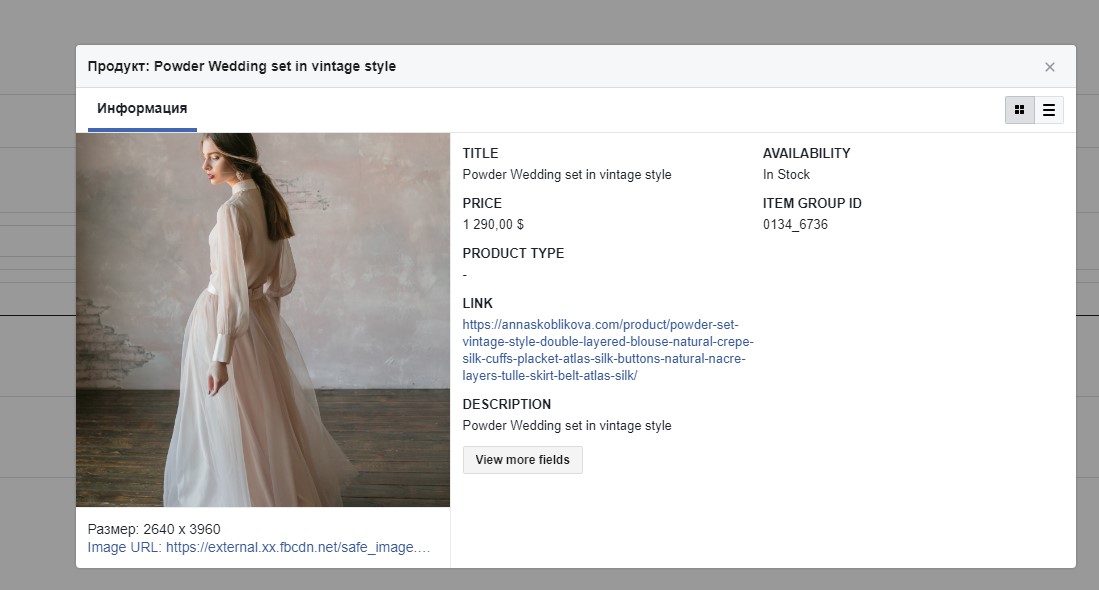
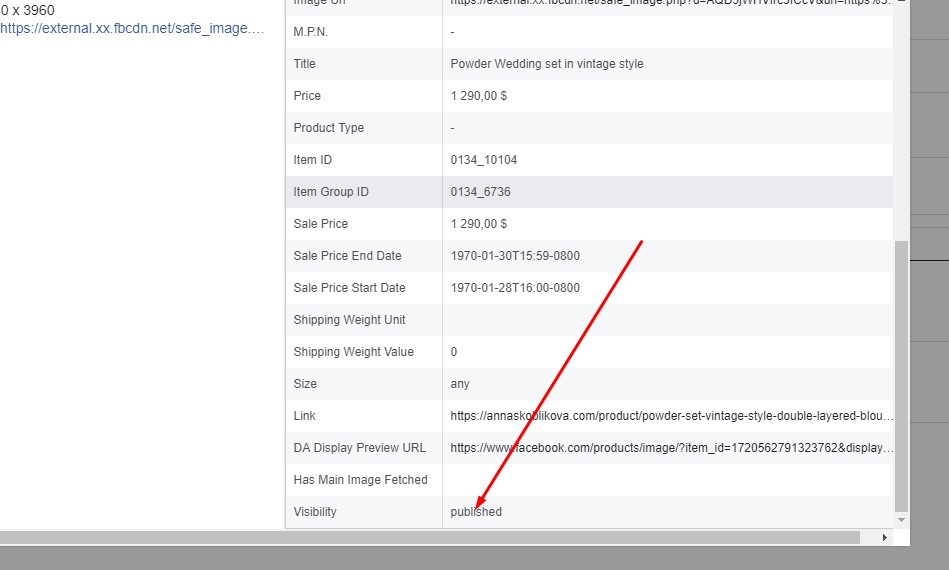
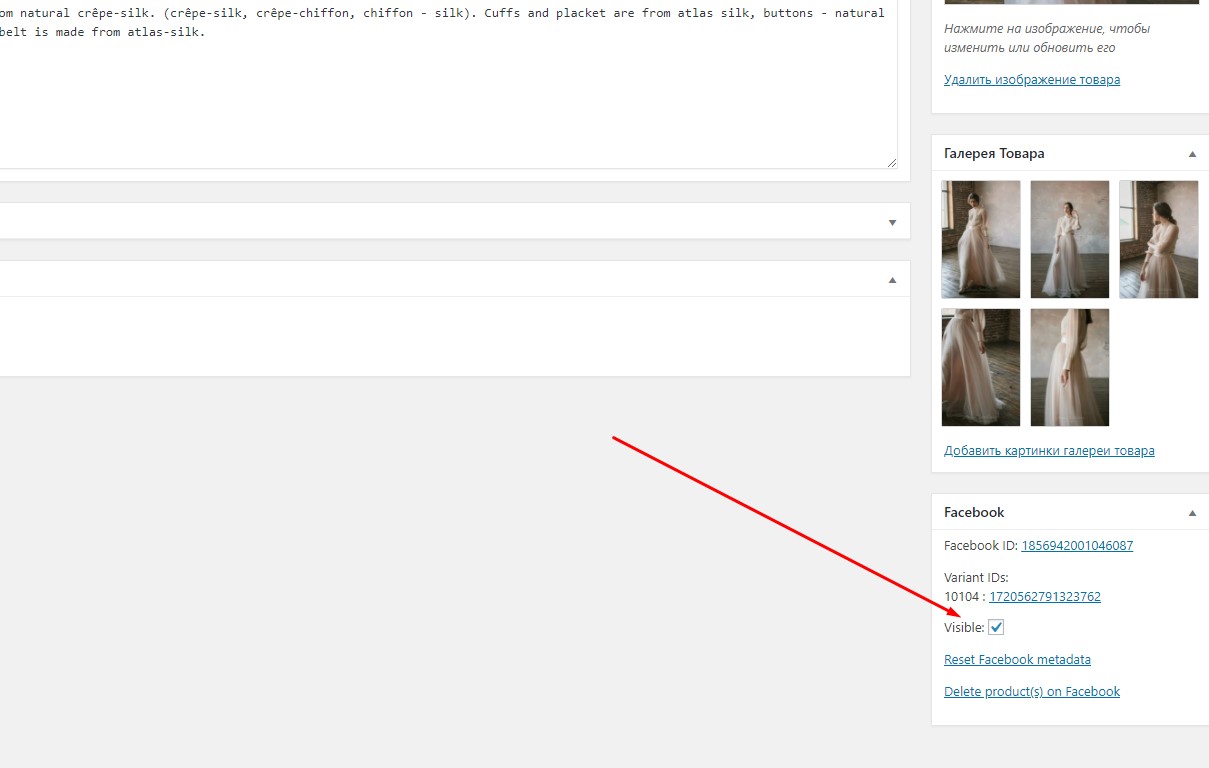
50% of "published" items - I can see at my shop.
Thank you.
aavvaavv
on 5 Mar 2018
Hi @aavvaavv ,
I see your store is multi-language. To clarify, we have limited support for multi-language site: This product will still be synced (your pixel will be fired correct for these items, however, it's invisible to fb shop)
Detailed explanation see commit messages
Thanks.
mengyingdu
on 6 Mar 2018
Hi @mengyingdu
Link : https://www.facebook.com/pg/celebritykidssg/shop/?ref=page_internal
Out of 250+ products only about 150 are visible on the home page.
For example product F18 is visible only when i search but not on the home page.
https://www.celebritykids.sg/?s=c51050 (shows on FB shop)
https://www.celebritykids.sg/?s=f18 (does not show on FB shop)
neshby
on 6 Mar 2018
Hi @neshby ,
Are you using other multi-language plugin? eg. WPML? Can you check my last reply? For the products which are not in the WPML default language will be marked as 'staging' and not visibile to customers.
Thanks.
mengyingdu
on 6 Mar 2018
Hi @mengyingdu ,
I can't see any WPML or similar plugins. Below is a list of plugins i am using at the moment:-
-Advanced Database Cleaner
-Contact Form 7
-Cookie Consent
-Custom Order Status for WooCommerce
-Facebook for WooCommerce
-Instagram Feed
-Mashshare Share Buttons
-Product Custom Options(Free)
-Regenerate Thumbnails
-Smart Manager
-WooCommerce Advanced Free Shipping
-WooCommerce Bulk Edit Product Variations
-WooCommerce Cart Tab
-WooCommerce Custom Product Tabs Lite
-WooCommerce Google Analytics Integration
-WooCommerce Stock Manager
-WOOF - WooCommerce Products Filter
-WooSidebars
neshby
on 7 Mar 2018
I just updated to the latest version of the plugin and here is what happened-
Some of the images that were not displayed previously are now displaying.
However there is a new issue. I now have some products that are not synced to Facebook. These products were not modified or edited in anyway and they were synced before when using the previous version Any idea on how i can address this?
Thank you for all of your help and support everyone :).
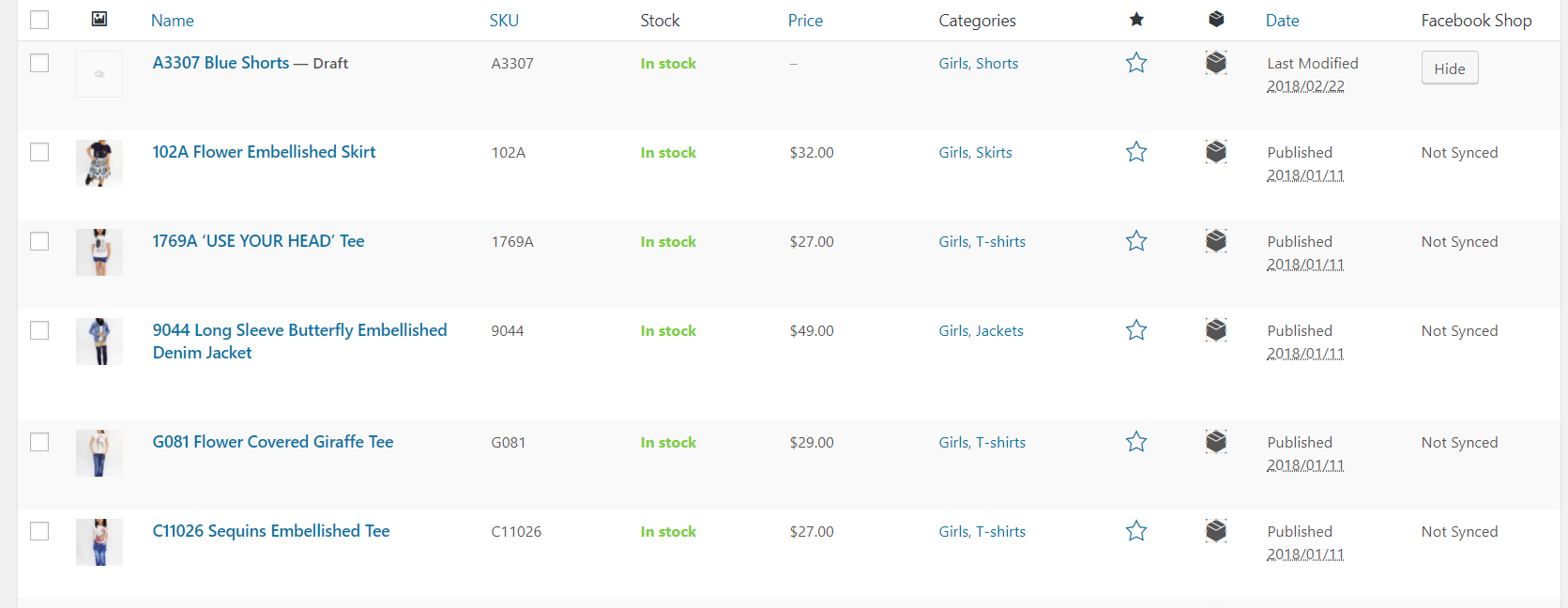
neshby
on 7 Mar 2018
Hi @neshby ,
I checked our remote log, it seems you haven't completely delete your previous settings. So some API calls are based on original id.
Can you try :
- go to your woo setting tab --> integration --> facebook-for-woocommerce
- re-config
- in pop-up window: advanced option -> delete settings
- when it completes, go back to your integration's tab, refresh
- in the blue window of 'facebook-for-woocommerce' --> 'get started'
keep the current window open till it says 'complete'. It should be very fast so be patient. (Your observation changed since our newest version improved initial sync by Feed uploading approach)
Let me know if you need more help.
Thanks.
mengyingdu
on 8 Mar 2018
Hi @mengyingdu ,
Followed your instructions but the number of products that were synced or unsynced is still the same.
Anything else i can try?
Thank you.
Regards,
neshby
on 12 Mar 2018
Tried forcing re-syncs , clearing cache and everything else but still having a partial product sync.
no difference between synced and un-synced products.
neshby
on 22 Mar 2018
Potentially related to #295
Regarding the original issue:
If you can find the products when searching individually, it's possible that the products don't show up in the large 'All Products' collection because of some limit on how many may be shown. A workaround would be to create a collection with those products and display that on your shop page instead.
If you are having issues with products not syncing:
I recommend upgrading to v1.8.2 and re-setting according to the process outlined by @mengyingdu , because we changed the way product sync works in 1.8.0 if you have upgraded from an older version and didn't reset, some products may stop syncing correctly. Upgrading to 1.8.2 and resetting should fix that problem...
dmitridr
on 23 Mar 2018
@dmitridr
Did as you suggested but still not improvement. Only difference is that there is about 4 more images showing on the shop then before.
neshby
on 26 Mar 2018
Hi @neshby ,
To clarify, the products showing up will not be all of your products currently. However, I just (today morning) land the change for 'all products' collection. It means each of your post will have a representative to show up there. Once we release new version, it will be your default variant if it is a variable product. If it is not set, will select a random one from the variant options. This is only for all product collections.
As for your report that after search you can see your products, yes, they are there, just the displaying logic before is not what you assumed. I just supported this since we got so many feature requests. However, Facebook would like to observe for a while to decide whether to keep it or drop it.
Thanks.
mengyingdu
on 29 Mar 2018
As for your another problems @neshby 'some products not synced', we will have a new version to release soon which includes many fixes for syncing products. I will update it and follow up when it is ready.
mengyingdu
on 29 Mar 2018
@mengyingdu thank you for the update and looking forward to the new version.
Have a great week ahead!
Cheers
neshby
on 2 Apr 2018
@mengyingdu any follow up here?
Some additional thoughts from me :
- It could be the products do sync, but the interface is incorrectly saying
Not Syncedhave you checked your facebook catalog (www.facebook.com/products) to see if actually the products did sync and it's a bug in the display? - Others have reported success with dealing with partial sync by editing the products affected (e.g. bulk edit) and doing trivial updates.
dmitridr
on 25 Apr 2018
Hi @neshby ,
I checked your catalog manager, the reason your products only have been partially synced is because "title" (name) is blank. Is there any chance you don't put a title for your products? Or are you using other plugins to manager your products?
Thanks.
mengyingdu
on 25 Apr 2018
Hi @mengyingdu
I'll look into this, but from what i can see we do have titles. On a side note, over the last 2 weeks, we can now see nearly all of the products on the shop which is a big improvement from the original situation.
Just got back from leave so please do give me some time to check things through.
Take care and wishing everyone a great week ahead.
neshby
on 30 Apr 2018
hi @mengyingdu
I just Integrate de catalogue bt woocomerce y FB.
Now i can see just one product as published.
The other ones said Visibility Staging and are not showed in "sell on IG"
They are Fisical simple and fisical Variable products-
i just re-config the plugin but nothing changes.
do you now what more i can do. ?
TX!!!!
 tasiopicollo
on 2 May 2020
tasiopicollo
on 2 May 2020
Related issues
 DeeJ
·
32Comments
DeeJ
·
32Comments
 binnythap
·
29Comments
binnythap
·
29Comments
 Copterview
·
44Comments
Copterview
·
44Comments
 vverloop
·
26Comments
vverloop
·
26Comments
 boutzamat
·
72Comments
boutzamat
·
72Comments
Most helpful comment
Hi @mengyingdu
I'll look into this, but from what i can see we do have titles. On a side note, over the last 2 weeks, we can now see nearly all of the products on the shop which is a big improvement from the original situation.
Just got back from leave so please do give me some time to check things through.
Take care and wishing everyone a great week ahead.