Woocommerce-ios: Product Variations cells in Order Detail shows empty data
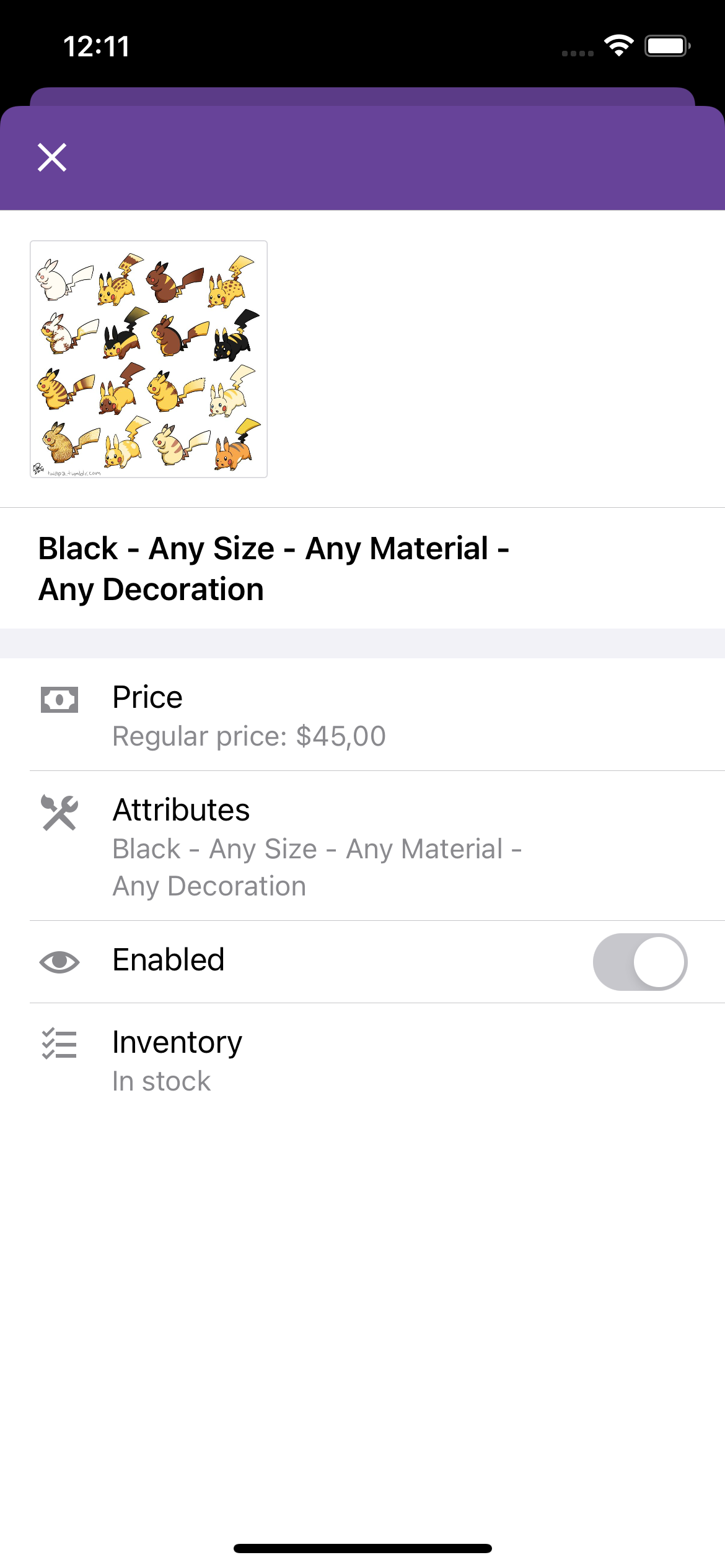
Product Variations with Attributes equals to Any is not shown correctly inside the Order Detail screen because the cell will show just some commas. The Product variation detail shows them correct.
| Order Detail (look at the cell) | Product Variation detail |
:-------------------------:|:-------------------------:
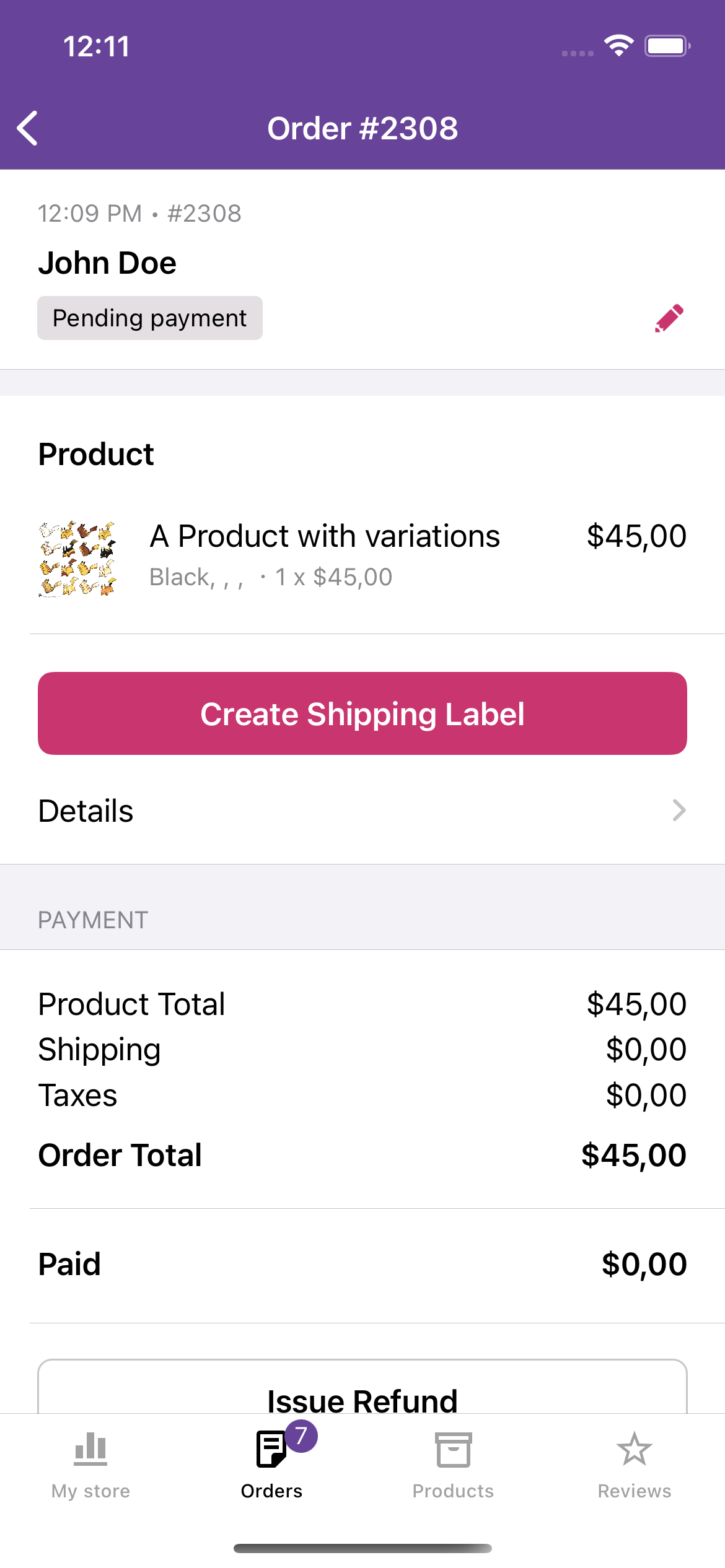 |
| 
 pmusolino
All 4 comments
I took a quick peek at this, and I'm guessing this has been an issue ever since we added the variation attributes to the Order Details. In the Product variation details, we manually create that Any option:
But we don't do that in the Order details:
Since we're showing the variation attributes in more places in the app now, it'd probably make sense to generate that Any option once and then reuse wherever it's needed.
 rachelmcr
on 12 Feb 2021
rachelmcr
on 12 Feb 2021
Thanks for investigating this issue @rachelmcr 🙇
pmusolino
on 12 Feb 2021
@pmusolino @rachelmcr
I'm thinking of grabbing this issue. 🙋♀️
Just one thing: can you outline the steps to reproduce this issue? I can't figure out how to create an order with "Any" attributes. 😅
 momo-ozawa
on 16 Feb 2021
momo-ozawa
on 16 Feb 2021
Sure @momo-ozawa. Basically, you should have a variable product on your store, with some attributes. Between the options of these attributes, you should select Any. After saving the product variation, you can generate a new order, selecting the product with the option Any. You will be able to see the Order in the mobile app with the empty text when the option selected is Any. :) Let me know if you are able to reproduce it in this way.
pmusolino
on 16 Feb 2021
Related issues
 eduardozulian
·
3Comments
eduardozulian
·
3Comments
 jaclync
·
3Comments
rachelmcr
·
4Comments
jaclync
·
3Comments
rachelmcr
·
4Comments
 astralbodies
·
4Comments
astralbodies
·
4Comments
 juliaamosova
·
3Comments
juliaamosova
·
3Comments
Most helpful comment
I took a quick peek at this, and I'm guessing this has been an issue ever since we added the variation attributes to the Order Details. In the Product variation details, we manually create that
Anyoption:https://github.com/woocommerce/woocommerce-ios/blob/0c95e52a023ba1f3dc917a8417fdafef32057d5e/WooCommerce/Classes/ViewRelated/Products/Edit%20Product/EditableProductVariationModel.swift#L28-L31
But we don't do that in the Order details:
https://github.com/woocommerce/woocommerce-ios/blob/0c95e52a023ba1f3dc917a8417fdafef32057d5e/WooCommerce/Classes/ViewModels/ProductDetailsCellViewModel.swift#L144-L151
Since we're showing the variation attributes in more places in the app now, it'd probably make sense to generate that
Anyoption once and then reuse wherever it's needed.