Woocommerce-ios: Settings: Drop case on row titles and alignment of version number
Describe the bug
Words in titles aren't all init-capped in the app; there are a couple instances in the help/settings screen that need to be lowercased. Also the version number should be bottom-aligned to coincide with the Android design unless @kyleaparker thinks differently. 😄
Screenshots
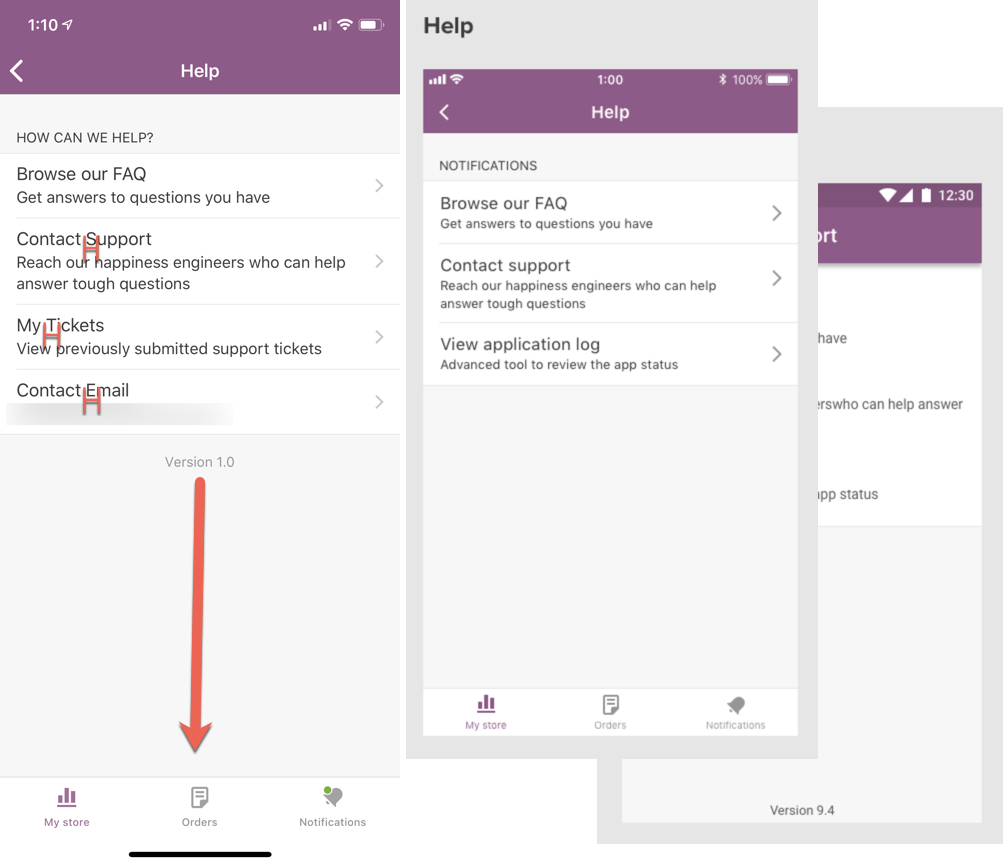
Mobile Environment
Please include:
- Device: iPhone X
- iOS version: 12.1.2
- WooCommerce iOS version: 1.0
 astralbodies
All 4 comments
Agreed, there are some inconsistencies with Title Case and Sentence Case throughout the app. We should decide on one and make sure we always use that.
 kyleaparker
on 15 Jan 2019
kyleaparker
on 15 Jan 2019
@kyleaparker @astralbodies
WordPress iOS uses Title Case everywhere in the Me section. It also makes sense to use it because the top line is the title for each row.
As for the Version number sitting "up high", it's because it's a native tableViewFooter element. The tableViewFooter is a view attached to the very last row of a table. Since this table doesn't have much content, the footer doesn't show up at the bottom of the screen. Maybe it's better to delete the version number that shows up in Settings > Help?
I say that because we have a detailed version number in Settings > About the app > WooCommerce:
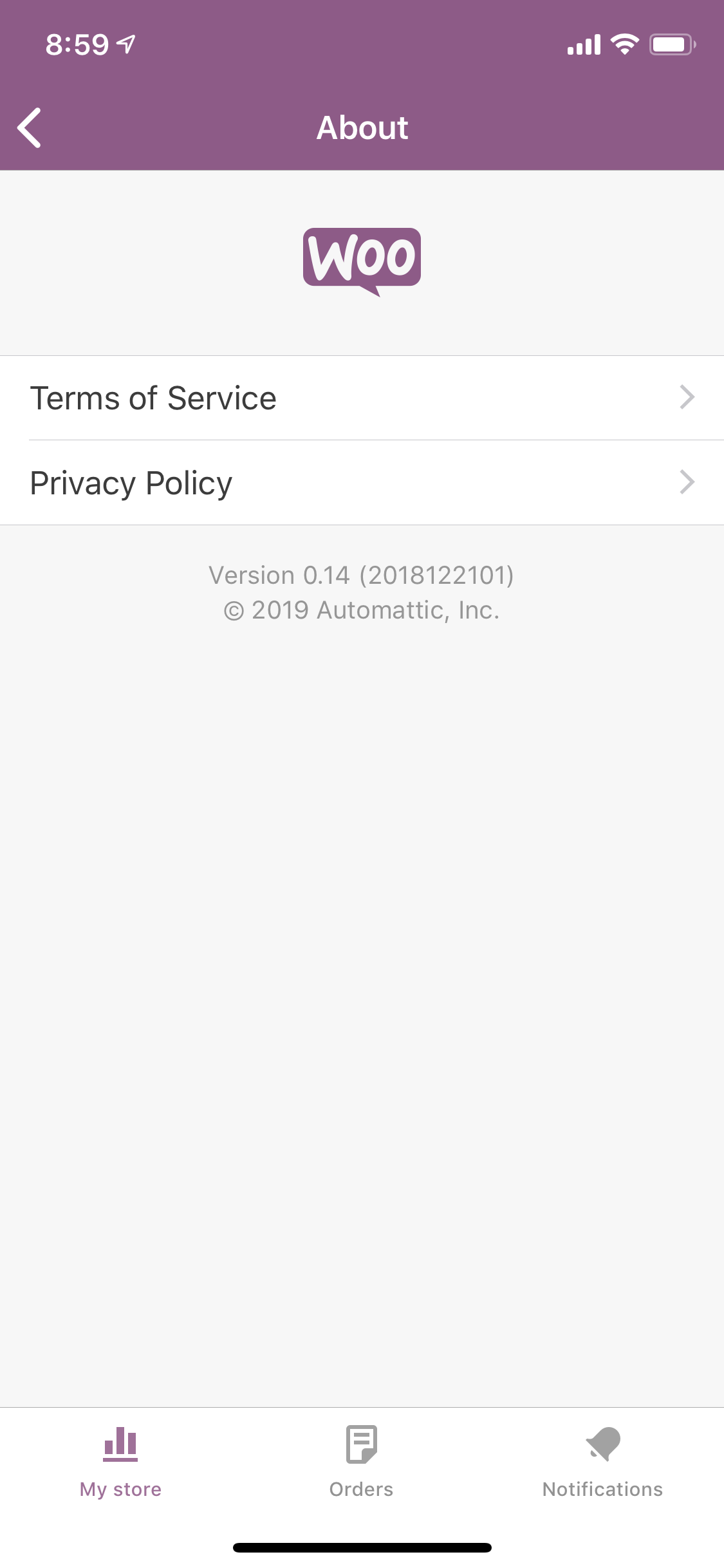
What do you think?
 mindgraffiti
on 15 Jan 2019
mindgraffiti
on 15 Jan 2019
WordPress iOS uses Title Case everywhere in the Me section. It also makes sense to use it because the top line is the title for each row.
Yeah I think it makes sense to follow this to make sure our apps are consistent. There are a few links that will need to be updated to Title Case (Open Source Licences, Open Device Settings)
As for the Version number sitting "up high", it's because it's a native tableViewFooter element. The tableViewFooter is a view attached to the very last row of a table. Since this table doesn't have much content, the footer doesn't show up at the bottom of the screen. Maybe it's better to delete the version number that shows up in Settings > Help?
I'd be ok with removing it from Settings > Help, I just checked the blueprint design and it's not part of the design on that screen for iOS
kyleaparker
on 15 Jan 2019
@kyleaparker
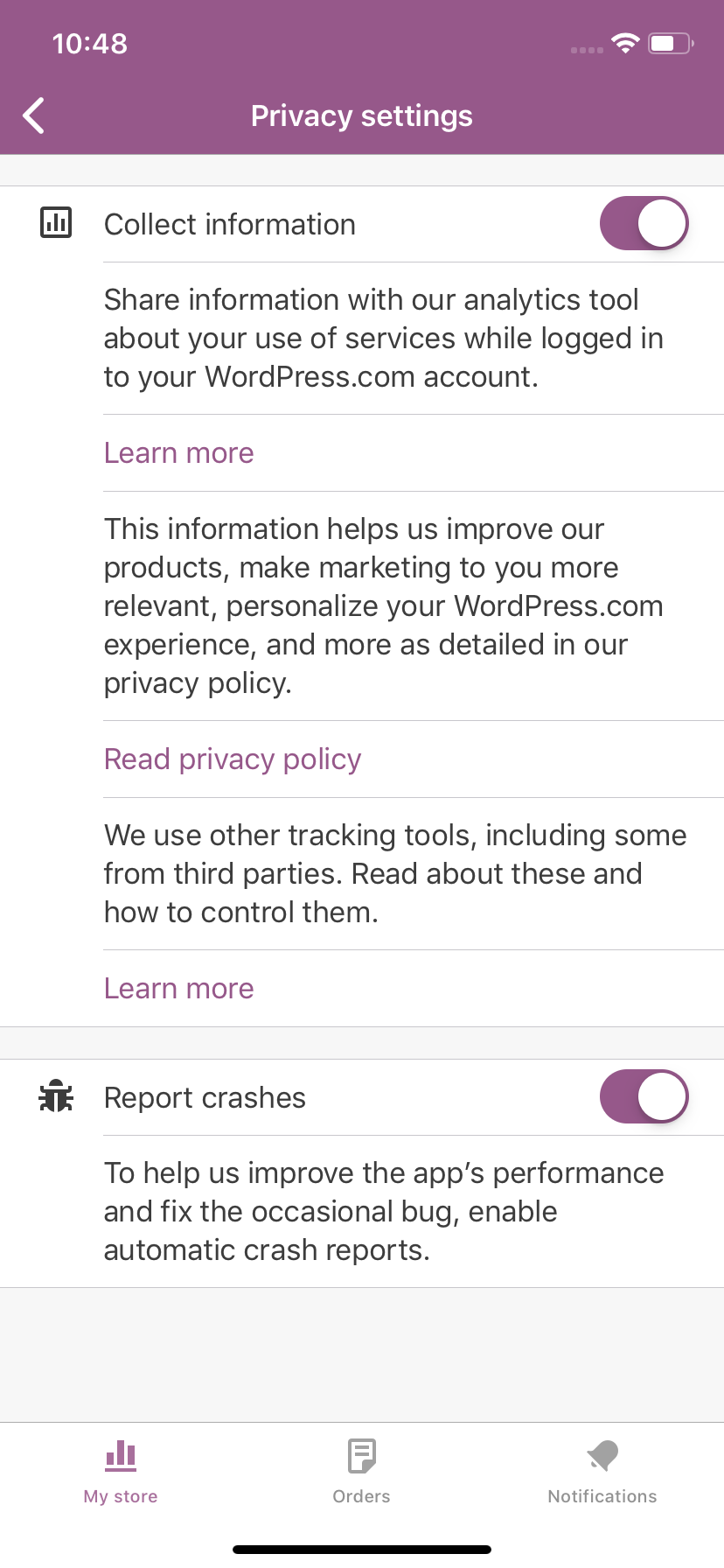
JSYK, since we're reviewing all screens in settings, for Settings > Privacy Settings:
- I'm making the title at the top of the screen title case
- I'm making "Collection information" and "Report crashes" title case
I'm making them all title case because that is what Apple does in the Settings App.
Old screen for reference:
mindgraffiti
on 16 Jan 2019
Related issues
mindgraffiti
·
4Comments
![sentry-io[bot] picture](https://avatars.githubusercontent.com/in/12637?v=4&s=40) sentry-io[bot]
·
3Comments
sentry-io[bot]
·
3Comments
 juliaamosova
·
3Comments
juliaamosova
·
3Comments
 jaclync
·
3Comments
jaclync
·
3Comments
 californiakat
·
5Comments
californiakat
·
5Comments