Woocommerce-ios: Refunds: "Begin Fulfillment" appears as long as order is not fully refunded, even if all products are refunded
Describe the bug
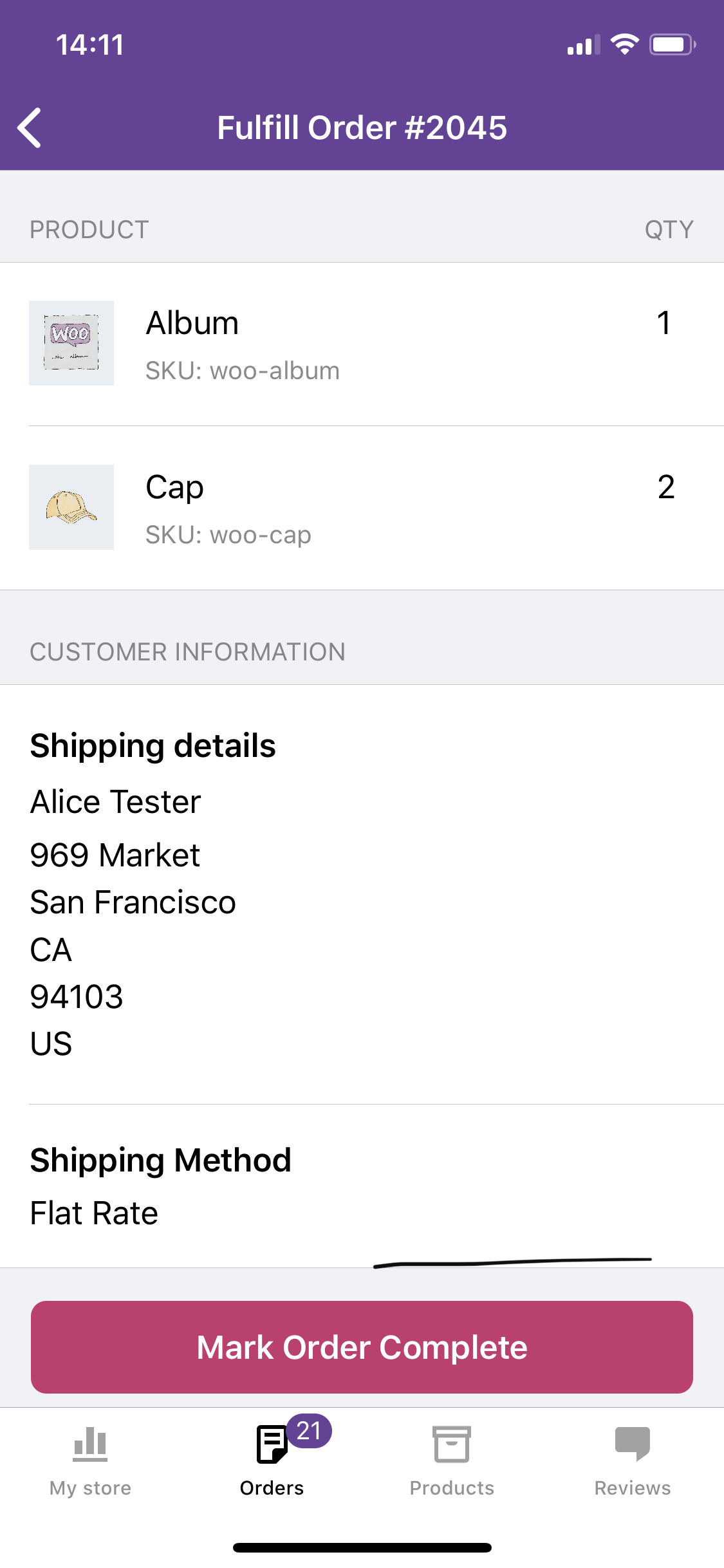
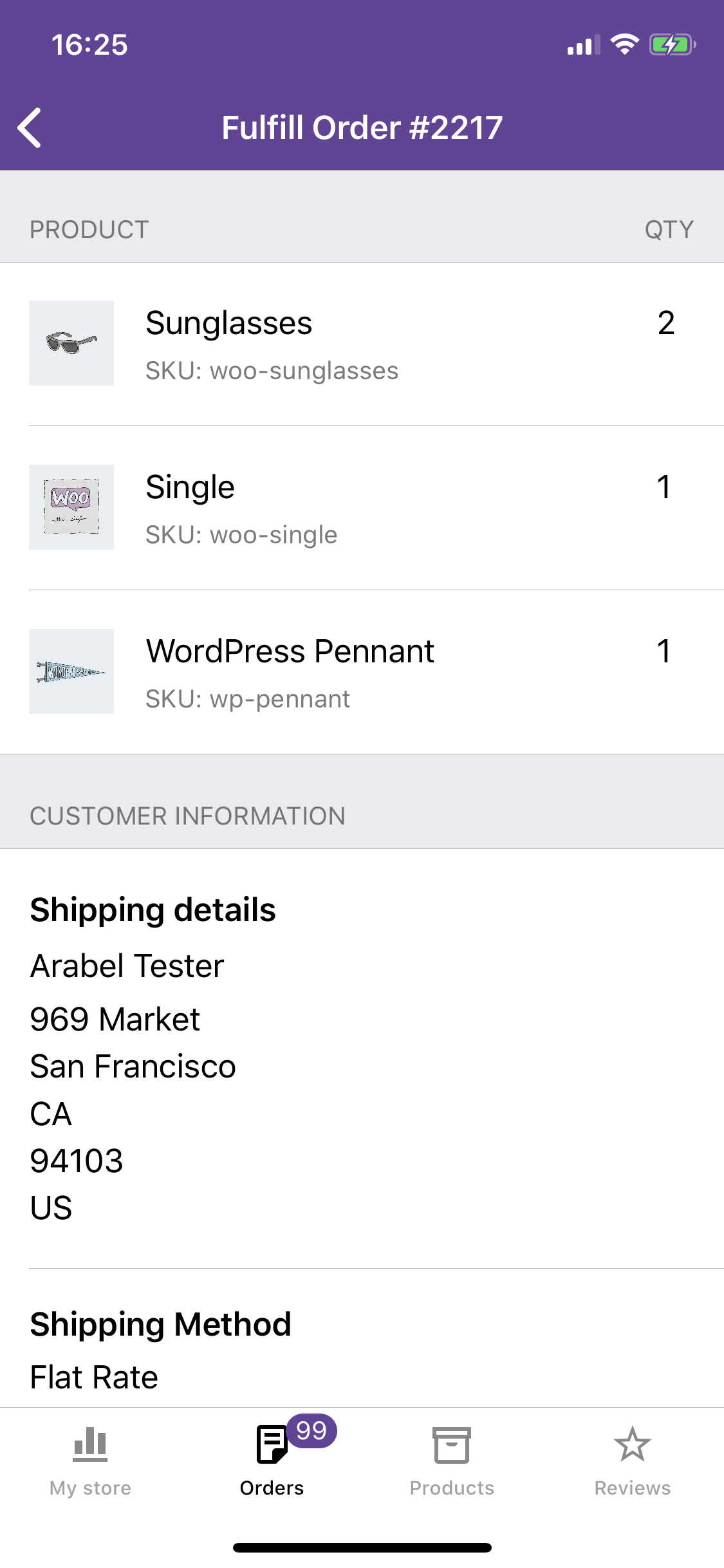
Even if every product in an order has been refunded, if the order is not fully refunded (e.g. shipping is not yet refunded) the "Begin Fulfillment" button still appears. Tapping it takes you to the "Fulfill Order" flow with all refunded products showing.
To Reproduce
Steps to reproduce the behavior:
- On the web, refund all the products in an order but do not refund the shipping.
- In the app, open the same order and notice that no products appear under "Product" but there's still a "Begin Fulfillment" button.
- Tap "Begin Fulfillment" and notice that the usual fulfillment screen appears with all the products still showing.
Screenshots
Order Details|Fulfillment Screen
-|-
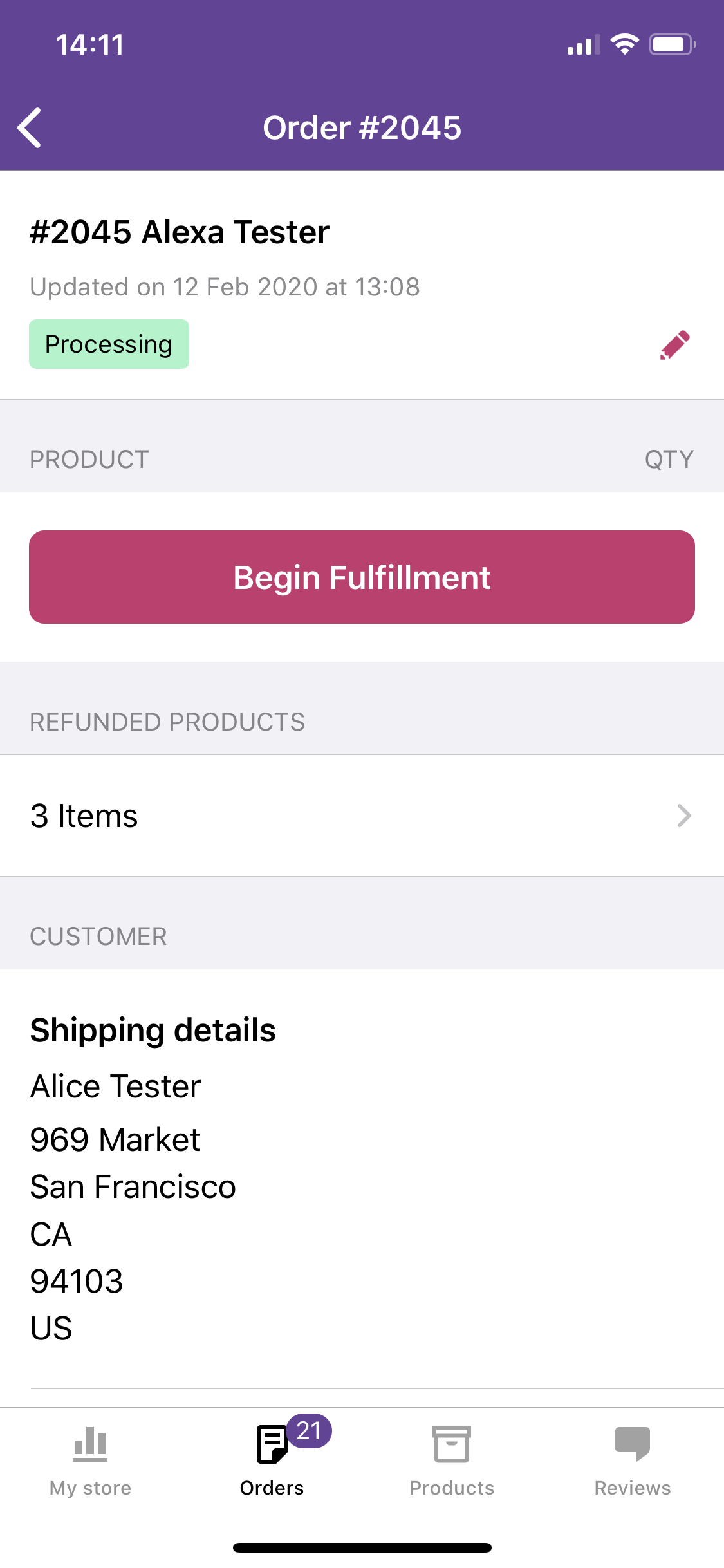 |
|
Expected behavior
I expect that if all products are refunded, I won't be able to fulfill the order.
Isolating the problem (mark completed items with an [x]):
- [x] I have deactivated other plugins and confirmed this bug occurs when only WooCommerce plugin is active.
- [x] This bug happens with a default WordPress theme active, or Storefront.
- [x] I can reproduce this bug consistently using the steps above.
Mobile Environment
Please include:
- Device: iPhone XS
- iOS version: 13.3.1
- WooCommerce iOS version: 3.6.0.1 TestFlight Beta
cc @pmusolino
 rachelmcr
All 4 comments
Thanks @rachelmcr for reporting this issue.
I think that when all the products are refunded, the status of the order needs also to be changed to refunded, but on your screen, I see processing, and I think this is the reason why you are able to see the Fulfill button.
I did a test, and I noticed that if you refund all the products, but not the shipping, the status of the order remains in the processing status. So, I'm not sure if we need to manage this case inside the app, or if it's a bug of the backend (I think it doesn't make much sense that the order stays in the processing state).
@astralbodies what do you think?
 pmusolino
on 13 Feb 2020
pmusolino
on 13 Feb 2020
Hm, I wouldn't expect the status of the order to be automatically changed to refunded unless the payment was fully refunded, including shipping.
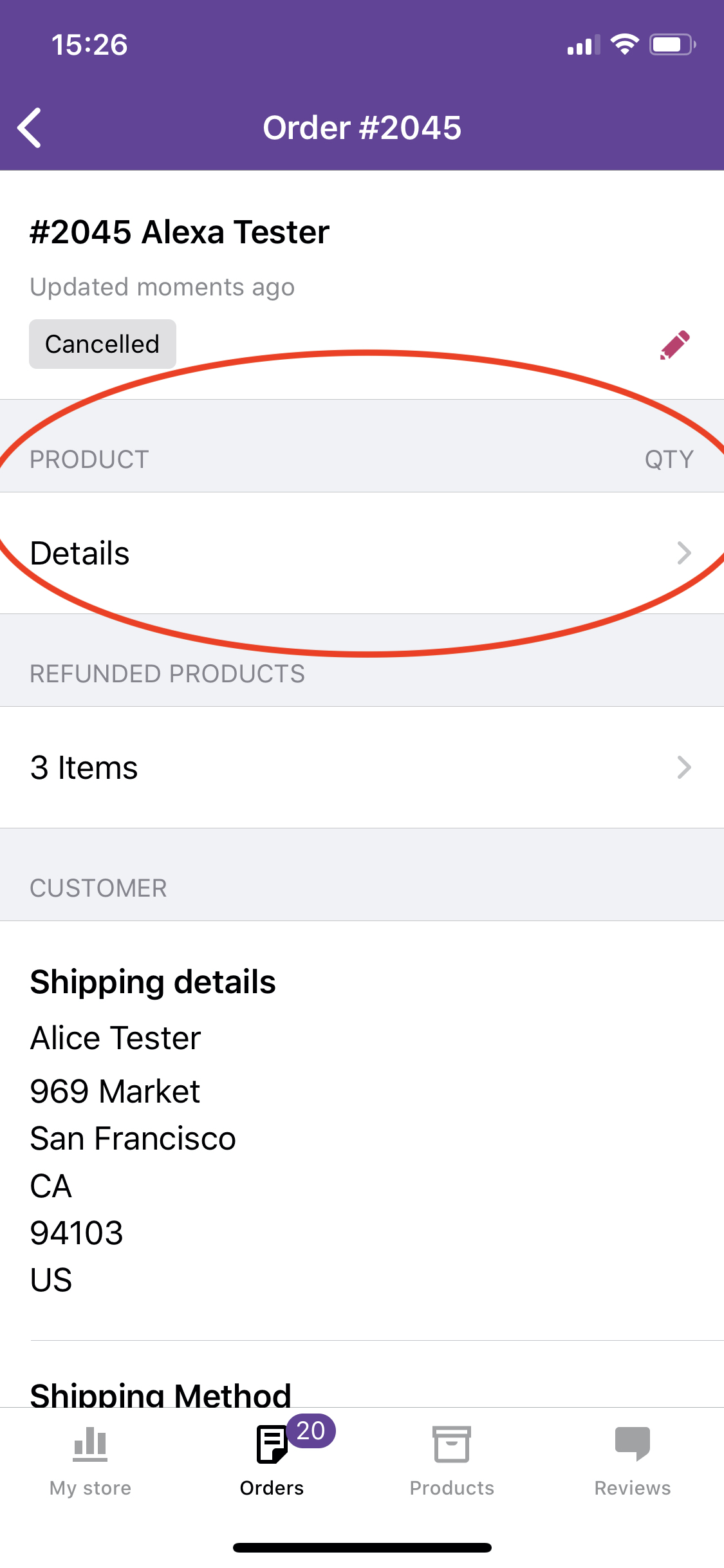
In a real-life scenario I might change the order status to cancelled instead of leaving it as processing when I refunded all the products. However, in that case instead of seeing the Fulfill button I see the Product section with "Details" that goes to a list of the refunded products in the order:
rachelmcr
on 13 Feb 2020
Another issue that seems strongly related to this one (both cases are related to the fulfill order screen and refunded products):
If some (or all) products are refunded, the Fulfill Order screen shows all products in the original order instead of removing refunded products.
For example, this order originally included 2 sunglasses. One of the sunglasses was refunded. The order details show the correct quantity (1) but the fulfill order screen shows the wrong quantity (2).
Screenshots:
Order details screen|Fulfill order screen
-|-
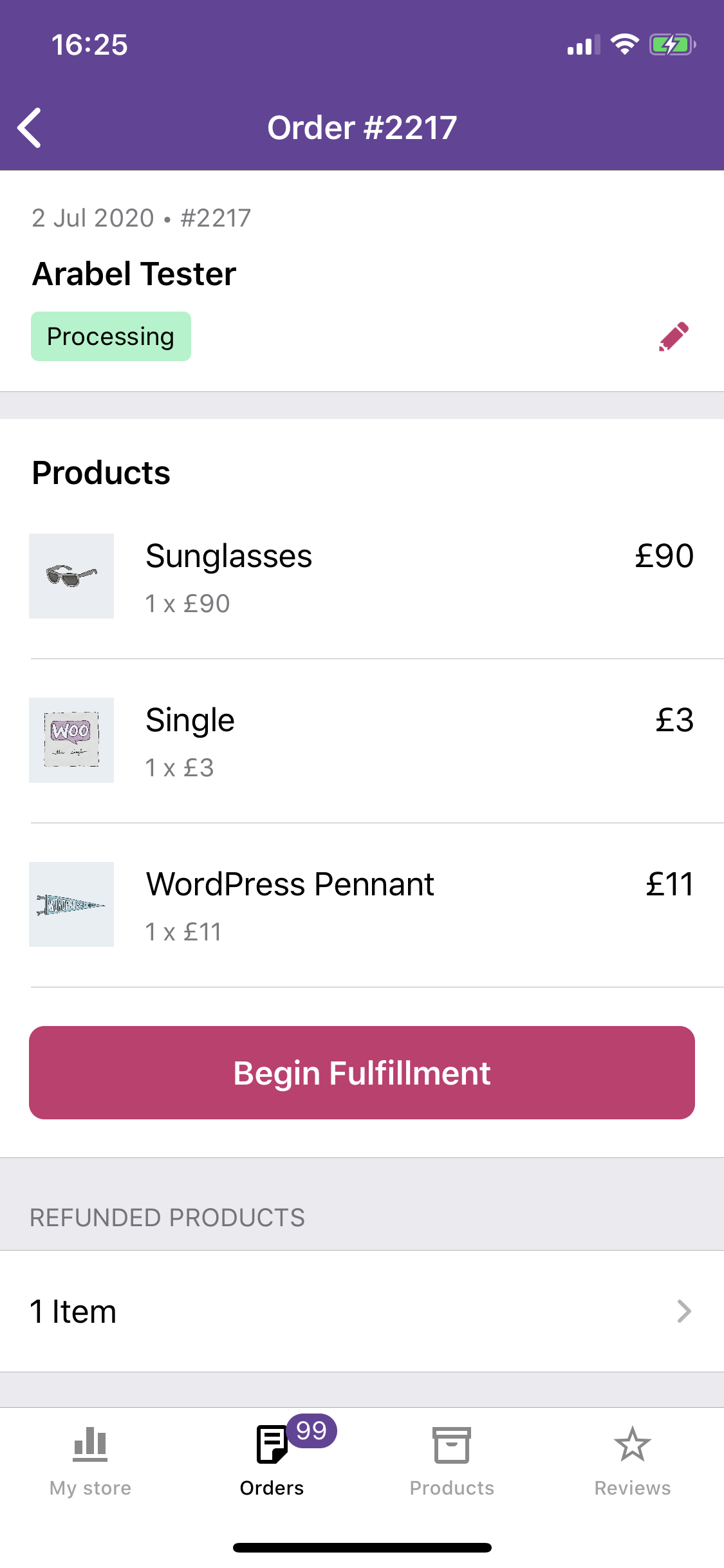 |
|
Let me know if you'd like this in a new issue, but it feels like it's similar enough to include here.
rachelmcr
on 3 Jul 2020
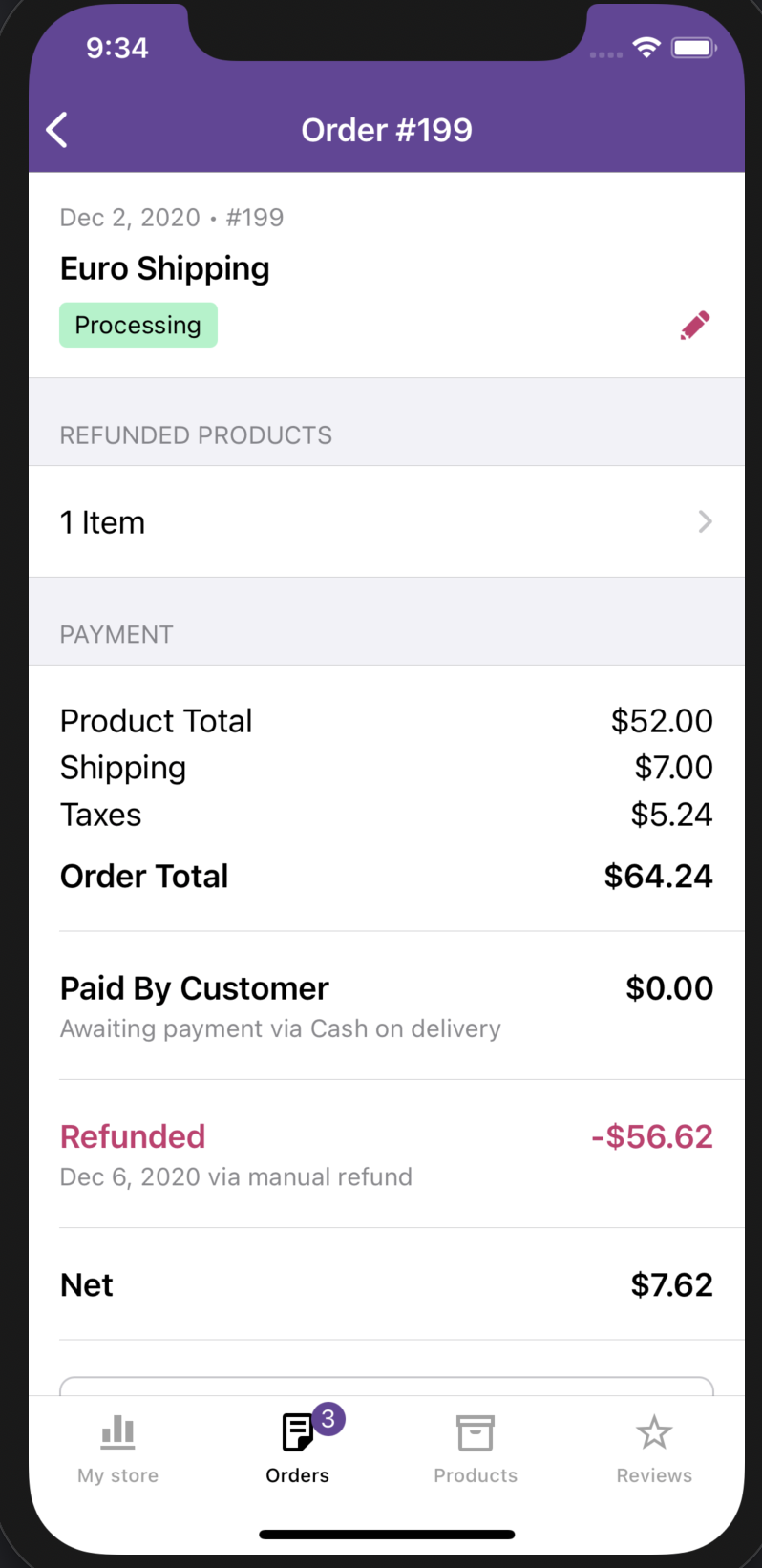
This seems to have been fixed by the amazing @jaclync on this PR 🎉
 Ecarrion
on 7 Dec 2020
Ecarrion
on 7 Dec 2020
Related issues
 jaclync
·
3Comments
jaclync
·
3Comments
 jkmassel
·
4Comments
jkmassel
·
4Comments
 shiki
·
3Comments
shiki
·
3Comments
 kyleaparker
·
3Comments
kyleaparker
·
3Comments
 webbbio
·
4Comments
webbbio
·
4Comments
Most helpful comment
This seems to have been fixed by the amazing @jaclync on this PR 🎉