Woocommerce-ios: Unable to type my password after selecting "entering your site address"
Describe the bug
After clicking on "entering your site address", we see fields for both username and password. Clicking on the password field, however, triggers the Lost your Password? link that slides under the password field whenever the keyboard is visible.
To Reproduce
Steps to reproduce the behavior:
- Open the app
- Click Log In > Continue with WordPress.com
- Select Or log in by entering your site address
- Type your WP address
- Add your username
- Try to add your password
Screenshots
https://user-images.githubusercontent.com/1136160/104376195-6bfdf380-5503-11eb-967c-f16cf7f0bdd9.MP4
Expected behavior
To be able to add my password and log in to the site.
Instead, the app thinks I am trying to click on the Lost your password? link.
Isolating the problem (mark completed items with an [x]):
- [x] I have deactivated other plugins and confirmed this bug occurs when only WooCommerce plugin is active.
- [x] This bug happens with a default WordPress theme active, or Storefront.
- [x] I can reproduce this bug consistently using the steps above.
Mobile Environment
- Device: iPhone 7
- iOS version: tested with 14.2 and 14.3
- WooCommerce iOS version: 5.7
 eduardozulian
All 3 comments
Thanks for reporting this @eduardozulian 🙇
 ctarda
on 13 Jan 2021
ctarda
on 13 Jan 2021
Looping back to note that the login flow was updated in v5.8 and the Log In screen now prompts for an email address and a password on two separate screens. I re-tested using WCiOS 5.9.0.0 (TestFlight beta) by tapping all along the row with the Password field and I was unable to trigger the reset password link so this appears to be fixed. 🎉

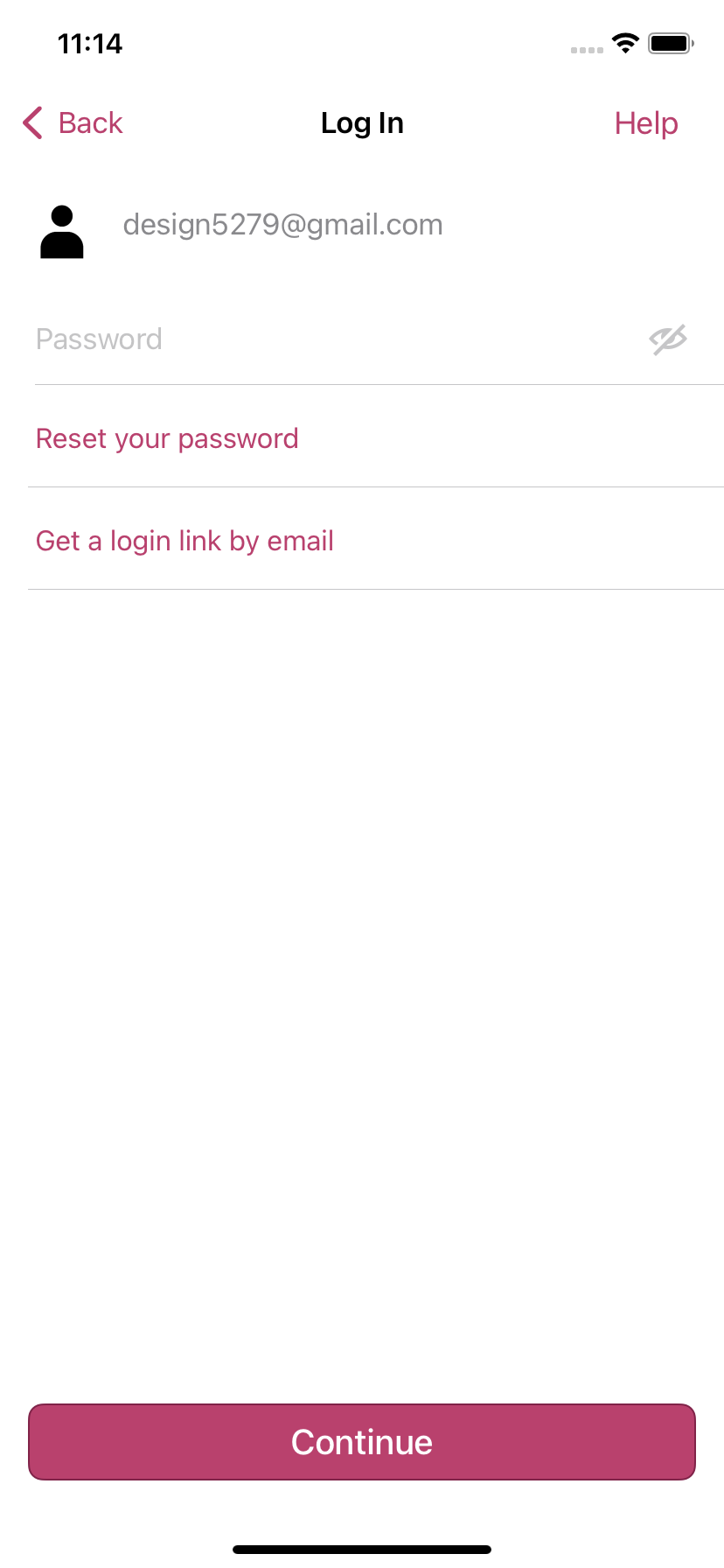
@eduardozulian please comment back or add a new issue if you're still having any trouble after updating to the latest version!
 designsimply
on 3 Feb 2021
designsimply
on 3 Feb 2021
Tested with 5.8 and is working like a charm. Thank you all!
I'll mark this one as closed.
eduardozulian
on 3 Feb 2021
Related issues
 pmusolino
·
5Comments
pmusolino
·
5Comments
 juliaamosova
·
3Comments
juliaamosova
·
3Comments
 mindgraffiti
·
4Comments
mindgraffiti
·
4Comments
 allendav
·
3Comments
allendav
·
3Comments
 rachelmcr
·
4Comments
rachelmcr
·
4Comments