Webiny-js: Page Builder - image element rendered with incorrect dimensions
This is:
- Bug
Expected Behavior
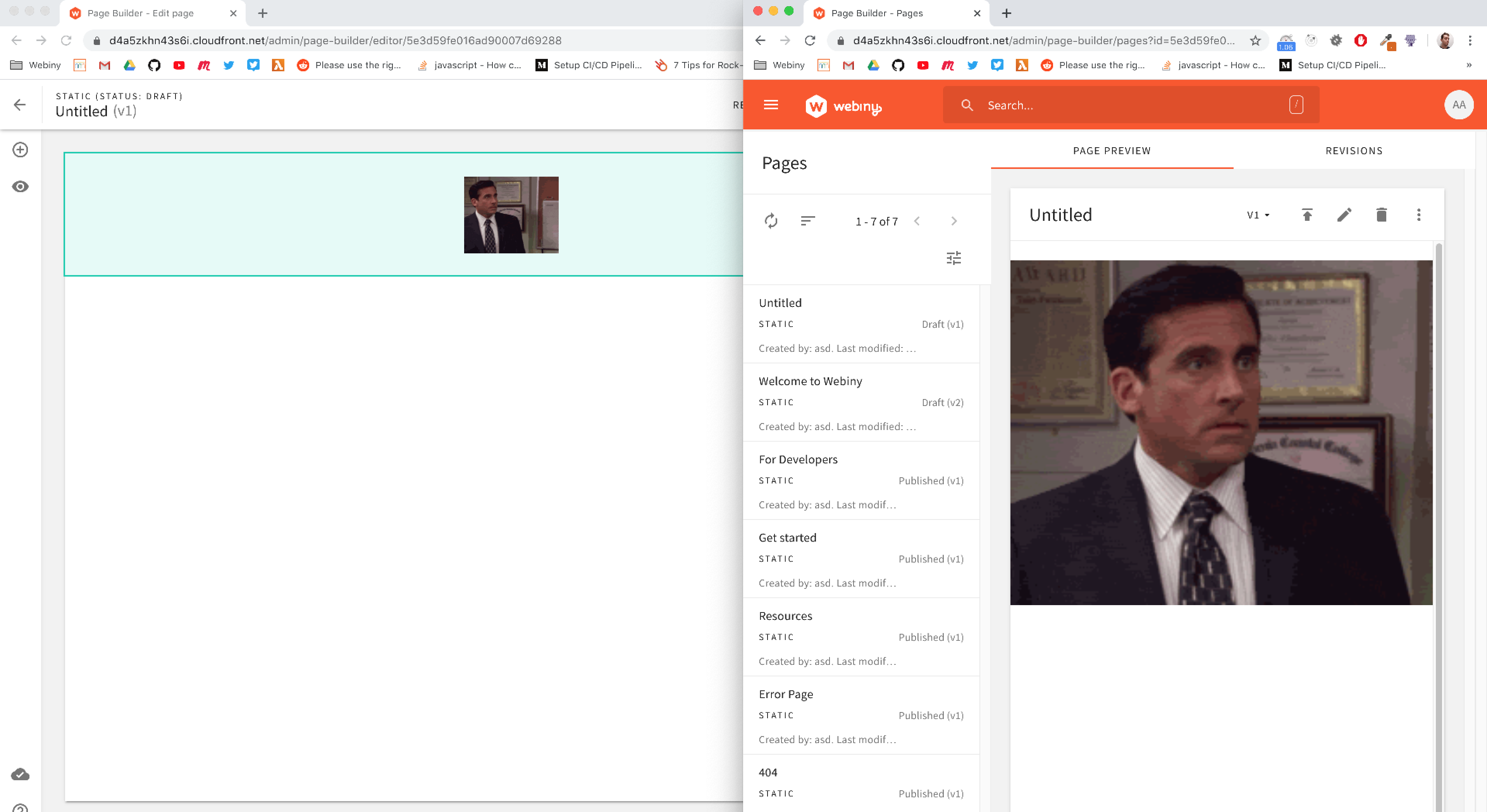
Images should be the same size.
Actual Behavior
Image is large in preview, and small in the editor.
Steps to Reproduce the Problem
- Add a new image element, and select an image (possibly small)
- Compare its size with the one in the page preview mode
Possible Solution
Check render/editor plugins and determine which one is rendering the image incorrectly.
packages/app-page-builder/src/render/plugins/elements/image/Image.tsx
packages/app-page-builder/src/editor/plugins/elements/image/Image.tsx
 doitadrian
All 11 comments
I would like to work on this issue
 ganeshmani
on 2 Jul 2020
ganeshmani
on 2 Jul 2020
@ganeshmani are you still working on this issue?
If not, I will work on this issue if it is still relevant (after the recent changes to the project I mean).
 TommyJackson85
on 4 Jul 2020
TommyJackson85
on 4 Jul 2020
@TommyJackson85 feel free to take this issue..
ganeshmani
on 4 Jul 2020
@doitadrian is this issue still relevant with the recent changes to the application?
TommyJackson85
on 4 Jul 2020
@TommyJackson85 I believe it's still relevant. If this was closed, it would be referenced by a PR. So feel free to jump on it. I'll assign you to this issue.
 Pavel910
on 4 Jul 2020
Pavel910
on 4 Jul 2020
@Pavel910 Ok good to know, I will work on it next.
TommyJackson85
on 4 Jul 2020
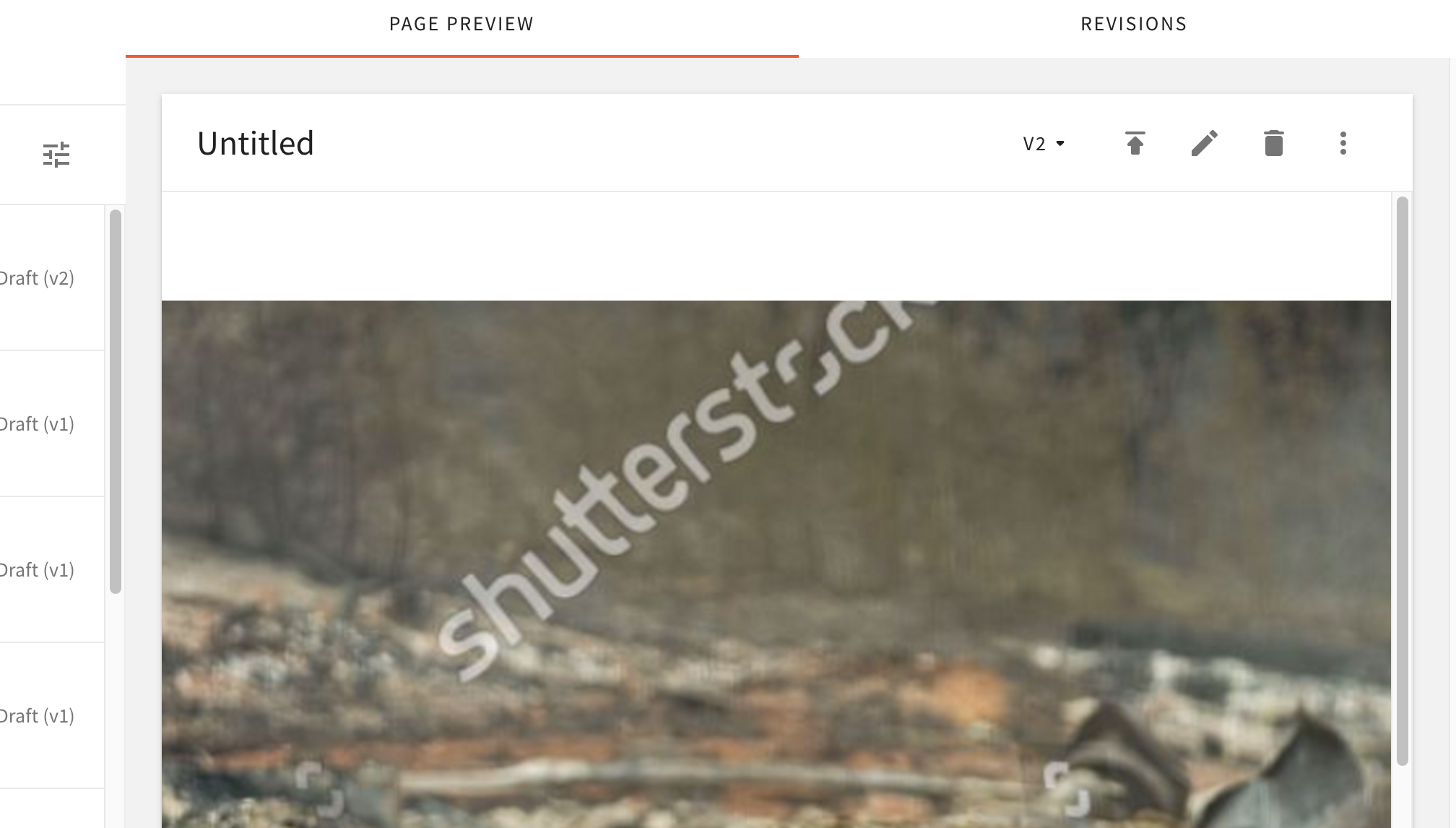
@Pavel910 @ganeshmani @doitadrian From uploading a small screenshot image, it appears stretched on both the Editor and Preview, although it is a bit smaller in the editor and its showing margins. Would I right in that the image should be displayed in its correct dimensions only upon upload? Or is an automatic image stretch going to be normal and the user is to decrease the size after the upload if it needs? :
Image in Editor
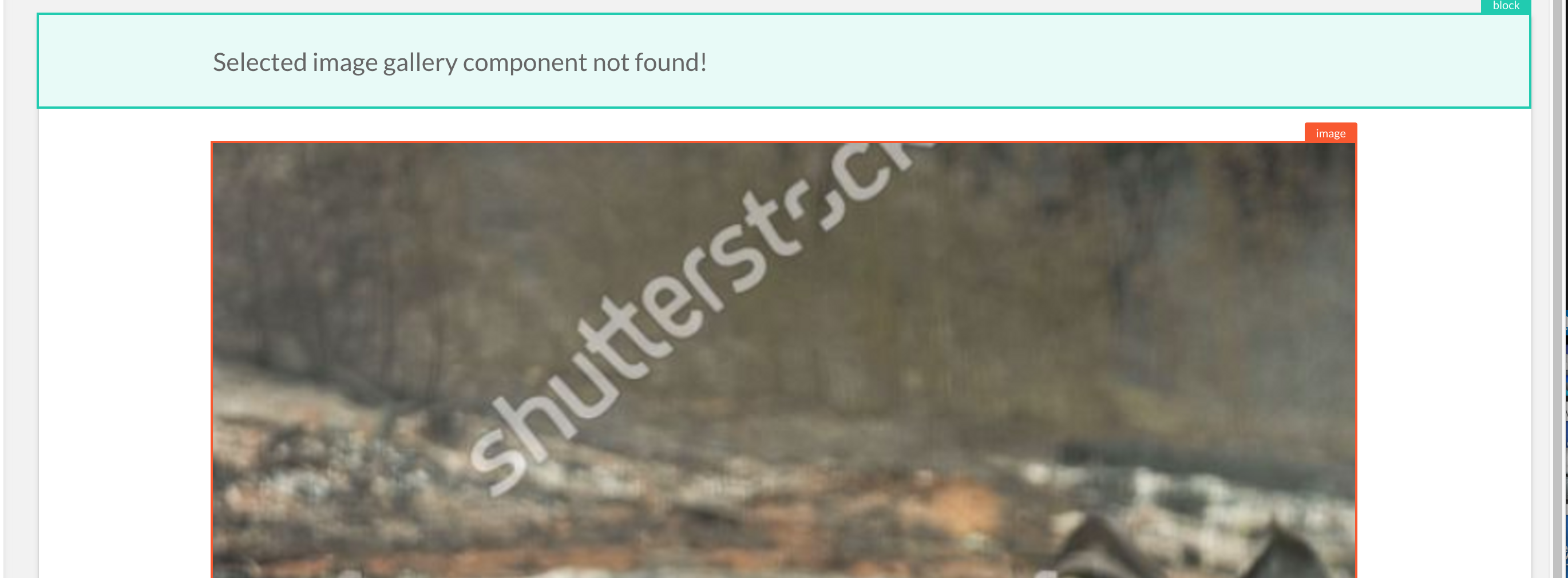
Image in Preview
TommyJackson85
on 23 Aug 2020
@Pavel910 When putting loading images through render and not the images the width and height keys dont appear to be generated.
Maybe as a further enhancement, instead of changing the width/height to 100% (when width/height keys are not found) we could attempt to render the image src file in advance to find it's naturalHeight / naturalWidth dimensions.
const style = { width, height };
    if (!style.width) {
        style.width = "100%";
    } else {
        style.width += style.width.endsWith("px") ? "" : "px";
    }
Could create a separate issue on this if its not relevent.
We could also attempt to render them within the ImageContainer.tsx file in the editor route where it seems to first determine what the image.width and image.height are in the editor. From here we could pass on the width and height keys.
    if (image.width) {
        const { width } = image;
        imgStyle.width = isNumeric(width) ? parseInt(width) : width;
    }
    if (image.height) {
        const { height } = image;
        imgStyle.height = isNumeric(height) ? parseInt(height) : height;
    }
Am I right in saying that the images shouldn't be stretched in render or editor if they are small?
TommyJackson85
on 30 Aug 2020
Continue this conversation in the new PR if you like.
TommyJackson85
on 31 Aug 2020
This issue is stale because it has been open 30 days with no activity. Remove stale label or comment or this will be closed in 5 days.
![github-actions[bot] picture](https://avatars2.githubusercontent.com/in/15368?v=4&s=40) github-actions[bot]
on 20 Oct 2020
github-actions[bot]
on 20 Oct 2020
This issue is stale because it has been open 60 days with no activity. Remove stale label or comment or this will be closed in 7 days.
 webiny-bot
on 20 Dec 2020
webiny-bot
on 20 Dec 2020
Related issues
doitadrian
·
6Comments
doitadrian
·
5Comments
 jsblx
·
4Comments
jsblx
·
4Comments
 EmilK15
·
5Comments
doitadrian
·
4Comments
EmilK15
·
5Comments
doitadrian
·
4Comments