Webiny-js: Fresh-install following quickstart guide creates inaccessible GraphQL API (Unexpected token in JSON)
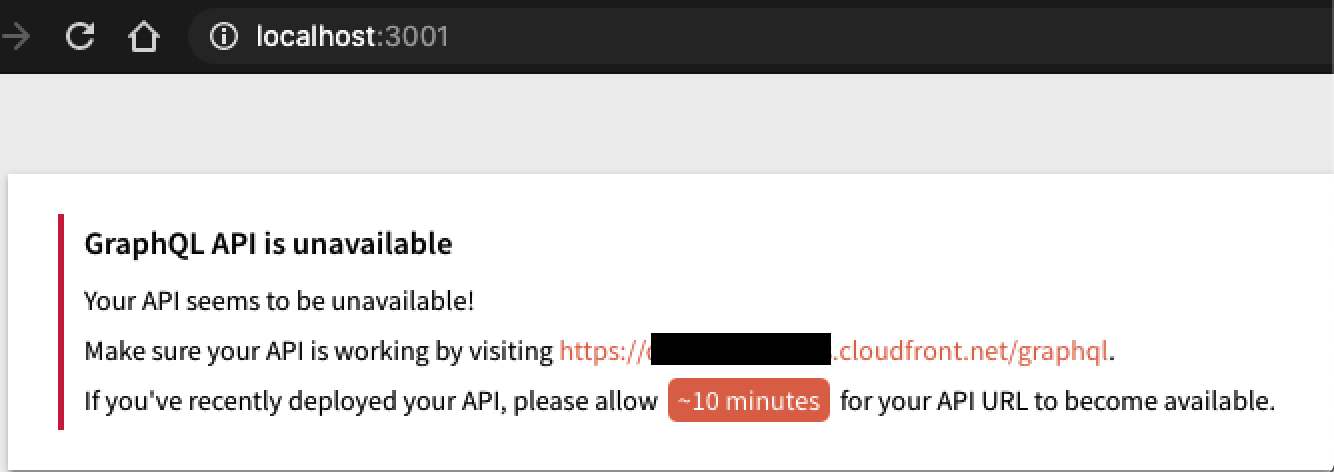
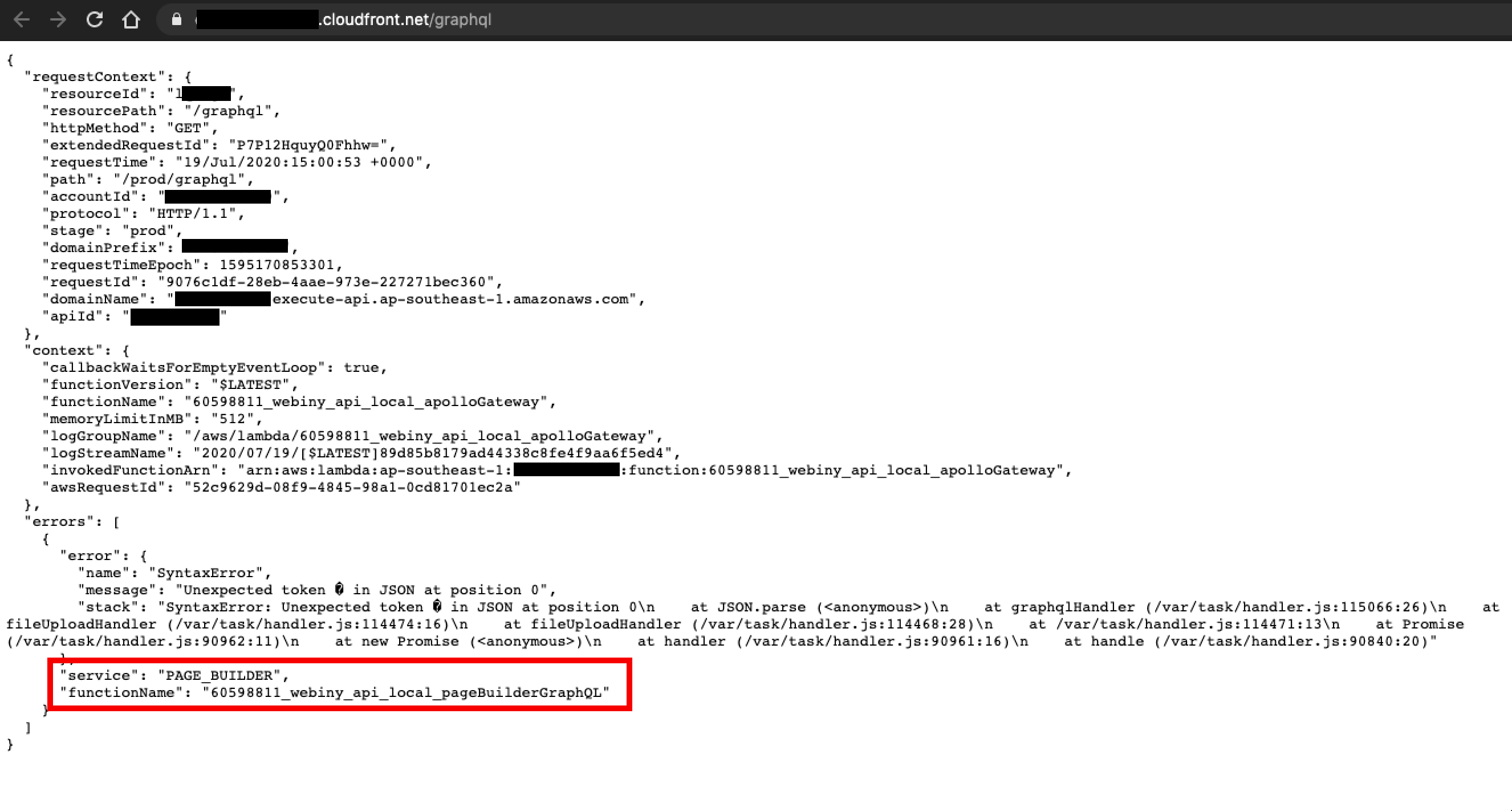
I went through the quickstart guide and have reached the admin app setup. While the page does load on my browser, it mentions that I am unable to access the GraphQL APIs. Upon attempting to access GraphQL APIs, the following error appears:
  "errors": [
    {
      "error": {
        "name": "SyntaxError",
        "message": "Unexpected token � in JSON at position 0",
        "stack": "SyntaxError: Unexpected token � in JSON at position 0\n    at JSON.parse (<anonymous>)\n    at graphqlHandler (/var/task/handler.js:108549:26)\n    at fileUploadHandler (/var/task/handler.js:107957:16)\n    at fileUploadHandler (/var/task/handler.js:107951:28)\n    at /var/task/handler.js:107954:13\n    at Promise (/var/task/handler.js:84445:11)\n    at new Promise (<anonymous>)\n    at handler (/var/task/handler.js:84444:16)\n    at handle (/var/task/handler.js:84323:20)"
      },
      "service": "SECURITY",
      "functionName": "60598811_webiny_api_local_securityGraphQL"
    }
  ]
This is:
- Bug
Specifications
- version: webiny version 4.5.0
- OS: macOS 10.15.5
- Browser: Google Chrome Version 83.0.4103.116
Expected Behavior
From my understanding, the admin page should load properly, and the GraphQL APIs should be accessible
Actual Behavior
Admin screen shows "GraphQL API is unavailable" message
Steps to Reproduce the Problem
- Go through the quickstart (fresh install, fresh everything)
- Upon/After setting up admin, look at the admin page.
- Error appears in admin page
- GraphQL API returns errors
NOTE:
- Upon refreshing (accesing the GraphQL APIs again and again), the service and functionName (red box in the image above) keeps changing between "HEADLESS_CMS", "PAGE_BUILDER", and "SECURITY"
 jsblx
jsblx
All 4 comments
I'm also getting the same problem
 apylon
on 19 Jul 2020
apylon
on 19 Jul 2020
Duplicate of #1141.
@jsblx @apylon for a quick fix see this comment: https://github.com/webiny/webiny-js/issues/1141#issuecomment-660471829
We'll release an actual fix as soon as possible, but the fix in the comment will work for you.
 Pavel910
on 19 Jul 2020
Pavel910
on 19 Jul 2020
@apylon @jsblx
We released 4.5.1. Please run yarn upgrade to upgrade the packages, and then redeploy your API using the usual webiny deploy api --env {YOUR-ENV}.
 doitadrian
on 19 Jul 2020
doitadrian
on 19 Jul 2020
Hi @Pavel910 @doitadrian,
Thanks for the help! I tried out v4.5.1 and confirm it resolved the issue. :)
jsblx
on 20 Jul 2020
Related issues
 tjrexer
·
6Comments
doitadrian
·
5Comments
doitadrian
·
4Comments
doitadrian
·
4Comments
tjrexer
·
6Comments
doitadrian
·
5Comments
doitadrian
·
4Comments
doitadrian
·
4Comments
 EmilK15
·
5Comments
EmilK15
·
5Comments
Most helpful comment
Hi @Pavel910 @doitadrian,
Thanks for the help! I tried out v4.5.1 and confirm it resolved the issue. :)