Sqlitebrowser: Dark theme in OSX breaks look&feel and text boxes
Dark theme in OSX breaks look&feel.
White text boxes also have white text in them, making the app basically unusable.
Details for the issue
What did you do?
Installed & ran app for first time
What did you expect to see?
The screenshot on https://sqlitebrowser.org/
What did you see instead?

Useful extra information
The info below often helps, please fill it out if you're able to. :)
What operating system are you using?
- [ ] Windows: ( _version:_ ___ )
- [ ] Linux: ( _distro:_ ___ )
- [x] Mac OS: ( _version: 10.14.3)
- [ ] Other: ___
What is your DB4S version?
- [x] 3.11.1
- [ ] 3.11.0
- [ ] 3.10.1
- [ ] Other: ___
Did you also
- [x] Try out the latest nightly version: https://github.com/sqlitebrowser/sqlitebrowser#nightly-builds
- [x] Search for an existing similar issue: https://github.com/sqlitebrowser/sqlitebrowser/issues?utf8=%E2%9C%93&q=is%3Aissue%20
 ImOnALampshade
All 70 comments
Running into the same issue 5 min ago. Thanks for posting @ImOnALampshade
 chrda81
on 20 Feb 2019
chrda81
on 20 Feb 2019
Yeah, it's a known issue on both MacOS and Windows, that doesn't (yet) seem to have a fix because the GUI toolkit we use (Qt) doesn't yet handle dark mode properly on those platforms. :frowning:
We have an issue tracking it here: #1493
One potential avenue (for us) would be to recompile the application using Qt 5.12.1 (the very latest release), as things are a bit better there. However that release of Qt has another showstopper bug (#1658) stopping us using it. If/when they fix that, we'd be able to recompile using that, and it'd be a bit better. Still not perfect though... we really need Qt to get "full" dark theme support happening.
The only way I know of getting the application to work on MacOS Mojave... is to turn off Dark mode while using it. And yeah, that's pretty terrible. :frowning:
Open to suggestions though, just in case we've missed something that would help. :smile:
 justinclift
on 20 Feb 2019
justinclift
on 20 Feb 2019
Had the same issue
 gerwinbrunner
on 20 Feb 2019
gerwinbrunner
on 20 Feb 2019
Is there a way to switch to the regular theme in the app?
gerwinbrunner
on 20 Feb 2019
I wish. From what I can tell, you need to switch off Dark mode in the mojave System Preferences. eg for all applications. As that's what Qt checks and picks up on. :frowning:
Someone with deeper Qt or macOS knowledge may know of a workaround, it's just (so far) that's the best we know.
justinclift
on 20 Feb 2019
Wow, this is highly expected and highly broken (except in Linux).
One solution would be to link using Qt 5.12 and work around #1658 by disabling word wrapping.
Another is to use a dark stylesheet and give a preference option:
- Follow desktop
- Dark style
I'm testing with https://github.com/ColinDuquesnoy/QDarkStyleSheet
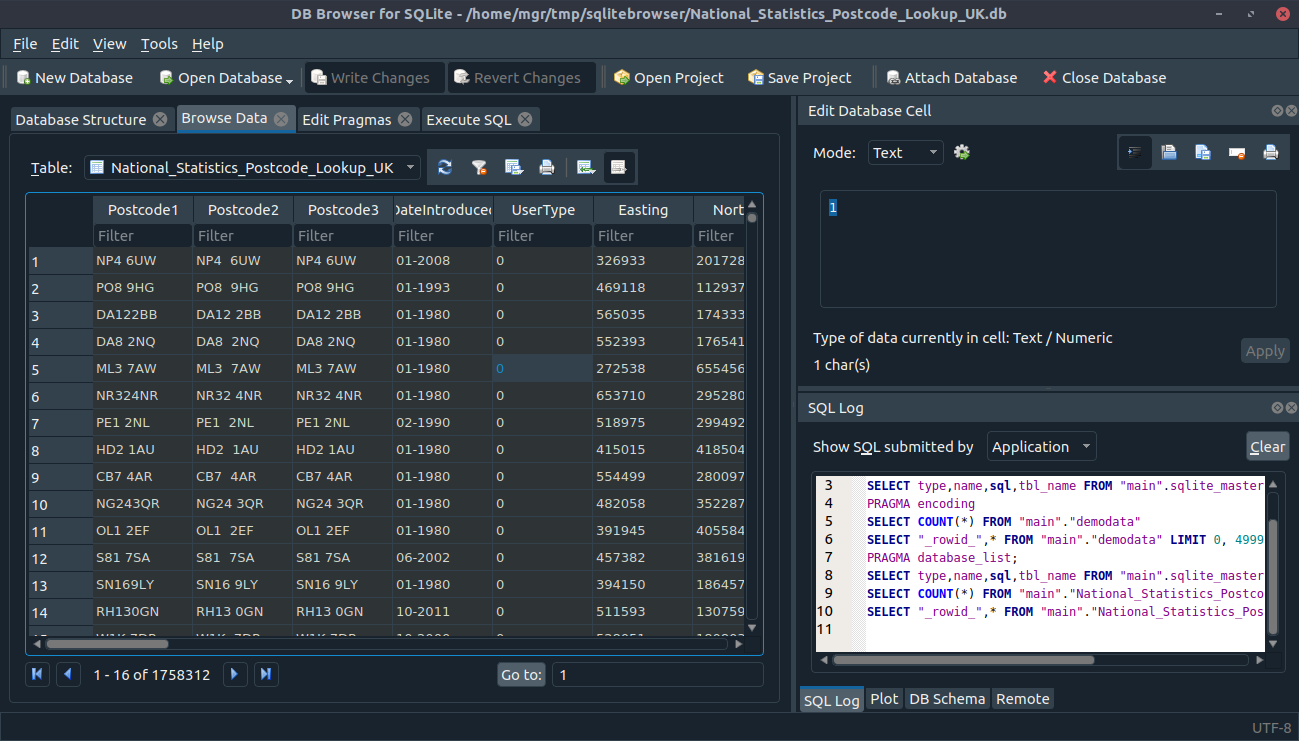
It isn't perfect, but probably better than what Qt currently does for macOS and Windows.
@justinclift Could we use ColinDuquesnoy/QDarkStyleSheet? Are the licenses compatible?
 mgrojo
on 20 Feb 2019
mgrojo
on 20 Feb 2019
Could we use ColinDuquesnoy/QDarkStyleSheet?
We could probably try it out in an experimental branch + build to see if it improves things.
Looking at that project's README.md, it has C++ code for enabling it:
QFile f(":qdarkstyle/style.qss");
if (!f.exists())
{
    printf("Unable to set stylesheet, file not found\n");
}
else
{
    f.open(QFile::ReadOnly | QFile::Text);
    QTextStream ts(&f);
    qApp->setStyleSheet(ts.readAll());
}
Ideally we'd be able to dynamically switch between using that style sheet (for dark mode), and the standard one (for normal mode). But if dynamic isn't possible, we could just make two macOS builds, one for dark mode and one for normal.
Are the licenses compatible?
That project is MIT licensed, which is compatible with everything. :smile:
justinclift
on 20 Feb 2019
One solution would be to link using Qt 5.12 and work around #1658 by disabling word wrapping.
Yep. I'm ok to create new builds for people to experiment with, if that would help. :smile:
justinclift
on 20 Feb 2019
Yep. I'm ok to create new builds for people to experiment with, if that would help. :smile:
In my last commit I've disabled word wrapping when the Qt version is greater or equal than 5.12.0. This would allow us compiling with Qt without stumbling upon #1658 but without losing word wrapping in unaffected versions. So if we change to Qt 5.12.1, at least for macOS, the macOS dark mode support will be improved. But we have to take into account that https://bugreports.qt.io/browse/QTBUG-71020 is still unresolved, as we've already seen in https://github.com/sqlitebrowser/sqlitebrowser/issues/1493#issuecomment-464075616.
mgrojo
on 20 Feb 2019
Thanks @mgrojo, I'll make a new build from the master branch using Qt 5.12.1 in our Mojave VM, so people can test it.
Should we experiment with that QDarkStyleSheet thing too?
justinclift
on 20 Feb 2019
New build is in progress. I don't yet have a good idea of how long builds on that VM take, though I know it's pretty slow. Could take around an hour, but not sure.
justinclift
on 20 Feb 2019
@ImOnALampshade @chrda81 @gerwinbrunner @b2397 @matpag @Raistlfiren @spig @jonathanlmarsh Here's a first build using Qt 5.12.1, which should make Dark Mode support a bit better:
With that... what do you reckon?
Note for future use - Seems to take just under 40 mins to create builds on the new Mojave VM. So, can create new builds for future tests without tooooo much delay. :smile:
justinclift
on 21 Feb 2019
This looks much better and fixes the white-on-white text that made it unusable for me when I first installed. So, at least I'm able to do what I needed to.
There's still a couple rough areas - here are screenshots:
Button elements have black text on a dark grey background:

The text editor is a white theme, which is fine, but the background of areas with no text is dark grey:

ImOnALampshade
on 21 Feb 2019
Thanks @ImOnALampshade. Looks like we're heading in the right direction. Next step, we'll probably investigate that QDarkStyleSheet when @mgrojo has some time to look. Hopefully in the next day(s). :smile:
justinclift
on 21 Feb 2019
What's the solution for downgrading in the meanwhile?
 Nosferican
on 21 Feb 2019
Nosferican
on 21 Feb 2019
Hmmm, just found something weird. The previous release (3.10.1) works ok. It's not in dark mode, but at least all of the elements are readable and usable.
@mgrojo Any idea why 3.10.1 works ok on Mojave - it just looks like a Light mode application - but 3.11.1 doesn't?
If we can just get 3.11.1 to do the same thing (eg work as if it's light mode), that's probably workable for now.
justinclift
on 21 Feb 2019
Still getting reports (via Twitter) of the breakage on macOS. Seems to be affecting quite a few people. :frowning:
To hopefully reduce the number of Mojave users hit by this problem, I've added a note to the 3.11.1 blog post, right near the top in a fairly obvious spot:
Note 2 - If you’re using Dark Mode on macOS Mojave, Do Not download
this release. Dark Mode support is broken (badly) on MacOS. It should
(hopefully) be fixed in the next point release.
That should be pretty clear. :smile:
justinclift
on 21 Feb 2019
Hit this today. Luckily rolling back to 3.11.0 is safe.
 onen5
on 22 Feb 2019
onen5
on 22 Feb 2019
@justinclift
@mgrojo Any idea why 3.10.1 works ok on Mojave - it just looks like a Light mode application - but 3.11.1 doesn't?
Maybe the older Qt version probably used in 3.10.1 did not even try to follow the macOS theme settings?
Should we experiment with that QDarkStyleSheet thing too?
I'm looking at it, but there are some places where the style sheet is eclipsing our own colour specifications. Don't know why. I can push a branch if experimenting in macOS is welcome.
@ImOnALampshade
The text editor is a white theme, which is fine, but the background of areas with no text is dark grey:
It seems the kind of problem that at least could be solved by Restoring Defaults (under Preferences), if the Qt bug isn't inteferring, at least.
mgrojo
on 22 Feb 2019
I can push a branch if experimenting in macOS is welcome.
Yes, definitely. :smile:
I'll probably try a build with the same Qt version as our 3.10.1 release too. If it's as simple as just needing to compile with that, then that's an easy win. :smile:
justinclift
on 22 Feb 2019
I've pushed the dark stylesheet changes to the qdarkstyle branch.
mgrojo
on 22 Feb 2019
Just installed for the first time—this seems incredibly unfortunate, and I'm sorry you guys got bit by this. Here's a fix for anyone who doesn't want to downgrade or run a beta:
Quit the app.
Run the following terminal command:
defaults write net.sourceforge.sqlitebrowser NSRequiresAquaSystemAppearance -bool true
This will force the app to run in the light theme even if Dark is selected in System Preferences > General > Appearance.
To revert the previous command (and allow the app to follow the Appearance mode set in System Preferences):
Quit the app
Run the following terminal command:
defaults delete net.sourceforge.sqlitebrowser NSRequiresAquaSystemAppearance
@justinclift If you want to push an updated release for macOS before things are sorted with Qt, just set this key in the app's Info.plist file. See the section entitled Opt Out of Dark Mode at the bottom of Choosing a Specific Appearance for Your App.
 jsejcksn
on 23 Feb 2019
jsejcksn
on 23 Feb 2019
@jsejcksn Oh wow, that looks like exactly the thing we need. I'll try that in a Mojave VM shortly, and if it works well (which it seems like it should) I'll rebuild our macOS binaries with it (the updated .plist).
@mgrojo Thanks heaps. Will build a new test binaries using that branch, but probably tomorrow more than today. Feeling burnt out atm, and want to take some time out after getting the above build test done. :smile:
justinclift
on 23 Feb 2019
Manually adding that key (with value of true) to Contents/Info.plist in the .app works, with the application always starting up with it's light mode theme. No weird zebra effect.
I'll regenerate our macOS installer with that now...
justinclift
on 23 Feb 2019
Just to be extra careful :wink:, I've instead rebuilt todays automatic nightly build for macOS first (with this forced light mode .plist entry). Yep, it's definitely working. For anyone else that wants to try it:
Should be safe to do a 3.11.1 rebuild, so getting that done now.
justinclift
on 23 Feb 2019
New build here, which works for me in testing on both macOS High Sierra and Mojave:
- https://nightlies.sqlitebrowser.org/osx-prerelease/DB.Browser.for.SQLite-3.11.1v2.dmg
- SHA256: b0ee5b73b9c6305de79640f651ba59edd32c6a94c2245a2bda01ae8091a69b48
I'll update our various download locations (etc) with it over the next few hours. :smile:
justinclift
on 23 Feb 2019
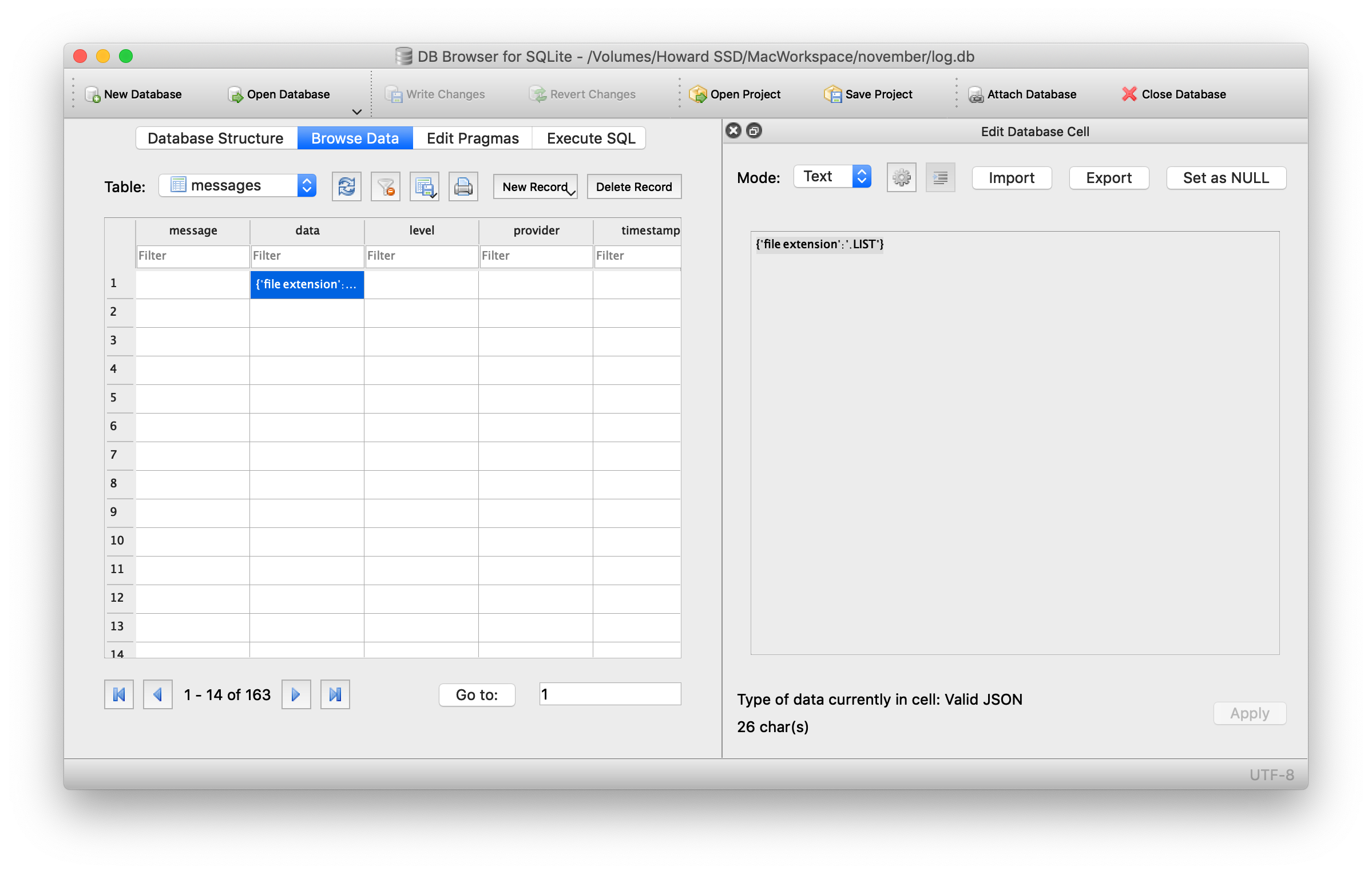
I just installed the build you posted (in your last comment, 7 minutes ago), and is this intended behavior? When looking at table data, I only see text from the highlighted cell. All of the builds posted above have this issue.
ImOnALampshade
on 23 Feb 2019
Looks good to me:

I downloaded from
page: https://github.com/sqlitebrowser/sqlitebrowser/releases/tag/v3.11.1
direct link: https://github.com/sqlitebrowser/sqlitebrowser/releases/download/v3.11.1/DB.Browser.for.SQLite-3.11.1v2.dmg
verified SHA256SUM: b0ee5b73b9c6305de79640f651ba59edd32c6a94c2245a2bda01ae8091a69b48
@ImOnALampshade Same checksum or different? (verify in terminal with shasum -a 256 /path/to/file.dmg)
jsejcksn
on 23 Feb 2019
Negative, same checksum. I tried re-installing, and then re-downloading from the link you posted then re-installing again, and still see the same thing I posted.
ImOnALampshade
on 23 Feb 2019
The problem was in my preferences - The color was set to white in the data browser. It must have carried over from an older version I had installed.
ImOnALampshade
on 23 Feb 2019
The download pieces here on GitHub, and on our download cluster, have been updated with the v2 binary for macOS. Also updated the links on the download page and 3.11.1 release notes on the main website.
Just for good measure, also created a new blog entry about the rebuilt binary:
https://sqlitebrowser.org/blog/macos-installer-rebuilt-for-3-11-1/
... and make a Tweet about it:
https://twitter.com/sqlitebrowser/status/1099251781199003648
That should do for now. :smile:
justinclift
on 23 Feb 2019
The problem was in my preferences - The color was set to white in the data browser.
*Whew*
Just came here and read that after focusing on getting the rebuilt stuff released. Nearly had a heart attack! :scream:
justinclift
on 23 Feb 2019
@justinclift The branch qdarkstyle is ready for testing in all platforms.
mgrojo
on 28 Feb 2019
Oops, thanks for the reminder @mgrojo. I'll get some builds created in a few hours (need to get some other stuff done today). :smile:
justinclift
on 28 Feb 2019
Whos, completely forgot to get this done. I'll get it started now. :smile:
Going with a macOS build first...
justinclift
on 28 Feb 2019
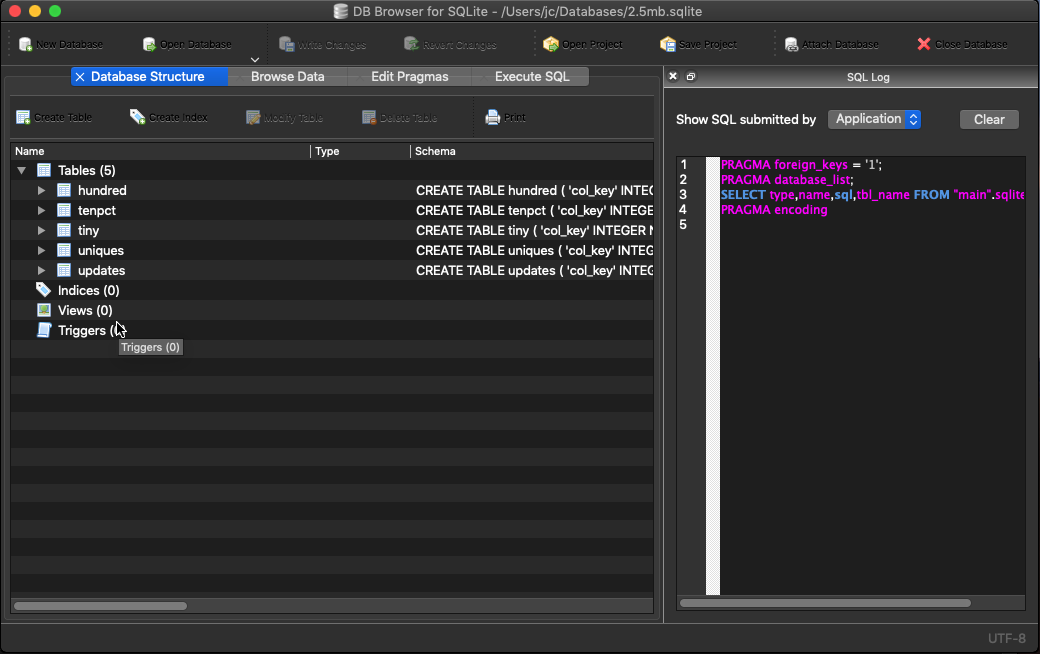
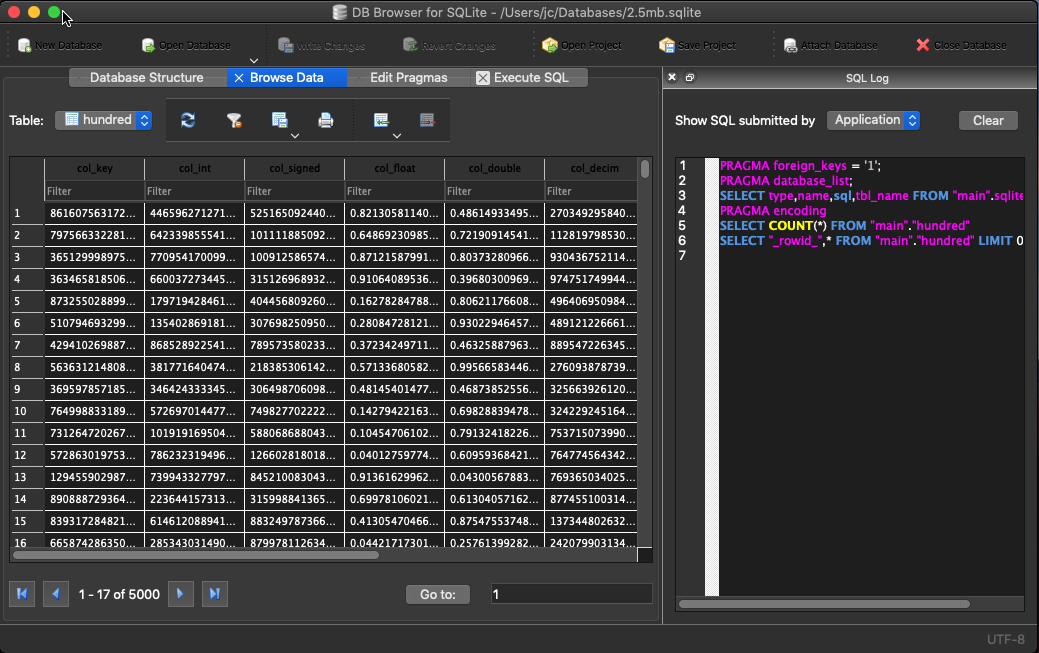
The build itself seemed to work ok, but not really noticing anything different in the look?
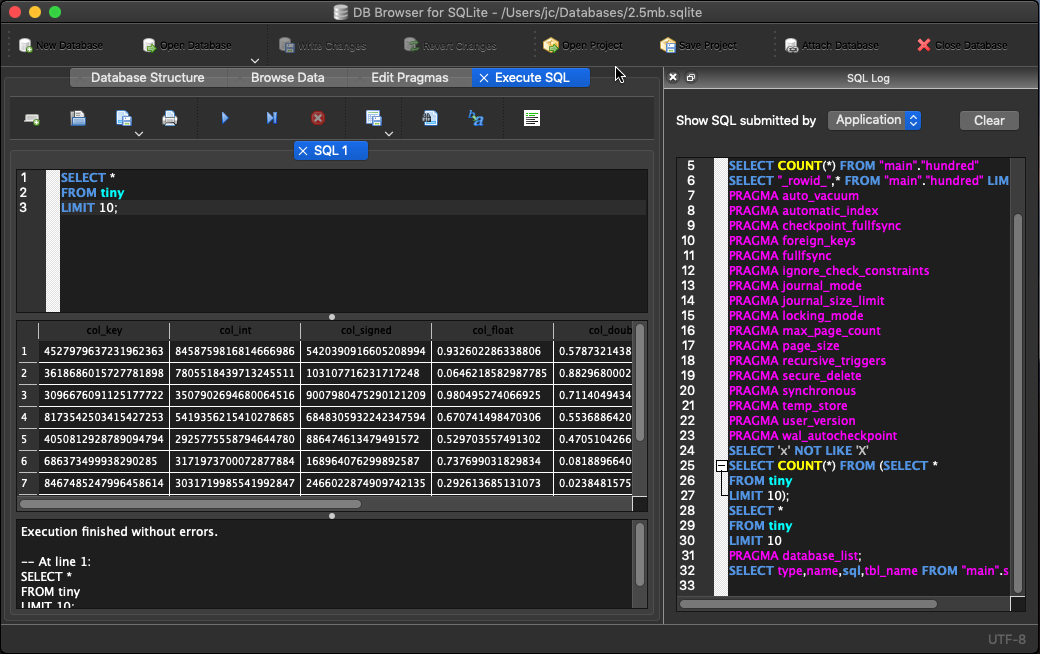
- https://nightlies.sqlitebrowser.org/osx-onceoffs/DB%20Browser%20for%20SQLite_issue1751v2.dmg
- https://nightlies.sqlitebrowser.org/osx-onceoffs/DB%20Browser%20for%20SQLite-sqlcipher_issue1751v2.dmg
The build was done on macOS Mojave (needed for the dark mode stuff to be compiled in) + Qt 5.12.1.
- Also did the "Reset Preferences" thing via the button in our Preferences diaog. No change.
- Also manually deleted all preference and saved state files (with DB4S not running), then ran it again. No change.
Is there something else I should be trying? :smile:
justinclift
on 28 Feb 2019
Is there something else I should be trying? :smile:
Yes, sorry I forgot to mention the details. You have to change the new preference setting from the default (Follow deskto style) to "Dark style".
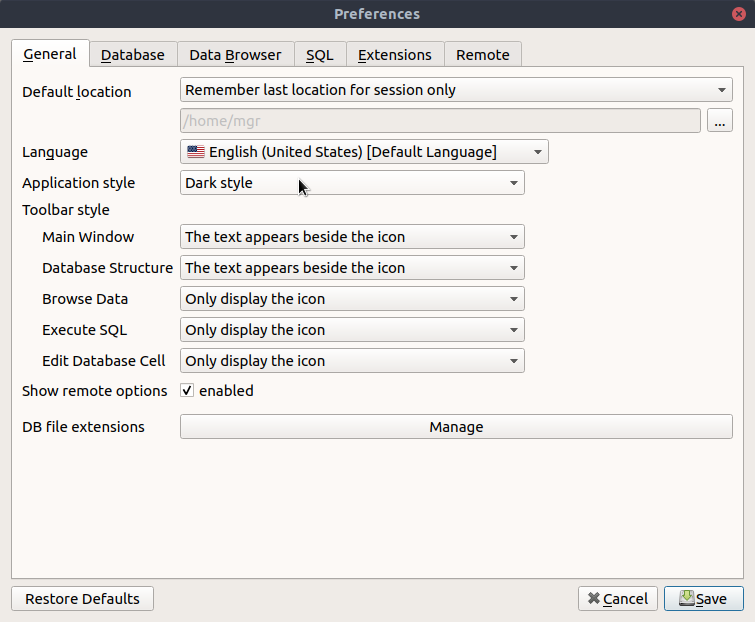
You have to get this:

mgrojo
on 28 Feb 2019
Oh yeah... with that option set, it does look a lot better:
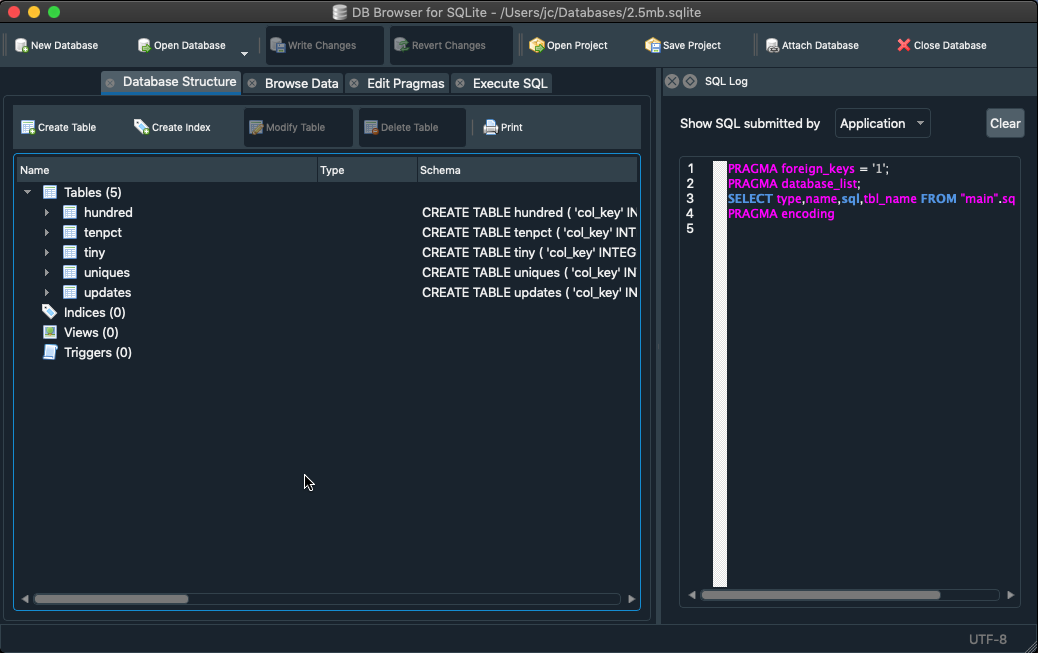
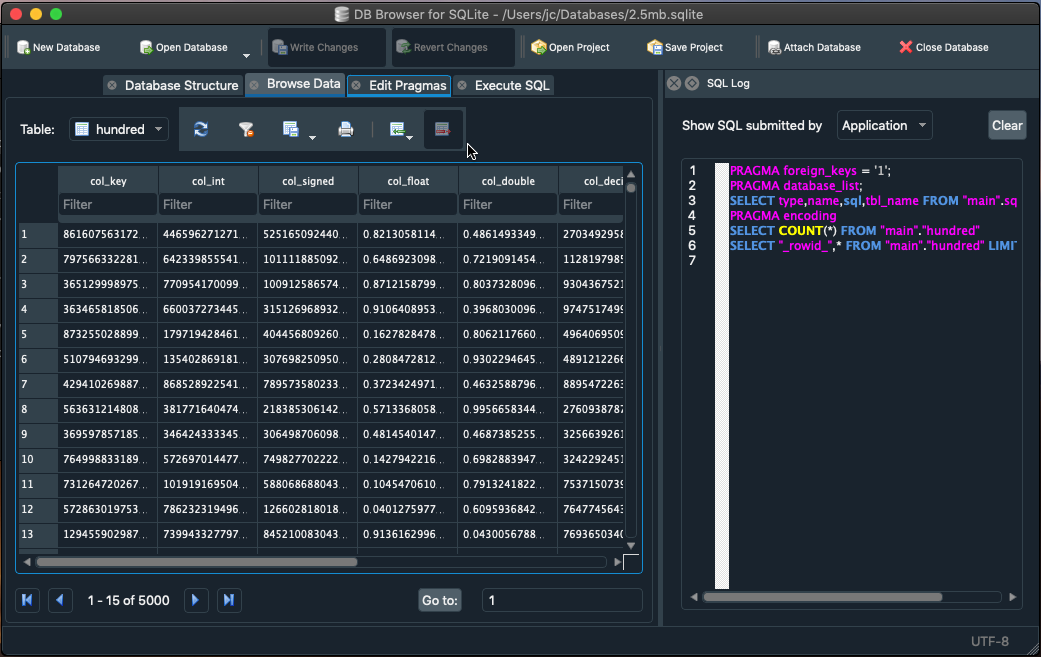
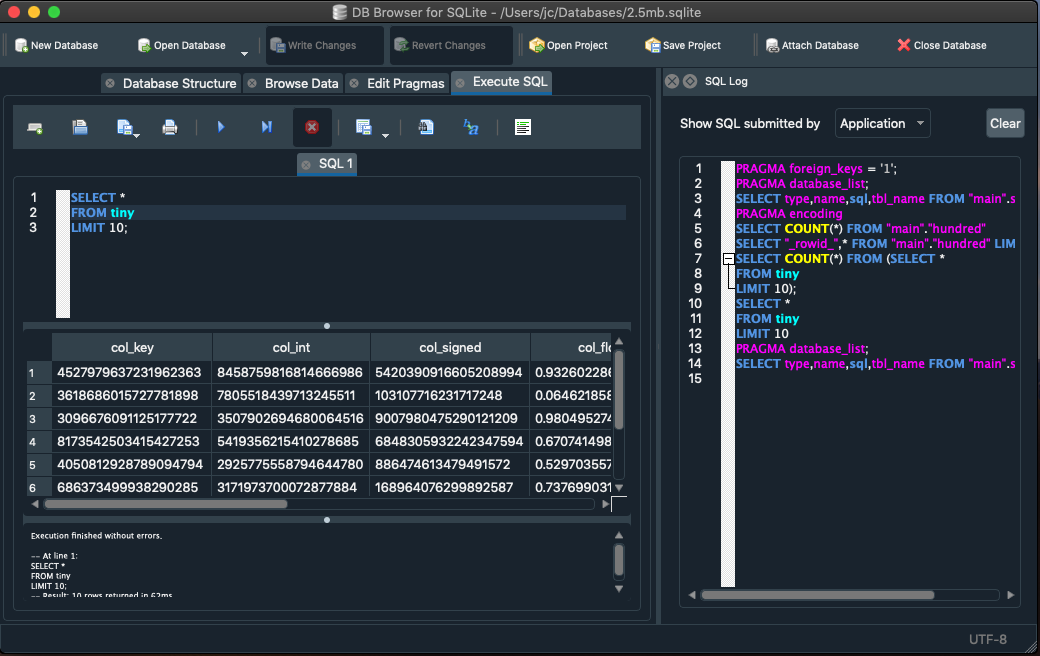
Looking at the project page for this Dark Style approach, it seems to have been around for several years now. Guessing that means it doesn't require Qt 5.12.x.
I'll make a build with Qt 5.11.x after our nightlies finish building (they're happening atm), and see if that works ok too. With Qt 5.11.x we can avoid the word wrapping issue until the Qt project people have figured out a complete fix. :smile:
justinclift
on 1 Mar 2019
The build with Qt 5.11.3 looks identical, so this seems like a win. :smile:
- https://nightlies.sqlitebrowser.org/osx-onceoffs/DB%20Browser%20for%20SQLite_issue1751v3.dmg
- https://nightlies.sqlitebrowser.org/osx-onceoffs/DB%20Browser%20for%20SQLite-sqlcipher_issue1751v3.dmg
Next step, compiling it on Win64...
justinclift
on 1 Mar 2019
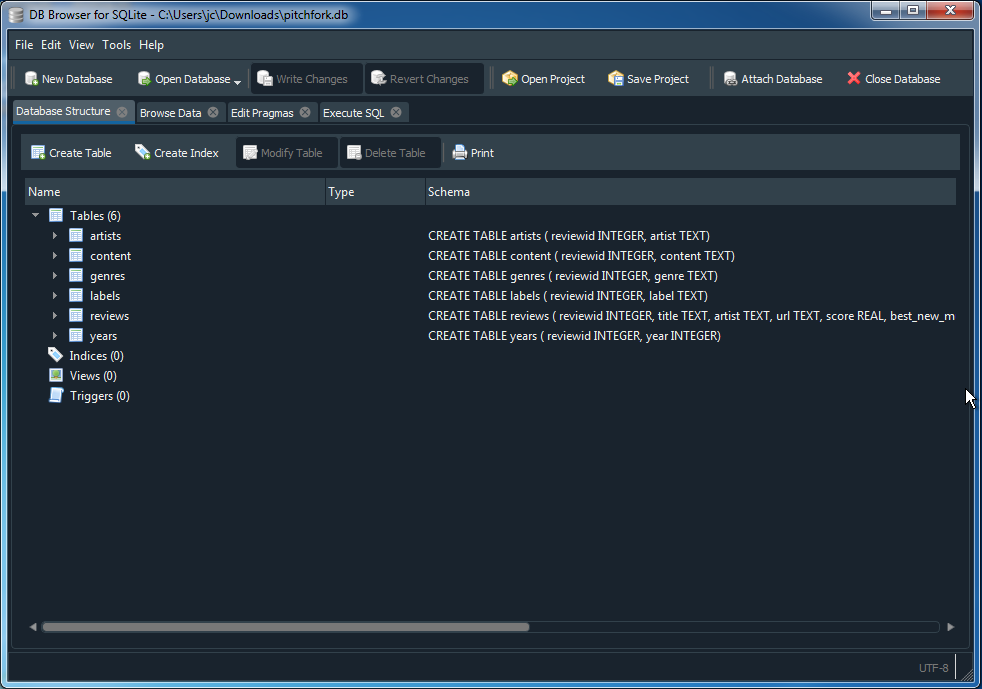
Win64 build looks good too:
- https://nightlies.sqlitebrowser.org/win64-onceoffs/DB.Browser.for.SQLite-issue1751v3-win64.msi
- https://nightlies.sqlitebrowser.org/win64-onceoffs/DB.Browser.for.SQLite-issue1751v3-win64.zip
@mgrojo Reckon it's good enough to merge into master, for wider testing? :smile:


justinclift
on 1 Mar 2019
@mgrojo Reckon it's good enough to merge into master, for wider testing? :smile:
Yes, I'll merge it in a moment.
mgrojo
on 1 Mar 2019
Should we include a copy of https://github.com/ColinDuquesnoy/QDarkStyleSheet/blob/master/LICENSE.md ? Maybe inside directory src/qdarkstyle/style.qss? or added to LICENSE-PLUGINS?
mgrojo
on 1 Mar 2019
It's now merged, with license file in src/qdarkstyle/LICENSE.md.
By the way, I couldn't resist to make some project promotion in https://github.com/ColinDuquesnoy/QDarkStyleSheet/wiki It's also a way to communicate that we've found it useful.
mgrojo
on 2 Mar 2019
I've cleared the milestone, because the appropiate scope for this issue should be the original problem of macOS Mojave, that is ultimatly due to a Qt bug: https://bugreports.qt.io/browse/QTBUG-71020
I'll use #1493 instead.
mgrojo
on 2 Mar 2019
... with license file in src/qdarkstyle/LICENSE.md.
Excellent, that seems like the right place for it. :smile:
I couldn't resist to make some project promotion in https://github.com/ColinDuquesnoy/QDarkStyleSheet/wiki.
No need to resist, that's well done. Promotion (not done really badly!) is a good thing for projects. :grin:
justinclift
on 2 Mar 2019
The mentioned Qt bug is closed with Qt 5.12.3. How is the situation now?
mgrojo
on 21 Jun 2020
Our recent 3.12.0 release, and the nightly (win, osx) builds, are using Qt 5.12.8.
In theory (!) they should be ok now.
@revolter You're a frequent macOS user... does this bug seem ok to you now? :smile:
justinclift
on 27 Jun 2020
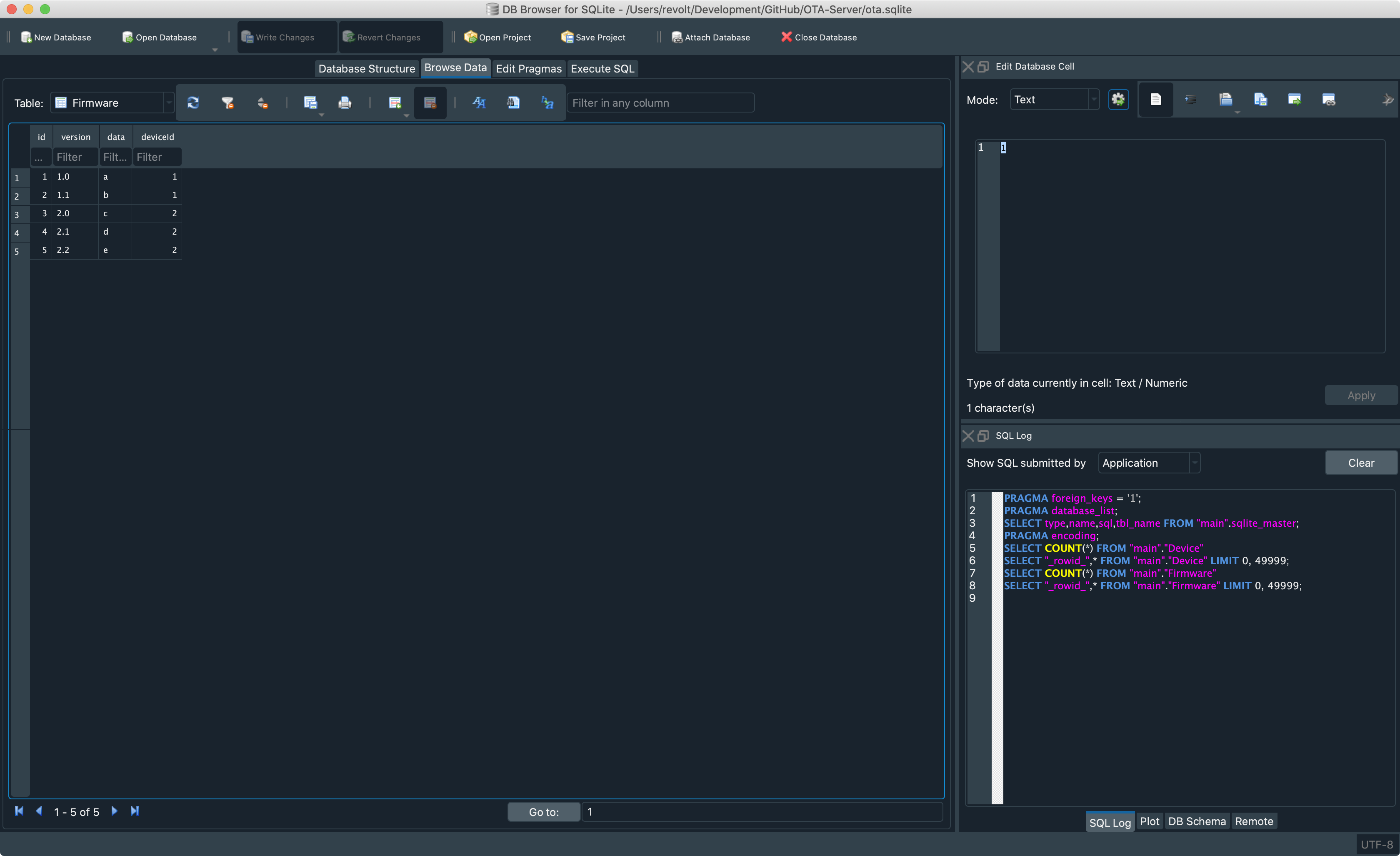
It looks like this, so I'd say that the issue is fixed:
 revolter
on 27 Jun 2020
revolter
on 27 Jun 2020
Awesome, thanks heaps @revolter! :grinning:
justinclift
on 27 Jun 2020
@revolter That screenshot is using the dark stylesheet but the problem was
in the follow desktop style mode when configured in dark mode. Could you
try that too?
mgrojo
on 28 Jun 2020
Using the "Follow the desktop style" makes the app show up light, even though my system's style is set to dark.
revolter
on 28 Jun 2020
Maybe we made a workaround to avoid the dark style?
mgrojo
on 28 Jun 2020
I don't know.
revolter
on 28 Jun 2020
@justinclift This is what I remember. Is it applied to our build?
mgrojo
on 28 Jun 2020
I meant
https://github.com/sqlitebrowser/sqlitebrowser/issues/1751#issuecomment-466618493
mgrojo
on 28 Jun 2020
@mgrojo Thanks for pointing that out. I wasn't sure what to check. :smile:
That key is definitely in our builds: https://github.com/sqlitebrowser/sqlitebrowser/blob/7f60aaa1fd834e3dd88c2d831dabcca73c1032c5/src/app.plist#L79
justinclift
on 28 Jun 2020
@revolter so, can you test again building without that workaround? If the Qt bug is really fixed, the "Follow dektop style" for the dark system's style should work well now, and we can remove it for the next release.
mgrojo
on 28 Jun 2020
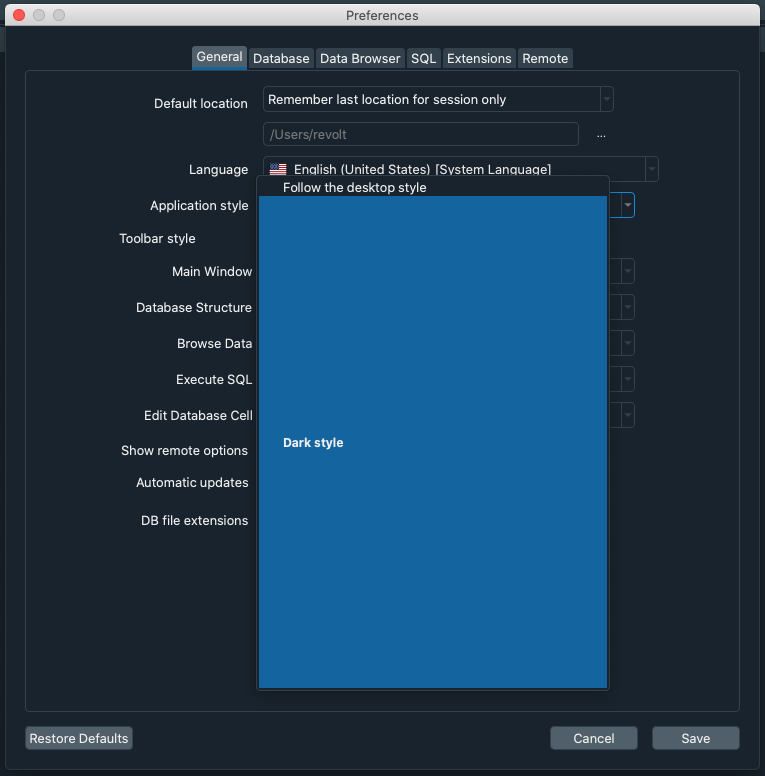
Found an interesting bug (that is only present when the style is set to dark):
revolter
on 29 Jun 2020
Still doesn't work:
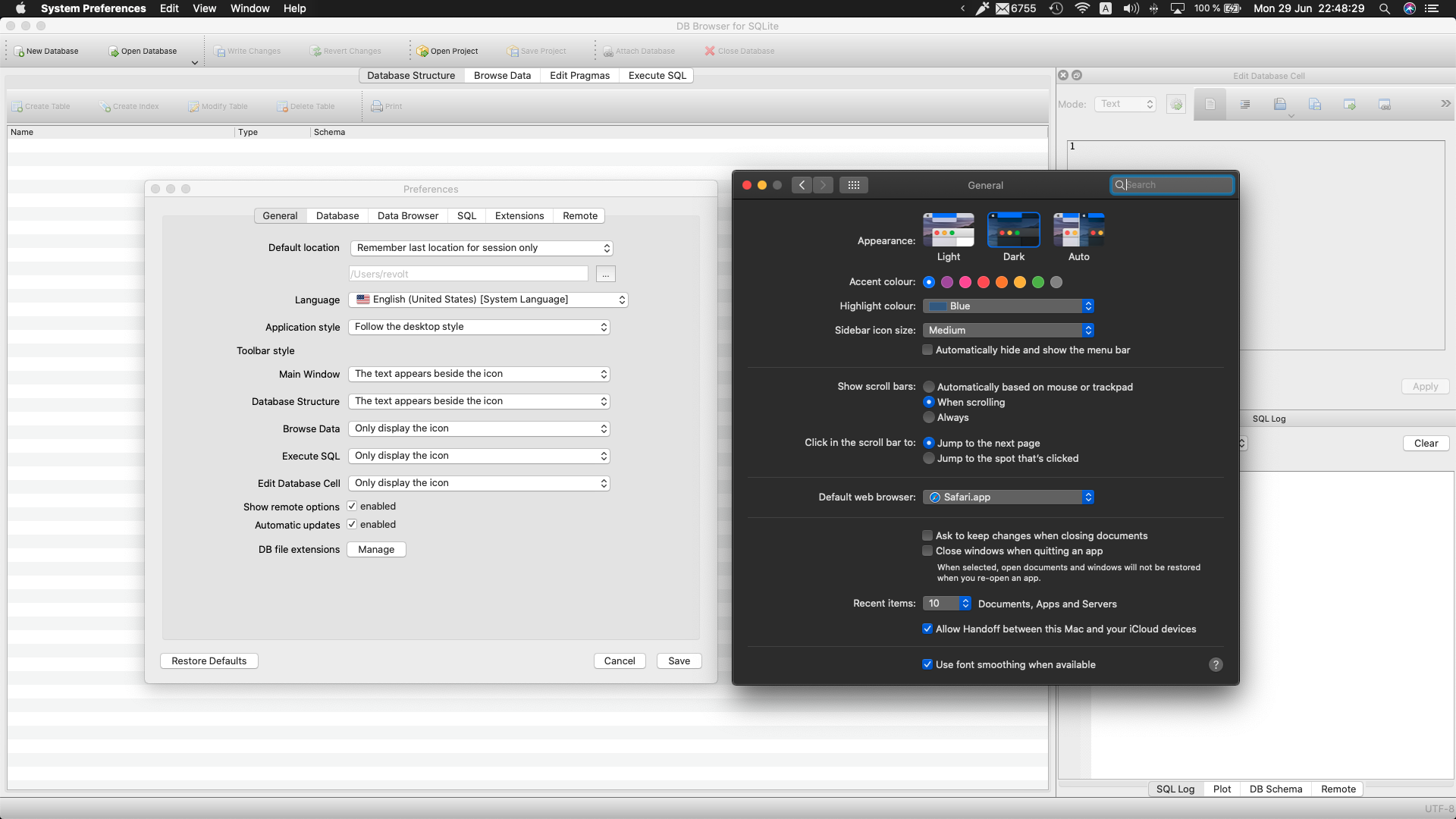
diff --git a/src/app.plist b/src/app.plist
index 668cec33..5d76e5c7 100644
--- a/src/app.plist
+++ b/src/app.plist
@@ -76,7 +76,5 @@
    <string>NSApplication</string>
    <key>NSHighResolutionCapable</key>
    <true/>
-   <key>NSRequiresAquaSystemAppearance</key>
-   <true/>
 </dict>
 </plist>
May that file be installed somewhere from an installation of a release? Or is it included in the program binary? Otherwise, I don't know where the problem might be.
mgrojo
on 29 Jun 2020
Yeah, maybe it's used only when packaging.
revolter
on 29 Jun 2020
@revolter From memory, that app.plist is incorporated into the application package (on macOS). The keys in it probably become part of the Contents/Info.plist file in the .app structure.
justinclift
on 30 Jun 2020
So simply running the app from Qt Creator should use the new contents? Or maybe do I need to do a clean before?
revolter
on 30 Jun 2020
Nah, I'm saying that you should be able to download the 3.12.0 release .app, and screw around with the Contents/Info.plist file in there to check. :smile:
justinclift
on 30 Jun 2020
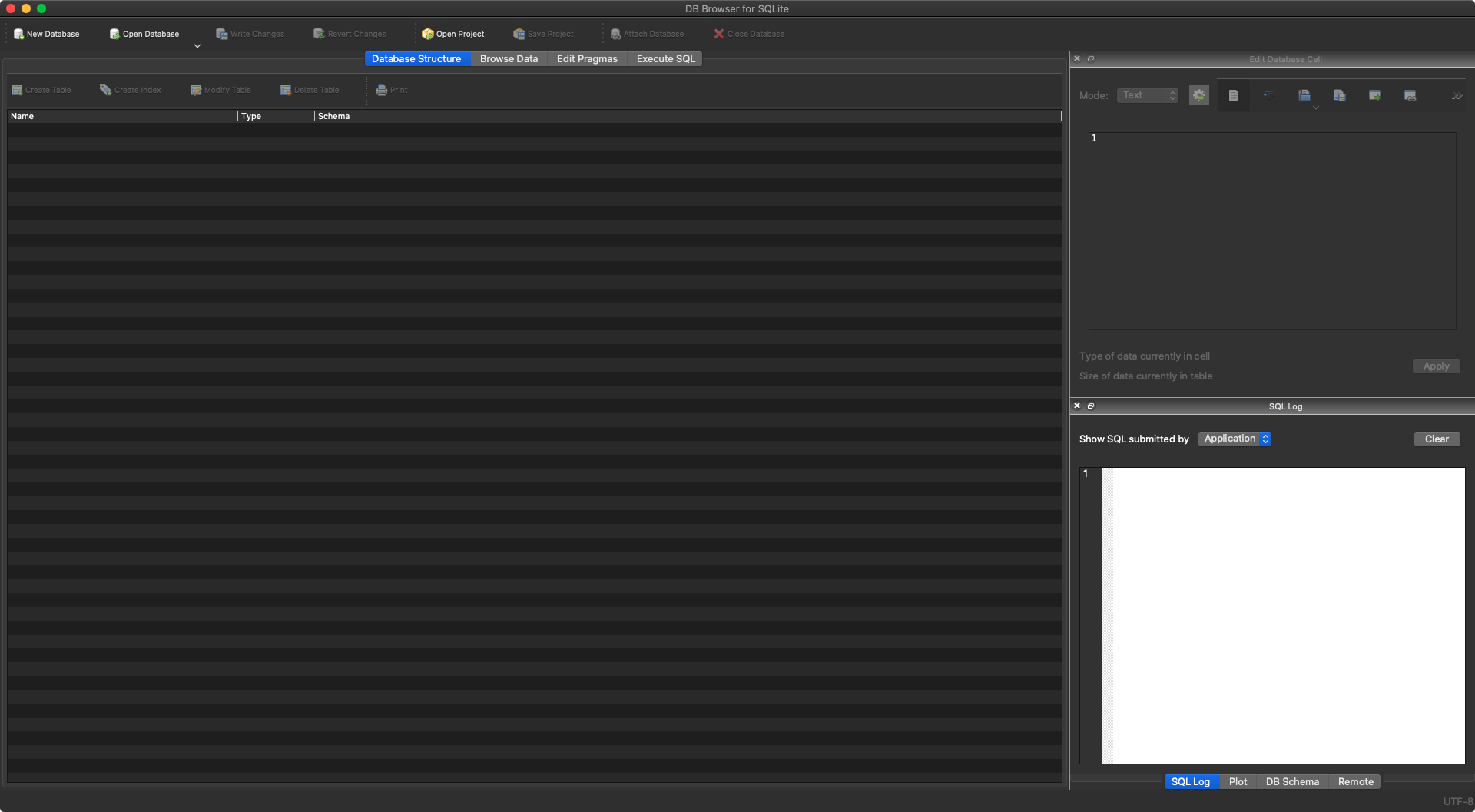
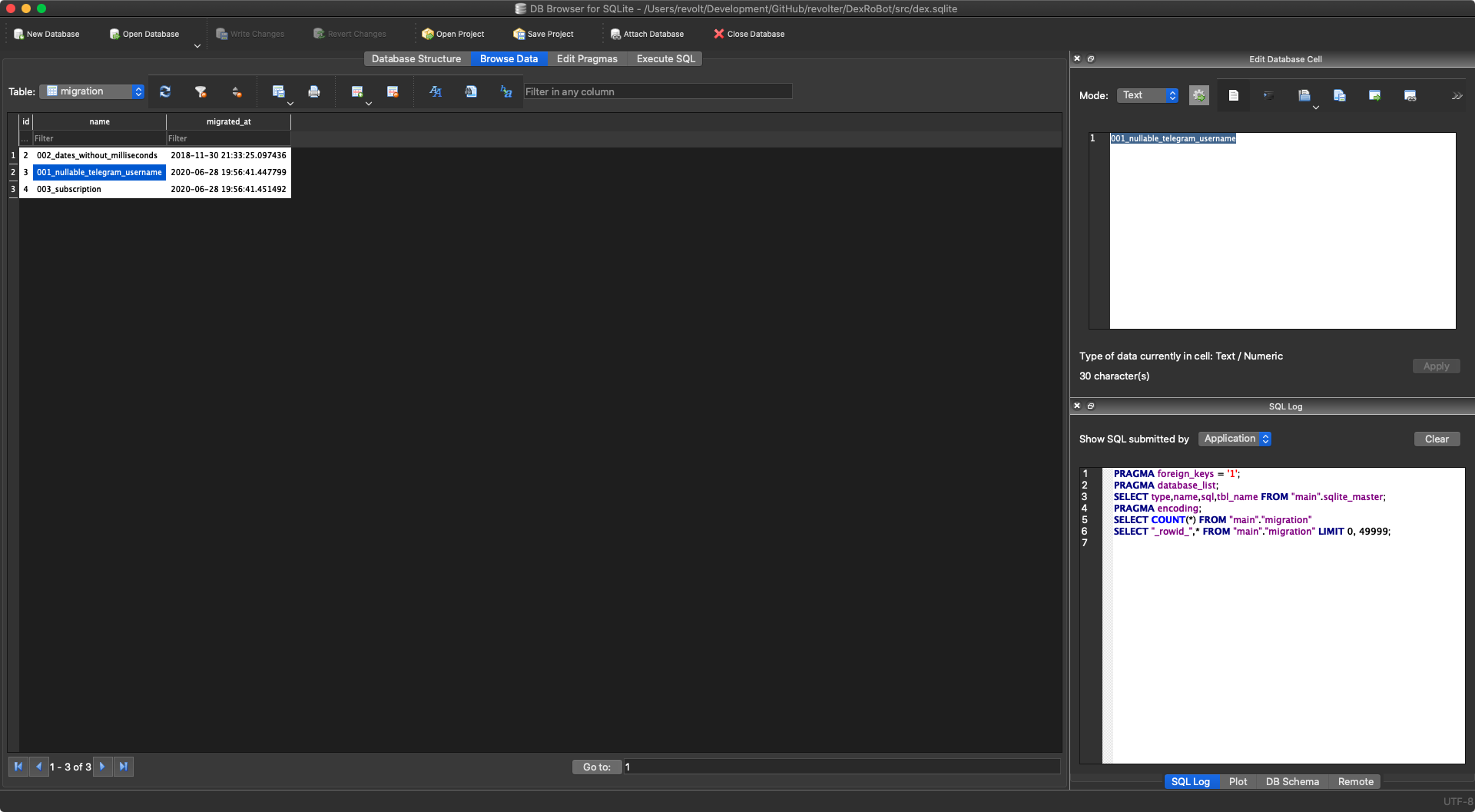
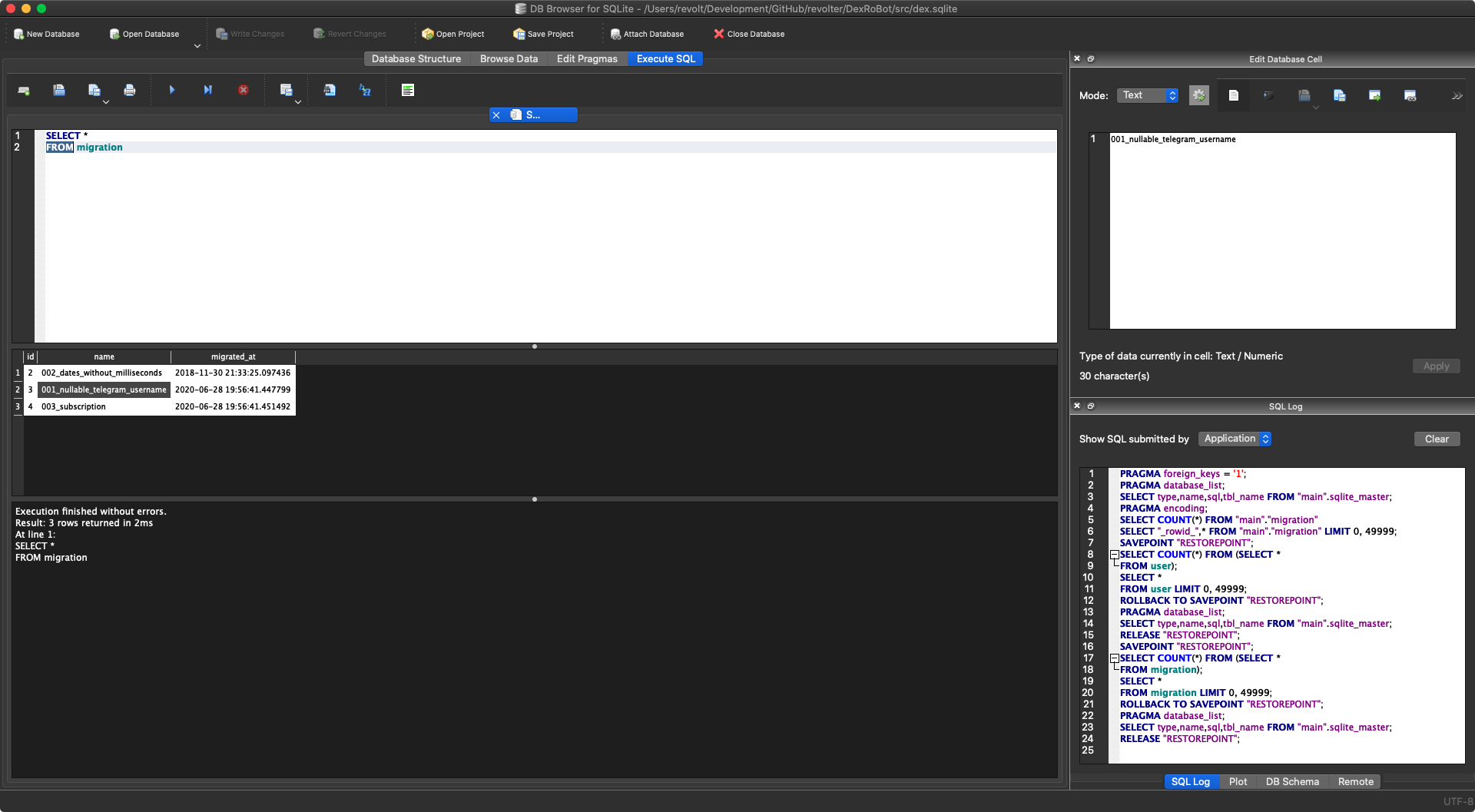
Oooh, I see. Yeah, personally, I think that it looks better than the blue-ish one, but there are still some issues:
revolter
on 1 Jul 2020
That fits my expectation. Since those background colours are customizable
inside the application and the values were saved when using DB Browser in
light desktop mode, you have now to reset them. Either use the Revert to
Default Values button in Preferences or change to Dark mode and back to
Follow Desktop Style in order to reset the colours.
mgrojo
on 1 Jul 2020
It works ❤️ So, we can remove that for the next release, right?
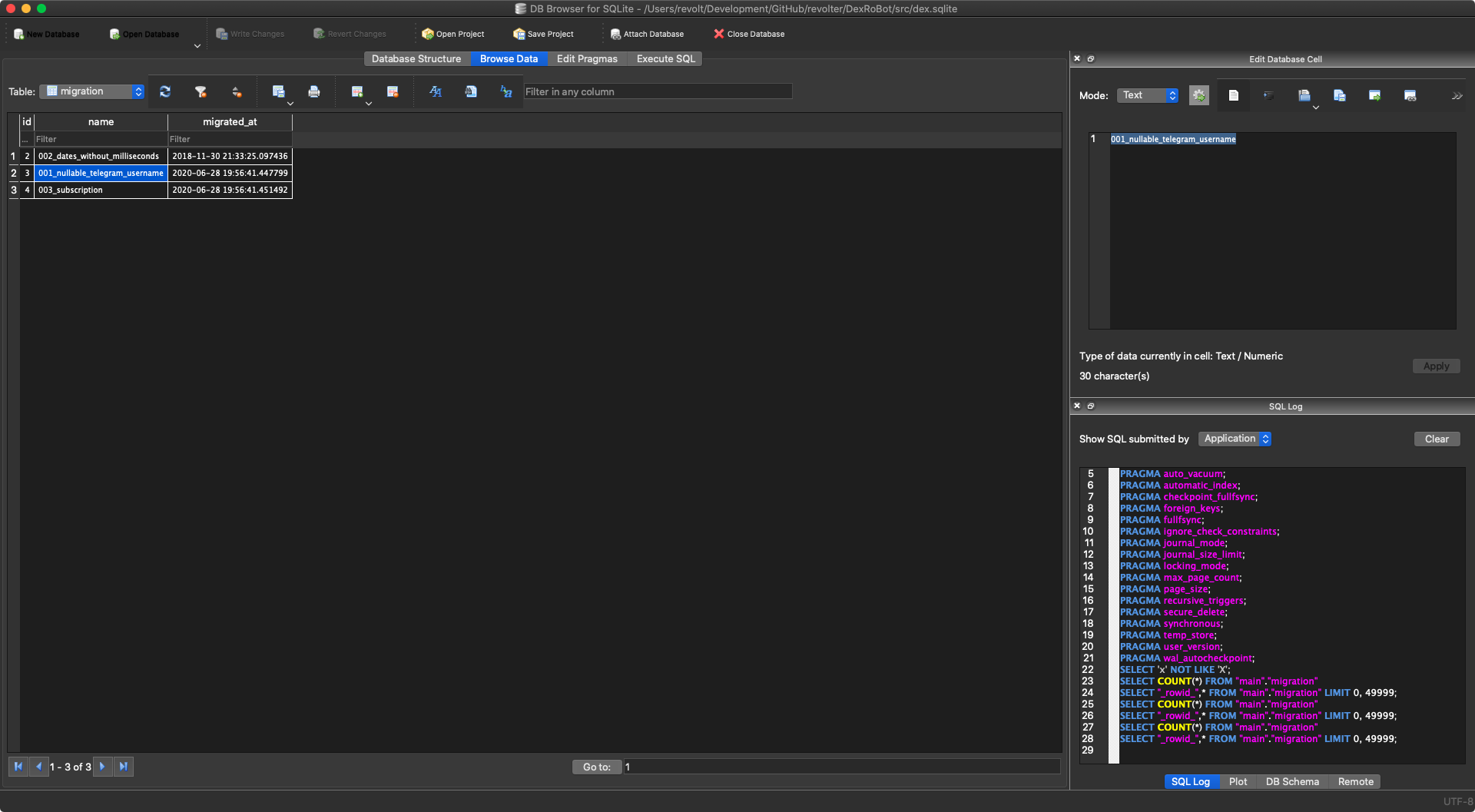
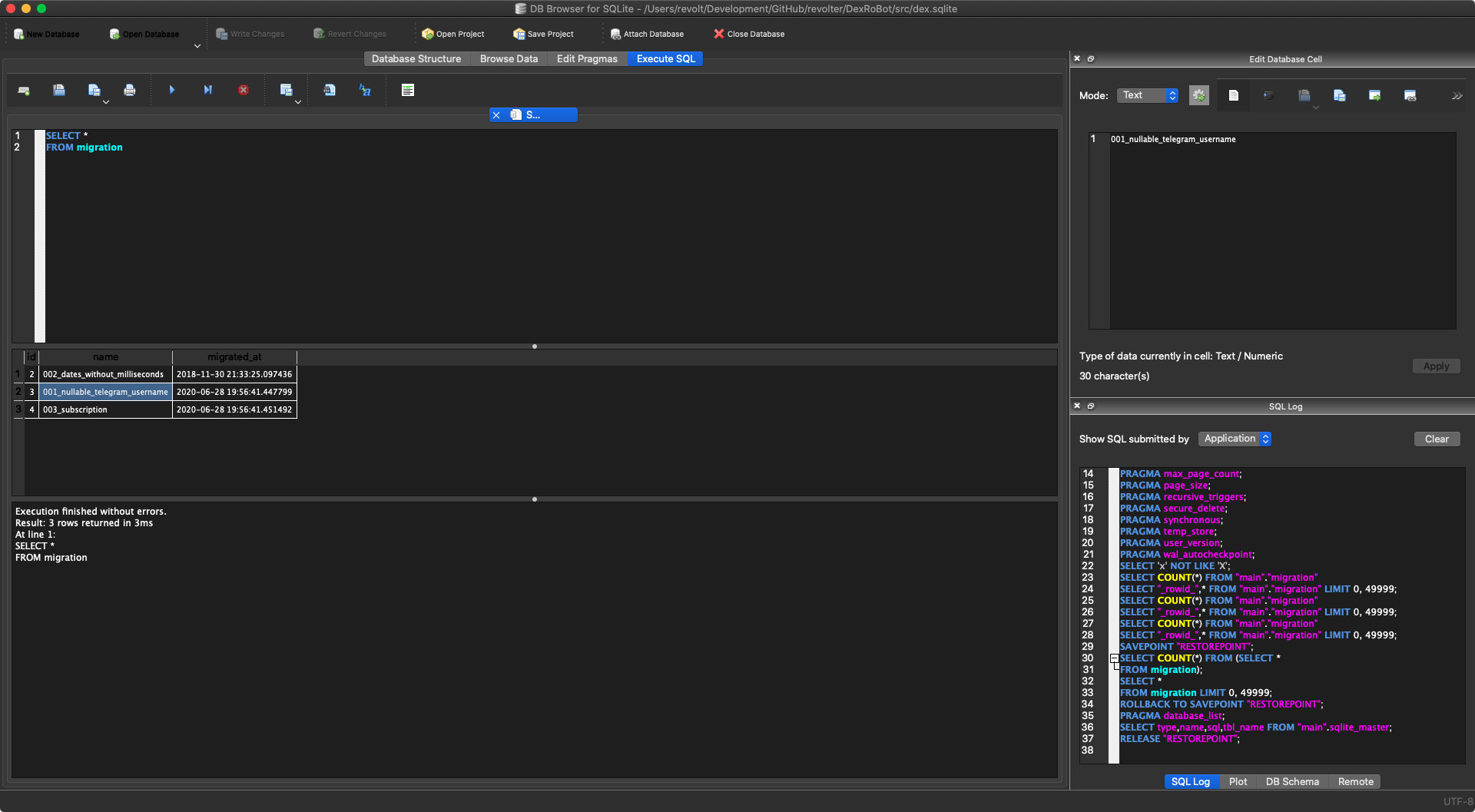
revolter
on 1 Jul 2020
Sounds like it. And maybe removed for 3.12.1 too?
justinclift
on 1 Jul 2020
Sounds like it. And maybe removed for 3.12.1 too?
Yes, I think it should be removed for 3.12.1 too.
mgrojo
on 4 Jul 2020
Just pushed a commit to master removing the setting: 0bb3b23070b0208e09144a37f871bd7478257bc2
In theory, that means our nightly builds should be ok now. And we can probably cherry-pick that commit across to 3.12.1 as well.
justinclift
on 4 Jul 2020
Related issues
 botist
·
3Comments
botist
·
3Comments
 freekee1
·
4Comments
freekee1
·
4Comments
 emrecpp
·
3Comments
emrecpp
·
3Comments
 ch728
·
4Comments
ch728
·
4Comments
 MrunaliniShiraganvi
·
3Comments
MrunaliniShiraganvi
·
3Comments
Most helpful comment
Is there a way to switch to the regular theme in the app?