Silent-hill-2-enhancements: Soft & self shadows discussion/work
Our friend @FrozenFish24 has done the impossible by laying out the ground work and providing a proof of concept to restore soft shadows. Not only this, but he previously laid down the foundation for restoring self shadows as well (allowing dynamic objects to receive shadows cast upon them).
These two things are big, big deals--arguably being the most requested features for the project ever--and will surely take a good amount of time for further research, development, and playtesting before public release (more on that further down).
I'd like to propose a road map, or an order of operations, leading up to and beginning further work on the soft/self shadows project.
Team: Please jump in with your thoughts and help with planning this, if you'd like.
:ballot_box_with_check: Phase 1: Wrapping up other fixes
There's a list of other fixes either ready to be implemented into the project, or are awaiting a few more tests and, if all is good, can then be good to add. I don't know how involved the additional work needed for soft/self shadows will be from a programmer's side (I imagine it won't be quick or necessarily easy), but I do know that play testing--for self shadows in particular--will be a large undertaking; as every room and its light sources will need to be checked for shadow intensities and when/were self shadows activates/deactivates.
Because of this, I would like to see if we could get the other fixes that are ready/close to being ready added to the project first, so we can get those off our plate and jump into the shadow work with a clean slate.
Any other fixes between then and now can be postponed--with the exception of troubleshooting user tickets, of course. This means work on the "Fullscreen Image Enhancement Pack" would also be delayed, but, you know... freakin' _soft shadows!_
:ballot_box_with_check: Restored post processing effects
@elishacloud: Aero_ is continuing work on restoring the post processing effects for the game, to work alongside your frame flicker fix. There's still some work to be done, but he's nearing the finish line. His fix will improve _all_ post processing effects, not just the motion blur. So expect improved depth of field, bloom, and motion blur.
When he submits this fix to you, there will be a few additional pieces of code/scripts we'll need you to include as either part of the post processing fix or as added to preexisting fixes. We'll go into more detail with all of this when the time comes.
:ballot_box_with_check: List of remaining fixes:
Elisha: I can email you a list of remaining fixes currently floating around on the project page. Some are ready to go, others may need some final check-offs or scripting written out before handing off to you.
:ballot_box_with_check: Phase 2: Soft & self shadow work
Soft and self shadows go hand-in-hand. One is the chocolate to the other's peanut butter. When FrozenFish first discovered how to restore self shadows, we didn't work on it much at the time because, without soft shadows to work alongside it, you wouldn't get accurate results in how to fine tune the feature.
Now that both features are unlocked, I strongly urge we work on and release both soft and self shadows at the same time. This will delay releasing soft shadows to the public, but the trade off would be worth it to also include properly behaving self shadows with its release.
There's some additional work/fine-tuning that still needs to be done for both soft and self shadows (especially for self shadows), but beginning work on this will be a domino effect, in that we'll have to try and fix some things first before proceeding to other fixes.
I'd recommend possibly following the below in order (or near-order):
Soft shadow work
:white_square_button: Part 1: Creating a shader (which to also help remove halo artifacting)
This seems to not be needed (at least for now), which is nice as it can save us some work. Original notes in the dropdown below:
Original notes for shader talk
FrozenFish: Elisha has cleaned up and simplified your soft shadow code and made it generic so it will work across all executables for the game. One thing you mentioned in your pull request is:
My approach is fixed function but presumably someone who knew what they were doing could use a shader in place (perhaps something depth buffer aware to reduce haloing around objects).

Coincidentally, Silent (@CookiePLMonster) and I were talking about soft shadow work not even a week ago. In our conversation, Silent mentioned he has a colleague whose shipped out a AAA title and specializes as a graphics programmer who would offer to him help in creating a shader with given code.
Silent: If you and your colleague's offer still stands, perhaps Elisha can share his cleaned up code from FrozenFish's work to you and you can pass it along to your colleague, in the hopes we can make a shader that can also reduce halo artifacting around objects?
Depending on whether or not we can get this code turned into a shader with advanced features such as a depth buffer or the like (to reduce/remove the haloing) will possibly determine how we approach the next parts below:
:ballot_box_with_check: Part 2: Shadow intensity (opacity)
The vanilla PC version never had varying shadow intensities. For the PC version, the shadow intensity is the same across the board, which is wrong. This is surely a result of the neutered shadow effects in the game. However, in the console versions, the shadow intensities can differ per area. Off the top of my head, meeting Maria in her prison cell and Hotel Room 312 have much more transparent shadows (harder to see/make out). We will now try to recreate/achieve these differences, but will need a way to figure out these differences.
Perhaps the game has addresses that are used solely to output values that tell the game what intensity to set the shadow opacity to in any given area? @Bigmanjapan, once we get further into this project, could I ask your help in seeing if such addresses exist? If they do, we can tap into those addresses and let code from the soft shadow script/shader do the rest for setting the shadow intensity values per area.
Otherwise, we'll have to hand-tweak this value by play testing and going into every room, comparing it to the PS2 version, one-by-one. I'm happy to do this, but Elisha and I are curious if addresses already exist (and were retained in the PC port) for such a thing.
_If it turns out we'll need to hand-tweak the shadow intensity on a room-by-room basis:_
Right now, the shadow intensity is hard coded at 128 (mid-range) across the board. This is a great starting off point, but there are certain rooms/areas in the game were the shadow intensity can be different.
The good news is that, by and large, _most_ areas of the game use the same shadow intensity. We can "eyeball" what intensity/opacity the game sets the shadows to for the majority of rooms/levels and set the default to that. We can then create exceptions for specialty rooms/areas where this might differ.
:ballot_box_with_check: Part 3: Fading shadows (mimicking console shadow behavior)
On the console versions, whenever James toggles his flashlight, the newly-made dynamic shadows fade in and/or out, instead of just simply appearing or disappearing. Take a look at this video:
https://www.youtube.com/watch?v=DVZ-_6Sw7UQ
In that video, you'll first see PS2 flashlight toggle shadow behavior, then PC behavior. Notice the smooth fade when the flashlight is toggled in the PS2 build. In a nutshell:
If flashlight is on and is then turned off:
- Fade out current flashlight-made shadow for ~1 second.
- Fade in non-flashlight-made shadow for ~4 seconds.
If flashlight is off and is then turned on:
- Instantly remove non-flashlight-made shadow.
- Fade in flashlight-made shadow for ~1 second.
Code would need to be added to mimic this behavior. Basically an opacity slider for the shadow texture render pass. @AeroWidescreen's extensive research when creating the PS2FlashlightBrightness fix could help us in finding relevant addresses to make an appropriate script for this, such as the address that signals when the light is on or off.
For example: The RGB address values for James' flashlight brightness when on are set to 7. When you turn off the flashlight, those values smoothly decrease down to 0 within a certain amount of time (about ~1 second), and vice versa when you turn the flashlight back on. The time it takes the game to change these values from one to the other is what can be used/referenced to create the fade out time for the current shadows. (The ~1 second time mentioned above.)
Once those flashlight address values reach 7 or 0, you can then either do the ~2 second or ~4 second fade in of the new shadows, depending on if the flashlight was toggled on/off.
One thing worth considering is any changes in shadow intensity (as mentioned above in Part 2). For example: If the shadow intensity in the current room is set to 128, you'd want the fade in for non-flashlight shadows to take ~4 seconds to get from 0 to 128. But if you're in a room where the shadow intensity is set to 60, you still want the non-flashlight shadows to take ~4 seconds to get from 0 to 60. Same time, but different opacity speeds depending on the final value.
Self shadow work
We can technically start work on self shadows right away, as it's not necessarily reliant on having the soft shadow code/shader working with the above-mentioned improvements to start taking notes. However, if we plan to wrap up current/pending fixes (from Phase 1), our time will be invested in that while Silent and his colleague look into making a shader, if they're open to that.
:ballot_box_with_check: Part 4: Cataloging self shadow behaviors across the board
This will be the time sink I was mentioning before. In my 100+ playtests throughout the years, while cross-referencing the PS2 version, I've noticed unique, custom behavior for self shadows in certain rooms. To summarize:
Self shadows can:
- Be active for both James and all other dynamic objects in a room.
- Be active only for dynamic objects and disabled for James in a room.
- Be disabled for both dynamic objects and James in a room.
- Be active for James in a room, but disabled for James only whenever he goes into a custom light zone in a room. Self shadows are then restored for James once he leaves the custom light zone within the room.
Number 4 is the problem child. As of right now, we have no way to enable self shadows on James but disable it on him while he's within a specialized lighting zone in a room. I also understand why Team Silent did this for certain lighting zones; as the self shadow behavior whenever James goes through these lighting areas doesn't look quite right.
We have the means to fully enable, disable, and disable self shadows on James only. We do not have the means to disable self shadows for James only while in specific lighting zones in a room. We'll need to discover a way to do this in the long run.
In the meantime, I plan on playtesting the game and making notes of all areas that have different-from-default shadow intensities, along with all rooms/lighting zones where self shadows are enabled/disabled and for what dynamic objects at those points. I definitely expect a large, cumbersome list from this effort.
:ballot_box_with_check: Part 5: Implementing the notes from the self shadow cataloging
As the title suggests: Prepping for room IDs, cutscene IDs, camera angle changes during cutscene IDs, who/when/where self shadows gets enabled/disabled on... then implementing it.
Elisha: Expect an Excel sheet from me like the many other projects we've previously done, with this information in it when the time comes.
The main takeaway from this (very long) post is probably the continued efforts on the soft shadow code; in an effort to possibly turn it into a shader, possibly address halo artifacting, create proper fade in/fade out effects for the shadows during flashlight toggles, and researching/anticipating shadow intensity changes for unique rooms.
And self shadows should release alongside soft shadows, but much more research and work needs to be put into this first.
Thanks all
 Polymega
All 98 comments
Silent mentioned he has a colleague whose shipped out a AAA title and specializes as a graphics programmer who would offer to him help in creating a shader with given code.
This sounds promising. I've submitted another PR in the mean time to make the current approach more efficient. Might also help with the haloing.
EDIT: I wonder if first doing a few blur passes with point filtering instead of linear could effectively expand the shadow boundary, so then when it's blurred for real less of the shadow is eaten away.
EDIT 2: Here's a test dll for the PR:
Release.zip
 FrozenFish24
on 14 Jul 2019
FrozenFish24
on 14 Jul 2019
The vanilla PC version never had varying shadow intensities. For the PC version, the shadow intensity is the same across the board, which is wrong.
Does the Xbox original version has the same shadow intensity throughout the whole game too?
Please check that if you have a component cable setup for your Xbox console.
 Bigmanjapan
on 14 Jul 2019
Bigmanjapan
on 14 Jul 2019
Remember how I said I was doing a trade for an Xbox several months back, so I can reference SH2 Xbox in our work? Yeah... I still don't have that Xbox. I got it, but it was faulty. I sent it back to him for repair and still haven't received it back. I'm not sure when I'll get it, but I'll let you know when that time comes.
Polymega
on 14 Jul 2019
This sounds promising. I've submitted another PR in the mean time to make the current approach more efficient. Might also help with the haloing.
The haloing seems to be about the same but I read your notes on the new process for soft shadows and am definitely impressed with your further optimizations!
Polymega
on 15 Jul 2019
Do you guys need any playtesters for the current soft/self shadows?
 umbrellacorp53
on 17 Jul 2019
umbrellacorp53
on 17 Jul 2019
An extra set of eyes never hurts. :) I'm planning on doing my first run through for self shadow differences soon, checking every room/area in the game. I plan to be thorough so it'll be a while for me to complete it. If you'd prefer to wait until I do my first run-through to check my notes, I'd certainly appreciate that. We had people check the audio enhancement project which also proved helpful.
Polymega
on 17 Jul 2019
You guys probably know this already, but the haloing effect is also present in the PS2 version of Silent Hill 2 and Silent Hill 3. I wouldn't be too concerned about it, at least not to the point of making it a huge priority. FrozenFish's current implementation already looks better than console to me.
 AeroWidescreen
on 17 Jul 2019
AeroWidescreen
on 17 Jul 2019
I was about to post that as I started self shadow testing a little while ago. And yes, FrozenFish's soft shadows here look 100% better than any console version ever. (We love you, FrozenFish!)
Going back to self shadows: I made a small error in my initial post (I've corrected it there). _I believe_ it's _only_ James who can have his self shadow disabled when he's within specialized lighting zones. Once he leaves these lighting areas, he'll regain his self shadow.
The easiest way to check this is to walk backwards and pay attention to the self shadow that casts on the lower half of James' upper body. Here is an example (PC top left; PS2 bottom right); notice that stomach shadow goes away while under special light zones on the PS2 version:
May not be the clearest video example, but I think you get the point: There are lit light fixtures in this area and James' self shadow disappears when he's in them.
I'm about to enter the Hospital so I have a long ways to go with testing (and am about to call it a night), but so far, any areas where we need to adjust self shadows, it's only been to remove self shadows on James while he's in the special light zones. There may very well be special circumstances with self shadows later on the game, but by-and-large this has been the case so far.
@Belek666: When you helped us fix bugged lighting transitions, did any of the addresses you played with disable self shadows only for James while he's in any unique, specialized lighting zone?
@elishacloud: May I have a build of the project where self shadows can be enabled still, but all the previous hand-tweaked adjustments are temporarily disabled? I'd like to continue these notes on a "fresh slate", where no previous hand-made adjustments can skew my notes when comparing the self shadows to the PS2 build. Thank you.
Polymega
on 17 Jul 2019
May I have a build of the project where self shadows can be enabled still, but all the previous hand-tweaked adjustments are temporarily disabled?
Sure, see attached: d3d8.zip
 elishacloud
on 17 Jul 2019
elishacloud
on 17 Jul 2019
Thanks Elisha! I just left the Hospital and am going to call if there for the night. I have another long post here but potentially good news from all I'm about to say:
It's absolutely _amazing_ how everything just "clicks" for me now that I can see _both_ soft and self shadows working together in the PC version. Before, when we had self shadows but were still using hard edge shadow volumes, the visuals of that completely messed with me.
I've never been so happy to be wrong as I think play testing for self shadows is going to be easier than I anticipated (because we now have both soft and self shadows working in tandem).
You can see my notes so far here:
https://docs.google.com/spreadsheets/d/1kVk0hy8zVJ1iAuWFcuKrePC_GmCkGyQFBWsNTjI49aQ/edit?usp=sharing
The green cells to the right are in reference to self shadow adjustments. Notice how the _only_ changes we'll need to do with self shadows so far is disabling James' self shadow whenever he's in specialized light zones. I'm a little over 50% done with the game at this point.
There must be an address somewhere in the game that globally removes James' self shadow when he's in special lighting zones. And, if we find and enable/disable this address, I'm feeling confident that most of our self shadow problems will be solved right there and then.
Polymega
on 17 Jul 2019
There must be an address somewhere in the game that globally removes James' self shadow when he's in special lighting zones. And, if we find and enable/disable this address, I'm feeling confident that most of our self shadow problems will be solved right there and then.
I believe that it might be more complex than a simple 1/0 switch.
You can try using shadows debug filter on PS2 version to see that James model gets excluded from the rendering process entirely: https://youtu.be/yBiJDEchuJk
2064DDF8 byte (SLUS20228GH)
If no proper switch exists, I can at least see about corrupting the self-shadows. I guess if it works visually, then there is no difference.
Bigmanjapan
on 17 Jul 2019
There must be an address somewhere in the game that globally removes James' self shadow when he's in special lighting zones.
If there is no address for this then it might be possible to get this from Direct3D8. If I knew what specific functions are called whenever James is in a special lighting zone I could just monitor for those function calls and disable self shadows whenever I see those function calls. I took a similar approach to this when I added the fix for the special effects flicker.
elishacloud
on 17 Jul 2019
Great to hear we have possible alternate solutions!
I could just monitor for those function calls and disable self shadows whenever I see those function calls.
And if I remember correctly, I think we were able to disable self shadows _only_ for James in our early tests without any issues? (It's been a while...)
I've picked up my play testing again for self shadows and can go ahead and say that there looks to be _some_ specialized lighting zones where James keeps his self shadows on the PS2 version (such as the Flesh Room). So we'd need to disable this on a room-by-room basis, which means your approach idea may possibly be the way to go.
Polymega
on 17 Jul 2019
And if I remember correctly, I think we were able to disable self shadows only for James in our early tests without any issues?
Correct. There are three options we know how to do:
- Enable self shadows completely. In this case I send
D3DSTENCILOP_KEEP. - Disable self shadows for James but keep them for other things. In this case I send
D3DSTENCILOP_REPLACE. - Disable self shadows for everything. In this case make no changes.
elishacloud
on 18 Jul 2019
@belek666: When you helped us fix bugged lighting transitions, did any of the addresses you played with disable self shadows only for James while he's in any unique, specialized lighting zone?
Don't remember exactly if something disables self shadows. Maybe playing with light spot type (SomeType3) could help.
 belek666
on 18 Jul 2019
belek666
on 18 Jul 2019
@Bigmanjapan is there any address indicator to signify when Born From a Wish is currently being played?
Polymega
on 3 Aug 2019
I've finished the first go-around of shadow notes: https://docs.google.com/spreadsheets/d/1kVk0hy8zVJ1iAuWFcuKrePC_GmCkGyQFBWsNTjI49aQ/
Apologies if the Excel sheet isn't laid out the best, but I'll define and clarify things with it as we move along.
@elishacloud
Important note: Before, with our early self shadow work/tests, you had it to where the Room IDs/Cutscene IDs acted independently from one-another. For our future work with both soft/self shadows, please have them work together. So if we change shadow behavior for a Room ID, it'll also carry over to any cutscenes that happens within the Room ID.
Assuming we can disable only James' self shadow within specialized lighting zones means that we'll be dropping _most_ of the early self shadow work we've done, but it will ultimately make the work easier for us in that regard. For the time being, I'd recommend _not_ using any of the previous self shadow tweaks we've done in the past, and us start fresh. However, there will be a _few_ cutscene self shadow adjustments we've done previously that we can recycle.
Shadow Intensity adjustments
If we'd like to start with a more easy adjustment for the shadow work, I'd recommend starting us off with adjusting the shadow intensities.
From the Excel sheet, we'll only be paying attention to the Shadow Intensity column. Any cell that has a specified shadow intensity value we'll then reference the Room and/or Cutscene ID with it for the adjustment.
To summarize:
- Default shadow intensity needs to be darker. Let's start off with a default value of
170and see how that looks. - Refer to all other specified shadow intensity values in the Excel sheet and reference their Room/Cutscene ID.
- There's one shadow intensity adjustment in the list (Alt Hospital Elevator) where we'll be adjusting it based on Cutscene ID, and not Room ID. Once the cutscene ends, it'll go back to default shadow levels.
- There are a six rooms that are explored between both the main campaign and the side campaign that have shadows within them. (Refer to Notes under the "Born From a Wish (side campaign)" header.) The shadow intensities in these rooms differ depending on which campaign you are playing. For these six rooms, additional, special code would need to be written for it.
01DBC00C bytedetermines which campaign is currently being played;0= main campaign,1= side campaign.
Room ID | 01DBC00C byte = 0 (main campaign) | 01DBC00C byte = 1 (side campaign)
-- | -- | --
0x0C | Default level | 100
0x27 | Default level | 30
0x26 | Default level | 100
0x20 | Default level | 100
0x25 | Default level | 100
0x21 | Default level | 100
Something to keep in mind when writing the script for the different shadow intensities, in regards to creating a shadow fade effect on flashlight toggles, which I'll copy + paste from the initial post:
One thing worth considering is any changes in shadow intensity. For example: If the shadow intensity in the current room is set to 128, you'd want the fade in for non-flashlight shadows to take ~4 seconds to get from 0 to 128. But if you're in a room where the shadow intensity is set to 60, you still want the non-flashlight shadows to take ~4 seconds to get from 0 to 60. Same time, but different opacity speeds depending on the final value.
@FrozenFish24
Unrelated to shadow intensity work above, but if this is something you'd like to take an early look at: Under the Notes column you'll see mentions of excluding certain pieces of geometry from receiving shadows, to match the PS2 version. If I recall correctly, you experimented with this before with success? If so, would you like to take a look at the geometry pieces in question from the Excel sheet here?
To summarize what geometry is requested to have shadow exclusions from that sheet:
- TV static in Woodside Apt Rm 208
- Three white windows in Heaven's Night back hallway
- The inside of the Hospital fridge geometry
- Hallway end window for Hotel W Room Hallway
Happily, those four pieces of non-character geometry should be the only pieces we need to remove all shadows from.
Polymega
on 3 Aug 2019
@Polymega
@Bigmanjapan is there any address indicator to signify when Born From a Wish is currently being played?
sh2pc.exe+19BC00C (01DBC00C) byte — 0x00 = main scenario, 0x01 = BFAW scenario
Bigmanjapan
on 4 Aug 2019
Thank you very much, Bigmanjapan. Oh, I also received my Xbox today so I can now test/compare with that version.
I will revise my post above and also mention it here:
There are a handful (six total) of rooms that are explored between both the main campaign and the side campaign that have shadows within them. The shadow intensities in these rooms differ depending on which campaign you are playing. For these six rooms, additional, special code would need to be written for:
Room ID | 01DBC00C byte = 0 | 01DBC00C byte = 1
-- | -- | --
0x0C | Default level | 100
0x27 | Default level | 50
0x26 | Default level | 100
0x20 | Default level | 100
0x25 | Default level | 100
0x21 | Default level | 100
Polymega
on 5 Aug 2019
@Polymega
- Television can be done how I mentioned in the post you linked
- Heaven's Night windows can be done with the following code in
DrawIndexedPrimitive:
// Should do Room ID check here too
if (Type == D3DPT_TRIANGLESTRIP && MinVertexIndex == 0 && NumVertices == 18 && startIndex == 0 && primCount == 21)
{
    DWORD stencilEnable;
    DWORD stencilFunc;
    DWORD stencilPass;
    DWORD stencilWriteMask;

    // Backup renderstates
    ProxyInterface->GetRenderState(D3DRS_STENCILENABLE, &stencilEnable);
    ProxyInterface->GetRenderState(D3DRS_STENCILFUNC, &stencilFunc);
    ProxyInterface->GetRenderState(D3DRS_STENCILPASS, &stencilPass);
    ProxyInterface->GetRenderState(D3DRS_STENCILWRITEMASK, &stencilWriteMask);

    // Set states so we don't receive shadows
    ProxyInterface->SetRenderState(D3DRS_STENCILENABLE, TRUE);
    ProxyInterface->SetRenderState(D3DRS_STENCILFUNC, D3DCMP_ALWAYS);
    ProxyInterface->SetRenderState(D3DRS_STENCILPASS, D3DSTENCILOP_ZERO);
    ProxyInterface->SetRenderState(D3DRS_STENCILWRITEMASK, 0xFFFFFFFF);

    HRESULT hr = ProxyInterface->DrawIndexedPrimitive(Type, MinVertexIndex, NumVertices, startIndex, primCount);

    // Restore renderstates
    ProxyInterface->SetRenderState(D3DRS_STENCILENABLE, stencilEnable);
    ProxyInterface->SetRenderState(D3DRS_STENCILFUNC, stencilFunc);
    ProxyInterface->SetRenderState(D3DRS_STENCILPASS, stencilPass);
    ProxyInterface->SetRenderState(D3DRS_STENCILWRITEMASK, stencilWriteMask);

    return hr;
}
- For some reason disabling shadows on the inside geometry of the fridge also gets rid of them on the outside despite them being separate draw calls. Need to investigate this more.
- Hotel Hallway can be done similarly to Heaven's Night with the following code in
DrawIndexedPrimitive:
if (Type == D3DPT_TRIANGLESTRIP && MinVertexIndex == 0 && NumVertices == 10 && startIndex == 0 && primCount == 10)
{
    // Same as Heaven's Night
}
Thanks so much for looking into this as well, FrozenFish. We're wrapping up the pre-existing fixes and shadow work will be having our full attention very soon. :D
Polymega
on 6 Aug 2019
Posting this ahead of time just for others to look it over. Here is how shadow fading behavior works when you toggle the flashlight:
https://www.youtube.com/watch?v=DVZ-_6Sw7UQ
A summary of what's shown in the video:
If flashlight is on and is then turned off:
- Fade out current flashlight-made shadow for ~1 second.
- Fade in non-flashlight-made shadow for ~4 seconds.
If flashlight is off and is then turned on:
- Instantly remove non-flashlight-made shadow.
- Fade in flashlight-made shadow for ~1 second.
The timings I mentioned are just approximations for now; we can fine-tune this later down the line.
The timings I mentioned are already there within the vanilla version of the game. Meaning, when you turn off the flashlight, the current flashlight-made shadow stays active for ~1 second before instantly disappearing. This allows us enough time to apply the fade out to it on our end.
We'll need to rely on addresses to determine when to apply the fade in's/fade out's. We'll worry about that a little later once we dive further into this part of the shadow fix.
But, for now, I wanted to share notes/video on the shadow fade behavior for us to study and understand.
Polymega
on 29 Aug 2019
@FrozenFish24 we're getting close to wrapping up the post-processing FX fix. Once that's done, we can start work on shadows! (I'm a little excited for this. :-p)
In the meantime, can I draw your attention to another shadow behavior that maybe could be looked at while Elisha and I start on all the other shadow work above?
Apparently there is an additional shadow behavior that's not rendering correctly. On the PS2/Xbox versions, there are a handful of spots where James (and other NPCs?) will only have a "top-down shadow." In some of these top-down shadow areas the shadow should render as "solid," instead of "pieces."
Please check out the discussion in the link below:
https://github.com/elishacloud/Silent-Hill-2-Enhancements/issues/34#issuecomment-512561961
PCSX2 also renders this type of shadow incorrectly... unless you turn on something within PCSX2 called "Accurate Date." I couldn't find much information about this feature, except for some mentionings in this link: https://pcsx2.net/270-june-2015-progress-report.html
In summary, the "solid" top-down shadow should be exhibited on:
- The Observation Deck
- Blue Creek Rm 109, Bedroom (Angela room)
- Eddie boss rooms (both rooms)
The "pieces" top-down shadow renders correctly everywhere else. Examples of correct behavior include:
- Forest area
- Town East (daytime)
- Town West (daytime)
- Woodside Apartment Courtyard
- Final boss area (rooftop)
Polymega
on 17 Sep 2019
I'm on the case, @Polymega.
Intel Frame Analyzer is as unhelpful as ever when it comes to SH2's shadows and already renders them correctly for some reason. So this will probably take some trial and error. :rofl:
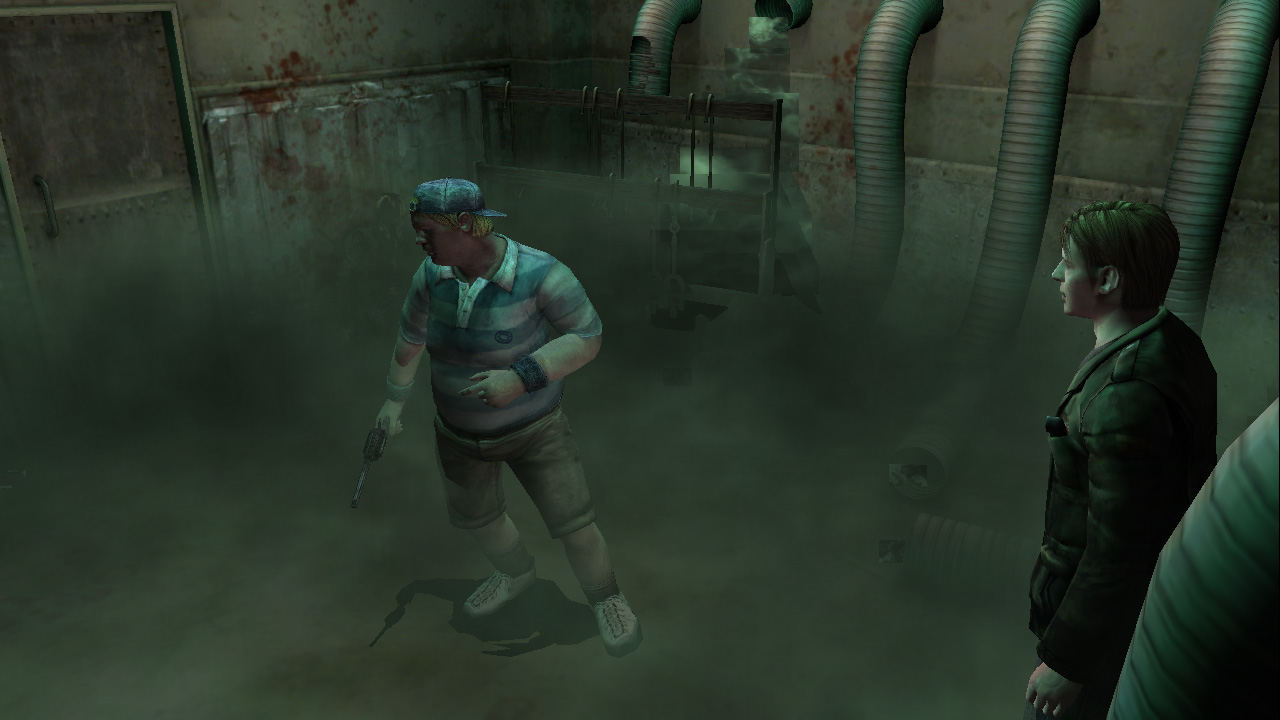
FrozenFish24
on 17 Sep 2019
@FrozenFish24, my experience is that when PIX or Intel Frame Analyzer analyzes it correctly it means that the issue is with hardware support. Typically PIX or Intel Frame Analyzer will do software emulation.
It might be interesting to look into the PCSX2 feature called "Accurate Date". If you could figure out what hardware feature this might correspond to it might give you a clue as to the issue. Anyways, just a thought.
elishacloud
on 17 Sep 2019
@elishacloud Good advice, though it turned out I'm a bonehead and the shadows were actually rendering totally opaque (i.e. wrong) in Frame Analyzer, the fog just made it look otherwise. :stuck_out_tongue:
@Polymega I fiddled with the stencil render states so now the the pixels where the shadow pieces overlap each other are correctly discarded. D3DRS_STENCILFUNC has been changed from D3DCMP_ALWAYS to D3DCMP_LESS, and D3DRS_STENCILPASS from D3DSTENCILOP_INCR to D3DSTENCILOP_REPLACE.
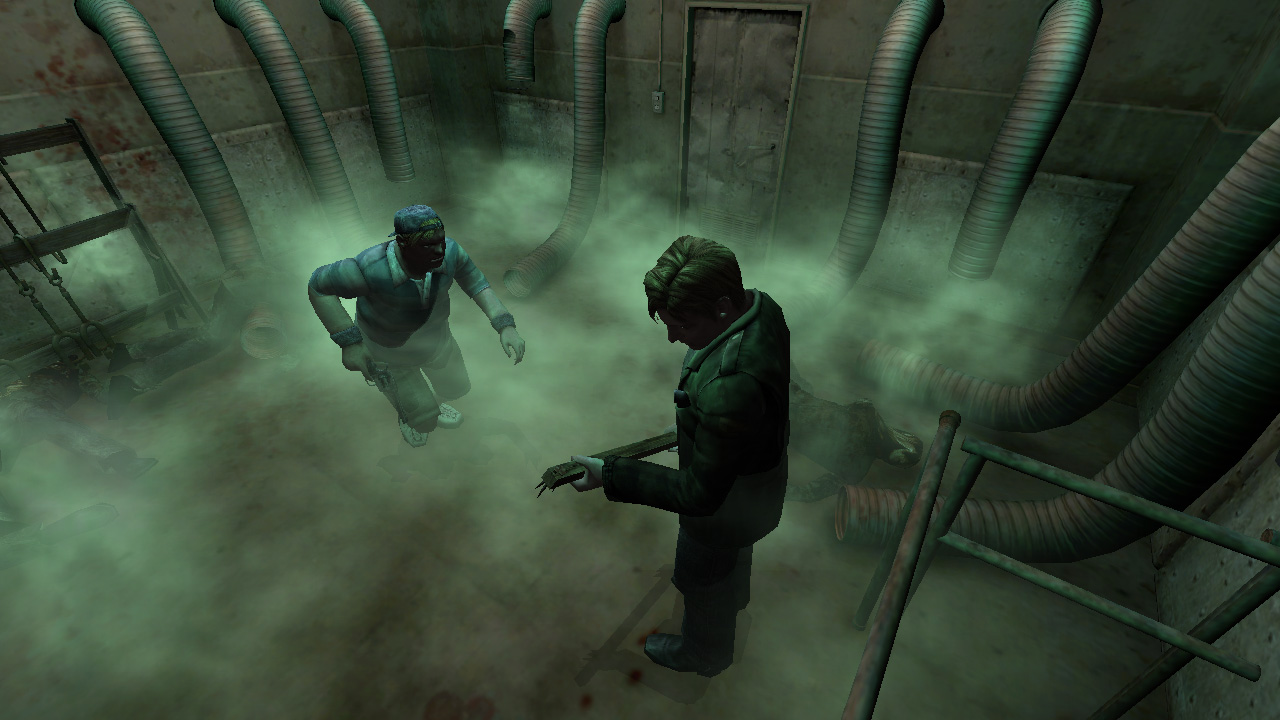
// Add code to m_IDirect3DDevice8::DrawPrimitive

// Check config, check room ID here
DWORD stencilPass;
ProxyInterface->GetRenderState(D3DRS_STENCILPASS, &stencilPass);

if (stencilPass == D3DSTENCILOP_INCR)
{
    DWORD stencilFunc;
    ProxyInterface->GetRenderState(D3DRS_STENCILFUNC, &stencilFunc);

    ProxyInterface->SetRenderState(D3DRS_STENCILPASS, D3DSTENCILOP_REPLACE);
    ProxyInterface->SetRenderState(D3DRS_STENCILFUNC, D3DCMP_LESS);

    HRESULT hr = ProxyInterface->DrawPrimitive(PrimitiveType, StartVertex, PrimitiveCount);

    ProxyInterface->SetRenderState(D3DRS_STENCILPASS, stencilPass);
    ProxyInterface->SetRenderState(D3DRS_STENCILFUNC, stencilFunc);

    return hr;
}
Here's a test dll, there's no Room ID check so flashlight shadows will be broken:
Release.zip
I'm not sure if just checking for D3DRS_STENCILPASS == D3DSTENCILOP_INCR is a good enough heuristic to only catch the shadows, so let me know if any oddities show up.
FrozenFish24
on 23 Sep 2019
Bravo once more, FrozenFish24!
I'm not sure if just checking for D3DRS_STENCILPASS == D3DSTENCILOP_INCR is a good enough heuristic to only catch the shadows, so let me know if any oddities show up.
I did a test with all the rooms in question and... that seems to be enough (+ Room ID checks). :smiley:
@elishacloud
The room IDs needed for FrozenFish24's newest shadow feature (directly above this post) are:
0x02 - Observation Deck
0x24 - Blue Creek Apt Rm 109, Bedroom (Angela room)
0x8F - Eddie Boss Room (Small)
0x90 - Eddie Boss Room (Large)
Additionally, one cutscene (not Room ID) also needs to have this shadow effect applied to it:
Cutscene 0x5A - Leave Ending (James and Laura walking away in the Cemetery)
Polymega
on 23 Sep 2019
Oh! @FrozenFish24! It just dawned on me that maybe this could be made better now, too!
Check out this cutscene:
https://youtu.be/M11jOA1PE00
This has bugged me for 18 years now. That valve James is turning in the cutscene isn't actually turning. And that's only evident because its shadow isn't rotating. Is it possible to disable the valve's shadow, so that we can do so only during this cutscene?
Polymega
on 26 Sep 2019
Ok, I implemented all the soft and self shadow features on the spreadsheet except for the Hospital Day Room fridge (see comments here). I also implemented the top-down shadow fix.
Some notes:
- I set the default shadow intensity to 170.
- I added hidden options to enable and disable each item one-by-one. We can merge or remove these options later, but for testing I just made them separate options.
- All hidden options are disabled by default so they need to be added to the ini file and enabled if you want to use the feature.
- I removed all the code for the previous self-shadows and added new code based on the spreadsheet.
- Custom shadow intensities only affect the specified campaign. So for example if a custom shadow intensity is set for Room 208 in the main campaign, the Born From a Wish campaign will still use the default value for that room.
- Once @FrozenFish24, has a fix for the Hospital Day Room fridge issue I can add that in also.
Hidden options:
EnableSoftShadows- This enables the soft shadow fix that FrozenFish24 implemented.EnableSelfShadows- This enables the new self-shadows feature.HeavensNightWindows- This excludes the three white windows in Heaven's Night room from receiving shadows.HotelHallwayWindow- This excludes the Hotel 2F W Room hallway end window from receiving shadowsSelfShadowTweaks- This disabled James' self shadow during specified rooms and cutscenes from the spreadsheet.ShadowIntensity- This sets custom shadow intensity for specified rooms and cutscenes from the spreadsheet.TopDownShadow- This enables the top-down shadow fix.WoodsideRoom208TV- This excludes TV static geometry in Room 208 from receiving shadows.
Here is the test build: d3d8.zip
_** Edit: this should work on all SH2 binaries._
elishacloud
on 27 Sep 2019
Damn! All in one go!!
Great! I have my play testing work cut out for me. I'll report back soon. 😃
Polymega
on 27 Sep 2019
Great work once again FrozenFish and Elisha!!
I added hidden options to enable and disable each item one-by-one. We can merge or remove these options later, but for testing I just made them separate options.
When all's said and done I'd suggest maybe two options at most: EnableSoftShadows and EnableSelfShadows. Self shadows could even be clumped into soft shadows as an all-in-one? I'm not sure if we'd want to keep self shadows separate or not.
Here are my notes from the play test. Don't be alarmed with the Excel sheet as I've changed values within it that are reflected in the notes below:
- Please change value
100(used in Born From a Wish campaign) to90 - Please add Room
0x0D(Heaven's Night) to the Born From a Wish campaign as part of the90shadow value intensity set.
- I forgot to add this room to the Excel sheet originally. This room is also shared/used in the main campaign.
- Please add a new room + shadow intensity to the list. This is for the main campaign:
- Room
0x0F(Woodside N Stairway) = Shadow Value20
- Room
- Please move Room
0x21from this line and give it its own shadow intensity of110 - A particular cutscene needs to have its shadows fully disabled as the cutscene plays out. This happens outdoors, while "top-down" shadows are used, so I don't believe we can set the value intensity to
0on it, since that only works for flashlight/indoor shadows? If not, please use this instead:
- IF cutscene ID
0x03(James meets Angela in the Cemetery) AND00A333FC (byte) - Shadow Toggle = 1
- Set
00A333FCto0and restore to1on cutscene ID end
- Set
- IF cutscene ID
- The shadow exclusion for the Hotel 2F W Room Hallway window (Room
0x9F) doesn't appear to be working.
- I believe it's due to an incorrect room ID found on this line. Instead of
0x53, it should be0x9F. (0x53is for the inside fridge geometry shadow exclusion, which we don't have yet.)
- I believe it's due to an incorrect room ID found on this line. Instead of
- The portion of new code here that is altering self shadows so far needs to be temporarily disabled.
- The reason for this is we'll need to implement the global fix of having James' self shadow disappear whenever he's in specialized lighting zones, and then come back to this for the fine-tuned self shadow adjustments after-the-fact.
- I didn't put details into the GitHub post about how to fine-tune these particular self shadow adjustments as I wasn't expecting you to be a rock star and get everything included in one go!
I'll do a quick play test after these changes, only checking the changed rooms/areas.
Once all is good there, I'd probably suggest working on removing James' self shadow whenever he's in specialized lighting zones next.
- I can provide recommended areas in the game to test this for initial development after we finish the above fixes.
- Ignore the self shadow cells (Column J & K) for this in the Excel sheet. We'd be applying this fix universally to the game (and then going back to possibly add exceptions to certain rooms or cutscenes). The notes for this in the Excel sheet are just for me to check specific rooms upon play testing it afterwards.
Thanks!
Edit: D'oh. We can just disable SelfShadowTweaks in the meantime. Brain-fart.
Polymega
on 28 Sep 2019
When all's said and done I'd suggest maybe two options at most:
EnableSoftShadowsandEnableSelfShadows. Self shadows could even be clumped into soft shadows as an all-in-one?
I would vote for having a single option for EnableSoftShadows.
- A particular cutscene needs to have its shadows fully disabled as the cutscene plays out. This happens outdoors, while "top-down" shadows are used, so I don't believe we can set the value intensity to
0on it, since that only works for flashlight/indoor shadows?
Correct. Setting the shadow intensity to 0 didn't work here. Instead, I disabled shadows for both 0x03 and 0x2E cutscenes using address 00A333FC.
Edit: D'oh. We can just disable
SelfShadowTweaksin the meantime.
No problem, that is why I made these options. I can rewrite this once we get the code ready for disabling James' self shadow whenever he's in specialized lighting zones.
This test module should have all the updates so far: d3d8.zip
elishacloud
on 28 Sep 2019
@Polymega If we wanted to stop lots of objects from casting shadows something more robust would be required but this should be safe enough for a single cutscene:
// Add to m_IDirect3DDevice8::DrawPrimitive

// Check cutscene ID
if (PrimitiveType == D3DPT_TRIANGLELIST && PrimitiveCount > 496 && PrimitiveCount < 536) {
    return S_OK;
}
We have to cast a wider net to catch the valve's shadow volumes as they are procedurally generated each frame and don't always have the same geometry.
@elishacloud
Once @FrozenFish24, has a fix for the Hospital Day Room fridge issue I can add that in also.
Oops, I'd forgotten about this, I'll look back into it. Fantastic work by the way :+1:
FrozenFish24
on 28 Sep 2019
If we wanted to stop lots of objects from casting shadows something more robust would be required but this should be safe enough for a single cutscene:
Thanks! I don't imagine we'd need to stop a bunch of objects' shadows from casting (different from preventing geometry from receiving shadows on them). That's honestly the only spot I can really think of, simply because it ruins the illusion of James turning the valve.
@elishacloud
For FrozenFish's code above, that'd be for Cutscene 0x46 (Labyrinth Valve Turn).
I also did a quick run of the latest test build and have just a few notes:
- A player can disable shadows in the Game's Options menu. If they disable shadows then initiate a cutscene where we disabled the shadows for it, the shadows are turned back on after cutscene end (even though the player chose to have them disabled period).
- I don't know why someone would play the game with shadows disabled, but in case they do, we need to check and see if
00A333FCwas already set to1on cutscene start. If it was, we then run our script to disable them only during these cutscenes (and change it back to1on cutscene end). If it was already set to0upon cutscene start, we ignore the script entirely for this.
- I don't know why someone would play the game with shadows disabled, but in case they do, we need to check and see if
- Please change shadow value
20to40. And that's it!
For testing of disabling James' self shadow when he's in specialized lighting zones:
Download this save folder, entirely replacing your previous one: Folder 01.zip
Load save file "Historical Society Building":
- In the room you load into, you will already be standing in a specialized lighting zone. If you walk into the open/broken doors next to you, James will eventually leave this light zone and will then be in the "default" lighting zone (happens closer to the back wall of that next room).
- An easy way to see whether you're in one zone or another is to turn off your flashlight light (
Lkey by default). When James is in the specialized lighting zone he'll have self shadows on him and also cast a shadow on the ground. When you leave this zone, the self shadows disappear, along with the shadow on the ground. The shadow on the ground is fine, we just want to disable the self shadow, but the shadow on the ground disappearing is just an easy way to know when you've left that specialized lighting zone.
- An easy way to see whether you're in one zone or another is to turn off your flashlight light (
Load save file "Prison Cafeteria":
- On the other side of the room, near the double-doors, you'll see a corpse with its head laying down on the table (and blood around it). If you stand near this corpse, you'll be in a specialized lighting zone.
- Again, if you turn off your flashlight it might be easier to tell as James will have self shadows all over him when near the corpse, along with casting a shadow on the ground. If you step back about 15 feet away from the corpse you'll be back in the "default" lighting zone (evident as all shadows will disappear from James).
Load save file "Apt E Side 2nd Fl":
- On load, turn off your flashlight and turn directly around to run back through the long, straight hallway for about 100 feet. You'll eventually run under a hallway light that's turned on.
- When you first load this save file you'll be in the "default" light zone. When you run under the hallway light, James will have self shadows cast on him. It's easier to see if the camera is looking at the front of James (hold
Skey by default to change orientation) while running under the light (and be sure your flashlight is off).
- When you first load this save file you'll be in the "default" light zone. When you run under the hallway light, James will have self shadows cast on him. It's easier to see if the camera is looking at the front of James (hold
Tips:
James should (and does) have a self shadow in "default" lighting zones when his flashlight is on. I test this by turning on the light and walking backwards, with the camera in front of me. If I see a self shadow on his lower-stomach I know all is good: https://youtu.be/klZw2obhtAU
What I don't want to see is that stomach shadow when he's walking under a specialized light zone while his flashlight is on.
We only want to disable self shadows for him under specialized lighting zones, regardless if his flashlight is on or not.
Polymega
on 28 Sep 2019
For FrozenFish's code above, that'd be for Cutscene
0x46(Labyrinth Valve Turn).
Added. I created another hidden setting to enable/disable this: LabyrinthValveTurn
- I don't know why someone would play the game with shadows disabled, but in case they do, we need to check and see if
00A333FCwas already set to1on cutscene start.
Fix this by storing the current value and restoring it after the cutscene.
- Please change shadow value
20to40. And that's it!
Updated!
For testing of disabling James' self shadow when he's in specialized lighting zones:
Ok, I will work on the specialized lighting zones next. In the mean time an update is below.
Test module: d3d8.zip
elishacloud
on 28 Sep 2019
Thanks again you two.
Added. I created another hidden setting to enable/disable this: LabyrinthValveTurn
This is a small but very slick alteration that kind of "completes" this cutscene now. With the shadow hidden, our imaginations can fully believe he's turning that valve now. Great work again!
For testing of disabling James' self shadow when he's in specialized lighting zones:
My programming-impaired mind will be rather useless to help you on initial testings, but I did want to try my hand with it; I've noticed that 00932B50 (byte) changes from 0 to 1 whenever James enters or leaves specialized lighting zones. Maybe we can use this?
So when 1 we disable James' self shadow. When 0 we enable James' self shadow.
I actually found four addresses possibly relevant to this (00932B50, 00A541DC, 01D9F423, 01D9F462 (all bytes)) but 00932B50 seems to be the most accurate one to possibly use.
Important note: I haven't done a full play test with this in every room/area! I just tested a handful of places as a quick test at the moment! Although I'm feeling pretty good that 00932B50 may be what we need.
Polymega
on 28 Sep 2019
I've noticed that
00932B50 (byte)changes from0to1whenever James enters or leaves specialized lighting zones. Maybe we can use this?
Ok, we can test this out. I updated the code to use this address to disable James' self shadow. This feature is controlled via the SelfShadowTweaks option.
When the SelfShadowTweaks option is enabled if 00932B50 is 1 I disable James' self shadow. When it is 0 I enable James' self shadow.
Here is the test build: d3d8.zip
elishacloud
on 30 Sep 2019
Thanks Elisha!
I'll report back soon. This will be another slow play test on my end to ensure all is well, but, so far, this address is looking very promising to trigger when his self shadow should/shouldn't be enabled.
Also, I forgot to respond to this:
I would vote for having a single option for
EnableSoftShadows.
Sounds good to me as well. :)
Polymega
on 30 Sep 2019
@elishacloud While working on the fridge shadows I ran into some small issues affecting debug builds with recent commits that I thought I'd bring to your attention:
EDIT: Looks like you've already fixed this one upstream
https://github.com/elishacloud/Hooking/blob/ef175f98bf7aa8ccd4b303f477d9c728cba6fa6f/HotPatch.cpp#L103
Debug build fails because apiproc and orig_address don't exist in this function.
and
Debug builds throw an exception at runtime unless changed to:
sprintf_s(buf + i * 2, 33 - i * 2, "%02x", digest[i]);
FrozenFish24
on 30 Sep 2019
Elisha, when you have a moment, may I also ask you for a test build where all self shadow tweaks within SelfShadowTweaks are disabled _except_ for this new 00932B50 address fix? This address is looking pretty promising and I'm curious if it'll fix those cutscene-specific tweaks we did many months ago without us having to adjust it "by hand" like we've done.
Polymega
on 30 Sep 2019
While working on the fridge shadows I ran into some small issues affecting debug builds with recent commits that I thought I'd bring to your attention:
Thanks. I already have this fixed and it's ready to check in. I was just waiting for the latest change before I check it in. For testing you can just remark out the line in HotPatch.cpp that is causing the exception.
Elisha, when you have a moment, may I also ask you for a test build where all self shadow tweaks within
SelfShadowTweaksare disabled _except_ for this new00932B50address fix?
The latest build I gave you in this comment already has all the other tweaks within SelfShadowTweaks removed except for this new 00932B50 address. I just have not checked in the fix yet. I was waiting for some confirmation before checking it in.
elishacloud
on 30 Sep 2019
The latest build I gave you in this comment already has all the other tweaks within SelfShadowTweaks removed except for this new 00932B50 address.
One step ahead as usual. :) Thanks! I'm around ~70% done play testing. By-and-large this is working out very well. I'll have some notes on adjustments, but nothing too bad... except for a few areas that'll need @FrozenFish24's attention (sorry friend!).
Polymega
on 30 Sep 2019
@FrozenFish24
Before I post a lengthy message and record videos about the some issues I've found, I'd like to very concisely summarize the potential hiccups I've come across:
Whenever we disable self shadows using our current method, it becomes disabled for all dynamic objects, including NPCs and doors that are interacted with during cutscenes. For certain rooms/cutscenes this becomes a noticeable problem.
So what if instead we disable _only_ James' self shadow by using your previous methods done for the TV static, Heaven's Night windows, etc? Perhaps by getting the precise amount of polys/vertices his model uses? Or another approach similar in spirit to this?
This way it'd be whenever 00932B50 is 1 we disable James' geometry from receiving any shadows on it. May I ask you to make a proof-of-concept test build using this type of approach instead?
Polymega
on 30 Sep 2019
@FrozenFish24, I checked in a fix for the debug issues. Also, the variable with the address 00932B50 can be found in this line of code. Basically, if you can find some heuristics that can isolate James' shadow from all the other shadows then I can integrate it into the code.
elishacloud
on 1 Oct 2019
If I see a self shadow on his lower-stomach I know all is good: https://youtu.be/klZw2obhtAU
What I don't want to see is that stomach shadow when he's walking under a specialized light zone while his flashlight is on.
We only want to disable self shadows for him under specialized lighting zones, regardless if his flashlight is on or not.
I never noticed that before. This happens also on Ps2.
 Badore90
on 1 Oct 2019
Badore90
on 1 Oct 2019
I never noticed that before. This happens also on Ps2.
Yep. And I believe the reason Team Silent removed James' self shadow in specialized lighting zones is because the way shadows cast onto his body under certain lights is pretty ugly-looking. So they probably removed them for that reason, minus a few (very few) exceptions.
Polymega
on 1 Oct 2019
Yep. And I believe the reason Team Silent removed James' self shadow in specialized lighting zones is because the way shadows cast onto his body under certain lights is pretty ugly-looking. So they probably removed them for that reason, minus a few (very few) exceptions.
So it doesn't happens in every illuminated room?? Interesting, then they forgot some places.
I tested it in the Hotel (on Ps2) in illuminated corridors it happens the same "bug" of your video.
Badore90
on 2 Oct 2019
Thanks @elishacloud!
@Polymega I have a feeling disabling James' shadows using that method will cause issues, he's made up of 17 pieces and considering he's in every scene, just detecting vert count will inevitably lead to false positives.
I've tracked down the function where dynamic objects like James are drawn, I'll disassemble it and see if that yields anything.
Being able to uniquely identify bound textures (e.g. by hashing them) would also be a solution but I imagine that would be far too slow to be practical.
FrozenFish24
on 3 Oct 2019
he's made up of 17 pieces and considering he's in every scene, just detecting vert count will inevitably lead to false positives.
I had a bad feeling that would be the case. (I remember when I exported his model some years back it came out in pieces as you described.)
But thanks a ton for looking into this, FrozenFish. Always appreciated!
Polymega
on 3 Oct 2019
Being able to uniquely identify bound textures (e.g. by hashing them) would also be a solution but I imagine that would be far too slow to be practical.
So I pursued this idea a little. Is something like this at all sane? Or will all the vram transfers cripple less powerful systems?
// Add to m_IDirect3DDevice8::DrawIndexedPrimitive

constexpr unsigned char james_jacket[256] = {
    0xFE, 0xFF, 0x49, 0x92, 0x24, 0x49, 0x92, 0x24, 0x00, 0x00, 0x01, 0x00,
    0x00, 0x00, 0x00, 0x00, 0xFE, 0xFF, 0x49, 0x92, 0x24, 0x49, 0x92, 0x24,
    0x2E, 0x7D, 0x00, 0x00, 0x55, 0x55, 0x55, 0xD5, 0xFE, 0xFF, 0x49, 0x92,
    0x24, 0x49, 0x92, 0x24, 0x47, 0x42, 0x00, 0x00, 0x55, 0x55, 0x00, 0x02,
    0xFE, 0xFF, 0x49, 0x92, 0x24, 0x49, 0x92, 0x24, 0xF8, 0xEF, 0x00, 0x00,
    0x55, 0x55, 0x57, 0xFF, 0xFE, 0xFF, 0x49, 0x92, 0x24, 0x49, 0x92, 0x24,
    0xEC, 0x73, 0x00, 0x00, 0x55, 0x55, 0x96, 0xAA, 0xFE, 0xFF, 0x49, 0x92,
    0x24, 0x49, 0x92, 0x24, 0x47, 0x42, 0x00, 0x00, 0x55, 0x05, 0x81, 0xC0,
    0xFE, 0xFF, 0x49, 0x92, 0x24, 0x49, 0x92, 0x24, 0x88, 0x4A, 0x00, 0x00,
    0x55, 0x54, 0x52, 0x4B, 0xFE, 0xFF, 0x49, 0x92, 0x24, 0x49, 0x92, 0x24,
    0x00, 0x00, 0x01, 0x00, 0x00, 0x00, 0x00, 0x00, 0xFE, 0xFF, 0x49, 0x92,
    0x24, 0x49, 0x92, 0x24, 0x00, 0x00, 0x01, 0x00, 0x00, 0x00, 0x00, 0x00,
    0xFE, 0xFF, 0x49, 0x92, 0x24, 0x49, 0x92, 0x24, 0x00, 0x00, 0x01, 0x00,
    0x00, 0x00, 0x00, 0x00, 0xFE, 0xFF, 0x49, 0x92, 0x24, 0x49, 0x92, 0x24,
    0x00, 0x00, 0x01, 0x00, 0x00, 0x00, 0x00, 0x00, 0xFE, 0xFF, 0x49, 0x92,
    0x24, 0x49, 0x92, 0x24, 0x00, 0x00, 0x01, 0x00, 0x00, 0x00, 0x00, 0x00,
    0xFE, 0xFF, 0x49, 0x92, 0x24, 0x49, 0x92, 0x24, 0x00, 0x00, 0x01, 0x00,
    0x00, 0x00, 0x00, 0x00, 0xFE, 0xFF, 0x49, 0x92, 0x24, 0x49, 0x92, 0x24,
    0x00, 0x00, 0x01, 0x00, 0x00, 0x00, 0x00, 0x00, 0xFE, 0xFF, 0x49, 0x92,
    0x24, 0x49, 0x92, 0x24, 0x00, 0x00, 0x01, 0x00, 0x00, 0x00, 0x00, 0x00,
    0xFE, 0xFF, 0x49, 0x92, 0x24, 0x49, 0x92, 0x24, 0x00, 0x00, 0x01, 0x00,
    0x00, 0x00, 0x00, 0x00
};

IDirect3DTexture8* tex = nullptr;
ProxyInterface->GetTexture(0, (IDirect3DBaseTexture8**)&tex);

D3DLOCKED_RECT lr = {};
HRESULT hr = tex->LockRect(0, &lr, NULL, D3DLOCK_READONLY);

if (SUCCEEDED(hr))
{
    auto pBits = static_cast<unsigned char*>(lr.pBits);

    bool match = true;
    for (int i = 0; i < 256; i++)
    {
        if (pBits[i] != james_jacket[i])
        {
            match = false;
            break;
        }
    }

    if (match)
    {
        tex->UnlockRect(0);
        tex->Release();

        return S_OK; // Hides James' jacket, set desired render states here instead
    }
}
My main PC is 6 years old now, and my laptop runs on Intel HD Graphics, so I can give it a shot.
This would be just to disable self shadows on his jacket for the test, correct?
I don't know if this would factor into it, but James uses different texture files and/or models as the game progresses. They're probably the same, exact textures/models within these files, but I can't confirm. Not sure why Team Silent did this, but this was confirmed a while back by @Bigmanjapan, I believe.
Polymega
on 7 Oct 2019
So I pursued this idea a little. Is something like this at all sane? Or will all the vram transfers cripple less powerful systems?
Detecting this by using James' jacket texture is a great idea. The main performance issue I see with this is the locking and unlocking the textures. Locking a texture is very expensive. However, I should be able to pre-cache the jacket texture so that I can know ahead of time which texture it is. This should prevent locking and unlocking any textures at run time.
This code should be enough to get me headed in the right direction! Thanks @FrozenFish24!
My main PC is 6 years old now, and my laptop runs on Intel HD Graphics, so I can give it a shot.
Let me look into this. I think I can rewrite this to reduce the performance issues and allow it to run fast on any computer.
This would be just to disable self shadows on his jacket for the test, correct?
Not yet. More code would need to be added to replace this line:
return S_OK; // Hides James' jacket, set desired render states here instead
However, this code is pretty easy to update to make it disable self shadows on his jacket for the test.
elishacloud
on 7 Oct 2019
However, I should be able to pre-cache the jacket texture so that I can know ahead of time which texture it is. This should prevent locking and unlocking any textures at run time.
Indeed, that's what I was thinking too - you should be able to check this at creation time and just hold a "weak" reference to this resource. Or you could wrap select textures into a special "special d3d9 resource" wrapper and then use QueryInterface to determine which special resource it is, then act accordingly.
EDIT:
I also would not compare the texture like this, but instead hash it - that's a preference, though.
 CookiePLMonster
on 7 Oct 2019
CookiePLMonster
on 7 Oct 2019
you should be able to check this at creation time and just hold a "weak" reference to this resource.
Agreed. I was thinking the same thing.
I also would not compare the texture like this, but instead hash it - that's a preference, though.
I am hoping I can find something unique about this texture so that I don't need to hash it or compare it that way. Anyways, I won't know until I get into this a little more.
elishacloud
on 7 Oct 2019
I was able to find a way to detect James' jacket without checking the texture content. I tried this with all three special light locations and it appeared to work. I basically added three levels of filtering.
The first level is to only look at DrawIndexedPrimitive() calls that are done while James is in special light zones. The second level is to only look at DrawIndexedPrimitive() calls where the NumVertices and primCount arguments are specific arguments used for James' jacket (I logged all the arguments of calls relating to James' jacket). The third level of filtering is to check the size and format of the texture to verify it is the size and format of James' jacket texture.
Based on my tests, these three filters will exclude all DrawIndexedPrimitive() calls except those relating to James' coat while he is in special light.
The update below should disable James' self shadow when he's in specialized lighting zones. Just make sure to have both EnableSelfShadows and SelfShadowTweaks settings enabled.
Testing build: d3d8.zip
elishacloud
on 8 Oct 2019
What about modding? There may be some modifications for the game which
technically may invalidate those assumptions.
CookiePLMonster
on 8 Oct 2019
Maybe, but I cannot think of a case where a mod would break this. Keep in mind that, these type of assumptions we make in other places as well so we would have to change a number of other places if modding would break this. See here for an example.
The reason I like this better than using a hash of the texture is that future mods may change James' jacket texture. If they do that then the hash will change and this feature will be broken. this method allows modders to modify things like the jacket textures without breaking this feature.
Note: below is the code I am using:
if (SelfShadowTweaks && SH2_SpecializedLight && *SH2_SpecializedLight == 0x01 &&
    ((NumVertices == 510 && primCount == 1416) ||
    (NumVertices == 274 && primCount == 720) ||
    (NumVertices == 420 && primCount == 1154) ||
    (NumVertices == 179 && primCount == 424) ||
    (NumVertices == 179 && primCount == 508) ||
    (NumVertices == 178 && primCount == 406) ||
    (NumVertices == 178 && primCount == 512)))
{
    IDirect3DTexture8* texture = nullptr;
    D3DSURFACE_DESC desc = { D3DFMT_UNKNOWN, D3DRTYPE_TEXTURE, 0, D3DPOOL_DEFAULT, 0, D3DMULTISAMPLE_NONE, 0, 0 };

    HRESULT hr = ProxyInterface->GetTexture(0, (LPDIRECT3DBASETEXTURE8 *)&texture);
    if (SUCCEEDED(hr) && texture)
    {
        hr = texture->GetLevelDesc(0, &desc);

        texture->Release();
    }
    if (SUCCEEDED(hr) && desc.Format == 0x35545844 && desc.Width == 512 && desc.Height == 512 && desc.Size == 262144)
    {
        DWORD stencilPass = 0;
        ProxyInterface->GetRenderState(D3DRS_STENCILPASS, &stencilPass);

        ProxyInterface->SetRenderState(D3DRS_STENCILPASS, D3DSTENCILOP_REPLACE);

        hr = ProxyInterface->DrawIndexedPrimitive(Type, MinVertexIndex, NumVertices, startIndex, primCount);

        ProxyInterface->SetRenderState(D3DRS_STENCILPASS, stencilPass);

        return hr;
    }
}
Fair enough. The only thing I don't like here is the amount of magic constants - desc.Format can definitely be a FOURCC and the rest could probably be trivially documented, maybe also factorized into a IsJacketsVertCount function.
CookiePLMonster
on 8 Oct 2019
The only thing I don't like here is the amount of magic constants - desc.Format can definitely be a FOURCC
Yes, actually after looking into this more, I found out it is D3DFMT_DXT5 format. Updated code.
the rest could probably be trivially documented
Agreed.
maybe also factorized into a IsJacketsVertCount function
Good idea!
Thanks! I will updates these before I check in the code. I'm just waiting for testing to be completed to make sure this code works before I check it in.
elishacloud
on 8 Oct 2019
All of you are geniuses. Your teamwork is inspiring. :+1:
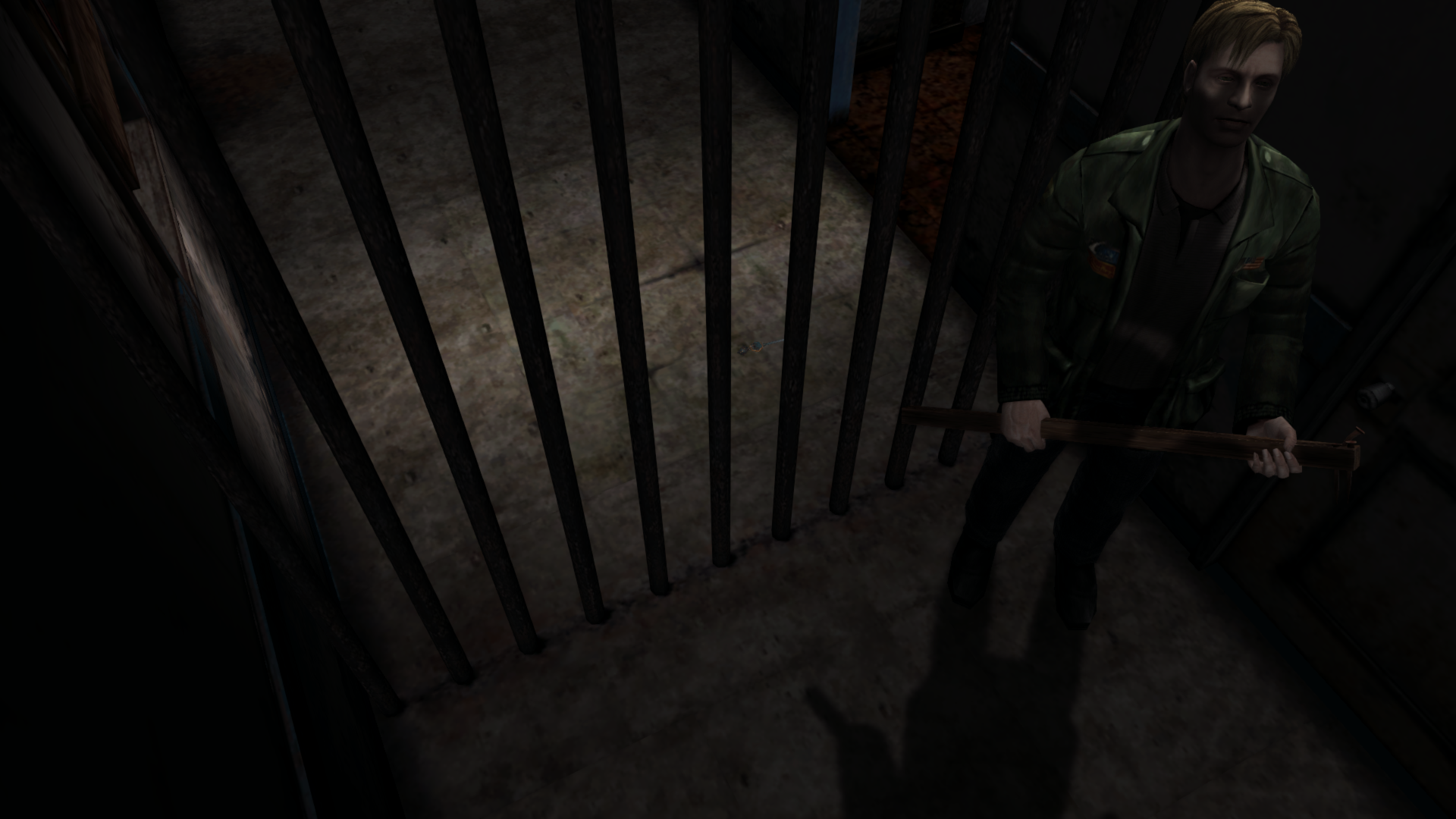
Unfortunately, I did find a large concern, and I don't believe this has anything to do with your current approach to specifically removing James' self shadow, but instead the approach of how we're disabling self shadows in general:
Besides that, the removal of his self shadow on his jacket worked great in all areas I tested. If we continue down this path the other areas/parts of his body would also need to be excluded. But as an early test, the function of the shadow being gone from his jacket worked well!
Polymega
on 8 Oct 2019
@elishacloud @CookiePLMonster
Ah of course, checking the texture on creation makes so much more sense. I feel silly that I didn't think of it :stuck_out_tongue:
I was able to find a way to detect James' jacket without checking the texture content.
Great! If we can get away with it for all 17 body parts then it sounds like the way to go.
@Polymega
I believe changing Elisha's code to set Nope, I'm wrong and tired.D3DSTENCILOP_ZERO instead of D3DSTENCILOP_REPLACE should fix this?
FrozenFish24
on 8 Oct 2019
Nope, I'm wrong and tired.
Haha no worries! I just tried it and was going to comment that it disables self shadows for all dynamic objects again and not just James.
Polymega
on 8 Oct 2019
it disables self shadows for all dynamic objects again and not just James.
This probably happens because these lines of code need to be removed.
If we continue down this path the other areas/parts of his body would also need to be excluded.
We can try this for other parts of his body also once we get the jacket to work correctly.
Try this updated test build: d3d8.zip
elishacloud
on 9 Oct 2019
Unfortunately the change didn't work.
I found a good spot for testing, if you'd want to play with this yourself first. Follow these steps:
https://youtu.be/teobk-7RrwM
- Load save "Hotel lobby 0:51"
- Turn off flashlight.
- Place back against music box, facing towards double-doors.
Polymega
on 9 Oct 2019
This probably happens because these lines of code need to be removed.
Yep, I realized the mistake here soon after but it gave the same result as REPLACE, so I didn't bother posting another build.
Looks like this is the same problem that's made excluding the hospital fridge so troublesome. Disabling the shadows of the interior masks the shadows of the exterior.
FrozenFish24
on 9 Oct 2019
Very loosely related, and related to Unity code, but maybe something can be gathered from this discussion?
https://forum.unity.com/threads/blending-hard-to-explain-see-picture-inside.521884/
Also, would D3DSTENCILOP_INVERT have anything to do with it? Keep in mind these questions from me are coming from someone completely ignorant to stencil buffering.
Polymega
on 10 Oct 2019
Also, would
D3DSTENCILOP_INVERThave anything to do with it?
Yes, I tried that before and it did not work. I tried all options listed here. I am hoping @FrozenFish24 has some ideas.
elishacloud
on 10 Oct 2019
I dug out my original Xbox and it's kind of hard to tell at 480p over composite but I think the special shadow zones function the way we want in that version. SH2 is semi-playable in cxbx-r so I've played up to the apartments and taken a frame capture to compare the PC version against. An immediately obvious difference is that all the shadow volumes are drawn in a separate render target, though I don't know if that's relevant. I'll let you guys know what I come up with.
EDIT: I think I see how they did it. Looks like they keep a separate stencil buffer of just the visible portions of James and use this to mask out the unwanted shadows. So we'd have to do something like:
for each dynamic object:
    if in special lighting zone:

        if james or fridgeInterior:
            stencilPass = REPLACE
            draw to secondaryRenderTarget
        else:
            stencilPass = ZERO
            draw to secondaryRenderTarget

        restore stencilPass to KEEP
        do regular draw to backbuffer

Just before soft shadow code:
    mask backbuffer's stencil buffer with james silhouette in secondaryRenderTarget

    draw shadow buffer
    blur shadow buffer
    etc...
I'm very uninformed when it comes to DirectX so there may be a simpler way. The Xbox code doesn't seem to have to do two draw calls on each object to generate the James silhouette stencil buffer afaict.
FrozenFish24
on 12 Oct 2019
I dug out my original Xbox and it's kind of hard to tell at 480p over composite but I think the special shadow zones function the way we want in that version.
You should get a scart-RGB cable and patch the game's default.xbe with FlickerF**ker (otherwise the flicker filter blurs all the detail and kill the colors. Unfortunately all Xbox games are so, unless you play in progressive scan/with a component cable, so they need to be patched to solve).
I have my Xbox connected to a CRT with scart-RGB, xbe filter patched to 0 and Silent Hill 2 is really sharp and clean, much more than the Ps2 version.
Badore90
on 12 Oct 2019
EDIT: I think I see how they did it.
Excellent research! Never occured to me to try and use a frame capture on cxbx-r. Brilliant move!
Polymega
on 12 Oct 2019
EDIT: I think I see how they did it. Looks like they keep a separate stencil buffer of just the visible portions of James and use this to mask out the unwanted shadows. So we'd have to do something like:
Nice work @FrozenFish24! Were you planning to write the actual code for this?
elishacloud
on 16 Oct 2019
@elishacloud I was going to see if I could get a proof of concept working but I ended up being busy the past few days. Will have a go tonight.
@Badore90 We didn't really do scart here in Australia, I don't think I've ever owned a TV that's had it. I used to have a component cable but I misplaced it somewhere over the years.
FrozenFish24
on 16 Oct 2019
We didn't really do scart here in Australia, I don't think I've ever owned a TV that's had it. I used to have a component cable but I misplaced it somewhere over the years.
I see, what a shame, scart-rgb is a very good connection, better than component (comparing at the same resolution) the original Xbox scart-rgb cable even has a optic digital output.
Paradoxically, it was the only consolation (since PCE/Ps1) here in Europe for the shitty/useless 50hz conversions…
I don't remember if using the composite the flicker filter is activated, most probably yes. But you'd need a hard/soft-modded Xbox to be able to patch the game's xbe (either on disc or installed on HDD). Trust me it's a night/day difference.
Btw if you're using the emulator, all is solved I think :D
Badore90
on 16 Oct 2019
@elishacloud @Polymega
Just submitted a pull request for the shadows:
https://github.com/elishacloud/Silent-Hill-2-Enhancements/pull/181
@Badore90 I have a hard mod, I'll have to give it a try.
Btw if you're using the emulator, all is solved I think :D
I'm sure they'll get there some day. Only the static geometry rendered in the version I used for my capture, and in the latest commit only James exists in a black void :stuck_out_tongue:
FrozenFish24
on 23 Oct 2019
have a hard mod, I'll have to give it a try.
Here:
You can patch the game on the fly if you have XBMC (you've to enable a option that will create a ffp_default.xbe with the XBMC filter setting that you can set to 0).
However even if based on the original FF, the XMBC patcher doesn't work with certain games (maybe it's based on a old FF rev).
It's nothing comparable to playing with a RGB cable, but removing the filter improves the situation nevertheless.
I'm sure they'll get there some day. Only the static geometry rendered in the version I used for my capture, and in the latest commit only James exists in a black void 😛
lol ...I always wondered why Xbox emulation ever goes so slowly, since the Xbox architecture is very similar to PC/windows. Maybe lack of interest/request.
Badore90
on 24 Oct 2019
@Badore90
Oh yeah patching to 0 really makes a big difference. Turns out my dashboard (UnleashX) has an option to change the filter level (only in dashboard, not in games) but being able to switch back and forth instantly really makes the difference obvious even on my crappy LCD.
FrozenFish24
on 24 Oct 2019
Oh yeah patching to 0 really makes a big difference. Turns out my dashboard (UnleashX) has an option to change the filter level (only in dashboard, not in games) but being able to switch back and forth instantly really makes the difference obvious even on my crappy LCD.
Composite really sucks on lcd (on CRT is a little less disgusting). My Xbox is softmodded with UnleashX, but I installed XBMC and made a shortcut.xbe to it (so the Xbox actually start on XBMC when powering on). Check XBMC for og Xbox on YT, is better looking than UnleashX and keeps the temperatures much lower when in the dash (UnleashX keeps the processors running at 100% or so).
However if you have SH2 on Xbox HDD, you just have to FTP the game's default.xbe to your PC, apply the patch and copy it back to its place (before to copy it, rename the original xbe, keep it as backup).
Badore90
on 24 Oct 2019
In reference to shadow fading behavior, I made a chart to help better illustrate the code that needs to be put in place to create the intended effect:

The biggest thing we'll need to start this is the correct/best address to know when the flashlight has been toggled (turned on/off).
@Bigmanjapan @AeroWidescreen
Do either of you have a recommended address for this?
We've used sh2pc.exe+49FF82 (0089FF82) byte in the past. This address will disable the visual rendering of flashlight's lighting/effects but I don't believe it's used to actually track the toggle of the flashlight turning on/off. This leads me to believe there's a "parent" address that is used for correctly knowing when the flashlight is toggled on/off.
May I ask your help in determining the best address to base the shadow fading script on?
Polymega
on 31 Oct 2019
sh2pc.exe+49FF82 (0089FF82) byte (what we've used prior) is _exactly_ timed to the shadow changes for flashlight toggles.
In other words, there's a momentary pause after the user turns off their flashlight before this values changes. So when a user turns off their flashlight, this value stays at 1 for ~1 second before it changes to 0 for the non-flashlight shadow that's made afterwards.
sh2pc.exe+1B7A806 (01F7A806) byte is also used to detect flashlight toggles and changes the instant the user presses the flashlight button. However, I don't think this is the master/parent address for flashlight toggling.
Polymega
on 2 Nov 2019
Using those two addresses from @Polymega I was able to create a feature to fade the shadows in and out when the flashlight is turned on and off. Here are some things to point out:
- As far as I can tell, the game hard coded the flashlight to fade in and out based on a set number of frames, not based on a timer. So if you increase the frame rate then the flashlight will fade in and out faster.
- For this demo build, I also hard coded the shadow fading to more or less match the flashlight fading. 5 frames to fade out and 16 frames to fade in. Note: I was able to get the exact frame count for fading out, however, for fading in I more or less just guessed the frame count.
- Currently the fading affects all shadows, not just the ones done by the flashlight. This causes some weird effects when James is in special light, like when he is in the hotel lobby.
- I hard coded the second address so the fading will only work on v1.0 binary.
@FrozenFish24, is there some way to detect which shadows come from the flashlight and which shadows don't come from the flashlight? This way I can fade the shadows that are not from the flashlight differently.
Here is the demo build: d3d8.zip
elishacloud
on 2 Nov 2019
@Polymega
sh2pc.exe+49FF82 (0089FF82) byte(what we've used prior) is _exactly_ timed to the shadow changes for flashlight toggles.In other words, there's a momentary pause after the user turns off their flashlight before this values changes. So when a user turns off their flashlight, this value stays at
1for ~1 second before it changes to0for the non-flashlight shadow that's made afterwards.
Try 0089FF84 (byte), but it shouldn't be any better than the address you found below.
sh2pc.exe+1B7A806 (01F7A806) byte is also used to detect flashlight toggles and changes the instant the user presses the flashlight button. However, I don't think this is the master/parent address for flashlight toggling.
There isn't a "master" address as far as I can tell. The flashlight is divided into multiple parts, and different functions are active based on the lighting conditions. For example, the 01 value of 0089FF84 is determined by this push:
0050A57E push 01
0050A582 call 0047C2D0 // calls "flashlight" function
Change that to 02 and the value that gets written will be 02. And again, this only applies when the flashlight is turned on because none of this code is active when it's turned off.
Alternatively, you could try using these float value RGB addresses:
00942AB8 00000000
00942AB4 00000000
00942AB0 00000000
If the value is equal to or less than 3A83126F (0.001), then you know the flashlight is off.
AeroWidescreen
on 2 Nov 2019
I was able to create a feature to fade the shadows in and out when the flashlight is turned on and off.
For a first draft this is pretty good! One thing I immediately noticed is the non-flashlight shadow fades in way too quickly. It should be a gradual fade in that takes 4 seconds (so 120 frames at 30 FPS?).
The fade in for the flashlight shadow (when the flashlight is toggled on) looks like it can be stretched roughly twice as long as well.
Here's a side-by-side with your script (top left) and PS2 (bottom right) as a point-of-reference:
https://youtu.be/VaQ3Wo2fmvE
Midway through the video I start toggling the light fast to show you how it behaves if you interrupt the fade in/out. Namely, if you interrupt the fade in after you turn on the flashlight (i.e. turning off the flashlight again), the shadow values will instantly return to default room value before fading out from turning off the flashlight.
I also uploaded this video to the FTP where you placed the other video, Elisha, if you'd want to study it in a less compressed version.
Currently the fading affects all shadows, not just the ones done by the flashlight. This causes some weird effects when James is in special light, like when he is in the hotel lobby. [...] @FrozenFish24, is there some way to detect which shadows come from the flashlight and which shadows don't come from the flashlight?
This is normal game behavior, so no worries there. (And it'll make work on this easier overall.) :smiley: Once we extend the non-flashlight shadow out to 4 seconds it'll look much better here and everywhere else.
Polymega
on 2 Nov 2019
Alternatively, you could try using these float value RGB addresses:
Thanks @AeroWidescreen! That is exactly what I needed.
The fade in for the flashlight shadow (when the flashlight is toggled on) looks like it can be stretched roughly twice as long as well.
I was able to use the RGB addresses to determine the exact shadow intensity. So now this should exactly match the flashlight brightness.
Here's a side-by-side with your script (top left) and PS2 (bottom right) as a point-of-reference
Thanks! It helped to see the PS2 version so I have something to compare to.
if you interrupt the fade in after you turn on the flashlight (i.e. turning off the flashlight again), the shadow values will instantly return to default room value before fading out from turning off the flashlight.
This should be fixed now. Since I am using the flashlight brightness to determine the shadow intensity there should be no more issues here.
Once we extend the non-flashlight shadow out to 4 seconds it'll look much better here and everywhere else.
Yes, it does look a lot better. See the new build below.
Test build: d3d8.zip
elishacloud
on 2 Nov 2019
This is 95% perfect now! The only nitpick issue I found is, when you turn off the flashlight, the fade out portion needs to happen _a bit quicker_ (reach 0 quicker), as you momentarily see the new, non-flashlight shadow form before the previous shadow fade out is complete:
https://youtu.be/qcbW3nEYSfE
(Video brightened to better illustrate)
Everything else looks to be great! Once this gets tweaked, I'll do a full playtest to make sure it's behaving correctly throughout the entire game.
Thanks a ton @AeroWidescreen for helping find addresses that would work with this, and thanks for your work on this script, Elisha!
Polymega
on 3 Nov 2019
when you turn off the flashlight, the fade out portion needs to happen a bit quicker (reach 0 quicker), as you momentarily see the new, non-flashlight shadow form before the previous shadow fade out is complete:
I don't really have control of the fade out speed since I am using the flashlight brightness for that. I could turn off the shadows completely for the final fade out frame, however I prefer not to do that, if possible.
I think what is happening is that the values are changing in the middle of the frame and I do all the checking at the beginning of the frame. This means that the shadow can be seen for one frame before it gets hidden in the next frame.
Try this one and see if it works. I basally changed it so that during fade out if the values are different in the middle of the frame from what they were at the beginning of the frame then I simply hide the shadows to avoid this issue.
Test build: d3d8.zip
elishacloud
on 3 Nov 2019
Right on, Elisha. This looks to be the ticket. Let me do a full play test and try to break it and I'll report back. Thanks!
Polymega
on 3 Nov 2019
Early change request: Please disable this shadow fade script entirely when in:
Room: 0xB5, 0xB2, 0xB0, 0xB1, 0xB4, 0xB3, 0xB8, 0xB6, 0xB7, 0xB9, 0xAA, 0xAB, 0xAE, 0xAF, 0xAC, 0xAD, 0xBA, 0xBB
There are points in the game where James' flashlight will become dead/disabled, for whatever reason. If you try and toggle the light on, James will say the light's not working. With this new script, the shadows still change as if the light was turned on during these parts where the flashlight shouldn't toggle.
Video example: https://youtu.be/i6_ABFDg2gQ
In the video, his shadow should not disappear when I try and toggle the dead flashlight. Disabling the script while in these rooms should alleviate the problem.
Polymega
on 3 Nov 2019
Early change request: Please disable this shadow fade script entirely when in:
Done. I also updated this to work on all three SH2 binaries.
New test build: d3d8.zip
elishacloud
on 3 Nov 2019
@FrozenFish24, is there some way to detect which shadows come from the flashlight and which shadows don't come from the flashlight? This way I can fade the shadows that are not from the flashlight differently.
This is normal game behavior, so no worries there. (And it'll make work on this easier overall.) smiley Once we extend the non-flashlight shadow out to 4 seconds it'll look much better here and everywhere else.
This would have been quite difficult to solve as all shadows are drawn in one go using a single stencil buffer. Good to hear it's expected behavior.
Looking good by the way :+1:
FrozenFish24
on 3 Nov 2019
I got up to the start of the Hospital last night and the shadow fading is behaving great so far. I'll finish testing today.
But I must say I am tickled pink--flabberghasted even--at the shadow work here. It's practically indistinguishable from the console/PS2 version now. It took a lot of hard work from you and others, but the pay off is soooooo worth it.
It's unbelievable in the best sense of the word!
Polymega
on 3 Nov 2019
@elishacloud
Here are my final notes on the shadow fading play test:
Please add rooms 0xA2, 0xBD to the list of rooms that this script should be disabled in.
If you turn the flashlight back on during the ~4 seconds that the non-flashlight shadow is fading in, the new, flashlight-made shadow will momentarily flicker before correctly fading in.
Video example: https://youtu.be/CjmHYc2c4qw
(Pay attention to the wall directly behind the music box)
The closer you wait to the end of the ~4 second non-flashlight shadow fade in, the more pronounced the flicker is (as the opacity is darker at that point in time during the fade in). If you let the ~4 second fade in fully happen, then there is no flicker when you turn the light back on.
If no immediate and easy-ish solution comes to mind for this, then we can ignore it, as this is a rather circumstantial thing:
If you toggle the flashlight then pull up the PC pause menu, the fade in/out is still happening in real-time, despite the pause screen being brought up. So once you leave the PC pause menu the shadow fade can be fully done, despite the flashlight's light still being in the process of turning on/off (as the light's toggle timer does pause when in the PC pause menu).
Video example: https://youtu.be/qC_UJKExNuk
Again: If an easy-ish solution doesn't readily come to mind, we can probably not worry about this as it's rather circumstantial and doesn't affect the main game experience, really.
Unrelated to shadow fading, but please add cutscene 0x5C to this line.
Polymega
on 3 Nov 2019
@Polymega, Ok, I believe I fixed all four issues. One more test build.
Testing build: d3d8.zip
elishacloud
on 4 Nov 2019
Yes, sir. All last notes are addressed and fixed! And with that:
:confetti_ball: Shadow work is complete!! :champagne:
@FrozenFish24 you've done the impossible once more! Arguably _the_ biggest requested restoration for the game/project is now a reality thanks to your research and ingenuity! I personally can't thank you enough, but the excitement from others once they play the next project update should give an idea of that appreciation!
@elishacloud thank you so much for optimizing the code, giving tons of support to me with tweaking all the shadow adjustments, and lending FrozenFish assistance where needed. Thank you for your work on the shadow fading script as well; it works beautifully!
Guys... _you did it!!_
Polymega
on 4 Nov 2019
Final code is checked in: 3699b801e5279f192027469bf298156332067fc6
elishacloud
on 4 Nov 2019
You guys inspire me ❤️
Polymega
on 18 Dec 2019
@FrozenFish24
With your mind fresh on SH2 coding, could I ask your help with fixing a small thing for self shadow work? I wanted to ask you this now, in case you'd prefer to include this with your pull request for the specularity. Otherwise, no rush on this at all.
I recently discovered that the TV static is tied/link to the noise filter in the game. Meaning, if you change IncreaseNoiseEffectRes in the d3d8.ini file, it also changes the resolution of the static on the in-game televisions. So if you change IncreaseNoiseEffectRes, it breaks the code that excludes the TV static from receiving self shadows:
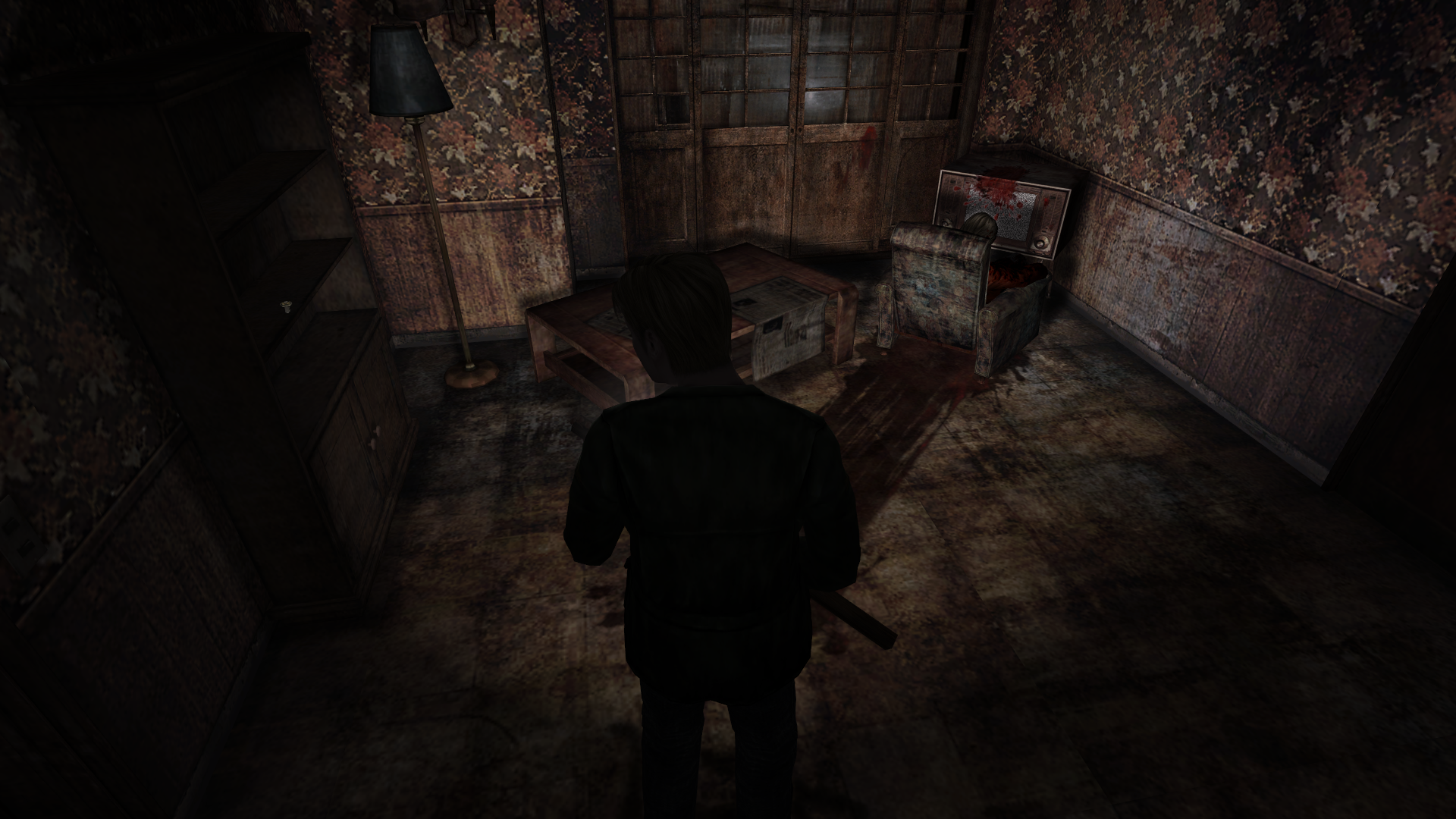
This is in regards to this line of code.. When using the default noise grain resolution (512), the code works, as it's checking for a texture of 684x512 to exclude shadows on.
But here's what happens if we change IncreaseNoiseEffectRes to 768, as an example:
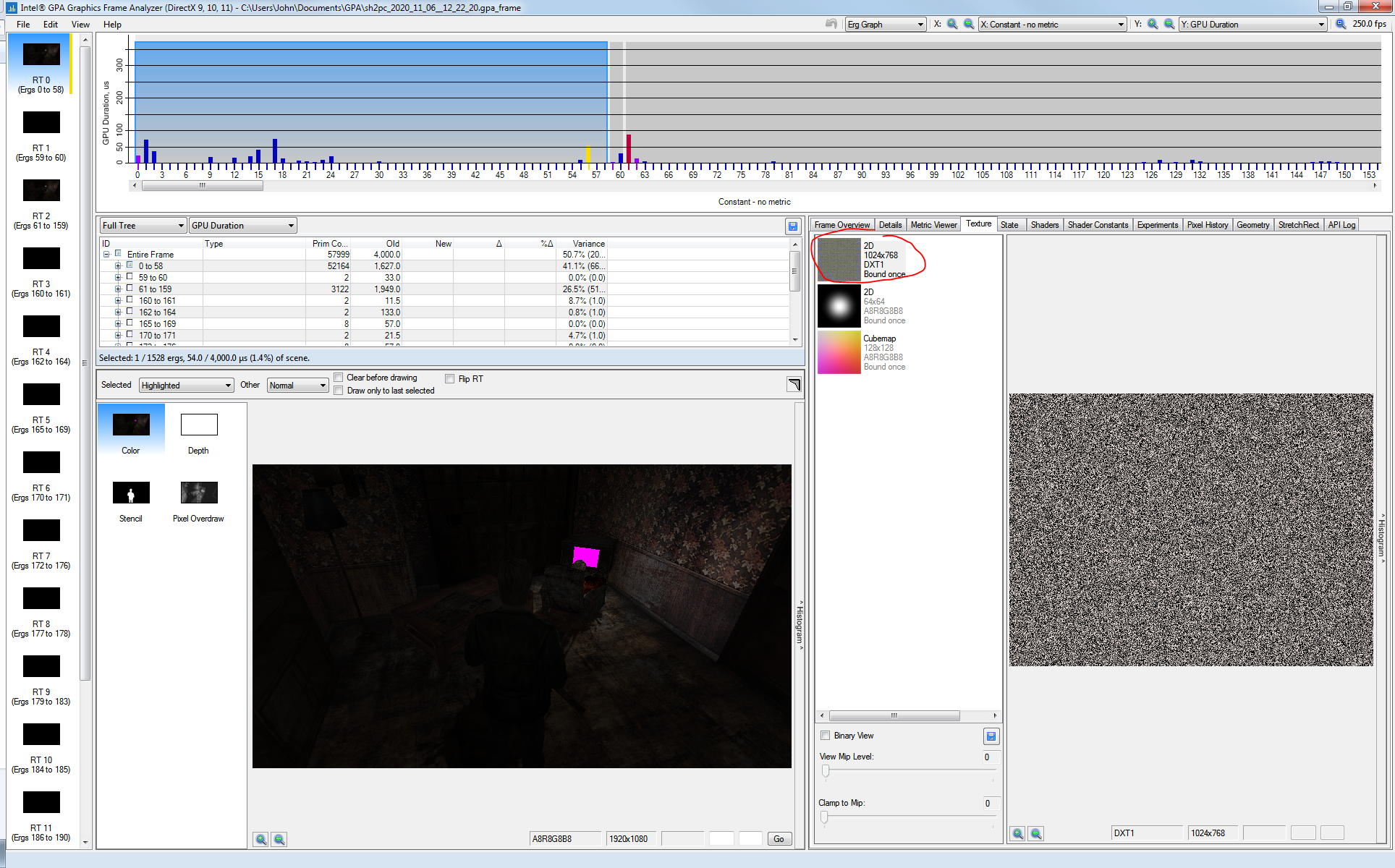
Is there another method to determining the TV static geometry in this room, so excluding its self shadow isn't reliant/hinged on another feature's settings?
Polymega
on 3 Dec 2020
@Polymega
This should fix it. We now detect the static by it's ModelId instead of geometry/texture:
d3d8.zip
FrozenFish24
on 4 Dec 2020
Right on! Your new ModelId checker made this adjustment easy and fool-proof, and will undoubtedly continue to be useful with future needs. Thanks, FrozenFish. All is good here now. 👍
Polymega
on 4 Dec 2020
Related issues
 Storm3000
·
10Comments
Storm3000
·
10Comments
 Vare3465
·
7Comments
Polymega
·
15Comments
Polymega
·
10Comments
Polymega
·
18Comments
Vare3465
·
7Comments
Polymega
·
15Comments
Polymega
·
10Comments
Polymega
·
18Comments
Most helpful comment
Yes, sir. All last notes are addressed and fixed! And with that:
:confetti_ball: Shadow work is complete!! :champagne:
@FrozenFish24 you've done the impossible once more! Arguably _the_ biggest requested restoration for the game/project is now a reality thanks to your research and ingenuity! I personally can't thank you enough, but the excitement from others once they play the next project update should give an idea of that appreciation!
@elishacloud thank you so much for optimizing the code, giving tons of support to me with tweaking all the shadow adjustments, and lending FrozenFish assistance where needed. Thank you for your work on the shadow fading script as well; it works beautifully!
Guys... _you did it!!_