Silent-hill-2-enhancements: Nvidia Specific Issue: Flashlight "glow" rendered dim
_@AeroWidescreen tagging you on this one because it is indeed an issue only for Nvidia users._
@FrozenFish24 if you'd have any ideas with this one, in regards to an additional Nvidia-specific issue for the game.
This came to my attention the other day while doing testing for an upcoming mod by Aero: The glow around the flashlight lens is dimmer than what it should be for Nvidia cards. The lens flare seems to be fine; just the immediate glow around the lens is rendering incorrectly.
On Intel GPUs and AMD cards the glow looks correct/as bright as it should be. When using WineD3D for Nvidia cards the glow is also correct:

Quick Save save file of the image above (back up any save files first).
Intel Frame Capture: http://www.igotaletter.com/temp/sh2pc/sh2pc_2018_12_28__18_54_58.zip
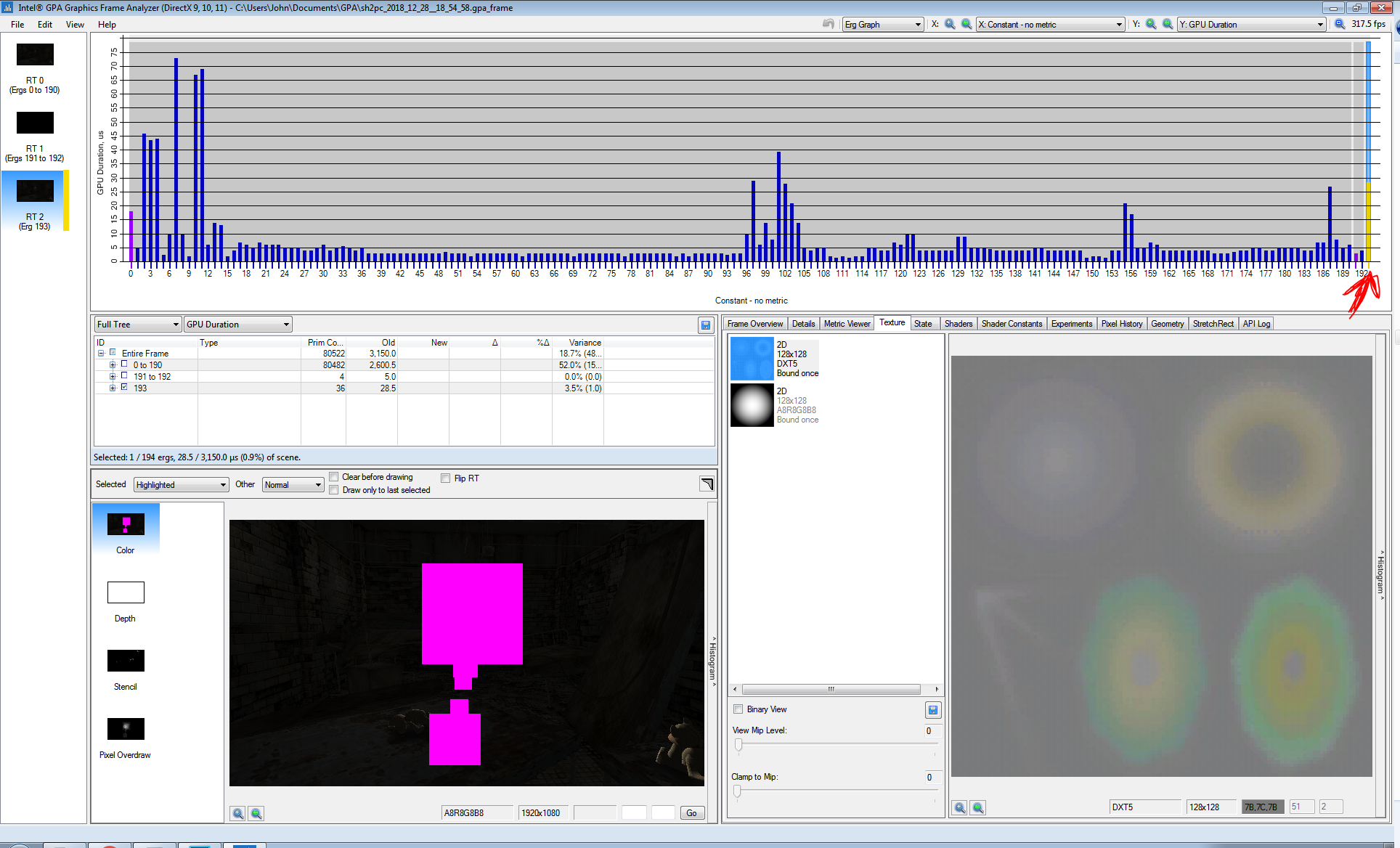
Unfortunately the lens glow/lens flares don't render very well in the Intel frame grab but they're still there in the capture:
 Polymega
All 10 comments
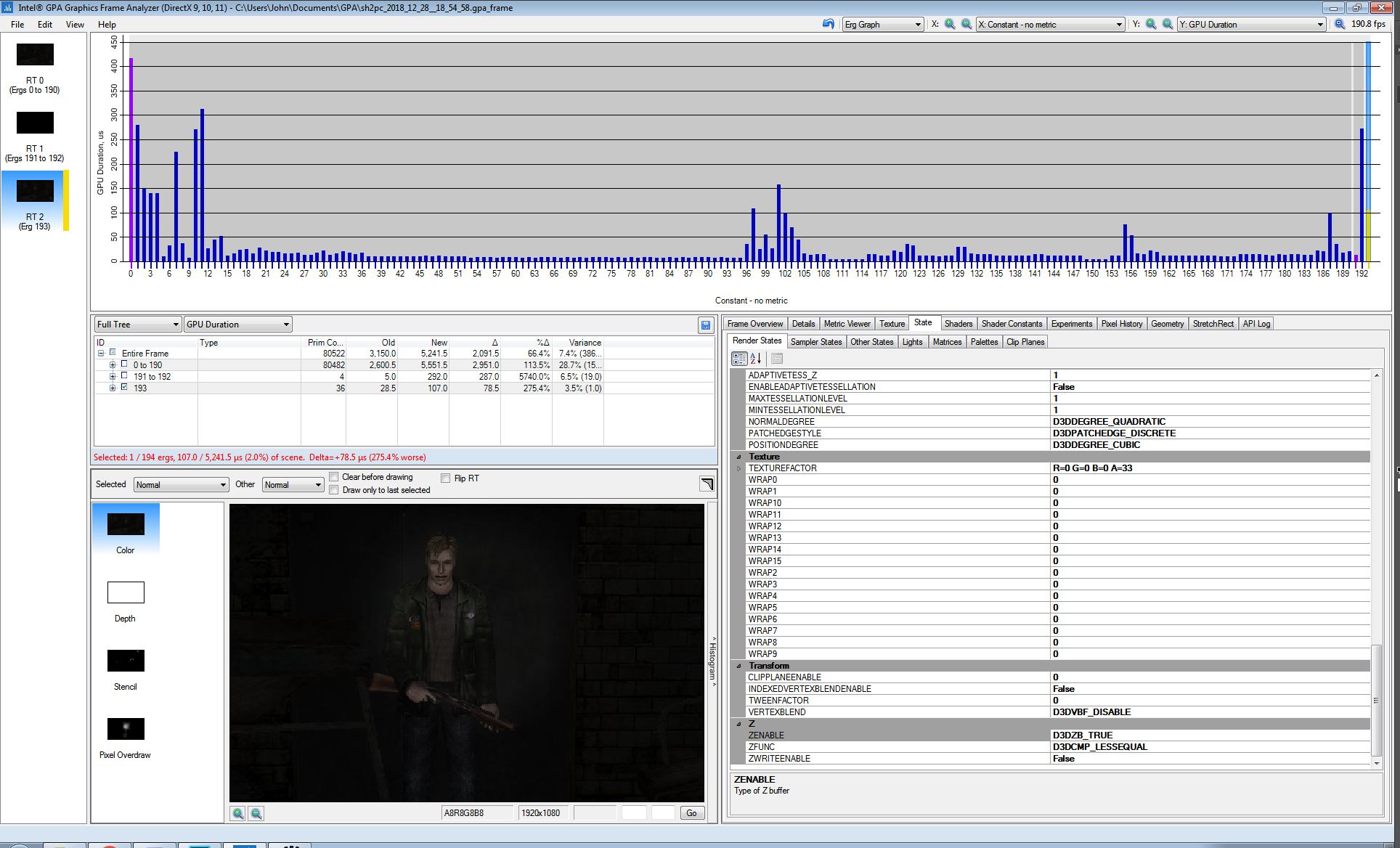
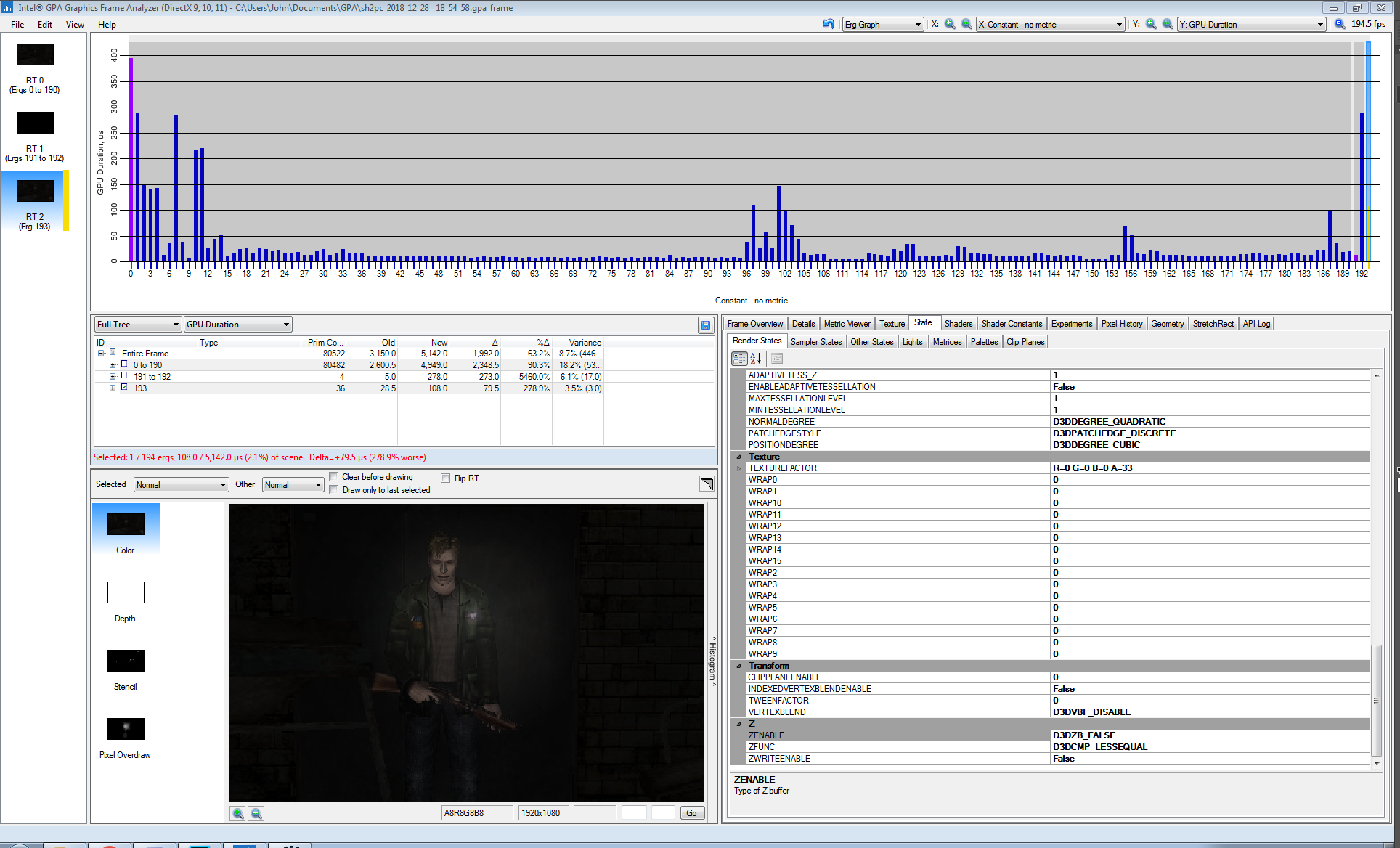
In the Intel Frame Analyzer, setting ZENABLE = D3DZB_FALSE for the lens glow/flare had a positive impact on the lens glow rendering.
D3DZB_TRUE (default):
D3DZB_FALSE:
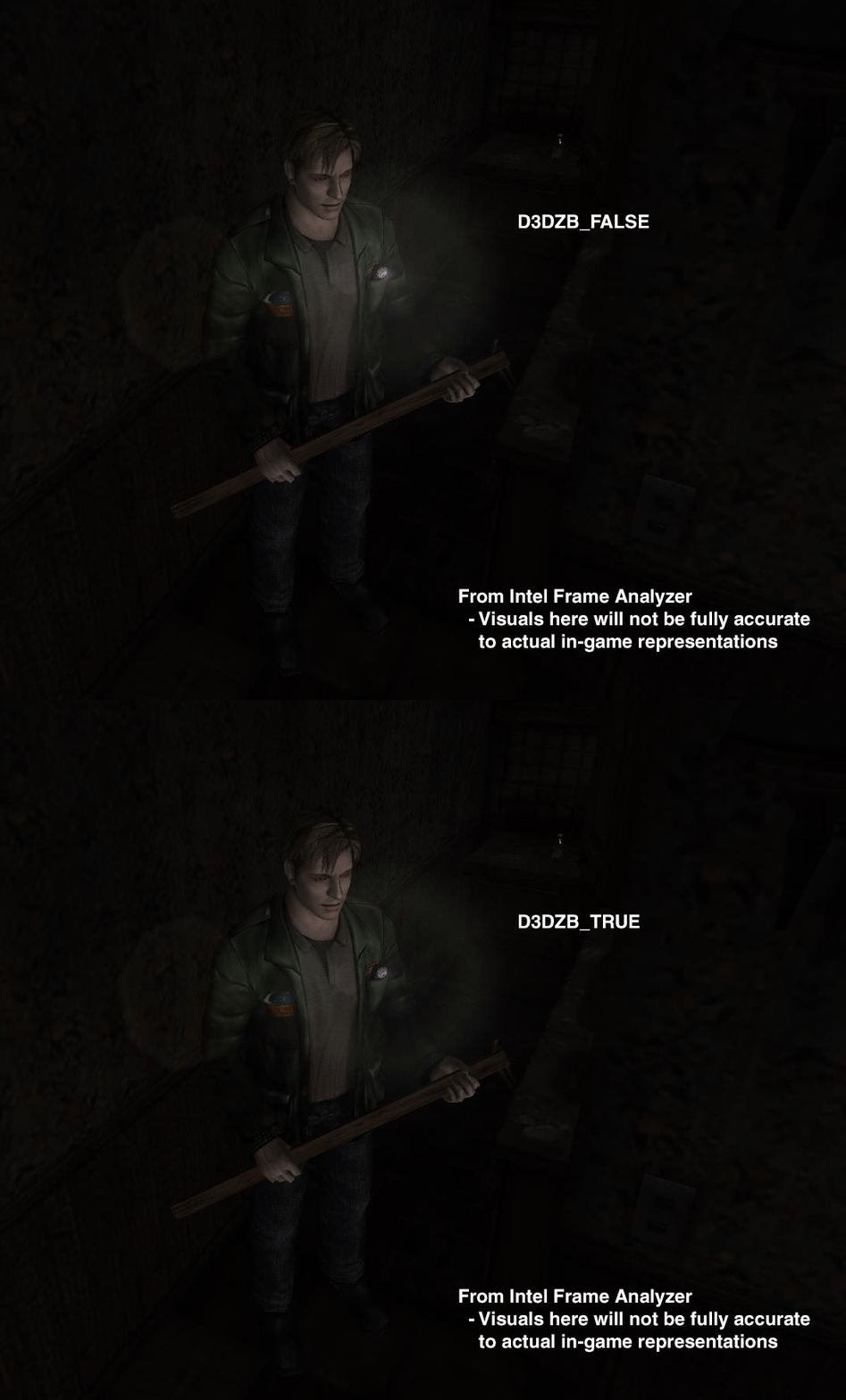
Edit: Disabling depth buffering for the lens glow/flare may be a viable solution because the only time these effects are rendered is when nothing is obstructing the flashlight's glow. Or, in other words, whenever the game calls these objects to be rendered they are always in front of everything already.
There are two types of flashlight glows:
- This one is produced when the camera is looking/nearly looking head-on to the flashlight (this glow also has the lens flares with it):
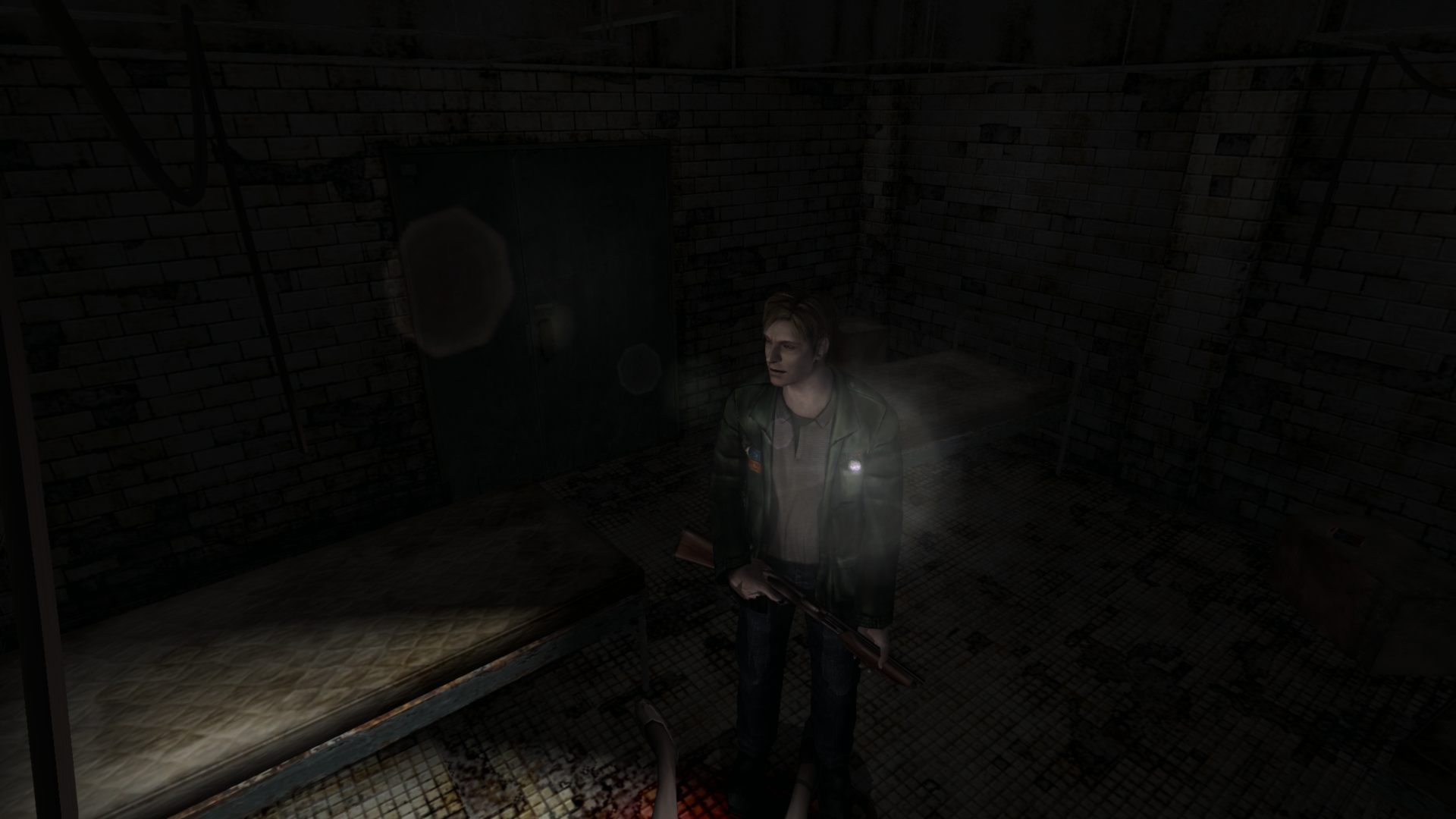
^ This is the "main" glow. It's the larger glow of the two that also has circular "flare lines" coming out of the lens along with the lens flares. This is the glow that has issues on Nvidia for being too dim. This is also the glow that is always rendered on top of everything else (along with the lens flares) when the game calls it, so disabling the z buffering to fix the glow's brightness shouldn't be a concern, assuming this could fix it.
- And this glow is produced when the flashlight is either oriented at a far angle from the camera or something is obstructing the light when looking at it head-on:
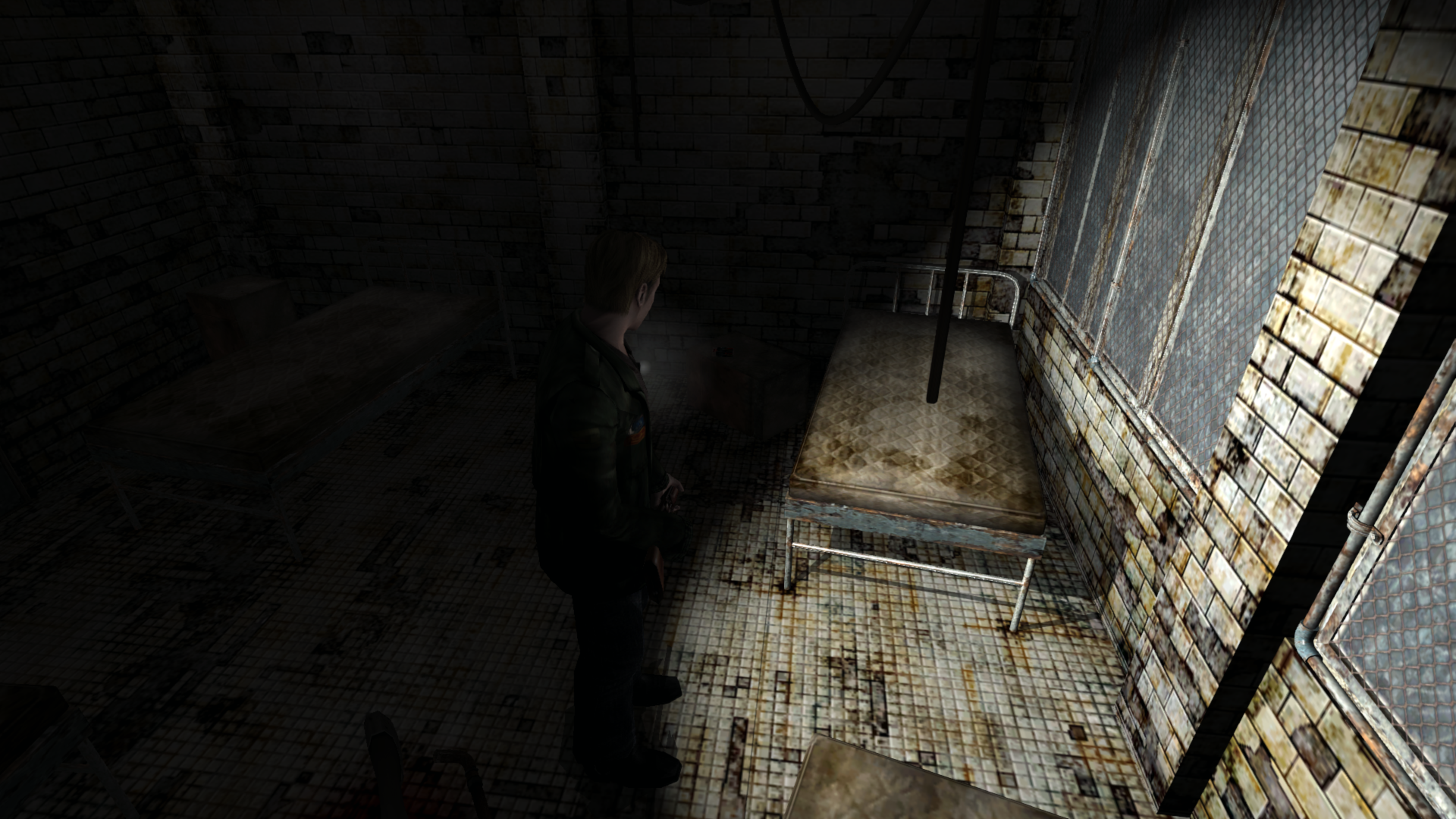
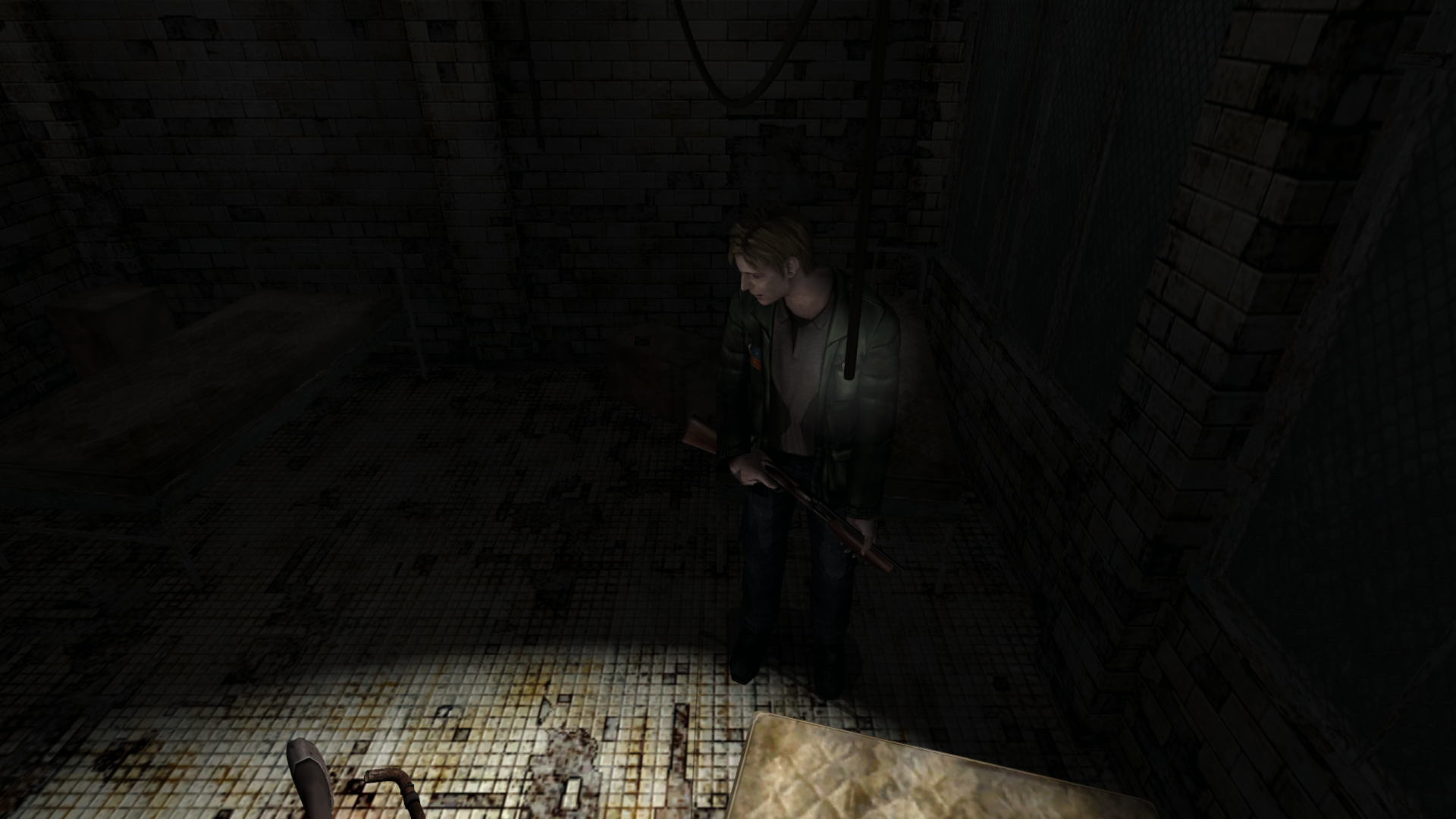
^ The game produces a relatively simple semi-transparent gradient circle for the light with no lens flare effects. Notice in both images directly above that James' body and the pipe coming from the ceiling obstruct parts of the glow. This glow is not always rendered above everything else and must abide by any z-depth rules.
So we'd only want to disable depth buffering for the flashlight glow call illustrated in # 1.
Polymega
on 29 Dec 2018
Nice sleuthing @Polymega
This seems to be the same issue as the missing 2D fog and afaict it's happening because on Nvidia cards using a negative DEPTHBIAS biases some fullscreen element behind the camera.
D3D8 has a ZBIAS render state that takes an integer from 0-16. D3D9 replaced this with DEPTHBIAS which takes a float. d3d8to9 converts between the two by multiplying the ZBIAS by -0.000005. So a potential fix is to negate the ZBIAS first so we wind up with a positive DEPTHBIAS after d3d8to9 does it's thing:
HRESULT m_IDirect3DDevice8::SetRenderState(D3DRENDERSTATETYPE State, DWORD Value)
{
    if (State == D3DRS_ZBIAS)
        Value = !Value;

    return ProxyInterface->SetRenderState(State, Value);
}
This seems to work fine after some quick testing and is also an alternate fix for the missing 2D fog. But we should get @elishacloud's opinion on this as I recall he tried messing with the ZBIAS initially but abandoned it as it caused other issues.
EDIT: Well I'm dumb, the above code is just setting the ZBIAS to zero (unless it's already zero it's setting it to one), duh. Flipping the sign of the resulting DEPTHBIAS as I intended does work but it may not actually be possible without modifying d3d8to9. I'll have another look once I've slept.
 FrozenFish24
on 30 Dec 2018
FrozenFish24
on 30 Dec 2018
Through quick testing on my end it seems to have worked without breaking anything else (although a more thorough playtest would be required).
I even disabled d3d8to9 and Fog2DFix in the .ini and everything was still rendering correctly, which tells me those two fixes weren't influencing your fix for the flashlight glow (and the alternate fix solution for the 2D fog layer).
If you and Elisha would like, I can do a complete playtest of this at a later time. Or if the above-mentioned fix isn't a proper method to alleviate the issue just let me know and I'll hold off.
Polymega
on 30 Dec 2018
Okay looking at it again with fresh eyes, my previous method (Even if I'd actually done it properly :stuck_out_tongue: ) wasn't a good idea as it's D3D9 dependent. Here's another idea:
HRESULT m_IDirect3DDevice8::SetRenderState(D3DRENDERSTATETYPE State, DWORD Value)
{
    if (State == D3DRS_ZBIAS)
        Value = (Value * 15) / 16;

    return ProxyInterface->SetRenderState(State, Value);
}
Basically we're taking the original ZBIAS value's range of 0-16 and squashing it down to a range of 0-15. So this fix may result in slightly more Z-fighting when enabled. This fixes both the flash light and the 2D fog and doesn't appear to introduce any new problems from a quick playtest.
Test dll:
sh2e-dll.zip
Again we should get @elishacloud's feedback on whether it's a good idea to mess with the ZBIAS like this.
FrozenFish24
on 31 Dec 2018
This fixes both the flash light and the 2D fog and doesn't appear to introduce any new problems from a quick playtest. Test dll:
Same here; a few quick tests of areas where I'd presume there'd be depth fighting there is none. :) We'll get Elisha's feedback on this--and I can do a full playtest if we receive his blessing--but thank you very much FrozenFish24 for your testing and iterations on this solution!
Polymega
on 31 Dec 2018
Nice work @FrozenFish24! This looks like a generic fix for the layering issue with Nvidia cards. I updated the Fog2DFix option to use this ZBIAS fix and removed the old fix. Below is the updated build. @Polymega, once you done enough testing I will check it in.
Updated build: d3d8.zip
 elishacloud
on 1 Jan 2019
elishacloud
on 1 Jan 2019
@elishacloud I finished the play test with the new depth fix and everything looked great! I saw no anomalies from this anywhere.
Additionally, I'm not sure if you confirmed, but your two vertex shader fix codes also worked without any issues found here and here.
Thanks!
Polymega
on 6 Jan 2019
Checked in fix for this under 9ae79b7. I'll fix the vertex shaders in issue #63.
elishacloud
on 8 Jan 2019
Thanks, Elisha! While I have you in regards to shader codes: We tried swapping out a pixel shader code for a new one that restores the fake bloom effect to its former glory (the PC version severely tones it down) as seen here.
This effect should only work within a certain area of the rendered frame such as through the windows as seen here (image from PS2 version).
FrozenFish24 swapped out the code through d3d8to9 as a test but it affected the entire game screen and not just the windows of the room as seen here.
Out of a quick guess from your knowledge: Do you reckon this is because the new pixel shader code is being processed as a post-conversion (because it's running through d3d8to9) and that it might work if it's implemented before the DX9 conversion? Or am I babbling nonsense on this one?
Polymega
on 8 Jan 2019
@Polymega, I think this fix is going to take more than just changing the code of one pixel shader.
Pixel shaders work in concert with vertex shaders; the output of a vertex shader provides the inputs for a pixel shader.
This probably requires you to create a vertex shader that targets only the window and then target the pixel shader to that vertex only. This will require API changes in addition to shader changes. Likely it will require at least one new shader to be create, rather than just modifying existing ones.
elishacloud
on 8 Jan 2019
Related issues
 Storm3000
·
10Comments
Storm3000
·
10Comments
 yukinsaknos
·
14Comments
Polymega
·
14Comments
yukinsaknos
·
14Comments
Polymega
·
14Comments
 OregonPacifist
·
15Comments
Storm3000
·
3Comments
OregonPacifist
·
15Comments
Storm3000
·
3Comments
Most helpful comment
Checked in fix for this under 9ae79b7. I'll fix the vertex shaders in issue #63.