Silent-hill-2-enhancements: Silent Hill 2 Save issue
The above issue has already been described. Whenever you install SH2 on a + 2 TB HDD the game won't detect it and you won't be able to save your game. Is there any easy solution / fix for this?
 Vare3465
All 7 comments
Hi @Vare3465 ,
Yes, we are aware of the issue and will hopefully have a fix for it in the future. You can keep track of progress for this by bookmarking this link: https://github.com/elishacloud/Silent-Hill-2-Enhancements/issues/70
In the meantime, the only solution for now is to move all your game's files to a disk drive that's under 2TB. Once our fix solution is live, you could then move your files back to the 2TB+ hard disk.
 Polymega
on 24 Feb 2019
Polymega
on 24 Feb 2019
I could also modify the executable for you to use in the meanwhile. Just be sure to replace it with the one provided here once SH2E is officially updated.
Let me know.
 AeroWidescreen
on 24 Feb 2019
AeroWidescreen
on 24 Feb 2019
Hi @Vare3465 ,
Yes, we are aware of the issue and will hopefully have a fix for it in the future. You can keep track of progress for this by bookmarking this link: #70
In the meantime, the only solution for now is to move all your game's files to a disk drive that's under 2TB. Once our fix solution is live, you could then move your files back to the 2TB+ hard disk.
Thank you!
Vare3465
on 24 Feb 2019
I could also modify the executable for you to use in the meanwhile. Just be sure to replace it with the one provided here once SH2E is officially updated.
Let me know.
I won't be able to play for a while, in fact I beat the game not too long ago and I was just reinstalling it on my new PC so I could guide my friends through its tricky configuring (I've been hooked since I played it and now I want everyone to enjoy it). That means I can wait for you to release the fix, it's nothing urgent. Thanks for responding so fast :)
Vare3465
on 24 Feb 2019
@Vare3465, I put a fix in for this. I have not released it yet, but you can use the attached module for now. This will allow you to save the game.
Download: d3d8.zip
 elishacloud
on 28 Feb 2019
elishacloud
on 28 Feb 2019
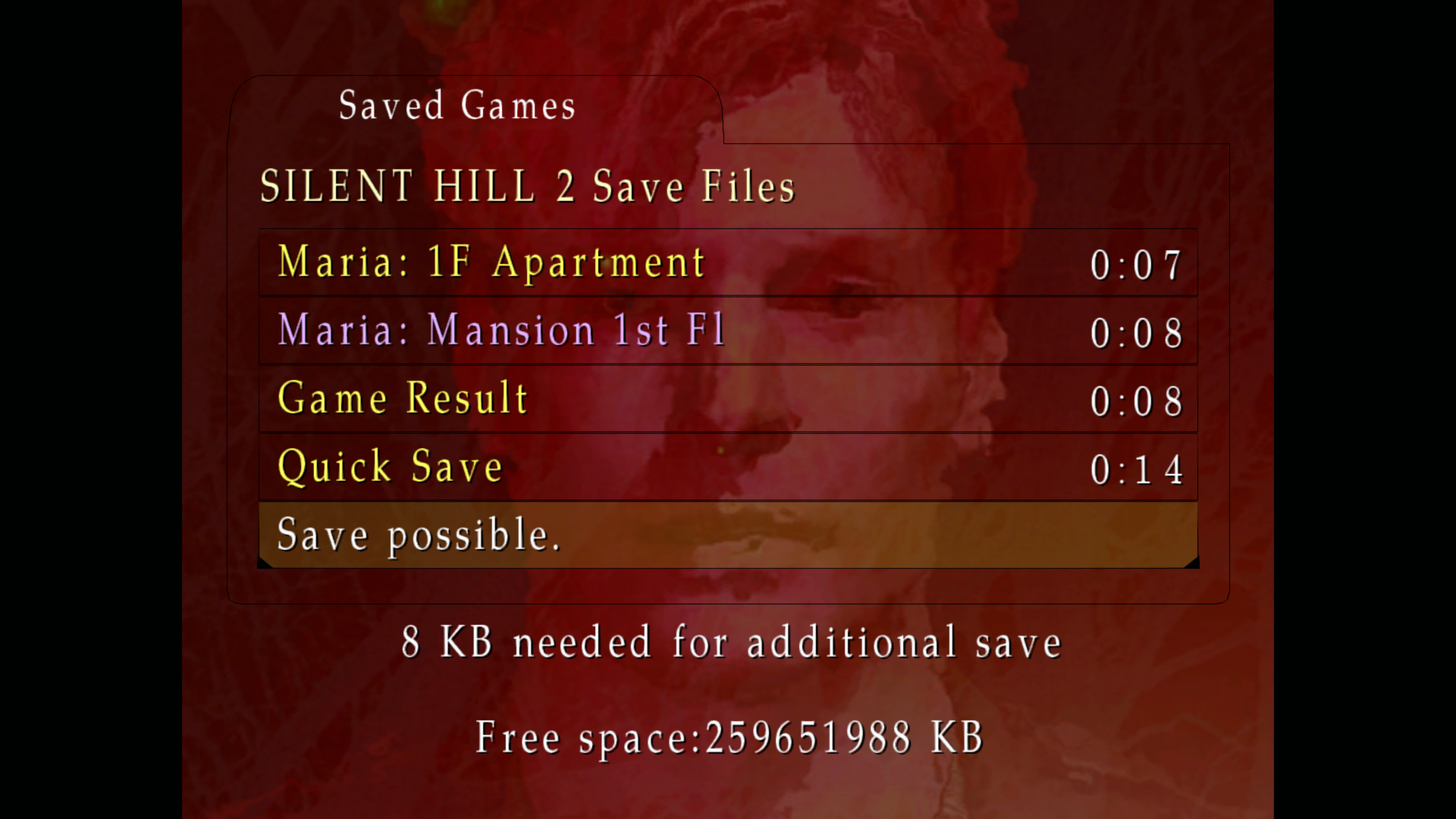
You did a really great job here, Elisha. Check out my game: I have a 1 TB hard drive that has ~250GB of free disk space left on it:
Before your fix:

After your fix:
Polymega
on 28 Feb 2019
A fix has been released for this issue. See v1.3.1340.0
elishacloud
on 18 Apr 2019
Related issues
Polymega
·
17Comments
 gregitol
·
5Comments
gregitol
·
5Comments
 kingrulerCA
·
18Comments
kingrulerCA
·
18Comments
 Storm3000
·
3Comments
Storm3000
·
3Comments
 yukinsaknos
·
14Comments
yukinsaknos
·
14Comments
Most helpful comment
@Vare3465, I put a fix in for this. I have not released it yet, but you can use the attached module for now. This will allow you to save the game.
Download: d3d8.zip