Silent-hill-2-enhancements: Room312 Chair Shadow
The reason this shadow is glitched may have something to do with the camera angle/orientation in relation to James?
I'm curious, if you can fix it at this point/spot would it be fixed for the cutscene as well then?
(I'm also making this its own thread to break it off that mega, 100+ reply thread for other generalized fixes.)
 Polymega
All 17 comments
It also feels like the chair has it's own unique light source? Because if I change the lighting parameters using Belek666's addresses it only affects James' and Laura's shadow; the chair's shadow remains untouched.
And if it turns out the chair has its own light source, I wonder if its values get drastically changed mid-way through the cutscene which effectively "hides" the shadow during that point?
Polymega
on 29 Apr 2019
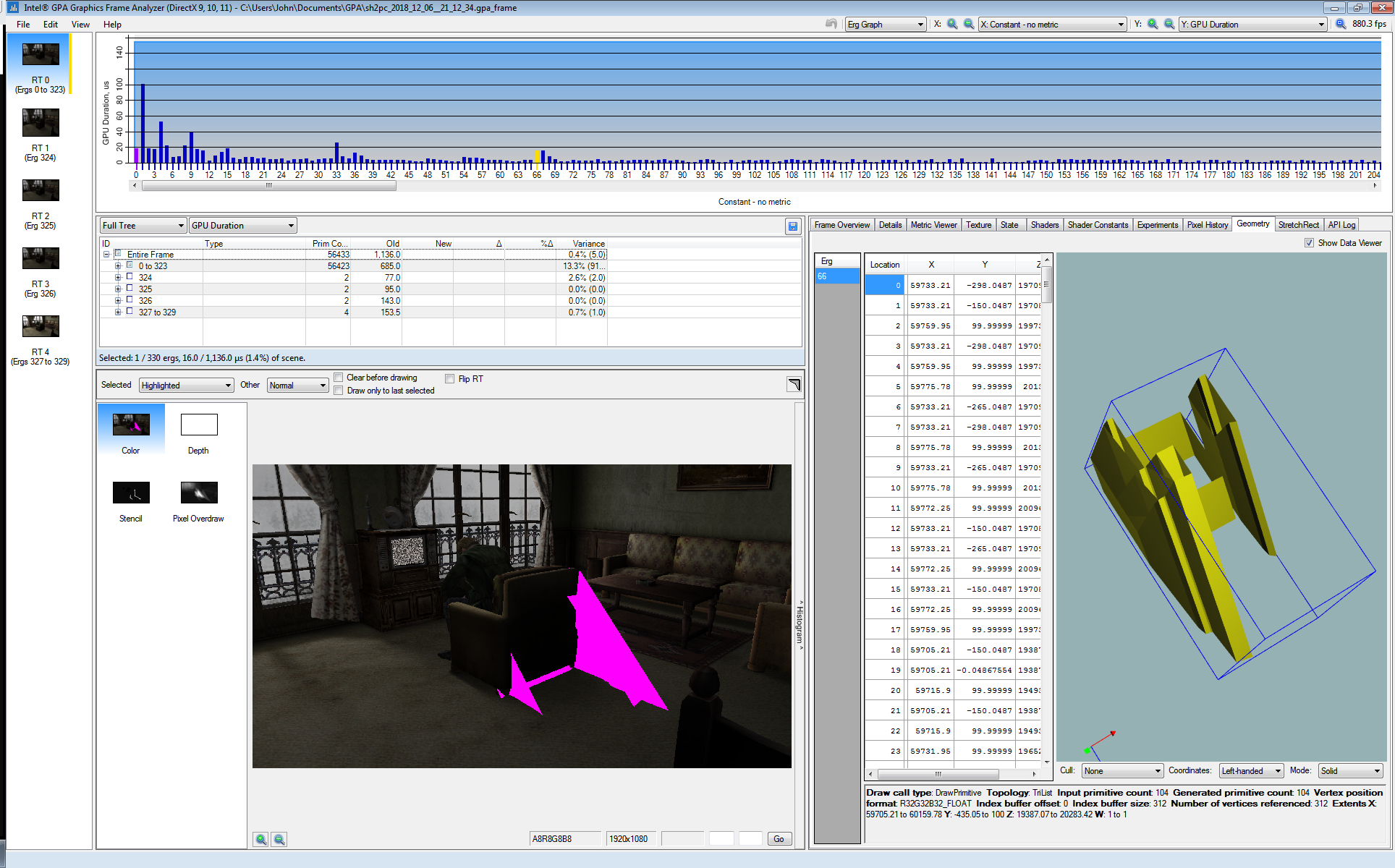
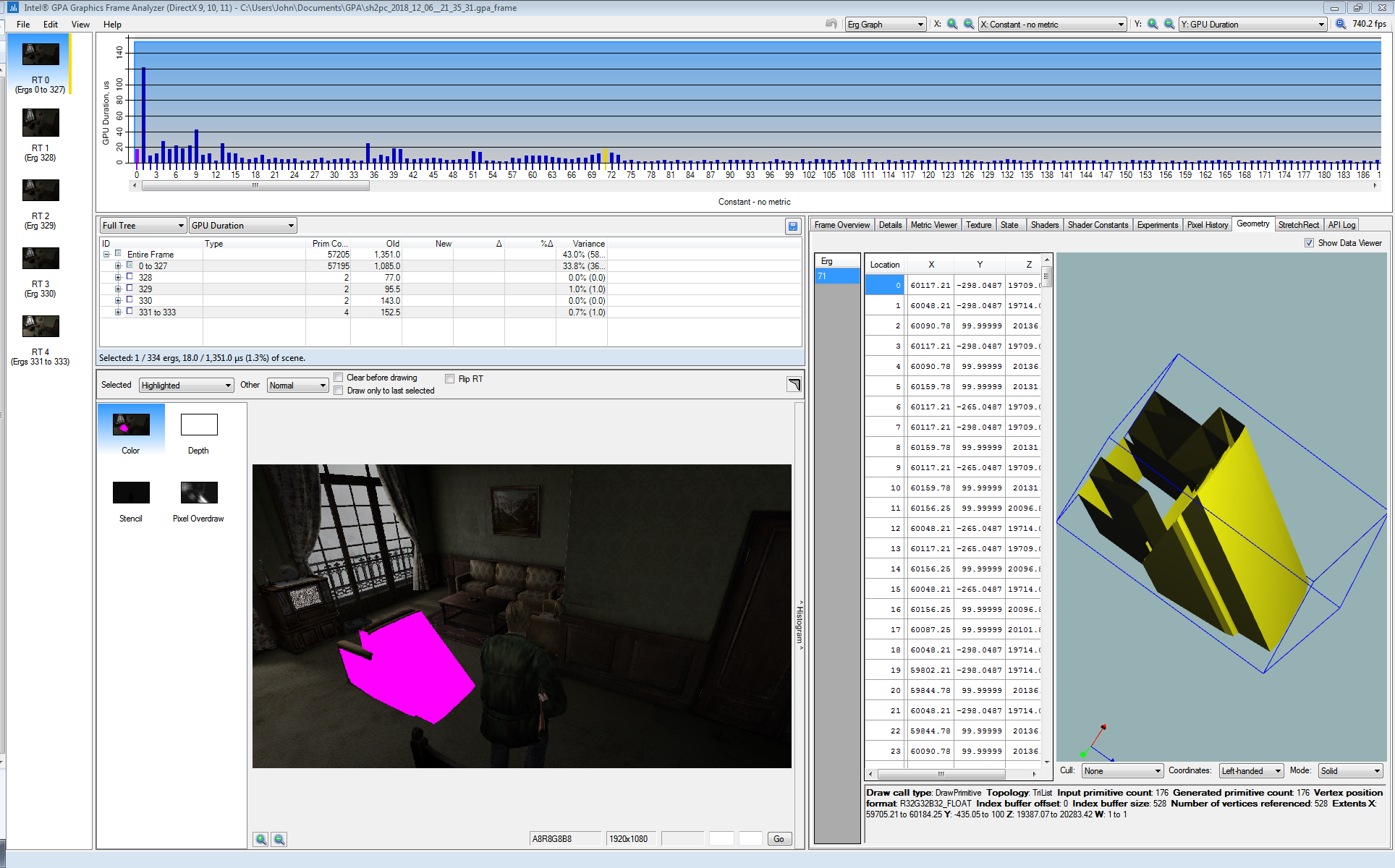
Whatever casts the chair's shadow (invisible geometry, I presume) appears to be "broken," or incomplete, during the cutscene, which is why the chair's shadow isn't casting properly. After the cutscene ends the shadow is properly restored:
During cutscene:
After cutscene:
Polymega
on 30 Apr 2019
For now I think that the issues with the shadow of that chair during cutscene and during regular gameplay have different roots.
During regular gameplay it seems that the shadow gets cancelled out once some part of James (model, cylinder hitbox or shadow) gets overlapped with the camera field of view. In your first video you use debug camera to close in on the chair and when James is too close — some of his elements overlap the camera's view and cancel out the shadow. This happens on PS2 version too: https://youtu.be/7QPb8hKYpaQ
In this video, I look at the game world from within James' legs (the camera is clipped into his model). Chair's shadow gets canceled out again and James's own solid shadow disappears leaving fractured shadow patches that don't get affected.
As for why it happens during the cutscene and this is a wild guess, but maybe a cutscene camera system and an regular gameplay camera system are separate code wise and the gameplay camera is still active and locked in front of James (but not used) for the duration of cutscene making similar cancellation effect shown above?
The cutscene / debug cameras and regular gameplay camera use different coordinates and I tried "moving" regular gameplay camera during the cutscene but unfortunately it had no effect on the shadow.
 Bigmanjapan
on 4 May 2019
Bigmanjapan
on 4 May 2019
As for why it happens during the cutscene and this is a wild guess...
That's not a bad guess! I won't be able to test any time soon but I wonder if you make James invisible before the cutscenes begins. Would that make a difference?
Also, some of the shadows glitch out and disappear as soon as Laura walks past James while he's sitting in the chair (after she enters the room). It also does this on the PS2 version if you look carefully enough.
I'm also curious if turning Laura invisible might change anything... But I doubt it will because the chair's shadow is glitched at the start of this cutscene, well before Laura enters the scene.
Polymega
on 4 May 2019
Also @Bigmanjapan, do you think there's any plausibility to this?
It also feels like the chair has it's own unique light source? Because if I change the lighting parameters using Belek666's addresses it only affects James' and Laura's shadow; the chair's shadow remains untouched.
Polymega
on 5 May 2019
Memory region starting from sh2pc.exe+3FE497 (007FE497) has addresses that affect light source that makes James' dynamic shadow. Most notable addresses are:
sh2pc.exe+3FE497 (007FE497) byte — source toggle
sh2pc.exe+3FE49D (007FE49D) byte — seems to be a source preset
Unfortunately disabling this light source doesn't make any difference on the chair's shadow during the cutscene.
I'm not sure if there is a separate light source for the chair. Chair's shadow geometry is controlled via rr91.kg2 file. Starting from 0x1D0 offset there is a section that controls the geometry individual elements' position. There are many float values, most of them are zeros. Three 0x0000803F values (1 in decimal as float) control depth, width and height.
Their offsets in rr91.kg2:
0x30
0x44
0x58
Corrupting the entire memory region:
There maybe a way to manually warp the geometry to make it look passable but since the PC and PS2 rr91.kg2 files are identical the issue lies somethere else. Something gets in the way of the shadows and it probably isn't James' own shadow.
Bigmanjapan
on 5 May 2019
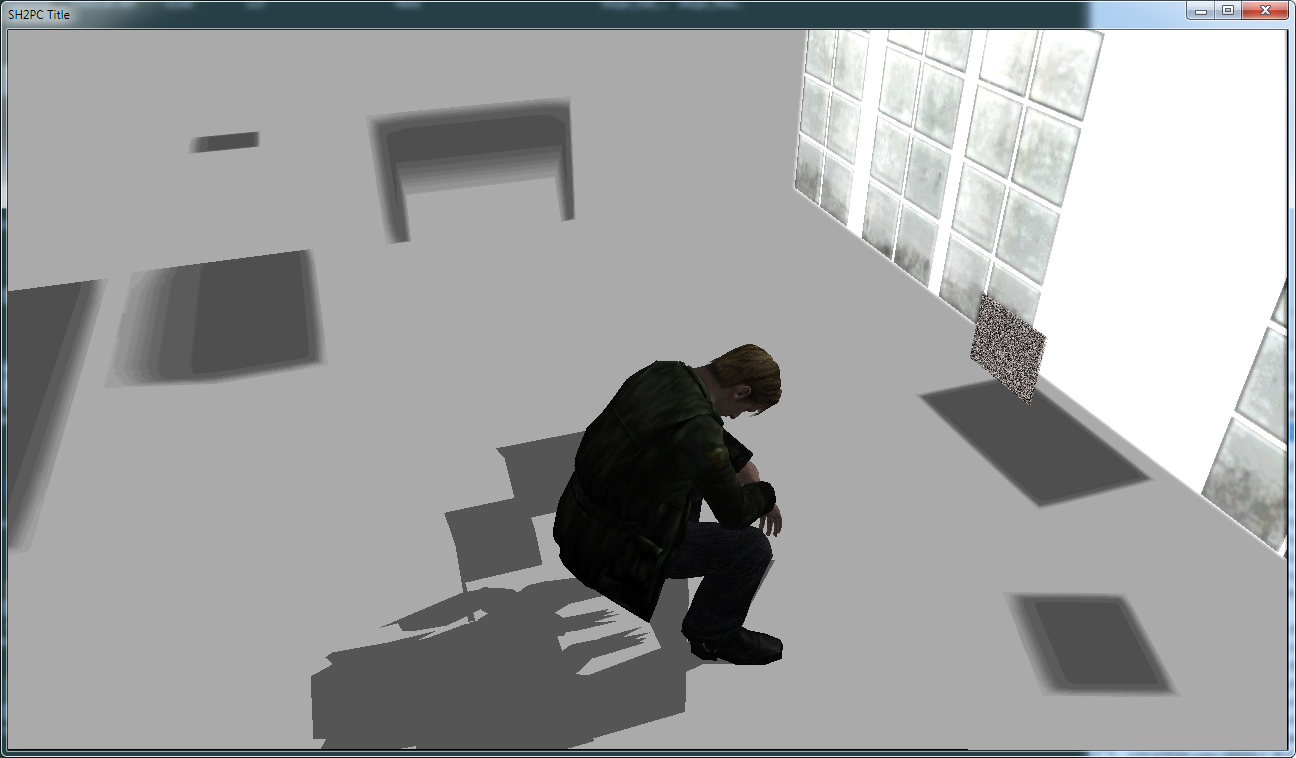
sh2pc.exe+4F0378 (008F0378) 4 byte — set to 5 to disable location textures, shadows will still be present on screen, so it's easier to see what's going on.
Bigmanjapan
on 5 May 2019
Chair's shadow geometry is controlled via rr91.kg2 file.
Wow! Nice research! The .kg2 file was one of the first places I tested (just by replacing it with the PS2 version) but as you've noted it made no changes. I wonder what all the .kg2 file does? We know .map is level, .cld is collision, and .cam is camera.
Three 0x0000803F values (1 in decimal as float) control depth, width and height.
Do any functions call/use the addresses for these control points? Something that may give us more leads as to what's going on here? (I'm assuming not.)
set to disable location textures, shadows will still be present on screen, so it's easier to see what's going on.
Nice. This will prove useful elsewhere. Thanks for that.
Polymega
on 5 May 2019
.kg2 = "kage" (影) which translates as shadow.
Quaker762 describes .kg2 files as Level Shadow Maps.
Do any functions call/use the addresses for these control points?
Sure, there are functions that access the addresses.
Instead of looking into how shadows are rendered I might try corrupting the geometry that presumably cancels out the shadow. Will take several days.
Bigmanjapan
on 6 May 2019
.kg2 = "kage" (影) which translates as shadow.
You are full of surprises. :) I love learning new stuff like this. Very cool and thanks for sharing.
Instead of looking into how shadows are rendered I might try corrupting the geometry that presumably cancels out the shadow. Will take several days.
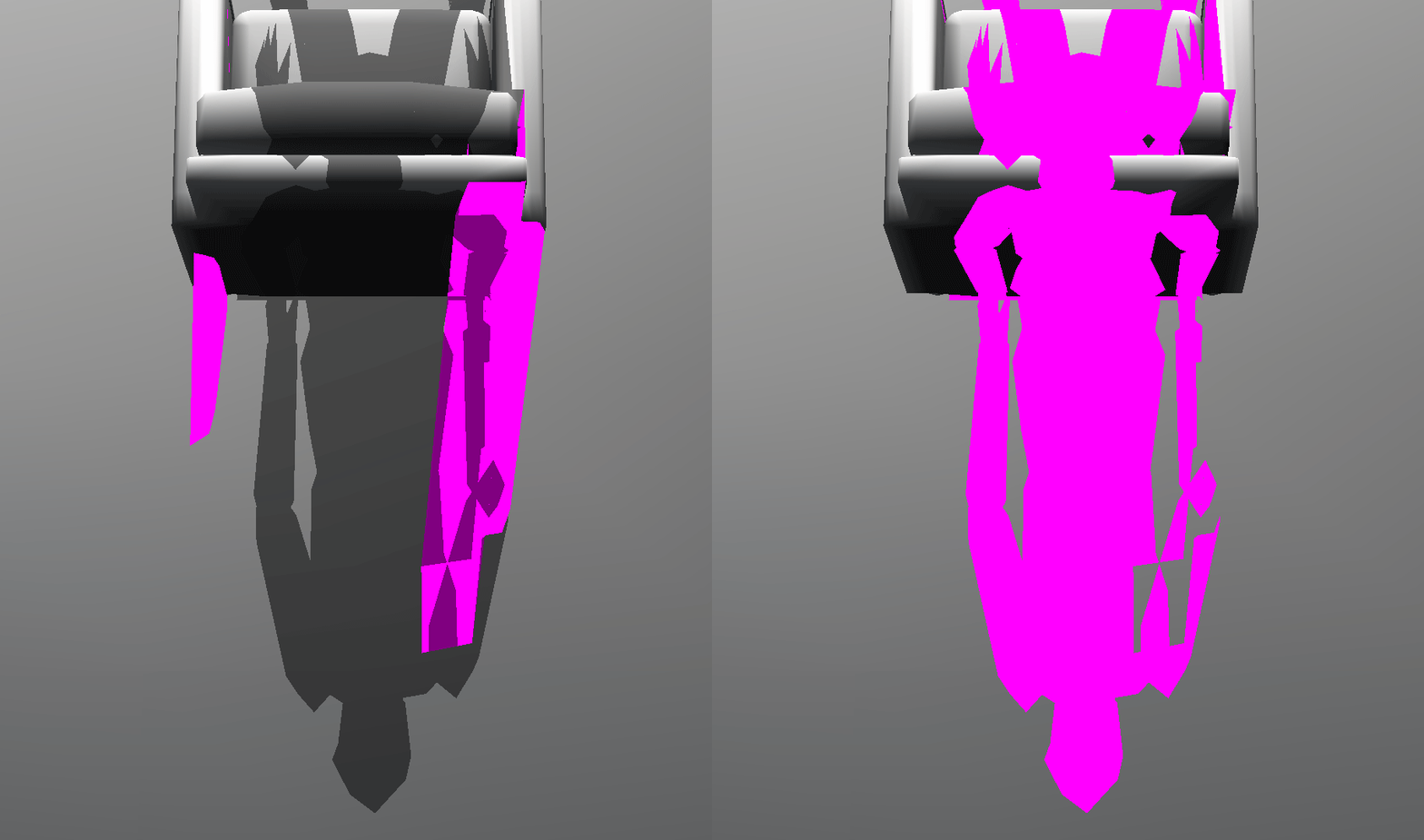
Thank you. I don't know if it helps/matters, but this also affects the Xbox version of the game. And here's another perspective of what's going on:
Polymega
on 6 May 2019
NOPing these two instructions seems to fix the issue:
005A7483 fstp dword ptr [eax+14]
005A74B3 fstp dword ptr [eax+14]
Bigmanjapan
on 7 May 2019
Seeing these long-term bugs receive their comeuppance is really a wonderful sight to behold. You've done some really great work here, Bigmanjapan. You're going to please many others fans who've noticed and dealt with this visual bug for many years. Much respect.
Pinging @AeroWidescreen on this.
Polymega
on 7 May 2019
Yeah, I'll take a look at the information Bigmanjapan provided later.
 AeroWidescreen
on 7 May 2019
AeroWidescreen
on 7 May 2019
So I'm guessing you guys only want those instructions nop'd when that cutscene is active? Because if so, here you go.
005A7483 :
005A7483 jmp 00000000
00000000 cmp [CutsceneID],00000052
00000001 je IsHotelCutscene
00000002 fstp dword ptr [eax+14]

IsHotelCutscene:
00000003 mov eax,[edi]
00000004 jmp 005A7488
005A74B3:
005A74B3 jmp 00000000
00000000 cmp [CutsceneID],00000052
00000001 je IsHotelCutscene
00000002 fstp dword ptr [eax+14]

IsHotelCutscene:
00000003 lea eax,[esp+00000090]
00000004 jmp 005A74BD
Thank you, Aero_!
So I'm guessing you guys only want those instructions nop'd when that cutscene is active?
That would probably be the safest approach to this fix, in case the instructions are called/used elsewhere.
@elishacloud
If it's more convenient for you, when you revamp the Room312ShadowFix fix through Aero_'s new method, this fix could also be added to Room312ShadowFix.
Both fixes address shadow issues in Room 312, so placing them together in the .ini would make sense.
Edit: Possible revised fix description:
Room312ShadowFix = 1 \\ Restores the chair's shadow and prevents shadow flickering on the windows for Room 312 in the Hotel.
Polymega
on 15 May 2019
Updated this in the latest build. Test module: d3d8.zip
 elishacloud
on 30 Jul 2019
elishacloud
on 30 Jul 2019
Works great on all binaries! It's a small but very visually pleasing fix for such an important cutscene. Thank you Bigmanjapan, Aero_, and Elisha!
Polymega
on 30 Jul 2019
Related issues
 kingrulerCA
·
18Comments
kingrulerCA
·
18Comments
 Storm3000
·
3Comments
Polymega
·
18Comments
Polymega
·
15Comments
Storm3000
·
3Comments
Polymega
·
18Comments
Polymega
·
15Comments
 Supernaturallll
·
13Comments
Supernaturallll
·
13Comments
Most helpful comment
NOPing these two instructions seems to fix the issue:
005A7483 fstp dword ptr [eax+14]005A74B3 fstp dword ptr [eax+14]https://youtu.be/xTYE_y3CU9M