Scratch-gui: Normal Stage Size/Small Stage Size Toggle

 SillyInventor
All 10 comments
Design for this is available in #1
 thisandagain
on 31 Jan 2017
thisandagain
on 31 Jan 2017
I implemented a zoomed stage feature into Scratch GUI 3.0.
Are you guys still interested in a feature like this?

Code diff:
https://github.com/LLK/scratch-gui/compare/develop...josiahneuberger:add-full-screen-render-view?expand=1
 josiahneuberger
on 20 Aug 2017
josiahneuberger
on 20 Aug 2017
Thanks @josiahneuberger. We are very interested in this.
/cc @rschamp @paulkaplan @cwillisf
thisandagain
on 20 Aug 2017
/cc @carljbowman
thisandagain
on 20 Aug 2017
@thisandagain cool! I'm glad it may be of help. I re-factored this a bit to move the zoom control to a separate component. Now the stage menu is separate and is zoomed along with the stage. Also, moved the zoom icon to the correct position using a re-created Scratch 2.0 icon set.
I fixed the two outstanding bugs that I was aware of with zooming. First, I now resize the renderer so the mouse positions are not off any more. Second, the sprites are now drag-able in zoom mode as you would expect:
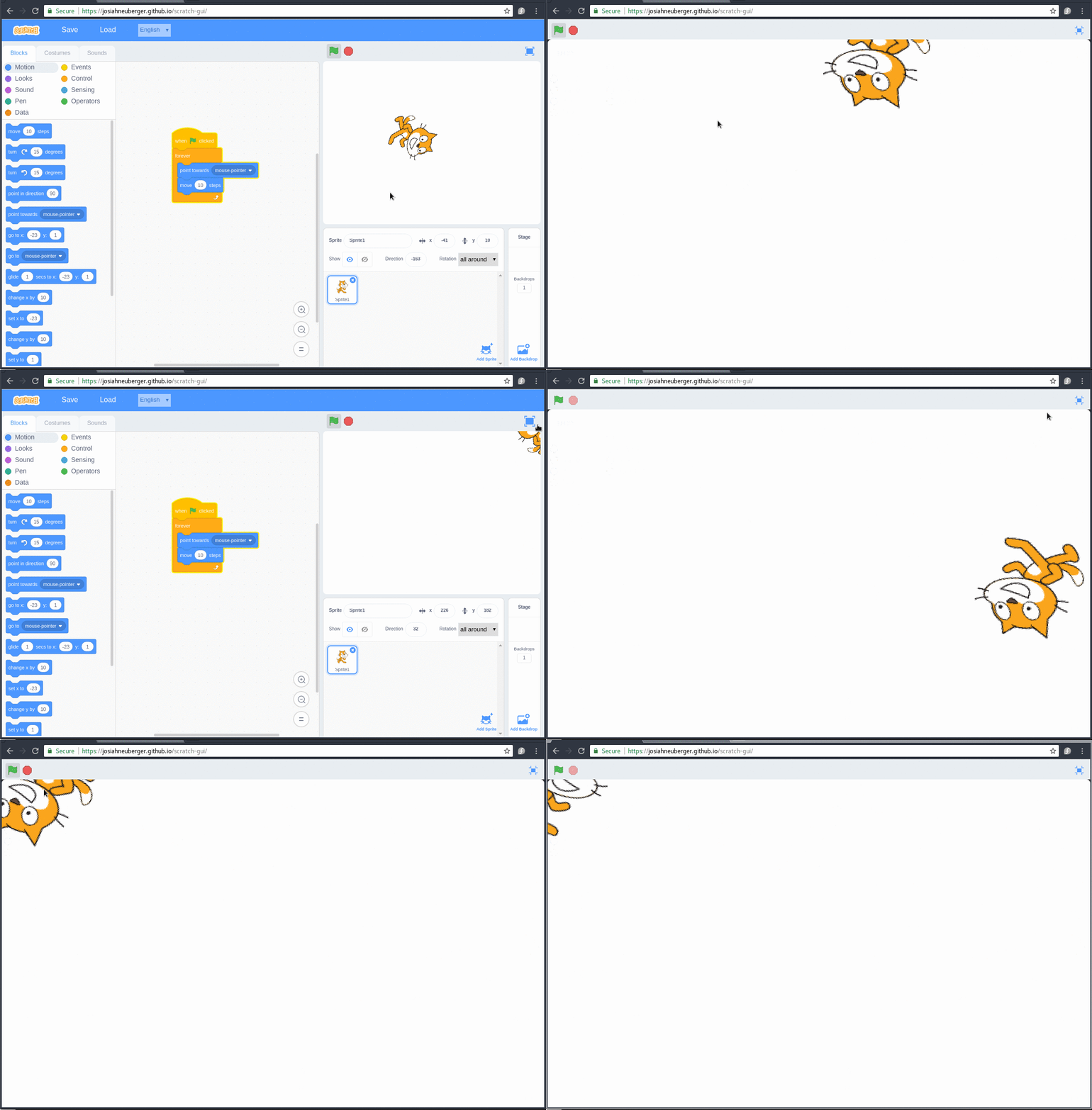
What are you guys looking for with testing before I submit a pull request? I already ran the test suite and fixed the errors.
josiahneuberger
on 27 Aug 2017
Thanks! @rschamp, @paulkaplan, and @cwillisf could one of you follow-up with @josiahneuberger on this?
thisandagain
on 27 Aug 2017
Note to self: needed for workshops / testing (CSF)
thisandagain
on 20 Dec 2017
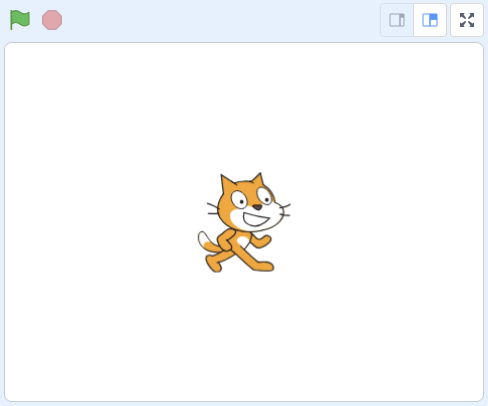
To clarify scope here. For release / this issue we would like to hook up the "small stage" / "large stage" toggle button on the top right corner of the stage.
thisandagain
on 26 Apr 2018
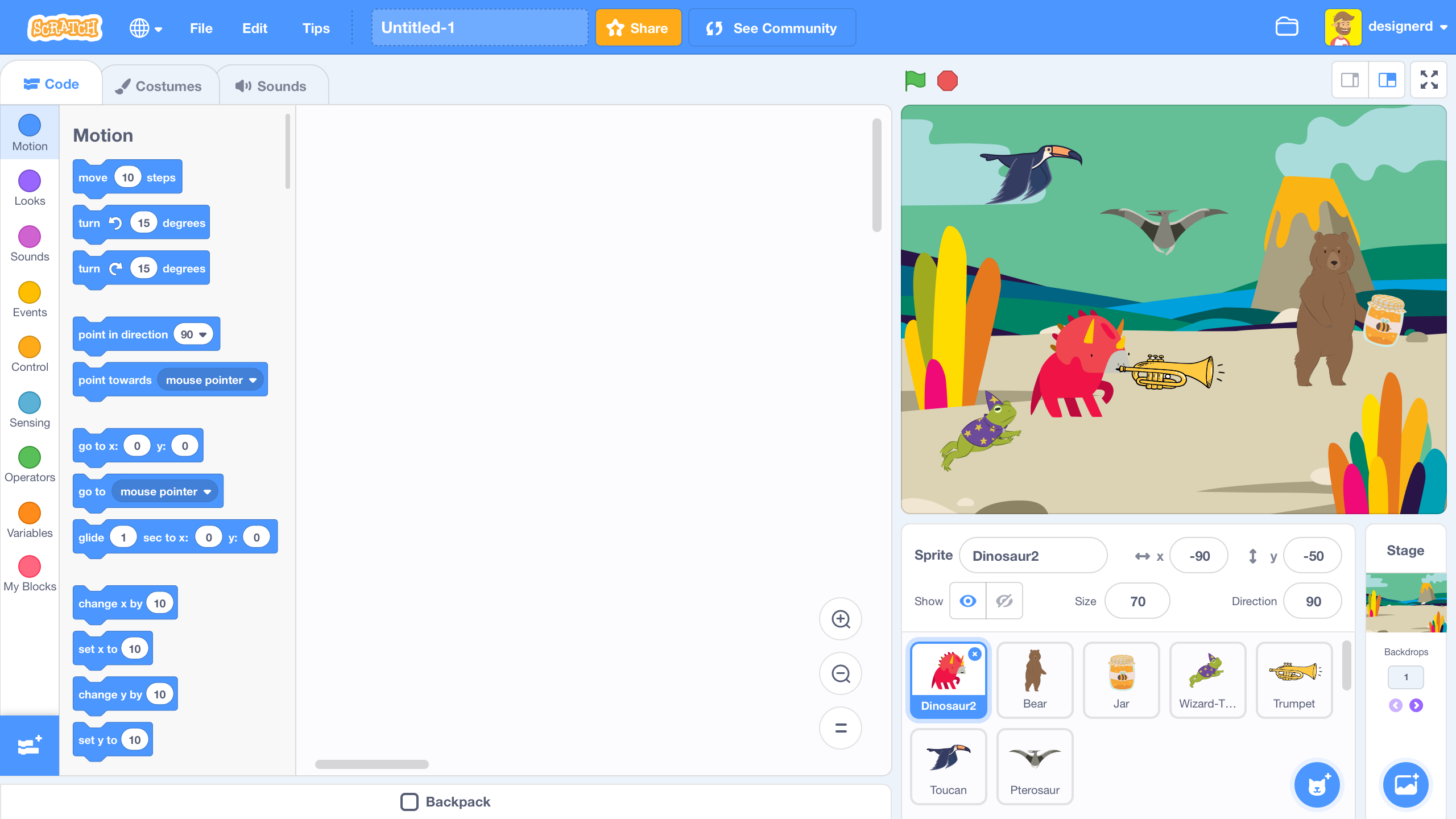
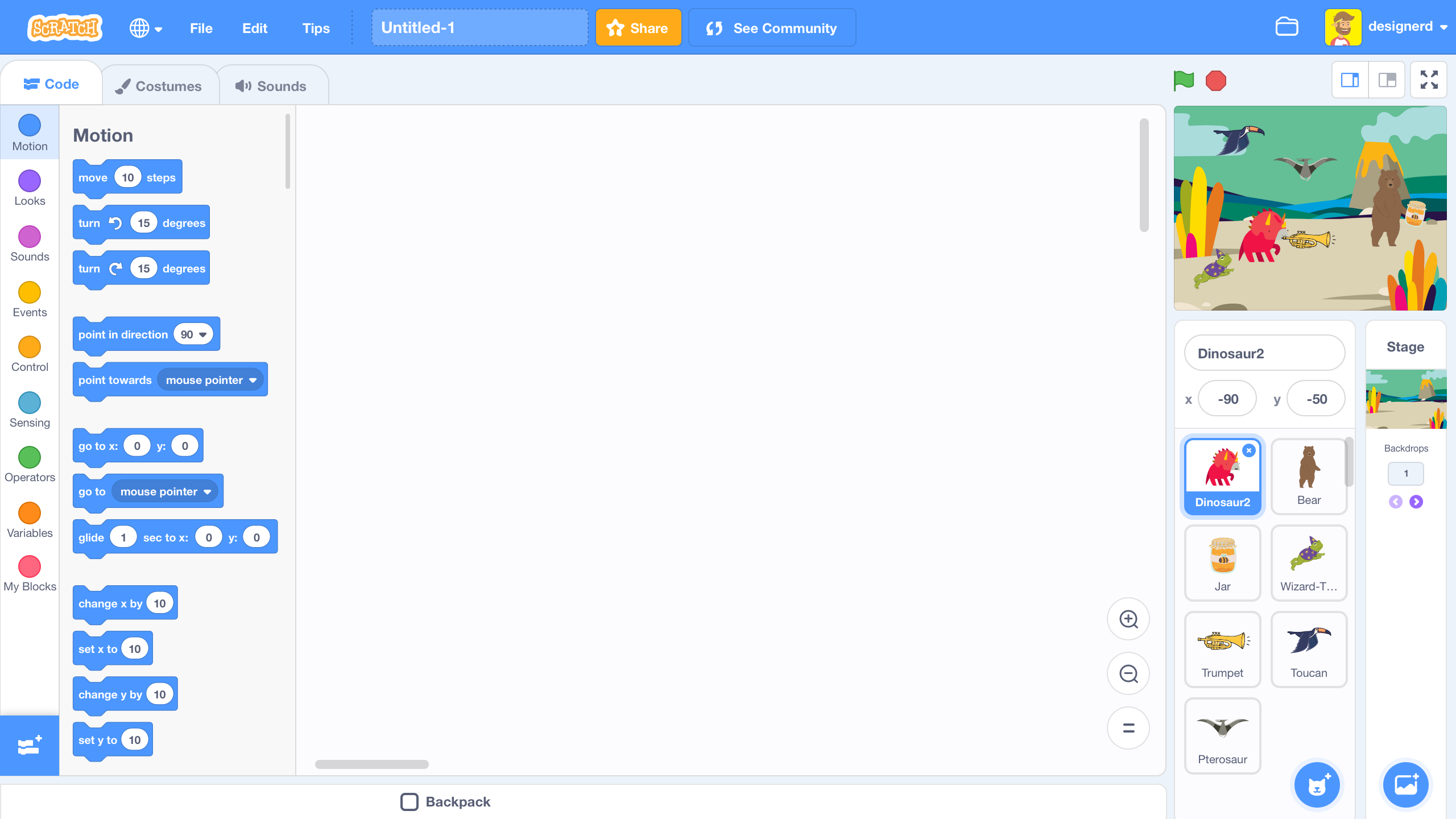
Here are some sketches
Large Stage
Small Stage
The only major UI consideration here is the Sprite Info area. We already have some responsive behavior for this section, so I imagine extend those to hide a majority of the information.
 carljbowman
on 16 May 2018
carljbowman
on 16 May 2018
Looks good. Thanks @carljbowman
thisandagain
on 16 May 2018
Related issues
 chrisgarrity
·
4Comments
chrisgarrity
·
4Comments
 cyx2015s
·
4Comments
cyx2015s
·
4Comments
 rschamp
·
4Comments
rschamp
·
4Comments
 ntlrsk
·
3Comments
rschamp
·
3Comments
ntlrsk
·
3Comments
rschamp
·
3Comments
Most helpful comment
@thisandagain cool! I'm glad it may be of help. I re-factored this a bit to move the zoom control to a separate component. Now the stage menu is separate and is zoomed along with the stage. Also, moved the zoom icon to the correct position using a re-created Scratch 2.0 icon set.
I fixed the two outstanding bugs that I was aware of with zooming. First, I now resize the renderer so the mouse positions are not off any more. Second, the sprites are now drag-able in zoom mode as you would expect:
What are you guys looking for with testing before I submit a pull request? I already ran the test suite and fixed the errors.