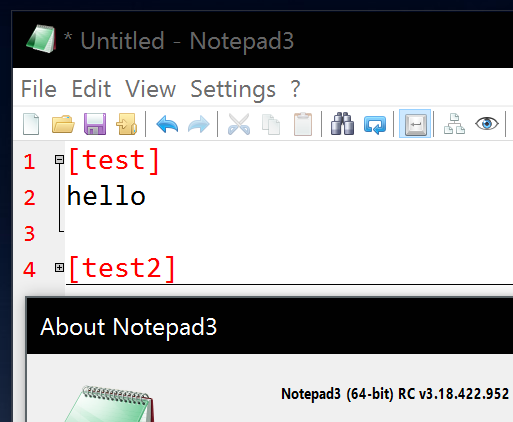
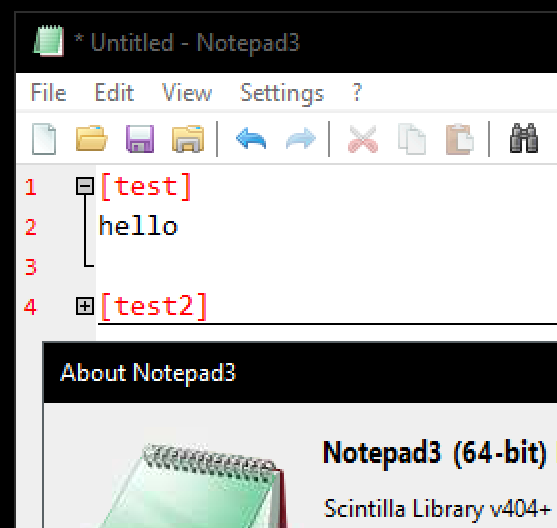
I noticed some High-DPI scaling issues. I'm using 200% dpi. Maybe those can be fixed:
- code folding point is too small
- version in about dialog is too small
- toolbar is too small
200% dpi:
100% dpi scaled 2x:
 icstyle
All 12 comments
Try to increase the size (...; size:+2):
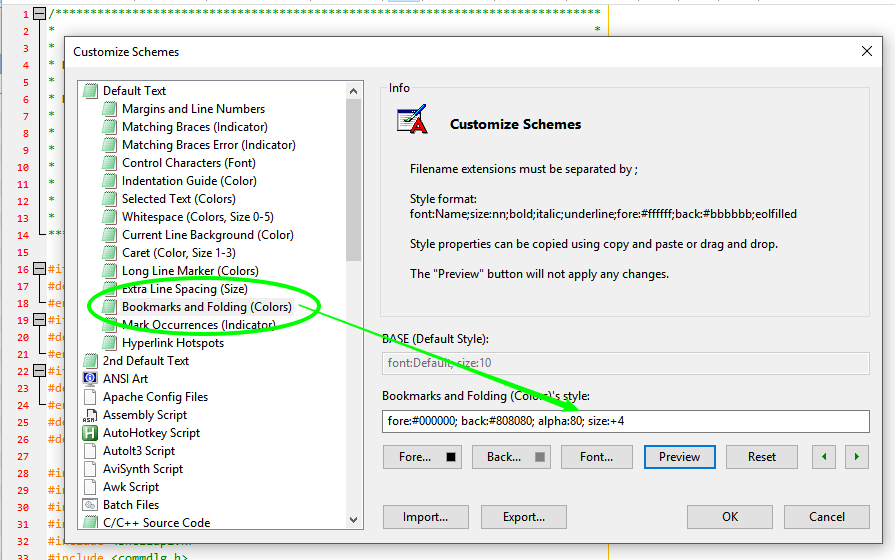
... must check, if this can be changed ...
Search within the .ini-File for section
[Window]:
[Window]
1920x1080 HighDpiToolBar=1
1920x1080 PosX=...
...
and try to force the HighDpiToolbar=1 for all dimensions equal or less than HD (1920x1080).
If this does not apply, I have to rework the HighDPI handling of Notepad3 ... 😲 .
 RaiKoHoff
on 28 Apr 2018
RaiKoHoff
on 28 Apr 2018
works, thx!
ok
I found this in .ini already preset:
[Window]
2560x1600 HighDpiToolBar=1
changing to =0 makes the toolbar even smaller, so I assume =1 works. But it's still too small. Does the toolbar scale according to different dpi, or do you only have 2 toolbar-bmps for highdpi enabled/disabled?
icstyle
on 28 Apr 2018
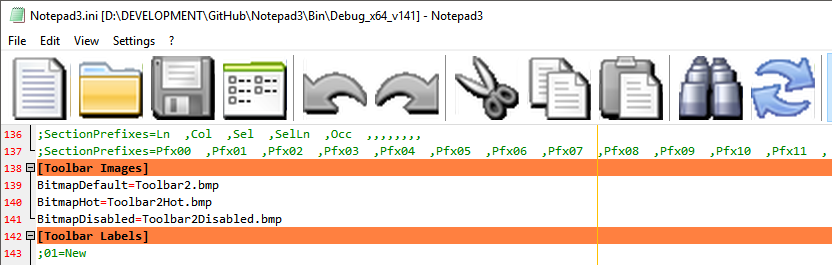
- Sorry, only 2 bitmaps are build in, but feel free to create your own bar bitmap of arbitrary size and change the toolbar in the .ini file:
[Toolbar Images]
BitmapDefault=Toolbar2.bmp
BitmapHot=Toolbar2Hot.bmp
BitmapDisabled=Toolbar2Disabled.bmp
RaiKoHoff
on 28 Apr 2018
Sorry, only 2 bitmaps are build in, but feel free to create your own bar bitmap of arbitrary size and change the toolbar in the .ini file:
[Toolbar Images]
BitmapDefault=Toolbar2.bmp
BitmapHot=Toolbar2Hot.bmp
BitmapDisabled=Toolbar2Disabled.bmp
Hello @RaiKoHoff,
I do not understand, are there things that I do not do correctly? 🤔
Idem with Xper*_v.996
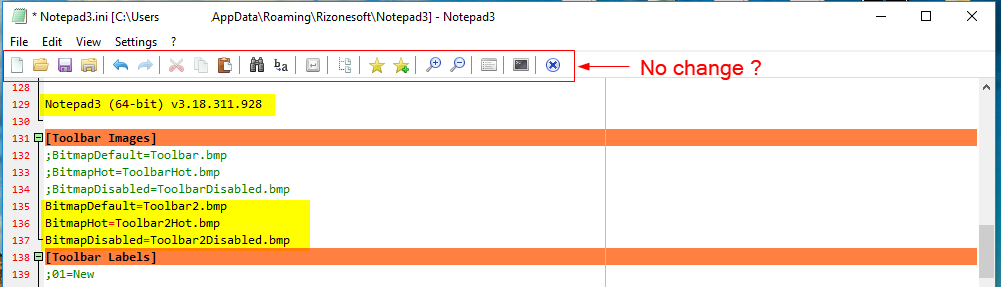
 hpwamr
on 28 Apr 2018
hpwamr
on 28 Apr 2018
@hpwamr: You have to provide those bitmaps yourself and put into same directory of notepad3.exe
icstyle
on 28 Apr 2018
Hello @RaiKoHoff, YES, I'd say you're right ! 😃
Hello @rizonesoft, : Suggestion: why not automatically provide with each new version the correct Toolbar2.bmp (64 KB) file in the right folder with the installer?
Other observations/questions:
- In GitHub "Code", in
Notepad3/tree/master/res: I see already 2 NEW ".bmp" (Toolbar.bmp and Toolbar2.bmp) - In the "Code", in
Notepad3/tree/master/themes/professional: I see 1 OLD ".bmp" (Toolbar.bmp) - What is the purpose of
Notepad3/tree/master/themes/professionalvsNotepad3/tree/master/res❓
hpwamr
on 28 Apr 2018
@icstyle : please check if bullet point 2.) is solved with development version "_develop_3.18.429.998".
(If not, i have to dig deeper into the HighDPI awarenes issue... 🤔 ).
RaiKoHoff
on 29 Apr 2018
Looks good:

Maybe the icon is a bit off, could be more centered, but that's just "nitpicking" :)
icstyle
on 29 Apr 2018
@icstyle : Good to see - at the moment, there is less time for the "nitpcking" stuff -> low prio 😬
RaiKoHoff
on 29 Apr 2018
@icstyle : did you ever try this : https://github.com/XhmikosR/notepad2-mod/issues/209#issuecomment-359189829 ?
RaiKoHoff
on 30 Apr 2018
@RaiKoHoff : I don't have this options, because I'm on Windows 10 Enterprise 2016 LTSB (I can't stand those half year upgrades which messes with my fine tweaked system). This is based on 1607, which has only 1 disable DPI option, and makes everything blurry. Regardless I always prefer the native way, except when not possible otherwise (like with old non-updated software).
With your fixes/workaround provided Notepad3 is IMHO almost perfect regarding this topic :-)
icstyle
on 30 Apr 2018
Hello @icstyle,
JFYI: Normally, the next release will be have a easy way to to toggle between "Normal/Large Toolbar Icons", see more at: https://github.com/rizonesoft/Notepad3/issues/464#issuecomment-385818884 😃
hpwamr
on 2 May 2018
Related issues
 wmsrww
·
3Comments
wmsrww
·
3Comments
 RaffaeleBianc0
·
3Comments
RaffaeleBianc0
·
3Comments
 valhristov
·
3Comments
valhristov
·
3Comments
 bravo-hero
·
3Comments
bravo-hero
·
3Comments
 zb-z
·
3Comments
zb-z
·
3Comments
Most helpful comment
@icstyle : Good to see - at the moment, there is less time for the "nitpcking" stuff -> low prio 😬