Notepad3 is fantastic, and works great for me ! But I have some advice s


 wmsrww
All 3 comments
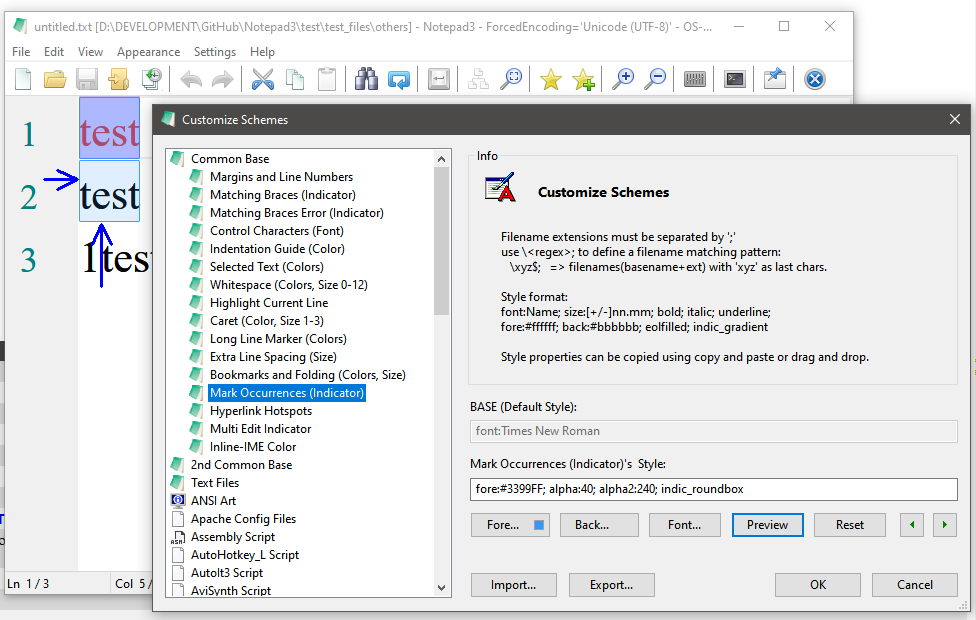
_Alpha Values for Indicators (Occurrence Markers):_
There are different transparency settings for the current Selection (1 alpha ) and the Occurrence Markers (2 alpha values).
In case of Occurrence Markers they set the transparency of the indicator box (alpha: SCI_INDICSETALPHA) and it's frame (alpha2: SCI_INDICSETOUTLINEALPHA) for the indicators that support that (INDIC_ROUNDBOX, INDIC_STRAIGHTBOX and INDIC_DOTBOX).
See Scintilla documentation for details...
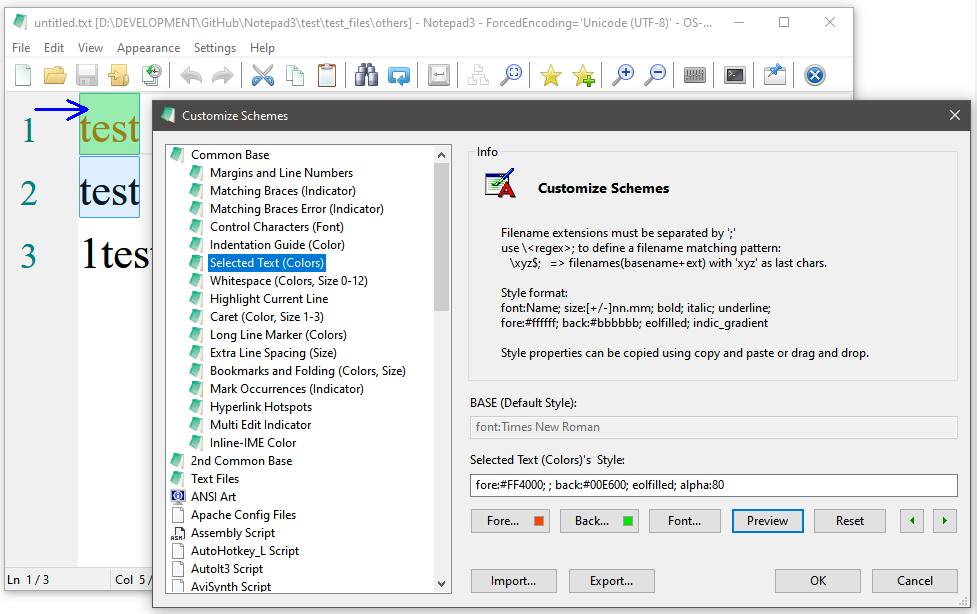
For the current Selection, use this settings:
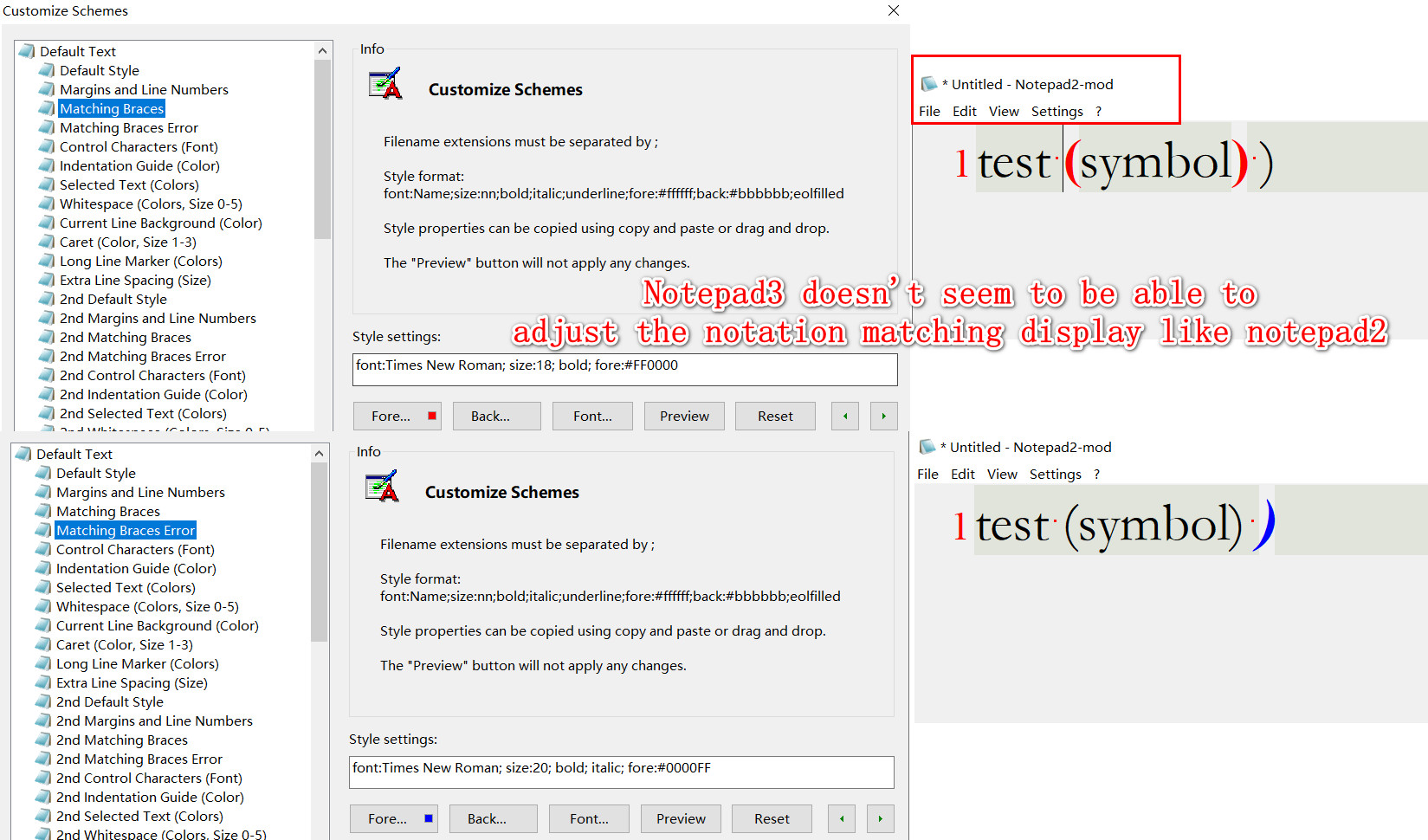
_Matching Braces Indicator:_
Notepad3 uses the recommended method for matching braces indication (based on Scintilla's Indicator Boxes).
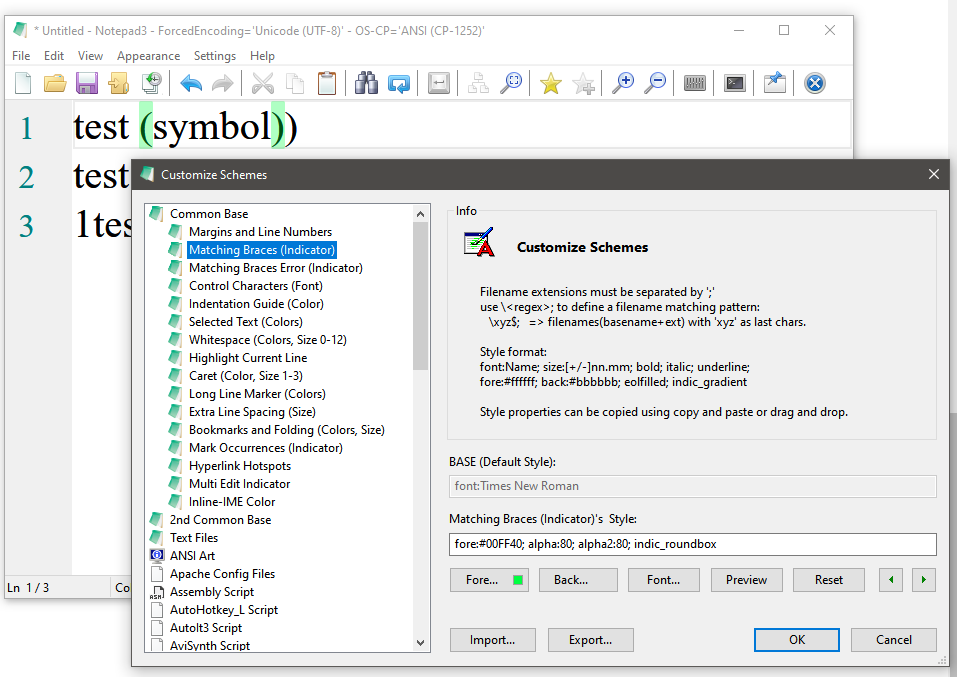

You can get back the old behavior, if you manually force this in the settings file:
[Settings2] UseOldStyleBraceMatching=true
(But this is not recommended (e.g. distortion for rectangular selections, ...)
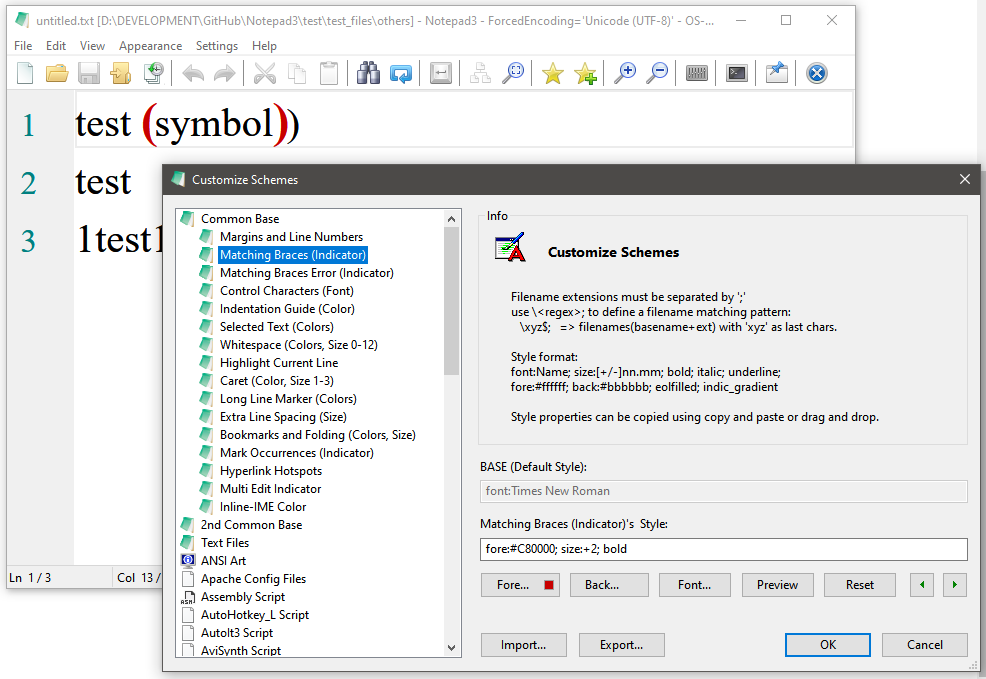
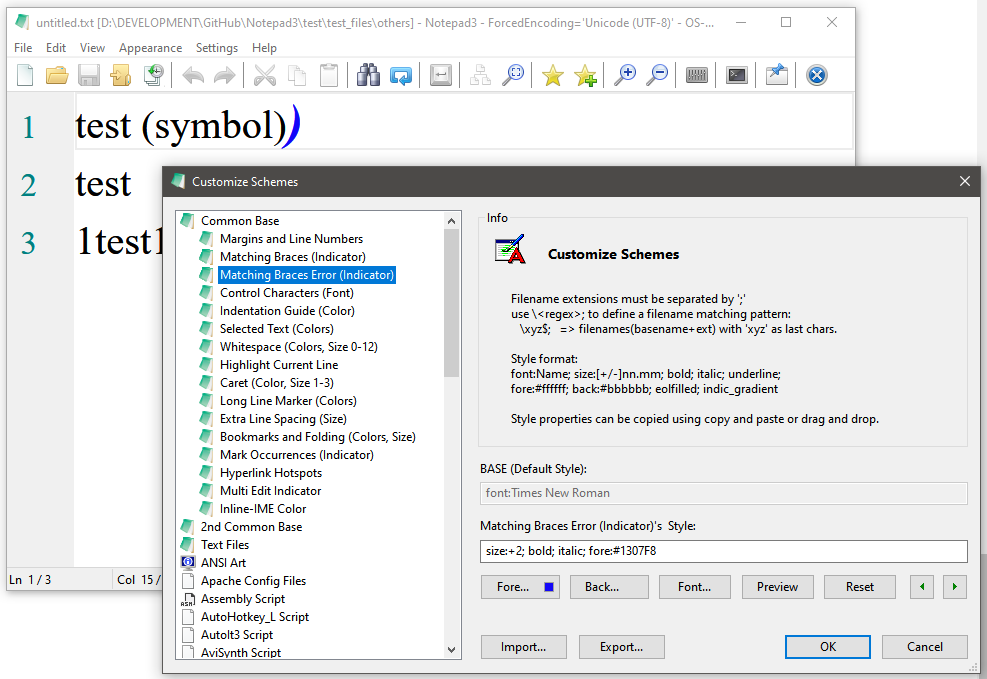
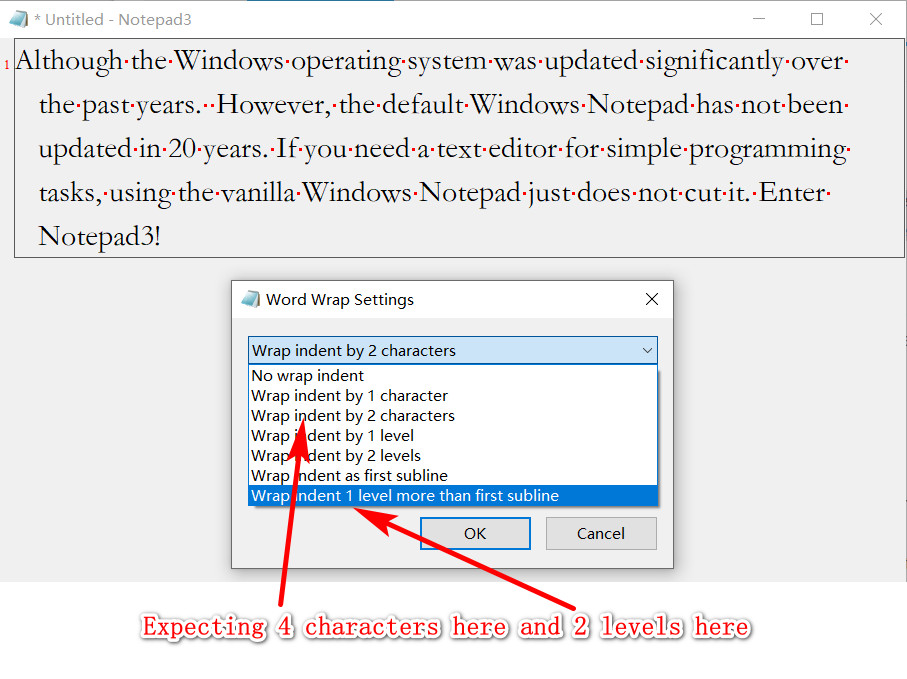
_Indentation and Word Wrapping:_
Be careful, that are different things:
- Indentation: a manual indentation, mostly used in programming languages for a "sub-section"
- Word Wrap: an automatic wrapping for long sentences, wich will exceed the display border otherwise.
 RaiKoHoff
on 13 Mar 2020
RaiKoHoff
on 13 Mar 2020
Thank you for your help very much, and I'll try again as you say!Thanks again
wmsrww
on 13 Mar 2020
Hello @wmsrww ,
As far as I'm concerned, I think you (requester) can close this issue...
 hpwamr
on 28 Jul 2020
hpwamr
on 28 Jul 2020
Related issues
 valhristov
·
3Comments
valhristov
·
3Comments
 blackcrack
·
3Comments
blackcrack
·
3Comments
 dlong500
·
3Comments
dlong500
·
3Comments
 craigo-
·
4Comments
hpwamr
·
3Comments
craigo-
·
4Comments
hpwamr
·
3Comments
Most helpful comment
_Alpha Values for Indicators (Occurrence Markers):_
There are different transparency settings for the current
Selection(1 alpha ) and theOccurrence Markers(2 alpha values).In case of
Occurrence Markersthey set the transparency of the indicator box (alpha:SCI_INDICSETALPHA) and it's frame (alpha2:SCI_INDICSETOUTLINEALPHA) for the indicators that support that (INDIC_ROUNDBOX, INDIC_STRAIGHTBOX and INDIC_DOTBOX).See Scintilla documentation for details...
For the current Selection, use this settings:
_Matching Braces Indicator:_
Notepad3 uses the recommended method for matching braces indication (based on Scintilla's Indicator Boxes).


You can get back the old behavior, if you manually force this in the settings file:


[Settings2] UseOldStyleBraceMatching=true(But this is not recommended (e.g. distortion for rectangular selections, ...)
_Indentation and Word Wrapping:_
Be careful, that are different things: