Facebook-for-woocommerce: Desperately needing help with an issue setting up
Hi Guys,
I'm really really struggling here.
I originally had a very old version of the plugin installed, but over the last few months, the number of products on the store has grown significantly and it was taking too long to sync so I had to do something.
Because of the new sync method introduced around build 1.8, I thought I'd reset it, so I deleted the catalog from my facebook shop, which removed the products.
I then uninstalled the plugin, and stated again with the very latest version (now 1.8.3) - thinking this would re-sync everything much faster using the new method.
Unfortunately, its not working at all.
My facebook page is https://www.facebook.com/MGAutoMotorsport/
The web url is: https://www.mgautos.uk.com
The Pixel ID (created when I used the very old version of the plugin) is 1044596729011323
I start the setup using the plugin and link it to the page, use the existing pixel that was created by the last one and sync the products.
I then see this screen:
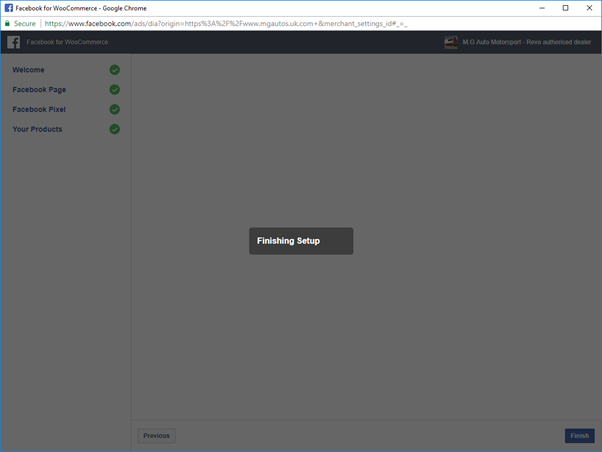
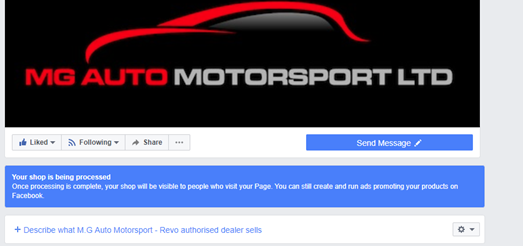
Whilst this screen is 'Finishing Setup', if I try and load the Facebook shop, it is processing as seen here:
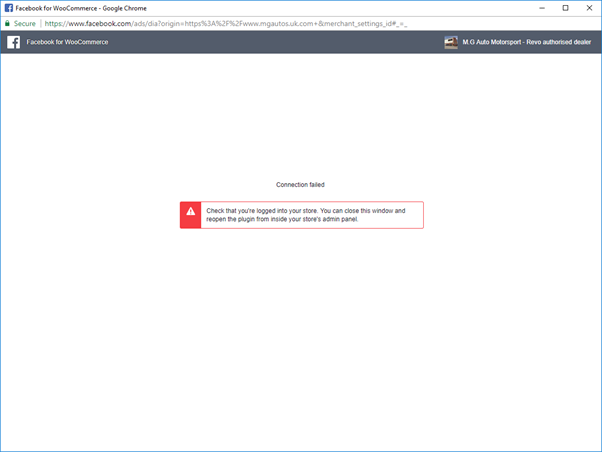
After a short while though, the setup fails with the following error:
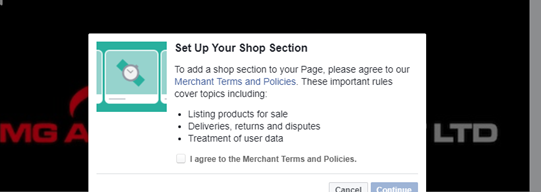
If I check the facebook shop, it has reset and asks me to create one manually.
Then when I move to another page in the admin area, this is at the top of the page:
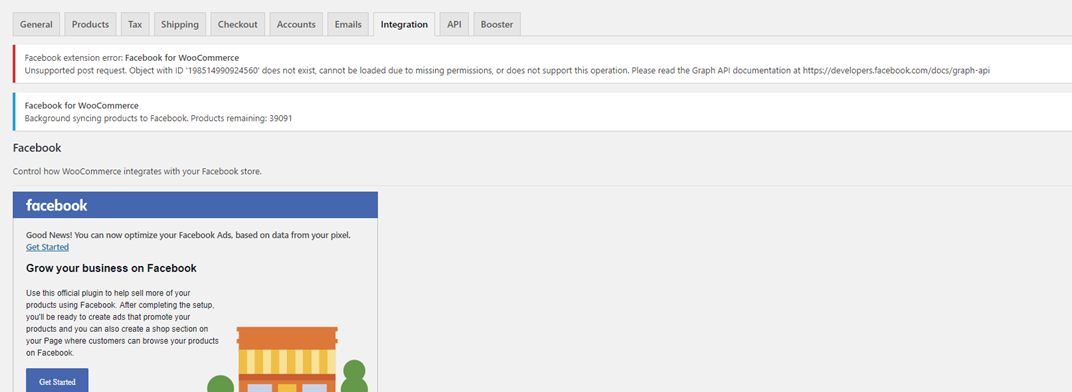
As you can see from this, it isn't set properly as it says 'Get Started' even though it is syncing..
I have checked the server error logs
Can anyone please please help me?
Do I need to create the pixel created when I was using the old plugin as well do you think?
Can you see anything from your logs as to what is going wrong.
Thanks,
Craig
 CS10-85
All 11 comments
Hi @CS10-85,
How did you uninstall the plugin? Can you please try reset the plugin using Reconfigure > Advanced Options > Delete and then try the setup again?
 jieminz22
on 5 Apr 2018
jieminz22
on 5 Apr 2018
Hi @jieminz22
The plugin was disabled and then deleted.
I can't reset it because if I choose reconfigure, everything looks as though I'm setting it up for the first time so I can't delete, as seen here:
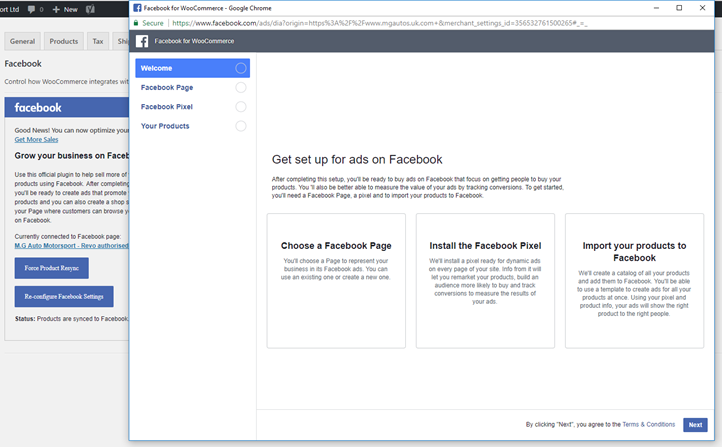
Also, if I go through the setup and choose a different page (not MG Autos), when I press next, it still returns MG Autos!
Its really in a strange state!
Anything else I can try?
Thank you for the reply, much appreciated.
Craig
CS10-85
on 5 Apr 2018
Hi @CS10-85,
Can you go through the setup again, and make sure you don't close the parent window or log out during the process. If you still see the weird page difference error, could you please send us the screenshots?
jieminz22
on 6 Apr 2018
Oooo, I've jsut done it again and its finished successfully now.
The shop is processing.
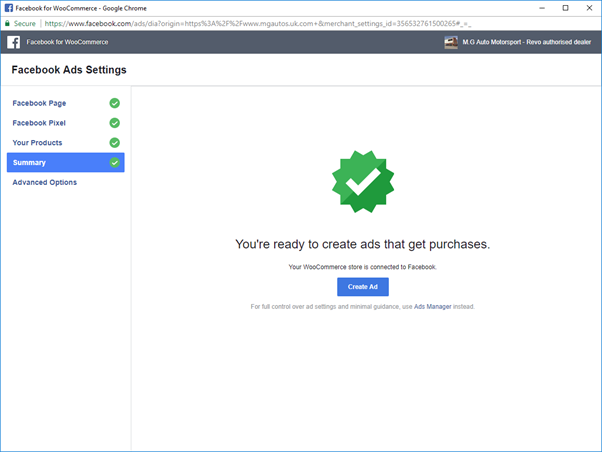
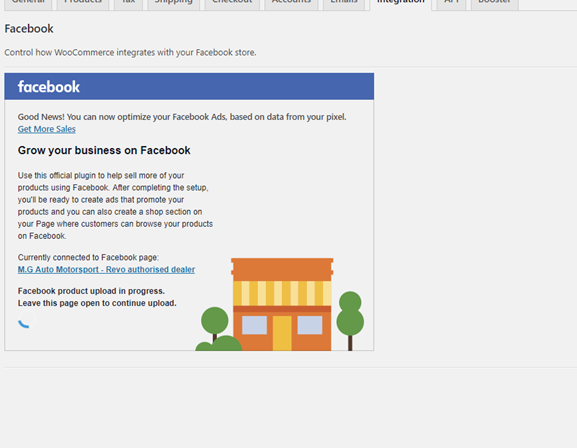
Had you changed something and just needed me to retry, or is this complete fluke?
I guess now I need to wait for the products to upload and the shop to be processed?
Thanks!
Craig
CS10-85
on 6 Apr 2018
Hey Craig,
We didn't change anything except fixing a bug inside shops themselves.
The error screen you listed in the first post happens when you've navigated away or refreshed the parent window while setting up and can also be caused by ad-blockers and some other edgecases. Glad you got it working!
 dmitridr
on 6 Apr 2018
dmitridr
on 6 Apr 2018
Cheers @dmitridr and @jieminz22
49k products have uploaded now.
The only strange thing now is that in 'Products' within Wordpress, some are saying Not Synced, when they are now in the facebook shop..
Why would that be?
In fact, I would say the majority are saying Not Synced, but they appear on Facebook now.
CS10-85
on 6 Apr 2018
That's probably a bug because of the way we upload the products. The next time you update the product the status should change to synced. cc @mengyingdu
dmitridr
on 6 Apr 2018
Hi @dmitridr
Thanks for the reply.
My only issue now is that I use WP All Import to update/create my products. I very rarely do it manually as there are so many.
Once I've done an import, am I correct in thinking I need to 'Force Resync'. This is ok to keep doing isn't it? It won't cause any issues?
CS10-85
on 6 Apr 2018
We have some reports that Force Resync may be uploading hidden or draft products, it appears to be affecting only some users. If that does not affect you, then yes using Force Resync after using WP All Import should correctly sync any changes.
dmitridr
on 7 Apr 2018
Great news!
Do you know if its in the plans to support WP All Import?
CS10-85
on 7 Apr 2018
Not right now. But we're aiming to tackle a lot of bugs and compatibility issues at the end of the month, that's one we'll try and fix, but no guarantees. I guess an easy fix would be to auto-schedule a force resync after all import has been run, or surface a notification that Force Resync is needed, we may go with that approach. Glad I could help!
dmitridr
on 7 Apr 2018
Related issues
 Aprilhead
·
47Comments
Aprilhead
·
47Comments
 jerome2612
·
30Comments
jerome2612
·
30Comments
 Copterview
·
44Comments
Copterview
·
44Comments
 sm7uge
·
37Comments
sm7uge
·
37Comments
 DeeJ
·
32Comments
DeeJ
·
32Comments