Enterprise: Modal: Focus issues with fields that have focusable = false or tabindex = -1
Describe the bug
A modal dialog with auto focus is not ignoring input fields that have focusable = false or tabindex = -1. Also these input elements are still part of the tabbing sequence.
Steps to reproduce the behavior:
- Using the attached 'example-focusable-elements.html'
- Click on 'Show Modal'
- Notice the input element that has initial focus
- Hit the tab key to tab through the elements on the dialog
Expected behavior
Initial auto focus should be be focused on the Problem field because the first field has tab index set to -1 and the second field has focusable set to false.
When tabbing thru the dialog elements, tabbing doesn't skip fields that have tab index set to -1 or focusable set to false.
Version
- ids-enterprise: v4.37.0-dev
 claudenbach
All 9 comments
claudenbach
on 14 Jan 2021
Looks like the issue is with the selector being built in DOM.focusableElems() of utils.js.
claudenbach
on 14 Jan 2021
Yeah probably need to add focusable="true" and tabindex=-1 to that logic
 tmcconechy
on 14 Jan 2021
tmcconechy
on 14 Jan 2021
Think the querySelectorAll needs to do something like the following for each element type...
querySelectorAll('input:not([focusable="false"]):not([tabindex="-1"):not([readonly]),select:not([focusable="false"]):not([tabindex="-1"):not([readonly])')
claudenbach
on 14 Jan 2021
@claudenbach I've got a fix coming for this that seems to be working, but I wanted to point out:
<label for="testfocusable">Test Focusable False</label>
<input type="text" id="testfocusable" name="subject" focusable="false"/>
The focusable="false" is not a valid property for HTMLElements. We support this property for certain SVG elements that act as trigger elements (such as in charts/trigger buttons on input fields), but this wouldn't be appropriate for element types like input, button, etc. I'll pull that out of the test page when I commit.
 EdwardCoyle
on 22 Jan 2021
EdwardCoyle
on 22 Jan 2021
QA Passed. Thanks!
 janahintal
on 26 Jan 2021
janahintal
on 26 Jan 2021
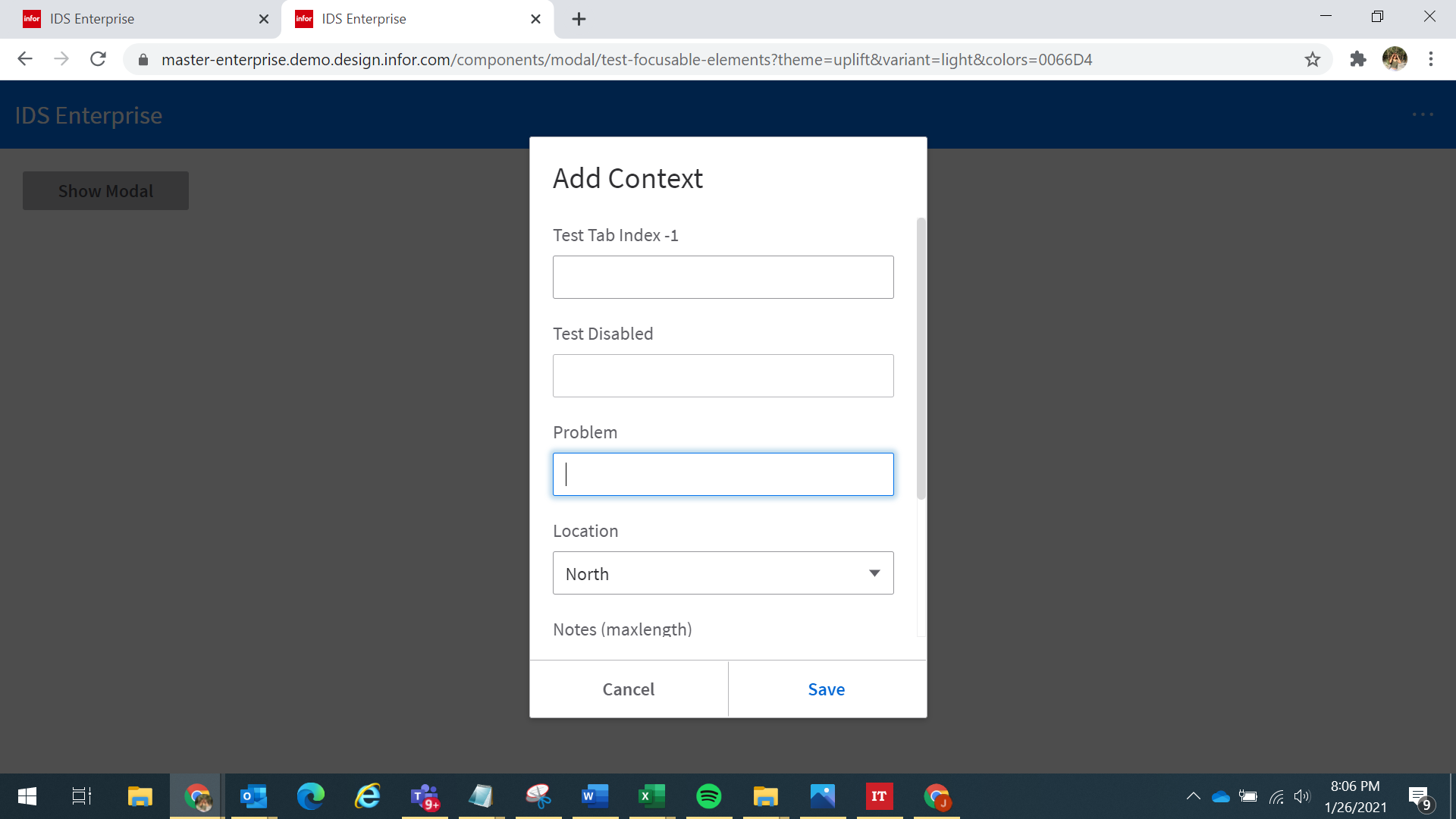
Failed QA:
Reopening as multiselect and dropdown are not skipped. If you add a tabindex = -1 to the select it is propgrated to the div.dropdown but the code in setFocusableElems is not skipping dropdowns. Also test multiselect
@claudenbach will add additional comments
tmcconechy
on 2 Feb 2021
Still having an issue with a select element having a tabindex = "-1".
Believe the fix maybe to change the method setFocusableElems() with the extraSelectors. Need something like...
setFocusableElems: function setFocusableElems() {
  var extraSelectors = ['div.dropdown:not(.is-disabled):not([tabindex="-1"])', 'div.multiselect:not(.is-disabled):not([tabindex="-1"])'];
  var ignoredSelectors = ['select', 'option'];
  var elems = DOM.focusableElems(this.element[0], extraSelectors, ignoredSelectors);
Working as expected.
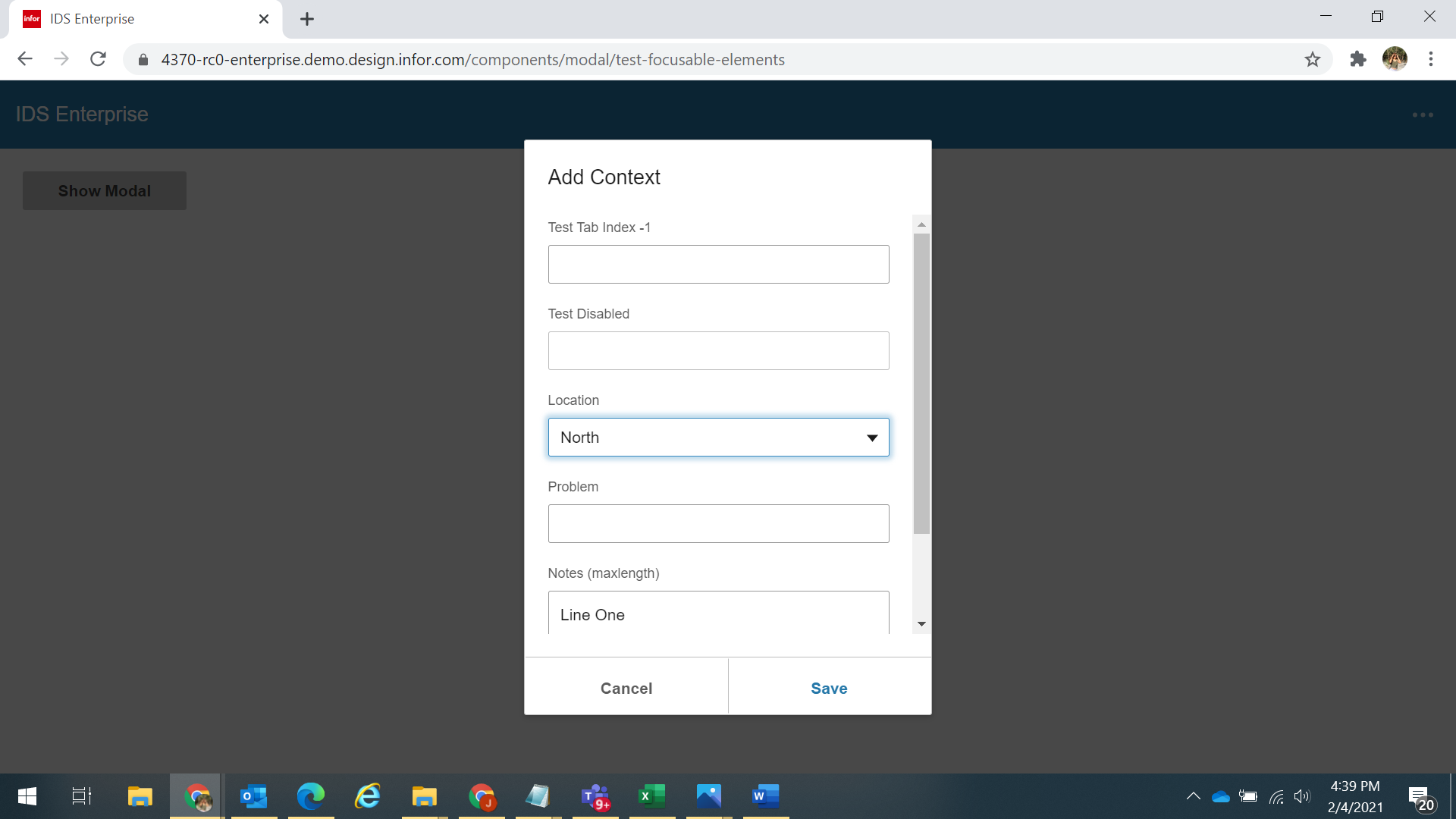
Open https://4370-rc0-enterprise.demo.design.infor.com/components/modal/test-focusable-elements
Click "Show Modal"
When the modal opens, the field that should be highlighted is now the "Locations" Dropdown.
janahintal
on 4 Feb 2021
Related issues
 CindyMercadoReyes
·
3Comments
CindyMercadoReyes
·
3Comments
 SasiPalanati
·
3Comments
EdwardCoyle
·
4Comments
SasiPalanati
·
3Comments
EdwardCoyle
·
4Comments
 SofiK
·
3Comments
SofiK
·
3Comments
 jbrcna
·
3Comments
jbrcna
·
3Comments