Enterprise: Datagrid: Column size issues
Describe the bug
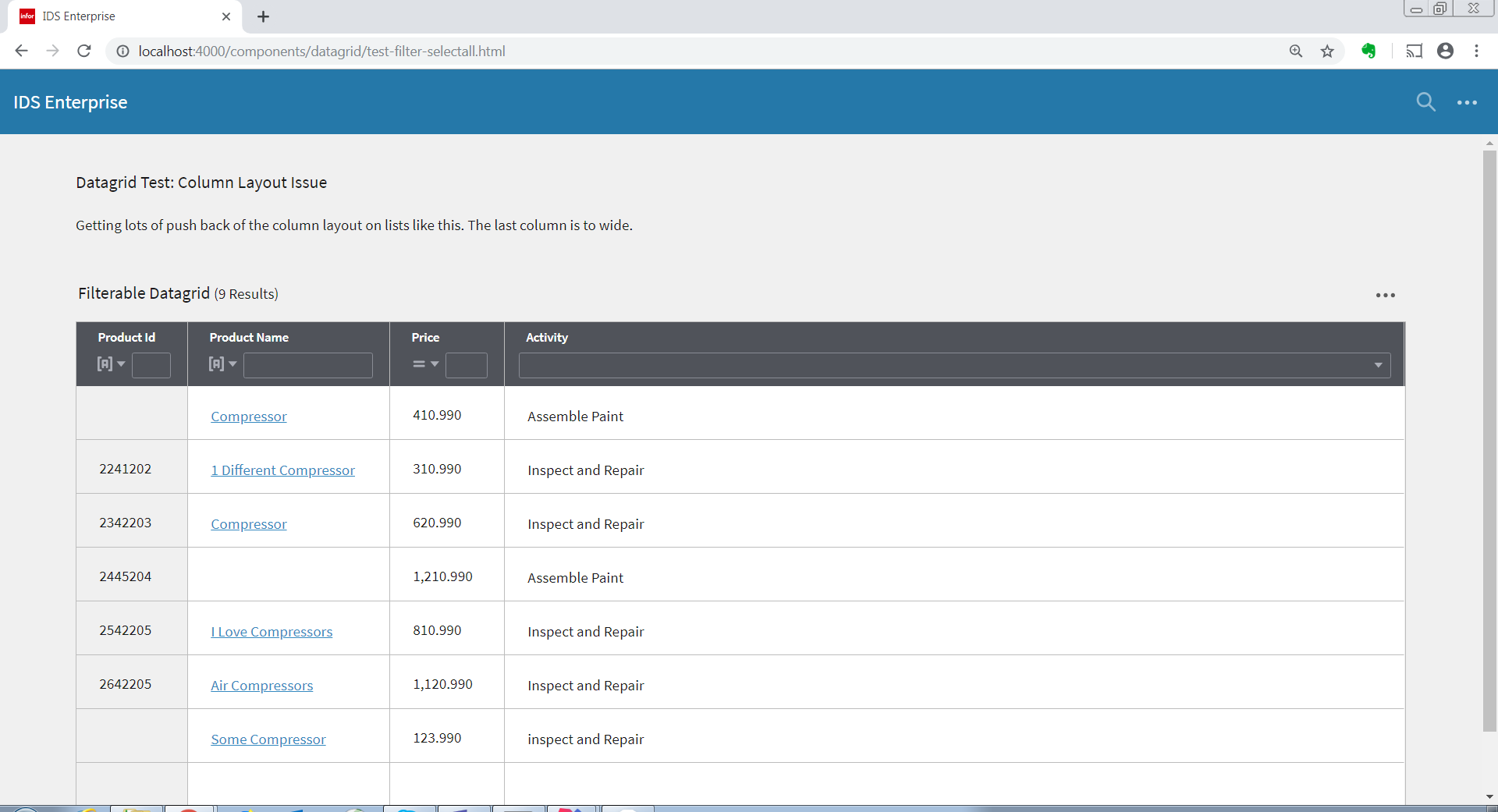
A datagrid is sizing the last column to wide. Getting lots of push back in Landmark that the columns are not sized correctly. The last column (typically contains the least significant information) is sized much larger than the preceding columns.
To Reproduce
Steps to reproduce the behavior:
- Using the attached example-column-sizing.html
- Notice the size of the last column that contains a drop-down select
Expected behavior
Improve the layout of the column sizes
Is related to:
https://github.com/infor-design/enterprise/issues/1168
 claudenbach
All 17 comments
claudenbach
on 19 Mar 2019
claudenbach
on 19 Mar 2019
How would you propose we improve this? You already have a couple options BTW
1) You can pick which column will stretch by setting http://master-enterprise.demo.design.infor.com/components/datagrid/test-columns-stretch-column.html (the one with longer/more important info)
2) You can set all columns to equal size http://4110-enterprise.demo.design.infor.com/components/datagrid/test-columns-equal.html (this option is broken at the moment i can see on Master: http://master-enterprise.demo.design.infor.com/components/datagrid/test-columns-equal.html )
 tmcconechy
on 19 Mar 2019
tmcconechy
on 19 Mar 2019
Thanks Tim.
Let me confer with Andrew on this.
claudenbach
on 19 Mar 2019
May relate to https://github.com/infor-design/enterprise/issues/1797
tmcconechy
on 19 Mar 2019
@claudenbach Did you confer with Andrew, since we do have those options seems like they would solve it. One idea is to do that automatically. For example...
- check if a really long data column and make that the stretch column
- check if the data is similar sized and use equal columns
Not sure how much slower that would be to figure that out. But not 100% sure what to do for this issue anymore.
tmcconechy
on 29 Apr 2019
@lipetzan was at Infor TechEd last week. I'll confer with him when he's back in the office.
claudenbach
on 29 Apr 2019
A few thoughts:
How about you make equal be your default vs. stretch last? - and without a new perf check for "data similar sized". Why not?
Landmark can send the stretch column, in certain cases, like when a card view, prog bar, code block or rich text is present. That makes sense to me to optimize some views.
Landmark can always set equal, but I'm wondering why that just isn't your default anyway. Also, if we send you both equal AND a stretch column, would stretch win?
 lipetzan
on 29 Apr 2019
lipetzan
on 29 Apr 2019
Yeah thats a good idea. We can go to equals size but only when the number of columns wont horizontal scroll. I'll also review the HTML table spec again to see what it does so its hopefully similar.
It does seem to use mostly equals size.
tmcconechy
on 30 Apr 2019
Considering a better change here to fix all column layout issues. Will require more time than this sprint will allow
tmcconechy
on 30 Sep 2019
How is this going @tmcconechy ?
lipetzan
on 6 Nov 2019
Delayed. But it is up next. Should be primarily fixed by implementing https://github.com/infor-design/enterprise/issues/2825
tmcconechy
on 6 Nov 2019
Fixing this issue in a coming PR and added a new example http://localhost:4000/components/datagrid/test-column-sizing.html
- the columns will now be default fill
- and will work ok on resize
tmcconechy
on 5 Dec 2019
There is a weird behavior that I think is related to these changes. Please feel free to correct me if I'm wrong.
In Mac Safari and iOS browsers, the columns width became equal and cannot be resized anymore after sorting or filtering a column. Tested in http://4240-beta0-enterprise.demo.design.infor.com/components/datagrid/test-column-sizing.html
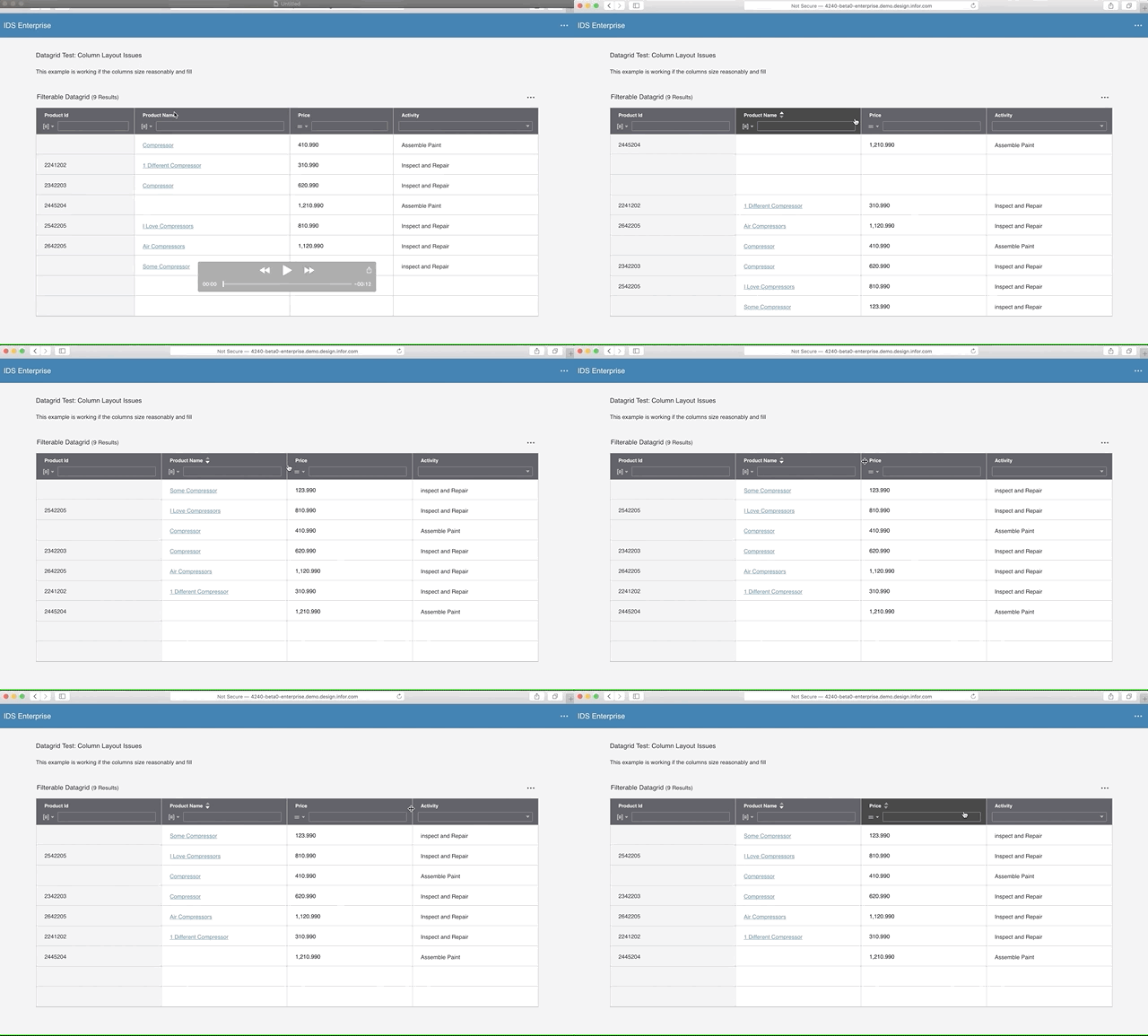
This also happens in all datagrid example/test pages.
 brianjuan
on 12 Dec 2019
brianjuan
on 12 Dec 2019
Yes something wrong in Mac OS, will take a look.
tmcconechy
on 12 Dec 2019
Closing as PR will solve
tmcconechy
on 13 Dec 2019
Issue is now resolved. Will now move to Done. Thanks!.
Re-tested in http://4240-rc0-enterprise.demo.design.infor.com/components/datagrid/test-column-sizing.html across all platform
 janahintal
on 20 Dec 2019
janahintal
on 20 Dec 2019
Related issues
 pwpatton
·
3Comments
pwpatton
·
3Comments
 swetteinfor
·
3Comments
brianjuan
·
3Comments
swetteinfor
·
3Comments
brianjuan
·
3Comments
 fitzorama
·
3Comments
pwpatton
·
3Comments
fitzorama
·
3Comments
pwpatton
·
3Comments