Botframework-composer: Unable to Create or Open Bot in COMPOSER
Describe the bug
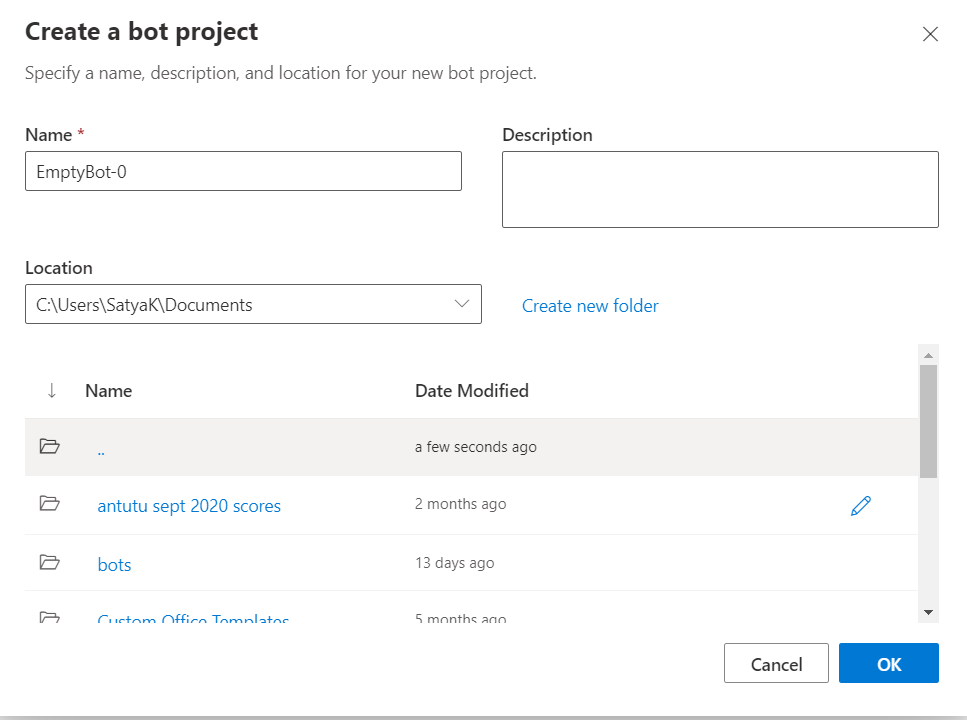
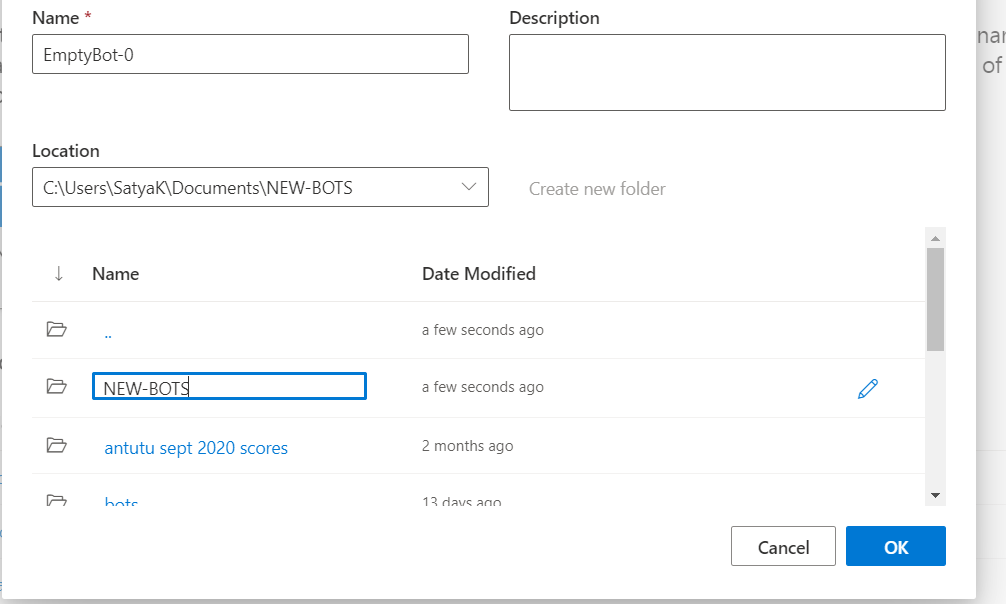
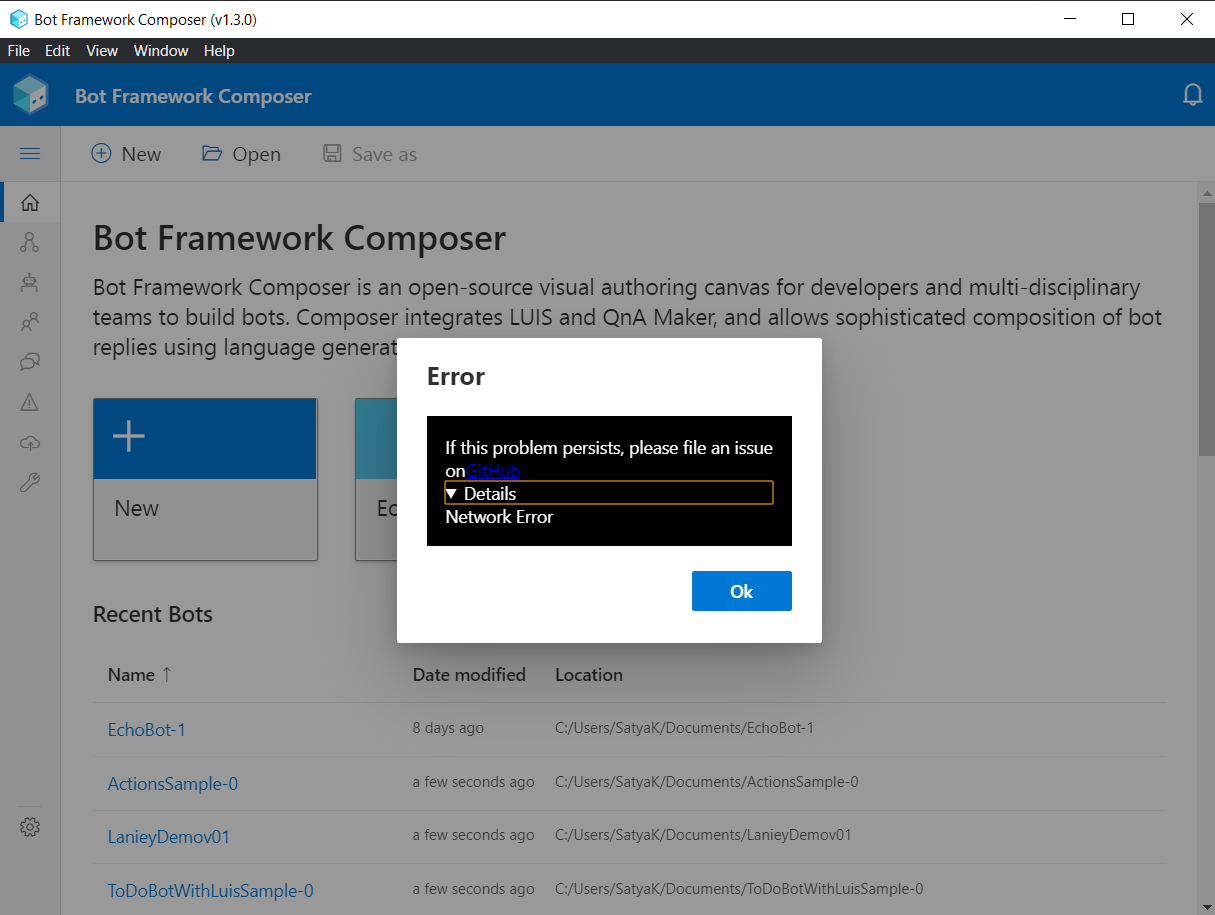
Not able to create any bot, not from scratch, template or QnA, It says network error. Not even create a folder, Even opening composer as administrator

Version
Just installed the latest version 1.3.0
Browser
not related to browser i guess, but its MS Edge (based on chromium)
- [ ] Electron distribution
- [ ] Chrome
- [ ] Safari
- [ ] Firefox
- [x] Edge
OS
- [ ] macOS
- [x] Windows
- [ ] Ubuntu
To Reproduce
Steps to reproduce the behavior:
- open composer
- create new bot
- select any option
- error comes
Expected behavior
it should create a bot
Screenshots
already given some given in description
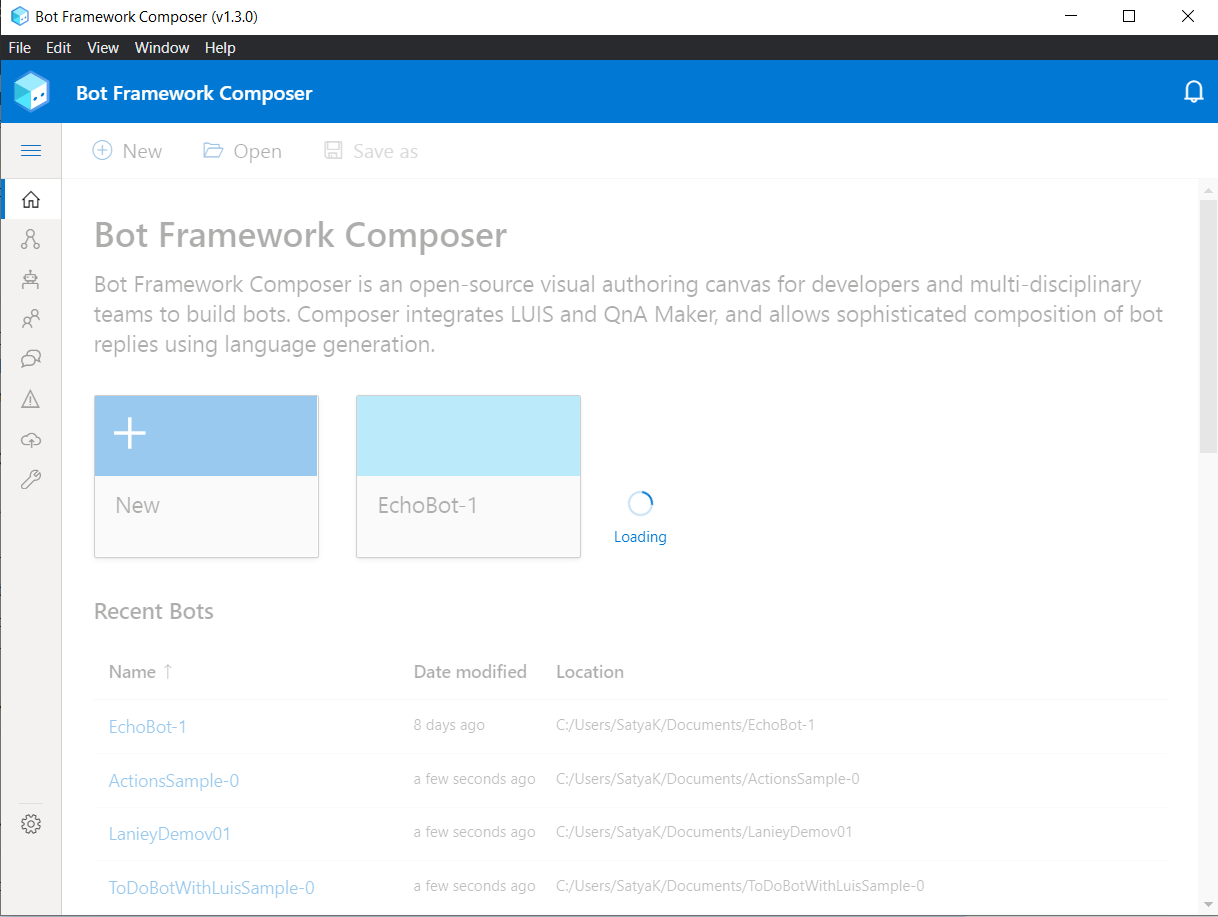
it was in loading state for 2 mins
then this error popped up
 SriSatyaLokesh
All 10 comments
I have a similar problem. When i press the button to open a bot, the framework stops and the screen turns white without opening anything
 aitorojeda
on 16 Dec 2020
aitorojeda
on 16 Dec 2020
@SriSatyaLokesh
We are not able to reproduce this error on our end. This maybe a side effect of incorrect permissions or maybe not accepting the EAC prompt that opens up the first time Composer started. Either ways we would need more info to repro. Could you
- Open command line as Administrator and set this env variable using the command
SET DEBUG=composer* - Now navigate to the location of exe. Usually, if installed for all users exe is at C:\Program Files\Bot Framework Composer\Bot Framework Composer.exe or if installed just for a single user then its inside the location you specified during installation (default user install location is
C:\Users\<user>\AppData\Local\Programs\Bot Framework Composer) - Run the exe from the command line and it would generate a detailed set of logs as well as errors generated when creating a bot. Copying and pasting those logs in this ticket would be super helpful for us to repro.
Just in addition, was your installation made for a single user or for all users of the computer?
 srinaath
on 16 Dec 2020
srinaath
on 16 Dec 2020
Installation was made for all users.
SriSatyaLokesh
on 17 Dec 2020
LOGS -
2020-12-17T04:44:36.158Z composer:electron:one-auth Using genuine OneAuth.
2020-12-17T04:44:36.188Z composer:electron:env {
  ALLUSERSPROFILE: 'C:\\ProgramData',
  APPDATA: 'C:\\Users\\SatyaK\\AppData\\Roaming',
  CommonProgramFiles: 'C:\\Program Files\\Common Files',
  'CommonProgramFiles(x86)': 'C:\\Program Files (x86)\\Common Files',
  CommonProgramW6432: 'C:\\Program Files\\Common Files',
  COMPUTERNAME: 'DESKTOP-U5HBQSP',
  ComSpec: 'C:\\WINDOWS\\system32\\cmd.exe',
  DEBUG: 'composer*',
  DriverData: 'C:\\Windows\\System32\\Drivers\\DriverData',
  FPS_BROWSER_APP_PROFILE_STRING: 'Internet Explorer',
  FPS_BROWSER_USER_PROFILE_STRING: 'Default',
  HOMEDRIVE: 'C:',
  HOMEPATH: '\\Users\\SatyaK',
  LOCALAPPDATA: 'C:\\Users\\SatyaK\\AppData\\Local',
  LOGONSERVER: '\\\\DESKTOP-U5HBQSP',
  NUMBER_OF_PROCESSORS: '8',
  OneDrive: 'C:\\Users\\SatyaK\\OneDrive',
  OneDriveConsumer: 'C:\\Users\\SatyaK\\OneDrive',
  OS: 'Windows_NT',
  Path: 'C:\\Program Files (x86)\\Microsoft SDKs\\Azure\\CLI2\\wbin;C:\\WINDOWS\\system32;C:\\WINDOWS;C:\\WINDOWS\\System32\\Wbem;C:\\WINDOWS\\System32\\WindowsPowerShell\\v1.0\\;C:\\WINDOWS\\System32\\OpenSSH\\;C:\\Program Files\\Git\\cmd;C:\\Program Files\\Docker\\Docker\\resources\\bin;C:\\ProgramData\\DockerDesktop\\version-bin;C:\\Program Files\\Microsoft SQL Server\\Client SDK\\ODBC\\170\\Tools\\Binn\\;C:\\Program Files (x86)\\Microsoft SQL Server\\150\\Tools\\Binn\\;C:\\Program Files\\Microsoft SQL Server\\150\\Tools\\Binn\\;C:\\Program Files\\Microsoft SQL Server\\150\\DTS\\Binn\\;C:\\Program Files (x86)\\Microsoft SQL Server\\150\\DTS\\Binn\\;C:\\Program Files\\nodejs\\;C:\\Program Files\\dotnet\\;C:\\Program Files\\PowerShell\\7\\;C:\\Program Files (x86)\\Yarn\\bin\\;C:\\Users\\SatyaK\\AppData\\Local\\Microsoft\\WindowsApps;C:\\Users\\SatyaK\\AppData\\Local\\Programs\\Microsoft VS Code\\bin;C:\\Users\\SatyaK\\AppData\\Local\\GitHubDesktop\\bin;C:\\Users\\SatyaK\\AppData\\Local\\Microsoft\\WindowsApps;C:\\Users\\SatyaK\\AppData\\Roaming\\npm;C:\\Users\\SatyaK\\.dotnet\\tools;C:\\Users\\SatyaK\\AppData\\Local\\Yarn\\bin',
  PATHEXT: '.COM;.EXE;.BAT;.CMD;.VBS;.VBE;.JS;.JSE;.WSF;.WSH;.MSC',
  POWERSHELL_DISTRIBUTION_CHANNEL: 'MSI:Windows 10 Pro',
  PROCESSOR_ARCHITECTURE: 'AMD64',
  PROCESSOR_IDENTIFIER: 'Intel64 Family 6 Model 142 Stepping 12, GenuineIntel',
  PROCESSOR_LEVEL: '6',
  PROCESSOR_REVISION: '8e0c',
  ProgramData: 'C:\\ProgramData',
  ProgramFiles: 'C:\\Program Files',
  'ProgramFiles(x86)': 'C:\\Program Files (x86)',
  ProgramW6432: 'C:\\Program Files',
  PROMPT: '$P$G',
  PSModulePath: 'C:\\Program Files\\WindowsPowerShell\\Modules;C:\\WINDOWS\\system32\\WindowsPowerShell\\v1.0\\Modules;C:\\Program Files (x86)\\Microsoft SQL Server\\150\\Tools\\PowerShell\\Modules\\',
  PUBLIC: 'C:\\Users\\Public',
  SESSIONNAME: 'Console',
  SystemDrive: 'C:',
  SystemRoot: 'C:\\WINDOWS',
  TEMP: 'C:\\Users\\SatyaK\\AppData\\Local\\Temp',
  TMP: 'C:\\Users\\SatyaK\\AppData\\Local\\Temp',
  USERDOMAIN: 'AzureAD',
  USERDOMAIN_ROAMINGPROFILE: 'AzureAD',
  USERNAME: 'SatyaK',
  USERPROFILE: 'C:\\Users\\SatyaK',
  windir: 'C:\\WINDOWS'
}
2020-12-17T04:44:36.196Z composer:electron production environment detected.
2020-12-17T04:44:36.207Z composer:electron Run completed
2020-12-17T04:44:36.265Z composer:electron App ready
2020-12-17T04:44:36.265Z composer:electron Loading latest known locale
2020-12-17T04:44:36.275Z composer:electron:electron-window Raw screen dimensions: 824 x 1536
2020-12-17T04:44:36.275Z composer:electron:electron-window Electron window dimensions: 741 x 988
(electron) The default value of app.allowRendererProcessReuse is deprecated, it is currently "false".  It will change to be "true" in Electron 9.  For more information please check https://github.com/electron/electron/issues/18397
2020-12-17T04:44:36.303Z composer:electron:electron-window Rendered Electron window dimensions:  [ 989, 743 ]
The same thing happened again

SriSatyaLokesh
on 17 Dec 2020
@zxyanliu could you please help. Im struck
Thanks in advance
SriSatyaLokesh
on 17 Dec 2020
@SriSatyaLokesh I will take a look in case there is anything I should update in the docs. Thanks for reporting the issue.
 zxyanliu
on 17 Dec 2020
zxyanliu
on 17 Dec 2020
@SriSatyaLokesh I'm able to see just a portion of the logs. Were logs generated while creating a new bot? If so, could you paste it here. In addition, could you paste the error appearing in the Chrome Developer Console (View->Toggle Developer Tools --> Console).
Looking at the snapshots you pasted it partially seems to be a permissions issue as you see a "Create folder error" as Composer does not have the permissions to create folders in that directory.
I also wanted to check if you are behind a VPN. If so, could you check if bot creation works outside the VPN?
srinaath
on 17 Dec 2020
Hi @SriSatyaLokesh Thanks for reporting.
I was unable to reproduce the issue you mentioned on my end.
Can you please check if you met all the prerequisites documented in this article?
https://docs.microsoft.com/en-us/composer/install-composer#prerequisites-for-installing-composer-as-a-desktop-application
Especially supported Operating System versions required to install Composer 1.3?
zxyanliu
on 17 Dec 2020
@SriSatyaLokesh Can you tell us how did you install Composer 1.3? Did you uninstall the previous Composer before installing Composer v1.3? Or did you install using these update instructions?
zxyanliu
on 19 Dec 2020
I Tried and with this and reinstalled everything again. its working.
Thanks @zxyanliu 😊
SriSatyaLokesh
on 21 Dec 2020
Related issues
 stephanbisser
·
21Comments
stephanbisser
·
21Comments
 rudrasingh21
·
34Comments
rudrasingh21
·
34Comments
 selmi5
·
17Comments
selmi5
·
17Comments
 philip-mc
·
14Comments
philip-mc
·
14Comments
 Kagigz
·
26Comments
Kagigz
·
26Comments