Apexcharts.js: Grid for X axis line in Vertical is colliding with bar
Grid for X axis line in Vertical is colliding with bar with one element
Please refer this link for my sandbox - https://codesandbox.io/s/apx-column-basic-22xis?fontsize=14&hidenavigation=1&theme=dark
Explanation
- What is happening instead?
For Vertical its working like this. The Grid X axis line is overlapping with the bar
FIG 1
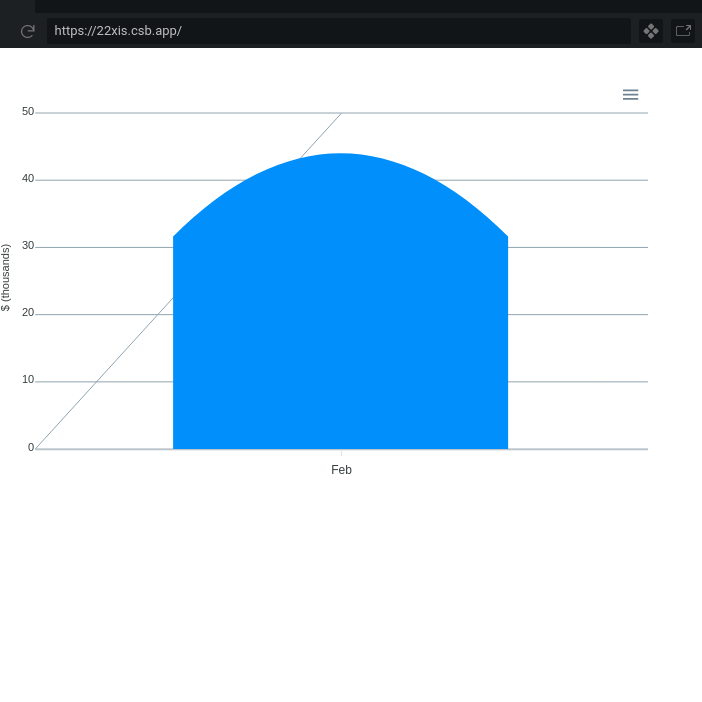 .If a graph with more than one element grid lines are working . if it is having one element then it is overlapping
- What is the behavior you expect?
For horizontal its working Cool. The Grids X axis lines and Y axis lines are aligned properly .
FIG 2
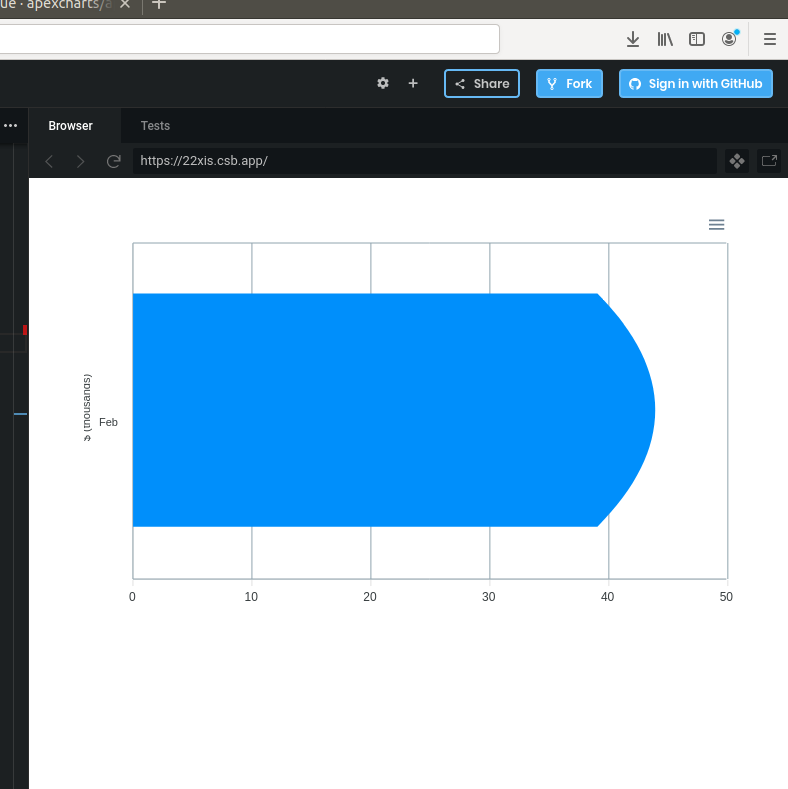 . How can i make it work for X axis grid line with one element in graph.
 kkpriyankacoding
All 5 comments
Thanks for reporting, just fixed it.
The patch will be released soon.
 junedchhipa
on 28 Feb 2020
junedchhipa
on 28 Feb 2020
Thank you @junedchhipa .i am super proud of our APEX.
kkpriyankacoding
on 28 Feb 2020
When can we expect this release npm (ng-apexcharts) ? i can observe new build was released does it effects NPM's Ng-apexcharts
kkpriyankacoding
on 6 Mar 2020
You only need to update the core [email protected] for this fix. No need to update ng-apexcharts.
junedchhipa
on 6 Mar 2020
Hey @junedchhipa i updated the core apexchart i encountered with another bug which the bar is overlapping the grid line . Please refer FIG 2
### FIG 3

kkpriyankacoding
on 13 Mar 2020
Related issues
 tforssander
·
24Comments
tforssander
·
24Comments
 thellimist
·
15Comments
thellimist
·
15Comments
 filipinyo
·
14Comments
filipinyo
·
14Comments
 steebchen
·
20Comments
steebchen
·
20Comments
 LucaCorcella
·
14Comments
LucaCorcella
·
14Comments
Most helpful comment
Thanks for reporting, just fixed it.
The patch will be released soon.