Apexcharts.js: Add a full dark theme
For dark themes, there's the tooltip.theme option. It looks nice, but it would be very cool if the whole thing could have a dark mode.

With some minor tweaks like setting the text color to white and adding dark colors to the menu, it could look like this

I would suggest to use a top-level theme (or chart.theme) option, add a class dark to .apexcharts-canvas and style all other elements with css selectors accordingly.
I could send a PR for this if my proposal seems like a good idea (although not in the next few days).
BTW, huge thanks to this project. The charts are so clean and even mobile touch "swiping" of the charts always renders the correct tooltip. This is so cool!
 steebchen
All 20 comments
Thanks for the kind words!
Sure, there is already a property called theme in the main configuration - https://apexcharts.com/docs/options/theme/
Maybe we can add theme.mode: 'light' / 'dark' in the same property and carry on that.
 junedchhipa
on 1 Dec 2018
junedchhipa
on 1 Dec 2018
Has this been released yet? Looking for an easy way to switch dark/light themes aswell, using with Vuetify atm.
 elbojoloco
on 26 Mar 2019
elbojoloco
on 26 Mar 2019
Not released yet, but coming soon.
junedchhipa
on 26 Mar 2019
@junedchhipa any chance you can explain how to modify the charts to show properly when using vuetify dark mode?
I have the problem @steebchen shows in the first pic, but I cannot find the proper options I need to modify to create the layout in the second picture above (where you can see the text).
Thank you in advance
 pilotaids
on 15 May 2019
pilotaids
on 15 May 2019
I abandoned this project so I'm not sure but I'm sure you can use:
svg text {
    fill: white;
}
@steebchen May I know the reason why you abandoned?
@pilotaids What have you tried to change the theme? Did you updated this option theme.mode?
Also, the tooltip is an HTML element, so directly modifying the background/color options will work too.
junedchhipa
on 15 May 2019
I meant I abandoned my own project, not using apexcharts (although that results in it). In general, it seems I'm quickly transitioning into Angular (100% Typescript, powerful testing, DI, intellisense, ...).
steebchen
on 15 May 2019
Ah! thanks for clarifying!
Good luck with Angular. I'm sure you'll enjoy it too along with ng-apexcharts ;)
junedchhipa
on 15 May 2019
Ah well, good to know ;) Will definitely use it when I need charts in Angular!
steebchen
on 15 May 2019
i want to add background image on the chart. Do anyone know how
 bubuamu
on 18 Jun 2019
bubuamu
on 18 Jun 2019
@bubuamu Please create a new ticket for it.
junedchhipa
on 18 Jun 2019
You can now achieve this by setting the theme property inside tooltip property to dark.
tooltip: {
   theme: 'dark',
}

 wobsoriano
on 2 Feb 2020
wobsoriano
on 2 Feb 2020
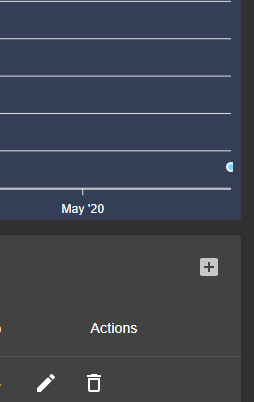
question. how come the background for the charts is not dark gray? i didnt set any background color either.
the dark gray color below is a material table in dark mode which is correct.
 chitgoks
on 11 Apr 2020
chitgoks
on 11 Apr 2020
question. how come the background for the charts is not dark gray? i didnt set any background color either.
the dark gray color below is a material table in dark mode which is correct.
Hello, did you find a solution ?
 kamilcglr
on 21 Apr 2020
kamilcglr
on 21 Apr 2020
question. how come the background for the charts is not dark gray? i didnt set any background color either.
the dark gray color below is a material table in dark mode which is correct.Hello, did you find a solution ?
no. not going to. this is a personal project anyway so ill just wait for them to fix it.
chitgoks
on 22 Apr 2020
I have changed the default dark color to #424242
junedchhipa
on 22 Apr 2020
I have changed the default dark color to
#424242
Ok thank you very much for the quick response.
But, is there any way to change this color ourselves?
I would like to put it transparent so that the background color is the same as the vuetify color.
It doesn't work when I do :
chart: {
            background: 'transparent'
 }
Anyway, great job on that library.
kamilcglr
on 22 Apr 2020
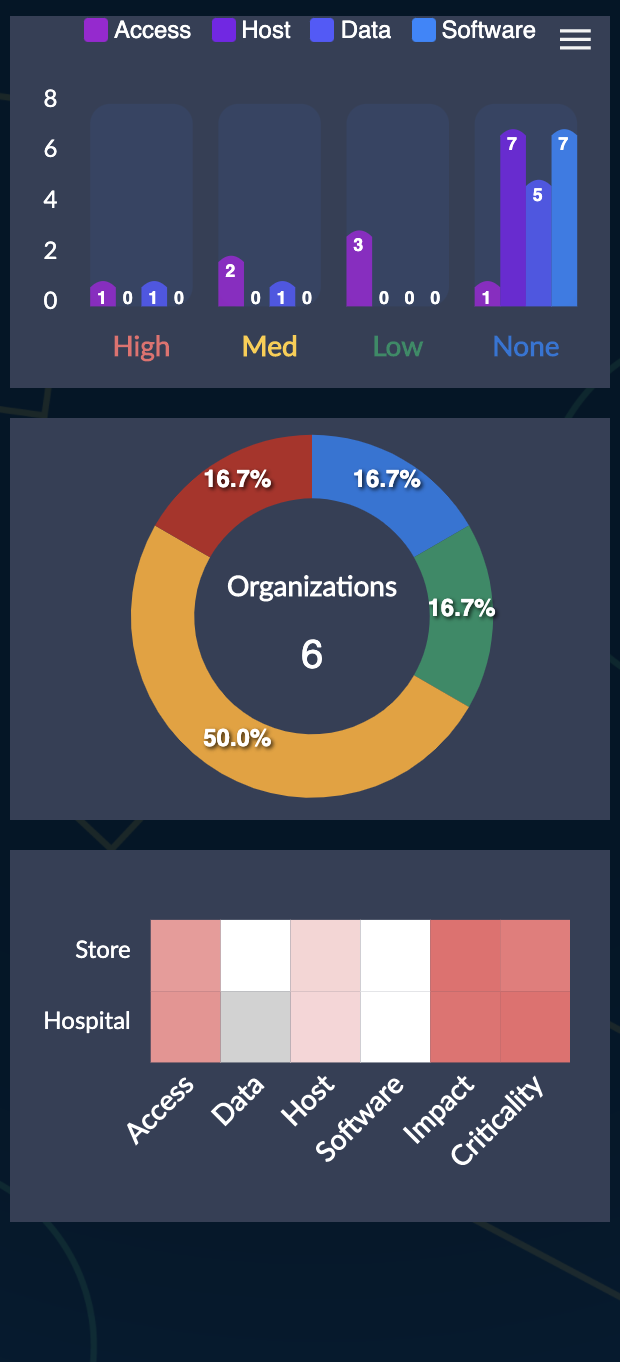
Yeah is there a way to remove the dark mode background? I have my charts on dark already.
 lkovesdi
on 29 Apr 2020
lkovesdi
on 29 Apr 2020
For those that came here, like myself or the previous comment, using other style means, such as e.g. material-design, put
div.apexcharts-canvas.apexcharts-theme-dark {
  background: transparent !important;
}
in your css file somewhere (in case of an angular app, style.css).
 sauterl
on 18 May 2020
sauterl
on 18 May 2020
svg.apexcharts-svg {
  background: transparent !important;
}
 hothvictor
on 22 Jul 2020
hothvictor
on 22 Jul 2020
Related issues
 frlinw
·
3Comments
frlinw
·
3Comments
 thellimist
·
3Comments
thellimist
·
3Comments
 artfulrobot
·
3Comments
artfulrobot
·
3Comments
 rcoundon
·
3Comments
rcoundon
·
3Comments
 maasha
·
3Comments
maasha
·
3Comments
Most helpful comment
Thanks for the kind words!
Sure, there is already a property called
themein the main configuration - https://apexcharts.com/docs/options/theme/Maybe we can add
theme.mode: 'light' / 'dark'in the same property and carry on that.