Zigbee2mqtt: Tuya thermostatic valve
Bug Report
What happened
New Tuya thermostatic valve was auto discovered in Zigbee2Mqtt 1.14.0 as Tuya curtain motor. Valve reports model as TS0601 which is occupied already in devices.js by Tuya curtain motor.
https://aliexpress.ru/item/4001043738901.html?spm=a2g0s.9042311.0.0.1b6033edHXNB4c&_ga=2.27185918.2138683156.1593276537-279917533.1590225196
info  2020-06-27 17:39:11: Device '0xbc33acfffe6d821c' joined
info  2020-06-27 17:39:11: Starting interview of '0xbc33acfffe6d821c'
info  2020-06-27 17:39:11: MQTT publish: topic 'zigbee2mqtt/bridge/log', payload '{"type":"device_connected","message":{"friendly_name":"0xbc33acfffe6d821c"}}'
info  2020-06-27 17:39:11: MQTT publish: topic 'zigbee2mqtt/bridge/log', payload '{"type":"pairing","message":"interview_started","meta":{"friendly_name":"0xbc33acfffe6d821c"}}'
debug 2020-06-27 17:39:11: Device '0xbc33acfffe6d821c' announced itself
info  2020-06-27 17:39:11: MQTT publish: topic 'zigbee2mqtt/bridge/log', payload '{"type":"device_announced","message":"announce","meta":{"friendly_name":"0xbc33acfffe6d821c"}}'
debug 2020-06-27 17:39:11: Received Zigbee message from '0xbc33acfffe6d821c', type 'readResponse', cluster 'genBasic', data '{"modelId":"TS0601"}' from endpoint 1 with groupID 0
info  2020-06-27 17:39:12: MQTT publish: topic 'homeassistant/cover/0xbc33acfffe6d821c/cover/config', payload '{"command_topic":"zigbee2mqtt/0xbc33acfffe6d821c/set","position_topic":"zigbee2mqtt/0xbc33acfffe6d821c","set_position_topic":"zigbee2mqtt/0xbc33acfffe6d821c/set","set_position_template":"{ \"position\": {{ position }} }","value_template":"{{ value_json.position }}","json_attributes_topic":"zigbee2mqtt/0xbc33acfffe6d821c","name":"0xbc33acfffe6d821c_cover","unique_id":"0xbc33acfffe6d821c_cover_zigbee2mqtt","device":{"identifiers":["zigbee2mqtt_0xbc33acfffe6d821c"],"name":"0xbc33acfffe6d821c","sw_version":"Zigbee2mqtt 1.14.0","model":"Curtain motor (TS0601)","manufacturer":"TuYa"},"availability_topic":"zigbee2mqtt/bridge/state"}'
info  2020-06-27 17:39:12: MQTT publish: topic 'homeassistant/sensor/0xbc33acfffe6d821c/linkquality/config', payload '{"icon":"mdi:signal","unit_of_measurement":"lqi","value_template":"{{ value_json.linkquality }}","state_topic":"zigbee2mqtt/0xbc33acfffe6d821c","json_attributes_topic":"zigbee2mqtt/0xbc33acfffe6d821c","name":"0xbc33acfffe6d821c_linkquality","unique_id":"0xbc33acfffe6d821c_linkquality_zigbee2mqtt","device":{"identifiers":["zigbee2mqtt_0xbc33acfffe6d821c"],"name":"0xbc33acfffe6d821c","sw_version":"Zigbee2mqtt 1.14.0","model":"Curtain motor (TS0601)","manufacturer":"TuYa"},"availability_topic":"zigbee2mqtt/bridge/state"}'
debug 2020-06-27 17:39:12: Received Zigbee message from '0xbc33acfffe6d821c', type 'readResponse', cluster 'genBasic', data '{"manufacturerName":"_TZE200_ckud7u2l"}' from endpoint 1 with groupID 0
debug 2020-06-27 17:39:12: Received Zigbee message from '0xbc33acfffe6d821c', type 'readResponse', cluster 'genBasic', data '{"powerSource":3}' from endpoint 1 with groupID 0
debug 2020-06-27 17:39:12: Received Zigbee message from '0xbc33acfffe6d821c', type 'readResponse', cluster 'genBasic', data '{"zclVersion":3}' from endpoint 1 with groupID 0
debug 2020-06-27 17:39:12: Received Zigbee message from '0xbc33acfffe6d821c', type 'readResponse', cluster 'genBasic', data '{"appVersion":83}' from endpoint 1 with groupID 0
debug 2020-06-27 17:39:12: Received Zigbee message from '0xbc33acfffe6d821c', type 'readResponse', cluster 'genBasic', data '{"stackVersion":0}' from endpoint 1 with groupID 0
debug 2020-06-27 17:39:12: Received Zigbee message from '0xbc33acfffe6d821c', type 'readResponse', cluster 'genBasic', data '{"hwVersion":1}' from endpoint 1 with groupID 0
debug 2020-06-27 17:39:13: Received Zigbee message from '0xbc33acfffe6d821c', type 'readResponse', cluster 'genBasic', data '{"dateCode":""}' from endpoint 1 with groupID 0
debug 2020-06-27 17:39:13: Received Zigbee message from '0xbc33acfffe6d821c', type 'readResponse', cluster 'genBasic', data '{}' from endpoint 1 with groupID 0
info  2020-06-27 17:39:13: Successfully interviewed '0xbc33acfffe6d821c', device has successfully been paired
info  2020-06-27 17:39:13: Device '0xbc33acfffe6d821c' is supported, identified as: TuYa Curtain motor (TS0601)
I deleted TS0601 device in devices.js and repaired and got this:
warn  2020-06-27 19:05:57: Received message from unsupported device with Zigbee model 'TS0601'
warn  2020-06-27 19:05:57: Please see: https://www.zigbee2mqtt.io/how_tos/how_to_support_new_devices.html.
Then I changed devices.js and added TS0601 as Tuya thermostatic valve and deleted curtain part, also fixed homeassistant.js for autodiscovery :
    {
        zigbeeModel: ['TS0601'],
        model: 'TS0601',
        vendor: 'Moes',
        description: 'Radiator valve with thermostat',
        supports: 'thermostat, temperature',
        fromZigbee: [
            fz.tuya_thermostat,
            fz.tuya_thermostat_on_set_data,
            fz.ignore_basic_report,
        ],
        toZigbee: [
            tz.tuya_thermostat_child_lock,
            tz.tuya_thermostat_window_detection,
            tz.tuya_thermostat_valve_detection,
            tz.tuya_thermostat_current_heating_setpoint,
            tz.tuya_thermostat_system_mode,
            tz.tuya_thermostat_auto_lock,
            tz.tuya_thermostat_calibration,
            tz.tuya_thermostat_min_temp,
            tz.tuya_thermostat_max_temp,
            tz.tuya_thermostat_boost_time,
            tz.tuya_thermostat_comfort_temp,
            tz.tuya_thermostat_eco_temp,
            tz.tuya_thermostat_force,
        ],

    },
And thermostatic valve works correctly after this.
I bought 4 of them so could you please fix so it is correctly recognized out of the box.
Thanks!
What did you expect to happen
Valve autodiscovered as Tuya thermostatic valve which is actually similar to Moes.
How to reproduce it (minimal and precise)
Start pairing thermostatic valve.
Debug Info
Zigbee2mqtt version: 1.14.0
Adapter hardware: CC2538
Adapter firmware version: zStack30x
 Romioyar
All 444 comments
Can you share the data/database.db entry of this device?
 Koenkk
on 28 Jun 2020
Koenkk
on 28 Jun 2020
Hi, sure here are entries for 4 different devices
{"id":48,"type":"EndDevice","ieeeAddr":"0xbc33acfffe6d807b","nwkAddr":2412,"manufId":4098,"manufName":"_TZE200_ckud7u2l","powerSource":"Battery","modelId":"TS0601","epList":[1],"endpoints":{"1":{"profId":260,"epId":1,"devId":81,"inClusterList":[0,4,5,61184],"outClusterList":[25,10],"clusters":{"genBasic":{"attributes":{"modelId":"TS0601","manufacturerName":"_TZE200_ckud7u2l","powerSource":3,"zclVersion":3,"appVersion":83,"stackVersion":0,"hwVersion":1,"dateCode":""}}},"binds":[]}},"appVersion":83,"stackVersion":0,"hwVersion":1,"dateCode":"","zclVersion":3,"interviewCompleted":true,"meta":{},"lastSeen":1593341216187}
{"id":49,"type":"EndDevice","ieeeAddr":"0xbc33acfffe6d821c","nwkAddr":40345,"manufId":4098,"manufName":"_TZE200_ckud7u2l","powerSource":"Battery","modelId":"TS0601","epList":[1],"endpoints":{"1":{"profId":260,"epId":1,"devId":81,"inClusterList":[0,4,5,61184],"outClusterList":[25,10],"clusters":{"genBasic":{"attributes":{"modelId":"TS0601","manufacturerName":"_TZE200_ckud7u2l","powerSource":3,"zclVersion":3,"appVersion":83,"stackVersion":0,"hwVersion":1,"dateCode":""}}},"binds":[]}},"appVersion":83,"stackVersion":0,"hwVersion":1,"dateCode":"","zclVersion":3,"interviewCompleted":true,"meta":{},"lastSeen":1593274610200}
{"id":50,"type":"EndDevice","ieeeAddr":"0xbc33acfffe6557d3","nwkAddr":55948,"manufId":4098,"manufName":"_TZE200_ckud7u2l","powerSource":"Battery","modelId":"TS0601","epList":[1],"endpoints":{"1":{"profId":260,"epId":1,"devId":81,"inClusterList":[0,4,5,61184],"outClusterList":[25,10],"clusters":{"genBasic":{"attributes":{"modelId":"TS0601","manufacturerName":"_TZE200_ckud7u2l","powerSource":3,"zclVersion":3,"appVersion":83,"stackVersion":0,"hwVersion":1,"dateCode":""}}},"binds":[]}},"appVersion":83,"stackVersion":0,"hwVersion":1,"dateCode":"","zclVersion":3,"interviewCompleted":true,"meta":{},"lastSeen":1593342591143}
{"id":51,"type":"EndDevice","ieeeAddr":"0xbc33acfffe6d8231","nwkAddr":51668,"manufId":4098,"manufName":"_TZE200_ckud7u2l","powerSource":"Battery","modelId":"TS0601","epList":[1],"endpoints":{"1":{"profId":260,"epId":1,"devId":81,"inClusterList":[0,4,5,61184],"outClusterList":[25,10],"clusters":{"genBasic":{"attributes":{"modelId":"TS0601","manufacturerName":"_TZE200_ckud7u2l","powerSource":3,"zclVersion":3,"appVersion":83,"stackVersion":0,"hwVersion":1,"dateCode":""}}},"binds":[]}},"appVersion":83,"stackVersion":0,"hwVersion":1,"dateCode":"","zclVersion":3,"interviewCompleted":true,"meta":{},"lastSeen":1593342645599}
Thanks, asked for some help in https://github.com/Koenkk/zigbee2mqtt/issues/2778#issuecomment-650788198
Koenkk
on 28 Jun 2020
Same issue here:
json
{"id":5,"type":"EndDevice","ieeeAddr":"0xbc33acfffe6eb997","nwkAddr":8048,"manufId":4098,"manufName":"_TZE200_ckud7u2l","powerSource":"Battery","modelId":"TS0601","epList":[1],"endpoints":{"1":{"profId":260,"epId":1,"devId":81,"inClusterList":[0,4,5,61184],"outClusterList":[25,10],"clusters":{"genBasic":{"attributes":{"modelId":"TS0601","manufacturerName":"_TZE200_ckud7u2l","powerSource":3,"zclVersion":3,"appVersion":83,"stackVersion":0,"hwVersion":1,"dateCode":""}}},"binds":[]}},"appVersion":83,"stackVersion":0,"hwVersion":1,"dateCode":"","zclVersion":3,"interviewCompleted":true,"meta":{},"lastSeen":1593875683098}
{"id":6,"type":"EndDevice","ieeeAddr":"0xbc33acfffe6d7fef","nwkAddr":2904,"manufId":4098,"manufName":"_TZE200_ckud7u2l","powerSource":"Battery","modelId":"TS0601","epList":[1],"endpoints":{"1":{"profId":260,"epId":1,"devId":81,"inClusterList":[0,4,5,61184],"outClusterList":[25,10],"clusters":{"genBasic":{"attributes":{"modelId":"TS0601","manufacturerName":"_TZE200_ckud7u2l","powerSource":3,"zclVersion":3,"appVersion":83,"stackVersion":0,"hwVersion":1,"dateCode":""}}},"binds":[]}},"appVersion":83,"stackVersion":0,"hwVersion":1,"dateCode":"","zclVersion":3,"interviewCompleted":true,"meta":{},"lastSeen":1593875621151}
{"id":7,"type":"EndDevice","ieeeAddr":"0xbc33acfffe6d80cf","nwkAddr":29801,"manufId":4098,"manufName":"_TZE200_ckud7u2l","powerSource":"Battery","modelId":"TS0601","epList":[1],"endpoints":{"1":{"profId":260,"epId":1,"devId":81,"inClusterList":[0,4,5,61184],"outClusterList":[25,10],"clusters":{"genBasic":{"attributes":{"modelId":"TS0601","manufacturerName":"_TZE200_ckud7u2l","powerSource":3,"zclVersion":3,"appVersion":83,"stackVersion":0,"hwVersion":1,"dateCode":""}}},"binds":[]}},"appVersion":83,"stackVersion":0,"hwVersion":1,"dateCode":"","zclVersion":3,"interviewCompleted":true,"meta":{},"lastSeen":1593876100210}
{"id":8,"type":"EndDevice","ieeeAddr":"0xbc33acfffe6ec1cc","nwkAddr":38004,"manufId":4098,"manufName":"_TZE200_ckud7u2l","powerSource":"Battery","modelId":"TS0601","epList":[1],"endpoints":{"1":{"profId":260,"epId":1,"devId":81,"inClusterList":[0,4,5,61184],"outClusterList":[25,10],"clusters":{"genBasic":{"attributes":{"modelId":"TS0601","manufacturerName":"_TZE200_ckud7u2l","powerSource":3,"zclVersion":3,"appVersion":83,"stackVersion":0,"hwVersion":1,"dateCode":""}}},"binds":[]}},"appVersion":83,"stackVersion":0,"hwVersion":1,"dateCode":"","zclVersion":3,"interviewCompleted":true,"meta":{},"lastSeen":1593876848311}
 fr34kyn01535
on 4 Jul 2020
fr34kyn01535
on 4 Jul 2020
Thanks for solution. How did you fix auto Discovery?
'TS0601': [
    cfg.lock_child_lock,
    cfg.switch_window_detection,
    cfg.switch_valve_detection,
    thermostat(5, 30, 'current_heating_setpoint', 0.5),
    cfg.sensor_battery,
]
something like this? or more options?
 tux0n
on 11 Jul 2020
tux0n
on 11 Jul 2020
Added support for this device out-of-the-box now.
Changes will be available in the latest dev branch in a few hours (https://www.zigbee2mqtt.io/how_tos/how-to-switch-to-dev-branch.html)
Koenkk
on 12 Jul 2020
@Koenkk It there any ETA when this will be in the master branch?
 damianpasek
on 22 Jul 2020
damianpasek
on 22 Jul 2020
@damianpasek it's in the just release zigbee2mqtt 1.14.2, please let me know if it works there.
Koenkk
on 22 Jul 2020
@Koenkk they are now correctly added to Zigbee2MQTT but at least on Hassio with the addon they are not working properly.
on printscreen is what's added from it to my HA, Valve detection and Window detection don't seen to do anything

And here on the operation mode I can only set correctly Auto and whenever I try to set Heat or Off the device goes into away mode

I'm currently using a CC2531 usb stick with 1.2 stack
 Sthopeless
on 23 Jul 2020
Sthopeless
on 23 Jul 2020
@Sthopeless good that it is discovered correctly now, I'm not sure if this has been implemented/susposed to work, hopefully others from this thread can help (I don't have the device + original gateway).
Koenkk
on 23 Jul 2020
Confirmed that valve was discovered correctly and integrated into HA with no (or maybe little?) problems.
Right after pairing it is discovered as "cover" (browsed via z2mqtthelper), but after restarting z2m – it shows valve correctly and maked HA integration proper.
I can confirm what @Sthopeless said – modes are not working best, but I guess it's more to do with converters than z2m itself.
 cadavre
on 24 Jul 2020
cadavre
on 24 Jul 2020
This switch is also reported as TS0601
 Tontze
on 25 Jul 2020
Tontze
on 25 Jul 2020
Same light switch as @Tontze which is supposed to be supported.
Now identified as: TuYa Curtain motor (TS0601)
 galzil
on 27 Jul 2020
galzil
on 27 Jul 2020
I got the same thermostat valve from aliexpress. Mine has a Moes branded box with model number HY368. Maybe add that on the wiki page too?
I had to troubles joining the network. Joining the network is explained to work after "short press home (turn on), long press home (enter settings), go to setting 5 (wifi logo), press home (only wifi now showing), long press home (wifi now blinking). I then pressed home every few seconds as it seems to timeout pretty fast. But it never joined the network.
Unscrew/rescrew the battery cover suddenly did the trick, it just joined, even I tried that a few times before.
 dedors
on 30 Jul 2020
dedors
on 30 Jul 2020
Hi,
I also got the two MOES and installed them a few days apart.
Both where after the pairing detected as Covers at the beginning and a Z2M restart updated the configuration and I had to delete the cover RETAINED topic.
The one issue I have is that the devices an "AUTO", a "MANUAL" and a "HOLIDAY" mode and if I setup the temperature manually it reports the system mode as "manual" and this generates a log into the HA.
I guess this also have something to do with the available modes in the HA for the Climate/MQTT component.
The following configuration mode is sent:
homeassistant/climate/0x842e14fffef6d77c/climate/config
{
    "min_temp": "5",
    "max_temp": "30",
    "modes": [
        "off",
        "auto",
        "heat"
    ],
    "mode_state_topic": "zigbee2mqtt/0x842e14fffef15510",
    "mode_state_template": "{{ value_json.system_mode }}",
    "mode_command_topic": "zigbee2mqtt/0x842e14fffef15510/set/system_mode",
    "current_temperature_topic": "zigbee2mqtt/0x842e14fffef15510",
    "current_temperature_template": "{{ value_json.local_temperature }}",
    "temperature_state_topic": "zigbee2mqtt/0x842e14fffef15510",
    "temperature_state_template": "{{ value_json.current_heating_setpoint }}",
    "temperature_command_topic": "zigbee2mqtt/0x842e14fffef15510/set/current_heating_setpoint",
    "temp_step": 0.5,
    "action_topic": "zigbee2mqtt/0x842e14fffef15510",
    "action_template": "{% set values = {'idle':'off','heat':'heating','cool':'cooling','fan only':'fan'} %}{{ values[value_json.running_state] }}",
    "json_attributes_topic": "zigbee2mqtt/0x842e14fffef15510",
    "name": "0x842e14fffef15510_climate",
    "unique_id": "0x842e14fffef15510_climate_zigbee2mqtt",
    "device": {
        "identifiers": [
            "zigbee2mqtt_0x842e14fffef15510"
        ],
        "name": "0x842e14fffef15510",
        "sw_version": "Zigbee2mqtt 1.14.2",
        "model": "Radiator valve with thermostat (TS0601_thermostat)",
        "manufacturer": "TuYa"
    },
    "availability_topic": "zigbee2mqtt/bridge/state"
}
There seems to be also a firmware difference between the two because one sends also the "auto" configuration for the weekdays and holidays through the main topic and the other one doesn't.
 RaveGun
on 3 Aug 2020
RaveGun
on 3 Aug 2020
Hi guys,
I also have 6 moes branded TRV (TS0601 thermostat ), they all first appeared as curtain motor, but eventually got them to show up as TRV in HA.
I have some issues with the mode settings as well.
I found out that it's not possible to turn the valves into 'manual' mode unfortunately.
Auto mode = weekly schedule mode on TRV itself, off = holiday mode, and heating mode immediately turns into off mode in HA?
To put/hold the TRV in manual mode you have to adjust it on the TRV itself, and only change the temperature trough HA ( so don't do anything with the modes).
Battery status is also not working for all 6 off the valves.
Valve detection is not doing anything? Open window mode is working for me.
 Bart-1992
on 8 Aug 2020
Bart-1992
on 8 Aug 2020
Hey, I'm currently working on making some changes to this thermostat implementation. One of them is using Presets instead of Modes. List of modes is fixed set in home assistant so it's not good to use them. Presets are open so you can put there whatever you want.
There will be presets:
- schedule
- manual
- boost
- away
- complex (this one means that thermostat is working in schedule mode, but temperature was changed manually)

Mode will be only one - it's not possible to remove this property from climate sensor.
I think I will create some PR in next 2 days.
 mgrom
on 10 Aug 2020
mgrom
on 10 Aug 2020
@mgrom Nice work!!
This would be a perfect solution to put the TRV remotely into manual mode.
Bart-1992
on 10 Aug 2020
Guys,
- Does current configuration let you to change open window detection parameter through mqtt/homeassistant?
- Is local_temperature being updated regulary, or it skips some steps. For example change from 26 directly to 24.5, instead of changes 26->25.5->25->24.5
regarding point 2: mine device was sending temp updates infrequently and skipping some of steps in between like in mine example. So, I was looking for solution, how to force device to make it more often. I've found a way to do that, just send:
zigbee2mqtt/FRIENDLY_NAME/set/local_temperature_calibration {YOUR_CURRENT_CALIBRATION_VALUE}
and thermostat will answer with current temperature and confirmation of local_temperature_calibration "change" :)
mgrom
on 11 Aug 2020
Hi,
@mgrom answer to your questions:
1) There is an option in the current config to turn on/off window detection, however im not able to test the functionality at the moment.
2) all of my 6 TRVS are updating at ireggular frequency unfortunately.
How did you fixxed it? With an automation/script sendint this mqtt message?
Curious when your changes will be implemented in the stable version of zigbee2mqtt.
Thanks,
Bart-1992
on 11 Aug 2020
@Bart-1992
Thanks for info. Window detection will work in next release.
I've made simple automation:
trv_automations:
  automation:
    - id: bedroom_trv_get_temp
      alias: Bedroom TRV get current temp
      trigger:
        - platform: time_pattern
          minutes: "/2"
      action:
        - service: mqtt.publish
          data_template:
            topic: 'zigbee2mqtt/bedroom_moes_trv/set/local_temperature_calibration'
            payload: '0'
Just change minutes to anything fits you. The same with payload. Finally change topic and make action to run for all your trvs
No idea when my changes will be implemented :) sorry, but I'm just a gust here :D
One more question:
- How is schedule mode working for you? Mine not very well. I set correct time on thermostat, then put it in schedule mode. Unfortunately its internal clock seems to be working like crap.

it has started at 4:36am but should at 6am....
mgrom
on 11 Aug 2020
Hi @mgrom,
I have not tested the schedule mode on the TRV itself, i'm also not planning to use it. There probably is a cheap bad functioning RTC module inside.... if there even is a RTC module allready....
I've implemented your automation, it's working perfectly ;)!
However, I have some issues, check the log :
zigbee2mqtt:info  2020-08-12 11:59:43: MQTT publish: topic 'zigbee2mqtt/0x842e14fffef6ea3e', payload '{"boost_time":300,"linkquality":36,"force":"normal","comfort_temperature":20,"eco_temperature":15,"position":0,"week":"5+2","workdays":[{"hour":6,"minute":0,"temperature":20},{"hour":8,"minute":0,"temperature":15},{"hour":11,"minute":30,"temperature":15},{"hour":12,"minute":30,"temperature":15},{"hour":17,"minute":30,"temperature":20},{"hour":22,"minute":0,"temperature":15}],"holidays":[{"hour":6,"minute":0,"temperature":20},{"hour":8,"minute":0,"temperature":15},{"hour":11,"minute":30,"temperature":15},{"hour":12,"minute":30,"temperature":15},{"hour":17,"minute":30,"temperature":20},{"hour":22,"minute":0,"temperature":15}],"preset_temperature":16,"auto_lock":"MANUAL","preset":1,"current_heating_setpoint":"20.0","system_mode":"manual","local_temperature":"28.0","min_temperature":5,"max_temperature":35,"child_lock":"UNLOCKED","local_temperature_calibration":"0.0","window_detection_params":{"valve":"OFF","temperature":5,"minutes":10}}'
zigbee-herdsman-converters:siterwell_gs361: NOT RECOGNIZED DP #366 with data {"type":"Buffer","data":[1]}
It gives a strange error about siterwell GS361 conversion? I'm not that into Zigbee2Mqtt's internal functioning, but it looks like it's not recognizing it properly? Do you know what it means?
Thanks,
BR,
Bart
Bart-1992
on 12 Aug 2020
@Bart-1992 can you give me some previous messages? I didn't get dp 366 so far. Is it often?
about automation, I've found out that it's enough to call this command between 10 and 20 minutes - depends on environment (air conditioning etc), maybe during winter it will be better to call it more often to react on open windows.
mgrom
on 12 Aug 2020
@mgrom
Check the log :
It appears pretty often as you can see. In this log it's only appearing on the same TRV(0x842e14fffefd9bbe), but in my previous post it was another TRV (0x842e14fffef6ea3e)
Indeed maybe 2 minutes is a bit too often, don't know if the battery will drain faster?
zigbee2mqtt:info  2020-08-12 12:54:08: MQTT publish: topic 'zigbee2mqtt/0x842e14fffefd9bbe', payload '{"window_detection_params":{"valve":"OFF","temperature":5,"minutes":10},"linkquality":39,"boost_time":300,"force":"normal","comfort_temperature":20,"eco_temperature":15,"position":0,"week":"5+2","workdays":[{"hour":6,"minute":0,"temperature":20},{"hour":8,"minute":0,"temperature":15},{"hour":11,"minute":30,"temperature":15},{"hour":12,"minute":30,"temperature":15},{"hour":17,"minute":30,"temperature":20},{"hour":22,"minute":0,"temperature":15}],"holidays":[{"hour":6,"minute":0,"temperature":20},{"hour":136,"minute":0,"temperature":15},{"hour":11,"minute":30,"temperature":15},{"hour":12,"minute":30,"temperature":15},{"hour":17,"minute":30,"temperature":20},{"hour":22,"minute":0,"temperature":15}],"preset_temperature":15,"auto_lock":"MANUAL","preset":1,"current_heating_setpoint":"17.5","system_mode":"manual","local_temperature":"29.0","min_temperature":5,"max_temperature":35,"child_lock":"UNLOCKED","local_temperature_calibration":"0.0"}'
zigbee-herdsman-converters:siterwell_gs361: NOT RECOGNIZED DP #366 with data {"type":"Buffer","data":[1]}
zigbee2mqtt:info  2020-08-12 12:54:12: MQTT publish: topic 'zigbee2mqtt/0x842e14fffeef7023', payload '{"window_detection_params":{"valve":"OFF","temperature":5,"minutes":10},"linkquality":39,"boost_time":300,"force":"normal","comfort_temperature":20,"eco_temperature":15,"position":0,"week":"5+2","workdays":[{"hour":6,"minute":0,"temperature":20},{"hour":8,"minute":0,"temperature":15},{"hour":11,"minute":30,"temperature":15},{"hour":12,"minute":30,"temperature":15},{"hour":17,"minute":30,"temperature":20},{"hour":22,"minute":0,"temperature":15}],"holidays":[{"hour":6,"minute":0,"temperature":20},{"hour":8,"minute":0,"temperature":15},{"hour":11,"minute":30,"temperature":15},{"hour":12,"minute":30,"temperature":15},{"hour":17,"minute":30,"temperature":20},{"hour":150,"minute":0,"temperature":15}],"preset_temperature":15,"auto_lock":"MANUAL","preset":1,"min_temperature":5,"max_temperature":35,"current_heating_setpoint":"19.5","local_temperature":"29.5","system_mode":"manual","child_lock":"UNLOCKED","local_temperature_calibration":"0.0"}'
zigbee2mqtt:info  2020-08-12 12:54:22: MQTT publish: topic 'zigbee2mqtt/0x00158d00044c76b6', payload '{"battery":100,"voltage":3045,"illuminance":21,"illuminance_lux":21,"linkquality":39,"occupancy":false}'
zigbee2mqtt:info  2020-08-12 12:55:33: MQTT publish: topic 'zigbee2mqtt/0x00158d000313fefd', payload '{"battery":100,"voltage":3025,"illuminance":1000,"illuminance_lux":1000,"linkquality":39,"occupancy":false}'
zigbee2mqtt:info  2020-08-12 12:55:49: MQTT publish: topic 'zigbee2mqtt/0x00158d000313fefd', payload '{"battery":100,"voltage":3025,"illuminance":1000,"illuminance_lux":1000,"linkquality":39,"occupancy":false}'
zigbee2mqtt:info  2020-08-12 12:55:49: MQTT publish: topic 'zigbee2mqtt/0x00158d000313fefd', payload '{"battery":100,"voltage":3025,"illuminance":1000,"illuminance_lux":1000,"linkquality":39,"occupancy":true}'
zigbee2mqtt:info  2020-08-12 12:55:57: MQTT publish: topic 'zigbee2mqtt/0x00158d0004201077', payload '{"battery":100,"voltage":3055,"illuminance":625,"illuminance_lux":625,"linkquality":18,"occupancy":false}'
zigbee2mqtt:info  2020-08-12 12:55:57: MQTT publish: topic 'zigbee2mqtt/0x00158d0004201077', payload '{"battery":100,"voltage":3055,"illuminance":625,"illuminance_lux":625,"linkquality":21,"occupancy":true}'
zigbee2mqtt:info  2020-08-12 12:56:00: MQTT publish: topic 'zigbee2mqtt/0x842e14fffef30ccf', payload '{"min_temperature":5,"linkquality":63,"max_temperature":35,"current_heating_setpoint":"20.0","local_temperature":"30.5","system_mode":"auto","child_lock":"UNLOCKED","local_temperature_calibration":"0.0","window_detection_params":{"valve":"OFF","temperature":5,"minutes":10},"boost_time":300,"force":"normal","comfort_temperature":20,"eco_temperature":15,"position":0,"week":"5+2","workdays":[{"hour":6,"minute":0,"temperature":20},{"hour":8,"minute":0,"temperature":15},{"hour":11,"minute":30,"temperature":15},{"hour":12,"minute":30,"temperature":15},{"hour":17,"minute":30,"temperature":20},{"hour":22,"minute":0,"temperature":15}],"holidays":[{"hour":6,"minute":0,"temperature":20},{"hour":8,"minute":0,"temperature":15},{"hour":11,"minute":30,"temperature":15},{"hour":12,"minute":30,"temperature":15},{"hour":17,"minute":30,"temperature":20},{"hour":22,"minute":0,"temperature":15}],"preset_temperature":15,"auto_lock":"MANUAL","preset":1}'
zigbee2mqtt:info  2020-08-12 12:56:00: MQTT publish: topic 'zigbee2mqtt/0x842e14fffef30ccf', payload '{"min_temperature":5,"linkquality":63,"max_temperature":35,"current_heating_setpoint":"20.0","local_temperature":"30.5","system_mode":"auto","child_lock":"UNLOCKED","local_temperature_calibration":"0.0","window_detection_params":{"valve":"OFF","temperature":5,"minutes":10},"boost_time":300,"force":"normal","comfort_temperature":20,"eco_temperature":15,"position":0,"week":"5+2","workdays":[{"hour":6,"minute":0,"temperature":20},{"hour":8,"minute":0,"temperature":15},{"hour":11,"minute":30,"temperature":15},{"hour":12,"minute":30,"temperature":15},{"hour":17,"minute":30,"temperature":20},{"hour":22,"minute":0,"temperature":15}],"holidays":[{"hour":6,"minute":0,"temperature":20},{"hour":8,"minute":0,"temperature":15},{"hour":11,"minute":30,"temperature":15},{"hour":12,"minute":30,"temperature":15},{"hour":17,"minute":30,"temperature":20},{"hour":22,"minute":0,"temperature":15}],"preset_temperature":15,"auto_lock":"MANUAL","preset":1}'
zigbee2mqtt:info  2020-08-12 12:56:01: MQTT publish: topic 'zigbee2mqtt/0x842e14fffef30cd9', payload '{"running":true,"linkquality":55,"position":0,"min_temperature":5,"max_temperature":35,"current_heating_setpoint":"20.0","local_temperature":"27.5","system_mode":"manual","child_lock":"UNLOCKED","local_temperature_calibration":"0.0","window_detection_params":{"valve":"OFF","temperature":5,"minutes":10},"boost_time":300,"force":"normal","comfort_temperature":20,"eco_temperature":15,"week":"5+2","workdays":[{"hour":6,"minute":0,"temperature":20},{"hour":8,"minute":0,"temperature":15},{"hour":12,"minute":30,"temperature":15},{"hour":12,"minute":32,"temperature":15},{"hour":17,"minute":30,"temperature":20},{"hour":22,"minute":0,"temperature":15}],"holidays":[{"hour":134,"minute":0,"temperature":20},{"hour":8,"minute":0,"temperature":15},{"hour":11,"minute":30,"temperature":15},{"hour":12,"minute":30,"temperature":15},{"hour":17,"minute":30,"temperature":20},{"hour":22,"minute":0,"temperature":15}],"preset_temperature":15,"auto_lock":"MANUAL","preset":1}'
zigbee2mqtt:info  2020-08-12 12:56:01: MQTT publish: topic 'zigbee2mqtt/0x842e14fffef30cd9', payload '{"running":true,"linkquality":55,"position":0,"min_temperature":5,"max_temperature":35,"current_heating_setpoint":"20.0","local_temperature":"27.5","system_mode":"manual","child_lock":"UNLOCKED","local_temperature_calibration":"0.0","window_detection_params":{"valve":"OFF","temperature":5,"minutes":10},"boost_time":300,"force":"normal","comfort_temperature":20,"eco_temperature":15,"week":"5+2","workdays":[{"hour":6,"minute":0,"temperature":20},{"hour":8,"minute":0,"temperature":15},{"hour":12,"minute":30,"temperature":15},{"hour":12,"minute":32,"temperature":15},{"hour":17,"minute":30,"temperature":20},{"hour":22,"minute":0,"temperature":15}],"holidays":[{"hour":134,"minute":0,"temperature":20},{"hour":8,"minute":0,"temperature":15},{"hour":11,"minute":30,"temperature":15},{"hour":12,"minute":30,"temperature":15},{"hour":17,"minute":30,"temperature":20},{"hour":22,"minute":0,"temperature":15}],"preset_temperature":15,"auto_lock":"MANUAL","preset":1}'
zigbee2mqtt:info  2020-08-12 12:56:01: MQTT publish: topic 'zigbee2mqtt/0x842e14fffef30b8e', payload '{"running":false,"linkquality":39,"position":100,"current_heating_setpoint":"31.0","local_temperature":"27.0","system_mode":"manual","preset_temperature":15,"min_temperature":5,"max_temperature":35,"child_lock":"UNLOCKED","local_temperature_calibration":"0.0","window_detection_params":{"valve":"OFF","temperature":5,"minutes":10},"boost_time":300,"force":"normal","comfort_temperature":20,"eco_temperature":15,"week":"5+2","workdays":[{"hour":6,"minute":0,"temperature":20},{"hour":8,"minute":0,"temperature":15},{"hour":11,"minute":30,"temperature":15},{"hour":12,"minute":30,"temperature":15},{"hour":17,"minute":30,"temperature":20},{"hour":22,"minute":0,"temperature":15}],"holidays":[{"hour":6,"minute":0,"temperature":20},{"hour":8,"minute":0,"temperature":15},{"hour":11,"minute":30,"temperature":15},{"hour":12,"minute":30,"temperature":15},{"hour":17,"minute":30,"temperature":20},{"hour":22,"minute":0,"temperature":15}],"auto_lock":"MANUAL","preset":1}'
zigbee2mqtt:info  2020-08-12 12:56:01: MQTT publish: topic 'zigbee2mqtt/0x842e14fffef30b8e', payload '{"running":false,"linkquality":39,"position":100,"current_heating_setpoint":"31.0","local_temperature":"27.0","system_mode":"manual","preset_temperature":15,"min_temperature":5,"max_temperature":35,"child_lock":"UNLOCKED","local_temperature_calibration":"0.0","window_detection_params":{"valve":"OFF","temperature":5,"minutes":10},"boost_time":300,"force":"normal","comfort_temperature":20,"eco_temperature":15,"week":"5+2","workdays":[{"hour":6,"minute":0,"temperature":20},{"hour":8,"minute":0,"temperature":15},{"hour":11,"minute":30,"temperature":15},{"hour":12,"minute":30,"temperature":15},{"hour":17,"minute":30,"temperature":20},{"hour":22,"minute":0,"temperature":15}],"holidays":[{"hour":6,"minute":0,"temperature":20},{"hour":8,"minute":0,"temperature":15},{"hour":11,"minute":30,"temperature":15},{"hour":12,"minute":30,"temperature":15},{"hour":17,"minute":30,"temperature":20},{"hour":22,"minute":0,"temperature":15}],"auto_lock":"MANUAL","preset":1}'
zigbee2mqtt:info  2020-08-12 12:56:02: MQTT publish: topic 'zigbee2mqtt/0x842e14fffef6ea3e', payload '{"boost_time":300,"linkquality":39,"force":"normal","comfort_temperature":20,"eco_temperature":15,"position":0,"week":"5+2","workdays":[{"hour":6,"minute":0,"temperature":20},{"hour":8,"minute":0,"temperature":15},{"hour":11,"minute":30,"temperature":15},{"hour":12,"minute":30,"temperature":15},{"hour":17,"minute":30,"temperature":20},{"hour":22,"minute":0,"temperature":15}],"holidays":[{"hour":6,"minute":0,"temperature":20},{"hour":8,"minute":0,"temperature":15},{"hour":11,"minute":30,"temperature":15},{"hour":12,"minute":30,"temperature":15},{"hour":17,"minute":30,"temperature":20},{"hour":22,"minute":0,"temperature":15}],"preset_temperature":16,"auto_lock":"MANUAL","preset":1,"current_heating_setpoint":"20.0","system_mode":"manual","local_temperature":"28.0","min_temperature":5,"max_temperature":35,"child_lock":"UNLOCKED","local_temperature_calibration":"0.0","window_detection_params":{"valve":"OFF","temperature":5,"minutes":10}}'
zigbee2mqtt:info  2020-08-12 12:56:02: MQTT publish: topic 'zigbee2mqtt/0x842e14fffef6ea3e', payload '{"boost_time":300,"linkquality":39,"force":"normal","comfort_temperature":20,"eco_temperature":15,"position":0,"week":"5+2","workdays":[{"hour":6,"minute":0,"temperature":20},{"hour":8,"minute":0,"temperature":15},{"hour":11,"minute":30,"temperature":15},{"hour":12,"minute":30,"temperature":15},{"hour":17,"minute":30,"temperature":20},{"hour":22,"minute":0,"temperature":15}],"holidays":[{"hour":6,"minute":0,"temperature":20},{"hour":8,"minute":0,"temperature":15},{"hour":11,"minute":30,"temperature":15},{"hour":12,"minute":30,"temperature":15},{"hour":17,"minute":30,"temperature":20},{"hour":22,"minute":0,"temperature":15}],"preset_temperature":16,"auto_lock":"MANUAL","preset":1,"current_heating_setpoint":"20.0","system_mode":"manual","local_temperature":"28.0","min_temperature":5,"max_temperature":35,"child_lock":"UNLOCKED","local_temperature_calibration":"0.0","window_detection_params":{"valve":"OFF","temperature":5,"minutes":10}}'
zigbee2mqtt:info  2020-08-12 12:56:03: MQTT publish: topic 'zigbee2mqtt/0x00158d00045193ca', payload '{"illuminance":87,"illuminance_lux":87,"linkquality":86,"occupancy":false,"battery":100,"voltage":3025}'
zigbee2mqtt:info  2020-08-12 12:56:03: MQTT publish: topic 'zigbee2mqtt/0x00158d00045193ca', payload '{"illuminance":87,"illuminance_lux":87,"linkquality":84,"occupancy":true,"battery":100,"voltage":3025}'
zigbee2mqtt:info  2020-08-12 12:56:05: MQTT publish: topic 'zigbee2mqtt/0x842e14fffeef7023', payload '{"window_detection_params":{"valve":"OFF","temperature":5,"minutes":10},"linkquality":39,"boost_time":300,"force":"normal","comfort_temperature":20,"eco_temperature":15,"position":0,"week":"5+2","workdays":[{"hour":6,"minute":0,"temperature":20},{"hour":8,"minute":0,"temperature":15},{"hour":11,"minute":30,"temperature":15},{"hour":12,"minute":30,"temperature":15},{"hour":17,"minute":30,"temperature":20},{"hour":22,"minute":0,"temperature":15}],"holidays":[{"hour":6,"minute":0,"temperature":20},{"hour":8,"minute":0,"temperature":15},{"hour":11,"minute":30,"temperature":15},{"hour":12,"minute":30,"temperature":15},{"hour":17,"minute":30,"temperature":20},{"hour":150,"minute":0,"temperature":15}],"preset_temperature":15,"auto_lock":"MANUAL","preset":1,"min_temperature":5,"max_temperature":35,"current_heating_setpoint":"19.5","local_temperature":"29.5","system_mode":"manual","child_lock":"UNLOCKED","local_temperature_calibration":"0.0"}'
zigbee2mqtt:info  2020-08-12 12:56:05: MQTT publish: topic 'zigbee2mqtt/0x842e14fffeef7023', payload '{"window_detection_params":{"valve":"OFF","temperature":5,"minutes":10},"linkquality":39,"boost_time":300,"force":"normal","comfort_temperature":20,"eco_temperature":15,"position":0,"week":"5+2","workdays":[{"hour":6,"minute":0,"temperature":20},{"hour":8,"minute":0,"temperature":15},{"hour":11,"minute":30,"temperature":15},{"hour":12,"minute":30,"temperature":15},{"hour":17,"minute":30,"temperature":20},{"hour":22,"minute":0,"temperature":15}],"holidays":[{"hour":6,"minute":0,"temperature":20},{"hour":8,"minute":0,"temperature":15},{"hour":11,"minute":30,"temperature":15},{"hour":12,"minute":30,"temperature":15},{"hour":17,"minute":30,"temperature":20},{"hour":150,"minute":0,"temperature":15}],"preset_temperature":15,"auto_lock":"MANUAL","preset":1,"min_temperature":5,"max_temperature":35,"current_heating_setpoint":"19.5","local_temperature":"29.5","system_mode":"manual","child_lock":"UNLOCKED","local_temperature_calibration":"0.0"}'
zigbee2mqtt:info  2020-08-12 12:56:05: MQTT publish: topic 'zigbee2mqtt/0x842e14fffefd9bbe', payload '{"window_detection_params":{"valve":"OFF","temperature":5,"minutes":10},"linkquality":39,"boost_time":300,"force":"normal","comfort_temperature":20,"eco_temperature":15,"position":0,"week":"5+2","workdays":[{"hour":6,"minute":0,"temperature":20},{"hour":8,"minute":0,"temperature":15},{"hour":11,"minute":30,"temperature":15},{"hour":12,"minute":30,"temperature":15},{"hour":17,"minute":30,"temperature":20},{"hour":22,"minute":0,"temperature":15}],"holidays":[{"hour":6,"minute":0,"temperature":20},{"hour":136,"minute":0,"temperature":15},{"hour":11,"minute":30,"temperature":15},{"hour":12,"minute":30,"temperature":15},{"hour":17,"minute":30,"temperature":20},{"hour":22,"minute":0,"temperature":15}],"preset_temperature":15,"auto_lock":"MANUAL","preset":1,"current_heating_setpoint":"17.5","system_mode":"manual","local_temperature":"29.0","min_temperature":5,"max_temperature":35,"child_lock":"UNLOCKED","local_temperature_calibration":"0.0"}'
zigbee2mqtt:info  2020-08-12 12:56:05: MQTT publish: topic 'zigbee2mqtt/0x842e14fffefd9bbe', payload '{"window_detection_params":{"valve":"OFF","temperature":5,"minutes":10},"linkquality":36,"boost_time":300,"force":"normal","comfort_temperature":20,"eco_temperature":15,"position":0,"week":"5+2","workdays":[{"hour":6,"minute":0,"temperature":20},{"hour":8,"minute":0,"temperature":15},{"hour":11,"minute":30,"temperature":15},{"hour":12,"minute":30,"temperature":15},{"hour":17,"minute":30,"temperature":20},{"hour":22,"minute":0,"temperature":15}],"holidays":[{"hour":6,"minute":0,"temperature":20},{"hour":136,"minute":0,"temperature":15},{"hour":11,"minute":30,"temperature":15},{"hour":12,"minute":30,"temperature":15},{"hour":17,"minute":30,"temperature":20},{"hour":22,"minute":0,"temperature":15}],"preset_temperature":15,"auto_lock":"MANUAL","preset":1,"current_heating_setpoint":"17.5","system_mode":"manual","local_temperature":"29.0","min_temperature":5,"max_temperature":35,"child_lock":"UNLOCKED","local_temperature_calibration":"0.0"}'
zigbee-herdsman-converters:siterwell_gs361: NOT RECOGNIZED DP #366 with data {"type":"Buffer","data":[1]}
zigbee2mqtt:info  2020-08-12 12:56:14: MQTT publish: topic 'zigbee2mqtt/0x00158d0003f3a1dc', payload '{"battery":100,"voltage":3005,"illuminance":323,"illuminance_lux":323,"linkquality":39,"occupancy":false}'
zigbee2mqtt:info  2020-08-12 12:56:14: MQTT publish: topic 'zigbee2mqtt/0x00158d0003f3a1dc', payload '{"battery":100,"voltage":3005,"illuminance":323,"illuminance_lux":323,"linkquality":39,"occupancy":true}'
zigbee2mqtt:info  2020-08-12 12:56:27: MQTT publish: topic 'zigbee2mqtt/0x00158d00031b0a66', payload '{"battery":100,"voltage":3015,"illuminance":390,"illuminance_lux":390,"linkquality":107,"occupancy":false}'
zigbee2mqtt:info  2020-08-12 12:56:27: MQTT publish: topic 'zigbee2mqtt/0x00158d00031b0a66', payload '{"battery":100,"voltage":3015,"illuminance":390,"illuminance_lux":390,"linkquality":107,"occupancy":true}'
zigbee2mqtt:info  2020-08-12 12:57:19: MQTT publish: topic 'zigbee2mqtt/0x00158d000313fefd', payload '{"battery":100,"voltage":3025,"illuminance":1000,"illuminance_lux":1000,"linkquality":39,"occupancy":false}'
zigbee2mqtt:info  2020-08-12 12:57:27: MQTT publish: topic 'zigbee2mqtt/0x00158d0004201077', payload '{"battery":100,"voltage":3055,"illuminance":625,"illuminance_lux":625,"linkquality":21,"occupancy":false}'
zigbee2mqtt:info  2020-08-12 12:57:33: MQTT publish: topic 'zigbee2mqtt/0x00158d00045193ca', payload '{"illuminance":87,"illuminance_lux":87,"linkquality":84,"occupancy":false,"battery":100,"voltage":3025}'
zigbee2mqtt:info  2020-08-12 12:57:44: MQTT publish: topic 'zigbee2mqtt/0x00158d0003f3a1dc', payload '{"battery":100,"voltage":3005,"illuminance":323,"illuminance_lux":323,"linkquality":39,"occupancy":false}'
zigbee2mqtt:info  2020-08-12 12:57:57: MQTT publish: topic 'zigbee2mqtt/0x00158d00031b0a66', payload '{"battery":100,"voltage":3015,"illuminance":390,"illuminance_lux":390,"linkquality":107,"occupancy":false}'
zigbee2mqtt:info  2020-08-12 12:58:01: MQTT publish: topic 'zigbee2mqtt/0x842e14fffeef7023', payload '{"window_detection_params":{"valve":"OFF","temperature":5,"minutes":10},"linkquality":39,"boost_time":300,"force":"normal","comfort_temperature":20,"eco_temperature":15,"position":0,"week":"5+2","workdays":[{"hour":6,"minute":0,"temperature":20},{"hour":8,"minute":0,"temperature":15},{"hour":11,"minute":30,"temperature":15},{"hour":12,"minute":30,"temperature":15},{"hour":17,"minute":30,"temperature":20},{"hour":22,"minute":0,"temperature":15}],"holidays":[{"hour":6,"minute":0,"temperature":20},{"hour":8,"minute":0,"temperature":15},{"hour":11,"minute":30,"temperature":15},{"hour":12,"minute":30,"temperature":15},{"hour":17,"minute":30,"temperature":20},{"hour":150,"minute":0,"temperature":15}],"preset_temperature":15,"auto_lock":"MANUAL","preset":1,"min_temperature":5,"max_temperature":35,"current_heating_setpoint":"19.5","local_temperature":"29.5","system_mode":"manual","child_lock":"UNLOCKED","local_temperature_calibration":"0.0"}'
zigbee2mqtt:info  2020-08-12 12:58:02: MQTT publish: topic 'zigbee2mqtt/0x842e14fffef30ccf', payload '{"min_temperature":5,"linkquality":63,"max_temperature":35,"current_heating_setpoint":"20.0","local_temperature":"30.5","system_mode":"auto","child_lock":"UNLOCKED","local_temperature_calibration":"0.0","window_detection_params":{"valve":"OFF","temperature":5,"minutes":10},"boost_time":300,"force":"normal","comfort_temperature":20,"eco_temperature":15,"position":0,"week":"5+2","workdays":[{"hour":6,"minute":0,"temperature":20},{"hour":8,"minute":0,"temperature":15},{"hour":11,"minute":30,"temperature":15},{"hour":12,"minute":30,"temperature":15},{"hour":17,"minute":30,"temperature":20},{"hour":22,"minute":0,"temperature":15}],"holidays":[{"hour":6,"minute":0,"temperature":20},{"hour":8,"minute":0,"temperature":15},{"hour":11,"minute":30,"temperature":15},{"hour":12,"minute":30,"temperature":15},{"hour":17,"minute":30,"temperature":20},{"hour":22,"minute":0,"temperature":15}],"preset_temperature":15,"auto_lock":"MANUAL","preset":1}'
zigbee2mqtt:info  2020-08-12 12:58:02: MQTT publish: topic 'zigbee2mqtt/0x842e14fffef30ccf', payload '{"min_temperature":5,"linkquality":63,"max_temperature":35,"current_heating_setpoint":"20.0","local_temperature":"30.5","system_mode":"auto","child_lock":"UNLOCKED","local_temperature_calibration":"0.0","window_detection_params":{"valve":"OFF","temperature":5,"minutes":10},"boost_time":300,"force":"normal","comfort_temperature":20,"eco_temperature":15,"position":0,"week":"5+2","workdays":[{"hour":6,"minute":0,"temperature":20},{"hour":8,"minute":0,"temperature":15},{"hour":11,"minute":30,"temperature":15},{"hour":12,"minute":30,"temperature":15},{"hour":17,"minute":30,"temperature":20},{"hour":22,"minute":0,"temperature":15}],"holidays":[{"hour":6,"minute":0,"temperature":20},{"hour":8,"minute":0,"temperature":15},{"hour":11,"minute":30,"temperature":15},{"hour":12,"minute":30,"temperature":15},{"hour":17,"minute":30,"temperature":20},{"hour":22,"minute":0,"temperature":15}],"preset_temperature":15,"auto_lock":"MANUAL","preset":1}'
zigbee2mqtt:info  2020-08-12 12:58:02: MQTT publish: topic 'zigbee2mqtt/0x842e14fffef30cd9', payload '{"running":true,"linkquality":55,"position":0,"min_temperature":5,"max_temperature":35,"current_heating_setpoint":"20.0","local_temperature":"27.5","system_mode":"manual","child_lock":"UNLOCKED","local_temperature_calibration":"0.0","window_detection_params":{"valve":"OFF","temperature":5,"minutes":10},"boost_time":300,"force":"normal","comfort_temperature":20,"eco_temperature":15,"week":"5+2","workdays":[{"hour":6,"minute":0,"temperature":20},{"hour":8,"minute":0,"temperature":15},{"hour":12,"minute":30,"temperature":15},{"hour":12,"minute":32,"temperature":15},{"hour":17,"minute":30,"temperature":20},{"hour":22,"minute":0,"temperature":15}],"holidays":[{"hour":134,"minute":0,"temperature":20},{"hour":8,"minute":0,"temperature":15},{"hour":11,"minute":30,"temperature":15},{"hour":12,"minute":30,"temperature":15},{"hour":17,"minute":30,"temperature":20},{"hour":22,"minute":0,"temperature":15}],"preset_temperature":15,"auto_lock":"MANUAL","preset":1}'
zigbee2mqtt:info  2020-08-12 12:58:02: MQTT publish: topic 'zigbee2mqtt/0x842e14fffef30cd9', payload '{"running":true,"linkquality":55,"position":0,"min_temperature":5,"max_temperature":35,"current_heating_setpoint":"20.0","local_temperature":"27.5","system_mode":"manual","child_lock":"UNLOCKED","local_temperature_calibration":"0.0","window_detection_params":{"valve":"OFF","temperature":5,"minutes":10},"boost_time":300,"force":"normal","comfort_temperature":20,"eco_temperature":15,"week":"5+2","workdays":[{"hour":6,"minute":0,"temperature":20},{"hour":8,"minute":0,"temperature":15},{"hour":12,"minute":30,"temperature":15},{"hour":12,"minute":32,"temperature":15},{"hour":17,"minute":30,"temperature":20},{"hour":22,"minute":0,"temperature":15}],"holidays":[{"hour":134,"minute":0,"temperature":20},{"hour":8,"minute":0,"temperature":15},{"hour":11,"minute":30,"temperature":15},{"hour":12,"minute":30,"temperature":15},{"hour":17,"minute":30,"temperature":20},{"hour":22,"minute":0,"temperature":15}],"preset_temperature":15,"auto_lock":"MANUAL","preset":1}'
zigbee2mqtt:info  2020-08-12 12:58:02: MQTT publish: topic 'zigbee2mqtt/0x842e14fffef30b8e', payload '{"running":false,"linkquality":39,"position":100,"current_heating_setpoint":"31.0","local_temperature":"27.0","system_mode":"manual","preset_temperature":15,"min_temperature":5,"max_temperature":35,"child_lock":"UNLOCKED","local_temperature_calibration":"0.0","window_detection_params":{"valve":"OFF","temperature":5,"minutes":10},"boost_time":300,"force":"normal","comfort_temperature":20,"eco_temperature":15,"week":"5+2","workdays":[{"hour":6,"minute":0,"temperature":20},{"hour":8,"minute":0,"temperature":15},{"hour":11,"minute":30,"temperature":15},{"hour":12,"minute":30,"temperature":15},{"hour":17,"minute":30,"temperature":20},{"hour":22,"minute":0,"temperature":15}],"holidays":[{"hour":6,"minute":0,"temperature":20},{"hour":8,"minute":0,"temperature":15},{"hour":11,"minute":30,"temperature":15},{"hour":12,"minute":30,"temperature":15},{"hour":17,"minute":30,"temperature":20},{"hour":22,"minute":0,"temperature":15}],"auto_lock":"MANUAL","preset":1}'
zigbee2mqtt:info  2020-08-12 12:58:03: MQTT publish: topic 'zigbee2mqtt/0x842e14fffef30b8e', payload '{"running":false,"linkquality":39,"position":100,"current_heating_setpoint":"31.0","local_temperature":"27.0","system_mode":"manual","preset_temperature":15,"min_temperature":5,"max_temperature":35,"child_lock":"UNLOCKED","local_temperature_calibration":"0.0","window_detection_params":{"valve":"OFF","temperature":5,"minutes":10},"boost_time":300,"force":"normal","comfort_temperature":20,"eco_temperature":15,"week":"5+2","workdays":[{"hour":6,"minute":0,"temperature":20},{"hour":8,"minute":0,"temperature":15},{"hour":11,"minute":30,"temperature":15},{"hour":12,"minute":30,"temperature":15},{"hour":17,"minute":30,"temperature":20},{"hour":22,"minute":0,"temperature":15}],"holidays":[{"hour":6,"minute":0,"temperature":20},{"hour":8,"minute":0,"temperature":15},{"hour":11,"minute":30,"temperature":15},{"hour":12,"minute":30,"temperature":15},{"hour":17,"minute":30,"temperature":20},{"hour":22,"minute":0,"temperature":15}],"auto_lock":"MANUAL","preset":1}'
zigbee2mqtt:info  2020-08-12 12:58:04: MQTT publish: topic 'zigbee2mqtt/0x842e14fffef6ea3e', payload '{"boost_time":300,"linkquality":39,"force":"normal","comfort_temperature":20,"eco_temperature":15,"position":0,"week":"5+2","workdays":[{"hour":6,"minute":0,"temperature":20},{"hour":8,"minute":0,"temperature":15},{"hour":11,"minute":30,"temperature":15},{"hour":12,"minute":30,"temperature":15},{"hour":17,"minute":30,"temperature":20},{"hour":22,"minute":0,"temperature":15}],"holidays":[{"hour":6,"minute":0,"temperature":20},{"hour":8,"minute":0,"temperature":15},{"hour":11,"minute":30,"temperature":15},{"hour":12,"minute":30,"temperature":15},{"hour":17,"minute":30,"temperature":20},{"hour":22,"minute":0,"temperature":15}],"preset_temperature":16,"auto_lock":"MANUAL","preset":1,"current_heating_setpoint":"20.0","system_mode":"manual","local_temperature":"28.0","min_temperature":5,"max_temperature":35,"child_lock":"UNLOCKED","local_temperature_calibration":"0.0","window_detection_params":{"valve":"OFF","temperature":5,"minutes":10}}'
zigbee2mqtt:info  2020-08-12 12:58:05: MQTT publish: topic 'zigbee2mqtt/0x842e14fffef6ea3e', payload '{"boost_time":300,"linkquality":39,"force":"normal","comfort_temperature":20,"eco_temperature":15,"position":0,"week":"5+2","workdays":[{"hour":6,"minute":0,"temperature":20},{"hour":8,"minute":0,"temperature":15},{"hour":11,"minute":30,"temperature":15},{"hour":12,"minute":30,"temperature":15},{"hour":17,"minute":30,"temperature":20},{"hour":22,"minute":0,"temperature":15}],"holidays":[{"hour":6,"minute":0,"temperature":20},{"hour":8,"minute":0,"temperature":15},{"hour":11,"minute":30,"temperature":15},{"hour":12,"minute":30,"temperature":15},{"hour":17,"minute":30,"temperature":20},{"hour":22,"minute":0,"temperature":15}],"preset_temperature":16,"auto_lock":"MANUAL","preset":1,"current_heating_setpoint":"20.0","system_mode":"manual","local_temperature":"28.0","min_temperature":5,"max_temperature":35,"child_lock":"UNLOCKED","local_temperature_calibration":"0.0","window_detection_params":{"valve":"OFF","temperature":5,"minutes":10}}'
zigbee2mqtt:info  2020-08-12 12:58:07: MQTT publish: topic 'zigbee2mqtt/0x842e14fffefd9bbe', payload '{"window_detection_params":{"valve":"OFF","temperature":5,"minutes":10},"linkquality":42,"boost_time":300,"force":"normal","comfort_temperature":20,"eco_temperature":15,"position":0,"week":"5+2","workdays":[{"hour":6,"minute":0,"temperature":20},{"hour":8,"minute":0,"temperature":15},{"hour":11,"minute":30,"temperature":15},{"hour":12,"minute":30,"temperature":15},{"hour":17,"minute":30,"temperature":20},{"hour":22,"minute":0,"temperature":15}],"holidays":[{"hour":6,"minute":0,"temperature":20},{"hour":136,"minute":0,"temperature":15},{"hour":11,"minute":30,"temperature":15},{"hour":12,"minute":30,"temperature":15},{"hour":17,"minute":30,"temperature":20},{"hour":22,"minute":0,"temperature":15}],"preset_temperature":15,"auto_lock":"MANUAL","preset":1,"current_heating_setpoint":"17.5","system_mode":"manual","local_temperature":"29.0","min_temperature":5,"max_temperature":35,"child_lock":"UNLOCKED","local_temperature_calibration":"0.0"}'
zigbee2mqtt:info  2020-08-12 12:58:07: MQTT publish: topic 'zigbee2mqtt/0x842e14fffefd9bbe', payload '{"window_detection_params":{"valve":"OFF","temperature":5,"minutes":10},"linkquality":39,"boost_time":300,"force":"normal","comfort_temperature":20,"eco_temperature":15,"position":0,"week":"5+2","workdays":[{"hour":6,"minute":0,"temperature":20},{"hour":8,"minute":0,"temperature":15},{"hour":11,"minute":30,"temperature":15},{"hour":12,"minute":30,"temperature":15},{"hour":17,"minute":30,"temperature":20},{"hour":22,"minute":0,"temperature":15}],"holidays":[{"hour":6,"minute":0,"temperature":20},{"hour":136,"minute":0,"temperature":15},{"hour":11,"minute":30,"temperature":15},{"hour":12,"minute":30,"temperature":15},{"hour":17,"minute":30,"temperature":20},{"hour":22,"minute":0,"temperature":15}],"preset_temperature":15,"auto_lock":"MANUAL","preset":1,"current_heating_setpoint":"17.5","system_mode":"manual","local_temperature":"29.0","min_temperature":5,"max_temperature":35,"child_lock":"UNLOCKED","local_temperature_calibration":"0.0"}'
zigbee-herdsman-converters:siterwell_gs361: NOT RECOGNIZED DP #366 with data {"type":"Buffer","data":[1]}
zigbee2mqtt:info  2020-08-12 12:58:11: MQTT publish: topic 'zigbee2mqtt/0x842e14fffeef7023', payload '{"window_detection_params":{"valve":"OFF","temperature":5,"minutes":10},"linkquality":39,"boost_time":300,"force":"normal","comfort_temperature":20,"eco_temperature":15,"position":0,"week":"5+2","workdays":[{"hour":6,"minute":0,"temperature":20},{"hour":8,"minute":0,"temperature":15},{"hour":11,"minute":30,"temperature":15},{"hour":12,"minute":30,"temperature":15},{"hour":17,"minute":30,"temperature":20},{"hour":22,"minute":0,"temperature":15}],"holidays":[{"hour":6,"minute":0,"temperature":20},{"hour":8,"minute":0,"temperature":15},{"hour":11,"minute":30,"temperature":15},{"hour":12,"minute":30,"temperature":15},{"hour":17,"minute":30,"temperature":20},{"hour":150,"minute":0,"temperature":15}],"preset_temperature":15,"auto_lock":"MANUAL","preset":1,"min_temperature":5,"max_temperature":35,"current_heating_setpoint":"19.5","local_temperature":"29.5","system_mode":"manual","child_lock":"UNLOCKED","local_temperature_calibration":"0.0"}'
Bart-1992
on 12 Aug 2020
I got the same thermostat valve from aliexpress. Mine has a Moes branded box with model number HY368. Maybe add that on the wiki page too?
I had to troubles joining the network. Joining the network is explained to work after "short press home (turn on), long press home (enter settings), go to setting 5 (wifi logo), press home (only wifi now showing), long press home (wifi now blinking). I then pressed home every few seconds as it seems to timeout pretty fast. But it never joined the network.
Unscrew/rescrew the battery cover suddenly did the trick, it just joined, even I tried that a few times before.
Got the same device but can't pair it. Debug log is silent also. Do you know any details how to pair it properly?
 vyzaq
on 17 Aug 2020
vyzaq
on 17 Aug 2020
What have you tried already?
mgrom
on 17 Aug 2020
@Bart-1992 I've tried to monitor mine messages, but never go the one you have... strange
mgrom
on 17 Aug 2020
@mgrom Got the TRV"s running for a week or so now, the messages disappeared, everything is working stable at the moment. Just waiting for your changes to be updated in the stable release :)!
Bart-1992
on 18 Aug 2020
Pairing the TRV to zigbee: I've attached the instruction that came with mine

 insipiens
on 19 Aug 2020
insipiens
on 19 Aug 2020
I was only able to pair after reconnecting battery as commented above.
I tried quite long with the instructions and that did not work. Just repower the Tuya while Zigbee joining enabled was successful.
dedors
on 19 Aug 2020
Looking forward to seeing the presets version released....being new to zigbee2mqtt (4 weeks) seems a really great project. Looking forward to contributing once I've examined all the functionality....although seems a little intrepid making an update without peer review.
insipiens
on 20 Aug 2020
Not sure if this is new info, I can pair the HY368 to Z2M but the device is deactivated - I can change the values on the device by publishing but nothing physically occurs (the motor doesn't respond) . Works fine on tuya hub...
see payload running: false
Aug 22 16:38:30 raspberrypi bash[624]: zigbee2mqtt:info 2020-08-22 16:38:30: MQTT publish: topic 'zigbee2mqtt/0x680ae2fffe06dfc4', payload '{"running":false,"linkquality":52,"system_mode":"manual","child_lock":"UNLOCKED","local_temperature_calibration":"-5.0","window_detection_params":{"valve":"OFF","temperature":5,"minutes":5},"boost_time":300,"force":"normal","comfort_temperature":20,"eco_temperature":15,"position":100,"week":"5+2","workdays":[{"hour":135,"minute":0,"temperature":20},{"hour":8,"minute":0,"temperature":15},{"hour":11,"minute":30,"temperature":15},{"hour":12,"minute":30,"temperature":15},{"hour":17,"minute":30,"temperature":20},{"hour":22,"minute":0,"temperature":15}],"holidays":[{"hour":134,"minute":0,"temperature":20},{"hour":8,"minute":0,"temperature":15},{"hour":11,"minute":30,"temperature":15},{"hour":12,"minute":30,"temperature":15},{"hour":17,"minute":30,"temperature":20},{"hour":22,"minute":0,"temperature":15}],"preset_temperature":15,"auto_lock":"AUTO","preset":1,"current_heating_setpoint":"25.5","local_temperature":"19.5","min_temperature":5,"max_temperature":35}'
insipiens
on 22 Aug 2020
Not sure if this is new info, I can pair the HY368 to Z2M but the device is deactivated - I can change the values on the device by publishing but nothing physically occurs (the motor doesn't respond) . Works fine on tuya hub...
see payload running: false `
Recalling this, the device delays by 4 or 5 minutes before activating to the published current_heating_setpoint command, presumably so any part adjustments aren't acted upon too quickly.
publishing the current_heating_setpoint works fine.
insipiens
on 25 Aug 2020
strange think, domoticz cant set anything on ts601 so it will be problem in implementation in domoticz ?
 Bartekn86
on 26 Aug 2020
Bartekn86
on 26 Aug 2020
I had to troubles joining the network
I've just acquired 4 of these too. The solution (as usual) was to park them right next to a repeater whilst pairing (I used an Ikea Tradfri) and the interview process was near-instant
Once paired, power cycling will demand a clock reset and recalibration routine but it stays zigbee paired.
This allows pairing then repositioning into final location when it will look for the best repeater (unlike some other battery devices which stay locked to the same repeater...)
Make sure you run the valve motor calibration routine (AD 1 & 2) AFTER attaching it to the TRV base. This is started by hand after setting the clock but my experience is that it's very easy to inadvertently do that that whilst mounting to the base.
 Stoatwblr
on 28 Aug 2020
Stoatwblr
on 28 Aug 2020
comment: with 1.14.3-stable I was getting "not very much" reported.
moving to dev branch is showing a lot more. Thanks @Koenkk
Now to try and make it work...
Stoatwblr
on 28 Aug 2020
NB: the table below has been heavily edited (1 Sep 2020)
I can see a bunch of topics (more showing up all the time), but not all are programmable even if you might think they should be (such as putting the TRV into 5+2,. 6+1 or 7 day mode)
Is there any way to get a mqtt device to report all its topics?
(using mqtt Explorer
z2m configured
experimental:
output: attribute)
- STM8L052 processor - https://www.st.com/content/st_com/en/products/microcontrollers-microprocessors/stm8-8-bit-mcus/stm8l-series/stm8l-value-line/stm8l052c6.html
      (beware of - https://www.st.com/en/microcontrollers-microprocessors/stm8l052r8.html - this is a 64pin package!)
  this MCU is rated from 1.8  to 3.6V

 - IO connectors(visible inside right side lip of battery compartment):
  - G=gnd V=volts S  R are (presumably) data lines. (G and V traced to verify)
  - S - pin
  - V is 3.2V on new cells, so 3.3V is probably safe.
  -  NB:  V pad and silkscreening is partially obscured by screw post of plastic cover, but still pinnable without removing cover
      (photos taken if someone wants to see them)

 - zigbee2mqtt, set in "output=attribute" mode

 - Results read using MQTT Explorer and ordered into (hopefully) some semblence of sensibility
 - values written using mosquitto_pub -d -t /zigbee2mqtt/device/set/topic -m {value}

  # comments added by hand, as is extra line spacing
  ## comment key - "R" = READ, "W"=Writable at set/value, "p" = persistent across reboots/power cycles

 - THERE IS NO SANITY CHECKING ON VALUES SET REMOTELY!
    *ie, setting current heating setpoint to 20.6 will result in it going to 0
    * same applies to values not expecting decimal places

- results (so far)

mqtt topic = parameter  # comment
---------
radiator_kitchen # (device name)
---
 availability = online
 last_seen = 1598697061164

 linkquality = 28                        # radio quality

 device-applicationVersion = 83
 device-friendlyName = radiator_kitchen
 device-hardwareVersion = 1
 device-ieeeAddr = 0xbc33acfffe57203c
 device-manufacturerID = 4098
 device-manufacturerName = _TZE200_ckud7u2l
 device-model = TS0601_thermostat
 device-networkAddress = 30484
 device-powerSource = Battery
 device-stackVersion = 0
 device-type = EndDevice
 device-zclVersion = 3

 auto_lock = AUTO                        # RW AUTO/MANUAL  (W AUTO, anything will toggle to manual) (program mode A3)
 child_lock = UNLOCKED                   # R LOCKED/UNLOCKED, Wp LOCK/UNLOCK{ED}
 comfort_temperature = 18                # RWp default=20
 eco_temperature = 13                    # RWp default=15
 min_temperature = 5                     # RWp settable usage limit: min=1,  max=16 (program mode A4)
 max_temperature = 35                    # RWp settable usage limit: min=16, max=70 (program mode A5)
 boost_time = 300                        # RWp boost(max heat) timer: min=100, max=900   (delta=100 on device - program mode A6)
                         # the boost timer counts down on the valve body when checked, but boot_time stays constant.
                         # perhaps there's another topic being missed?

 current_heating_setpoint = 15.0         # RW current setting                            (delta = 0.5C)
        # (when this is adjusted on the device, the MQTT reported setting alters by 0.5C per 5 sec until it reaches the new value)

 position = 100                          # R current valve position: 100 == fully extended (ON), 0 == fully retracted (OFF) (program mode A7)

## no topic known for reading/setting thermal hysteresis (program mode A8)
## no topic known for inverting display (program mode A9)
## no topic known for activating display remotely
## no topic known for remote reset (program mode AA)
## no topic known for battery state/voltage/condition

 local_temperature = 23.5                # R NTC on top of body
 local_temperature_calibration = 2.0     # RWp  (programming mode A1) -9.0 to +9.0 delta 0.1C

 preset = schedule                       # preset mode - seen so far: manual, schedule, boost, complex, 1, 2, away
                       # "complex"=="schedule" but temperature has been set manually and will revert at the next timing transition
 preset_temperature = 15
 system_mode = auto                      # seen so far:  auto, manual, schedule, complex, boost


 away_preset_temperature = 5             # R away mode default 15 (the airplane icon - and called "holiday mode" in instruction sheet)
 away_preset_days = 1                    # R away days min=1, max=30

 force = normal                          # no idea what this means
 running = false                              # no idea on this one. Motor running perhaps?

# no topics known for reading/setting clock


 week = 7                                # R '5+2','6+1','7', but not settable using those values

 workdays = [object Object],[object Object],[object Object],[object Object],[object Object],[object Object]        # the 5,6,7 of "5+2,6,7"
 holidays = [object Object],[object Object],[object Object],[object Object],[object Object],[object Object]         #  the +1,+2 days of "5+2,6+1,7"  - probably better described as
    # starttime and temperature for each of the 6 time zones
    #  This is how it's reported by mqttexplorer regardless of time/temp settings
      # perhaps better described as "weekdays"/"weekends"?
    #  reported JSON raw below:

  # JSON: 'workdays': [{'hour': 6, 'minute': 0, 'temperature': 20}, {'hour': 8, 'minute': 0, 'temperature': 15}, {'hour': 11, 'minute': 30,'temperature': 15}, {'hour': 12, 'minute': 30, 'temperature': 15}, {'hour': 17, 'minute': 30, 'temperature': 20}, {'hour': 22, 'minute': 0, 'temperature': 15}]
  # JSON: 'holidays': [{'hour': 6, 'minute': 0, 'temperature': 20}, {'hour': 8, 'minute': 0, 'temperature': 15}, {'hour': 11, 'minute': 30, 'temperature': 15}, {'hour': 12, 'minute': 30, 'temperature': 15}, {'hour': 17, 'minute': 30, 'temperature': 20}, {'hour': 22, 'minute': 0, 'temperature': 15}],

window_detection = ON                           # RW open window detection mode (programming mode A2)
                                                # (this doesn't show up on MQTT until you activate it on the valve or sent a set command)
                                                # not power/reset - persistent
window_detection_params-minutes = 10             # R default 10 (writing this parameter doesn't change anything, but throws errors and causes weird numbers to set in temperature when window_detection is subsequently toggled)
window_detection_params-temperature = 5         # R they were both set on 5 with mosquittop_pub - needs a transform of some sort
window_detection_params-valve = OFF             # R  (not listed as part of A2 mode, doesn't appear settable on device)
   # looking at the description, I believe it's looking for a measured drop of "temperature", at which point it will set the valve to "STATE" for "time" minutes. Maybe someone who reads chinese can try that manual?
  # reported JSON:  "window_detection_params":{"valve":"OFF","temperature":5,"minutes":10}'
It looks like "valve_detection" is bogus - in https://github.com/Koenkk/zigbee-herdsman-converters/commit/4f96c1e8792c0565105b2819d69f3ab3990efba1
window_detection is ON or OFF but doesn't show up until toggled on the device or remotely
'window_detection_params': {'valve': 'OFF', 'temperature': 5, 'minutes': 10}
I'm still trying to figure out exactly what sent to be sent to it to set these parameters
'mosquitto_pub -t zigbee2mqtt/radiator_kitchen/window_detection_params-minutes -m 10'
shows nothing logged or sent - presumably I'm doing it wrong.
week = 7 # reports '5+2', '6+1', '7', but not settable using those values
what's logged is: error 2020-08-31 20:40:29: No converter available for 'week' (5+2)
Is there any way to set herdsman into debug for just this device?
Stoatwblr
on 31 Aug 2020
@Koenkk
If it's of any help: this thing appears to have a serial debugging port available and is using a STM8L052
Stoatwblr
on 31 Aug 2020
@Stoatwblr , In your log the "holidays program" consist of 6 sets of 3 bytes(?), very similar to the analysis I have of the Moes room thermostat program message - although that has 5+1+1 programmable only. See #4185
This device is using the Tuya conversions currently, it is a Tuya based device but the commands are a different set although I have yet to check the Moes radiator valve.
Have you set up a zigbee sniffer and connected it to their hub to see what is being sent?
insipiens
on 1 Sep 2020
Mine is a Moes HY368
Digging around on Tuya's website shows that the actual maker is:
Xiamen Hysen Control Technology Co., Ltd,
Product Model:HY368 Zigbee
(https://expo.tuya.com/product?id=543210)
This explains the variations away from Tuya "standard"
I've managed to snap my sniffer off its plug, so no dumps (yet)
Stoatwblr
on 1 Sep 2020
In away_mode (the airplane icon, and described in the manual as "holiday mode")
Adjusting the preset temperature and days on the valve body causes these to pop up in mqtt returns
away_preset_temperature = 5 # R away mode temp, default 15 (the airplane icon)
away_preset_days = 1 # R away days min=1, max=30
These can't be written back using set/ (mosquitto pub), but zigbee2mqtt isn't logging an error _or_ a sent message
Stoatwblr
on 1 Sep 2020
need to find out:
how to read/set clock
how to read/set thermal hysteresis
Stoatwblr
on 1 Sep 2020
Well I don't know till what extend it helps but this are all the dpID's/functions of the Moes TRV's, I also include what should represent on Home Assistant

I have also opened one of my units but no luck sniffing the pins either wrong configuration options or is not a serial port at all
Sthopeless
on 1 Sep 2020
Thanks. I've heavily edited the table I posted yesterday whilst you were posting this too
Check my notes on "R G S V" pads on the front corner of the board. There may be something usable there with a TTL serial port
Stoatwblr
on 1 Sep 2020
how are the DPs created? I'm seeing numbers that aren't listed above:
debug 2020-08-31 21:02:56: Received Zigbee message from 'radiator_kitchen', type 'raw', cluster 'manuSpecificTuyaDimmer', data '{"data":[25,30,36,0,58],"type":"Buffer"}' from endpoint 1 with groupID 0
debug 2020-08-31 21:04:14: Received Zigbee message from 'radiator_kitchen', type 'commandGetData', cluster 'manuSpecificTuyaDimmer', data '{"data":{"data":[0,0,0,180],"type":"Buffer"},"dp":514,"fn":0,"status":4,"transid":117}' from endpoint 1 with groupID 0
debug 2020-08-31 21:04:14: Received Zigbee message from 'radiator_kitchen', type 'commandGetData', cluster 'manuSpecificTuyaDimmer', data '{"data":{"data":[0,0,1,4],"type":"Buffer"},"dp":515,"fn":0,"status":4,"transid":118}' from endpoint 1 with groupID 0
debug 2020-08-31 21:04:19: Received Zigbee message from 'radiator_kitchen', type 'commandGetData', cluster 'manuSpecificTuyaDimmer', data '{"data":{"data":[1],"type":"Buffer"},"dp":1028,"fn":0,"status":4,"transid":119}' from endpoint 1 with groupID 0
debug 2020-09-01 13:10:18: Received Zigbee message from 'radiator_kitchen', type 'commandGetData', cluster 'manuSpecificTuyaDimmer', data '{"data":{"data":[0,0,0,20],"type":"Buffer"},"dp":621,"fn":0,"status":4,"transid":121}' from endpoint 1 with groupID 0
debug 2020-09-01 13:17:34: Received Zigbee message from 'radiator_kitchen', type 'commandGetData', cluster 'manuSpecificTuyaDimmer', data '{"data":{"data":[0,0,0,10],"type":"Buffer"},"dp":556,"fn":0,"status":0,"transid":88}' from endpoint 1 with groupID 0
DP values reported in debugging so far:
(EDIT: reordered, using the medium.com articles below for possiblities and pulled ones mentioned there into the list (DP:)
"dp":104
"dp":112
"dp":113
"dp":263
DP: 274 - window detection enabled
"dp":366
"dp":371
"dp":372
"dp":514 - changed target temp
"dp":515 - notify room temp
DP: 533 - battery status
"dp":556 - local temperature
"dp":614
"dp":615
"dp":617
"dp":619
"dp":620
"dp":621 - boost timer?
"dp":626
"dp":629
"dp":1028 - state change (auto/manual)
DP:1041 - valve problem?
DP: 1042 - valve problem?
"dp":1130
"dp":1135
"dp":1293
Stoatwblr
on 1 Sep 2020
dpID's are created and embed on the functions at the app creation, you can create a account here https://iot.tuya.com/ and "start developing" apps/new devices and see what are the possible functions etc.
Unfortunately I have no idea what all those 'dp' mean I have this that is on your list and is not yet included on my screenshot above:
      {"mode": "rw",
        "code": "wind",
        "name": "Ventilation conditions",
        "id": 104,
        "type": "raw",
        "desc": "The first byte is the ventilation function switch: 0 means turn off this function, 1 means turn on this function, the default value is 0; the second byte is the setting temperature, the range is 5-25℃, the default value is 5. ℃; the third byte is the valve closing time, the range is 5-60 minutes, the default value is 15 minutes"}
Sthopeless
on 1 Sep 2020
https://community.home-assistant.io/t/i-am-totally-noob-with-zigbee-and-tuya-and-i-need-advice-for-smart-thermostatic-radiator-valves/163607/25 looks promising as a resource
I'm using openhab, not HA, so I want to do this with mqtt messages
https://medium.com/@dzegarra/zigbee2mqtt-how-to-add-support-for-a-new-tuya-based-device-part-1-b20227251d46
https://medium.com/@dzegarra/zigbee2mqtt-how-to-add-support-for-a-new-tuya-based-device-part-2-5492707e882d
The second article includes a table of DP codes which should be useful
https://miro.medium.com/max/875/1*iqpMebw-A2us1_oMN20cQg.png
Stoatwblr
on 1 Sep 2020
I'd been tootling around on developer.tuya.com looking for that stuff - what i did find is this:
https://developer.tuya.com/en/docs/iot/device-development/embedded-license/embedded-license
It looks like the devices are generally running:
freertos https://www.freertos.org/
libemqtt https://github.com/menudoproblema/libemqtt
lwip http://savannah.nongnu.org/projects/lwip/
mbed https://os.mbed.com/
Stoatwblr
on 1 Sep 2020
I sacrificed one of my CC2531 dongles and I'm running zboss on it but first time traveler might take awhile to start understanding it all.
Sthopeless
on 1 Sep 2020
You and me both on this journey :) Why do I always end up learning more than I ever want to know about the nuts and bolts?
https://github.com/TuyaInc might have useful content too
Stoatwblr
on 1 Sep 2020
So I'm running Zboss, initially I looked for my Tuya Gateway id which is 0x14 (20).
Then I started wireshark and recorded only me changing the temp from Tuya app to 17 and 16.5 and stopped wireshark and looked for those values
Here it's 17, AA

And here the 16.6 A5
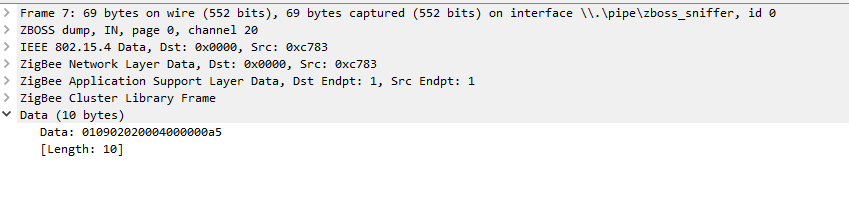
I also noticed the data is pretty much basic Tuya protocol we use on ESP8266's.
Sthopeless
on 1 Sep 2020
A5 = 165 so 16.5 degrees multiplied by 10
0202 (big endian same in normal hex) = 514 decimal which was the DP mentioned above as change temperature target.
In the converters file fromZigbee.js this message is programmed as follows
tuya_thermostat_current_heating_setpoint: {
        key: ['current_heating_setpoint'],
        convertSet: async (entity, key, value, meta) => {
            const temp = Math.round(value * 10);
            const payloadValue = utils.convertDecimalValueTo2ByteHexArray(temp);
            sendTuyaCommand(entity, 514, 0, [4, 0, 0, ...payloadValue]);
        },
    },
Unfortunately my look at the Moes Room Thermostat has completely different DP values for similarcommands - was hoping for some consistency....no luck there....
insipiens
on 1 Sep 2020
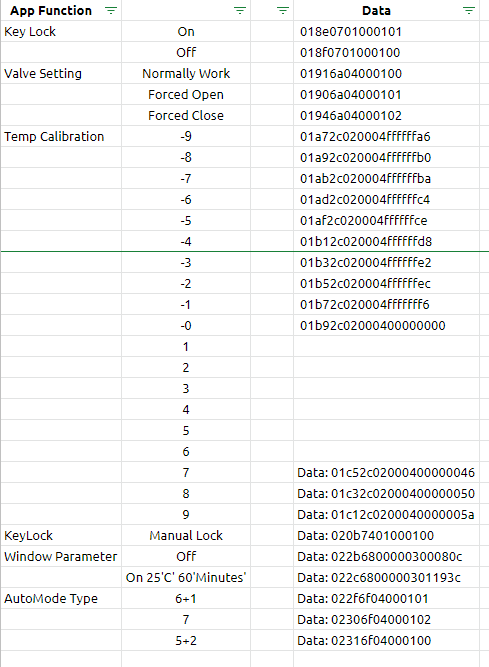
thank you @insipiens.
I been doing something like this for the device, i'll sort and fix it tomorrow
Sthopeless
on 2 Sep 2020
@Sthopeless Nice work! 👍
A comment on the calibration results data you have there, and apologies if I'm explaining the bleeding obvious: for negative values e.g -10 it uses the binary compliment so -10 = 0b1111110110 = 0xfffffff6 (as it's dealing in 1/10 of a degree) .
I'm not fully up to speed on the programming of zigbee2mqtt yet so, like you finding my way....
insipiens
on 2 Sep 2020
Here are the DP's from my printscreen
Window Parameter =104
Key Lock         =263
KeyLock          =372
Change Temp      =514
Temp Calibration =556
MaxTemp Limit    =615
Mode             =1028
Valve Setting    =1130
AutoMode Type    =1135
And here a link for my sheet https://docs.google.com/spreadsheets/d/e/2PACX-1vSN8czWM_IVTDJ6Ayr8SEU9u1bzMdTVxImeeZ0k6uXhzcOzW1Hc46KipJiObhhC8RD23kV7jr0cMzbh/pubhtml?gid=1315981890&single=true let me know if there's anything missing and i can have a look
Sthopeless
on 3 Sep 2020
Guys you're inventing the wheel again
https://github.com/Koenkk/zigbee-herdsman-converters/blob/8102114d8bde669342de577202e8ccefdb9fd281/converters/fromZigbee.js#L221
mgrom
on 3 Sep 2020
@mgrom . understood! given all your hard work! I think trying to make more functionality available....this should be encouraged, if for nothing else but greater participation and understanding.
For me, the program setting aspect is still not fnctional across [any/all?] thermostats - I'm keen to engage further on that given my work on the Moes room thermostat (nearing minimal completion!)
All sent with great respect for everyones contributions
insipiens
on 4 Sep 2020
@insipiens it wasn't me who made all this hard work. I've just added few fixes.
Anyway, my advise: check the code I've linked, then try to create new methods in toZigbee file in converters that will for example change week type (7, 6+1, 5+2). Command structure that have to be send to device is exaxtly the same as its report, it's quite easy. More difficult will be setting weekly schedule in HA, than coding it back to zigbee format :)
If you have any questions, I'll try to help.
mgrom
on 4 Sep 2020
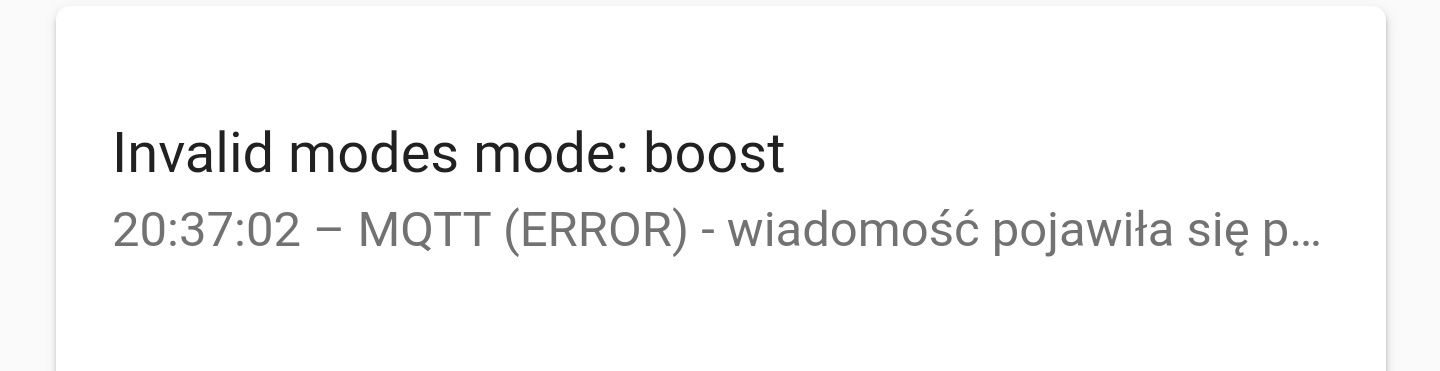
I have error on mqtt when change mode
Showing windows sensor etc as switch is a bug? Why not binary sensor?
 shirou93
on 4 Sep 2020
shirou93
on 4 Sep 2020
On Google home (home assistant expose thermostat) only show temperature inside. I can't change temperature on Google home (only text "other" in circle).
Tap mode no working.

Moes Hy369rt
shirou93
on 6 Sep 2020
Sep 06 18:01:19 raspberrypi npm[6918]: Zigbee2MQTT:error 2020-09-06 18:01:19: No converter available for 'mode' (auto)
Sep 06 18:02:17 raspberrypi npm[6918]: Zigbee2MQTT:error 2020-09-06 18:02:17: No converter available for 'mode' (eco)
Sep 06 18:11:48 raspberrypi npm[6918]: Zigbee2MQTT:info 2020-09-06 18:11:48: MQTT publish: topic 'zigbee2mqtt/bridge/log', payload '{"message":"Publish 'set' 'preset' to 'bn duzy glowica' failed: 'Error: Command 0xec1bbdfffe91c050/1 manuSpecificTuyaDimmer.setData({"status":0,"transid":205,"dp":1028,"fn":0,"data":[1,0]}, {"timeout":10000,"disableResponse":false,"disableDefaultResponse":true,"direction":0,"srcEndpoint":null,"reservedBits":0,"manufacturerCode":null,"transactionSequenceNumber":null}) failed (Data request failed with error: 'Timeout' (9999))'","meta":{"friendly_name":"bn duzy glowica"},"type":"zigbee_publish_error"}'
Bartekn86
on 6 Sep 2020
 ebyna
on 6 Sep 2020
ebyna
on 6 Sep 2020
Hi all,
sorry if this is obvious or allready addressed. I have six of Moes branded Tuya thermostatic valves - model number HY368. Using latest zigbee2mqtt with HA. When I change the operating mode on the valve to manual I get an error in HA
[homeassistant.components.mqtt.climate] Invalid modes mode: manual
Same is with other modes axcept of auto.
But in fact it seems it works with HA ok. It only generates HA error logs. From the MQTT perspective it looks ok (no erorrs in zigbee2mqtt log, MQTT topic seems to update fine).
Are the errors in HA log problem of HA interpreting the mqtt messages or is there anything yet that should be corrected on the zigbee2mqtt or converters side? Thank you.
 Rossez
on 7 Sep 2020
Rossez
on 7 Sep 2020
Sep 07 21:01:51 raspberrypi npm[11448]: Zigbee2MQTT:error 2020-09-07 21:01:51: Publish 'set' 'local_temperature_calibration' to 'bn duzy glowica' failed: 'Error: Command 0xec1bbdfffe91c050/1 manuSpecificTuyaDimmer.setData({"status":0,"transid":95,"dp":556,"fn":0,"data":[4,0,0,0,0]}, {"timeout":10000,"disableResponse":false,"disableDefaultResponse":true,"direction":0,"srcEndpoint":null,"reservedBits":0,"manufacturerCode":null,"transactionSequenceNumber":null}) failed (Data request failed with error: 'Timeout' (9999))'
Sep 07 21:01:51 raspberrypi npm[11448]: Zigbee2MQTT:info 2020-09-07 21:01:51: MQTT publish: topic 'zigbee2mqtt/bridge/log', payload '{"message":"Publish 'set' 'local_temperature_calibration' to 'bn duzy glowica' failed: 'Error: Command 0xec1bbdfffe91c050/1 manuSpecificTuyaDimmer.setData({\"status\":0,\"transid\":95,\"dp\":556,\"fn\":0,\"data\":[4,0,0,0,0]}, {\"timeout\":10000,\"disableResponse\":false,\"disableDefaultResponse\":true,\"direction\":0,\"srcEndpoint\":null,\"reservedBits\":0,\"manufacturerCode\":null,\"transactionSequenceNumber\":null}) failed (Data request failed with error: 'Timeout' (9999))'","meta":{"friendly_name":"bn duzy glowica"},"type":"zigbee_publish_error"}'
Bartekn86
on 7 Sep 2020
Hi all,
sorry if this is obvious or allready addressed. I have six of Moes branded Tuya thermostatic valves - model number HY368. Using latest zigbee2mqtt with HA. When I change the operating mode on the valve to manual I get an error in HA
[homeassistant.components.mqtt.climate] Invalid modes mode: manual
Same is with other modes axcept of auto.
But in fact it seems it works with HA ok. It only generates HA error logs. From the MQTT perspective it looks ok (no erorrs in zigbee2mqtt log, MQTT topic seems to update fine).
Are the errors in HA log problem of HA interpreting the mqtt messages or is there anything yet that should be corrected on the zigbee2mqtt or converters side? Thank you.
A couple of observations:
Integration with HA isn’t a given, I haven’t seen a card in HA which mimics a radiator valve, it’s more an issue with HA in my opinion. When you select a mode in HA (standard thermostat card) it sends a value, either ‘auto’, ‘heat’, or ‘off’? None of these correspond to the radiator valve’s modes. Some programming would be required to make them do something, but what?
You could create automations in HA which just adjust the temperature, such an automation would be in effect the same as a program...probably better actually.
Nothing is stopping anyone from developing this further if they feel the need to do so.
insipiens
on 8 Sep 2020
Few facts:
- HA requires climate sensors to have modes
- First version of integration of this valbe was built on modes.
- HA allows only strict set of modes, they are predefined.
- HA have something called hold_modes (name is quite dumb because they appear as presets on UI). Preset are more flexible, you can just define own list
- I've made few fixes to be able to use presets instead of modes, but I had to keep backward compatibility. So everytime you change preset there is also mode change triggered.
mgrom
on 8 Sep 2020
Thanks for the comments!
- I've made few fixes to be able to use presets instead of modes, but I had to keep backward compatibility. So everytime you change preset there is also mode change triggered.
Understood. Thanks very much. So the issue is HA problem and it doesn't affect the valve functionality. I am planning to use manual mode (preset) only and control the temp with automations.
Two more questions:
1) How the window detection switch is supposed to work? When I switch it on the valve fully opens. I thought that it is supposed to close the valve so that the heating is turned off while windows are temporarily opened (temp drops).
2) What valve detection switch should do?
Thank you.
Rossez
on 8 Sep 2020
1 the detection works so that a sudden drop in temperature closes the valve for a certain time, set by some parameter
Bartekn86
on 8 Sep 2020
1.14.4.1 still mqtt error when change modes.
shirou93
on 18 Sep 2020
How can I improve the update frequency since the center of the valve was touched and it turns on if it sends me information but if I don't do that, the refresh rate is very large or null
 Miguelin96
on 18 Sep 2020
Miguelin96
on 18 Sep 2020
@Miguelin96 you can use automation to trigger forced temperature measurements in your preferred time interval, as exampled here: https://github.com/Koenkk/zigbee2mqtt/issues/3821#issuecomment-672252658
cadavre
on 18 Sep 2020
@ Miguelin96 puede usar la automatización para activar mediciones de temperatura forzadas en su intervalo de tiempo preferido, como se muestra aquí: # 3821 (comentario)
The same thing still happens to me after I put the automation.....
If I modify the data from the thermostat, it is updated in home assistant but when I do it from home assistant, the valve does not change if I do not touch the valve
Miguelin96
on 18 Sep 2020
@ Miguelin96 puede usar la automatización para activar mediciones de temperatura forzadas en su intervalo de tiempo preferido, como se muestra aquí: # 3821 (comentario)
The same thing still happens to me after I put the automation.....
If I modify the data from the thermostat, it is updated in home assistant but when I do it from home assistant, the valve does not change if I do not touch the valve
Same problem here. Conbee II + z2m 1.14.4.1 + TZE200_ckud7u2l thermostat.
 QBANIN
on 20 Sep 2020
QBANIN
on 20 Sep 2020
@ Miguelin96 puede usar la automatización para activar mediciones de temperatura forzadas en su intervalo de tiempo preferido, como se muestra aquí: # 3821 (comentario)
The same thing still happens to me after I put the automation.....
If I modify the data from the thermostat, it is updated in home assistant but when I do it from home assistant, the valve does not change if I do not touch the valveSame problem here. Conbee II + z2m 1.14.4.1 + TZE200_ckud7u2l thermostat.
same here.
i have three thermostats with different version numbers. only one works. it seems the other ones going in to sleep and have to wake up by touching them.
working
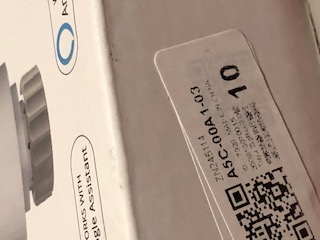
not working
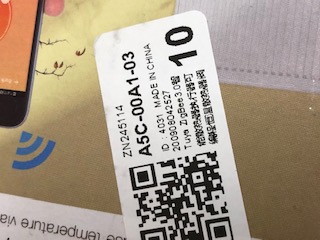
not working

 jul1an353
on 20 Sep 2020
jul1an353
on 20 Sep 2020
I have received my valve recently and similarly to QBANIN, Miguel96 and jul1an353, I am basically not able to set any command over Zigbee to it once it goes to sleep.
I tried to use it with zStack 1.2 and 3.0 and it is the same. As long as the LEDs are on, it is accepting commands. When they goes off, it does not talk to me anymore. I tried for example to send local_temperature_calibration command with argument of 0 and no response.
Not working:
manufId: 4098
manufName: _TZE200_ckud7u2l
modelId: TS0601

 callahanharry
on 20 Sep 2020
callahanharry
on 20 Sep 2020
@callahanharry @Miguelin96
Once i received mine set, i connected heads to original zigbee gate and updated firmware to latest version, but forgot about one. When heads was was mounted i reconnected them to z2m CC2531 USB stick, and found same problem as mentioned - data seems to go only in one directions - head to z2m/ha. Reconnecting to original gate, updating to latest firmware via Smart Life app, and connecting back to z2m fixed issue.
 diabl0
on 20 Sep 2020
diabl0
on 20 Sep 2020
I also have the Moes TRV, and with the newest dev version of z2m I also have the same problems. I can see things that are set on the trv but when I change enything in Home Assistant, nothing happens.
@diabl0 - Can I update firmware without the Tuya gateway?
 misza-m
on 20 Sep 2020
misza-m
on 20 Sep 2020
@callahanharry @Miguelin96
Once i received mine set, i connected heads to original zigbee gate and updated firmware to latest version, but forgot about one. When heads was was mounted i reconnected them to z2m CC2531 USB stick, and found same problem as mentioned - data seems to go only in one directions - head to z2m/ha. Reconnecting to original gate, updating to latest firmware via Smart Life app, and connecting back to z2m fixed issue.
Great! After firmware update valve works perfectly :) Thank you!
QBANIN
on 21 Sep 2020
I never used valves with original gateway, so firmware I received is the one I'm using. And it's working flawlessly!
It's a pitty we cannot check firmware from Z2Massistant – this way we could prepare a "Supported versions" matrix. Or is there any other way of getting FW info?
cadavre
on 21 Sep 2020
I've just received two valves and they are running correct without the gateway. So happy.
The only problem is that the battery status is completly missing.
Any idea?
 pirracas77
on 21 Sep 2020
pirracas77
on 21 Sep 2020
Additionally, I discovered that the two valves received, it seems that they have diferent firmware between them.
One of them doesn't have the value ""running":false" in the payload and also this valve aswer is faster than the other one to the "current_heating_setpoint" query.
pirracas77
on 22 Sep 2020
@misza-m - Looking at z2m sources, there seems to be some support for OTA update of ZigBee devices. As the implementation for different devices differs basically just in way of version checking and obtaining newer images from vendor sites, updating ZigBee device could be standardized thing.
Probably the only, but also major, problem would be obtaining firmware image for this valve. There are some projects on github allowing to use tuya cloud API, but they are mostly hacks, obtaining encryption keys hidden in pixels of pictures extracted from APKs, etc ...
callahanharry
on 23 Sep 2020
I've received such a thermostat today, ordered also at moes.
But it seems to be a different model - the HY368
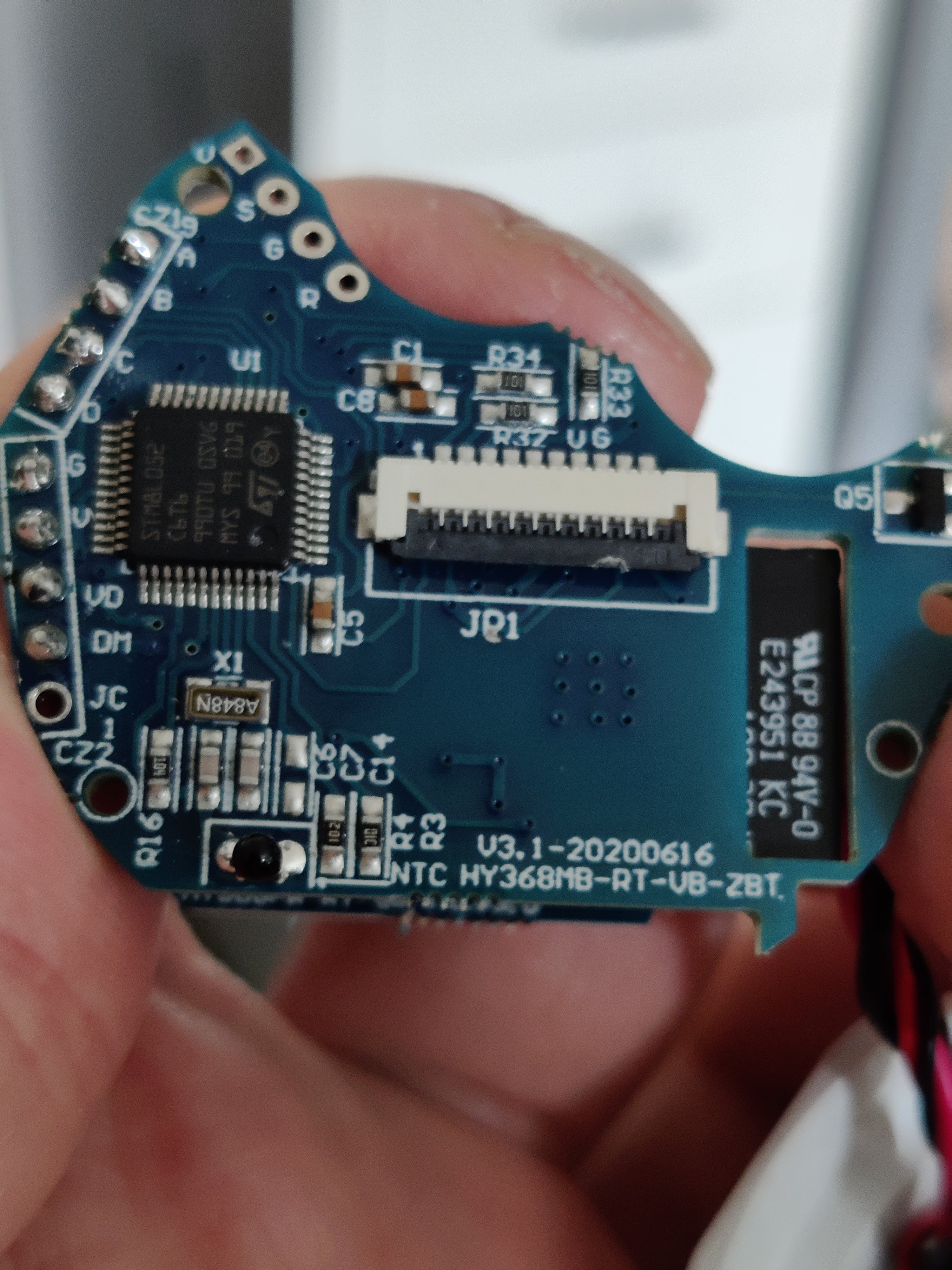
Otherwise it looks exactly the same, but isn't yet supported (log after re-powering it on):
Zigbee2MQTT:debug 2020-09-23 14:26:45: Device '0x842e14fffe5a314c' announced itself
Zigbee2MQTT:info  2020-09-23 14:26:45: MQTT publish: topic 'zigbee2mqtt/bridge/log', payload '{"message":"announce","meta":{"friendly_name":"0x842e14fffe5a314c"},"type":"device_announced"}'
Zigbee2MQTT:debug 2020-09-23 14:26:45: Device '0x842e14fffe5a314c' announced itself
Zigbee2MQTT:info  2020-09-23 14:26:45: MQTT publish: topic 'zigbee2mqtt/bridge/log', payload '{"message":"announce","meta":{"friendly_name":"0x842e14fffe5a314c"},"type":"device_announced"}'
Zigbee2MQTT:debug 2020-09-23 14:26:49: Received Zigbee message from '0x842e14fffe5a314c', type 'read', cluster 'genTime', data '["localTime"]' from endpoint 1 with groupID 0
Zigbee2MQTT:warn  2020-09-23 14:26:49: Received message from unsupported device with Zigbee model 'undefined'
Zigbee2MQTT:warn  2020-09-23 14:26:49: Please see: https://www.zigbee2mqtt.io/how_tos/how_to_support_new_devices.html.
Zigbee2MQTT:debug 2020-09-23 14:26:56: Received Zigbee message from '0x842e14fffe5a314c', type 'raw', cluster 'manuSpecificTuyaDimmer', data '{"data":[25,1,36,0,3],"type":"Buffer"}' from endpoint 1 with groupID 0
Zigbee2MQTT:warn  2020-09-23 14:26:56: Received message from unsupported device with Zigbee model 'undefined'
Zigbee2MQTT:warn  2020-09-23 14:26:56: Please see: https://www.zigbee2mqtt.io/how_tos/how_to_support_new_devices.html.
Zigbee2MQTT:debug 2020-09-23 14:26:58: Received Zigbee message from '0x842e14fffe5a314c', type 'commandGetData', cluster 'manuSpecificTuyaDimmer', data '{"data":{"data":[0,0,0,5],"type":"Buffer"},"dp":614,"fn":0,"status":0,"transid":1}' from endpoint 1 with groupID 0
Zigbee2MQTT:warn  2020-09-23 14:26:58: Received message from unsupported device with Zigbee model 'undefined'
Zigbee2MQTT:warn  2020-09-23 14:26:58: Please see: https://www.zigbee2mqtt.io/how_tos/how_to_support_new_devices.html.
Zigbee2MQTT:debug 2020-09-23 14:26:58: Received Zigbee message from '0x842e14fffe5a314c', type 'commandGetData', cluster 'manuSpecificTuyaDimmer', data '{"data":{"data":[0,0,0,35],"type":"Buffer"},"dp":615,"fn":0,"status":0,"transid":2}' from endpoint 1 with groupID 0
Zigbee2MQTT:warn  2020-09-23 14:26:58: Received message from unsupported device with Zigbee model 'undefined'
Zigbee2MQTT:warn  2020-09-23 14:26:58: Please see: https://www.zigbee2mqtt.io/how_tos/how_to_support_new_devices.html.
Zigbee2MQTT:debug 2020-09-23 14:26:58: Received Zigbee message from '0x842e14fffe5a314c', type 'commandGetData', cluster 'manuSpecificTuyaDimmer', data '{"data":{"data":[0,0,1,24],"type":"Buffer"},"dp":514,"fn":0,"status":0,"transid":3}' from endpoint 1 with groupID 0
Zigbee2MQTT:warn  2020-09-23 14:26:58: Received message from unsupported device with Zigbee model 'undefined'
Zigbee2MQTT:warn  2020-09-23 14:26:58: Please see: https://www.zigbee2mqtt.io/how_tos/how_to_support_new_devices.html.
Zigbee2MQTT:debug 2020-09-23 14:26:59: Received Zigbee message from '0x842e14fffe5a314c', type 'commandGetData', cluster 'manuSpecificTuyaDimmer', data '{"data":{"data":[0,0,1,14],"type":"Buffer"},"dp":515,"fn":0,"status":0,"transid":4}' from endpoint 1 with groupID 0
Zigbee2MQTT:warn  2020-09-23 14:26:59: Received message from unsupported device with Zigbee model 'undefined'
Zigbee2MQTT:warn  2020-09-23 14:26:59: Please see: https://www.zigbee2mqtt.io/how_tos/how_to_support_new_devices.html.
Zigbee2MQTT:debug 2020-09-23 14:26:59: Received Zigbee message from '0x842e14fffe5a314c', type 'commandGetData', cluster 'manuSpecificTuyaDimmer', data '{"data":{"data":[0,0,1,14],"type":"Buffer"},"dp":515,"fn":0,"status":0,"transid":5}' from endpoint 1 with groupID 0
Zigbee2MQTT:warn  2020-09-23 14:26:59: Received message from unsupported device with Zigbee model 'undefined'
Zigbee2MQTT:warn  2020-09-23 14:26:59: Please see: https://www.zigbee2mqtt.io/how_tos/how_to_support_new_devices.html.
Zigbee2MQTT:debug 2020-09-23 14:26:59: Received Zigbee message from '0x842e14fffe5a314c', type 'commandGetData', cluster 'manuSpecificTuyaDimmer', data '{"data":{"data":[2],"type":"Buffer"},"dp":1028,"fn":0,"status":0,"transid":6}' from endpoint 1 with groupID 0
Zigbee2MQTT:warn  2020-09-23 14:26:59: Received message from unsupported device with Zigbee model 'undefined'
Zigbee2MQTT:warn  2020-09-23 14:26:59: Please see: https://www.zigbee2mqtt.io/how_tos/how_to_support_new_devices.html.
Zigbee2MQTT:debug 2020-09-23 14:26:59: Received Zigbee message from '0x842e14fffe5a314c', type 'commandGetData', cluster 'manuSpecificTuyaDimmer', data '{"data":{"data":[2],"type":"Buffer"},"dp":1028,"fn":0,"status":0,"transid":7}' from endpoint 1 with groupID 0
Zigbee2MQTT:warn  2020-09-23 14:26:59: Received message from unsupported device with Zigbee model 'undefined'
Zigbee2MQTT:warn  2020-09-23 14:26:59: Please see: https://www.zigbee2mqtt.io/how_tos/how_to_support_new_devices.html.
Zigbee2MQTT:debug 2020-09-23 14:26:59: Received Zigbee message from '0x842e14fffe5a314c', type 'commandGetData', cluster 'manuSpecificTuyaDimmer', data '{"data":{"data":[0],"type":"Buffer"},"dp":263,"fn":0,"status":0,"transid":8}' from endpoint 1 with groupID 0
Zigbee2MQTT:warn  2020-09-23 14:26:59: Received message from unsupported device with Zigbee model 'undefined'
Zigbee2MQTT:warn  2020-09-23 14:26:59: Please see: https://www.zigbee2mqtt.io/how_tos/how_to_support_new_devices.html.
Zigbee2MQTT:debug 2020-09-23 14:26:59: Received Zigbee message from '0x842e14fffe5a314c', type 'commandGetData', cluster 'manuSpecificTuyaDimmer', data '{"data":{"data":[0],"type":"Buffer"},"dp":1293,"fn":0,"status":0,"transid":9}' from endpoint 1 with groupID 0
Zigbee2MQTT:warn  2020-09-23 14:26:59: Received message from unsupported device with Zigbee model 'undefined'
Zigbee2MQTT:warn  2020-09-23 14:26:59: Please see: https://www.zigbee2mqtt.io/how_tos/how_to_support_new_devices.html.
Zigbee2MQTT:debug 2020-09-23 14:26:59: Received Zigbee message from '0x842e14fffe5a314c', type 'commandGetData', cluster 'manuSpecificTuyaDimmer', data '{"data":{"data":[255,255,255,246],"type":"Buffer"},"dp":556,"fn":0,"status":0,"transid":10}' from endpoint 1 with groupID 0
Zigbee2MQTT:warn  2020-09-23 14:26:59: Received message from unsupported device with Zigbee model 'undefined'
Zigbee2MQTT:warn  2020-09-23 14:26:59: Please see: https://www.zigbee2mqtt.io/how_tos/how_to_support_new_devices.html.
Zigbee2MQTT:debug 2020-09-23 14:27:00: Received Zigbee message from '0x842e14fffe5a314c', type 'commandGetData', cluster 'manuSpecificTuyaDimmer', data '{"data":{"data":[0,5,10],"type":"Buffer"},"dp":104,"fn":0,"status":0,"transid":11}' from endpoint 1 with groupID 0
Zigbee2MQTT:warn  2020-09-23 14:27:00: Received message from unsupported device with Zigbee model 'undefined'
Zigbee2MQTT:warn  2020-09-23 14:27:00: Please see: https://www.zigbee2mqtt.io/how_tos/how_to_support_new_devices.html.
Zigbee2MQTT:debug 2020-09-23 14:27:00: Received Zigbee message from '0x842e14fffe5a314c', type 'commandGetData', cluster 'manuSpecificTuyaDimmer', data '{"data":{"data":[0,0,1,44],"type":"Buffer"},"dp":617,"fn":0,"status":0,"transid":12}' from endpoint 1 with groupID 0
Zigbee2MQTT:warn  2020-09-23 14:27:00: Received message from unsupported device with Zigbee model 'undefined'
Zigbee2MQTT:warn  2020-09-23 14:27:00: Please see: https://www.zigbee2mqtt.io/how_tos/how_to_support_new_devices.html.
Zigbee2MQTT:debug 2020-09-23 14:27:00: Received Zigbee message from '0x842e14fffe5a314c', type 'commandGetData', cluster 'manuSpecificTuyaDimmer', data '{"data":{"data":[0],"type":"Buffer"},"dp":1130,"fn":0,"status":0,"transid":13}' from endpoint 1 with groupID 0
Zigbee2MQTT:warn  2020-09-23 14:27:00: Received message from unsupported device with Zigbee model 'undefined'
Zigbee2MQTT:warn  2020-09-23 14:27:00: Please see: https://www.zigbee2mqtt.io/how_tos/how_to_support_new_devices.html.
Zigbee2MQTT:debug 2020-09-23 14:27:00: Received Zigbee message from '0x842e14fffe5a314c', type 'commandGetData', cluster 'manuSpecificTuyaDimmer', data '{"data":{"data":[0,0,0,20],"type":"Buffer"},"dp":619,"fn":0,"status":0,"transid":14}' from endpoint 1 with groupID 0
Zigbee2MQTT:warn  2020-09-23 14:27:00: Received message from unsupported device with Zigbee model 'undefined'
Zigbee2MQTT:warn  2020-09-23 14:27:00: Please see: https://www.zigbee2mqtt.io/how_tos/how_to_support_new_devices.html.
Zigbee2MQTT:debug 2020-09-23 14:27:00: Received Zigbee message from '0x842e14fffe5a314c', type 'commandGetData', cluster 'manuSpecificTuyaDimmer', data '{"data":{"data":[0,0,0,15],"type":"Buffer"},"dp":620,"fn":0,"status":0,"transid":15}' from endpoint 1 with groupID 0
I also found commits for it at deconz, if that helps: https://github.com/dresden-elektronik/deconz-rest-plugin/issues/3110
 fabicodes
on 23 Sep 2020
fabicodes
on 23 Sep 2020
I have ordered one for testing from aliexpress. it arrived today. I have the same problem, I can only change something from HA while the leds are on. Once the leds turn off I cannot do anything.
 slashbv
on 24 Sep 2020
slashbv
on 24 Sep 2020
I have one and did some checking of the traffic and it is working fine, even with or without updating to latest firmware (I checked both).
The only major problem I found was in the smart life app it was asking for a password to access the advanced settings....it was not the App password oddly so I couldn't check those functions out. If someone could shed some light on that I'd appreciate it...I could then check out the other functions by sniffing to confirm any other functions.
Here attached is the analysis from my checks, it matches with the current Zigbee2mqtt configuration so no difference so far between the Moes valve HY368 and the Tuya family of valves....
Also, to mention...the calibration function only works for positive numbers, why? the library function in Z2M can't handle negative (complimentary) values. Is this a deal breaker? probably not :)
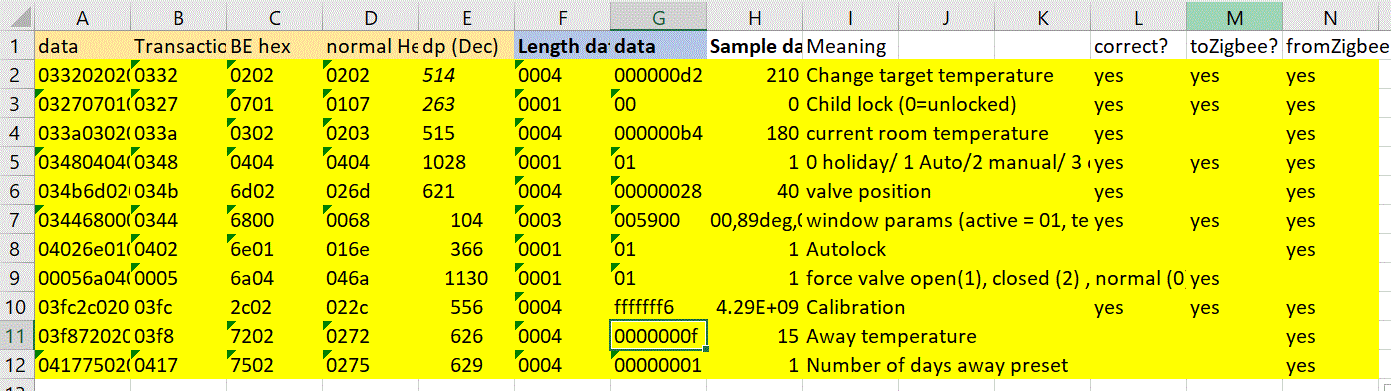
insipiens
on 24 Sep 2020
I have one and did some checking of the traffic and it is working fine, even with or without updating to latest firmware (I checked both).
The only major problem I found was in the smart life app it was asking for a password to access the advanced settings....it was not the App password oddly so I couldn't check those functions out. If someone could shed some light on that I'd appreciate it...I could then check out the other functions by sniffing to confirm any other functions.
Here attached is the analysis from my checks, it matches with the current Zigbee2mqtt configuration so no difference so far between the Moes valve HY368 and the Tuya family of valves....
Also, to mention...the calibration function only works for positive numbers, why? the library function in Z2M can't handle negative (complimentary) values. Is this a deal breaker? probably not :)
Yes, I realise that only works with positive values.
Do you see why battery status is not reported?
pirracas77
on 24 Sep 2020
Another comment:
In home assistant you are correct, clicking the icon on the climate control does nothing.
What you need to do is click the ellipses (3 vertical dots) in the upper right corner which takes you to the additional preset control (see attachment). There you will find the presets which do change settings.
HA only allows a limited selection of the control in normal view, hence why the presets was configured to provide the added functionality I assume.
Hope that helps :)
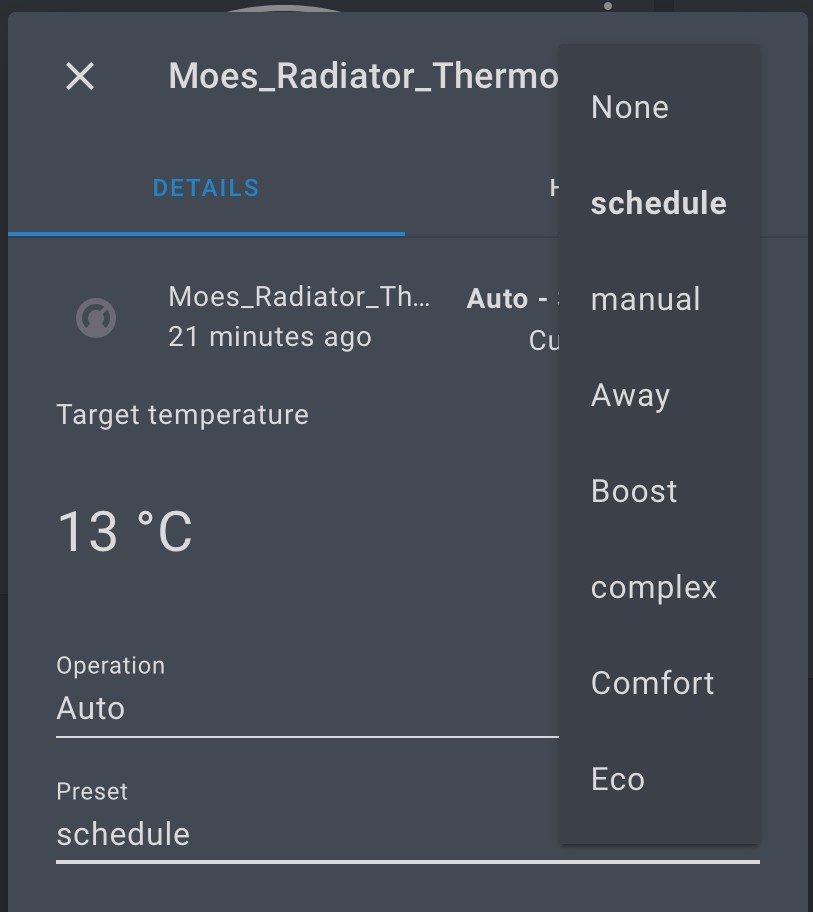
insipiens
on 24 Sep 2020
@pirracas77 Battery status. Yes, part of the reason I did the analysis was to check that,
I saw no Zigbee HA messages that contained the battery status.....it does clearly get transmitted but nothing obvious showed up.
When working on another Moes item, a thermostat I also noticed the time setup was sent in a different way - I think ZCL or IEEE, not one that Z2M would be able to pick up.
I wonder if this does it the same way?
insipiens
on 24 Sep 2020
@pirracas77 Battery status. Yes, part of the reason I did the analysis was to check that,
I saw no Zigbee HA messages that contained the battery status.....it does clearly get transmitted but nothing obvious showed up.
When working on another Moes item, a thermostat I also noticed the time setup was sent in a different way - I think ZCL or IEEE, not one that Z2M would be able to pick up.
I wonder if this does it the same way?
Maybe.
Or perhaps the device is only prepared to send the message "battery low"
Does anyone know what information sends to the official app?
pirracas77
on 24 Sep 2020
so I understand for you it's working fine even with the leds off?
slashbv
on 24 Sep 2020
so I understand for you it's working fine even with the leds off?
Yes, it works very well.
pirracas77
on 24 Sep 2020
@pirracas77 For sure, could be something like that maybe...but on the Smart Life app it states the battery level so I would assume it is transmitted regularly.
Edit: scrub that - its valve position it reports.....
insipiens
on 25 Sep 2020
Edit: scrub that - its valve position it reports.....
So maybe battery status is simply not reported regulary.
The valve has a "battery low" icon. Maybe this is the only information that could arrive.
could you put a run out battery and sniff the information reported?
pirracas77
on 25 Sep 2020
After upgrade firmware also reacts after 4 minutes on change z2m?
shirou93
on 25 Sep 2020
Hey,
I have this device, but during pairing I get information that device is unsupported.
Zigbee2mqtt version: 1.14.4
Adapter hardware: CC2530
Adapter firmware version: zStack12
What should I do to make it work? Switch to the dev branch? Whether updating firmware is needed?
 raptor1989
on 25 Sep 2020
raptor1989
on 25 Sep 2020
@Bart-1992
Thanks for info. Window detection will work in next release.I've made simple automation:
trv_automations:
  automation:
    - id: bedroom_trv_get_temp
      alias: Bedroom TRV get current temp
      trigger:
        - platform: time_pattern
          minutes: "/2"
      action:
        - service: mqtt.publish
          data_template:
            topic: 'zigbee2mqtt/bedroom_moes_trv/set/local_temperature_calibration'
            payload: '0'
I tried above automation and I need to set local_temperature_calibration to -1 degree (asi it was set from factory). I send "-1.0" or "-1" as payload. However I get MQTT error:
(node:17) UnhandledPromiseRejectionWarning: RangeError [ERR_OUT_OF_RANGE]: The value of "value" is out of range. It must be >= 0 and <= 255. Received -10
Is there any way to put negative value to temp calibraton? Thank you.
Rossez
on 25 Sep 2020
Is there any way to put negative value to temp calibraton? Thank you.
It was already stated, negative values doesn't work for the moment. You should set it by hand in the valve.
pirracas77
on 25 Sep 2020
Same issue for me, valve accepts commands only when it is not sleeping; i have bought it on the official Moes store;
 ramelito
on 25 Sep 2020
ramelito
on 25 Sep 2020
@Bart-1992
Thanks for info. Window detection will work in next release.
I've made simple automation:trv_automations: automation: - id: bedroom_trv_get_temp alias: Bedroom TRV get current temp trigger: - platform: time_pattern minutes: "/2" action: - service: mqtt.publish data_template: topic: 'zigbee2mqtt/bedroom_moes_trv/set/local_temperature_calibration' payload: '0'I tried above automation and I need to set local_temperature_calibration to -1 degree (asi it was set from factory). I send "-1.0" or "-1" as payload. However I get MQTT error:
(node:17) UnhandledPromiseRejectionWarning: RangeError [ERR_OUT_OF_RANGE]: The value of "value" is out of range. It must be >= 0 and <= 255. Received -10Is there any way to put negative value to temp calibraton? Thank you.
I have found a way to set negative values:
Values above 128 are negative for device, so for example if you send 129,5 it will be -1,5 for thermostat. Checked and tested in NodeRED.
 rachffus
on 26 Sep 2020
rachffus
on 26 Sep 2020
Same issue for me, valve accepts commands only when it is not sleeping; i have bought it on the official Moes store;
Update thermostat to latest firmware by smartlife or tuyasmart app, it should fix this issue.
rachffus
on 26 Sep 2020
Thanks for your reply, do not have bridge from tuya. Seems need to order it
now.
On Sat, Sep 26, 2020, 08:48 rachffus notifications@github.com wrote:
Same issue for me, valve accepts commands only when it is not sleeping; i
have bought it on the official Moes store;Update thermostat to latest firmware by smartlife or tuyasmart app, it
should fix this issue.—
You are receiving this because you commented.
Reply to this email directly, view it on GitHub
https://github.com/Koenkk/zigbee2mqtt/issues/3821#issuecomment-699432760,
or unsubscribe
https://github.com/notifications/unsubscribe-auth/AAK4YDQDCQ2GHWNTLACAMYTSHV6DDANCNFSM4OKDOJBQ
.
ramelito
on 26 Sep 2020
Values above 128 are negative for device, so for example if you send 129,5 it will be -1,5 for thermostat.
Thanks @rachffus !
Worth to mention that it's only possible to calibrate +/- 9°C
Tested this with automation in HA:
- alias: Calibrate Office thermostat
  trigger:
    platform: state
    entity_id: input_number.thermostat_calibrate_office
  action:
    - service: mqtt.publish
      data_template:
        topic: 'zigbee2mqtt/thermostat_office/set/local_temperature_calibration'
        payload_template: >-
          {% if trigger.to_state.state|float >= 0 %}
            {{ trigger.to_state.state|float }}
          {% else %}
            {{ 128 - (trigger.to_state.state|float|abs) }}
          {% endif %}
This works fine. Obviously it can be changed to time trigger and based on readout from other sensor. That's what I plan to do but I also wonder how will internal logic react to frequent adjustments of calibration value.
 artkrz
on 26 Sep 2020
artkrz
on 26 Sep 2020
Thanks for your reply, do not have bridge from tuya. Seems need to order it now.
…
On Sat, Sep 26, 2020, 08:48 rachffus @.*> wrote: Same issue for me, valve accepts commands only when it is not sleeping; i have bought it on the official Moes store; Update thermostat to latest firmware by smartlife or tuyasmart app, it should fix this issue. — You are receiving this because you commented. Reply to this email directly, view it on GitHub <#3821 (comment)>, or unsubscribe https://github.com/notifications/unsubscribe-auth/AAK4YDQDCQ2GHWNTLACAMYTSHV6DDANCNFSM4OKDOJBQ .
I have ordered one on amazon, it arrived today and I also confirm it works after firmware update.
slashbv
on 26 Sep 2020
I have found a way to set negative values:
Values above 128 are negative for device, so for example if you send 129,5 it will be -1,5 for thermostat. Checked and tested in NodeRED.
For me it is not working if I chose 129, it sets "1" instead of "-1", so maybe is related with the firmware version
pirracas77
on 26 Sep 2020
@rachfuss Good find !
If you just prefer to send -9 to +9 through mqtt you just need to add a line to convert a negative value in the /opt/zigbee2mqtt/node_modules/zigbee-herdsman-converters/converters/toZigbee.js converter file and restart the service - this worked for me with my Moes HY368 :
    tuya_thermostat_calibration: {
        key: ['local_temperature_calibration'],
        convertSet: async (entity, key, value, meta) => {
            if (value < 0){ value = 4096+value}   //added to allow negative adjustment e.g -1 to -9 values
            const temp = Math.round(value * 10);
            const payloadValue = utils.convertDecimalValueTo2ByteHexArray(temp);
            sendTuyaCommand(entity, 556, 0, [4, 0, 0, ...payloadValue]);
        },
    },
For You 128-x will work.
For me it is not working if I chose 129, it sets "1" instead of "-1", so maybe is related with the firmware version
artkrz
on 26 Sep 2020
hi im noob sorry for my question here but why this valve still showing me 25/26 degrees even if other sensor show 21 degrees. Is it broken or is a bug ?
Shouldn't it work in such a way that the sensor detects the room temperature and controls the valve depending on it?
tux0n
on 26 Sep 2020
For You 128-x will work.
…
For me it is not working if I chose 129, it sets "1" instead of "-1", so maybe is related with the firmware version
Thanks!
You are right, 128 is "0", 127 is -1 and so on...
pirracas77
on 26 Sep 2020
isn't a one time calibration enough ? why there is a need to calibrate it so often ?
slashbv
on 27 Sep 2020
isn't a one time calibration enough ? why there is a need to calibrate it so often ?
There is no need to calibrate it more than once.
mgrom
on 27 Sep 2020
Same issue for me, valve accepts commands only when it is not sleeping; i have bought it on the official Moes store;
Update thermostat to latest firmware by smartlife or tuyasmart app, it should fix this issue.
confirmed, update fw to latest fix problem ( updated using oryginal tuya gateway)
Bartekn86
on 27 Sep 2020
Same issue for me, valve accepts commands only when it is not sleeping; i have bought it on the official Moes store;
Update thermostat to latest firmware by smartlife or tuyasmart app, it should fix this issue.
confirmed, update fw to latest fix problem ( updated using oryginal tuya gateway)
Is there a way to update the firmware without having a tuya gateway?
 MarBra
on 27 Sep 2020
MarBra
on 27 Sep 2020
do not know, there are some pads inside to connect imo jtag. but dont know how/from where download fw.
issiues that i see for now is no options to change values to window detection,
Bartekn86
on 27 Sep 2020
How can I get (not set) current local_temperature_calibration value for automation?
QBANIN
on 27 Sep 2020
Anyone else getting flooded with:
2020-09-28 16:59:52 ERROR (MainThread) [homeassistant.components.mqtt.climate] Invalid modes mode: manual
2020-09-28 17:00:03 ERROR (MainThread) [homeassistant.components.mqtt.climate] Invalid modes mode: manual
2020-09-28 17:00:04 ERROR (MainThread) [homeassistant.components.mqtt.climate] Invalid modes mode: manual
2020-09-28 17:03:08 ERROR (MainThread) [homeassistant.components.mqtt.climate] Invalid modes mode: manual
2020-09-28 17:03:33 ERROR (MainThread) [homeassistant.components.mqtt.climate] Invalid modes mode: manual
2020-09-28 17:03:34 ERROR (MainThread) [homeassistant.components.mqtt.climate] Invalid modes mode: manual
2020-09-28 17:03:39 ERROR (MainThread) [homeassistant.components.mqtt.climate] Invalid modes mode: manual
2020-09-28 17:03:49 ERROR (MainThread) [homeassistant.components.mqtt.climate] Invalid modes mode: manual
2020-09-28 17:03:50 ERROR (MainThread) [homeassistant.components.mqtt.climate] Invalid modes mode: manual
2020-09-28 17:03:55 ERROR (MainThread) [homeassistant.components.mqtt.climate] Invalid modes mode: manual
in HA?
artkrz
on 28 Sep 2020
I've searched my logs, found the same as well.
 cybool
on 28 Sep 2020
cybool
on 28 Sep 2020
have the same
Bartekn86
on 28 Sep 2020
How can I get (not set) current local_temperature_calibration value for automation?
i can not get/set (both) of current local calibration, can not set/get window open detection, too
Bartekn86
on 28 Sep 2020
How can I get (not set) current local_temperature_calibration value for automation?
i can not get/set (both) of current local calibration, can not set/get window open detection, too
NVM, already found a way to get it :)
sensor:
- platform: mqtt
    name: "Thermostate name"
    state_topic: 'zigbee2mqtt/Thermostate_friendly_name'
    qos: 0
    unit_of_measurement: "℃"
    value_template: "{{ value_json.local_temperature_calibration }}"
@artkrz @cybool
I think the log errors are because the fromZigbee.js is sending a not allowed values (manual) back to HA.
I've changed the line in mine to test if no further errors persist, see comments for 'ret.system_mode' in code snippet below. Be interesting to see if this resolves the log errors
    case 1028: {// 0x0404 Preset changed
        const ret = {};
        const presetOk = utils.getMetaValue(msg.endpoint, model, 'tuyaThermostatPreset').hasOwnProperty(dataAsDecNumber);
        const modeOk = utils.getMetaValue(msg.endpoint, model, 'tuyaThermostatSystemMode').hasOwnProperty(dataAsDecNumber);
        if (presetOk) {
            ret.preset = utils.getMetaValue(msg.endpoint, model, 'tuyaThermostatPreset')[dataAsDecNumber];
        }
        if (modeOk) {
//           ret.system_mode = utils.getMetaValue(msg.endpoint, model, 'tuyaThermostatSystemMode')[dataAsDecNumber];   //removed to eliminate error
            ret.system_mode = 'auto';   //added to ensure valid mode sent to HA
        } else {
            console.log(`TRV preset/mode ${dataAsDecNumber} is not recognized.`);
            return;
        }
        return ret;
Sure it will stop errors, but I've added these lines to keep backward compatibility. I'm not an author of this integration, and this integration at the beginning was build for an older version of this TRV. I've just added presets, and I've fixed few other things to be able to control current version of the valve.
Long story short: this change can break backward compatibilty, but not necessarily ;)
mgrom
on 28 Sep 2020
indeed @mgrom.
I'm happy to modify my code as and when required...
insipiens
on 28 Sep 2020
Any chances of updating the firmware without the tuya gateway?
shirou93
on 28 Sep 2020
Anyone knows if it is possible to set "position" manually via MQTT? I get the error
Zigbee2MQTT:error 2020-09-29 09:53:38: No converter available for 'position' (10)
BTW if someone finds usefull - you can set "force" manually - values: close, normal, open
Rossez
on 29 Sep 2020
I doubt You can, the options you mentioned are possible to set via Tuya app, the set position is not as far as I remember.
artkrz
on 29 Sep 2020
isn't a one time calibration enough ? why there is a need to calibrate it so often ?
There is no need to calibrate it more than once.
Normally there is no need for calibrating devices more then once. But, I assume that temperature around radiator is not equal to temperature inside room and some of my thermostat are behind curtains, so i have made automation that is setting calibration value when thermsotat temperature is different by 0,25C than my temperature sensor inside room. Now it is made for testing so I'll see how it will be working an if it's worth calibrating automatically.
 Macieyo16
on 29 Sep 2020
Macieyo16
on 29 Sep 2020
Calibrating it this often might not be good idea. Most likely there's algorithm for PID in the thermostat and You have no idea how it works and this might make things even worse. What I think is that the ideal point of calibration is when you heat the room to desired temp (on the sensor) and then adjust. The built in sensor at least for me is spot on with Aqara on the wall 2m away when valve is shut (no heating). Obviously it needs calibration when radiator is heating but when is the best time to do this? When it's opened 100%? Or perhaps 50%? I think there's no ideal solution that will always work. You would need to control the valve manually with your own PID and disable internal logic and sensor all together. Basically making a dumb TRV that you set valve opening % from HA or NodeRed. I would ditch these and buy it instantly if it exists ;) BTW, for me the best way to achieve this so far was with floor heating actuators on regular radiator. I controlled it with HA generic thermostat but this have only on/off so it's not ideal either.
artkrz
on 29 Sep 2020
Basically making a dumb TRV that you set valve opening % from HA or NodeRed. I would ditch these and buy it instantly if it exists.
EXACTLY! Currently I'm working only with manual mode in this valves. Setting off as 16.C temp. and on as 28.C. The lag is huge, but I'll test it properly when days are colder.
PS. In short my comment means "I don't care about calibration". :p
cadavre
on 29 Sep 2020
@cadavre If you only care about on/off just buy this: https://www.salus-controls.eu/products/offline-control-underfloor-heating/wired-system/t30nc-m30x1-5-230v-thermal-actuators + relay like zigbee or wifi switch. These open fully in under 2 minutes, this is how I controlled my radiators last winter and it was working fine but it does mean you either heat 100% or 0% which is not really efficient. It does work though.
artkrz
on 29 Sep 2020
If all you need is to controll on and off, you can use "force" parameter as I wrote above. Plus is that it reacts instantly so you can use it in your automations that react to another temp sensor. For example open the valve 100% when temp drops below 20 deg and close fully when it reaches 22.
Rossez
on 29 Sep 2020
@Rossez interesting.
BTW if someone finds usefull - you can set "force" manually - values: close, normal, open
How to set this?
@artkrz I'm living in rental flat, so Zigbee is my current solution.
cadavre
on 29 Sep 2020
Calibrating it this often might not be good idea. Most likely there's algorithm for PID in the thermostat and You have no idea how it works and this might make things even worse.
As i said, it's testing. I have no idea how algorithms in thermostat works so if there is nobody who can tell how it is set in the thermostat itself then there is a room for testing :) Right now temperatures in my flat are between 22-25C so I have to wait. By the way I'm not even sure if using electronic thermostats on radiators changes something in terms of heating costs, but it's still fun.
Macieyo16
on 29 Sep 2020
If all you need is to controll on and off, you can use "force" parameter as I wrote above. Plus is that it reacts instantly so you can use it in your automations that react to another temp sensor. For example open the valve 100% when temp drops below 20 deg and close fully when it reaches 22.
Thanks a lot!! I didn't know what is "force" use for
pirracas77
on 29 Sep 2020
How to set this?
In HA in action part of the automation, you can use
      action:
        - service: mqtt.publish
          data_template:
            topic: 'zigbee2mqtt/bedroom_moes_trv/set/force'
            payload: 'open'
The payload values are
- open -> fully opens valve and stays there
- close -> fully closes valve and stays there
- normal -> normal valve operation
Rossez
on 29 Sep 2020
Basically making a dumb TRV that you set valve opening % from HA or NodeRed. I would ditch these and buy it instantly if it exists.
EXACTLY! Currently I'm working only with
manualmode in this valves. Settingoffas 16.C temp. andonas 28.C. The lag is huge, but I'll test it properly when days are colder.PS. In short my comment means "I don't care about calibration". :p
There is no lag after firmware upgrade.
QBANIN
on 29 Sep 2020
There is no lag after firmware upgrade.
confirmed lag after firmware upgrade is much more smaller - there is a parametrer of histeresis default 1.0 degree (0,5 to 1.,5 possibly to adjust)
trv is in manual mode, data to trv sending by domoticz using plans
Bartekn86
on 29 Sep 2020
I don't recall who was asking about how the valve receives time. I noticed when its connected to the App it gets set shortly after pairing using the time ZCL. Don't know if anyone here knows how to implement that...I had no luck doing so on another Tuya device....
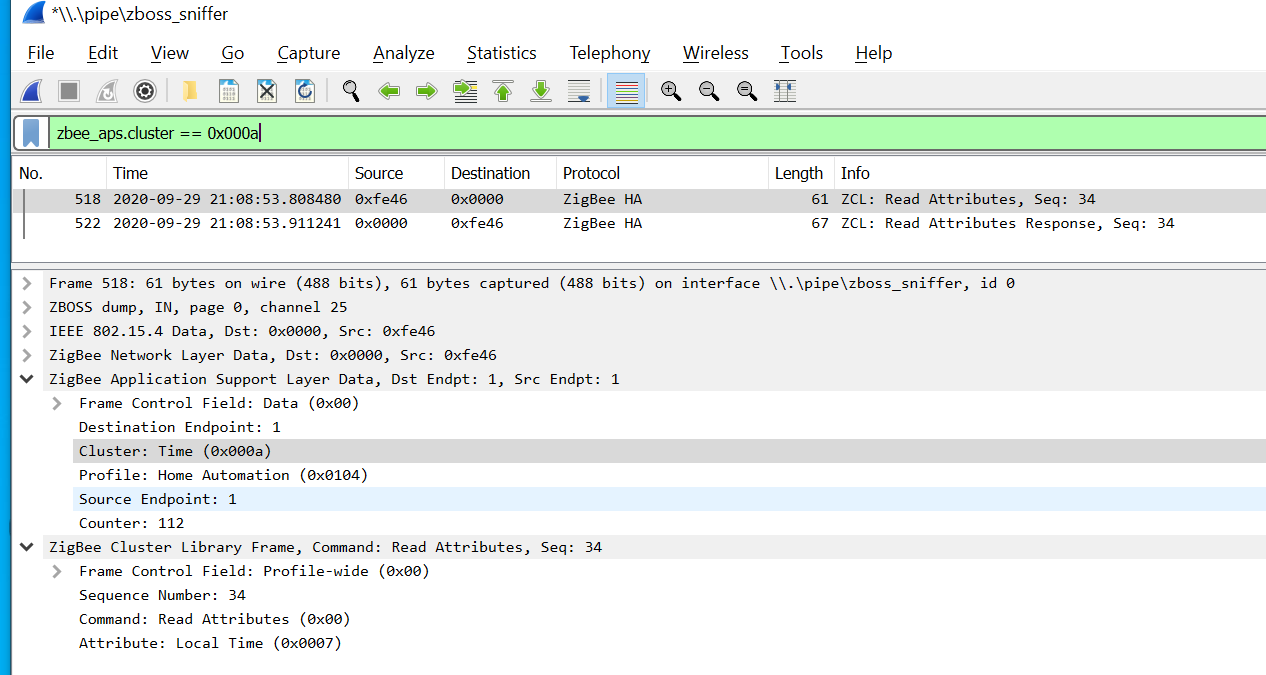
insipiens
on 29 Sep 2020
Hi all,
I am using this handler through the latest dev branch of Zigbee2MQTT.
Not sure if anyone else is experiencing my same issues, but I am getting a:
No converter available for 'TS0601_thermostat' with cluster 'manuSpecificTuyaDimmer' and type 'commandSetTimeRequest' and data '{"payload":[],"payloadSize":0}'
The battery values also don't seem to be reported back to HomeAssistant either.
I am also getting various errors in Home Assistant about incompatible modes:
climate.0x842e14fffee5577b_climate (<class 'homeassistant.core.State'>) has unsupported state value 'unknown'

Invalid modes mode: manual
3:03:08 PM – MQTT (ERROR) - message first occurred at 10:45:07 AM and shows up 21 times
I am using the latest homeassistant.js and the latest Dev branch of Zigbee2MQTT
Can anyone help?
 danieledwardgeorgehitchcock
on 30 Sep 2020
danieledwardgeorgehitchcock
on 30 Sep 2020
1.15.0 still mqtt errors mode. HA exposed to Google Asisstant thermostat show up but not working.
shirou93
on 2 Oct 2020
someone have idea how to upgrade firmware without tuya gateway?
 mroczek112
on 2 Oct 2020
mroczek112
on 2 Oct 2020
At least for the HY368 i found this
{
    "result": [
        {
            "controlType": 1,
            "currentVersion": "1.1.3",
            "desc": "",
            "fileSize": "233894",
            "firmwareDeployTime": 1600414790,
            "lastUpgradeTime": 0,
            "md5": "047fb1d3f3f4c3ea7d819fa8492d5055",
            "timeout": 60,
            "type": 3,
            "typeDesc": "ZigBee Module",
            "upgradeStatus": 1,
            "upgradeType": 3,
            "upgradingDesc": "Please keep the power of the device connected during the upgrade process, please be patient.",
            "url": "https://images.tuyaeu.com/smart/firmware/upgrade/202009/1600167449-si32_zg_uart_connect_sleep_ZS5_ty_OTA_1.1.5.bin",
            "version": "1.1.5"
        },
        {
            "controlType": 1,
            "currentVersion": "4.0.0",
            "lastUpgradeTime": 0,
            "timeout": 60,
            "type": 9,
            "typeDesc": "MCU Module",
            "upgradeStatus": 0
        }
    ],
    "status": "ok",
    "success": true,
    "t": 1601655185070
}
Maybe the productID is also interesting "productId": "ckud7u2l",
It seems the gateway is checking the https-certs so its not possible to MITM the gateways communication to TUYA. But the App doesn't always seem to check the certs
1600167449-si32_zg_uart_connect_sleep_ZS5_ty_OTA_1.1.5.bin.zip
EDIT: Updating the Thermostat didn't fix its compatibility with z2m. I bought it from here - although it looks the same it seems to be different to other ones
EDIT2: Here are some logs, tried to re-pair the device
info  2020-10-02 18:48:16: 0x842e14fffe5a314c (0x842e14fffe5a314c): Not supported (EndDevice)
info  2020-10-02 18:48:21: MQTT publish: topic 'zigbee2mqtt/bridge/config/devices', payload '[{"dateCode":"20190619","friendly_name":"Coordinator","ieeeAddr":"0x00124b001936bc2f","lastSeen":1601657301594,"networkAddress":0,"softwareBuildID":"zStack12","type":"Coordinator"},]'
debug 2020-10-02 18:48:21: Received MQTT message on 'zigbee2mqtt/bridge/config/devices' with data '[{"dateCode":"","description":"-","friendly_name":"0x842e14fffe5a314c","hardwareVersion":1,"ieeeAddr":"0x842e14fffe5a314c","lastSeen":1601657110571,"manufacturerID":4098,"manufacturerName":"_TZE200_ckud7u2l","networkAddress":21532,"powerSource":"Battery","type":"EndDevice","vendor":"-"}]'
info  2020-10-02 18:48:21: MQTT publish: topic 'zigbee2mqtt/bridge/log', payload '{"message":[{"dateCode":"","description":"-","friendly_name":"0x842e14fffe5a314c","hardwareVersion":1,"ieeeAddr":"0x842e14fffe5a314c","lastSeen":1601657110571,"manufacturerID":4098,"manufacturerName":"_TZE200_ckud7u2l","networkAddress":21532,"powerSource":"Battery","type":"EndDevice","vendor":"-"}],"type":"devices"}'
debug 2020-10-02 18:48:24: Received Zigbee message from '0x842e14fffe5a314c', type 'commandGetData', cluster 'manuSpecificTuyaDimmer', data '{"data":{"data":[0,0,0,245],"type":"Buffer"},"dp":515,"fn":0,"status":2,"transid":22}' from endpoint 1 with groupID 0
debug 2020-10-02 18:48:24: Received Zigbee message from '0x842e14fffe5a314c', type 'commandSetTimeRequest', cluster 'manuSpecificTuyaDimmer', data '{"payload":[],"payloadSize":0}' from endpoint 1 with groupID 0
debug 2020-10-02 18:55:39: Received MQTT message on 'zigbee2mqtt/bridge/config/remove' with data '0x842e14fffe5a314c'
info  2020-10-02 18:55:39: Removing '0x842e14fffe5a314c'
error 2020-10-02 18:55:49: Failed to remove 0x842e14fffe5a314c (Error: AREQ - ZDO - mgmtLeaveRsp after 10000ms)
info  2020-10-02 18:55:49: MQTT publish: topic 'zigbee2mqtt/bridge/log', payload '{"message":"0x842e14fffe5a314c","type":"device_removed_failed"}'
debug 2020-10-02 18:56:26: Device '0x842e14fffe5a314c' announced itself
info  2020-10-02 18:56:26: MQTT publish: topic 'zigbee2mqtt/bridge/log', payload '{"message":"announce","meta":{"friendly_name":"0x842e14fffe5a314c"},"type":"device_announced"}'
debug 2020-10-02 18:56:31: Received Zigbee message from '0x842e14fffe5a314c', type 'read', cluster 'genTime', data '["localTime"]' from endpoint 1 with groupID 0
debug 2020-10-02 18:56:36: Received Zigbee message from '0x842e14fffe5a314c', type 'raw', cluster 'manuSpecificTuyaDimmer', data '{"data":[25,14,36,0,11],"type":"Buffer"}' from endpoint 1 with groupID 0
debug 2020-10-02 18:56:39: Received Zigbee message from '0x842e14fffe5a314c', type 'commandGetData', cluster 'manuSpecificTuyaDimmer', data '{"data":{"data":[0,0,0,5],"type":"Buffer"},"dp":614,"fn":0,"status":2,"transid":26}' from endpoint 1 with groupID 0
debug 2020-10-02 18:56:39: Received Zigbee message from '0x842e14fffe5a314c', type 'commandGetData', cluster 'manuSpecificTuyaDimmer', data '{"data":{"data":[0,0,0,35],"type":"Buffer"},"dp":615,"fn":0,"status":2,"transid":27}' from endpoint 1 with groupID 0
debug 2020-10-02 18:56:39: Received Zigbee message from '0x842e14fffe5a314c', type 'commandGetData', cluster 'manuSpecificTuyaDimmer', data '{"data":{"data":[0,0,0,50],"type":"Buffer"},"dp":514,"fn":0,"status":2,"transid":28}' from endpoint 1 with groupID 0
debug 2020-10-02 18:56:39: Received Zigbee message from '0x842e14fffe5a314c', type 'commandGetData', cluster 'manuSpecificTuyaDimmer', data '{"data":{"data":[0,0,1,4],"type":"Buffer"},"dp":515,"fn":0,"status":2,"transid":29}' from endpoint 1 with groupID 0
debug 2020-10-02 18:56:40: Received Zigbee message from '0x842e14fffe5a314c', type 'commandGetData', cluster 'manuSpecificTuyaDimmer', data '{"data":{"data":[0,0,1,4],"type":"Buffer"},"dp":515,"fn":0,"status":2,"transid":30}' from endpoint 1 with groupID 0
debug 2020-10-02 18:56:40: Received Zigbee message from '0x842e14fffe5a314c', type 'commandGetData', cluster 'manuSpecificTuyaDimmer', data '{"data":{"data":[2],"type":"Buffer"},"dp":1028,"fn":0,"status":2,"transid":31}' from endpoint 1 with groupID 0
debug 2020-10-02 18:56:40: Received Zigbee message from '0x842e14fffe5a314c', type 'commandGetData', cluster 'manuSpecificTuyaDimmer', data '{"data":{"data":[2],"type":"Buffer"},"dp":1028,"fn":0,"status":2,"transid":32}' from endpoint 1 with groupID 0
debug 2020-10-02 18:56:41: Received Zigbee message from '0x842e14fffe5a314c', type 'commandGetData', cluster 'manuSpecificTuyaDimmer', data '{"data":{"data":[0],"type":"Buffer"},"dp":263,"fn":0,"status":2,"transid":33}' from endpoint 1 with groupID 0
debug 2020-10-02 18:56:41: Received Zigbee message from '0x842e14fffe5a314c', type 'commandGetData', cluster 'manuSpecificTuyaDimmer', data '{"data":{"data":[0],"type":"Buffer"},"dp":1293,"fn":0,"status":2,"transid":34}' from endpoint 1 with groupID 0
debug 2020-10-02 18:56:41: Received Zigbee message from '0x842e14fffe5a314c', type 'commandGetData', cluster 'manuSpecificTuyaDimmer', data '{"data":{"data":[255,255,255,246],"type":"Buffer"},"dp":556,"fn":0,"status":2,"transid":35}' from endpoint 1 with groupID 0
debug 2020-10-02 18:56:42: Received Zigbee message from '0x842e14fffe5a314c', type 'commandGetData', cluster 'manuSpecificTuyaDimmer', data '{"data":{"data":[0,5,10],"type":"Buffer"},"dp":104,"fn":0,"status":2,"transid":36}' from endpoint 1 with groupID 0
debug 2020-10-02 18:56:42: Received Zigbee message from '0x842e14fffe5a314c', type 'commandGetData', cluster 'manuSpecificTuyaDimmer', data '{"data":{"data":[0,0,1,44],"type":"Buffer"},"dp":617,"fn":0,"status":2,"transid":37}' from endpoint 1 with groupID 0
debug 2020-10-02 18:56:42: Received Zigbee message from '0x842e14fffe5a314c', type 'commandGetData', cluster 'manuSpecificTuyaDimmer', data '{"data":{"data":[0],"type":"Buffer"},"dp":1130,"fn":0,"status":2,"transid":38}' from endpoint 1 with groupID 0
debug 2020-10-02 18:56:42: Received Zigbee message from '0x842e14fffe5a314c', type 'commandGetData', cluster 'manuSpecificTuyaDimmer', data '{"data":{"data":[0,0,0,20],"type":"Buffer"},"dp":619,"fn":0,"status":2,"transid":39}' from endpoint 1 with groupID 0
debug 2020-10-02 18:56:43: Received Zigbee message from '0x842e14fffe5a314c', type 'commandGetData', cluster 'manuSpecificTuyaDimmer', data '{"data":{"data":[0,0,0,15],"type":"Buffer"},"dp":620,"fn":0,"status":2,"transid":40}' from endpoint 1 with groupID 0
debug 2020-10-02 18:56:43: Received Zigbee message from '0x842e14fffe5a314c', type 'commandGetData', cluster 'manuSpecificTuyaDimmer', data '{"data":{"data":[0,0,0,0],"type":"Buffer"},"dp":621,"fn":0,"status":2,"transid":41}' from endpoint 1 with groupID 0
debug 2020-10-02 18:56:43: Received Zigbee message from '0x842e14fffe5a314c', type 'commandGetData', cluster 'manuSpecificTuyaDimmer', data '{"data":{"data":[0],"type":"Buffer"},"dp":366,"fn":0,"status":2,"transid":42}' from endpoint 1 with groupID 0
debug 2020-10-02 18:56:43: Received Zigbee message from '0x842e14fffe5a314c', type 'commandGetData', cluster 'manuSpecificTuyaDimmer', data '{"data":{"data":[0],"type":"Buffer"},"dp":1135,"fn":0,"status":2,"transid":43}' from endpoint 1 with groupID 0
debug 2020-10-02 18:56:43: Received Zigbee message from '0x842e14fffe5a314c', type 'commandGetData', cluster 'manuSpecificTuyaDimmer', data '{"data":{"data":[6,0,20,8,0,15,11,30,15,12,30,15,17,30,20,22,0,15],"type":"Buffer"},"dp":112,"fn":0,"status":2,"transid":44}' from endpoint 1 with groupID 0
debug 2020-10-02 18:56:44: Received Zigbee message from '0x842e14fffe5a314c', type 'commandGetData', cluster 'manuSpecificTuyaDimmer', data '{"data":{"data":[134,0,20,8,0,15,11,30,15,12,30,15,17,30,20,22,0,15],"type":"Buffer"},"dp":113,"fn":0,"status":2,"transid":45}' from endpoint 1 with groupID 0
debug 2020-10-02 18:56:44: Received Zigbee message from '0x842e14fffe5a314c', type 'commandGetData', cluster 'manuSpecificTuyaDimmer', data '{"data":{"data":[0,0,0,15],"type":"Buffer"},"dp":626,"fn":0,"status":2,"transid":46}' from endpoint 1 with groupID 0
debug 2020-10-02 18:56:44: Received Zigbee message from '0x842e14fffe5a314c', type 'commandGetData', cluster 'manuSpecificTuyaDimmer', data '{"data":{"data":[0],"type":"Buffer"},"dp":371,"fn":0,"status":2,"transid":47}' from endpoint 1 with groupID 0
debug 2020-10-02 18:56:45: Received Zigbee message from '0x842e14fffe5a314c', type 'commandGetData', cluster 'manuSpecificTuyaDimmer', data '{"data":{"data":[0],"type":"Buffer"},"dp":372,"fn":0,"status":2,"transid":48}' from endpoint 1 with groupID 0
debug 2020-10-02 18:56:45: Received Zigbee message from '0x842e14fffe5a314c', type 'commandGetData', cluster 'manuSpecificTuyaDimmer', data '{"data":{"data":[0,0,0,1],"type":"Buffer"},"dp":629,"fn":0,"status":2,"transid":49}' from endpoint 1 with groupID 0
debug 2020-10-02 18:56:45: Received Zigbee message from '0x842e14fffe5a314c', type 'commandSetTimeRequest', cluster 'manuSpecificTuyaDimmer', data '{"payload":[],"payloadSize":0}' from endpoint 1 with groupID 0
debug 2020-10-02 18:56:56: Received Zigbee message from '0x842e14fffe5a314c', type 'raw', cluster 'manuSpecificTuyaDimmer', data '{"data":[9,40,17,0,13,128],"type":"Buffer"}' from endpoint 1 with groupID 0
EDIT 3:
The product ID is the same as OP has. Switching to :latest-dev did not work for me previously.
After changing my docker-compose.yaml to use the dev build I always got this error
docker image error: standard_init_linux.go:211: exec user process caused “exec format error” which is usually caused by using a wrong architecture. I guess it chose 386 instead of amd64. I manually selected the image by specifying its digest
koenkk/zigbee2mqtt@sha256:68669b980c88d4b3b2843b60783fde7451e3298f3bebfefaa7380defcdaccd21 - now it works.
So I guess after all the update file could help some users here as well :)
fabicodes
on 2 Oct 2020
@insipiens Hello again)) you are already a guru in moes devices. I know and here you will help! Can be made 2 modes of operation: Manual and Auto (schedule). I have 3 such devices and they all write the state as unknown.
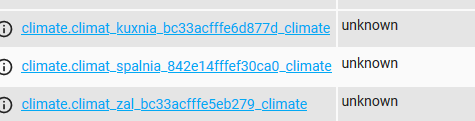
hvac_modes: auto
min_temp: 5
max_temp: 30
target_temp_step: 0.5
preset_modes: none, schedule, manual, away, boost, complex, comfort, eco
current_temperature: 21
temperature: 15
preset_mode: manual
auto_lock: MANUAL
away_preset_days: 1
away_preset_temperature: 15
boost_time: 300
child_lock: LOCKED
comfort_temperature: 20
current_heating_setpoint: 15.0
eco_temperature: 15
force: normal
holidays:
- hour: 6
  minute: 0
  temperature: 20
- hour: 8
  minute: 0
  temperature: 15
- hour: 11
  minute: 30
  temperature: 15
- hour: 12
  minute: 30
  temperature: 15
- hour: 17
  minute: 30
  temperature: 20
- hour: 22
  minute: 0
  temperature: 15

linkquality: 78
local_temperature: 21.0
local_temperature_calibration: -1.0
max_temperature: 35
min_temperature: 5
position: 0
preset: manual
system_mode: manual
week: 5+2
window_detection: OFF
window_detection_params:
minutes: 10
temperature: 5

workdays:
- hour: 6
  minute: 0
  temperature: 20
- hour: 8
  minute: 0
  temperature: 15
- hour: 11
  minute: 30
  temperature: 15
- hour: 12
  minute: 30
  temperature: 15
- hour: 145
  minute: 30
  temperature: 20
- hour: 22
  minute: 0
  temperature: 15

friendly_name: Батарея в спальне
supported_features: 17
And of course, the log constantly shits like:
2020-10-02 22:25:52 ERROR (MainThread) [homeassistant.components.mqtt.climate] Invalid modes mode: manual
 poisondima
on 3 Oct 2020
poisondima
on 3 Oct 2020
@poisondima - adding one device doesn't make me an expert :/ .
I answered that question earlier in this thread :-) but as has been pointed out the code covers multiple devices of the Tuya type so changing it (a PR) for just one platform (HA) wouldn't necessarily be a good idea.
This is what I changed on my z2m
@artkrz @cybool
I think the log errors are because the fromZigbee.js is sending a not allowed values (manual) back to HA.
I've changed the line in mine to test if no further errors persist, see comments for 'ret.system_mode' in code snippet below. Be interesting to see if this resolves the log errors
    case 1028: {// 0x0404 Preset changed
        const ret = {};
        const presetOk = utils.getMetaValue(msg.endpoint, model, 'tuyaThermostatPreset').hasOwnProperty(dataAsDecNumber);
        const modeOk = utils.getMetaValue(msg.endpoint, model, 'tuyaThermostatSystemMode').hasOwnProperty(dataAsDecNumber);
        if (presetOk) {
            ret.preset = utils.getMetaValue(msg.endpoint, model, 'tuyaThermostatPreset')[dataAsDecNumber];
        }
        if (modeOk) {
//           ret.system_mode = utils.getMetaValue(msg.endpoint, model, 'tuyaThermostatSystemMode')[dataAsDecNumber];   //removed to eliminate error
            ret.system_mode = 'auto';   //added to ensure valid mode sent to HA
        } else {
            console.log(`TRV preset/mode ${dataAsDecNumber} is not recognized.`);
            return;
        }
        return ret;
insipiens
on 3 Oct 2020
@poisondima which Moes TRV are you using HY368?
insipiens
on 4 Oct 2020
I don't know the exact model, maybe it's HY368 or HY369RT
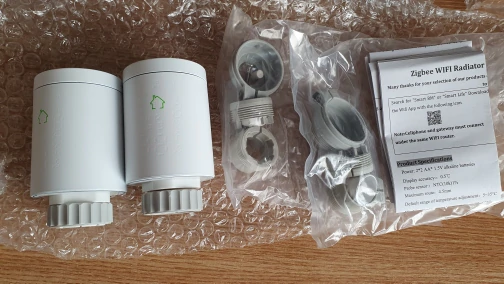
Thank you, this line helped:
ret.system_mode = 'auto'; //added to ensure valid mode sent to HA
poisondima
on 4 Oct 2020
Is there any way to reboot the device via mqtt message ?
pirracas77
on 5 Oct 2020
Did anyone manage to flash the firmware bin manual with flasher jtag since we now have the correct bin file.
 konzolec
on 5 Oct 2020
konzolec
on 5 Oct 2020
There is no lag after firmware upgrade.
confirmed lag after firmware upgrade is much more smaller - there is a parametrer of histeresis default 1.0 degree (0,5 to 1.,5 possibly to adjust)
trv is in manual mode, data to trv sending by domoticz using plans
Is it possible to set Hysteresis value trough Z2Mqtt? What should be published when doing so?
Thanks,
Bart-1992
on 6 Oct 2020
I've noticed some of my thermostats stop responding to commands from HA. They just need to be paired again and it works fine. Anyone else seen this behaviour?
artkrz
on 6 Oct 2020
Just been checking on the HY368 (Moes Valve) and the DP command error 366 that comes up occasionally appears to be related to the autolock setting - this not to be confused with the child lock....the autolock setting is where the valve can be told to lock after a period of time.
Personally I do not see this as needing to be included
insipiens
on 6 Oct 2020
Doesen't the zigbee payload provied a state, like heating/idle or something like this, just wondering because my simple thermostat has no state display.
 maxiwolleb
on 8 Oct 2020
maxiwolleb
on 8 Oct 2020
Doesen't the zigbee payload provied a state, like heating/idle or something like this, just wondering because my simple thermostat has no state display.
You can check what is the valve doing based on the status of the position value.
pirracas77
on 8 Oct 2020
Doesen't the zigbee payload provied a state, like heating/idle or something like this, just wondering because my simple thermostat has no state display.
You can check what is the valve doing based on the status of the position value.
Some idea how to implement this into home assistant, i cant find any info like can i add it to the device as entity or how do i do it (goal is to show it in lovelace)?
maxiwolleb
on 8 Oct 2020
Doesen't the zigbee payload provied a state, like heating/idle or something like this, just wondering because my simple thermostat has no state display.
You can check what is the valve doing based on the status of the position value.
Some idea how to implement this into home assistant, i cant find any info like can i add it to the device as entity or how do i do it (goal is to show it in lovelace)?
Sorry, my system is Jeedom not HA, but I guess you can easily read the MQTT message that comes from the valve.
pirracas77
on 8 Oct 2020
Doesen't the zigbee payload provied a state, like heating/idle or something like this, just wondering because my simple thermostat has no state display.
You can check what is the valve doing based on the status of the position value.
Some idea how to implement this into home assistant, i cant find any info like can i add it to the device as entity or how do i do it (goal is to show it in lovelace)?
Sorry, my system is Jeedom not HA, but I guess you can easily read the MQTT message that comes from the valve.
You can read the valve position by listening to the mqtt topic _/zigbee2mqtt/'name_of_device'_ and then extracting the valve position from that - in HA you can parse it via a sensor to then be able to use it. Maybe Jeedom has similar?```
  - platform: mqtt
    name: Radiator_UB_position
    state_topic: "zigbee2mqtt/Radiator_UB"
    value_template: '{{ value_json.position }}'
Doesen't the zigbee payload provied a state, like heating/idle or something like this, just wondering because my simple thermostat has no state display.
You can check what is the valve doing based on the status of the position value.
Some idea how to implement this into home assistant, i cant find any info like can i add it to the device as entity or how do i do it (goal is to show it in lovelace)?
Sorry, my system is Jeedom not HA, but I guess you can easily read the MQTT message that comes from the valve.
You can read the valve position by listening to the mqtt topic _/zigbee2mqtt/'name_of_device'_ and then extracting the valve position from that - in HA you can parse it via a sensor to then be able to use it. Maybe Jeedom has similar?```
  - platform: mqtt
    name: Radiator_UB_position
    state_topic: "zigbee2mqtt/Radiator_UB"
    value_template: '{{ value_json.position }}'
yeah is practicaly the same
pirracas77
on 8 Oct 2020
Doesen't the zigbee payload provied a state, like heating/idle or something like this, just wondering because my simple thermostat has no state display.
You can check what is the valve doing based on the status of the position value.
Some idea how to implement this into home assistant, i cant find any info like can i add it to the device as entity or how do i do it (goal is to show it in lovelace)?
Sorry, my system is Jeedom not HA, but I guess you can easily read the MQTT message that comes from the valve.
You can read the valve position by listening to the mqtt topic _/zigbee2mqtt/'name_of_device'_ and then extracting the valve position from that - in HA you can parse it via a sensor to then be able to use it. Maybe Jeedom has similar?```
  - platform: mqtt
    name: Radiator_UB_position
    state_topic: "zigbee2mqtt/Radiator_UB"
    value_template: '{{ value_json.position }}'
That sounds very good, I am new to HA and dont know where to add this, do i add it in the configuration.yaml?
maxiwolleb
on 8 Oct 2020
yes, or better still create a sensors.yaml file in the same directory, list that in the configuration.yaml something like
sensor: !include sensor.yaml
and add your sensors there....
https://www.home-assistant.io/docs/configuration/splitting_configuration
insipiens
on 8 Oct 2020
Okey thank you.
Is anybody else experiencing the issue that the temperature dosent get refreshed
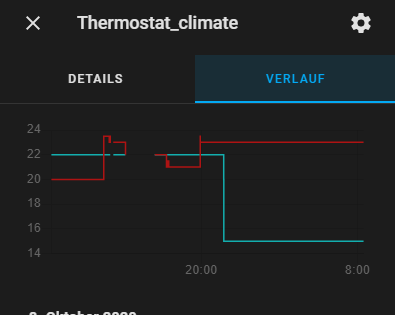
maxiwolleb
on 9 Oct 2020
Okey thank you.
Is anybody else experiencing the issue that the temperature dosent get refreshed
Mate, check my comment in this thread:
https://github.com/Koenkk/zigbee2mqtt/issues/3821#issuecomment-671853587
mgrom
on 9 Oct 2020
Okey thank you.
Is anybody else experiencing the issue that the temperature dosent get refreshed
Mate, check my comment in this thread:
#3821 (comment)
Ah nice, this seems to work out. Thank you.
Is it possible to implement this into the integration ?
maxiwolleb
on 9 Oct 2020
Okey thank you.
Is anybody else experiencing the issue that the temperature dosent get refreshed
Mate, check my comment in this thread:
#3821 (comment)Ah nice, this seems to work out. Thank you.
Is it possible to implement this into the integration ?
I wouldn't do that as part of integration. Not everyone wants it, I have no idea about impact on battery life. So, do it by yourself, and don't count on having it pre-installed :)
mgrom
on 9 Oct 2020
I have not found a way to set or change the parameters:
window_detection_params:
minutes: 10
temperature: 5
workdays:
- hour: 6
minute: 0
temperature: 20 - hour: 8
minute: 0
temperature: 15
holidays:
- hour: 6
minute: 0
temperature: 20
Does anyone have a solution?
 1subu
on 10 Oct 2020
1subu
on 10 Oct 2020
Just got 3 of them, till now underwhelmed. Battery is not reported in home-assistant, no updates at all from the thermostat regarding tempeature. Cant send any config from home assistant like child lock, target temperture, always time out error. Got a CC2531 with the Zstack 3.0.x Firmware.
I`m moving from Zwave (or wanted to use Zigbee Only in a new Apt) where I had the option to configure update interval and threshold...
If I can support with information, have spare CC2531, Wireshark (at least I know my way around Wifi Frames, cant be that hard)
 drdownload
on 11 Oct 2020
drdownload
on 11 Oct 2020
Just got 3 of them, till now underwhelmed. Battery is not reported in home-assistant, no updates at all from the thermostat regarding tempeature. Cant send any config from home assistant like child lock, target temperture, always time out error. Got a CC2531 with the Zstack 3.0.x Firmware.
I`m moving from Zwave (or wanted to use Zigbee Only in a new Apt) where I had the option to configure update interval and threshold...
If I can support with information, have spare CC2531, Wireshark (at least I know my way around Wifi Frames, cant be that hard)
Is this the HY368 you’re having problems with?
insipiens
on 11 Oct 2020
Publish 'set' 'current_heating_setpoint' to 'bn wc' failed: 'Error: Command 0xbc33acfffe6eb6da/1 manuSpecificTuyaDimmer.setData({"status":0,"transid":45,"dp":514,"fn":0,"data":[4,0,0,0,210]}, {"timeout":10000,"disableResponse":false,"disableRecovery":false,"disableDefaultResponse":true,"direction":0,"srcEndpoint":null,"reservedBits":0,"manufacturerCode":null,"transactionSequenceNumber":null}) failed (Data request failed with error: 'No network route' (205))'
Oct 11 20:29:50 raspberrypi npm[32370]: Zigbee2MQTT:info 2020-10-11 20:29:50: MQTT publish: topic 'zigbee2mqtt/bridge/log', payload '{"message":"Publish 'set' 'current_heating_setpoint' to 'bn wc' failed: 'Error: Command 0xbc33acfffe6eb6da/1 manuSpecificTuyaDimmer.setData({\"status\":0,\"transid\":45,\"dp\":514,\"fn\":0,\"data\":[4,0,0,0,210]}, {\"timeout\":10000,\"disableResponse\":false,\"disableRecovery\":false,\"disableDefaultResponse\":true,\"direction\":0,\"srcEndpoint\":null,\"reservedBits\":0,\"manufacturerCode\":null,\"transactionSequenceNumber\":null}) failed (Data request failed with error: 'No network route' (205))'","meta":{"friendly_name":"bn wc"},"type":"zigbee_publish_error"}'
whats wrong ?
Bartekn86
on 11 Oct 2020
Is this the HY368 you’re having problems with?
its branded moes so I assume its an HY368RT, it got detected as TS0601_thermostat.
I enabled debug logging and nothing super extraordinary comes up:
Zigbee2MQTT:debug 2020-10-11 19:45:17: Received Zigbee message from '0xbc33acfffe571xxx', type 'raw', cluster 'manuSpecificTuyaDimmer', data '{"data":[25,103,36,0,61],"type":"Buffer"}' from endpoint 1 with groupID 0
Zigbee2MQTT:debug 2020-10-11 19:45:17: No converter available for 'TS0601_thermostat' with cluster 'manuSpecificTuyaDimmer' and type 'raw' and data '{"data":[25,103,36,0,61],"type":"Buffer"}'
I'm running a fresh install (since its my homeassistant experimental rpi) of hassio. flashed a new cc2531 also today with the firmware from github from 2019-04-25
"coordinator":{"meta":{"maintrel":2,"majorrel":2,"minorrel":7,"product":2,"revision":20190425,"transportrev":2},"type":"zStack30x"},"log_level":"info","network":{"channel":11,"extended_pan_id":"0x00124b0014d9891b","pan_id":6754},"permit_join":false,"version":"1.15.0"}'
I'm just starting the Zigbee thing so maybe a wrong channel, other bloody beginners mistake, or just bad luck with this device. However my Xiaomi Temperature with Display thing is also annoyingly non-verbose in his updates.
drdownload
on 11 Oct 2020
Is this the HY368 you’re having problems with?
its branded moes so I assume its an HY368RT, it got detected as TS0601_thermostat.
I enabled debug logging and nothing super extraordinary comes up:
Zigbee2MQTT:debug 2020-10-11 19:45:17: Received Zigbee message from '0xbc33acfffe571xxx', type 'raw', cluster 'manuSpecificTuyaDimmer', data '{"data":[25,103,36,0,61],"type":"Buffer"}' from endpoint 1 with groupID 0 Zigbee2MQTT:debug 2020-10-11 19:45:17: No converter available for 'TS0601_thermostat' with cluster 'manuSpecificTuyaDimmer' and type 'raw' and data '{"data":[25,103,36,0,61],"type":"Buffer"}'I'm running a fresh install (since its my homeassistant experimental rpi) of hassio. flashed a new cc2531 also today with the firmware from github from 2019-04-25
"coordinator":{"meta":{"maintrel":2,"majorrel":2,"minorrel":7,"product":2,"revision":20190425,"transportrev":2},"type":"zStack30x"},"log_level":"info","network":{"channel":11,"extended_pan_id":"0x00124b0014d9891b","pan_id":6754},"permit_join":false,"version":"1.15.0"}'I'm just starting the Zigbee thing so maybe a wrong channel, other bloody beginners mistake, or just bad luck with this device. However my Xiaomi Temperature with Display thing is also annoyingly non-verbose in his updates.
Yeah, a number of devices don’t update unless there is a significant change to report - part of the long battery life/low power strategy I’d imagine.
The Moes devices are the HY368, at least the ones I bought. I gave them a firmware update through the hub before pairing them with Z2M after a few contributors here recommended it.
insipiens
on 11 Oct 2020
Is this the HY368 you’re having problems with?
its branded moes so I assume its an HY368RT, it got detected as TS0601_thermostat.
I enabled debug logging and nothing super extraordinary comes up:
Zigbee2MQTT:debug 2020-10-11 19:45:17: Received Zigbee message from '0xbc33acfffe571xxx', type 'raw', cluster 'manuSpecificTuyaDimmer', data '{"data":[25,103,36,0,61],"type":"Buffer"}' from endpoint 1 with groupID 0 Zigbee2MQTT:debug 2020-10-11 19:45:17: No converter available for 'TS0601_thermostat' with cluster 'manuSpecificTuyaDimmer' and type 'raw' and data '{"data":[25,103,36,0,61],"type":"Buffer"}'
I'm running a fresh install (since its my homeassistant experimental rpi) of hassio. flashed a new cc2531 also today with the firmware from github from 2019-04-25
"coordinator":{"meta":{"maintrel":2,"majorrel":2,"minorrel":7,"product":2,"revision":20190425,"transportrev":2},"type":"zStack30x"},"log_level":"info","network":{"channel":11,"extended_pan_id":"0x00124b0014d9891b","pan_id":6754},"permit_join":false,"version":"1.15.0"}'
I'm just starting the Zigbee thing so maybe a wrong channel, other bloody beginners mistake, or just bad luck with this device. However my Xiaomi Temperature with Display thing is also annoyingly non-verbose in his updates.Yeah, a number of devices don’t update unless there is a significant change to report - part of the long battery life/low power strategy I’d imagine.
The Moes devices are the HY368, at least the ones I bought. I gave them a firmware update through the hub before pairing them with Z2M after a few contributors here recommended it.
Mine dont report going from 17 to 23 to 17 and they dont get any update sent by homeassistant
drdownload
on 11 Oct 2020
permit_join: false
Seems odd, should be true in configuration.yaml file
insipiens
on 11 Oct 2020
is set to true if needed by mqtt. true would say it always allows devices to pair
drdownload
on 11 Oct 2020
Just wondering why it says couldn’t find converter.
insipiens
on 11 Oct 2020
There is no convsrter for 'raw' type. I had this type if messages either. Nothing to worry about
mgrom
on 11 Oct 2020
Pitty that thats not a thing to investigate. Kinda dont know where to look why my TRV dont work.
drdownload
on 11 Oct 2020
Pitty that thats not a thing to investigate. Kinda dont know where to look why my TRV dont work.
If it's timeout error I suppose it's just a problem with link quiality, maybe your zigbee network is the problem?
mgrom
on 12 Oct 2020
Nah, its right next to the RPi.
drdownload
on 12 Oct 2020
Is there any way to configure holidays and workdays settings ?
 jffz
on 12 Oct 2020
jffz
on 12 Oct 2020
Whats also funny, if I turn on the TRV display zigbee2mqtt first publishes an old temperature reading and only directly after the new one:
Zigbee2MQTT:info  2020-10-12 14:25:10: MQTT publish: topic 'zigbee2mqtt/0xbc33acfffe571c84', payload '{"auto_lock":"MANUAL","away_preset_days":1,"away_preset_temperature":15,"boost_time":300,"child_lock":"UNLOCKED","comfort_temperature":20,"current_heating_setpoint":"15.0","eco_temperature":15,"elapsed":6736103,"force":"normal","holidays":[{"hour":134,"minute":0,"temperature":20},{"hour":8,"minute":0,"temperature":15},{"hour":11,"minute":30,"temperature":15},{"hour":12,"minute":30,"temperature":15},{"hour":17,"minute":30,"temperature":20},{"hour":22,"minute":0,"temperature":15}],"last_seen":"2020-10-12T14:25:10+02:00","linkquality":78**,"local_temperature":"22.5**","local_temperature_calibration":"-1.0","max_temperature":35,"min_temperature":5,"position":0,"preset":"schedule","system_mode":"auto","week":"5+2","window_detection":"OFF","window_detection_params":{"minutes":10,"temperature":5},"workdays":[{"hour":6,"minute":0,"temperature":20},{"hour":8,"minute":0,"temperature":15},{"hour":11,"minute":30,"temperature":15},{"hour":12,"minute":30,"temperature":15},{"hour":17,"minute":30,"temperature":20},{"hour":22,"minute":0,"temperature":15}]}'
Zigbee2MQTT:info  2020-10-12 14:25:10: MQTT publish: topic 'zigbee2mqtt/0xbc33acfffe571c84', payload '{"auto_lock":"MANUAL","away_preset_days":1,"away_preset_temperature":15,"boost_time":300,"child_lock":"UNLOCKED","comfort_temperature":20,"current_heating_setpoint":"15.0","eco_temperature":15,"elapsed":126,"force":"normal","holidays":[{"hour":134,"minute":0,"temperature":20},{"hour":8,"minute":0,"temperature":15},{"hour":11,"minute":30,"temperature":15},{"hour":12,"minute":30,"temperature":15},{"hour":17,"minute":30,"temperature":20},{"hour":22,"minute":0,"temperature":15}],"last_seen":"2020-10-12T14:25:10+02:00","linkquality":78,**"local_temperature":"16.5"**,"local_temperature_calibration":"-1.0","max_temperature":35,"min_temperature":5,"position":0,"preset":"schedule","system_mode":"auto","week":"5+2","window_detection":"OFF","window_detection_params":{"minutes":10,"temperature":5},"workdays":[{"hour":6,"minute":0,"temperature":20},{"hour":8,"minute":0,"temperature":15},{"hour":11,"minute":30,"temperature":15},{"hour":12,"minute":30,"temperature":15},{"hour":17,"minute":30,"temperature":20},{"hour":22,"minute":0,"temperature":15}]}'
Zigbee2MQTT:info  2020-10-12 14:25:10: MQTT publish: topic 'zigbee2mqtt/0xbc33acfffe571c84', payload '{"auto_lock":"MANUAL","away_preset_days":1,"away_preset_temperature":15,"boost_time":300,"child_lock":"UNLOCKED","comfort_temperature":20,"current_heating_setpoint":"15.0","eco_temperature":15,"elapsed":128,"force":"normal","holidays":[{"hour":134,"minute":0,"temperature":20},{"hour":8,"minute":0,"temperature":15},{"hour":11,"minute":30,"temperature":15},{"hour":12,"minute":30,"temperature":15},{"hour":17,"minute":30,"temperature":20},{"hour":22,"minute":0,"temperature":15}],"last_seen":"2020-10-
Does the Euronics work better? I'm kindof tempted to move back to zwave for TRV or switch to Euronics Zibbee TRV
drdownload
on 12 Oct 2020
Oct 12 19:13:03 raspberrypi npm[31172]: zigbee-herdsman-converters:tuyaThermostat: NOT RECOGNIZED DP #366 with data {"type":"Buffer","data":[0]}
could somebody tell me whats type of error is that ? im think that cv2531 isnt good idea if i have more than 16 devices
Bartekn86
on 12 Oct 2020
@misza-m @Miguelin96
I were able to update it without Tuya hub. Thanks to @fabicodes for firmware url! Make pull requests and if @Koenkk accept them it will be possible to fix error where impossible to control moes valve from zigbee2mqtt.
 Vallefor
on 12 Oct 2020
Vallefor
on 12 Oct 2020
@misza-m @Miguelin96
I were able to update it without Tuya hub. Thanks to @fabicodes for firmware url! Make pull requests and if @Koenkk accept them it will be possible to fix error where impossible to control moes valve from zigbee2mqtt.
Mind sharing the details (wiring) on how to flash it? 😁
konzolec
on 12 Oct 2020
@misza-m @Miguelin96
I were able to update it without Tuya hub. Thanks to @fabicodes for firmware url! Make pull requests and if @Koenkk accept them it will be possible to fix error where impossible to control moes valve from zigbee2mqtt.
Can you also elaborate how the Valve is now usable with zigbee2mqtt
drdownload
on 12 Oct 2020
is it possible to implement fw update with mqtt ?
Bartekn86
on 12 Oct 2020
@drdownload I bought only one for test. And it works very well after update. I can set temperature from HA, switch between modes (like manual, schedule and etc.) remote child lock also works. It even report current temperature now. Koenkk accepted PR, so to update you need to go to dev-branch (or wait for next release) and just make OTA update from web UI. Do not forget that you need to wake up device and then press update button.
Battery state is the one needed feature that did not works.
@Bartekn86 @konzolec
To update manually I made this steps:
- Get somewhere firmware file (I found it in this issue).
- Make a fork of this repo: https://github.com/Koenkk/zigbee-OTA
- Add a firmware with: node scripts/add.js /path/to/firmware.bin
- Make a commit and push.
- In your current setup of zigbee2mqtt make this changes:
Find file node_modules/zigbee-herdsman-converters/devices.js
Add "ota: ota.zigbeeOTA" to need device https://github.com/Koenkk/zigbee-herdsman-converters/blob/b40bd9ba117b40119a5dc609ebd6a11c25bad39b/devices.js#L1581
Change path to zigbee-OTA repo to yours: https://github.com/Koenkk/zigbee-herdsman-converters/blob/b40bd9ba117b40119a5dc609ebd6a11c25bad39b/ota/zigbeeOTA.js#L1 (change Koenkk to your username). - Restart zigbee2mqtt and try to update.
- If everything works fine - make a merge request to zigbee-OTA and zigbee-herdsman-converters repos.
Vallefor
on 13 Oct 2020
How to set this?
In HA in action part of the automation, you can use
      action:
        - service: mqtt.publish
          data_template:
            topic: 'zigbee2mqtt/bedroom_moes_trv/set/force'
            payload: 'open'
The payload values are
* open -> fully opens valve and stays there

* close -> fully closes valve and stays there

* normal -> normal valve operation
Good afternoon. Please tell me if it is possible to control the extension of the language, and not just "open" and "closed". I want to control the pressure on the valve myself.
Or maybe there is an opportunity to deceive him by transmitting the temperature to him from another sensor?
Forgive me for my translator.
 wishhdd
on 13 Oct 2020
wishhdd
on 13 Oct 2020
Is there a possibility to set hysteresis value trough Z2M? Currently I have 8 of these Tuya/Moes valve running, however i'm not that happy with there control loop behaviour. I always experience pretty high 'overshoot' ( depending on boiler temperature ), but always at least 2 degrees ( see image ).
As you can see in the image, at 2 degrees overshoot from setpoint, the valve is still at 80%!?
Bart-1992
on 13 Oct 2020
Is there a possibility to set hysteresis value trough Z2M? Currently I have 8 of these Tuya/Moes valve running, however i'm not that happy with there control loop behaviour. I always experience pretty high 'overshoot' ( depending on boiler temperature ), but always at least 2 degrees ( see image ).
As you can see in the image, at 2 degrees overshoot from setpoint, the valve is still at 80%!?
i was experiencing exactly the same behavior, even after the little refresh trick via automatation, it dosent seem to bother him, that its allready hotter than the aimed temperature
maxiwolleb
on 13 Oct 2020
Could it be a problem that I use channel 11? I saw that some device like the Konke Motion Sensor can only use 15, 25, 20.
drdownload
on 13 Oct 2020
@drdownload I bought only one for test. And it works very well after update. I can set temperature from HA, switch between modes (like manual, schedule and etc.) remote child lock also works. It even report current temperature now. Koenkk accepted PR, so to update you need to go to dev-branch (or wait for next release) and just make OTA update from web UI. Do not forget that you need to wake up device and then press update button.
Battery state is the one needed feature that did not works.@Bartekn86 @konzolec
To update manually I made this steps:
- Get somewhere firmware file (I found it in this issue).
- Make a fork of this repo: https://github.com/Koenkk/zigbee-OTA
- Add a firmware with: node scripts/add.js /path/to/firmware.bin
- Make a commit and push.
- In your current setup of zigbee2mqtt make this changes:
Find file node_modules/zigbee-herdsman-converters/devices.js
Add "ota: ota.zigbeeOTA" to need device https://github.com/Koenkk/zigbee-herdsman-converters/blob/b40bd9ba117b40119a5dc609ebd6a11c25bad39b/devices.js#L1581
Change path to zigbee-OTA repo to yours: https://github.com/Koenkk/zigbee-herdsman-converters/blob/b40bd9ba117b40119a5dc609ebd6a11c25bad39b/ota/zigbeeOTA.js#L1 (change Koenkk to your username).- Restart zigbee2mqtt and try to update.
- If everything works fine - make a merge request to zigbee-OTA and zigbee-herdsman-converters repos.
I switched to the edge addon which should use the dev tree, but nothing, maybe tomorrow for ota.
drdownload
on 13 Oct 2020
Whats also funny: LQI is updated frequently (I assume some beacon frames - not fit with zigbee more with 802.11), so the TRV is awake from time to time
drdownload
on 13 Oct 2020
@drdownload I bought only one for test. And it works very well after update. I can set temperature from HA, switch between modes (like manual, schedule and etc.) remote child lock also works. It even report current temperature now. Koenkk accepted PR, so to update you need to go to dev-branch (or wait for next release) and just make OTA update from web UI. Do not forget that you need to wake up device and then press update button.
Battery state is the one needed feature that did not works.
@Bartekn86 @konzolec
To update manually I made this steps:
- Get somewhere firmware file (I found it in this issue).
- Make a fork of this repo: https://github.com/Koenkk/zigbee-OTA
- Add a firmware with: node scripts/add.js /path/to/firmware.bin
- Make a commit and push.
- In your current setup of zigbee2mqtt make this changes:
Find file node_modules/zigbee-herdsman-converters/devices.js
Add "ota: ota.zigbeeOTA" to need device https://github.com/Koenkk/zigbee-herdsman-converters/blob/b40bd9ba117b40119a5dc609ebd6a11c25bad39b/devices.js#L1581
Change path to zigbee-OTA repo to yours: https://github.com/Koenkk/zigbee-herdsman-converters/blob/b40bd9ba117b40119a5dc609ebd6a11c25bad39b/ota/zigbeeOTA.js#L1 (change Koenkk to your username).- Restart zigbee2mqtt and try to update.
- If everything works fine - make a merge request to zigbee-OTA and zigbee-herdsman-converters repos.
I switched to the edge addon which should use the dev tree, but nothing, maybe tomorrow for ota.
I think the problem is that @Koenkk need to update zigbee-herdsman-converters npm package in zigbee2mqtt.
Btw, in docker latest-dev also without zigbee-herdsman-converters.
Vallefor
on 13 Oct 2020
I' try spin up zigbee2mqtt in a VM with the latest commits with my spare CC2531
drdownload
on 13 Oct 2020
Hey there,
subscribing here as I have issues with the valve aswell.
I've bought 4 of these radiator valves, pairing works as expected (I guess thanks to all of you as you are reporting issues for months now). Aliexpress says, the manufacturer is "Proheat" but zigbee2mqtt says "TuYa".
I can change target temperature when device is standby (e.g. when display is on). When display is off, I cannot change anything... Or the device takes longer to respond to changes - not sure what happens exactly.
Can someone confirm this behavior? Is it intended?
What about these updates here? Are the firmware updates really manufacturer specific?
Would love to get some feedback here.
 boesing
on 13 Oct 2020
boesing
on 13 Oct 2020
Probably wise to update ota, see above posts. seems the later valve batches had some faulty fw and this update corrects this.
insipiens
on 14 Oct 2020
On the battery question ( specifically: the Moes valve which uses the smart life app) there is no update on battery levels in the app...and therefore won’t be any through Z2M
Maybe we should petition Moes/Tuya to add one? Seeing we are a major customer base now ;)
insipiens
on 14 Oct 2020
Probably wise to update ota, see above posts. seems the later valve batches had some faulty fw and this update corrects this.
yup. managed to update all 4 with latest zigbee-herdsman-converters on hassos. had to manually add the ota property to the devices.js but now, the valves accept commands in "sleep" aswell.
I guess that would be enough for me as I can integrate it now with the generic thermostat. 👍🏻
boesing
on 14 Oct 2020
OTA for Tuya is already merged into z2m, so if anyone doesn't want to play with repositories etc – you just need to wait for new z2m version release.
cadavre
on 14 Oct 2020
OTA for Tuya is already merged into z2m, so if anyone doesn't want to play with repositories etc – you just need to wait for new z2m version release.
Users can also switch to the dev branch (which contain all these changes) (https://www.zigbee2mqtt.io/how_tos/how-to-switch-to-dev-branch.html)
Koenkk
on 14 Oct 2020
OTA for Tuya is already merged into z2m, so if anyone doesn't want to play with repositories etc – you just need to wait for new z2m version release.
Users can also switch to the dev branch (which contain all these changes) (https://www.zigbee2mqtt.io/how_tos/how-to-switch-to-dev-branch.html)
Currently i have "this device not support ota" on edge info.
shirou93
on 14 Oct 2020
same for me, reinstalled edge beforehand
Zigbee2MQTT:debug 2020-10-14 09:06:32: Received MQTT message on 'homeassistant/sensor/0xbc33acfffe5e6604/linkquality/config' with data '{"availability_topic":"zigbee2mqtt/bridge/state","device":{"identifiers":["zigbee2mqtt_0xbc33acfffe5e6604"],"manufacturer":"TuYa","model":"Radiator valve with thermostat (TS0601_thermostat)","name":"Thermostat","sw_version":"Zigbee2MQTT 1.15.0-dev"},"icon":"mdi:signal","json_attributes_topic":"zigbee2mqtt/Thermostat","name":"Thermostat_linkquality","state_topic":"zigbee2mqtt/Thermostat","unique_id":"0xbc33acfffe5e6604_linkquality_zigbee2mqtt","unit_of_measurement":"lqi","value_template":"{{ value_json.linkquality }}"}'
Zigbee2MQTT:debug 2020-10-14 09:07:12: Received MQTT message on 'zigbee2mqtt/bridge/request/device/ota_update/check' with data '{"id":"Thermostat"}'
Zigbee2MQTT:info  2020-10-14 09:07:12: MQTT publish: topic 'zigbee2mqtt/bridge/log', payload '{"message":"Device 'Thermostat' does not support OTA updates","meta":{"device":"Thermostat","status":"not_supported"},"type":"ota_update"}'
Zigbee2MQTT:info  2020-10-14 09:07:12: MQTT publish: topic 'zigbee2mqtt/bridge/response/device/ota_update/check', payload '{"data":{"id":"Thermostat"},"error":"Device 'Thermostat' does not support OTA updates","status":"error"}'
Zigbee2MQTT:error 2020-10-14 09:07:12: Device 'Thermostat' does not support OTA updates
I've updated all the ( 8 ) valves a while ago to the latest firmware ( using Tuya Gateway ), however i'm sometimes(randomly?) still get this error message :
zigbee-herdsman-converters:tuyaThermostat: NOT RECOGNIZED DP #366 with data {"type":"Buffer","data":[1]}
What can be done about this?
I've also noticed some memory message errors in the logs ( 0x10? ).
Just ordered a CC2652 stick which hopefully improves stability of the network, since it's not reliable/stable enough right know with a CC2530 stick
( running on 1.15.00 and latest 20190608 firmware on CC2530 stick )
Bart-1992
on 14 Oct 2020
same for me, reinstalled edge beforehand
Zigbee2MQTT:debug 2020-10-14 09:06:32: Received MQTT message on 'homeassistant/sensor/0xbc33acfffe5e6604/linkquality/config' with data '{"availability_topic":"zigbee2mqtt/bridge/state","device":{"identifiers":["zigbee2mqtt_0xbc33acfffe5e6604"],"manufacturer":"TuYa","model":"Radiator valve with thermostat (TS0601_thermostat)","name":"Thermostat","sw_version":"Zigbee2MQTT 1.15.0-dev"},"icon":"mdi:signal","json_attributes_topic":"zigbee2mqtt/Thermostat","name":"Thermostat_linkquality","state_topic":"zigbee2mqtt/Thermostat","unique_id":"0xbc33acfffe5e6604_linkquality_zigbee2mqtt","unit_of_measurement":"lqi","value_template":"{{ value_json.linkquality }}"}'
Zigbee2MQTT:debug 2020-10-14 09:07:12: Received MQTT message on 'zigbee2mqtt/bridge/request/device/ota_update/check' with data '{"id":"Thermostat"}'
Zigbee2MQTT:info  2020-10-14 09:07:12: MQTT publish: topic 'zigbee2mqtt/bridge/log', payload '{"message":"Device 'Thermostat' does not support OTA updates","meta":{"device":"Thermostat","status":"not_supported"},"type":"ota_update"}'
Zigbee2MQTT:info  2020-10-14 09:07:12: MQTT publish: topic 'zigbee2mqtt/bridge/response/device/ota_update/check', payload '{"data":{"id":"Thermostat"},"error":"Device 'Thermostat' does not support OTA updates","status":"error"}'
Zigbee2MQTT:error 2020-10-14 09:07:12: Device 'Thermostat' does not support OTA updates
sorry, forgot to update. will be available in 2 hours from now.
Koenkk
on 14 Oct 2020
Hi guys, how are you dealing with long process of closing and opening the valve? 40% open to closed took like 40 minutes. I think it's something that could work better.
Only boost preset is quick, it opens the valve in no time. Any ideas?
mgrom
on 14 Oct 2020
Hi guys, how are you dealing with long process of closing and opening the valve? 40% open to closed took like 40 minutes. I think it's something that could work better.
Only boost preset is quick, it opens the valve in no time. Any ideas?
Try to use "force". Admits open and close.
zigbee2mqtt/bedroom_moes_trv/set/force
pirracas77
on 14 Oct 2020
Hi guys, how are you dealing with long process of closing and opening the valve? 40% open to closed took like 40 minutes. I think it's something that could work better.
Only boost preset is quick, it opens the valve in no time. Any ideas?
@mgrom, i've experienced this also check my post :
Is there a possibility to set hysteresis value trough Z2M? Currently I have 8 of these Tuya/Moes valve running, however i'm not that happy with there control loop behaviour. I always experience pretty high 'overshoot' ( depending on boiler temperature ), but always at least 2 degrees ( see image ).
As you can see in the image, at 2 degrees overshoot from setpoint, the valve is still at 80%!?
Bart-1992
on 14 Oct 2020
Yes, force open/close works but I would love to have the option to set the % step of opening/closing the valve. Now it opens/closes by 5% by 5 minutes or so. That way it takes way too long to stop heating if temp gets higher than preset. So far the only way I see is to controll the valve by force open/close depending on another temp sensor.
Rossez
on 14 Oct 2020
zigbee2mqtt/bedroom_moes_trv/set/force
Yeah, I've started to think that I just need to think about this valve as a remotely controlled valve and nothing else. I hope they will make some better firmware that will adjust % a little faster.
My idea of controlling boiler and valves is to be able to read heating demand (valve open percentage), and based on that change heating temp on boiler. So using force is something that I'd like to avoid :) I really hope they will make it bit faster.
mgrom
on 14 Oct 2020
zigbee2mqtt/bedroom_moes_trv/set/force
Yeah, I've started to think that I just need to think about this valve as a remotely controlled valve and nothing else. I hope they will make some better firmware that will adjust % a little faster.
My idea of controlling boiler and valves is to be able to read heating demand (valve open percentage), and based on that change heating temp on boiler. So using force is something that I'd like to avoid :) I really hope they will make it bit faster.
Why bothering with the boiler as it would only heat water if any valve is open by design ?
jffz
on 14 Oct 2020
zigbee2mqtt/bedroom_moes_trv/set/force
Yeah, I've started to think that I just need to think about this valve as a remotely controlled valve and nothing else. I hope they will make some better firmware that will adjust % a little faster.
My idea of controlling boiler and valves is to be able to read heating demand (valve open percentage), and based on that change heating temp on boiler. So using force is something that I'd like to avoid :) I really hope they will make it bit faster.Why bothering with the boiler as it would only heat water if any valve is open by design ?
There are few reasons. My heating contains mix of floor heating and radiators. Floor heating is located on ground floor, and bathrooms on second and third floor, all other rooms have radiators. Ground floor is a place where I need to constantly heat right now because it quickly gets cold from ground. So low-temperature circuit which is floor heating on ground floor needs around 25-30 C degrees. Boiler doesn't need to work on full power then. It's like right now, all rooms have around 20-22 C degrees, but only floor heating is working right now. But there will be time when radiators should heat either. Then I need boiler to heat water to 40-70 C degrees - depending on how many radiators needs to heat and how much they need to heat.
mgrom
on 14 Oct 2020
Is there a possibility to set hysteresis value trough Z2M? Currently I have 8 of these Tuya/Moes valve running, however i'm not that happy with there control loop behaviour. I always experience pretty high 'overshoot' ( depending on boiler temperature ), but always at least 2 degrees ( see image ).
As you can see in the image, at 2 degrees overshoot from setpoint, the valve is still at 80%!?
i was experiencing exactly the same behavior, even after the little refresh trick via automatation, it dosent seem to bother him, that its allready hotter than the aimed temperature
I only started using those a few days ago but from my experience the overshoot is designed to work like this. TRV is near the radiator, so it's gonna be warmer then rest of the room. When I compare with a thermometer placed far from radiator it doesn't overshoot that much.
There is a setting on the TRV to adjust the hysteresis though, check the manual. It's 1C by default, you can reduce it to 0.5C, might help a bit.
 Arquiteto
on 14 Oct 2020
Arquiteto
on 14 Oct 2020
zigbee2mqtt/bedroom_moes_trv/set/force
Yeah, I've started to think that I just need to think about this valve as a remotely controlled valve and nothing else. I hope they will make some better firmware that will adjust % a little faster.
My idea of controlling boiler and valves is to be able to read heating demand (valve open percentage), and based on that change heating temp on boiler. So using force is something that I'd like to avoid :) I really hope they will make it bit faster.Why bothering with the boiler as it would only heat water if any valve is open by design ?
There are few reasons. My heating contains mix of floor heating and radiators. Floor heating is located on ground floor, and bathrooms on second and third floor, all other rooms have radiators. Ground floor is a place where I need to constantly heat right now because it quickly gets cold from ground. So low-temperature circuit which is floor heating on ground floor needs around 25-30 C degrees. Boiler doesn't need to work on full power then. It's like right now, all rooms have around 20-22 C degrees, but only floor heating is working right now. But there will be time when radiators should heat either. Then I need boiler to heat water to 40-70 C degrees - depending on how many radiators needs to heat and how much they need to heat.
I had the same setup with FS20 and Z-Wave. I used (and still use for some stuff) FHEM als home automation server. It has a module to calculate the aggregate valve actuation to either start or stop the mode boiler mode. Same could be done with some automation in home assistant.
Yeah I know I can do it. The only think needed is heating demand from valves :) and this is a bit delayed because of opening/closing speed.
mgrom
on 14 Oct 2020
If You are not happy with this TRV and your problem is not related to z2m support of it then please stop spamming about your specific home setups. This issue is about Tuya TRV and z2m and not about your boilers and radiators.
artkrz
on 14 Oct 2020
If You are not happy with this TRV and your problem is not related to z2m support of it then please stop spamming about your specific home setups. This issue is about Tuya TRV and z2m and not about your boilers and radiators.
WTH mate. It is related to this TRV and probably to z2m support, I only asked question about ideas on how to solve something, and answered to someone's question. Don't be rude.
mgrom
on 14 Oct 2020
Update ota work now on z2m-edge.
shirou93
on 14 Oct 2020
Anybody managed to send "eco_temperature" and "comfort_temperatute" to TRV with 0.5 degree accuracy?
I am sending via mqtt to topic zigbee2mqtt/name_of_the_valve/set/comfort_temperature. I am able to set any integer, but when I send 20.5 or "20.5" I see a value set to 0 instead.
Also - sometimes valve position seems not to get updated, especially from 5 to 0 and gets stuck on 5 until the valve opens next time (I checked the postion on the valve directly and it's 0). Any idea what might be the issue?
Arquiteto
on 14 Oct 2020
After update to new Firmware with OTA, the thermostat doesnt accept negative values for local_temperature_calibration
Zigbee2MQTT:debug 2020-10-14 12:30:22: Received MQTT message on 'zigbee2mqtt/Thermostat/set' with data '{"local_temperature_calibration":"-1.0"}'
Zigbee2MQTT:debug 2020-10-14 12:30:22: Publishing 'set' 'local_temperature_calibration' to 'Thermostat'
Zigbee2MQTT:error 2020-10-14 12:30:22: Publish 'set' 'local_temperature_calibration' to 'Thermostat' failed: 'RangeError [ERR_OUT_OF_RANGE]: Command 0xbc33acfffe5e6604/1 manuSpecificTuyaDimmer.setData({"status":0,"transid":254,"dp":556,"fn":0,"data":[4,0,0,0,-10]}, {"timeout":10000,"disableResponse":false,"disableRecovery":false,"disableDefaultResponse":true,"direction":0,"srcEndpoint":null,"reservedBits":0,"manufacturerCode":null,"transactionSequenceNumber":null}) failed (The value of "value" is out of range. It must be >= 0 and <= 255. Received -10)'
Zigbee2MQTT:debug 2020-10-14 12:30:22: RangeError [ERR_OUT_OF_RANGE]: The value of "value" is out of range. It must be >= 0 and <= 255. Received -10
    at writeU_Int8 (internal/buffer.js:729:11)
    at Buffer.writeUInt8 (internal/buffer.js:739:10)
    at BuffaloZcl.writeUInt8 (/app/node_modules/zigbee-herdsman/dist/buffalo/buffalo.js:30:21)
    at BuffaloZcl.writeListUInt8 (/app/node_modules/zigbee-herdsman/dist/buffalo/buffalo.js:157:18)
    at BuffaloZcl.write (/app/node_modules/zigbee-herdsman/dist/buffalo/buffalo.js:247:18)
    at BuffaloZcl.write (/app/node_modules/zigbee-herdsman/dist/zcl/buffaloZcl.js:303:26)
    at ZclFrame.writePayloadCluster (/app/node_modules/zigbee-herdsman/dist/zcl/zclFrame.js:144:21)
    at ZclFrame.toBuffer (/app/node_modules/zigbee-herdsman/dist/zcl/zclFrame.js:74:18)
    at ZStackAdapter.<anonymous> (/app/node_modules/zigbee-herdsman/dist/adapter/z-stack/adapter/zStackAdapter.js:307:163)
    at Generator.next (<anonymous>)
Zigbee2MQTT:info  2020-10-14 12:30:22: MQTT publish: topic 'zigbee2mqtt/bridge/log', payload '{"message":"Publish 'set' 'local_temperature_calibration' to 'Thermostat' failed: 'RangeError [ERR_OUT_OF_RANGE]: Command 0xbc33acfffe5e6604/1 manuSpecificTuyaDimmer.setData({\"status\":0,\"transid\":254,\"dp\":556,\"fn\":0,\"data\":[4,0,0,0,-10]}, {\"timeout\":10000,\"disableResponse\":false,\"disableRecovery\":false,\"disableDefaultResponse\":true,\"direction\":0,\"srcEndpoint\":null,\"reservedBits\":0,\"manufacturerCode\":null,\"transactionSequenceNumber\":null}) failed (The value of \"value\" is out of range. It must be >= 0 and <= 255. Received -10)'","meta":{"friendly_name":"Thermostat"},"type":"zigbee_publish_error"}'
@mgrom my hy368 moes are fairly responsive although its clear that the FW is doing some more than just opening/closing...
I guess if anyone doesn’t want to get thread updates can just unsubscribe ;)
insipiens
on 14 Oct 2020
Is there a trick to keep the device awake while updating the firmware? it seems I need to periodically wake it up to get progress which is a pain for 40 minutes.
drdownload
on 14 Oct 2020
Is there a trick to keep the device awake while updating the firmware? it seems I need to periodically wake it up to get progress which is a pain for 40 minutes.
i had to to nothing, update took ~60min
maxiwolleb
on 14 Oct 2020
Is there a trick to keep the device awake while updating the firmware? it seems I need to periodically wake it up to get progress which is a pain for 40 minutes.
No, you don't need it. Btw if you press buttons on trv while updating - update can stops.
Vallefor
on 14 Oct 2020
Sorry, if I dont do anything the update just times out
drdownload
on 14 Oct 2020
First update succeeded, now works with zigbee2mqtt and home assistant to set mode and temperature.
Thx a lot @Vallefor
drdownload
on 14 Oct 2020
after restarting HA I have to manually set Operation to Auto and Preset to Manual otherwise the thermostat is opening the valve. Have you seen the same behaviour ?
slashbv
on 14 Oct 2020
@slashbv Yes. Also noticed it today.
Is it zigbee2mqtt bug that last value not stored?
Vallefor
on 14 Oct 2020
Sorry, if I dont do anything the update just times out
It updates till about 5 % then it ends with this log message: Zigbee2MQTT:error 2020-10-14 15:16:30: Update of 'Heizung_Wohnzimmer' failed (Timeout: device did not request any image blocks)
drdownload
on 14 Oct 2020
Did anyone achieved to display/edit workdays/holidays settings through through HA ?
jffz
on 14 Oct 2020
@slashbv Yes. Also noticed it today.
Is it zigbee2mqtt bug that last value not stored?
I don't know. I am wondering if it's only us having this problem.
slashbv
on 15 Oct 2020
If you want to force auto as the system_mode value try this in your fromZigbee.js converters (back up your file first, of course)
comment out the existing line that begins ret.system_mode and add the following line below it: _ret.system_mode = 'auto'; //force auto as system_mode_
As shown here:
    case 1028: {// 0x0404 Preset changed
        const ret = {};
        const presetOk = utils.getMetaValue(msg.endpoint, model, 'tuyaThermostatPreset').hasOwnProperty(dataAsDecNumber);
        const modeOk = utils.getMetaValue(msg.endpoint, model, 'tuyaThermostatSystemMode').hasOwnProperty(dataAsDecNumber);
        if (presetOk) {
            ret.preset = utils.getMetaValue(msg.endpoint, model, 'tuyaThermostatPreset')[dataAsDecNumber];
            ret.away_mode = ret.preset == 'away' ? 'ON' : 'OFF'; // Away is special HA mode
        }
        if (modeOk) {
            //ret.system_mode = utils.getMetaValue(msg.endpoint, model, 'tuyaThermostatSystemMode')[dataAsDecNumber];
            ret.system_mode = 'auto'; //force auto as system_mode
        } else {
            console.log(`TRV preset/mode ${dataAsDecNumber} is not recognized.`);
            return;
        }
        return ret;
    }
The existing code may work for others with a different set up so just reimplement the above change if you update Z2M. All assuming the above actually works ;-) It does on mine with a Moes valve.
insipiens
on 15 Oct 2020
Hi. I need make local temperature from 26 to 24. I use public "-2" to zigbee2mqtt/FRIENDLY_NAME/set/local_temperature_calibration, and this is not work. I f I use only "2" its work
 toroff
on 19 Oct 2020
toroff
on 19 Oct 2020
Hi. I need make local temperature from 26 to 24. I use public "-2" to zigbee2mqtt/FRIENDLY_NAME/set/local_temperature_calibration, and this is not work. I f I use only "2" its work
you might want to try 254 instead. that worked for me.
boesing
on 19 Oct 2020
local_temperature_calibration
Good! Its work. And I have only auto mode in homeassitant. How I can configure to use manual? or how can i track the tap condition? i need it to turn the boiler on.
toroff
on 19 Oct 2020
I tried update firmware but result was:
Zigbee2MQTT:info  2020-10-20 00:06:57: MQTT publish: topic 'zigbee2mqtt/bridge/log', payload '{"message":"Checking if update available for '0xbc33acfffe37e579'","meta":{"device":"0xbc33acfffe37e579","status":"checking_if_available"},"type":"ota_update"}'
(node:239) UnhandledPromiseRejectionWarning: Error: Timeout - 48562 - 1 - null - 25 - 1 after 30000ms
    at Timeout._onTimeout (/app/node_modules/zigbee-herdsman/dist/utils/waitress.js:46:35)
    at listOnTimeout (internal/timers.js:549:17)
    at processTimers (internal/timers.js:492:7)
(node:239) UnhandledPromiseRejectionWarning: Unhandled promise rejection. This error originated either by throwing inside of an async function without a catch block, or by rejecting a promise which was not handled with .catch(). To terminate the node process on unhandled promise rejection, use the CLI flag--unhandled-rejections=strict(see https://nodejs.org/api/cli.html#cli_unhandled_rejections_mode). (rejection id: 4)
Zigbee2MQTT:info 2020-10-20 00:07:49: MQTT publish: topic 'zigbee2mqtt/bridge/log', payload '{"message":"Failed to check if update available for '0xbc33acfffe37e579' (Device didn't respond to OTA request)","meta":{"device":"0xbc33acfffe37e579","status":"check_failed"},"type":"ota_update"}'
Zigbee2MQTT:info 2020-10-20 00:07:49: MQTT publish: topic 'zigbee2mqtt/bridge/response/device/ota_update/check', payload '{"data":{"id":"0xbc33acfffe37e579"},"error":"Failed to check if update available for '0xbc33acfffe37e579' (Device didn't respond to OTA request)","status":"error"}'
Zigbee2MQTT:error 2020-10-20 00:07:49: Failed to check if update available for '0xbc33acfffe37e579' (Device didn't respond to OTA request)
Zigbee2MQTT:info  2020-10-20 00:19:41: MQTT publish: topic 'zigbee2mqtt/bridge/log', payload '{"message":"Checking if update available for '0xbc33acfffe37e579'","meta":{"device":"0xbc33acfffe37e579","status":"checking_if_available"},"type":"ota_update"}'
Zigbee2MQTT:error 2020-10-20 00:19:52: Publish 'set' 'auto_lock' to '0xbc33acfffe37e579' failed: 'Error: Command 0xbc33acfffe37e579/1 manuSpecificTuyaDimmer.setData({"status":0,"transid":160,"dp":372,"fn":0,"data":[1,0]}, {"timeout":10000,"disableResponse":false,"disableRecovery":false,"disableDefaultResponse":true,"direction":0,"srcEndpoint":null,"reservedBits":0,"manufacturerCode":null,"transactionSequenceNumber":null}) failed (Data request failed with error: 'MAC transaction expired' (240))'
Zigbee2MQTT:info  2020-10-20 00:19:52: MQTT publish: topic 'zigbee2mqtt/bridge/log', payload '{"message":"Publish 'set' 'auto_lock' to '0xbc33acfffe37e579' failed: 'Error: Command 0xbc33acfffe37e579/1 manuSpecificTuyaDimmer.setData({\"status\":0,\"transid\":160,\"dp\":372,\"fn\":0,\"data\":[1,0]}, {\"timeout\":10000,\"disableResponse\":false,\"disableRecovery\":false,\"disableDefaultResponse\":true,\"direction\":0,\"srcEndpoint\":null,\"reservedBits\":0,\"manufacturerCode\":null,\"transactionSequenceNumber\":null}) failed (Data request failed with error: 'MAC transaction expired' (240))'","meta":{"friendly_name":"0xbc33acfffe37e579"},"type":"zigbee_publish_error"}'
(node:239) UnhandledPromiseRejectionWarning: Error: Timeout - 48562 - 1 - null - 25 - 1 after 30000ms
    at Timeout._onTimeout (/app/node_modules/zigbee-herdsman/dist/utils/waitress.js:46:35)
    at listOnTimeout (internal/timers.js:549:17)
    at processTimers (internal/timers.js:492:7)
(node:239) UnhandledPromiseRejectionWarning: Unhandled promise rejection. This error originated either by throwing inside of an async function without a catch block, or by rejecting a promise which was not handled with .catch(). To terminate the node process on unhandled promise rejection, use the CLI flag--unhandled-rejections=strict(see https://nodejs.org/api/cli.html#cli_unhandled_rejections_mode). (rejection id: 6)
Zigbee2MQTT:info 2020-10-20 00:20:37: MQTT publish: topic 'zigbee2mqtt/bridge/log', payload '{"message":"Failed to check if update available for '0xbc33acfffe37e579' (Device didn't respond to OTA request)","meta":{"device":"0xbc33acfffe37e579","status":"check_failed"},"type":"ota_update"}'
Zigbee2MQTT:info 2020-10-20 00:20:37: MQTT publish: topic 'zigbee2mqtt/bridge/response/device/ota_update/check', payload '{"data":{"id":"0xbc33acfffe37e579"},"error":"Failed to check if update available for '0xbc33acfffe37e579' (Device didn't respond to OTA request)","status":"error"}'
Zigbee2MQTT:error 2020-10-20 00:20:37: Failed to check if update available for '0xbc33acfffe37e579' (Device didn't respond to OTA request)
@drdownload
How you solved your previous comment ?? "Sorry, if I dont do anything the update just times out"
 perseus177
on 20 Oct 2020
perseus177
on 20 Oct 2020
@perseus177 keep on trying. I was able to update single valve per day. I checked for one and made OTA and after that – any other valve in my network won't update anymore. I waited some 24h and it worked for another.
cadavre
on 20 Oct 2020
Hi all,
I successfully updated firmware via zigbee2mqtt edge version.
- Un-pair TRV
- Pair TRV
- Update Firmware
perseus177
on 22 Oct 2020
I don't know if someone has commented next: The valve answers with tons of the same message for every order.
In my case, I have observed around 15.
I don't understand the reason behind this.
pirracas77
on 22 Oct 2020
Hi, everybody. I haven't updated it yet. Waiting for the addon update. Now the data is transmitted very strangely, on the head already 22, in HA still 18.5, but the head itself works adequately.
wishhdd
on 23 Oct 2020
I have continuously these messages in my Z2Mqtt log :
zigbee-herdsman-converters:tuyaThermostat: NOT RECOGNIZED DP #366 with data {"type":"Buffer","data":[0]}
zigbee-herdsman-converters:tuyaThermostat: NOT RECOGNIZED DP #366 with data {"type":"Buffer","data":[1]}
zigbee-herdsman-converters:tuyaThermostat: NOT RECOGNIZED DP #366 with data {"type":"Buffer","data":[0]}
zigbee-herdsman-converters:tuyaThermostat: NOT RECOGNIZED DP #366 with data {"type":"Buffer","data":[1]}
zigbee-herdsman-converters:tuyaThermostat: NOT RECOGNIZED DP #366 with data {"type":"Buffer","data":[0]}
zigbee-herdsman-converters:tuyaThermostat: NOT RECOGNIZED DP #366 with data {"type":"Buffer","data":[1]}
Does anyone know what this mean? My valves are working correctly, but I have these messages all the time.
Bart-1992
on 23 Oct 2020
@Bart-1992 I've got them from time to time either. Don't know what they mean, but I have a plan to recognize it :) I'm waiting for more thermostats delivery together with tuya gateway, so I'm gonna sniff it
mgrom
on 23 Oct 2020
@mgrom Super! I will keep an eye on this thread.
btw, my suspicion it has something to do with battery level.
Bart-1992
on 23 Oct 2020
@mgrom Super! I will keep an eye on this thread.
btw, my suspicion it has something to do with battery level.
It would be great if that was the case.. however, I got an email from the manufacturer that said battery reporting is not implemented (or set to be implemented) in firmware..?
danieledwardgeorgehitchcock
on 23 Oct 2020
@mgrom my analysis suggested it was the autolock (on/off), I think there's a value (minutes before lock associated with it if set to On. NB not the same as Childlock
insipiens
on 23 Oct 2020
@mgrom my analysis suggested it was the autolock (on/off), I think there's a value (minutes before lock associated with it if set to On. NB not the same as Childlock
Then I had have autolock on, but I didn't :)
mgrom
on 23 Oct 2020
I have 3 devices, one can be controlled without problems via HA, but the other two do not, I want to update the firmware on them, but I don't understand how to do it.
I updated Zigbee2MQTT to version 1.15.0, binary sensors update_available appeared in HA and have state = off.
I have an OTA folder and a zigbeeOTA.js file in it that says:
const url = 'https://raw.githubusercontent.com/Koenkk/zigbee-OTA/master/index.json';
What i need to do to be able to update the firmware?
poisondima
on 23 Oct 2020
I have 3 devices, one can be controlled without problems via HA, but the other two do not, I want to update the firmware on them, but I don't understand how to do it.
I updated Zigbee2MQTT to version 1.15.0, binary sensors update_available appeared in HA and have state = off.
I have an OTA folder and a zigbeeOTA.js file in it that says:
const url = 'https://raw.githubusercontent.com/Koenkk/zigbee-OTA/master/index.json';
What i need to do to be able to update the firmware?
Zigbee2mqtt edge have ota to this valve
shirou93
on 23 Oct 2020
Can you add update support for GS361A-H04? There are problems with these heads and the only way to update the firmware is to buy the original tuya gate.
 dtrebacz
on 24 Oct 2020
dtrebacz
on 24 Oct 2020
@mgrom Super! I will keep an eye on this thread.
btw, my suspicion it has something to do with battery level.It would be great if that was the case.. however, I got an email from the manufacturer that said battery reporting is not implemented (or set to be implemented) in firmware..?
Did he say if it will be implemented or not ?
slashbv
on 25 Oct 2020
Can you add update support for GS361A-H04? There are problems with these heads and the only way to update the firmware is to buy the original tuya gate.
Such as? I have 5 of them and they seem to work ok-ish. I installed them in April/May though so I got little use out of them. Only recently a bit...
 netweaver1970
on 25 Oct 2020
netweaver1970
on 25 Oct 2020
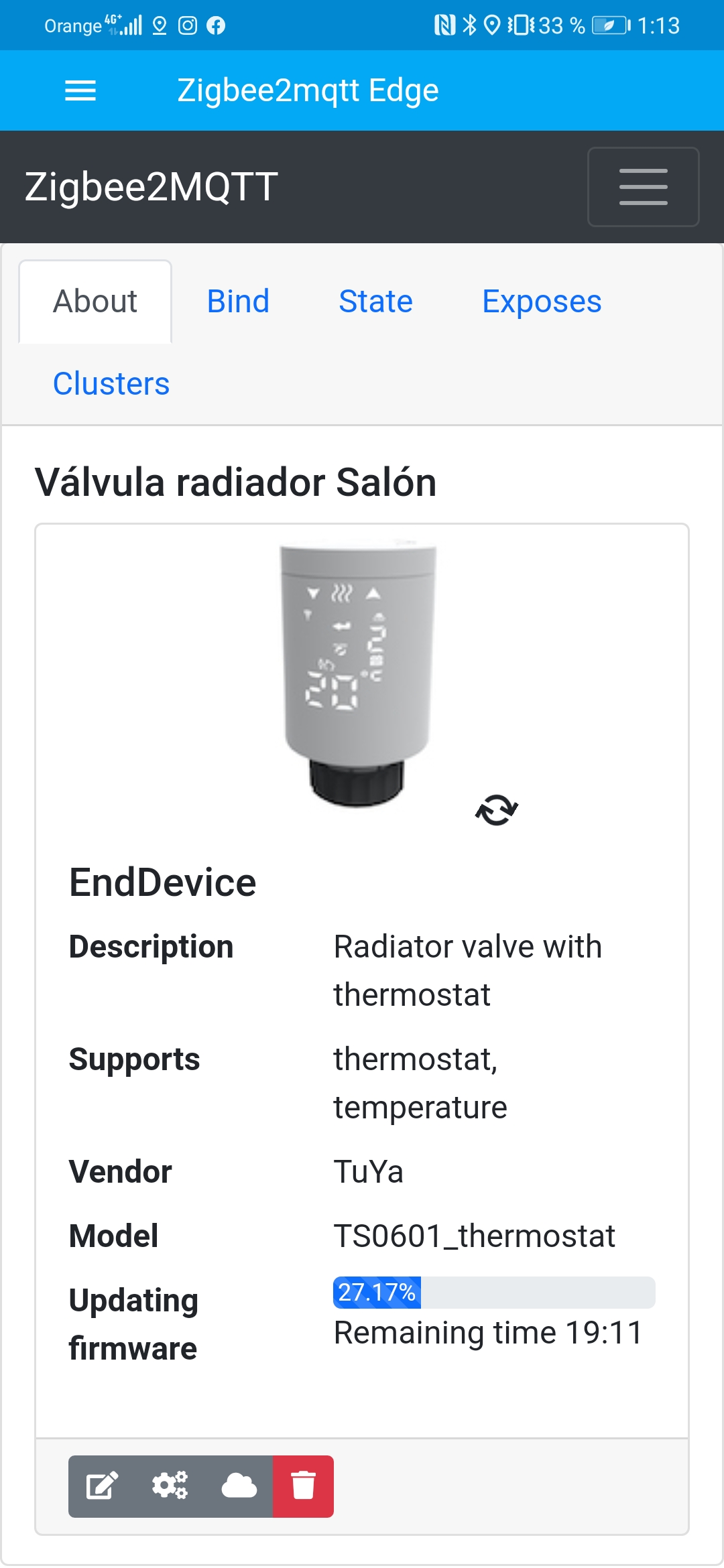
Update in 20 minutes🥳!!
thanks to everyone!!!
Miguelin96
on 26 Oct 2020
I messaged the seller and got the info that battery is implemented, but it only reports if the battery is low
maxiwolleb
on 26 Oct 2020
I messaged the seller and got the info that battery is implemented, but it only reports if the battery is low
It would be great to catch this message about battery low anyway.
pirracas77
on 26 Oct 2020
Is this a particular Tuya TRV because mine (Moes HY368) have run down a few times without any message produced.
insipiens
on 26 Oct 2020
Is this a particular Tuya TRV because mine (Moes HY368) have run down a few times without any message produced.
This info is from the seller MoesHouse so yes it is a Moes HY368
maxiwolleb
on 26 Oct 2020
I'll connect one of mine back to the app and check, would be great if it does....using rechargable batteries it lasts only a week (but I have plans to use a buck converter to resolve that).
insipiens
on 26 Oct 2020
how long is supposed to last with normal alkaline batteries? Changing batteries every couple of weeks is not useful at all.
slashbv
on 26 Oct 2020
I've just received 2 new units, and implemented them into my system. I now have a total of 8 of these valves.
I've updated the 2 new units to the latest firmware ( using the Tuya gateway )
What i've noticed is that the 2 new units have a slightly different user interface ( see images )
When you press the home button, the current temperature is shown and shortly after that the position. In the manual I also noticed an extra feature in the advanced options ( see image ) --> AA ( control type of valve ) 0: PID 1: ON/OFF
Has anyone also noticed this?
The firmware for all my valves is 1.15 now, and MCU version 2.0.
Don't get why there is still a difference in options/UI then?!
Anyone a solution to let them have the same interface?
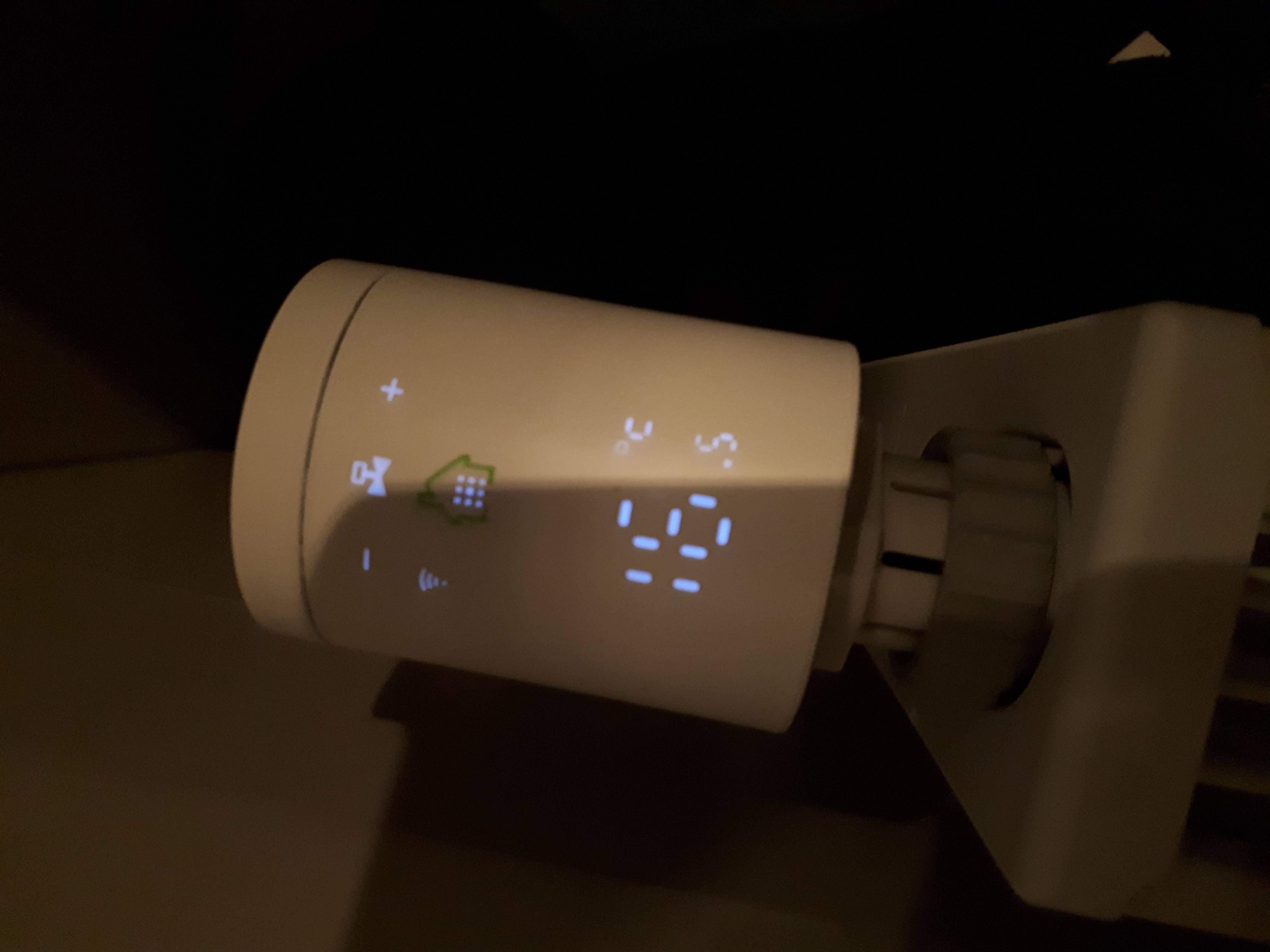
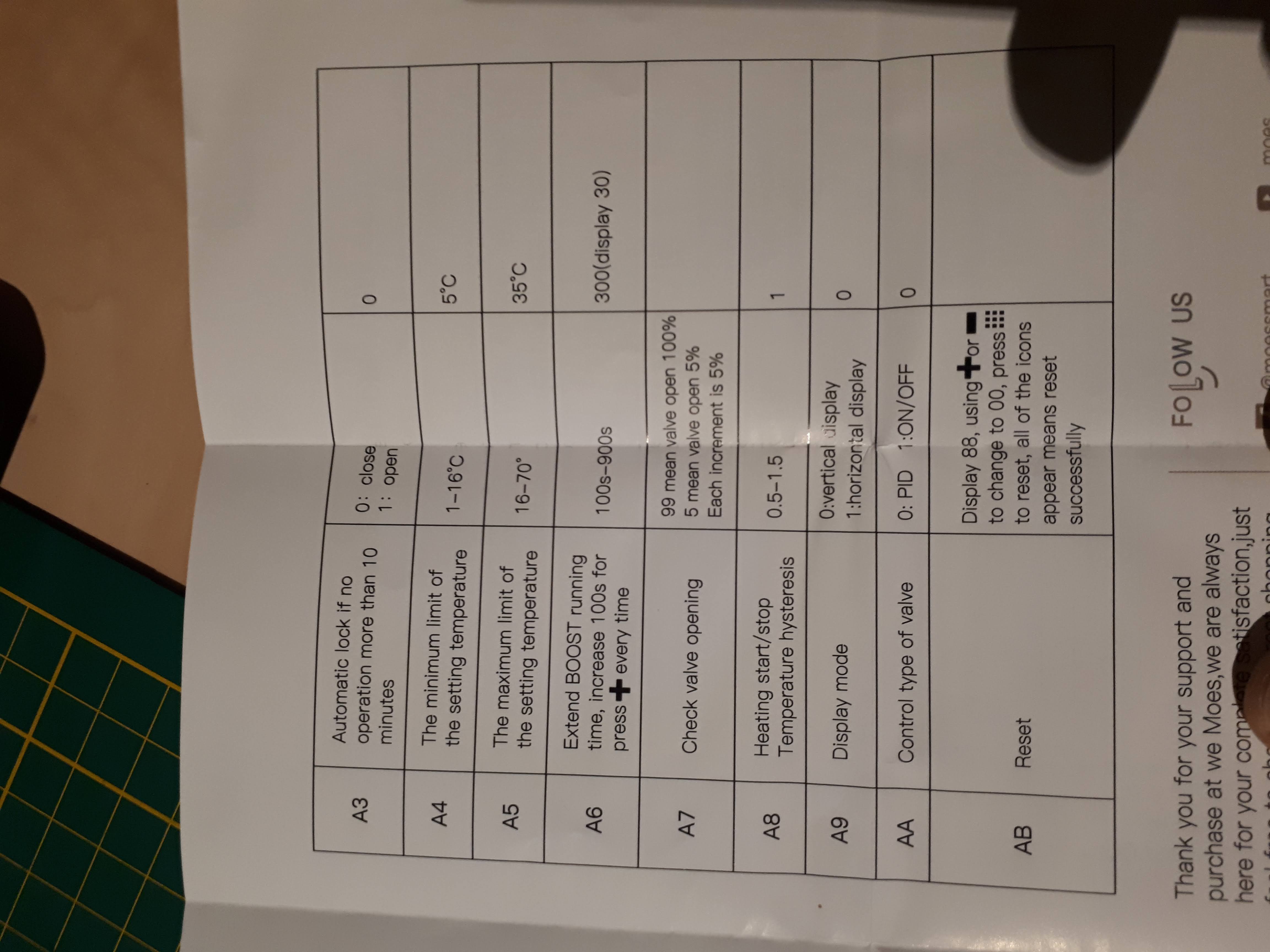
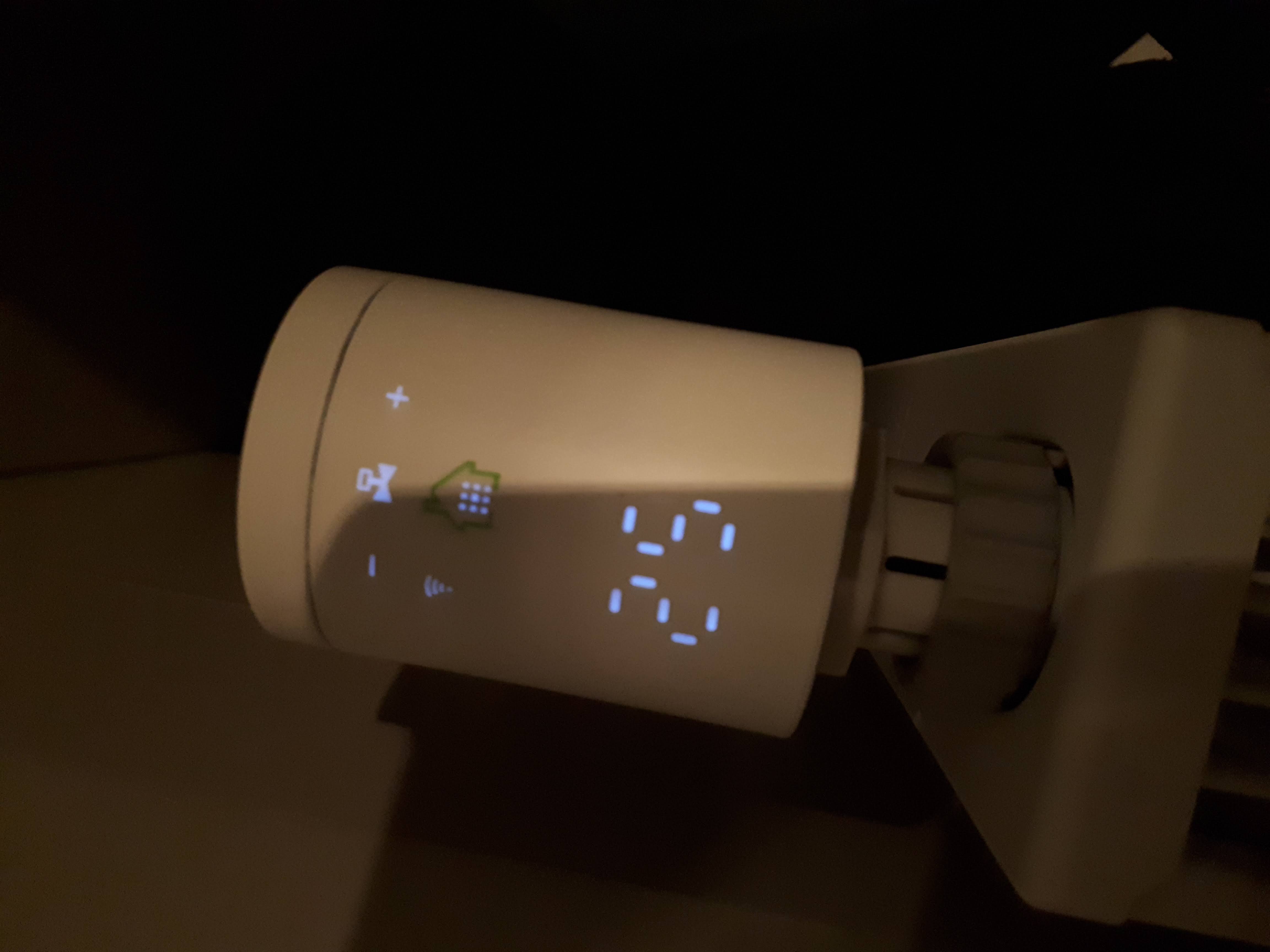
Bart-1992
on 26 Oct 2020
Did someone have success setting preset to "away" through HA or node red? When I try I get MQTT error "TRV preset off is not recognized." But when I publish it directly to MQTT topic, it changes system_mode to off and preset to away. And in HA it displays mode auto and preset away. I suppose it has something to do with the converters. It would be cool if it could be corrected so we can change the preset to away from HA.
Rossez
on 27 Oct 2020
I've just received 2 new units, and implemented them into my system. I now have a total of 8 of these valves.
I've updated the 2 new units to the latest firmware ( using the Tuya gateway )
What i've noticed is that the 2 new units have a slightly different user interface ( see images )When you press the home button, the current temperature is shown and shortly after that the position. In the manual I also noticed an extra feature in the advanced options ( see image ) --> AA ( control type of valve ) 0: PID 1: ON/OFF
Has anyone also noticed this?
The firmware for all my valves is 1.15 now, and MCU version 2.0.Don't get why there is still a difference in options/UI then?!
Anyone a solution to let them have the same interface?
same situation. New valve have AA and AB option when first unit only have AA in instrution. New valve have blue and old have white box.
shirou93
on 27 Oct 2020
Does the window detection work for anyone? In the Tuya-app you can set minutes, degrees and valve on/off.
And the zigbee data payload is 4 byte. Lenght + one byte for each value (0010680000_0301050a_, 3byte length, 01=open, 05=5 degree, 0a=10 Minutes)
Seems the function is not fully implemented yet?
Can anyone confirm this?
.
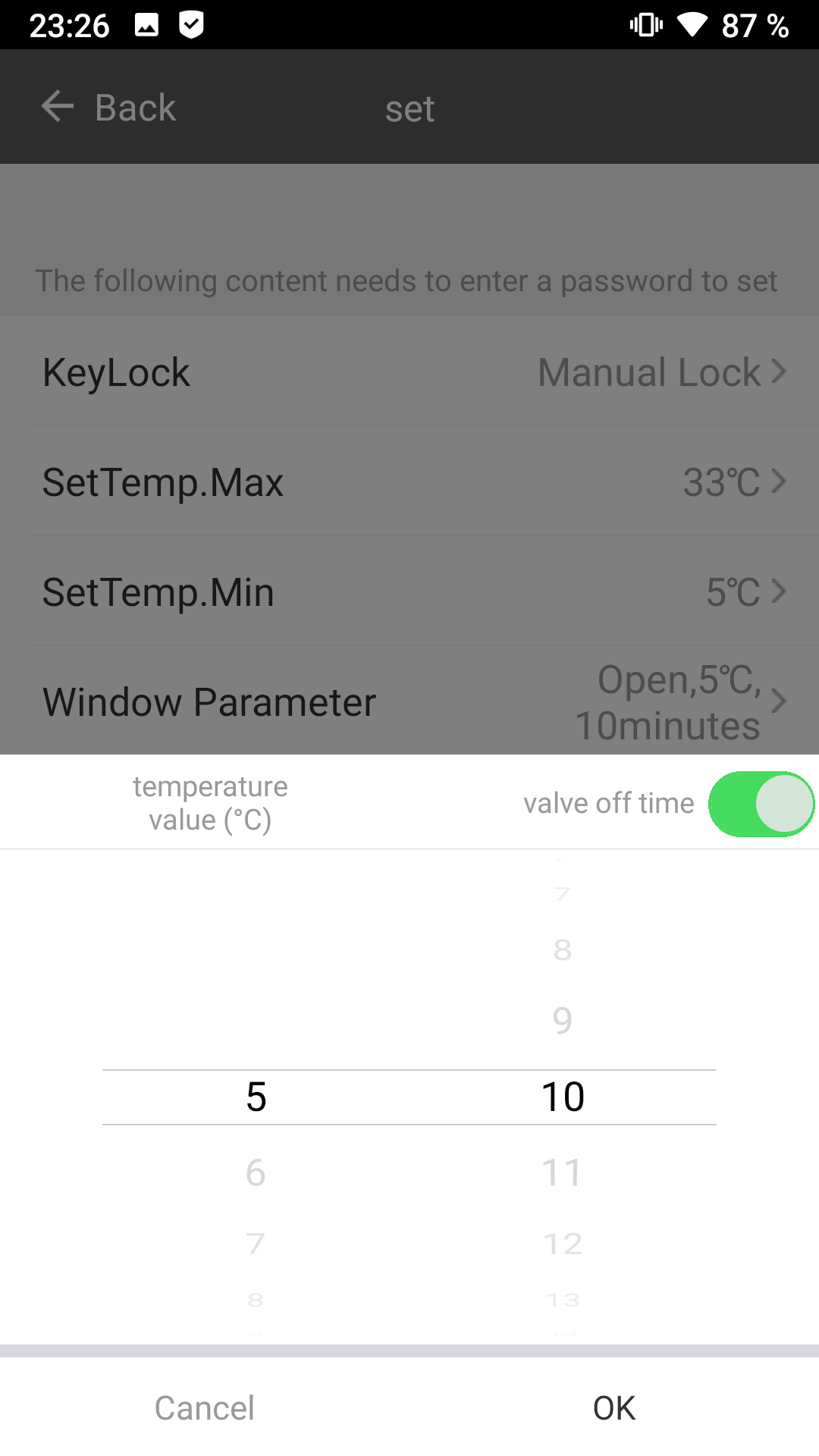
1subu
on 27 Oct 2020
for me it's not working either.
slashbv
on 28 Oct 2020
I have realised that the thermostat not always report the correct status of "position". Sometimes is complety close (forced with "force:close") and the valve is still reporting the value "position:100". Does anyone have experimented this point?
I wonder if it is a bug of zigbee2mqtt or a firmware issue.
pirracas77
on 28 Oct 2020
@pirracas77 I've noticed this also on my 2 'new' valves as decribed here:
These new valves sometimes hang at 95% position, while looking at the valve they are at 100% position?
my other 6 valves always show correct position.
BTW, i've contacted [email protected] and they answered that firmware of the display interface cannot be updated, the other updates are only network related.
I've just received 2 new units, and implemented them into my system. I now have a total of 8 of these valves.
I've updated the 2 new units to the latest firmware ( using the Tuya gateway )
What i've noticed is that the 2 new units have a slightly different user interface ( see images )When you press the home button, the current temperature is shown and shortly after that the position. In the manual I also noticed an extra feature in the advanced options ( see image ) --> AA ( control type of valve ) 0: PID 1: ON/OFF
Has anyone also noticed this?
The firmware for all my valves is 1.15 now, and MCU version 2.0.Don't get why there is still a difference in options/UI then?!
Anyone a solution to let them have the same interface?
Bart-1992
on 28 Oct 2020
Are we able to set this valve to a defined position yet, or just force open/close states?
I find this valve really laggish in controlling my radiator. I think this valve would work great for city-wide heating, but with own heater – time that is takes from 0% to 50% if heat is needed – is too high. An hour to switch from 0% to 100%? WTF?!
cadavre
on 28 Oct 2020
Are we able to set this valve to a defined position yet, or just force open/close states?
I find this valve really laggish in controlling my radiator. I think this valve would work great for city-wide heating, but with own heater – time that is takes from 0% to 50% if heat is needed – is too high. An hour to switch from 0% to 100%? WTF?!
For me, "force" works almost immediately. Only takes 30-40s to complete de order.
pirracas77
on 28 Oct 2020
For me, "force" works almost immediately. Only takes 30-40s to complete de order.
Same for me, but it's just 0 or 100, nothing in between. I really don't like this way of control, because it reminds me of shitty social polarization that is happening all over the world. :p
cadavre
on 28 Oct 2020
For me, "force" works almost immediately. Only takes 30-40s to complete de order.
Same for me, but it's just 0 or 100, nothing in between. I really don't like this way of control, because it reminds me of shitty social polarization that is happening all over the world. :p
Lol.
For me it's OK like this. I control the temperature externally and I open or close it based on this measurement.
pirracas77
on 28 Oct 2020
Did someone have success setting preset to "away" through HA or node red? When I try I get MQTT error "TRV preset off is not recognized." But when I publish it directly to MQTT topic, it changes system_mode to off and preset to away. And in HA it displays mode auto and preset away. I suppose it has something to do with the converters. It would be cool if it could be corrected so we can change the preset to away from HA.
I have the very same issue. I can only change preset from Lovelace dashboard or zigbee2mqtt but I can do it from call service.
I have v1.15.0 but also OTA doesn't work for me.
INFO: MQTT publish: topic 'zigbee2mqtt/bridge/log', payload '{"message":"Device 'Salon' does not support OTA updates","meta":{"device":"Salon","status":"not_supported"},"type":"ota_update"}'
INFO: MQTT publish: topic 'zigbee2mqtt/bridge/response/device/ota_update/check', payload '{"data":{"id":"Salon"},"error":"Device 'Salon' does not support OTA updates","status":"error"}'
 sbienia
on 29 Oct 2020
sbienia
on 29 Oct 2020
- preset mode: works fine for me, check the system mode is set to auto. I amended my fromZigbee to hard set it to auto, however if an on/off setting comes available that would have to be changed to work in HA.
- position: this is limited by the firmware, the options available are only fully open/closed, or controlled by the firmware. I use the boost preset if I want fast heat.
- The device is slow to react - for the Moes thermostat this was corrected with their latest firmware update. See posts above about that update.....
- Looks like they've added on/off? I will check this out on mine.
- I'm still testing the low battery setting to see if it works through HA
insipiens
on 29 Oct 2020
- I'm still testing the low battery setting to see if it works through HA
@insipiens Do you know already the mqtt message that will come in this scenario?
pirracas77
on 29 Oct 2020
- Looks like they've added on/off? I will check this out on mine.
@insipiens The 've added this only to their 'new' valves, that come with a different (UI)firmware. I've contacted moes directly, and they informed me that valves with the 'old' firmware cannot be updated. The last update has only network related changes.
Bart-1992
on 29 Oct 2020
- Looks like they've added on/off? I will check this out on mine.
@insipiens The 've added this only to their 'new' valves, that come with a different (UI)firmware. I've contacted moes directly, and they informed me that valves with the 'old' firmware cannot be updated. The last update has only network related changes.
yep, thanks. I've some of each and half noticed the change but was too busy to look closer.
insipiens
on 29 Oct 2020
@pirracas77 Yeah, but I want to check over this new version before drawing any conclusions (vs the old valve version)
the delta is important before one leaps in with any changes.
insipiens
on 29 Oct 2020
@pirracas77 Yeah, but I want to check over this new version before drawing any conclusions (vs the old valve version)
the delta is important before one leaps in with any changes.
That didn't work out, on Tuya app nothing had changed. When I swapped to Smart-life app it wanted to do a firmware update but that bombed out before finishing (probably device time out as seen by others). I couldn't then reconnect it.
But I didn't see any new functionality in the APP so no idea what the PDI addition means.
Sorry
insipiens
on 29 Oct 2020
Not PDI but PID. :)
PID stands for a proportional–integral–derivative controller, see more at https://en.wikipedia.org/wiki/PID_controller .
In short it is mathematical "function" that, in time, adjusts itself to predict changes and "counteract" them. For valve that is temperature and it means valve will be controlled in this way you should not ever feel the temperature change and keep it at the same point.
cadavre
on 29 Oct 2020
Regarding the "new" version of the device, the one with the PID: The current dev branch offers to update the firmware for these - did anyone verify that they're in fact compatible with the firmware for the old device (as extracted here)? With the old firmware they're really a pain to use - most of my sent their last update more than a day ago :'(
 archi
on 29 Oct 2020
archi
on 29 Oct 2020
Regarding the "new" version of the device, the one with the PID: The current dev branch offers to update the firmware for these - did anyone verify that they're in fact compatible with the firmware for the old device (as extracted here)? With the old firmware they're really a pain to use - most of my sent their last update more than a day ago :'(
I'm sorry, but I can't check if there is another firmware update anymore. I've had the tuya gateway just temporary (sent it back to amazon after MITMing the OTA URL 🙈)
fabicodes
on 29 Oct 2020
@fabicodes thanks for the fast reply. Did you get the OTA URL from the gateway's or the app's traffic? I played around with Frida and some okhttp3 intercept script, but it didn't get the OTA URL from the app (some other stuff, though - but nothing interesting). Seems I've to setup resort to actual MitM-ing, but I think I'll configure that some time over the weekend.
Since my spare TRV just updated to 1.1.5 via the gateway, I decided to just try your update via Z2M. It's past bedtime now, so I'll post some time tomorrow if it succeeded or if that bricked it.
archi
on 30 Oct 2020
Not PDI but PID. :)
PID stands for a proportional–integral–derivative controller, see more at https://en.wikipedia.org/wiki/PID_controller .
In short it is mathematical "function" that, in time, adjusts itself to predict changes and "counteract" them. For valve that is temperature and it means valve will be controlled in this way you should not ever feel the temperature change and keep it at the same point.
Ahhhh, thanks - didn't know that /goes back to sleep/
insipiens
on 30 Oct 2020
Since my spare TRV just updated to 1.1.5 via the gateway, I decided to just try your update via Z2M. It's past bedtime now, so I'll post some time tomorrow if it succeeded or if that bricked it.
And the TRV was still alive this morning, so the update seems to work for both revisions :) Though I have to say the gateway seemed to update somewhat faster.
archi
on 30 Oct 2020
@fabicodes thanks for the fast reply. Did you get the OTA URL from the gateway's or the app's traffic? I played around with Frida and some okhttp3 intercept script, but it didn't get the OTA URL from the app (some other stuff, though - but nothing interesting). Seems I've to setup resort to actual MitM-ing, but I think I'll configure that some time over the weekend.
Since my spare TRV just updated to 1.1.5 via the gateway, I decided to just try your update via Z2M. It's past bedtime now, so I'll post some time tomorrow if it succeeded or if that bricked it.
The gateway was resistant against MITM in my setup. As you can't just simply put in a new trusted root-ca there was no way to intercept its traffic.
fabicodes
on 30 Oct 2020
I created converters for setting the window detection parameters and the workdays and holidays schedules.
For me it is working fine. My valves are the newer with PID
Anyone interested in testing this?
1subu
on 30 Oct 2020
@1subu i'm happy to test
 zaubererty
on 31 Oct 2020
zaubererty
on 31 Oct 2020
I can probably test too
slashbv
on 31 Oct 2020
Changes are here: https://github.com/1subu/zigbee-herdsman-converters/tree/TS0601_thermostat-add-converter--for-schedule-settings-and-window-detection
New converters: tuya_thermostat_schedule, tuya_thermostat_window_detect, tuya_thermostat_week
topic: schedule
Payload Example Workdays: {"workdays":[{"hour":6,"minute":0,"temperature":20},{"hour":8,"minute":0,.... 6x hour,minute,temperature
Payload Example Holidays: {"holidays":[{"hour":6,"minute":0,"temperature":20},{"hour":8,"minute":0,.... 6x hour,minute,temperature
topic: window_detect
Payload Example: { "valve":"OFF", "temperature":5, "minutes":8}
topic: week
Payload options: 5+2, 6+1, 7
Other Question: In device definition there is tz.tuya_thermostat_preset, tz.tuya_thermostat_away_mode.
My valve model does not support away_mode and i don't know what preset should do?
1subu
on 31 Oct 2020
Away could be Holiday Mode, in Tuya app I see Holiday Mode, Auto Mode, Manual Mode, Comfort Mode, Eco Mode and Boost Mode.
slashbv
on 31 Oct 2020
You are right. I did not notice it, because the holiday mode (dp 1028, value 0) can also be set with system mode and thermostat_preset. So we have 3 options to set holiday mode
1subu
on 31 Oct 2020
Is anyone else facing hilarious battery drain?
I am using 2450mA (1,2V) batteries and the valve is only accepting them when charged to 100%.
If they're on 90% or lower, the battery is blinking and the whole thing is like useless.
After one week, the 100% maybe dropped to 90% and the valve assumes the batteries are "empty" and stop responding.
I can raise temperature and stuff but while the battery is blinking, the valve wont open/close.
I am really disappointed of those valves and I can't believe that this is correct. I wonder if there are more firmware updates out there which we are not aware of? I've updated my valves to the latest version which is available from within zigbee2mqtt but still have to switch my batteries once a week ...
boesing
on 1 Nov 2020
1,2V? Try using 1,5V batteries...
Rossez
on 1 Nov 2020
1,2V? Try using 1,5V batteries...
Any suggestion for rechargeable batteries?
Don't want to buy alkaline tho.
boesing
on 1 Nov 2020
am afraid that rechargeable batteries will live shorter, remember that there is a phenomenon of self-discharge which is definitely more serious than in ordinary batteries
Bartekn86
on 1 Nov 2020
Hi everyone, thanks for all the effort you've put into making this TRV to work with Z2m!
- How can I tell if I have an "older version" or the "newer version with PID" of the TRV?
- I cannot use Z2m to OTA upgrade it's firmware, as it says "This device firmware is up-to-date" which I think comes from the fact that Z2m reports "Firmware version is unknown."
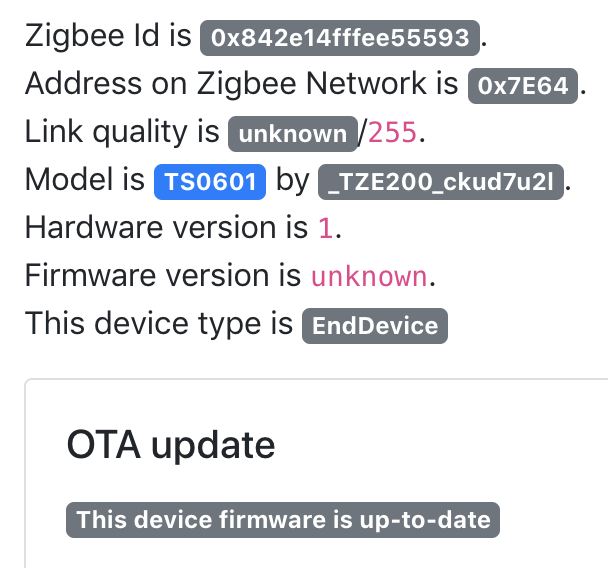
I don't have the original gateway to the device, so I'd need a way to force an OTA firmware upgrade to keep the TRV awake to receive commands from Z2m.
Any advice? Thank you :)
 askthisthing
on 1 Nov 2020
askthisthing
on 1 Nov 2020
Hi everyone, thanks for all the effort you've put into making this TRV to work with Z2m!
1. How can I tell if I have an "older version" or the "newer version with PID" of the TRV? 2. I cannot use Z2m to OTA upgrade it's firmware, as it says "This device firmware is up-to-date" which I think comes from the fact that Z2m reports "Firmware version is unknown."  I don't have the original gateway to the device, so I'd need a way to force an OTA firmware upgrade to keep the TRV awake to receive commands from Z2m. Any advice? Thank you :)
I has the same by firmware version on my valve that arrived tuesday in the Netherlands. When i clicked on update it say there was a update and i started it. But you need to place the valve really near to your Zigbee2mqtt device and update can cost arround 40 minutes.
Does anyone have instructions how to made a week schedule for this thermostat in Domoticz?
thank you very much!
 henkiejan1
on 1 Nov 2020
henkiejan1
on 1 Nov 2020
OTA update doesn't work for me on z2m 1.16.0:
Checking if update available for 'Thermo_Bedroom'
INFO: MQTT publish: topic 'zigbee2mqtt/bridge/log', payload '{"message":"Checking if update available for 'Thermo_Bedroom'","meta":{"device":"Thermo_Bedroom","status":"checking_if_available"},"type":"ota_update"}'
INFO: MQTT publish: topic 'zigbee2mqtt/bridge/log', payload '{"message":"Failed to check if update available for 'Thermo_Bedroom' (No image available for imageType '5634')","meta":{"device":"Thermo_Bedroom","status":"check_failed"},"type":"ota_update"}'
INFO: MQTT publish: topic 'zigbee2mqtt/bridge/response/device/ota_update/check', payload '{"data":{"id":"Thermo_Bedroom"},"error":"Failed to check if update available for 'Thermo_Bedroom' (No image available for imageType '5634')","status":"error"}'
ERROR: Failed to check if update available for 'Thermo_Bedroom' (No image available for imageType '5634')
What is "imageType '5634'"?
 IronButterfly
on 2 Nov 2020
IronButterfly
on 2 Nov 2020
I use Panasonic Eneloop rechargable batteries, and yes - the voltage is 1.2v so the devices quickly report not having enough voltage.
However I have made a mod to make them work perfectly (I like to think)
It involves adding a buck converter which takes the voltage to 3.3v, I also added an external battery box of 3 1.2v rechargables.


I will be adding sleeving on the wires to provide a smarter finish. It's not ideal having a box of batteries lurking by the skirting board but on the upside the cells aren't getting heated anymore - heat and batteries are never good friends....
If my soldering skills were better I could probably have the batteries in their usual slots and fed through the buck converter - they're very small and there is space below the batt compartment....
btw, you might like this HA notification, still testing it to make sure it works - but I think the 366 DP is low battery, at least for the Moes thermostats ;-)
insipiens
on 2 Nov 2020
Is anyone else facing hilarious battery drain?
I am using 2450mA (1,2V) batteries and the valve is only accepting them when charged to 100%.
If they're on 90% or lower, the battery is blinking and the whole thing is like useless.After one week, the 100% maybe dropped to 90% and the valve assumes the batteries are "empty" and stop responding.
The voltage of fresh rechargables is above the 1.2v so appear fine when first put into the thermostats, but quickly decreases to the nominal voltage...hence why they appear to drain quickly - I find they've barely used any charge before the low battery warning comes on. Hence my mod...
insipiens
on 2 Nov 2020
@1subu is it different than
tuya_thermostat_window_detection
tuya_thermostat_schedule
?
mgrom
on 2 Nov 2020
@mgrom
Did you manage to add all needed parameters with these converters ? It did not work for me.
tuya_thermostat_window_detection sends only ON/OFF, Our device needs additional minutes and temperature difference.
tuya_thermostat_schedule seems to send the schedule per day Our device needs the schedule only for workdays and holidays.
Do you have an example for the payload of tuya_thermostat_schedule?
1subu
on 2 Nov 2020
btw, you might like this HA notification, still testing it to make sure it works - but I think the 366 DP is low battery, at least for the Moes thermostats ;-)
Interesting project!
What is the mqtt message when the battery is low? Waiting for your conclusions.
pirracas77
on 2 Nov 2020
Changes are here: https://github.com/1subu/zigbee-herdsman-converters/tree/TS0601_thermostat-add-converter--for-schedule-settings-and-window-detection
New converters: tuya_thermostat_schedule, tuya_thermostat_window_detect, tuya_thermostat_weektopic: schedule
Payload Example Workdays: {"workdays":[{"hour":6,"minute":0,"temperature":20},{"hour":8,"minute":0,.... 6x hour,minute,temperature
Payload Example Holidays: {"holidays":[{"hour":6,"minute":0,"temperature":20},{"hour":8,"minute":0,.... 6x hour,minute,temperaturetopic: window_detect
Payload Example: { "valve":"OFF", "temperature":5, "minutes":8}topic: week
Payload options: 5+2, 6+1, 7Other Question: In device definition there is tz.tuya_thermostat_preset, tz.tuya_thermostat_away_mode.
My valve model does not support away_mode and i don't know what preset should do?
I have tested and it is not working with or without your changes. Maybe you forgot to add all your changes to the files on gitgub.
slashbv
on 2 Nov 2020
Did you get any error messages?
Maybe I forgot some changes to add. I added now console output for test and pushed again.
For Test I use MQTT.fx
Puplish: zigbee2mqtt/RadiatorValve_02/set/schedule
Payload: { "holidays":[{"hour":5,"minute":15,"temperature":21},{"hour":6,"minute":30,"temperature":22},{"hour":11,"minute":45,"temperature":23},{"hour":12,"minute":0,"temperature":24},{"hour":13,"minute":3,"temperature":25},{"hour":14,"minute":4,"temperature":28}]}
Console Output: schedule: dpid: 113 payload 5,15,21,6,30,22,11,45,23,12,0,24,13,3,25,14,4,28
MQTT-Return:
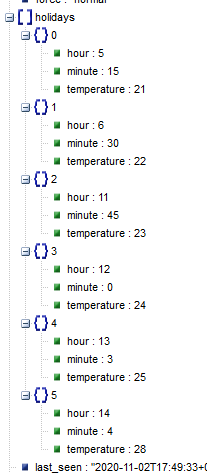
wordays work same way.
1subu
on 2 Nov 2020
set week format
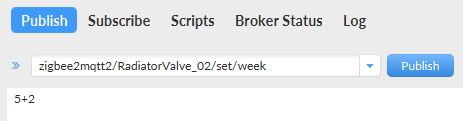
Console Output: thermostat_week: 5+2 ->: 0
Mqtt return:
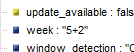
1subu
on 2 Nov 2020
set window parms:
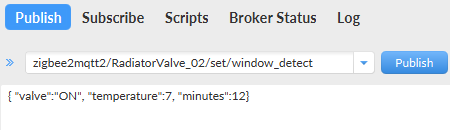
Console Output: window_detect: Valve: 1 Temp: 7 Min 12
Mqtt return:
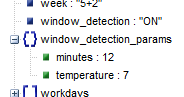
1subu
on 2 Nov 2020
Interesting project!
What is the mqtt message when the battery is low? Waiting for your conclusions.
@pirracas77 I think I have it working, try this and see if it works:
fromZigbee.js
    case 366: // 0x1401 Enabled/disabled Valve detection feature ...actually low battery
//        return {auto_lock_moes: dataAsDecNumber ? 'ON' : 'OFF'};
        return {battery_low: dataAsDecNumber === 1};
homeassistant.js - add the cfg.sensor_battery_low clause
    'TS0601_thermostat': [
        cfg.lock_child_lock, cfg.switch_window_detection, cfg.switch_valve_detection, cfg.sensor_battery, cfg.binary_sensor_battery_low,
        climate(5, 30, 'current_heating_setpoint', 0.5, [], [],
            ['schedule', 'manual', 'away', 'boost', 'complex', 'comfort', 'eco']),
    ],
What I also noticed happens is that the state change changes as the motor is running and then reverts back as the voltage drop is removed - this could just be because I'm using rechargable batteries though.
example automation:
  alias: Radiator_Low_battery
  description: 'Test the battery on Radiators'
  trigger:
    platform: state
    entity_id:
      - binary_sensor.radiator_dk_battery_low
      - binary_sensor.radiator_1_battery_low
      - binary_sensor.radiator_2_battery_low
      - binary_sensor.radiator_3_battery_low
      - binary_sensor.radiator_4_battery_low
      - binary_sensor.radiator_5_battery_low
    from: 'off'
    to: 'on'
  action:
  - service: notify.mobile_app_somename_iphone
    data_template:
      message: "{{ trigger.entity_id }} Battery Low"
  mode: single
Of course the 366 message on the Moes might not be battery, perhaps coincidence that I was seeing it when the device was also indicating the battery was low. Be interested to see what you get.
Right, I'm off to change some batteries 👯
insipiens
on 2 Nov 2020
I should add that the cfg.binary_sensor_battery_low creates the binary sensors automatically (in case that wasn't obvious)
insipiens
on 2 Nov 2020
Hi, I'd like to test it but I don't know how to do that. Could you write in points step by steep what should be done with this files? I've tried find it myself but without satisfying results. I'll be grateful. I was looking for this feature from some time.
 SlavikS-PL
on 2 Nov 2020
SlavikS-PL
on 2 Nov 2020
Hi, I'd like to test it but I don't know how to do that. Could you write in points step by steep what should be done with this files? I've tried find it myself but without satisfying results. I'll be grateful. I was looking for this feature from some time.
Hi @SlavikS-PL
make back ups of those files then modify originals using an editor. If you're not sure about doing this then you probably want to avoid the risk of reinstalling zigbee2mqtt.
If you're unfamiliar with javascript etc. it might be more bother than you'd like....
insipiens
on 2 Nov 2020
I'm not so newbie :) I've replaced original files with files from github link making new docker image but it doesn't work. Zigbee2MQTT doesn't start at all.
[Edit] - I made it working just modifying files, as you wrote, instead replacing files. New docker image with modified files run now.
All works as described - schedules can be set via mqtt. Low battery sensor also works.
Thanks for sharing. I hope it'll be in next official update of add-on.
SlavikS-PL
on 2 Nov 2020
Is anyone currently able to set away temperature and away days?
Since I did not found an existing function, I created one. Maybe double work.
Please let me know if this already works and how. Otherwise I would add the new converter.
1subu
on 3 Nov 2020
I think I was able to set away days but not the temperature, don't remember exactly, I will have to try again ... maybe tomorrow if I find the time
slashbv
on 3 Nov 2020
Is anyone currently able to set away temperature and away days?
Since I did not found an existing function, I created one. Maybe double work.
Please let me know if this already works and how. Otherwise I would add the new converter.
I've just try:
topic: zigbee2mqtt/trv/set/away_preset_temperature
payload: 20
Zigbee2MQTT:error 2020-11-03 20:52:39: No converter available for 'away_preset_temperature' (20)
topic:: zigbee2mqtt/trv/set/away_preset_days
payload: 2
Zigbee2MQTT:error 2020-11-03 21:08:09: No converter available for 'away_preset_days' (2)
SlavikS-PL
on 3 Nov 2020
I have checked too and it's doesn't work
slashbv
on 3 Nov 2020
Here's what is set up to work currently, I'm on version 1.15.0-dev:
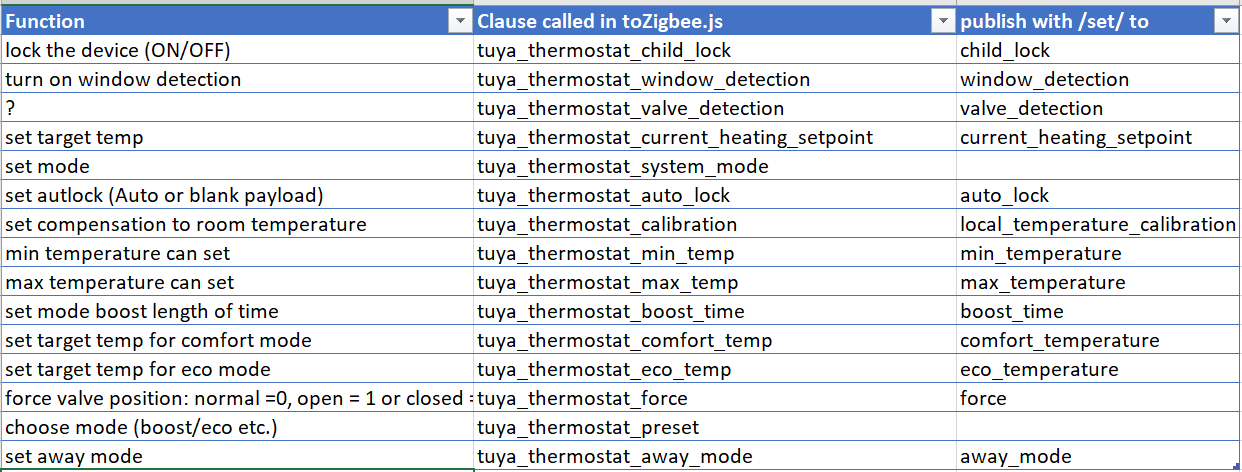
You can only set what is in that 3rd column unless you add new functionality.
insipiens
on 3 Nov 2020
probably DP 626 and 629 will set the preset away days and temperature. You should give it a go by adding the clauses to toZigbee.js and device.js
insipiens
on 3 Nov 2020
ok, I added the new converter. Please test.
What I don't know is how to check if the valve got the right time from zigbee2mqtt.
I added tuya.setTime to the device and I see that the valve sends the request, but I'm not sure that it works.
Any idea?
1subu
on 3 Nov 2020
if you check the debug log for the device's message it should list it, like: ,"away_preset_days":1,"away_preset_temperature":15
insipiens
on 4 Nov 2020
Do I have a chance to get a firmware OTA update if I see in the log:
ERROR: Failed to check if update available for 'Thermo_Bedroom' (No image available for imageType '5634')
IronButterfly
on 4 Nov 2020
Do I have a chance to get a firmware OTA update if I see in the log:
ERROR: Failed to check if update available for 'Thermo_Bedroom' (No image available for imageType '5634')
For me is working. Take into account that the valve should be as near as possible to the bridge cc2531. Not sure if it is your problem.
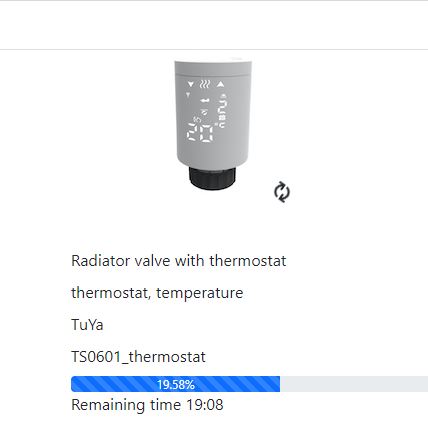
pirracas77
on 4 Nov 2020
fromZigbee.js
```
    case 366: // 0x1401 Enabled/disabled Valve detection feature ...actually low battery
//        return {auto_lock_moes: dataAsDecNumber ? 'ON' : 'OFF'};
        return {battery_low: dataAsDecNumber === 1};
@insipiens in my fromZigbee.js the dp is defined as 276 (zigbee2mqtt 1.16.0)
case 276: // 0x1401 Enabled/disabled Valve detection feature
return {valve_detection: dataAsDecNumber ? 'ON' : 'OFF'};
pirracas77
on 4 Nov 2020
For me is working. Take into account that the valve should be as near as possible to the bridge cc2531. Not sure if it is your problem.
Unfortunately, it didn't help. I put the valve very close to my cc2538 coordinator and still get the error:
ERROR: Failed to call 'OTAUpdate' 'onZigbeeEvent' (AssertionError [ERR_ASSERTION]: No image available for imageType '5634' at getImageMeta (/zigbee2mqtt-1.16.0/node_modules/zigbee-herdsman-converters/ota/zigbeeOTA.js:15:5) at runMicrotasks (<anonymous>) at processTicksAndRejections (internal/process/task_queues.js:97:5) at async isNewImageAvailable (/zigbee2mqtt-1.16.0/node_modules/zigbee-herdsman-converters/ota/common.js:263:18) at async Object.isUpdateAvailable (/zigbee2mqtt-1.16.0/node_modules/zigbee-herdsman-converters/ota/common.js:254:23) at async OTAUpdate.onZigbeeEvent (/zigbee2mqtt-1.16.0/lib/extension/otaUpdate.js:58:31) at async Controller.callExtensionMethod (/zigbee2mqtt-1.16.0/lib/controller.js:378:21))
Any other recommendations? Maybe because there is a very old firmware version:
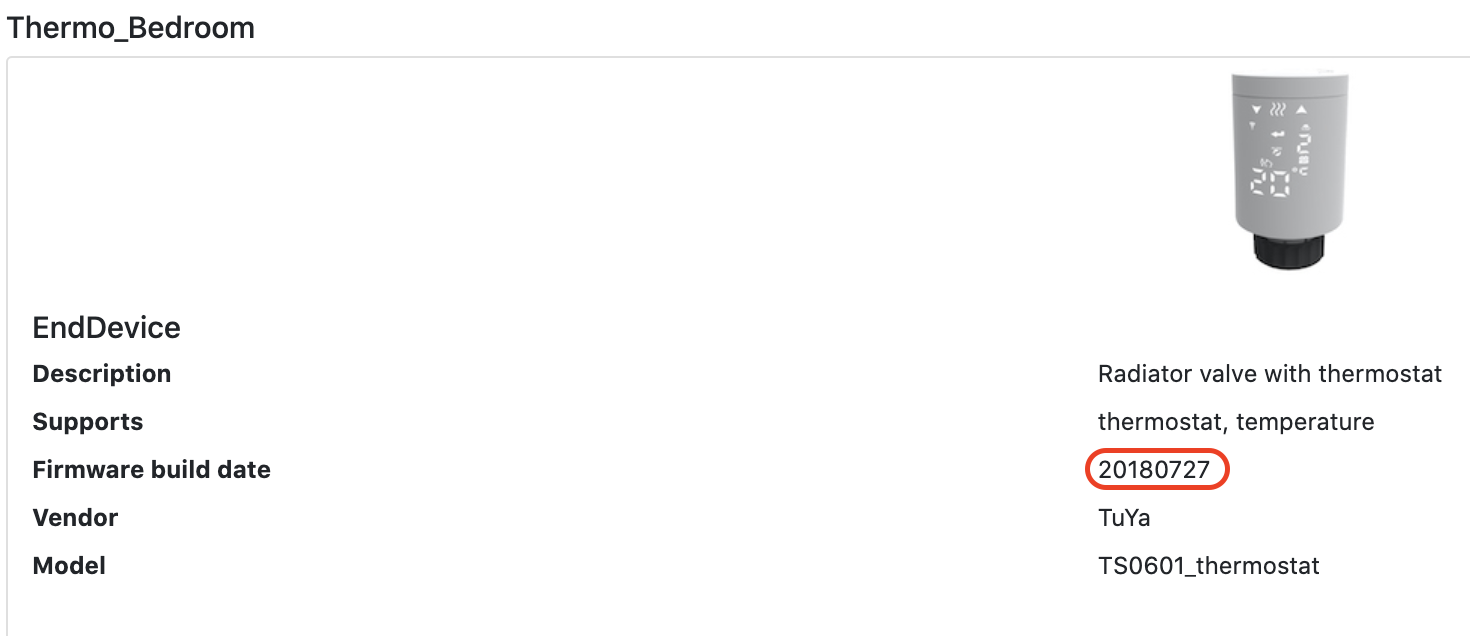
IronButterfly
on 5 Nov 2020
@1subu
ok, I added the new converter. Please test.
I've just tested away_preset_days and away_preset_temperature - works as a dream now :)
SlavikS-PL
on 5 Nov 2020
Thanks for response.
Now I got it managed to set the SystemTime for the device. This is essential for schedule control.
The time can only be set when the device rquests time. After remove and reinsert battery, device will request system time and will get it automatically
Please test. If it works i will prepare a PR
1subu
on 5 Nov 2020
@1subu
Tested, It works as you described. After reinserting battery, after a while, time is set properly.
Log from the console: TRV set local Time: 95,163,238,189,95,163,252,205
SlavikS-PL
on 5 Nov 2020
fromZigbee.js
case 366: // 0x1401 Enabled/disabled Valve detection feature ...actually low battery // return {auto_lock_moes: dataAsDecNumber ? 'ON' : 'OFF'}; return {battery_low: dataAsDecNumber === 1};@insipiens in my fromZigbee.js the dp is defined as 276 (zigbee2mqtt 1.16.0)
case 276: // 0x1401 Enabled/disabled Valve detection feature
return {valve_detection: dataAsDecNumber ? 'ON' : 'OFF'};
@pirracas77 yes, add the 366 after the 276 - sorry forgot that the commented was something I was looking at before.....
so this is what you would have after adding the 366 DP clause:
    case 276: // 0x1401 Enabled/disabled Valve detection feature
        return {valve_detection: dataAsDecNumber ? 'ON' : 'OFF'};
    case 366: // low battery alert
        return {battery_low: dataAsDecNumber === 1};
    case 372: // 0x7401 auto lock mode
        return {auto_lock: dataAsDecNumber ? 'AUTO' : 'MANUAL'};
@pirracas77 yes, add the 366 after the 276 - sorry forgot that the commented was something I was looking at before.....
so this is what you would have after adding the 366 DP clause:
    case 276: // 0x1401 Enabled/disabled Valve detection feature
        return {valve_detection: dataAsDecNumber ? 'ON' : 'OFF'};
    case 366: // low battery alert
        return {battery_low: dataAsDecNumber === 1};
    case 372: // 0x7401 auto lock mode
        return {auto_lock: dataAsDecNumber ? 'AUTO' : 'MANUAL'};
Ok done. I will try to find out a couple of batteries almost ran out to test de new DP. Thanks.
pirracas77
on 6 Nov 2020
I have realised that the thermostat not always report the correct status of "position". Sometimes is complety close (forced with "force:close") and the valve is still reporting the value "position:100". Does anyone have experimented this point?
I wonder if it is a bug of zigbee2mqtt or a firmware issue.
By the way, I have observed that this behaviour seems fixed after upgrading the firmware.
pirracas77
on 6 Nov 2020
Could anyone put an screenshot of how the low battery is displayed in the valve display?
pirracas77
on 6 Nov 2020
@pirracas77 yes, add the 366 after the 276 - sorry forgot that the commented was something I was looking at before.....
so this is what you would have after adding the 366 DP clause:case 276: // 0x1401 Enabled/disabled Valve detection feature return {valve_detection: dataAsDecNumber ? 'ON' : 'OFF'}; case 366: // low battery alert return {battery_low: dataAsDecNumber === 1}; case 372: // 0x7401 auto lock mode return {auto_lock: dataAsDecNumber ? 'AUTO' : 'MANUAL'};Ok done. I will try to find out a couple of batteries almost ran out to test de new DP. Thanks.
I have started receiving this message from some of my valves "battery_low: false":
{"auto_lock":"MANUAL","away_mode":"OFF","away_preset_days":1,"away_preset_temperature":15,"battery_low":false,"boost_time":300,"child_lock":"LOCKED","comfort_temperature":20,"current_heating_setpoint":"5.0","eco_temperature":15,"force":"close","holidays":[{"hour":6,"minute":0,"temperature":20},{"hour":8,"minute":0,"temperature":15},{"hour":11,"minute":30,"temperature":15},{"hour":12,"minute":30,"temperature":15},{"hour":17,"minute":30,"temperature":20},{"hour":22,"minute":0,"temperature":15}],"linkquality":36,"local_temperature":"21.0","local_temperature_calibration":"-1.0","max_temperature":35,"min_temperature":5,"position":0,"preset":"manual","system_mode":"manual","update":{"state":"available"},"update_available":true,"week":"5+2","window_detection":"OFF","window_detection_params":{"minutes":10,"temperature":5},"workdays":[{"hour":6,"minute":0,"temperature":20},{"hour":8,"minute":0,"temperature":15},{"hour":11,"minute":30,"temperature":15},{"hour":12,"minute":30,"temperature":15},{"hour":17,"minute":30,"temperature":20},{"hour":22,"minute":0,"temperature":15}]}
pirracas77
on 6 Nov 2020
Ok done. I will try to find out a couple of batteries almost ran out to test de new DP. Thanks.
I have started receiving this message from some of my valves "battery_low: false":
{"auto_lock":"MANUAL","away_mode":"OFF","away_preset_days":1,"away_preset_temperature":15,"battery_low":false,"boost_time":300,"child_lock":"LOCKED","comfort_temperature":20,"current_heating_setpoint":"5.0","eco_temperature":15,"force":"close","h
@pirracas77 yep, false means battery is not low. If you use rechargable batteries you will soon get reports.
The valve shows a flashing icon on the right (where the 1 or 2 is usually displayed during the initial set up it does), it will be noticable if you make the position change once you start getting it.....
insipiens
on 7 Nov 2020
@insipiens understood.
So I guess the valves that are not reporting anything for sure will have another hardware revision and they are reporting under other DP.
pirracas77
on 7 Nov 2020
@insipiens understood.
So I guess the valves that are not reporting anything for sure will have another hardware revision and they are reporting under other DP.
Some of mine were 1st generation valves
All mine are reporting DP 366, whatever version. Apologies for size...
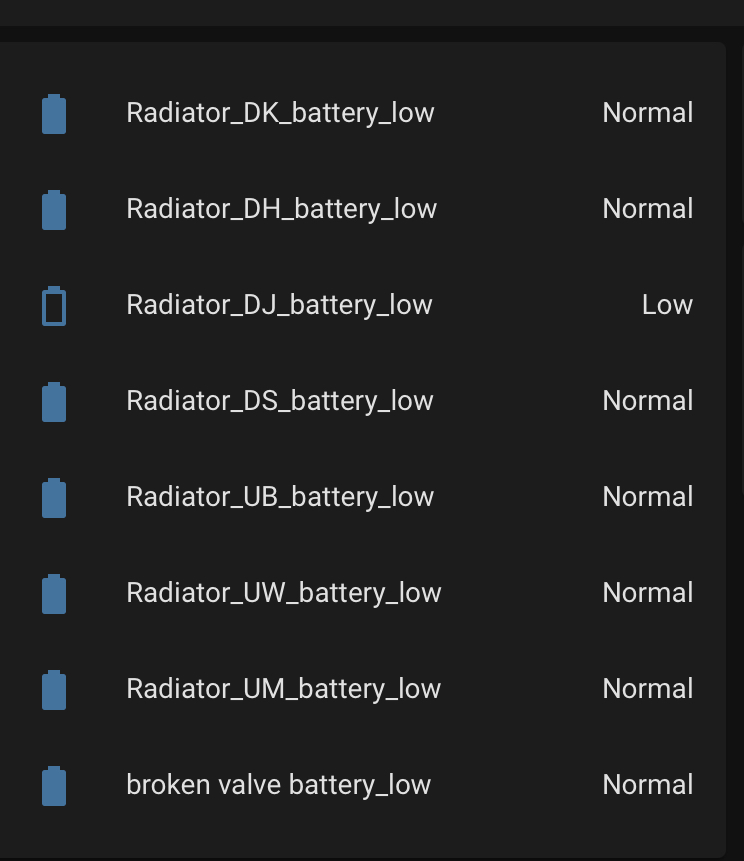
insipiens
on 7 Nov 2020
@insipiens Looks like you've made some progress :) ( Auto Time, Low battery )
Are you planning to merge the low battery feature anytime soon?
Bart-1992
on 7 Nov 2020
Has anyone opened up this valve allready? I'm curious what's inside, and if there are 'flash' possibilities regarding the old/new firmware ( display ) version, which is not 'updateable' according to the manufacturer.
Bart-1992
on 7 Nov 2020
@insipiens understood.
So I guess the valves that are not reporting anything for sure will have another hardware revision and they are reporting under other DP.Some of mine were 1st generation valves
All mine are reporting DP 366, whatever version. Apologies for size...
@insipiens, It is weird, I have two valves that don't send anything.
pirracas77
on 7 Nov 2020
Does anyone know what could be this DP ?
debug 2020-11-07 20:25:43: No converter available for 'TS0601_thermostat' with cluster 'manuSpecificTuyaDimmer' and type 'raw' and data '{"data":[25,101,36,2,7],"type":"Buffer"}'
pirracas77
on 7 Nov 2020
what is valve detection supposed to do ?
slashbv
on 7 Nov 2020
Hi all
I have five of these thermostats, one unbranded, four from "MOES". I have a problem where I randomly can't control some of the devices after some time. I then have to re-pair the devices in order to get them to work again. I might add that I am setting the temperature on a schedule via Node-Red. It also does not work via Home Assistant in these cases. I'm on the latest Z2M version from the dev branch and have already updated the firmware on all of them.
Is anyone else experiencing this?
 chrzr
on 8 Nov 2020
chrzr
on 8 Nov 2020
I have the same problem with one of my six valves. All are MOES, bought all together. The one problematic has a little bit different MQTT message structure than the rest ones. In the section "device" it doesn't have the keys:
"dateCode":"",
"hardwareVersion":1,
All are updated.
Rossez
on 8 Nov 2020
Hi all
I have five of these thermostats, one unbranded, four from "MOES". I have a problem where I randomly can't control some of the devices after some time. I then have to re-pair the devices in order to get them to work again. I might add that I am setting the temperature on a schedule via Node-Red. It also does not work via Home Assistant in these cases. I'm on the latest Z2M version from the dev branch and have already updated the firmware on all of them.
Is anyone else experiencing this?
Now I'm testing 4 valves. 2 moes and 2 unbranded. Same problem. Communication is periodically lost. I noticed one feature - a very weak link signal (for example, only 10lqi, at a distance of 5-6m from the coordinator in line of sight, without walls and other obstacles). While I'm getting out of the situation by adding a router 2531
 Dcashe
on 8 Nov 2020
Dcashe
on 8 Nov 2020
Good idea to buy some main powered routers as they can certainly lose connection if you’re just relying on the coordinator alone.
I bought ewelink zigbee sockets and placed them in each corner of the house, problem solved
https://www.aliexpress.com/i/33017855997.html
@Bart-1992 Not had much feedback on the low battery testing yet....
insipiens
on 8 Nov 2020
Hi @all,
I have a MoesHouse HY369, which ist recognized as TS0601 and seems to work. I also did the firmware update as mentioned above. (Zigbee2MQTT 1.16.1 currently)
Has anybody else problems with the devices clock? My current time resets to 6:28 AM every few minutes. Anybody has any hints? Is there any additional information i could provide to debug the Problem?
Greets,
Sebastian.
 basti79
on 9 Nov 2020
basti79
on 9 Nov 2020
I have the same problem with one of my six valves. All are MOES, bought all together. The one problematic has a little bit different MQTT message structure than the rest ones. In the section "device" it doesn't have the keys:
"dateCode":"",
"hardwareVersion":1,
Where do you find this section? I don't receive any similar over mqtt topic.
pirracas77
on 9 Nov 2020
In the device section of message next to friendlyName key. But one of my 6 valves doesn't have it in the message.
Rossez
on 9 Nov 2020
In the device section of message next to friendlyName key. But one of my 6 valves doesn't have it in the message.
ok I got it. It is necessary to have this parameter set up.
# Optional: Include device information to mqtt messages (default: false)
  include_device_information: true
Some of mine were 1st generation valves
All mine are reporting DP 366, whatever version. Apologies for size...
Fixed. I have removed those two valves and pairing again. Now battery_low is also present.
pirracas77
on 10 Nov 2020
Hi, i have similar problem as @Romioyar described. I am using Zigbee2MQTT version 1.16.1 (commit #6b32f30), i think the latest firmware. My hardware device is this: https://www.zigbee2mqtt.io/devices/GS361A-H04.html . When start pairing process i see in the output:
Zigbee2MQTT:info 2020-11-10 14:48:06: Device 'Tuya_Smart_Thermostat' joined
Zigbee2MQTT:info 2020-11-10 14:48:06: Starting interview of 'Tuya_Smart_Thermostat'
Zigbee2MQTT:info 2020-11-10 14:48:06: MQTT publish: topic 'zigbee2mqtt/bridge/log', payload '{"message":{"friendly_name":"Tuya_Smart_Thermostat"},"type":"device_connected"}'
Zigbee2MQTT:info 2020-11-10 14:48:06: MQTT publish: topic 'zigbee2mqtt/bridge/log', payload '{"message":"interview_started","meta":{"friendly_name":"Tuya_Smart_Thermostat"},"type":"pairing"}'
Zigbee2MQTT:debug 2020-11-10 14:48:06: Device 'Tuya_Smart_Thermostat' announced itself
Zigbee2MQTT:info 2020-11-10 14:48:06: MQTT publish: topic 'zigbee2mqtt/bridge/log', payload '{"message":"announce","meta":{"friendly_name":"Tuya_Smart_Thermostat"},"type":"device_announced"}'
Zigbee2MQTT:debug 2020-11-10 14:48:12: Received Zigbee message from 'Tuya_Smart_Thermostat', type 'read', cluster 'genTime', data '["localTime"]' from endpoint 1 with groupID 0
Zigbee2MQTT:debug 2020-11-10 14:48:12: Skipping message, definition is undefined and still interviewing
Zigbee2MQTT:debug 2020-11-10 14:48:12: Received Zigbee message from 'Tuya_Smart_Thermostat', type 'read', cluster 'genTime', data '["localTime"]' from endpoint 1 with groupID 0
Zigbee2MQTT:debug 2020-11-10 14:48:12: Skipping message, definition is undefined and still interviewing
Zigbee2MQTT:debug 2020-11-10 14:48:13: Received Zigbee message from 'Tuya_Smart_Thermostat', type 'read', cluster 'genTime', data '["localTime"]' from endpoint 1 with groupID 0
Zigbee2MQTT:debug 2020-11-10 14:48:13: Skipping message, definition is undefined and still interviewing
Zigbee2MQTT:debug 2020-11-10 14:48:13: Received Zigbee message from 'Tuya_Smart_Thermostat', type 'read', cluster 'genTime', data '["localTime"]' from endpoint 1 with groupID 0
Zigbee2MQTT:debug 2020-11-10 14:48:13: Skipping message, definition is undefined and still interviewing
Zigbee2MQTT:debug 2020-11-10 14:48:14: Received Zigbee message from 'Tuya_Smart_Thermostat', type 'read', cluster 'genTime', data '["localTime"]' from endpoint 1 with groupID 0
Zigbee2MQTT:debug 2020-11-10 14:48:14: Skipping message, definition is undefined and still interviewing
Zigbee2MQTT:debug 2020-11-10 14:48:14: Received Zigbee message from 'Tuya_Smart_Thermostat', type 'read', cluster 'genTime', data '["localTime"]' from endpoint 1 with groupID 0
Zigbee2MQTT:debug 2020-11-10 14:48:14: Skipping message, definition is undefined and still interviewing
Zigbee2MQTT:debug 2020-11-10 14:48:15: Received Zigbee message from 'Tuya_Smart_Thermostat', type 'read', cluster 'genTime', data '["localTime"]' from endpoint 1 with groupID 0
Zigbee2MQTT:debug 2020-11-10 14:48:15: Skipping message, definition is undefined and still interviewing
Zigbee2MQTT:debug 2020-11-10 14:48:17: Received Zigbee message from 'Tuya_Smart_Thermostat', type 'raw', cluster 'manuSpecificTuyaDimmer', data '{"data":[25,42,36,0,24],"type":"Buffer"}' from endpoint 1 with groupID 0
Zigbee2MQTT:debug 2020-11-10 14:48:17: Skipping message, definition is undefined and still interviewing
Zigbee2MQTT:debug 2020-11-10 14:48:20: Received Zigbee message from 'Tuya_Smart_Thermostat', type 'readResponse', cluster 'genBasic', data '{"modelId":"TS0601"}' from endpoint 1 with groupID 0
Zigbee2MQTT:debug 2020-11-10 14:48:20: Skipping message, definition is undefined and still interviewing
Zigbee2MQTT:debug 2020-11-10 14:48:21: Received Zigbee message from 'Tuya_Smart_Thermostat', type 'readResponse', cluster 'genBasic', data '{"manufacturerName":"_TZE200_zivfvd7h"}' from endpoint 1 with groupID 0
Zigbee2MQTT:debug 2020-11-10 14:48:21: Skipping message, definition is undefined and still interviewing
Zigbee2MQTT:debug 2020-11-10 14:48:21: Received Zigbee message from 'Tuya_Smart_Thermostat', type 'readResponse', cluster 'genBasic', data '{"powerSource":3}' from endpoint 1 with groupID 0
Zigbee2MQTT:debug 2020-11-10 14:48:21: Skipping message, definition is undefined and still interviewing
Zigbee2MQTT:debug 2020-11-10 14:48:21: Received Zigbee message from 'Tuya_Smart_Thermostat', type 'readResponse', cluster 'genBasic', data '{"zclVersion":3}' from endpoint 1 with groupID 0
Zigbee2MQTT:debug 2020-11-10 14:48:21: Skipping message, definition is undefined and still interviewing
Zigbee2MQTT:debug 2020-11-10 14:48:21: Received Zigbee message from 'Tuya_Smart_Thermostat', type 'readResponse', cluster 'genBasic', data '{"appVersion":83}' from endpoint 1 with groupID 0
Zigbee2MQTT:debug 2020-11-10 14:48:21: Skipping message, definition is undefined and still interviewing
Zigbee2MQTT:debug 2020-11-10 14:48:22: Received Zigbee message from 'Tuya_Smart_Thermostat', type 'readResponse', cluster 'genBasic', data '{"stackVersion":0}' from endpoint 1 with groupID 0
Zigbee2MQTT:debug 2020-11-10 14:48:22: Skipping message, definition is undefined and still interviewing
Zigbee2MQTT:debug 2020-11-10 14:48:22: Received Zigbee message from 'Tuya_Smart_Thermostat', type 'readResponse', cluster 'genBasic', data '{"hwVersion":1}' from endpoint 1 with groupID 0
Zigbee2MQTT:debug 2020-11-10 14:48:22: Skipping message, definition is undefined and still interviewing
Zigbee2MQTT:debug 2020-11-10 14:48:22: Received Zigbee message from 'Tuya_Smart_Thermostat', type 'readResponse', cluster 'genBasic', data '{"dateCode":""}' from endpoint 1 with groupID 0
Zigbee2MQTT:debug 2020-11-10 14:48:22: Skipping message, definition is undefined and still interviewing
Zigbee2MQTT:debug 2020-11-10 14:48:22: Received Zigbee message from 'Tuya_Smart_Thermostat', type 'readResponse', cluster 'genBasic', data '{}' from endpoint 1 with groupID 0
Zigbee2MQTT:debug 2020-11-10 14:48:22: Skipping message, definition is undefined and still interviewing
Zigbee2MQTT:info 2020-11-10 14:48:22: Successfully interviewed 'Tuya_Smart_Thermostat', device has successfully been paired
Zigbee2MQTT:warn 2020-11-10 14:48:22: Device 'Tuya_Smart_Thermostat' with Zigbee model 'TS0601' is NOT supported, please follow https://www.zigbee2mqtt.io/how_tos/how_to_support_new_devices.html
Zigbee2MQTT:info 2020-11-10 14:48:22: MQTT publish: topic 'zigbee2mqtt/bridge/log', payload '{"message":"interview_successful","meta":{"friendly_name":"Tuya_Smart_Thermostat","supported":false},"type":"pairing"}'
Zigbee2MQTT:debug 2020-11-10 14:48:37: Received Zigbee message from 'Tuya_Smart_Thermostat', type 'raw', cluster 'manuSpecificTuyaDimmer', data '{"data":[9,43,17,0,25,64],"type":"Buffer"}' from endpoint 1 with groupID 0
Zigbee2MQTT:warn 2020-11-10 14:48:37: Received message from unsupported device with Zigbee model 'TS0601'
Zigbee2MQTT:warn 2020-11-10 14:48:37: Please see: https://www.zigbee2mqtt.io/how_tos/how_to_support_new_devices.html.
Any idea what is wrong? As i said i am using the latest zigbee2mqtt and this problem occurs.
 pawelGontarz
on 10 Nov 2020
pawelGontarz
on 10 Nov 2020
low battery alert PR submitted. And then resubmitted to comply with the exellent work by @drzony
insipiens
on 10 Nov 2020
It seems that after i pulled newest version of zigbee2mqtt software there is no entry of 'TS0601' in device.js. @Koenkk could You help in this situation? There was deletion of 'TS0601' from devices.js between commits?
pawelGontarz
on 10 Nov 2020
It seems that after i pulled newest version of zigbee2mqtt software there is no entry of 'TS0601' in device.js. @Koenkk could You help in this situation? There was deletion of 'TS0601' from devices.js between commits?
@pawelGontarz It seems devices.js is now organised by model number for tuya devices. If you look there you should find your device.
The change looks great though! the umbrella of TS0601 was proving problematic to say the least....breaking it out by fingerprint should be a great improvement!
Here's the device entry, for instance:
{
        zigbeeModel: ['kud7u2l'],
        fingerprint: [{modelID: 'TS0601', manufacturerName: '_TZE200_ckud7u2l'}],
        model: 'TS0601_thermostat',
        vendor: 'TuYa',
        description: 'Radiator valve with thermostat',
        supports: 'thermostat, temperature',
        whiteLabel: [
            {vendor: 'Moes', model: 'HY369RT'},
            {vendor: 'SHOJZJ', model: '378RT'},
        ],
        meta: {tuyaThermostatSystemMode: common.TuyaThermostatSystemModes, tuyaThermostatPreset: common.TuyaThermostatPresets},
        ota: ota.zigbeeOTA,
        onEvent: tuya.setLocalTime,
        fromZigbee: [fz.tuya_thermostat, fz.tuya_thermostat_on_set_data, fz.ignore_basic_report],
        toZigbee: [
            tz.tuya_thermostat_child_lock, tz.tuya_thermostat_window_detection, tz.tuya_thermostat_valve_detection,
            tz.tuya_thermostat_current_heating_setpoint, tz.tuya_thermostat_system_mode, tz.tuya_thermostat_auto_lock,
            tz.tuya_thermostat_calibration, tz.tuya_thermostat_min_temp, tz.tuya_thermostat_max_temp,
            tz.tuya_thermostat_boost_time, tz.tuya_thermostat_comfort_temp, tz.tuya_thermostat_eco_temp,
            tz.tuya_thermostat_force, tz.tuya_thermostat_preset, tz.tuya_thermostat_away_mode,
            tz.tuya_thermostat_window_detect, tz.tuya_thermostat_schedule, tz.tuya_thermostat_week, tz.tuya_thermostat_away_preset,
        ],
        exposes: [
            e.child_lock(), e.window_detection(), e.battery(), e.valve_detection(),
            exposes.climate().withSetpoint('current_heating_setpoint', 5, 35, 0.5).withLocalTemperature()
                .withSystemMode(['auto']).withRunningState(['idle', 'heat']).withAwayMode()
                .withPreset(['schedule', 'manual', 'boost', 'complex', 'comfort', 'eco']),
        ],
    },
insipiens
on 10 Nov 2020
I found this device in Siterwell section nad add 'TS0601' to zigbeeModel. Now everything works fine!
// Siterwell
    {
        zigbeeModel: ['ivfvd7h', 'eaxp72v\u0000', 'TS0601'],
        model: 'GS361A-H04',
        vendor: 'Siterwell',
        description: 'Radiator valve with thermostat',
        supports: 'thermostat, temperature',
        fromZigbee: [
            fz.tuya_thermostat,
            fz.tuya_thermostat_on_set_data,
            fz.ignore_basic_report,
        ],
        meta: {tuyaThermostatSystemMode: common.TuyaThermostatSystemModes, tuyaThermostatPreset: common.TuyaThermostatPresets},
        toZigbee: [
            tz.tuya_thermostat_child_lock,
            tz.tuya_thermostat_window_detection,
            tz.tuya_thermostat_valve_detection,
            tz.tuya_thermostat_current_heating_setpoint,
            tz.tuya_thermostat_system_mode,
            tz.tuya_thermostat_auto_lock,
            tz.tuya_thermostat_calibration,
            tz.tuya_thermostat_min_temp,
            tz.tuya_thermostat_max_temp,
            tz.tuya_thermostat_boost_time,
            tz.tuya_thermostat_comfort_temp,
            tz.tuya_thermostat_eco_temp,
            tz.tuya_thermostat_force,
            tz.tuya_thermostat_preset,
            tz.tuya_thermostat_away_mode,
            tz.tuya_thermostat_window_detect,
            tz.tuya_thermostat_schedule,
            tz.tuya_thermostat_week,
        ],
        whiteLabel: [
            {vendor: 'Essentials', description: 'Smart home heizkörperthermostat premium', model: '120112'},
        ],
    },
pawelGontarz
on 10 Nov 2020
Hi I paired second TRV, it displayed in Zigbee2mqtt but second TRV is not visible in MQTT integration. I have error in log file. Can you help ? Unpair and pair again does not help
    Exception in discovery_callback when dispatching 'mqtt_discovery_updated_('switch', '0xbc33acfffe37e579 valve_detection')': ({'availability': [{'topic': 'zigbee2mqtt/bridge/state'}, {'topic': 'zigbee2mqtt/0xbc33acfffe37e579/availability'}], 'command_topic': 'zigbee2mqtt/0xbc33acfffe37e579/set/valve_detection', 'device': {'identifiers': ['zigbee2mqtt_0xbc33acfffe37e579'], 'manufacturer': 'TuYa', 'model': 'Radiator valve with thermostat (TS0601_thermostat)', 'name': '0xbc33acfffe37e579', 'sw_version': 'Zigbee2MQTT 1.16.1'}, 'json_attributes_topic': 'zigbee2mqtt/0xbc33acfffe37e579', 'name': '0xbc33acfffe37e579_valve_detection', 'payload_off': 'OFF', 'payload_on': 'ON', 'state_off': 'OFF', 'state_on': 'ON', 'state_topic': 'zigbee2mqtt/0xbc33acfffe37e579', 'unique_id': '0xbc33acfffe37e579_valve_detection_zigbee2mqtt', 'value_template': '{{ value_json.valve_detection }}', 'platform': 'mqtt'},) Traceback (most recent call last): File "/usr/src/homeassistant/homeassistant/components/mqtt/__init__.py", line 1124, in discovery_callback await self._discovery_update(payload) File "/usr/src/homeassistant/homeassistant/components/mqtt/switch.py", line 139, in discovery_update config = PLATFORM_SCHEMA(discovery_payload) File "/usr/local/lib/python3.7/site-packages/voluptuous/schema_builder.py", line 272, in __call__ return self._compiled([], data) File "/usr/local/lib/python3.7/site-packages/voluptuous/schema_builder.py", line 594, in validate_dict return base_validate(path, iteritems(data), out) File "/usr/local/lib/python3.7/site-packages/voluptuous/schema_builder.py", line 432, in validate_mapping raise er.MultipleInvalid(errors) voluptuous.error.MultipleInvalid: extra keys not allowed @ data['availability']
    Exception in async_discover when dispatching 'mqtt_discovery_new_switch_mqtt': ({'availability': [{'topic': 'zigbee2mqtt/bridge/state'}, {'topic': 'zigbee2mqtt/0x60a423fffea0fc8f/availability'}], 'command_topic': 'zigbee2mqtt/0x60a423fffea0fc8f/set/window_detection', 'device': {'identifiers': ['zigbee2mqtt_0x60a423fffea0fc8f'], 'manufacturer': 'TuYa', 'model': 'Radiator valve with thermostat (TS0601_thermostat)', 'name': '0x60a423fffea0fc8f', 'sw_version': 'Zigbee2MQTT 1.16.1'}, 'icon': 'mdi:window-open-variant', 'json_attributes_topic': 'zigbee2mqtt/0x60a423fffea0fc8f', 'name': '0x60a423fffea0fc8f_window_detection', 'payload_off': 'OFF', 'payload_on': 'ON', 'state_off': 'OFF', 'state_on': 'ON', 'state_topic': 'zigbee2mqtt/0x60a423fffea0fc8f', 'unique_id': '0x60a423fffea0fc8f_window_detection_zigbee2mqtt', 'value_template': '{{ value_json.window_detection }}', 'platform': 'mqtt'},) Traceback (most recent call last): File "/usr/src/homeassistant/homeassistant/components/mqtt/switch.py", line 82, in async_discover config = PLATFORM_SCHEMA(discovery_payload) File "/usr/local/lib/python3.7/site-packages/voluptuous/schema_builder.py", line 272, in __call__ return self._compiled([], data) File "/usr/local/lib/python3.7/site-packages/voluptuous/schema_builder.py", line 594, in validate_dict return base_validate(path, iteritems(data), out) File "/usr/local/lib/python3.7/site-packages/voluptuous/schema_builder.py", line 432, in validate_mapping raise er.MultipleInvalid(errors) voluptuous.error.MultipleInvalid: extra keys not allowed @ data['availability']
    Exception in async_discover when dispatching 'mqtt_discovery_new_switch_mqtt': ({'availability': [{'topic': 'zigbee2mqtt/bridge/state'}, {'topic': 'zigbee2mqtt/0x60a423fffea0fc8f/availability'}], 'command_topic': 'zigbee2mqtt/0x60a423fffea0fc8f/set/valve_detection', 'device': {'identifiers': ['zigbee2mqtt_0x60a423fffea0fc8f'], 'manufacturer': 'TuYa', 'model': 'Radiator valve with thermostat (TS0601_thermostat)', 'name': '0x60a423fffea0fc8f', 'sw_version': 'Zigbee2MQTT 1.16.1'}, 'json_attributes_topic': 'zigbee2mqtt/0x60a423fffea0fc8f', 'name': '0x60a423fffea0fc8f_valve_detection', 'payload_off': 'OFF', 'payload_on': 'ON', 'state_off': 'OFF', 'state_on': 'ON', 'state_topic': 'zigbee2mqtt/0x60a423fffea0fc8f', 'unique_id': '0x60a423fffea0fc8f_valve_detection_zigbee2mqtt', 'value_template': '{{ value_json.valve_detection }}', 'platform': 'mqtt'},) Traceback (most recent call last): File "/usr/src/homeassistant/homeassistant/components/mqtt/switch.py", line 82, in async_discover config = PLATFORM_SCHEMA(discovery_payload) File "/usr/local/lib/python3.7/site-packages/voluptuous/schema_builder.py", line 272, in __call__ return self._compiled([], data) File "/usr/local/lib/python3.7/site-packages/voluptuous/schema_builder.py", line 594, in validate_dict return base_validate(path, iteritems(data), out) File "/usr/local/lib/python3.7/site-packages/voluptuous/schema_builder.py", line 432, in validate_mapping raise er.MultipleInvalid(errors) voluptuous.error.MultipleInvalid: extra keys not allowed @ data['availability']
    Exception in discovery_callback when dispatching 'mqtt_discovery_updated_('climate', '0xbc33acfffe37e579 climate')': ({'action_template': "{% set values = {'idle':'off','heat':'heating','cool':'cooling','fan only':'fan'} %}{{ values[value_json.running_state] }}", 'action_topic': 'zigbee2mqtt/0xbc33acfffe37e579', 'availability': [{'topic': 'zigbee2mqtt/bridge/state'}, {'topic': 'zigbee2mqtt/0xbc33acfffe37e579/availability'}], 'away_mode_command_topic': 'zigbee2mqtt/0xbc33acfffe37e579/set/away_mode', 'away_mode_state_template': '{{ value_json.away_mode }}', 'away_mode_state_topic': 'zigbee2mqtt/0xbc33acfffe37e579', 'current_temperature_template': '{{ value_json.local_temperature }}', 'current_temperature_topic': 'zigbee2mqtt/0xbc33acfffe37e579', 'device': {'identifiers': ['zigbee2mqtt_0xbc33acfffe37e579'], 'manufacturer': 'TuYa', 'model': 'Radiator valve with thermostat (TS0601_thermostat)', 'name': '0xbc33acfffe37e579', 'sw_version': 'Zigbee2MQTT 1.16.1'}, 'hold_command_topic': 'zigbee2mqtt/0xbc33acfffe37e579/set/preset', 'hold_modes': ['schedule', 'manual', 'boost', 'complex', 'comfort', 'eco'], 'hold_state_template': '{{ value_json.preset }}', 'hold_state_topic': 'zigbee2mqtt/0xbc33acfffe37e579', 'json_attributes_topic': 'zigbee2mqtt/0xbc33acfffe37e579', 'max_temp': '30', 'min_temp': '5', 'mode_command_topic': 'zigbee2mqtt/0xbc33acfffe37e579/set/system_mode', 'mode_state_template': '{{ value_json.system_mode }}', 'mode_state_topic': 'zigbee2mqtt/0xbc33acfffe37e579', 'modes': ['auto'], 'name': '0xbc33acfffe37e579_climate', 'temp_step': 0.5, 'temperature_command_topic': 'zigbee2mqtt/0xbc33acfffe37e579/set/current_heating_setpoint', 'temperature_state_template': '{{ value_json.current_heating_setpoint }}', 'temperature_state_topic': 'zigbee2mqtt/0xbc33acfffe37e579', 'temperature_unit': 'C', 'unique_id': '0xbc33acfffe37e579_climate_zigbee2mqtt', 'platform': 'mqtt'},) Traceback (most recent call last): File "/usr/src/homeassistant/homeassistant/components/mqtt/__init__.py", line 1124, in discovery_callback await self._discovery_update(payload) File "/usr/src/homeassistant/homeassistant/components/mqtt/climate.py", line 317, in discovery_update config = PLATFORM_SCHEMA(discovery_payload) File "/usr/local/lib/python3.7/site-packages/voluptuous/schema_builder.py", line 272, in __call__ return self._compiled([], data) File "/usr/local/lib/python3.7/site-packages/voluptuous/schema_builder.py", line 594, in validate_dict return base_validate(path, iteritems(data), out) File "/usr/local/lib/python3.7/site-packages/voluptuous/schema_builder.py", line 432, in validate_mapping raise er.MultipleInvalid(errors) voluptuous.error.MultipleInvalid: extra keys not allowed @ data['availability']
    Exception in async_discover when dispatching 'mqtt_discovery_new_climate_mqtt': ({'action_template': "{% set values = {'idle':'off','heat':'heating','cool':'cooling','fan only':'fan'} %}{{ values[value_json.running_state] }}", 'action_topic': 'zigbee2mqtt/0x60a423fffea0fc8f', 'availability': [{'topic': 'zigbee2mqtt/bridge/state'}, {'topic': 'zigbee2mqtt/0x60a423fffea0fc8f/availability'}], 'away_mode_command_topic': 'zigbee2mqtt/0x60a423fffea0fc8f/set/away_mode', 'away_mode_state_template': '{{ value_json.away_mode }}', 'away_mode_state_topic': 'zigbee2mqtt/0x60a423fffea0fc8f', 'current_temperature_template': '{{ value_json.local_temperature }}', 'current_temperature_topic': 'zigbee2mqtt/0x60a423fffea0fc8f', 'device': {'identifiers': ['zigbee2mqtt_0x60a423fffea0fc8f'], 'manufacturer': 'TuYa', 'model': 'Radiator valve with thermostat (TS0601_thermostat)', 'name': '0x60a423fffea0fc8f', 'sw_version': 'Zigbee2MQTT 1.16.1'}, 'hold_command_topic': 'zigbee2mqtt/0x60a423fffea0fc8f/set/preset', 'hold_modes': ['schedule', 'manual', 'boost', 'complex', 'comfort', 'eco'], 'hold_state_template': '{{ value_json.preset }}', 'hold_state_topic': 'zigbee2mqtt/0x60a423fffea0fc8f', 'json_attributes_topic': 'zigbee2mqtt/0x60a423fffea0fc8f', 'max_temp': '30', 'min_temp': '5', 'mode_command_topic': 'zigbee2mqtt/0x60a423fffea0fc8f/set/system_mode', 'mode_state_template': '{{ value_json.system_mode }}', 'mode_state_topic': 'zigbee2mqtt/0x60a423fffea0fc8f', 'modes': ['auto'], 'name': '0x60a423fffea0fc8f_climate', 'temp_step': 0.5, 'temperature_command_topic': 'zigbee2mqtt/0x60a423fffea0fc8f/set/current_heating_setpoint', 'temperature_state_template': '{{ value_json.current_heating_setpoint }}', 'temperature_state_topic': 'zigbee2mqtt/0x60a423fffea0fc8f', 'temperature_unit': 'C', 'unique_id': '0x60a423fffea0fc8f_climate_zigbee2mqtt', 'platform': 'mqtt'},) Traceback (most recent call last): File "/usr/src/homeassistant/homeassistant/components/mqtt/climate.py", line 251, in async_discover config = PLATFORM_SCHEMA(discovery_payload) File "/usr/local/lib/python3.7/site-packages/voluptuous/schema_builder.py", line 272, in __call__ return self._compiled([], data) File "/usr/local/lib/python3.7/site-packages/voluptuous/schema_builder.py", line 594, in validate_dict return base_validate(path, iteritems(data), out) File "/usr/local/lib/python3.7/site-packages/voluptuous/schema_builder.py", line 432, in validate_mapping raise er.MultipleInvalid(errors) voluptuous.error.MultipleInvalid: extra keys not allowed @ data['availability']
perseus177
on 10 Nov 2020
@perseus177 Because this issue is "closed" you should create a new issue, also post any database.db entry it create - its possible this is due to the recent changes so mention which version and branch (master or dev) you are on.
insipiens
on 10 Nov 2020
@insipiens new ticket created https://github.com/Koenkk/zigbee2mqtt/issues/4925
perseus177
on 10 Nov 2020
@pawelGontarz Most of Tuya compatible thermostats are using TS0601 model ID, so manufacturer name is required, you'll need to add fingerprint as in other cases
 drzony
on 11 Nov 2020
drzony
on 11 Nov 2020
Hi all,
I just got the valves (GS361A-H04), I added them to the zigbee network, but it doesn’t recognize them.
Zigbee2MQTT:warn 2020-11-11 20:15:46: Received message from unsupported device with Zigbee model ‘TS0601’
“,“friendly_name”:“0xbc33acfffe4c726c”,“hardwareVersion”:1,“ieeeAddr”:“0xbc33acfffe4c726c”,“lastSeen”:1605121027633,“manufacturerID”:4098,“manufacturerName”:”_TZE200_zivfvd7h",“model”:“TS0601”,“modelID”:“TS0601”,“networkAddress”:16511,“powerSource”:“Battery”,“type”:“EndDevice”,“vendor”:"-"}],“type”:“devices”}’
Valves are recognized as TS0601 model.
Is there something I can do to make them work?
I am running 1.16.1 zigbee2mqtt version under HassOS 4.15 (raspberrypi4-homeassistant:0.117.6) and bought these valves https://es.aliexpress.com/item/1005001349186776.html?spm=a2g0s.9042311.0.0.6aae63c04SZbX0 1
Thank you in advance for your help
 euqiuq
on 11 Nov 2020
euqiuq
on 11 Nov 2020
@euqiuq Most valves that are Tuya compatible report as modelID TS0601, but they have a completely different protocols. You can try to add a fingerprint to your devices.js and see if they will work, but it's not guaranteed.
There are several thermostats in there just search for "TS0601", look for lines like
fingerprint: [{modelID: 'TS0601', manufacturerName: '_TZE200_ckud7u2l'}],
Try adding your id and manufacturer to them one at a time and check if they work.
If not, then I've made a PR with documentation on how to add Tuya devices, it should be on zigbee2mqtt.io soon. You can look at it here: https://github.com/Koenkk/zigbee2mqtt.io/pull/452
From the link that you sent, it seems that those are Sitterwel, so try to add it to this device:
    // Siterwell
    {
        zigbeeModel: ['ivfvd7h', 'eaxp72v\u0000'],
        model: 'GS361A-H04',
        vendor: 'Siterwell',
        description: 'Radiator valve with thermostat',
        supports: 'thermostat, temperature',
change it to:
    // Siterwell
    {
        zigbeeModel: ['ivfvd7h', 'eaxp72v\u0000'],
        fingerprint: [{modelID: 'TS0601', manufacturerName: '_TZE200_zivfvd7h'}],
        model: 'GS361A-H04',
        vendor: 'Siterwell',
        description: 'Radiator valve with thermostat',
        supports: 'thermostat, temperature',
For me it works: replace old //Siterwell device with this:
// Siterwell
    {
        zigbeeModel: ['TS0601', 'ivfvd7h', 'eaxp72v\u0000'],
        model: 'GS361A-H04',
        vendor: 'Siterwell',
        description: 'Radiator valve with thermostat',
        supports: 'thermostat, temperature',
        fromZigbee: [
            fz.tuya_thermostat,
            fz.tuya_thermostat_on_set_data,
            fz.ignore_basic_report,
        ],
        meta: {tuyaThermostatSystemMode: common.TuyaThermostatSystemModes, tuyaThermostatPreset: common.TuyaThermostatPresets},
        ota: ota.zigbeeOTA,
        onEvent: tuya.setLocalTime,
        toZigbee: [
            tz.tuya_thermostat_child_lock,
            tz.tuya_thermostat_window_detection,
            tz.tuya_thermostat_valve_detection,
            tz.tuya_thermostat_current_heating_setpoint,
            tz.tuya_thermostat_system_mode,
            tz.tuya_thermostat_auto_lock,
            tz.tuya_thermostat_calibration,
            tz.tuya_thermostat_min_temp,
            tz.tuya_thermostat_max_temp,
            tz.tuya_thermostat_boost_time,
            tz.tuya_thermostat_comfort_temp,
            tz.tuya_thermostat_eco_temp,
            tz.tuya_thermostat_force,
            tz.tuya_thermostat_preset,
            tz.tuya_thermostat_away_mode,
            tz.tuya_thermostat_window_detect,
            tz.tuya_thermostat_schedule,
            tz.tuya_thermostat_week,
        ],
        whiteLabel: [
            {vendor: 'Essentials', description: 'Smart home heizkörperthermostat premium', model: '120112'},
        ],
    },
@euqiuq @pawelGontarz Try to avoid adding devices with modelID, use fingerprint instead, a lot of Tuya compatible devices use "TS0601" model ID (switches, thermostats, dimmers, covers), adding this without fingerprint may break other devices or prevent other devices in your network from being discovered
drzony
on 11 Nov 2020
Hello, using zigbee2mqtt Edge the valve has been recognized. Tomorrow I will continue with the tests.
Thank you very much for everything.
euqiuq
on 12 Nov 2020
Hi,
Is it possible to detect the state in which the valve is (open or closed) in order to tell the boiler to turn on or off?
Zigbee2MQTT:info 2020-11-12 00:27:30: MQTT publish: topic 'zigbee2mqtt/ValvulaEstudio', payload '{"away_mode":"OFF","battery":59,"child_lock":"UNLOCKED","current_heating_setpoint":"26.0","linkquality":75,"local_temperature":"25.8","preset":"manual","system_mode":"manual","valve_detection":"ON","window_detection":"ON"}'
thank you so much in advance for your help
euqiuq
on 12 Nov 2020
@euqiuq yes, position is in the mqtt message. You can create a mqtt sensor in HA that gets the information etc.
I think it has also been incorporated as a HA exposed parameter
insipiens
on 12 Nov 2020
Morning, I hope you all are doing well!
The message I see in the log is the following:
Zigbee2MQTT:info 2020-11-12 09:07:33: MQTT publish: topic 'zigbee2mqtt/0xbc33acfffe4c726c', payload '{"away_mode":"OFF","battery":57,"child_lock":"UNLOCKED","current_heating_setpoint":"19.5","linkquality":101,"local_temperature":"23.9","preset":"manual","system_mode":"manual","valve_detection":"ON","window_detection":"ON"}'
The position parameter should be there ?
This is how I see the integration of the valve in home assistant.

Veo estos tres estados adicionales que no son reconocidos, puede que alguno de ellos sea la posición?
Thank you so much in advance for your help!
euqiuq
on 12 Nov 2020
@euqiuq It may not be possible, the position may not be reported by your valve. Try to change the temperature to max and see if position parameter appears. If it does not appear that means that the valve is not reporting it (probably to save battery)
drzony
on 12 Nov 2020
Without that information there is no way to interact with the boiler :-(
euqiuq
on 12 Nov 2020
For me it works: replace old //Siterwell device with this:
// Siterwell
    {
        zigbeeModel: ['TS0601', 'ivfvd7h', 'eaxp72v\u0000'],
        model: 'GS361A-H04',
        vendor: 'Siterwell',
        description: 'Radiator valve with thermostat',
        supports: 'thermostat, temperature',
        fromZigbee: [
            fz.tuya_thermostat,
            fz.tuya_thermostat_on_set_data,
            fz.ignore_basic_report,
        ],
        meta: {tuyaThermostatSystemMode: common.TuyaThermostatSystemModes, tuyaThermostatPreset: common.TuyaThermostatPresets},
        ota: ota.zigbeeOTA,
        onEvent: tuya.setLocalTime,
        toZigbee: [
            tz.tuya_thermostat_child_lock,
            tz.tuya_thermostat_window_detection,
            tz.tuya_thermostat_valve_detection,
            tz.tuya_thermostat_current_heating_setpoint,
            tz.tuya_thermostat_system_mode,
            tz.tuya_thermostat_auto_lock,
            tz.tuya_thermostat_calibration,
            tz.tuya_thermostat_min_temp,
            tz.tuya_thermostat_max_temp,
            tz.tuya_thermostat_boost_time,
            tz.tuya_thermostat_comfort_temp,
            tz.tuya_thermostat_eco_temp,
            tz.tuya_thermostat_force,
            tz.tuya_thermostat_preset,
            tz.tuya_thermostat_away_mode,
            tz.tuya_thermostat_window_detect,
            tz.tuya_thermostat_schedule,
            tz.tuya_thermostat_week,
        ],
        whiteLabel: [
            {vendor: 'Essentials', description: 'Smart home heizkörperthermostat premium', model: '120112'},
        ],
    },
this code, I would have to modify it in the devices.js file.
do you know where this file is in hassio? in the opt folder nothing appears, it is empty
euqiuq
on 12 Nov 2020
I have seen that the climate option is not recognized
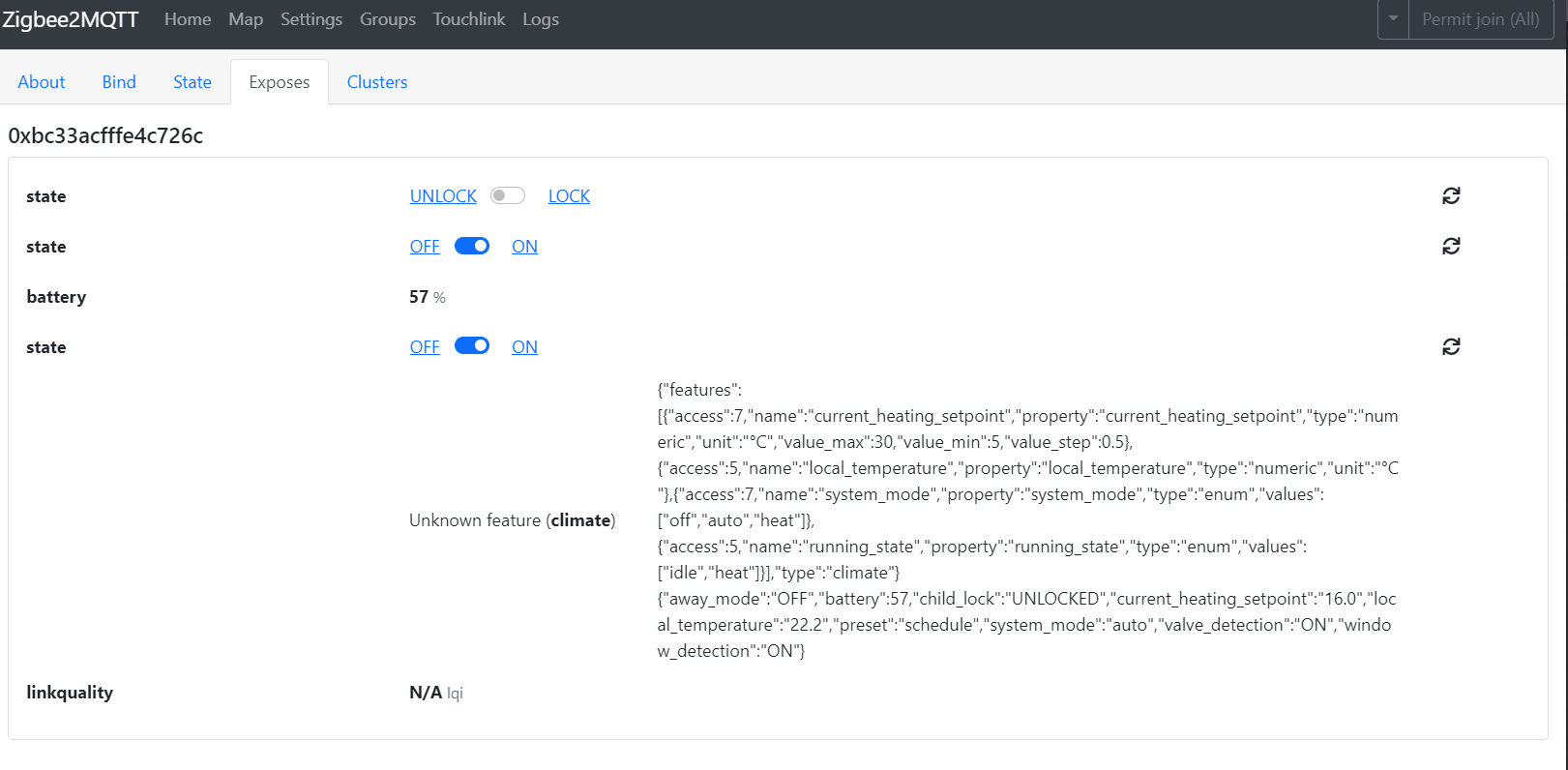
maybe with that option available and the running_state it is possible to interact with the boiler.
Do you know why that state is not reconized?
Thank you so much in advanced for your help
euqiuq
on 12 Nov 2020
@euqiuq use - platform: generic_thermostat - this will be the simplest way.
heater: switch.boiler <- Your boiler on/off switch
target_sensor: sensor.temperature <- temperature to get. it could be your local_temperature from TRV but separate additional sensor on the wall would be better - local_temperature very fluctuating since is measured just by heater.
SlavikS-PL
on 12 Nov 2020
As far as I can see, the Siterwell thermostat currently does not support running_state. I don't have such a device, so I cannot tell you if it sends anything.
Set zigbee2mqtt log to debug and see if there are any messages that say "NOT RECOGNIZED DP", see debugging howto and how to support new devices. This may help you if you want to go deeper
drzony
on 12 Nov 2020
@euqiuq use - platform: generic_thermostat - this will be the simplest way.
heater: switch.boiler   <- Your boiler on/off switch
target_sensor: sensor.temperature  <- temperature to get. it could be your local_temperature from TRV but separate additional sensor on the wall wouold be better - local_temperature very fluctuating since is measured just by heater.
Hi, thanks for your answer ;-)
If I understood you correctly, doing that, I would lose the control of the boiler manually from each valve, because, if I use the temperature of a sensor (TRV or external sensor) to interact with the boiler, I would have to program it, it would be a constant in the code. And if I increase or decrease the temperature of a valve I could not use the valve regulation itself to turn the boiler on or off.
euqiuq
on 12 Nov 2020
@euqiuq
No, you will have it individually from each TRV. I use this in my case. Let me explain :)
generic_thermostat is used only to turn boiler on, depending on temperature set in TRV and (in my case) external temperature sensor hanging on the wall - you can use temperature measured by your TRV (local_temperature). Thermostat works in the background. On the Lovelace screen in thermostat card you set your TRV (not generic_thermostat) and make simple automation to change temperature of thermostat (corelate) with changes you made on thermostat card or TRV itself:
alias: Update Thermostat Room
description: >-
  Update thermostat temp after TRV setup change
trigger:
  - platform: state
    entity_id: climate.trv_room_climate
    attribute: temperature
condition:
  - condition: template
    value_template: >-
      {{float(state_attr('climate.trv_room_climate','temperature')) -
      float(state_attr('climate.room_thermostat','temperature'))!=0}}
action:
  - service: climate.set_temperature
    data_template:
      temperature: '{{state_attr(''climate.trv_room_climate'',''temperature'')}}'
    entity_id: climate.room_thermostat
mode: single
In my case generic_thermostat forces TRV to open.
switch:
# TRV room
  - platform: mqtt
    name: 'trv_room'
    state_topic: "zigbee2mqtt/trv_room"
    command_topic: "zigbee2mqtt/trv_room/set/force"
    value_template: '{{ value_json.force }}'
    payload_on: "open"
    payload_off: "normal"
    state_on: "open"
    state_off: "normal"
    optimistic: false
    qos: 0
    retain: true

climate:
# Room
  - platform: generic_thermostat
    name: room_thermostat
    heater: switch.trv_room
    target_sensor: sensor.room_temperature
    min_temp: 15
    max_temp: 30
    ac_mode: false
    cold_tolerance: 0.5
    hot_tolerance: 0.5
    min_cycle_duration:
      seconds: 360
    keep_alive:
      minutes: 3
    away_temp: 19
    precision: 0.1
Changes of attribute state hvac_action: heating/idle of room_thermostat trigger automation to turn boiler on/off.
alias: Boiler ON
description: ''
trigger:
  - platform: state
    entity_id: climate.room_thermostat
    attribute: hvac_action
    from: idle
    to: heating
  - platform: state
    entity_id: climate.room2_thermostat
    attribute: hvac_action
    from: idle
    to: heating
condition:
  - condition: state
    entity_id: switch.boiler
    state: 'off'
action:
  - type: turn_on
    device_id: 42364c9c04e411ebb8ca5731f540ccab
    entity_id: switch.boiler
    domain: switch
mode: single

alias: Boiler Off
description: ''
trigger:
  - platform: state
    entity_id: climate.room_thermostat
    attribute: hvac_action
    from: heating
    to: idle
  - platform: state
    entity_id: climate.room2_thermostat
    attribute: hvac_action
    from: heating
    to: idle
condition:
  - condition: and
    conditions:
      - condition: state
        entity_id: climate.room_thermostat
        attribute: hvac_action
        state:
          - idle
          - 'off'
      - condition: state
        entity_id: climate.room2_thermostat
        state:
          - idle
          - 'off'
        attribute: hvac_action
action:
  - type: turn_off
    device_id: 42364c9c04e411ebb8ca5731f540ccab
    entity_id: switch.boiler
    domain: switch
mode: single
I use temperature sensor hanging on the wall to adjust TRV's local temperature reading also:
alias: Update TRV Room local temp
description: Update local temp
trigger:
  - minutes: /1
    platform: time_pattern
condition:
  - condition: template
    value_template: >-
      {{(float(((states('sensor.room_temperature')|round(1,'floor'))/0.5|round(1))|int*0.5) -
      float(state_attr('climate.trv_room_climate','local_temperature')))!=0}}
action:
  - service: mqtt.publish
    data_template:
      payload: >-
        {% set
        Tp=(((states('sensor.room_temperature')|round(1,'floor'))/0.5|round(1))|int*0.5)
        -%}{% set
        Tg=(state_attr('climate.trv_room_climate','local_temperature'))-%}{%
        set
        Tk=state_attr('climate.trv_room_climate','local_temperature_calibration')-%}{%
        set Tw=float(Tp)-float(Tg)+float(Tk) -%}{% if Tw<0 -%}{% set
        Tw=Tw+256-%}{%- endif %}{{Tw}}
      topic: zigbee2mqtt/trv_room/set/local_temperature_calibration
mode: single
I hope it's clear now :)
SlavikS-PL
on 13 Nov 2020
@SlavikS-PL
thank you so much for you expanation :-)
But I think I am still needing the running_state in order to implement your solution.
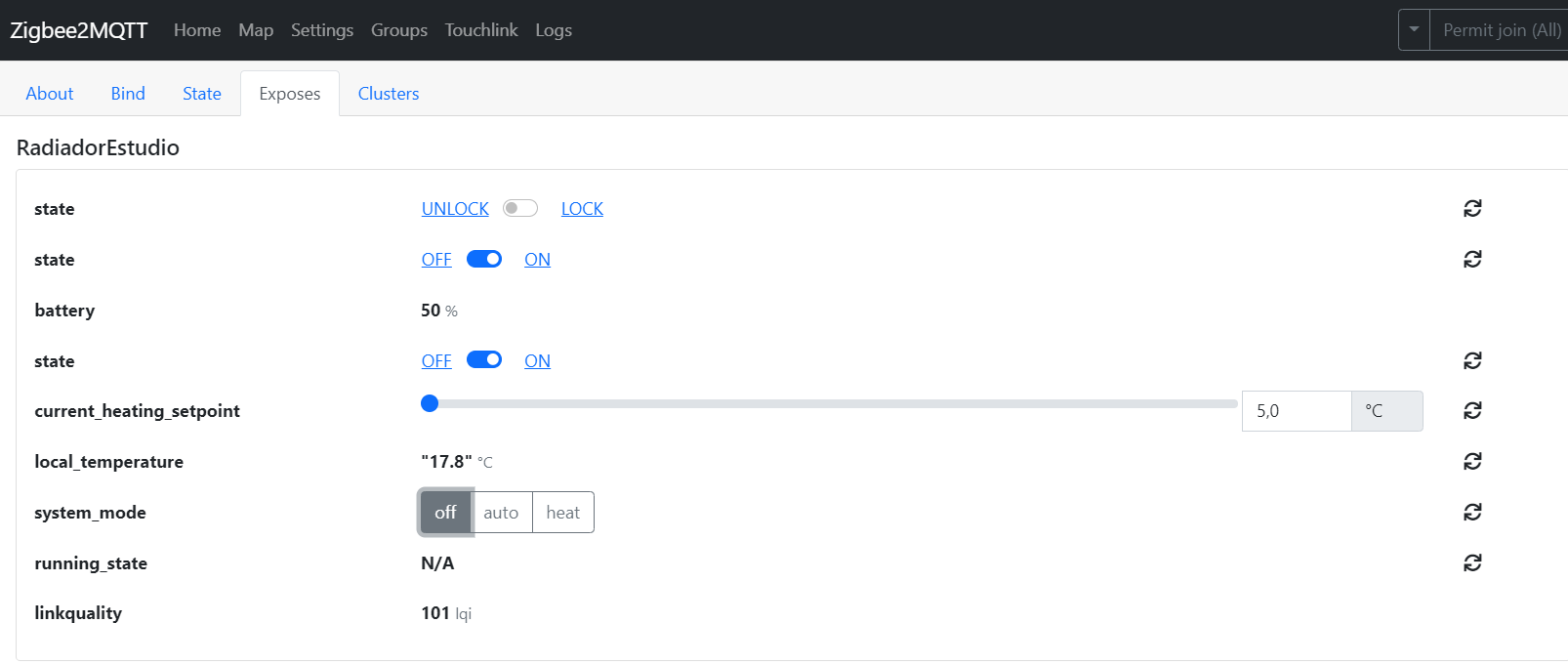
As you can see, I am not getting the values Idle/ heat from the runnin state param.
Thank you so much
euqiuq
on 14 Nov 2020
@euqiuq You may have "N/A" when the device is not sending this data. zigbee2mqtt is recognizing the parameter, but the device is not sending the data and/or sending it on a different data point. You will need to debug it yourself using this howto or wait for someone else to add this support (I think that support for running_state may not be possible)
drzony
on 14 Nov 2020
Is there a way to setup default HA settings ? (mode and preset)
jffz
on 15 Nov 2020
@euqiuq
You didn't read what I wrote or my English is really bad :)
_Changes of attribute state hvac_action: heating/idle of room_thermostat trigger automation to turn boiler on/off._
Heating/idle state is state of generic_thermostat. Generic thermostat just compares two temperatures - one, set up in thermostat itself - desired room temperature, and second from temperature sensor - it can be sensor in your TRV (you can read local temperature from TRV). If temperatures are not equal +- hysteresis, thermostat change state from idle to heating.
I don't use any automatic functions of my TRV's since they have very poor timer - in my case 7 minutes late per day - and, as I know, doesn't exist any function to set up time from HA manually. I use them as valves - open/close. Whole heating automatic is set up in HA in the way as I wrote in my earlier comment.
SlavikS-PL
on 15 Nov 2020
@drzony
It seems that since the Big Tuya Rework (https://github.com/Koenkk/zigbee-herdsman-converters/pull/1742
https://github.com/Koenkk/zigbee-herdsman/pull/253), some functions does not work anymore (1.16.1-dev).
You renamed cluster manuSpecificTuyaDimmer to manuSpecificTuya
devices.js: tuya.setLocalTime, you forgot to change the cluster here
Can you change this?
toZigbee.js: tuya_thermostat_schedule holidays setting does not work anymore, while workdays setting is working.
I don't know why.
zigbee-herdsman-converters:tuyaThermostat: NOT RECOGNIZED DP #113 with data {"status":0,"transid":75,"dp":113,"datatype":0,"fn":0,"data":{"type":"Buffer","data":[6,0,20,8,0,20,11,30,20,12,30,20,17,30,20,22,0,15]}}
Can you check this?
1subu
on 15 Nov 2020
@drzony
I found the problem for scheduleHoliday settings
In fromZigbee.js: tuyaThermostat the line
case common.TuyaDataPoints.schedule:
should be
case common.TuyaDataPoints.scheduleHoliday:
Then it works. Can you change this?
1subu
on 15 Nov 2020
@1subu I've already made a PR (linked above) that should fix all the things you mentioned
drzony
on 15 Nov 2020
Can you try pulling zigbee-herdsman-converters from my fork and trying it out?
drzony
on 15 Nov 2020
scheduleHoliday setting is working fine
For setLocalTime there is a message for the time request from device : No converter available for 'TS0601_thermostat' with cluster 'manuSpecificTuya' and type 'commandSetTimeRequest' and data '{"payload":[],"payloadSize":0}'
But it seems to work.
Thanks a lot
1subu
on 15 Nov 2020
@1subu can you change:
fromZigbee: [fz.tuya_thermostat, fz.tuya_thermostat_on_set_data, fz.ignore_basic_report],
to
fromZigbee: [fz.tuya_thermostat, fz.tuya_thermostat_on_set_data, fz.ignore_basic_report, fz.tuya_ignore_set_time_request],
under model: 'TS0601_thermostat', in devices.js
this should fix the commandSetTimeRequest message
drzony
on 15 Nov 2020
It's working
zigbeeModel: ['kud7u2l'],
    fingerprint: [{modelID: 'TS0601', manufacturerName: '_TZE200_ckud7u2l'}],
    model: 'TS0601_thermostat',
    vendor: 'TuYa',
    description: 'Radiator valve with thermostat',
    supports: 'thermostat, temperature',
    whiteLabel: [
        {vendor: 'Moes', model: 'HY369RT'},
        {vendor: 'SHOJZJ', model: '378RT'},
    ],
    meta: {tuyaThermostatSystemMode: common.TuyaThermostatSystemModes, tuyaThermostatPreset: common.TuyaThermostatPresets},
    ota: ota.zigbeeOTA,
    onEvent: tuya.setLocalTime,
    fromZigbee: [fz.tuya_thermostat, fz.tuya_thermostat_on_set_data, fz.ignore_basic_report, fz.tuya_ignore_set_time_request],
Thanks
1subu
on 15 Nov 2020
Hi @SlavikS-PL,
you were right, I made it work last night.
Thank you so much for your help!
euqiuq
on 16 Nov 2020
For those wanting to use rechargable batteries, this is my latest solution - using buck voltage converter. Works well on the HY368 from Moes

converters bought here: https://www.aliexpress.com/i/33050378063.html
solder in the ground and Vin (over length) wires to the converter before fitting,
desolder the positive wire from the battery terminal on the right and solder that to the converter Vo.
Then trim the ground lead and Vin from the converter to suit and connect to the ground junction and battery +ve terminal (which can be removed from the case to make it easier).
A fine solder tip is useful....
A greener solution than using dry cell batteries, and less low battery alerts when using NiCad or NiMH batteries!
*note: converters pull some current continually...maybe more efficient converters can be found.
insipiens
on 17 Nov 2020
Hi, All.
To solve the problem of low voltage on NiMh batteries (1.2v), I recommend using Ni-Zn batteries with a voltage of 1.6v
bought here: https://aliexpress.ru/item/32667968341.html
Two months have passed since the installation - while they are working.
Dcashe
on 17 Nov 2020
Even with latest pull from github I still face problem with HY368.
After setting correct time on TRV it is being reset from zigbee to 6:30 Sunday.
Update:
With @drzony fork it is working- I thought it is already marge with master.
 BugsonPL
on 17 Nov 2020
BugsonPL
on 17 Nov 2020
@BugsonPL It was merged yesterday, maybe you had some uncommitted changes and the pull failed?
drzony
on 17 Nov 2020
You are right Sir @drzony ! Thank You.
Update:
One more problem:
The last seen time in logs is OK (EU/Amsterdam) but time set on TRV is UTC (-1h)
I run zigbee2mqtt in Docker.
BugsonPL
on 17 Nov 2020
Hi, All.
To solve the problem of low voltage on NiMh batteries (1.2v), I recommend using Ni-Zn batteries with a voltage of 1.6v
bought here: https://aliexpress.ru/item/32667968341.html
Two months have passed since the installation - while they are working.
What charger do need for that?
 rkiller2006
on 18 Nov 2020
rkiller2006
on 18 Nov 2020
Hi, All.
To solve the problem of low voltage on NiMh batteries (1.2v), I recommend using Ni-Zn batteries with a voltage of 1.6v
bought here: https://aliexpress.ru/item/32667968341.html
Two months have passed since the installation - while they are working.What charger do need for that?
These batteries require their own charger. Look in the same store where the batteries are. For example - https://aliexpress.ru/item/1977475165.html
Dcashe
on 18 Nov 2020
Mine works but I have issues with not closing the valve.. it will still be in the open position like 45 or 50 when set to 23° celsius and measuring local temp of 28° ?? Anybody hit the same issue.. I'm on 12.0.234 dev branch, have tried stable branch, same issue. ?
 spawnadv
on 18 Nov 2020
spawnadv
on 18 Nov 2020
yep, have same issiue, newest firmware updated by tuya gateway do not fix problem,
do not know how to solve problem
Bartekn86
on 18 Nov 2020
yep, have same issiue, newest firmware updated by tuya gateway do not fix problem,
do not know how to solve problem
Only thing that seems weird, is if i click valve detect the valve closes by 5 points. I can keep doing that until it's closed, but that's a bad workaround.. and half an hour later it's open again..
spawnadv
on 18 Nov 2020
Out of curiousity, recently bought this item and I am experiencing the same weird bugs. But is your 'Exposes, tab populated?
 Jelmerrevers
on 18 Nov 2020
Jelmerrevers
on 18 Nov 2020
@BugsonPL Try setting timezone in docker (add -e TZ=Europe/Amsterdam to your docker arguments)
drzony
on 18 Nov 2020
Out of curiousity, recently bought this item and I am experiencing the same weird bugs. But is your 'Exposes, tab populated?
Mine is populated after i upgraded the thermostat ota. But still the same issue.
spawnadv
on 18 Nov 2020
@spawnadv , I have the HY368 Model. In the advanced menus I have the options to set the valve working mode: PID or On/Off. The PID opens the valve progressively, so for me that means that I noticed the following scenarios:
if setpoint is at 22 degrees and read room temp at valve is 24 Celsius, and valve is around 45%.
The On/Off under same scenario would close the valve completely at this point with hysteresis config set at 0.5.
Personally, I have set it to On/Off as I plan to turn on the main heater unit when valve > 35% (taken from the climate attributes -> position) for 1 minute.
On the other hand, I am running zigbee2mqtt addon in home assistant 1.6.1. Not sure how to proceed to help out testing the Moes TRV Model HY368, the documentation gives vague suggestion on how you can use external converters by placing them in /share/zigbee2mqtt ( data path ) and update the configuration.yaml to point to those files. But I am not sure how to proceed with that information as I do not want to break my main network setup, and I am unsure what files I should add there, the ones from herdsman-converter? the devices.js & the fromZigbee.js.
I might just install zigbee2mqtt on a raspberry pi 3 to avoid breaking my main home assistant setup. But if you have some suggestion ... any info like what is safe to do or not to do.... it could help out here.
 thesorin
on 19 Nov 2020
thesorin
on 19 Nov 2020
@thesorin My approach is to set up a separate installation, you can do it on a Pi or on the PC, and copy the data folder there. Then I disable my main z2m and start the new one. But I'm using a docker setup. I don't know whether you can disable z2m addon easily, but if you copy the data, then you should be able to copy it back when enabling. If you are running your HA on a Pi, then you can just setup z2m in a separate folder.
Also note that newer versions of z2m are incompatible with older versions of HA, so mind that when using latest dev branch. (I think 0.117+ is needed, but don't quote me on that)
drzony
on 19 Nov 2020
@BugsonPL Try setting timezone in docker (add
-e TZ=Europe/Amsterdamto your docker arguments)
@drzony It is set like that in docker. Notice that 'last_seen' time in msg is set properly- only time on TRV is -1h.
I also noticed often time queries from SEA801 even thou i turn of network time update on TRV itself.
_
Zigbee2MQTT:debug 2020-11-19 10:44:50: No converter available for 'SEA802-Zigbee' with cluster 'manuSpecificTuyaDimmer' and type 'commandGetData' and data '{"data":{"data":[0,0,0,201],"type":"Buffer"},"dp":614,"fn":0,"status":0,"transid":2}',
Zigbee2MQTT:debug 2020-11-19 10:44:50: Received Zigbee message from 'SASWELL_SEA801', type 'commandGetData', cluster 'manuSpecificTuyaDimmer', data '{"data":{"data":[0,0,0,201],"type":"Buffer"},"dp":614,"fn":0,"status":0,"transid":2}' from endpoint 1 with groupID 0_
Maybe it is similar issue like with HY368?
BugsonPL
on 19 Nov 2020
@BugsonPL All issues with Saswell 802 were fixed with my Tuya rework, as I have those devices at home. I've also updated 801 time requests, but have no way of verifying those. So for Saswell everything should be fine on latest dev (try pulling zigbee2mqtt:latest-dev image from docker hub).
HY368 have a different way of time synchronization - search for setLocalTime in devices.js.
I don't have any HY368 thermostats, so I'm not able to verify whether this is ok.
drzony
on 19 Nov 2020
@drzony On latest-dev it looks nice :).
Regarding time problem on HY368 still there.
Have you noticed that in docker even you set TZ the date is showing wrong time- maybe that is the problem (some apline issue?)
But the timezone is set because without it date is displayed wit UTC (like date -u)
Update:
With docker latest-dev HY368 time on TRV is working fine.
BugsonPL
on 19 Nov 2020
Did anyone manage to consistently calibrate this thermostat? I'd like to automate calibration of it, based on an external sensor, since I have several radiators in the same room, but the way it's calibrated is so weird.
It uses an offset instead of an actual value, and it does not support negative values. However user bkupidura found out that you can overflow it by sending a higher value (e.g. "126"), and you'll get negative correction. While it does seem to work, I really can't figure out a method to get a consistent correction.
You would think it's a matter of subtracting the external temperature from the thermostats measured temperature (which needs to be calculated, as it only reports the corrected and the amount of correction) and subtract that value from perhaps 128, but even that seem to vary quite a bit. I'm suspecting it is due to rounding errors, but not sure.
Another problem is that, after having set it up for a short period (sending MQTT calibration messages when temperature changes), the thermostats became stuck on pos. 100, no matter what the target was, and I had to restart them to function properly again. Anyone notice something similar with them?
 henrikwils
on 19 Nov 2020
henrikwils
on 19 Nov 2020
@insipiens have you merged battery_low indicator to repository?
mgrom
on 19 Nov 2020
@insipiens have you merged battery_low indicator to repository?
Yes sir, merged!
https://github.com/Koenkk/zigbee-herdsman-converters/pull/1745
insipiens
on 19 Nov 2020
@spawnadv , I have the HY368 Model. In the advanced menus I have the options to set the valve working mode: PID or On/Off. The PID opens the valve progressively, so for me that means that I noticed the following scenarios:
if setpoint is at 22 degrees and read room temp at valve is 24 Celsius, and valve is around 45%.
The On/Off under same scenario would close the valve completely at this point with hysteresis config set at 0.5.Personally, I have set it to On/Off as I plan to turn on the main heater unit when valve > 35% (taken from the climate attributes -> position) for 1 minute.
On the other hand, I am running zigbee2mqtt addon in home assistant 1.6.1. Not sure how to proceed to help out testing the Moes TRV Model HY368, the documentation gives vague suggestion on how you can use external converters by placing them in /share/zigbee2mqtt ( data path ) and update the configuration.yaml to point to those files. But I am not sure how to proceed with that information as I do not want to break my main network setup, and I am unsure what files I should add there, the ones from herdsman-converter? the devices.js & the fromZigbee.js.
I might just install zigbee2mqtt on a raspberry pi 3 to avoid breaking my main home assistant setup. But if you have some suggestion ... any info like what is safe to do or not to do.... it could help out here.
In what menu do you see that pid/on off ?
spawnadv
on 19 Nov 2020
it's menu AA and default is 0 (PID), maybe we should be able to control this via z2m and HA like as witch.
slashbv
on 19 Nov 2020
@insipiens
I've just added small improvement ;)
https://github.com/Koenkk/zigbee-herdsman-converters/pull/1782
mgrom
on 19 Nov 2020
@henrikwils Which thermostat do you have? The negative values are calculated differently for different manufacturers. Saswell has -6 : 6 range and the value is calculated as (0xFFFFFFFF + value + 1) for nagative values, for some Moes its (4096 + value) for negative values, for HY368 its whatever comes out of convertDecimalValueTo4ByteHexArray. Maybe it should be changed to a similar calculation as Saswell
drzony
on 19 Nov 2020
@spawnadv , I have the HY368 Model. In the advanced menus I have the options to set the valve working mode: PID or On/Off. The PID opens the valve progressively, so for me that means that I noticed the following scenarios:
if setpoint is at 22 degrees and read room temp at valve is 24 Celsius, and valve is around 45%.
The On/Off under same scenario would close the valve completely at this point with hysteresis config set at 0.5.
Personally, I have set it to On/Off as I plan to turn on the main heater unit when valve > 35% (taken from the climate attributes -> position) for 1 minute.
On the other hand, I am running zigbee2mqtt addon in home assistant 1.6.1. Not sure how to proceed to help out testing the Moes TRV Model HY368, the documentation gives vague suggestion on how you can use external converters by placing them in /share/zigbee2mqtt ( data path ) and update the configuration.yaml to point to those files. But I am not sure how to proceed with that information as I do not want to break my main network setup, and I am unsure what files I should add there, the ones from herdsman-converter? the devices.js & the fromZigbee.js.
I might just install zigbee2mqtt on a raspberry pi 3 to avoid breaking my main home assistant setup. But if you have some suggestion ... any info like what is safe to do or not to do.... it could help out here.In what menu do you see that pid/on off ?
could you give link to pid version of valve ?
Bartekn86
on 19 Nov 2020
Hi,
I've just got a Moes HY368. But it fails to pair on the interview step. Log doesn't say anything helpful.
INFO: Device '0x60a423fffea7e3a9' joined
INFO: Starting interview of '0x60a423fffea7e3a9'
INFO: MQTT publish: topic 'zigbee2mqtt/bridge/event', payload '{"data":{"friendly_name":"0x60a423fffea7e3a9","ieee_address":"0x60a423fffea7e3a9"},"type":"device_joined"}'
INFO: MQTT publish: topic 'zigbee2mqtt/bridge/event', payload '{"data":{"friendly_name":"0x60a423fffea7e3a9","ieee_address":"0x60a423fffea7e3a9","status":"started"},"type":"device_interview"}'
INFO: MQTT publish: topic 'zigbee2mqtt/bridge/log', payload '{"message":{"friendly_name":"0x60a423fffea7e3a9"},"type":"device_connected"}'
INFO: MQTT publish: topic 'zigbee2mqtt/bridge/log', payload '{"message":"interview_started","meta":{"friendly_name":"0x60a423fffea7e3a9"},"type":"pairing"}'
ERROR: Failed to interview '0x60a423fffea7e3a9', device has not successfully been paired
INFO: MQTT publish: topic 'zigbee2mqtt/bridge/event', payload '{"data":{"friendly_name":"0x60a423fffea7e3a9","ieee_address":"0x60a423fffea7e3a9","status":"failed"},"type":"device_interview"}'
 crash843
on 19 Nov 2020
crash843
on 19 Nov 2020
Testing out Moes HY368:
I end up just installing hassos on my spare raspberry pi 3b+, I added a cc2351 dongle and basically connected the valve to this network.
Instantly I can tell you that, time is no longer reset to sunday at 6:30. That is good as we can now use the scheduler from the device itself. <- this is huge from my point of view
In the Exposes tab in Zigbee2MQTT UI is now populated, however:
- battery still shows as N/A. (might be unrelated, but I assume the low battery changes from @insipiens are not yet in the edge version.
- I have two states fields that fail when clicking on the ON / OFF
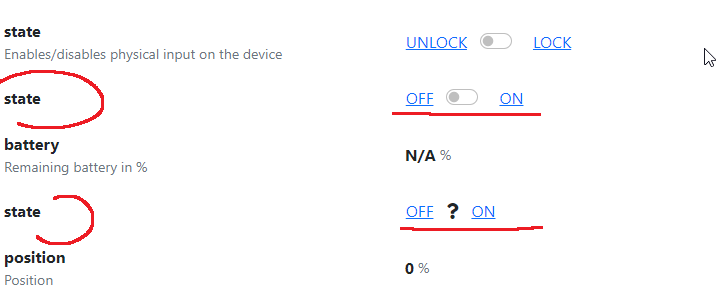
- I do not see any method under Exposes tab here to setup the "local_temperature_calibration" property.
- system_mode = auto ( I assume it's because homeassistant requires mode ? )
- running_State N/A
Also, @crash843, i had no issues pairing the device.
Not sure if it helps, here is the complete state it shows:
{
    "linkquality": 81,
    "min_temperature": 5,
    "update_available": false,
    "update": {
        "state": "idle"
    },
    "max_temperature": 30,
    "current_heating_setpoint": "21.0",
    "local_temperature": "24.0",
    "away_mode": "OFF",
    "preset": "complex",
    "system_mode": "complex",
    "child_lock": "UNLOCKED",
    "local_temperature_calibration": "-1.0",
    "window_detection": "OFF",
    "window_detection_params": {
        "minutes": 15,
        "temperature": 5
    },
    "boost_time": 600,
    "force": "normal",
    "comfort_temperature": 22,
    "eco_temperature": 18,
    "position": 0,
    "battery_low": false,
    "week": "7",
    "workdays": [
        {
            "hour": 8,
            "minute": 0,
            "temperature": 20
        },
        {
            "hour": 10,
            "minute": 0,
            "temperature": 20
        },
        {
            "hour": 11,
            "minute": 30,
            "temperature": 20
        },
        {
            "hour": 12,
            "minute": 30,
            "temperature": 20
        },
        {
            "hour": 17,
            "minute": 30,
            "temperature": 20
        },
        {
            "hour": 150,
            "minute": 0,
            "temperature": 20
        }
    ],
    "holidays": [
        {
            "hour": 6,
            "minute": 0,
            "temperature": 20
        },
        {
            "hour": 8,
            "minute": 0,
            "temperature": 18
        },
        {
            "hour": 11,
            "minute": 30,
            "temperature": 18
        },
        {
            "hour": 12,
            "minute": 30,
            "temperature": 18
        },
        {
            "hour": 17,
            "minute": 30,
            "temperature": 18
        },
        {
            "hour": 22,
            "minute": 0,
            "temperature": 18
        }
    ],
    "away_preset_temperature": 12,
    "auto_lock": "MANUAL",
    "away_preset_days": 30
}
A few things I don't quite get here:
"update": {"state": "idle"} my assuption is that this ties into update_available property.
And to not forget, can some one short explain what are the following capabilities are supposed to do
tz.tuya_thermostat_valve_detection, tz.tuya_thermostat_system_mode, tz.tuya_thermostat_force, tz.tuya_thermostat_week ?
- HassOS entity:
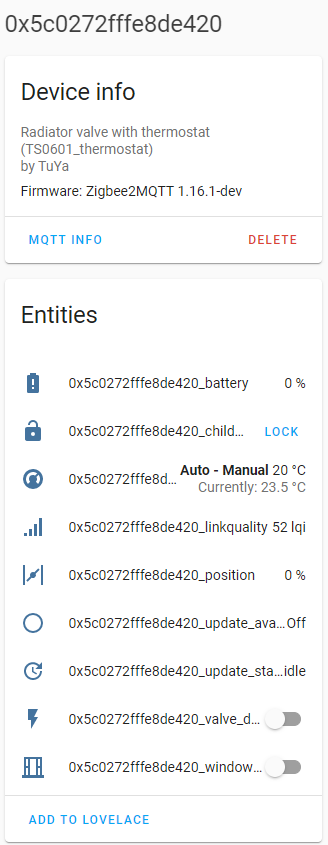
thesorin
on 19 Nov 2020
@henrikwils Which thermostat do you have? The negative values are calculated differently for different manufacturers. Saswell has -6 : 6 range and the value is calculated as (0xFFFFFFFF + value + 1) for nagative values, for some Moes its (4096 + value) for negative values, for HY368 its whatever comes out of convertDecimalValueTo4ByteHexArray. Maybe it should be changed to a similar calculation as Saswell
@drzony 4096 works perfectly on my HY368s , has been for two months now (local customisation).
@mgrom thanks!
insipiens
on 20 Nov 2020
Re temperature calibration: My Moes HY368 seem to be using an 8bit 2s complement value. E.g. 255: -1, 254: -2, etc.
 ooglyhLL
on 20 Nov 2020
ooglyhLL
on 20 Nov 2020
@thesorin I don't think all of the exposes are fully ready yet, frontend is still an experimental feature, so many things are not implemented yet.
tz.tuya_thermostat_system_mode is more or less ON/OFF
"update": {"state": "idle"} is probably for update progress
tz.tuya_thermostat_week is week format (5+2, 6+1 or 7) for schedule
drzony
on 20 Nov 2020
- system_mode = auto ( I assume it's because homeassistant requires mode ? )
@thesorin yes, this is the reason
mgrom
on 20 Nov 2020
@mgrom, i found out that at startup there is no system_mode active, you must manually set it at auto.
When no system_mode is active, automations ( like setting temperature/or preset ) won't work.
I've build an automation to set the system_mode at startup, however this is not an very elegant solution.
Do you maybe have some ideas to have auto enabled by default?
Bart-1992
on 20 Nov 2020
When no system_mode is active, automations ( like setting temperature/or preset ) won't work.
I've build an automation to set the system_mode at startup, however this is not an very elegant solution.
Do you maybe have some ideas to have auto enabled by default?
@Bart-1992 I've seen that system_mode is not set after z2m reset, but I haven't experienced any problems with automations because of this. Are you sure about this behavior? Please share some logs or something to help understand the problem.
mgrom
on 20 Nov 2020
Manually firing automations is working, however when using the 'scheduler component' addon, things ain't working properly ( see issue i've created here : https://community.home-assistant.io/t/scheduler-card-custom-component/217458/695).
Scheduler component can be found here:
https://github.com/nielsfaber/scheduler-card
The creator of this 'scheduler' component/card claimed that the usage of the TRV this way is not according to HomeAssistant Thermostat policy ( with the usage of presets, and 'faking'/not using the system_mode settings ).
Bart-1992
on 20 Nov 2020
@Bart-1992 I've never used that extension, so I'm not going to dig in. I don't think there is a good way on the z2m side to force auto mode on start...
About creator... I think he doesn't understand difference between mode and preset :)
mgrom
on 20 Nov 2020
@mgrom, i found out that at startup there is no system_mode active, you must manually set it at auto.
When no system_mode is active, automations ( like setting temperature/or preset ) won't work.
I've build an automation to set the system_mode at startup, however this is not an very elegant solution.
Do you maybe have some ideas to have auto enabled by default?
@Bart-1992
Surely the setting comes only from the device either by last message, or a new message after startup.
Is it possible your broker isn't saving the message state? If you have persistence set up in your mosquitto configuration then it will save the last state to disk (default saves every 30 minutes)
persistence [ true | false ]

    If true, connection, subscription and message data will be written to the disk in mosquitto.db at the location dictated by persistence_location. When mosquitto is restarted, it will reload the information stored in mosquitto.db. The data will be written to disk when mosquitto closes and also at periodic intervals as defined by autosave_interval. Writing of the persistence database may also be forced by sending mosquitto the SIGUSR1 signal. If false, the data will be stored in memory only. Defaults to false.

    The persistence file may change its format in a new version. The broker can currently read all old formats, but will only save in the latest format. It should always be safe to upgrade, but cautious users may wish to take a copy of the persistence file before installing a new version so that they can roll back to an earlier version if necessary.
I'm using TuYa TS0601_thermostat with Home Assistant.
My goal is to set the target temperature and read the current temperature via Home Assistant only either by using the thermostat in the Lovelace GUI and by programming a schedule via automations in Home Assistant. I don't want to push any button on the physical thermostat (do not need the schedule function that can be set on the physical thermostat,...etc.)
Is "Auto-Manual" (in the Entity_Climate) the right way to do this?
The valve works now, the issue was that I had activated the window-open switch in Home Assistant (it did not show on the thermostat) but the result was that the valve did not react to anything as long as this window button was activated in home Assistant Lovelace.
QUESTION: Dos anyone use this thermostat in the way I intent to use it - with reliability (as described above?)
Here are some issues that i found and want to summarize:
- Entity_Battery status -> not working (shows 0% all the time) -> this is crucial
- Entity_Valve Detection -> not working (shows nothing) _although in the attribute section i can see the value changes._
- Entity_Window detection -> not working (can activate via Home Assistant Lovelace but does not change anything on physical thermostat) i can live with that since i have window sensors installed.
- Entity_Climate -> works (shows current temp and current heating setpoint)
- Entity_Lock -> works (activation in Home Assistant shows icon on physical thermostat)
This is what i could read out...
Auto lock
MANUAL
Away mode
OFF
Away preset days
1
Away preset temperature
15
Boost time
300
Child lock
UNLOCKED
Comfort temperature
20
Current heating setpoint
30.0
Eco temperature
15
Force
normal
Holidays
- hour: 134
minute: 0
temperature: 20 - hour: 8
minute: 0
temperature: 15 - hour: 11
minute: 30
temperature: 15 - hour: 12
minute: 30
temperature: 15 - hour: 17
minute: 30
temperature: 20 - hour: 22
minute: 0
temperature: 15
Linkquality
107
Local temperature
19.0
Local temperature calibration
1.0
Max temperature
35
Min temperature
5
Position
0
Preset
manual
System mode
manual
Update available
false
Week
5+2
Window detection
ON
Window detection params
minutes: 0
temperature: 116
 TomBa01
on 25 Nov 2020
TomBa01
on 25 Nov 2020
I'm using TuYa TS0601_thermostat with Home Assistant.
My goal is to set the target temperature and read the current temperature via Home Assistant only either by using the thermostat in the Lovelace GUI and by programming a schedule via automations in Home Assistant. I don't want to push any button on the physical thermostat (do not need the schedule function that can be set on the physical thermostat,...etc.)
Is "Auto-Manual" (in the Entity_Climate) the right way to do this?
The valve works now, the issue was that I had activated the window-open switch in Home Assistant (it did not show on the thermostat) but the result was that the valve did not react to anything as long as this window button was activated in home Assistant Lovelace.
I’m with you on this, just started to experiment with my valves yesterday. Same setup and goal :)
First weird thing for me : some valves can be set as « blank - manual » (with a purple ring) in the climate lovelace card. Some are automatically set to « Auto - manual » (with a green ring). I don’t really know wharf difference it makes.
Second thing : apparently, no OTA update available for these valves.
I’m a beginner with HA and mqtt, but if I can help in any form, I would be glad too.
 Mickey016
on 26 Nov 2020
Mickey016
on 26 Nov 2020
@TomBa01 @Mickey016
in Auto - Manual, the first part is "system_mode" (this is for heating/cooling/fan only) the second part is "preset" (this is for things like eco/schedule/boost), z2m takes it from exposes that are defined in device.
The naming in system mode is incorrect for TS0601_thermostat
In Saswell I made "off" and "heat" system modes and I think that it should be changed in TS0601, I could do the changes, but I don't have such a device so somebody would have to volunteer for the testing. The issue here is that HA has a weird way of displaying this, there is a special preset "none" that is displayed as blank, a special "away" preset that is handled differently than others and so on.
In your case "Auto - manual" should be "use the temp from the valve to decide".
drzony
on 26 Nov 2020
Thanks @drzony for these explanations.
If you can guide me through the testing you need, I can provide you the information you request.
Here are the states displayed in Z2M for the valves :
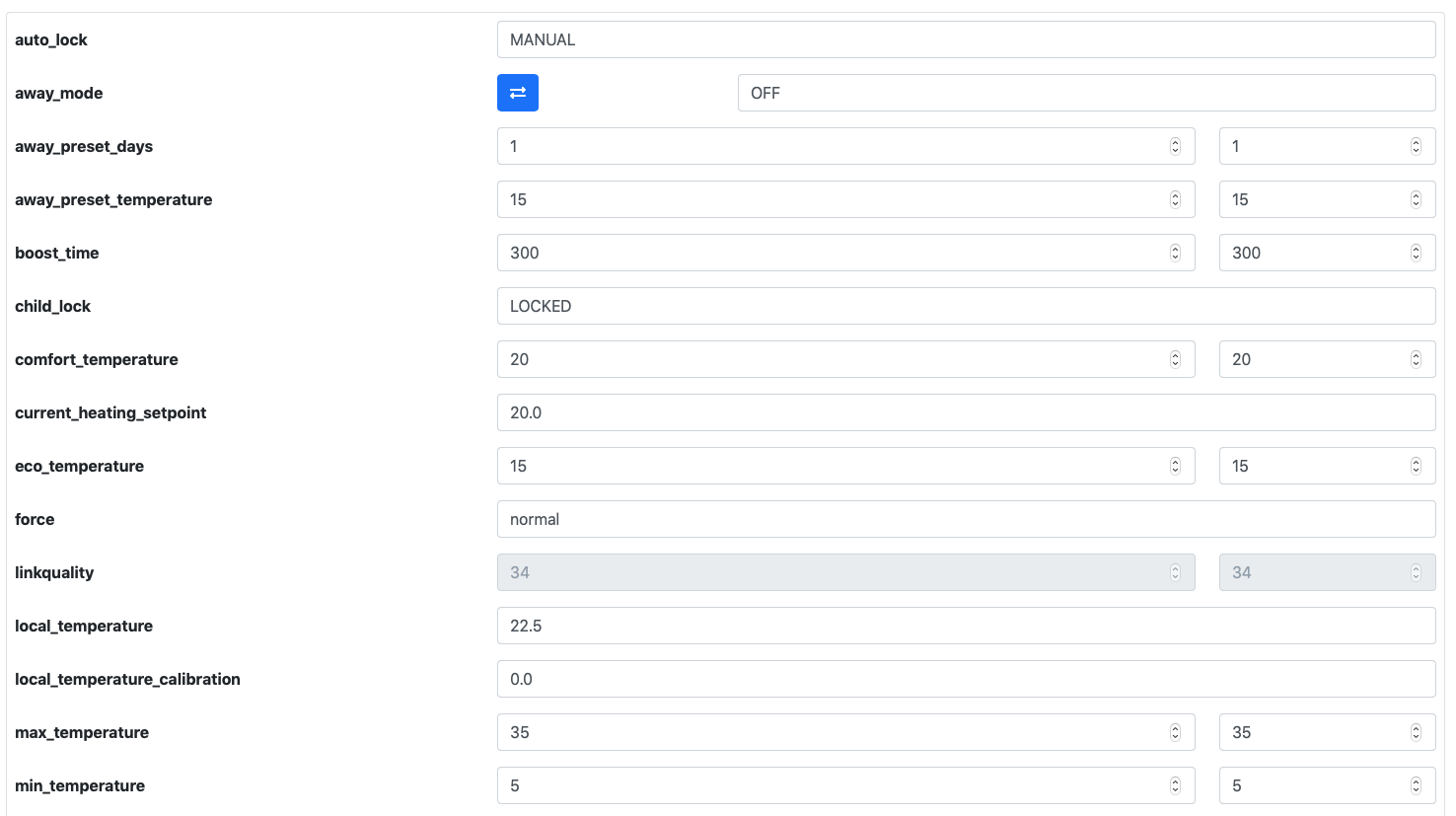
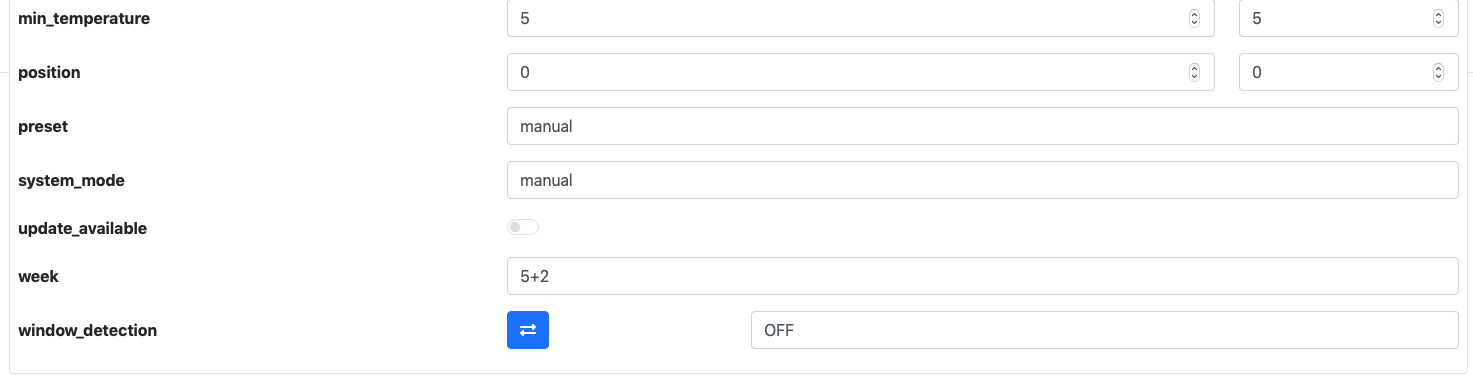
And here are the debug info for the entity :
`'TRV Salon battery' (sensor.trv_salon_battery)
MQTT discovery data:
Topic: homeassistant/sensor/0x842e14fffeef703f/battery/config
Payload
availability:
- topic: zigbee2mqtt/bridge/state
- topic: zigbee2mqtt/TRV Salon/availability
device:
identifiers:
- zigbee2mqtt_0x842e14fffeef703f
manufacturer: TuYa
model: Radiator valve with thermostat (TS0601_thermostat)
name: TRV Salon
sw_version: Zigbee2MQTT 1.16.1
device_class: battery
json_attributes_topic: zigbee2mqtt/TRV Salon
name: TRV Salon battery
state_topic: zigbee2mqtt/TRV Salon
unique_id: 0x842e14fffeef703f_battery_zigbee2mqtt
unit_of_measurement: '%'
value_template: '{{ value_json.battery }}'
platform: mqtt
Subscribed topics:
zigbee2mqtt/bridge/state
10 dernier(s) message(s) reçu(s)
zigbee2mqtt/TRV Salon/availability
0 dernier(s) message(s) reçu(s)
zigbee2mqtt/TRV Salon
9 dernier(s) message(s) reçu(s)
'TRV Salon linkquality' (sensor.trv_salon_linkquality)
MQTT discovery data:
Topic: homeassistant/sensor/0x842e14fffeef703f/linkquality/config
Payload
availability:
- zigbee2mqtt_0x842e14fffeef703f
- topic: zigbee2mqtt/bridge/state
- topic: zigbee2mqtt/TRV Salon/availability
device:
identifiers:
- zigbee2mqtt_0x842e14fffeef703f
manufacturer: TuYa
model: Radiator valve with thermostat (TS0601_thermostat)
name: TRV Salon
sw_version: Zigbee2MQTT 1.16.1
icon: 'mdi:signal'
json_attributes_topic: zigbee2mqtt/TRV Salon
name: TRV Salon linkquality
state_topic: zigbee2mqtt/TRV Salon
unique_id: 0x842e14fffeef703f_linkquality_zigbee2mqtt
unit_of_measurement: lqi
value_template: '{{ value_json.linkquality }}'
platform: mqtt
Subscribed topics:
zigbee2mqtt/bridge/state
10 dernier(s) message(s) reçu(s)
zigbee2mqtt/TRV Salon/availability
0 dernier(s) message(s) reçu(s)
zigbee2mqtt/TRV Salon
9 dernier(s) message(s) reçu(s)
'TRV Salon update_state' (sensor.trv_salon_update_state)
MQTT discovery data:
Topic: homeassistant/sensor/0x842e14fffeef703f/update_state/config
Payload
availability:
- zigbee2mqtt_0x842e14fffeef703f
- topic: zigbee2mqtt/bridge/state
- topic: zigbee2mqtt/TRV Salon/availability
device:
identifiers:
- zigbee2mqtt_0x842e14fffeef703f
manufacturer: TuYa
model: Radiator valve with thermostat (TS0601_thermostat)
name: TRV Salon
sw_version: Zigbee2MQTT 1.16.1
icon: 'mdi:update'
json_attributes_topic: zigbee2mqtt/TRV Salon
name: TRV Salon update_state
state_topic: zigbee2mqtt/TRV Salon
unique_id: 0x842e14fffeef703f_update_state_zigbee2mqtt
value_template: '{{ value_json[''update''][''state''] }}'
platform: mqtt
Subscribed topics:
zigbee2mqtt/bridge/state
10 dernier(s) message(s) reçu(s)
zigbee2mqtt/TRV Salon/availability
0 dernier(s) message(s) reçu(s)
zigbee2mqtt/TRV Salon
9 dernier(s) message(s) reçu(s)
'TRV Salon update_available' (binary_sensor.trv_salon_update_available)
MQTT discovery data:
Topic: homeassistant/binary_sensor/0x842e14fffeef703f/update_available/config
Payload
availability:
- zigbee2mqtt_0x842e14fffeef703f
- topic: zigbee2mqtt/bridge/state
- topic: zigbee2mqtt/TRV Salon/availability
device:
identifiers:
- zigbee2mqtt_0x842e14fffeef703f
manufacturer: TuYa
model: Radiator valve with thermostat (TS0601_thermostat)
name: TRV Salon
sw_version: Zigbee2MQTT 1.16.1
json_attributes_topic: zigbee2mqtt/TRV Salon
name: TRV Salon update_available
payload_off: false
payload_on: true
state_topic: zigbee2mqtt/TRV Salon
unique_id: 0x842e14fffeef703f_update_available_zigbee2mqtt
value_template: '{{ value_json.update_available}}'
platform: mqtt
Subscribed topics:
zigbee2mqtt/bridge/state
10 dernier(s) message(s) reçu(s)
zigbee2mqtt/TRV Salon/availability
0 dernier(s) message(s) reçu(s)
zigbee2mqtt/TRV Salon
9 dernier(s) message(s) reçu(s)
'TRV Salon window_detection' (switch.trv_salon_window_detection)
MQTT discovery data:
Topic: homeassistant/switch/0x842e14fffeef703f/window_detection/config
Payload
availability:
- zigbee2mqtt_0x842e14fffeef703f
- topic: zigbee2mqtt/bridge/state
- topic: zigbee2mqtt/TRV Salon/availability
command_topic: zigbee2mqtt/TRV Salon/set/window_detection
device:
identifiers:
- zigbee2mqtt_0x842e14fffeef703f
manufacturer: TuYa
model: Radiator valve with thermostat (TS0601_thermostat)
name: TRV Salon
sw_version: Zigbee2MQTT 1.16.1
icon: 'mdi:window-open-variant'
json_attributes_topic: zigbee2mqtt/TRV Salon
name: TRV Salon window_detection
payload_off: 'OFF'
payload_on: 'ON'
state_off: 'OFF'
state_on: 'ON'
state_topic: zigbee2mqtt/TRV Salon
unique_id: 0x842e14fffeef703f_window_detection_zigbee2mqtt
value_template: '{{ value_json.window_detection }}'
platform: mqtt
Subscribed topics:
zigbee2mqtt/bridge/state
10 dernier(s) message(s) reçu(s)
zigbee2mqtt/TRV Salon/availability
0 dernier(s) message(s) reçu(s)
zigbee2mqtt/TRV Salon
9 dernier(s) message(s) reçu(s)
'TRV Salon valve_detection' (switch.trv_salon_valve_detection)
MQTT discovery data:
Topic: homeassistant/switch/0x842e14fffeef703f/valve_detection/config
Payload
availability:
- zigbee2mqtt_0x842e14fffeef703f
- topic: zigbee2mqtt/bridge/state
- topic: zigbee2mqtt/TRV Salon/availability
command_topic: zigbee2mqtt/TRV Salon/set/valve_detection
device:
identifiers:
- zigbee2mqtt_0x842e14fffeef703f
manufacturer: TuYa
model: Radiator valve with thermostat (TS0601_thermostat)
name: TRV Salon
sw_version: Zigbee2MQTT 1.16.1
json_attributes_topic: zigbee2mqtt/TRV Salon
name: TRV Salon valve_detection
payload_off: 'OFF'
payload_on: 'ON'
state_off: 'OFF'
state_on: 'ON'
state_topic: zigbee2mqtt/TRV Salon
unique_id: 0x842e14fffeef703f_valve_detection_zigbee2mqtt
value_template: '{{ value_json.valve_detection }}'
platform: mqtt
Subscribed topics:
zigbee2mqtt/bridge/state
10 dernier(s) message(s) reçu(s)
zigbee2mqtt/TRV Salon/availability
0 dernier(s) message(s) reçu(s)
zigbee2mqtt/TRV Salon
9 dernier(s) message(s) reçu(s)
'TRV Salon child_lock' (lock.trv_salon_child_lock)
MQTT discovery data:
Topic: homeassistant/lock/0x842e14fffeef703f/child_lock/config
Payload
availability:
- zigbee2mqtt_0x842e14fffeef703f
- topic: zigbee2mqtt/bridge/state
- topic: zigbee2mqtt/TRV Salon/availability
command_topic: zigbee2mqtt/TRV Salon/set/child_lock
device:
identifiers:
- zigbee2mqtt_0x842e14fffeef703f
manufacturer: TuYa
model: Radiator valve with thermostat (TS0601_thermostat)
name: TRV Salon
sw_version: Zigbee2MQTT 1.16.1
json_attributes_topic: zigbee2mqtt/TRV Salon
name: TRV Salon child_lock
payload_lock: LOCK
payload_unlock: UNLOCK
state_locked: LOCKED
state_topic: zigbee2mqtt/TRV Salon
state_unlocked: UNLOCKED
unique_id: 0x842e14fffeef703f_child_lock_zigbee2mqtt
value_template: '{{ value_json.child_lock }}'
platform: mqtt
Subscribed topics:
zigbee2mqtt/bridge/state
10 dernier(s) message(s) reçu(s)
zigbee2mqtt/TRV Salon/availability
0 dernier(s) message(s) reçu(s)
zigbee2mqtt/TRV Salon
9 dernier(s) message(s) reçu(s)
'TRV Salon climate' (climate.trv_salon_climate)
MQTT discovery data:
Topic: homeassistant/climate/0x842e14fffeef703f/climate/config
Payload
action_template: >-
{% set values = {'idle':'off','heat':'heating','cool':'cooling','fan
only':'fan'} %}{{ values[value_json.running_state] }}
action_topic: zigbee2mqtt/TRV Salon
availability:
- zigbee2mqtt_0x842e14fffeef703f
- topic: zigbee2mqtt/bridge/state
- topic: zigbee2mqtt/TRV Salon/availability
away_mode_command_topic: zigbee2mqtt/TRV Salon/set/away_mode
away_mode_state_template: '{{ value_json.away_mode }}'
away_mode_state_topic: zigbee2mqtt/TRV Salon
current_temperature_template: '{{ value_json.local_temperature }}'
current_temperature_topic: zigbee2mqtt/TRV Salon
device:
identifiers:
- zigbee2mqtt_0x842e14fffeef703f
manufacturer: TuYa
model: Radiator valve with thermostat (TS0601_thermostat)
name: TRV Salon
sw_version: Zigbee2MQTT 1.16.1
hold_command_topic: zigbee2mqtt/TRV Salon/set/preset
hold_modes:
- zigbee2mqtt_0x842e14fffeef703f
- schedule
- manual
- boost
- complex
- comfort
- eco
hold_state_template: '{{ value_json.preset }}'
hold_state_topic: zigbee2mqtt/TRV Salon
json_attributes_topic: zigbee2mqtt/TRV Salon
max_temp: '30'
min_temp: '5'
mode_command_topic: zigbee2mqtt/TRV Salon/set/system_mode
mode_state_template: '{{ value_json.system_mode }}'
mode_state_topic: zigbee2mqtt/TRV Salon
modes: - auto
name: TRV Salon climate
temp_step: 0.5
temperature_command_topic: zigbee2mqtt/TRV Salon/set/current_heating_setpoint
temperature_state_template: '{{ value_json.current_heating_setpoint }}'
temperature_state_topic: zigbee2mqtt/TRV Salon
temperature_unit: C
unique_id: 0x842e14fffeef703f_climate_zigbee2mqtt
platform: mqtt
Subscribed topics:
zigbee2mqtt/bridge/state
10 dernier(s) message(s) reçu(s)
zigbee2mqtt/TRV Salon/availability
0 dernier(s) message(s) reçu(s)
zigbee2mqtt/TRV Salon
9 dernier(s) message(s) reçu(s)`
Tell me if you need more.
Mickey016
on 26 Nov 2020
@Mickey016
How do you run z2m? How do you run Home Assistant?
Testing would require you to set up a development environment i.e. pulling sources, preparing the installation etc. Are you familiar with development of any software?
drzony
on 26 Nov 2020
HomeAssistant (up-to-date) is running in a VM on my Proxmox server.
Zigbee2MQTT add-on is running in HASS.
I use a TI CC2351 as coordinator.
I'm not a skilled developper but I know what an IDE, compiling or getting sources from git is.
Mickey016
on 26 Nov 2020
@Mickey016 z2m add-on seems to be not very development friendly. Do you have any possibility to run standalone z2m on a different machine (Linux preferred, but Windows WSL or plain Windows would do) or even on the VM that you run HA on? I could guide you on the setup part
drzony
on 26 Nov 2020
I'm using TuYa TS0601_thermostat with Home Assistant.
My goal is to set the target temperature and read the current temperature via Home Assistant only either by using the thermostat in the Lovelace GUI and by programming a schedule via automations in Home Assistant. I don't want to push any button on the physical thermostat (do not need the schedule function that can be set on the physical thermostat,...etc.)
Is "Auto-Manual" (in the Entity_Climate) the right way to do this?
The valve works now, the issue was that I had activated the window-open switch in Home Assistant (it did not show on the thermostat) but the result was that the valve did not react to anything as long as this window button was activated in home Assistant Lovelace.QUESTION: Dos anyone use this thermostat in the way I intent to use it - with reliability (as described above?)
Here are some issues that i found and want to summarize:
* **Entity_Battery status -> not working (shows 0% all the time) -> this is crucial**

* Entity_Valve Detection -> not working (shows nothing) _although in the attribute section i can see the value changes._

* Entity_Window detection -> not working (can activate via Home Assistant Lovelace but does not change anything on physical thermostat) i can live with that since i have window sensors installed.

* Entity_Climate -> works (shows current temp and current heating setpoint)

* Entity_Lock  -> works (activation in Home Assistant shows icon on physical thermostat)
This is what i could read out...
Auto lock
MANUAL
Away mode
OFF
Away preset days
1
Away preset temperature
15
Boost time
300
Child lock
UNLOCKED
Comfort temperature
20
Current heating setpoint
30.0
Eco temperature
15
Force
normal
Holidays* hour: 134
yes, this is how it is for me, and I suspect many others running Moes 368 valves. it works though....got automations running as you have planned.
insipiens
on 27 Nov 2020
perhaps @drzony can correct me but under the new arrangements it is possible to make a setting for valves if they have a unique identification (fingerprint)?
insipiens
on 27 Nov 2020
@insipiens Fingerprint is for determining the device model if multiple devices from different manufacturers use the same modelId
As I wrote here currently TS0601_thermostat has some settings that are not compatible with how HA works.
As for other things, I do not have such a device, so it's hard for me to know how it behaves.
drzony
on 27 Nov 2020
@drzony : would a Linux VM be sufficient to run Z2M the way you expect? If so, I don’t really see any difficulty on my side.
I assume that this guide would be a good start for me? :)
https://www.zigbee2mqtt.io/getting_started/running_zigbee2mqtt.html
Mickey016
on 27 Nov 2020
@Mickey016 Yes and yes.
- Follow the first 2 points of the guide
- Copy contents of your current data directory to /opt/zigbee2mqtt/data/ (this will let you skip point 3 and re-pairing)
- Go to /opt/zigbee2mqtt/node_modules and delete
zigbee-herdsman-converters - Clone
https://github.com/drzony/zigbee-herdsman-converters.gitthere - Checkout
tuya-thermostat-fixesbranch - Do
npm ciin thezigbee-herdsman-convertersdir - Go to point 4 of the guide
If everything works, I'll do some changes to the valve and notify you when to pull.
drzony
on 27 Nov 2020
Roger that ;)
I will give it a try after work then. I’ll keep you informed when everything is ready.
Thanks for helping out!
Mickey016
on 27 Nov 2020
- Copy contents of your current data directory to /opt/zigbee2mqtt/data/ (this will let you skip point 3 and re-pairing)
Quick question : must I copy the data directory of my actual HomeAssistant VM? I only see an options.json file in here with a host_keys directory (and I believe that's for ssh, nothing to do with Z2M?).
However, I have a /share/zigbee2mqtt directory with some files related to the add-on (database.db, devices.yaml...). Maybe that's the directory you're talking about?
Mickey016
on 27 Nov 2020
Yes /share/zigbee2mqtt is the dir, you should also have configuration.yaml there, copy it's contents to data
drzony
on 27 Nov 2020
@drzony
- Clone
https://github.com/drzony/zigbee-herdsman-converters.gitthere- Checkout
tuya-thermostat-fixesbranch
Is this single command the good one in order to complete 4&5?
git clone -b tuya-thermostat-fixes https://github.com/drzony/zigbee-herdsman-converters.git
If so, it's up and running but I face an error on launch :

Is that something you expected?
Mickey016
on 27 Nov 2020
Yes the line is enough, but I forgot, that you need to checkout develop branch in zigbee2mqtt, then probably repeat npm ci
drzony
on 27 Nov 2020
@drzony , @Mickey016 I can also take some time to test out the Moes HY368 Model, I got my second one yesterday, so I can start playing with one of the two. Let me know if there is anything I can do to help out here. Or if you have it covered. I am rather curious if it's possible to change the Valve Operation mode from PID to On/Off from the Zigbee.
Out of curiosity, if anybody can tell me, is it required that I have the tuya/moes gateway to test out what functionality we cover with zigbee2mqtt?
thesorin
on 27 Nov 2020
@thesorin In order to change Valve operation I would need a sniff of comms between Tuya gateway and the device.
Tuya gateway is not required to test z2m, but it sometimes helps with unknown commands.
As for testing, if you want to set-up everything the way @Mickey016 did then it will be helpful to test with another setup.
drzony
on 27 Nov 2020
I have thermostate with PID version, but when I connet it to Z2M on RPi with HASSIO and CC2351 adapter I'm unable to set a time and day of the week on device - it change to 06:28 sunday after few seconds and stays on that time - so I'm unable to run device schedule.
I read here that two users had the same issue, but i have HASSIO, so is there a simple way to resolve that problem? Any step by step tutorial on hassio? ;). Thx.
(it will be useful if device had an option that - when zigbee connection lost (HA power off or something) - starts its own schedule from memory...)
 ravvarsp
on 27 Nov 2020
ravvarsp
on 27 Nov 2020
could you give link to pid version ? aliexpress ?
Bartekn86
on 27 Nov 2020
@ravvarsp
You cannot set the time. The device must request the time.
Remove the battery and insert again. The device will request time.
You must be on dev branch
1subu
on 27 Nov 2020
@ravvarsp on PROD version 1.6.1 It resets the time to Sunday 6:28 each time it connects to the Zigbee2Mqtt ( On DEV branch it's fixed - it can set the time properly)
@drzony I will look into getting a gateway.
thesorin
on 27 Nov 2020
@thesorin To make use of gateway, you will need a sniffer (see howto sniff zigbee traffic on zigbee2mqtt.io)
drzony
on 27 Nov 2020
@drzony ah yes. cool, thanks for pointing that out. Gonna wait for store to respond to my question because I was looking at a 2 trv and gateway bundle, but I need to make sure it's HY368 Model before ordering.
thesorin
on 27 Nov 2020
@ravvarsp on PROD version 1.6.1 It resets the time to Sunday 6:28 each time it connects to the Zigbee2Mqtt ( On DEV branch it's fixed - it can set the time properly)
I tried on dev, but it not resolved the issue... But I forget to reload repos :). Now it works! (but i needed to refresh connection on device as well, without that it not works... or just device needed more time? i dont know, most important thing is that it works and device automaticlly get proper time from HA, great!)
could you give link to pid version ? aliexpress ?
Are you from Poland? (your nick name) if yes - I bought it from Allegro from here: https://allegro.pl/oferta/glowica-termostatyczna-termostat-zigbee-tuya-9939504682 (device or box (blue one) is not branded by any logo, manual attached is in polish, and for non-pid version, but on device in settings i have AA and AB settings).
ravvarsp
on 27 Nov 2020
Related issues
 pepp86
·
4Comments
pepp86
·
4Comments
 rm2kdev
·
3Comments
rm2kdev
·
3Comments
 Courty40
·
4Comments
Courty40
·
4Comments
 CodeFinder2
·
4Comments
CodeFinder2
·
4Comments
 sylarevan
·
5Comments
sylarevan
·
5Comments
Most helpful comment
@misza-m @Miguelin96
I were able to update it without Tuya hub. Thanks to @fabicodes for firmware url! Make pull requests and if @Koenkk accept them it will be possible to fix error where impossible to control moes valve from zigbee2mqtt.