Woocommerce-ios: [UL&S] Crash after entering site credentials in store address login flow
Describe the bug
The app crashes after I enter my site credentials in the store address login flow. cc @ctarda
To Reproduce
Steps to reproduce the behavior:
- Start logged out of the app.
- Select "Enter your store address."
- Enter your WooCommerce store address and select "Continue." (Be sure to use a self-hosted store, not a store hosted on WordPress.com.)
- Enter your username/password and select "Continue."
Result: Crash!
Expected
I expect to end up on a screen asking me to log in to my connected WordPress.com account.
Mobile Environment
Please include:
- Device: iPhone XS
- iOS version: 14.2
- WooCommerce iOS version: 5.7.0.1
 rachelmcr
All 12 comments
Sentry issue: WOOCOMMERCE-IOS-1CJJ
![sentry-io[bot] picture](https://avatars.githubusercontent.com/in/12637?v=4&s=40) sentry-io[bot]
on 18 Dec 2020
sentry-io[bot]
on 18 Dec 2020
The crash happens on the WooCommerce side (which is good because it is not due to changes to Authenticator)
The crash is due to a fatalError("Self Hosted sites are not supported. Please review the Authenticator settings!") in AuthenticationManager's func sync(credentials: AuthenticatorCredentials, onCompletion: @escaping () -> Void)
 ctarda
on 19 Dec 2020
ctarda
on 19 Dec 2020
@Garance91540 That means that, until now, we have not supported logging in with a self hosted site.
In fact, if I try to log in to a self-hosted site with the version of the app currently in the App Store, I get this error:
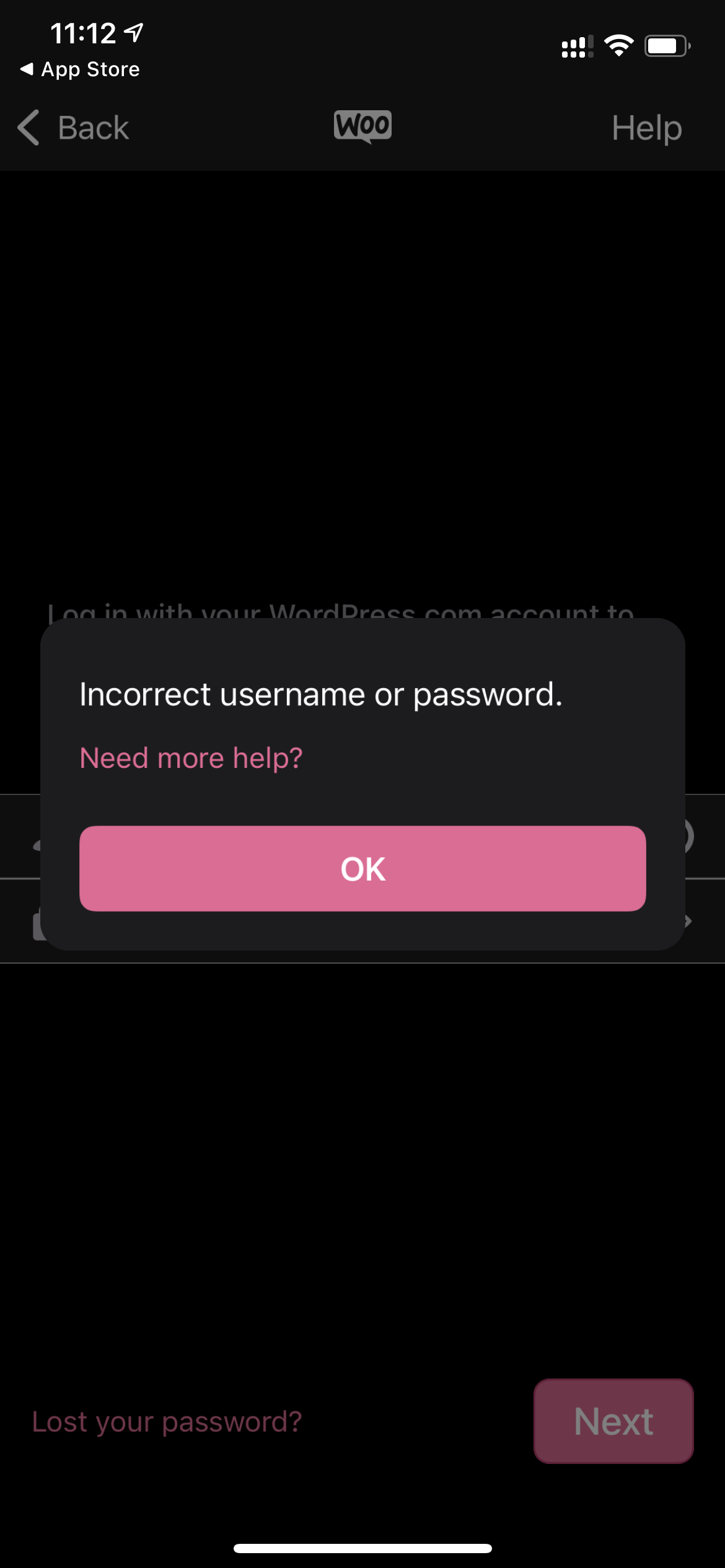
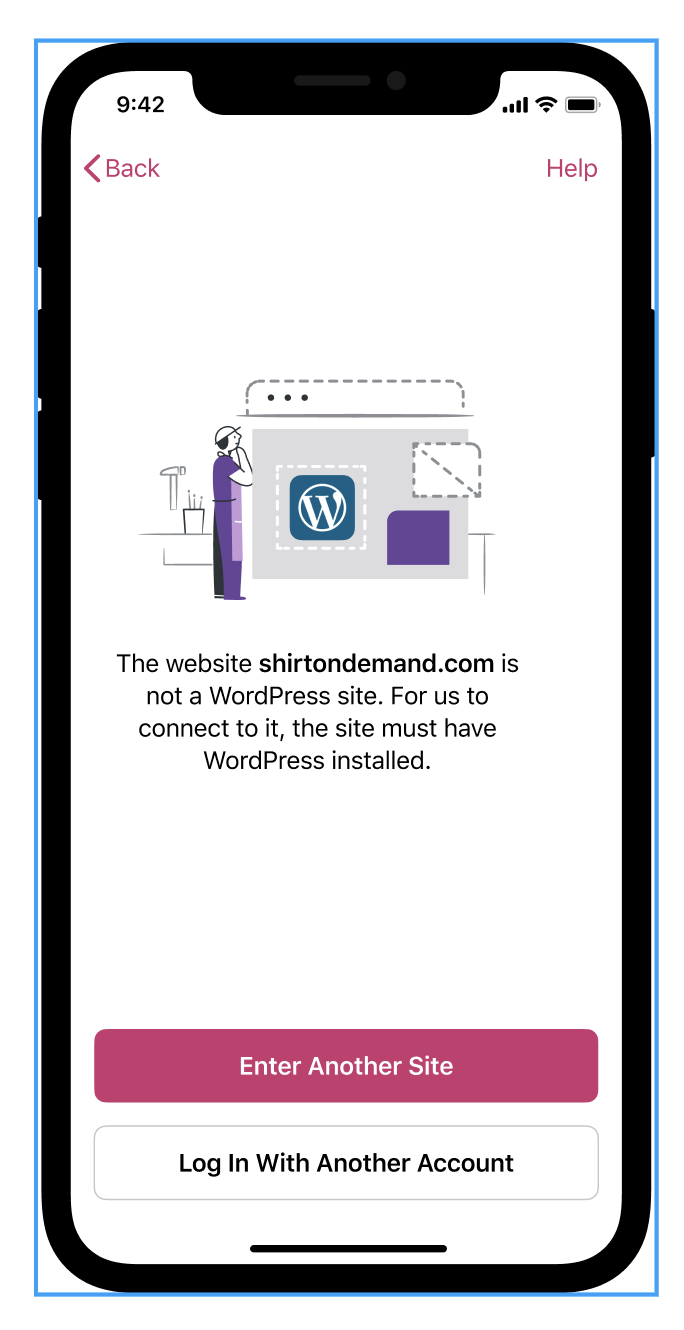
So, do we support logging in to self-hosted sites? If we don't, should be present an error like this, but with different copy?:
ctarda
on 19 Dec 2020
Another possibility is: when WPauthenticator calls AuthenticationManager's shouldPresentUsernamePasswordController, present a custom error if isSelfHosted == true
ctarda
on 21 Dec 2020
Hi @ctarda ! I think we support self-hosted site, at least I've been able to log in with mine so far. I think there's a potential confusion here: This screen should be shown if the site doesn't have WP installed, but it can totally be a self-hosted site.
 Garance91540
on 21 Dec 2020
Garance91540
on 21 Dec 2020
I ran into this crash after logging out then back in to a Jetpack-connected site after upgrading from 4.7.0.0 to 5.7.0.1 (both are TestFlight betas) and trying to use the "Enter Your Store Address" flow.
Video: 1m5s
- Crashlog from App Store Connect: testflight_feedback.zip
- JSON from event 87453d2066994164a305e37e8f822c92 in Sentry: 87453d2066994164a305e37e8f822c92.json.zip
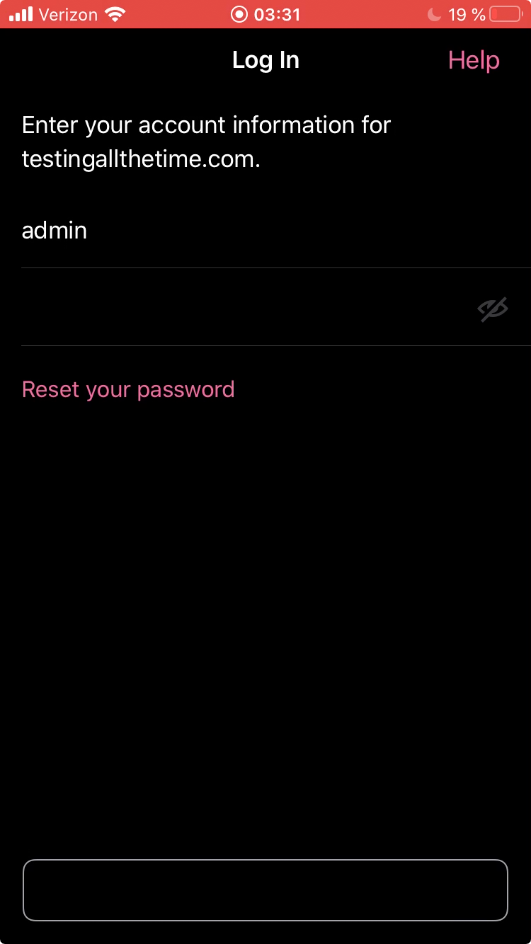
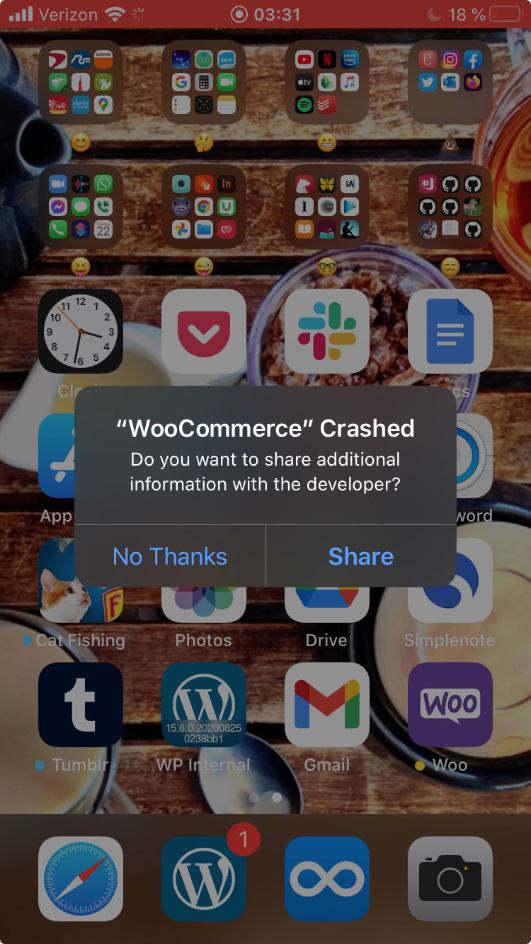
Tested with iPhone 6S, iOS 13.7, WooCommerce app version 5.7.0.1 (TestFlight beta)
Site & device details:
- testingallthetime.com (hosted at Bluehost)
- WordPress 5.6
- Jetpack 8.5 (current latest avail is 9.2.1 so this is out of date)
- WooCommerce 4.8.0
- WooCommerce iOS 5.7.0.1
- iPhone 6S
- iOS 13.7
(internal references: App Store Connect Crash Feedback, Sentry)
 designsimply
on 21 Dec 2020
designsimply
on 21 Dec 2020
So, do we support logging in to self-hosted sites? If we don't, should be present an error like this, but with different copy?
I think there may be some confusion around what a self-hosted site means.
@ctarda my understanding is that the WooCommerce apps do not support self-hosted sites unless the site has Jetpack installed and connected. However, we should discuss this in a separate issue. If the self-hosted site you tested did not have Jetpack installed or connected, you should have seen a screen like this before you are prompted for a username and password:
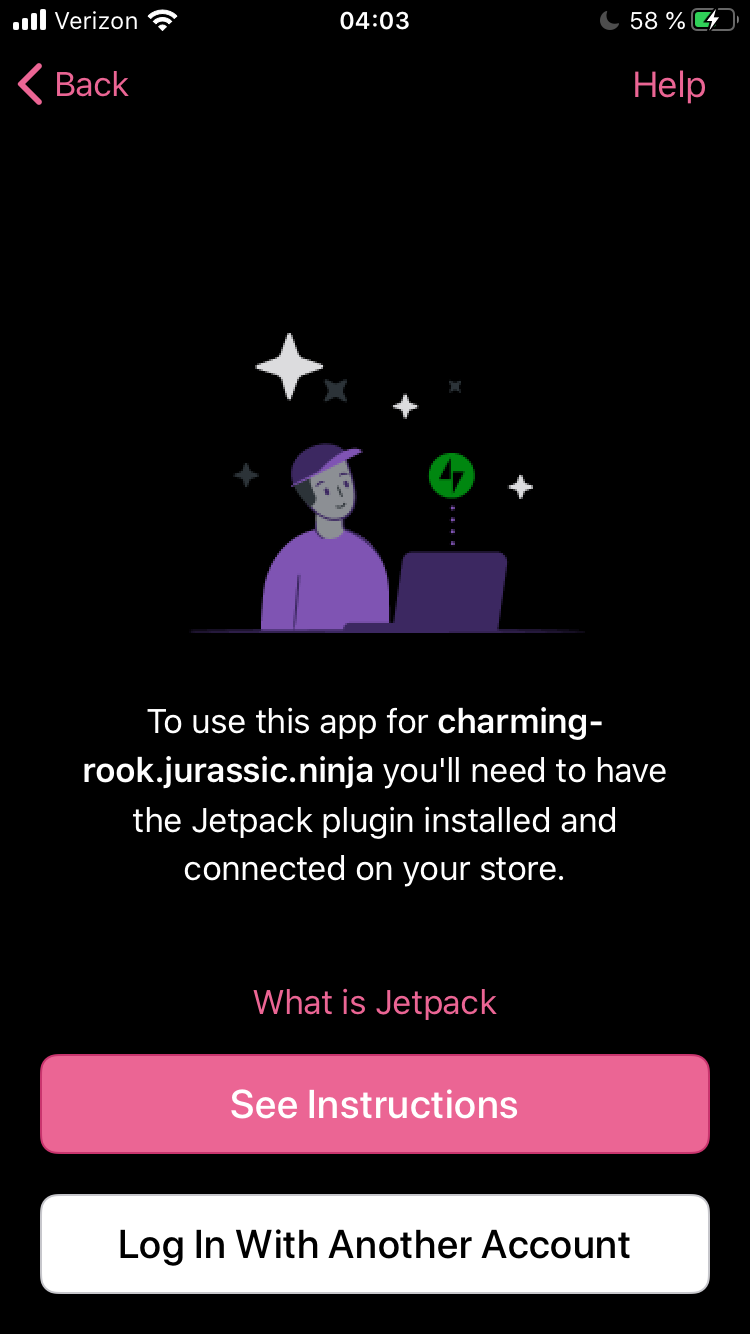
Tested using iPhone 6S iOS 13.7 WooCommerce 5.7.0.1 (TestFlight beta) on a site running WordPress 5.6 (charming-rook.jurassic.ninja) with no plugins installed.
@Garance91540 in the past, we have used "self-hosted" to refer to sites that have WordPress installed but do not have Jetpack installed. Technically, a Jetpack site could be considered self-hosted but in my experience at Automattic we've referred to self-hosted sites with Jetpack sites installed as just Jetpack sites (though this may be changing as I have noticed others referring to Jetpack sites as self-hosted sites lately 🙂).
designsimply
on 21 Dec 2020
@Garance91540 in the past, we have used "self-hosted" to refer to sites that have WordPress installed but do not have Jetpack installed. Technically, a Jetpack site could be considered self-hosted but in my experience at Automattic we've referred to self-hosted sites with Jetpack sites installed as just Jetpack sites (though this may be changing as I have noticed others referring to Jetpack sites as self-hosted sites lately 🙂).
Thank you for explaining this @designsimply ! I've been assuming self-hosted sites meant sites that weren't hosted on WordPress.com
Garance91540
on 22 Dec 2020
I'm sorry I didn't clarify this in my original report, but this crash happens with any self-hosted site (any site not hosted on WordPress.com), including self-hosted sites with Jetpack connected (where you should be able to log in to the app).
rachelmcr
on 23 Dec 2020
This might have been fixed by #3426
ctarda
on 7 Jan 2021
To recap:
- Logging in with username and password should only be possible when users select "Login with Store Credentials"
- Login with Store Credentials has been removed for M1
- Therefore this should not happen anymore, given #3426 dos not make reaching this path possible.
ctarda
on 7 Jan 2021
Closing for now.
ctarda
on 19 Jan 2021
Related issues
 jaclync
·
3Comments
jaclync
·
3Comments
 astralbodies
·
4Comments
astralbodies
·
4Comments
 mindgraffiti
·
3Comments
mindgraffiti
·
3Comments
 juliaamosova
·
3Comments
juliaamosova
·
3Comments
 stephhjacq
·
3Comments
stephhjacq
·
3Comments
Most helpful comment
To recap: