Woocommerce-ios: Help & Support: When sending a ZD ticket, attach the SSR
Is your feature request related to a problem? Please describe.
Android gets the list of plugins "for free" and attaches the list to Zendesk when a ticket is created. iOS needs this as well. It can be accomplished by attaching the SSR (Systems Status Report).
Describe the solution you'd like
This will require:
- [ ] Generate an SSR by tunneling a GET request to the /v3/system_status endpoint.
- [ ] The SSR will need put in Storage - probably a new entity in SiteSettings?
- [ ] Refresh the SSR by adding a bg API call when the user opens Settings
- [ ] Attach the SSR to the Zendesk ticket
Describe alternatives you've considered
Our current situation is that we have no plugins list. It slows down troubleshooting / debugging for HEs and devs because we have to go find that information manually. With the SSR, we have much more information available to debug issues.
Additional context
Bring parity between the apps! 👍
cc: @bummytime @astralbodies
 mindgraffiti
All 3 comments
Great idea @mindgraffiti! I think we can take this a step further by allowing the user to generate a system status report in app:
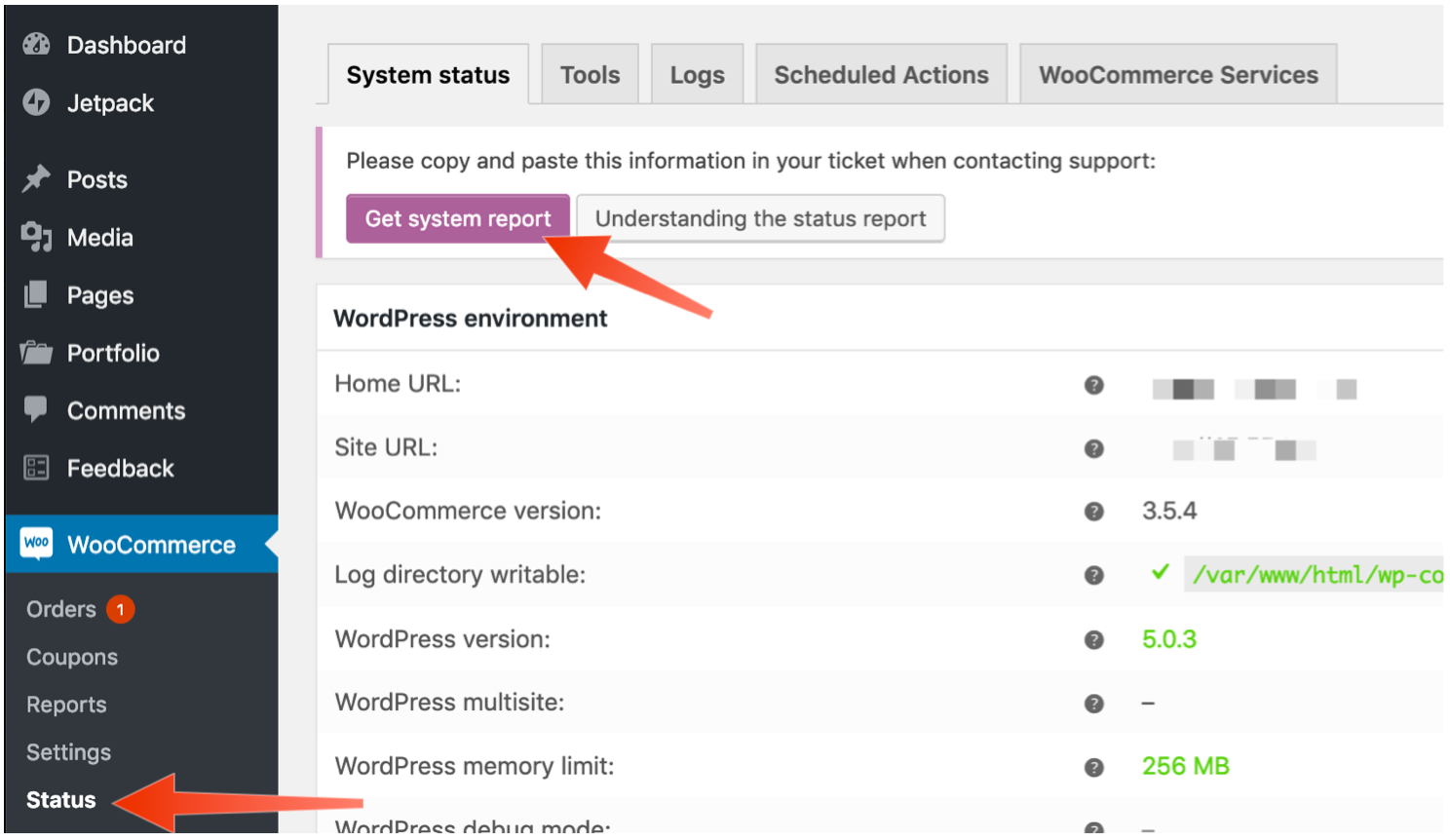
This report not only contains a detailed list of active plugins but also a lot of extra information about the environment, theme, settings, and database.
This report can be generated by tunneling a GET request to the /v3/system_status endpoint.
API docs → http://woocommerce.github.io/woocommerce-rest-api-docs/#system-status
General documentation is here → https://docs.woocommerce.com/document/understanding-the-woocommerce-system-status-report/
 bummytime
on 14 Feb 2019
bummytime
on 14 Feb 2019
One other thought regarding caching this information in Storage — we need to make sure this is refreshed at the appropriate times so we are not sending HE's stale data. Perhaps a bg call when the user opens the settings screen?
bummytime
on 14 Feb 2019
Still relevant. Leaving open.
mindgraffiti
on 9 Jan 2020
Related issues
mindgraffiti
·
4Comments
 eduardozulian
·
3Comments
eduardozulian
·
3Comments
 californiakat
·
5Comments
californiakat
·
5Comments
 kyleaparker
·
3Comments
kyleaparker
·
3Comments
 jaclync
·
3Comments
jaclync
·
3Comments
Most helpful comment
Great idea @mindgraffiti! I think we can take this a step further by allowing the user to generate a system status report in app:
This report not only contains a detailed list of active plugins but also a lot of extra information about the environment, theme, settings, and database.
This report can be generated by tunneling a GET request to the
/v3/system_statusendpoint.API docs → http://woocommerce.github.io/woocommerce-rest-api-docs/#system-status
General documentation is here → https://docs.woocommerce.com/document/understanding-the-woocommerce-system-status-report/