Widescreenfixespack: [SH2] Options/Inventory Font Resolution
I've been tinkering with this port for some days trying to improve SH2's "terrible" looking UI. That black background on the main menu? ugh. I had to do something.
It looks fairly decent:
https://i.imgur.com/vJoEkL3.png
There are some issues I can't fix though. One of them is the cursor not being correctly positioned on the main menu. (The game thinks my cursor is highlighting the option below the kinfe's texture?)
The other is every other "font" in the game:
https://i.imgur.com/tJQWKVk.png
The main menu actually uses textures for the words "Load", "Continue", "New game", etc.
The rest of the game's "words" are not textures. I'm not an expert, but I think they are "generated" by a shader? Would it be possible to increase the resolution on these "fonts"? Thanks.
 brunibunny
All 119 comments
There are some issues I can't fix though. One of them is the cursor not being correctly positioned on the main menu. (The game thinks my cursor is highlighting the option below the kinfe's texture?)
Someone feel free to correct me if I'm wrong here, but I believe this is an error that only exists in v1.1, since v1.0 uses normal text for its main menu. You can see how the developers messed up the positioning:
https://i.imgur.com/lZMXbN9.gif
I doubt anything can be done without screwing up the other version, which some people prefer to use since I believe v1.1 is exclusive to the EU version of the game. Again, feel free to correct me if I'm wrong.
Edit: Are those high res textures I'm seeing? How did you get that working?
The other is every other "font" in the game:
I'm not an expert, but I think they are "generated" by a shader? Would it be possible to increase the resolution on these "fonts"? Thanks.
I was thinking of this a few weeks ago, but I'm not sure about how it works either.
 AeroWidescreen
on 21 Nov 2017
AeroWidescreen
on 21 Nov 2017
Someone feel free to correct me if I'm wrong here, but I believe this is an error that only exists in v1.1, since v1.0 uses normal text for its main menu.
I doubt anything can be done without screwing up the other version, which some people prefer to use since I believe v1.1 is exclusive to the EU version of the game. Again, feel free to correct me if I'm wrong.
Wait.. There's a version 1.1 of SH2 DC? So... on ver 1.0 the game used normal text and on 1.1 the developers implemented the "texture" but messed its positioning? Are there any other changes from 1.0 to 1.1? I'm not sure which version I should be using anymore.
Edit: Are those high res textures I'm seeing? How did you get that working?
At first I was trying to use Texmod to replace the textures. I got it working.. but Texmod isn't compatible with wined3d, apparently. The game just crashed.
So I looked for a replacement for wined3d. Something that fixed all issues wined3d fixed but, unlike any d3d8 to d3d9 converters, would actually emulate an "old" DX8 card. And I found a perfect replacement. "dgVoodoo2" not only fixes everything wined3d fixes, but also "wraps" d3d8 to d3d11 instead of OpenGL.
Yep. It's a pretty complicated setup. And it is totally different from what everyone else is using, apparently.
With Silent Hill 2 running on dx11, I use "3Dmigoto" to replace the games textures. 3Dmigoto's main functionality is to edit shaders, but it can also replace textures.
Let me explain how I have my game set up if anyone wants the same results as me:
Required tools:
dgVoodoo2:
http://dege.freeweb.hu/dgVoodoo2/dgVoodoo2.html
Also downlod "D3DCompiler_43" and "D3DCompiler_47" available from that page.Silent Hill 2 Widescreen Fix
Nemesis2000's FOG fix
Assuming you're starting from a vanilla game install:
- Silent Hill 2 Widescreen Fix'
Extract the folder "scripts" and "dinput8.dll" into the game dir.
Rename "dinput8.dll" to "dsound.dll" (can also be renamed to ddraw.dll if you're planning to use some other "dinput8.dll")
- Nemesis2000's FOG fix
Extract "sh2fog.ini" and "sh2.dll" into the "scripts" folder.
Rename "sh2.dll" to "sh2.asi"
- dgVoodoo2:
Extract "dgVoodoo.conf", "dgVoodooCpl.exe", "D3DCompiler_43.dll", "D3DCompiler_47.dll" and "d3d8.dll" (from the "MS" folder) into the game dir.
Optional -> use my "dgVoodoo.conf":
https://drive.google.com/file/d/1Vo7ocfRERLVIgEJtNsK3Pesyb40rFh84/view
- 3Dmigoto
Open the "x32" folder and extract all the files into the game dir.
This should be everything necessary to have SH2 running on dx11 with 3Dmigoto and no need to use wined3d nor Ultimate-ASI-Loader's D3D8to9.
- Now, for the actual high res textures I'm using on the menu:
After 3Dmigoto has been isntalled, just extract these files into the game dir:
https://drive.google.com/file/d/1U-yynVJDUVLQi-u0dbNo1w6_IhvZAHvJ/view
"MenuBG.png" and "MenuFont.png" are just some quick edits I made on PS yesterday. Not my best work by any means :p
My "d3dx.ini" is tuned for release. If you want to use it's shader hunting features, you will have to use the default one.
But.. yeah. That's where I'm at right now. Everything but the menu fonts looks amazing.
I was thinking of this a few weeks ago, but I'm not sure about how it works either.
https://i.imgur.com/TX8KjYe.png
I actually managed to edit the "options" fonts yesterday. The problem is: The game generates a new "texture" for these fonts based on what is being displayed on the screen.
If you are in the "options" screen, this is how this textures looks:
https://i.imgur.com/EmIJyiA.png
If you, then, start a new game and open the inventory, the textures is changed to this:
https://i.imgur.com/Gsq6pTh.png
This make any practical changes impossible. At least.. as far as my knowledge goes.
Oh well.
brunibunny
on 21 Nov 2017
Someone feel free to correct me if I'm wrong here, but I believe this is an error that only exists in v1.1, since v1.0 uses normal text for its main menu. You can see how the developers messed up the positioning:
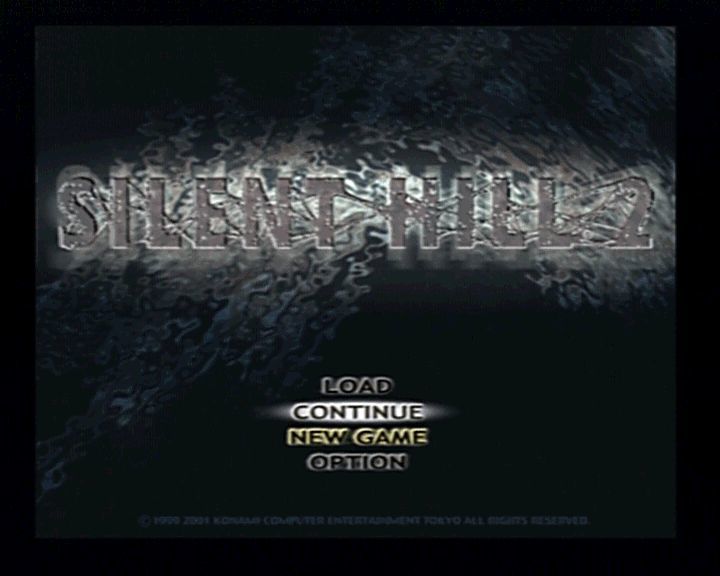
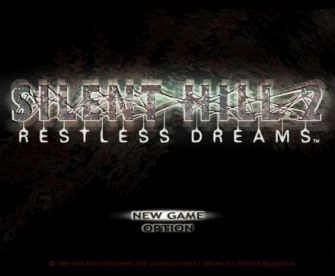
Aero, can the position of the main menu's imaged text be correctly changed? This has been something that has bugged me since I first played the PC version. Didn't think to ask you earlier if it's possible to be fixed.
Between the two (imaged text and "real text") I will always 100% prefer the imaged text as that is what's used on the PS2/Xbox version and, to me anyways, is the "true" main menu style for the game.
 Polymega
on 28 Nov 2017
Polymega
on 28 Nov 2017
Aero, can the position of the main menu's imaged text be correctly changed? This has been something that has bugged me since I first played the PC version. Didn't think to ask you earlier if it's possible to be fixed.
Probably, yes, but this is what I was referring to when I said I doubt anything could be done without screwing up the other version. I have my hands full with work at the moment, but next weekend (not the upcoming) I will start doing research for Silent Hill again.
AeroWidescreen
on 30 Nov 2017
Thank you always. I wonder if there's any sort of unique indentifier on both version's main menu for differentiating allowing for an if/else statement to fix it?
Polymega
on 30 Nov 2017
@AeroWidescreen I just read over @brunibunny 's post on Elisha's page here:
https://github.com/elishacloud/dxwrapper/issues/6#issuecomment-346486177
So it seems .exe 1.0 already resolves this issue. (Never knew this as all copies I've ever owned of the game apparently were 1.1!)
And brunibunny kindly provided a link to all .exe versions untouched:
https://drive.google.com/file/d/1cULsx9z_pD-Mggn0bC60zTEp6R9qjnKE/view?usp=sharing
So if we can modify .exe 1.0 to run as a "no CD" and then enhance it further with any upgrades @elishacloud may see fit in the future we'd be golden.
If turning that "fresh" 1.0 .exe into a "no CD" version isn't too complicated I'd like to ask/make the request for it to possibly be done. My reasoning is because, unless you know of ways to tell, there's no saying what other modifications/tweaks have been done to the No CD .exe's that are found on other sites . A "fresh" .exe modified/accounted for through either Elisha's and/or Aero's hands could possibly reduce issues with the other mods, I'd think, as Elisha/Aero would know what all has been modified to the .exe if they're the ones who have done the work on it.
I could then place this new .exe as the version to download on the Installation Guide, too, with the idea of pushing it as the "de facto" .exe version to use with all the other mods?
Is this a worthwhile endeavor?
Edit: I did notice @AeroWidescreen you also mentioning that version 1.0 doesn't have this issue but your screenshot example shows it with the "ugly" font for 1.0:
https://i.imgur.com/lZMXbN9.gif
So maybe 1.0 has correct cursor placement for both NA and EU copies but just the EU ones uses the "ugly" font? I think this as brunibunny's 1.0 exe uses the "pretty" font with correct cursor placement.

Polymega
on 30 Nov 2017
@jdkubiak
I have no experience with making no-cds, so I used an existing no-cd as reference to help me figure out what I needed to change. It seems like I got the sh2pc10.exe working after null'ing a function, but I can't spend much time on it now to test it thoroughly.
Edit: I did notice you also mentioning that version 1.0 doesn't have this issue but your screenshot example shows it with the "ugly" font for 1.0:
https://i.imgur.com/lZMXbN9.gifSo maybe 1.0 has correct cursor placement for both NA and EU copies but just the EU ones uses the "ugly" font? I think this as brunibunny's 1.0 exe uses the "pretty" font with correct cursor placement.
I'm not too sure about the situation either, but I trust brunibunny's research. I think part of the confusion is that it's hard to tell what region these no-cds are from. A lot of them are simply listed as "english", which could be US or EU. Then there's this information from PCGamingWiki which only adds to the confusion:
There are two versions, the North American version and European Director's Cut version. If the title screen lacks "Director's Cut" on it, it's the North American version. Both versions include the extra scenario Born from a Wish along with an extra UFO ending.
But brunibunny's original v1.0 (US) exe and has the Director's Cut on the title screen too. Maybe the textures differ as well, and I just have the EU version installed.
AeroWidescreen
on 30 Nov 2017
It seems like I got the sh2pc10.exe working after null'ing a function, but I can't spend much time on it now to test it thoroughly.
I saw you removed it now but I was able to test it beforehand on my Windows 10 machine and it booted up without issue. I can try it on Windows 7 at a later date, too, if you'd like.
What's nice about this is we can take comfort in knowing what all modifications have been done if it's on a "fresh" .exe to reduce other mod conflicts.
But brunibunny's original v1.0 (US) exe and has the Director's Cut on the title screen too. Maybe the textures differ as well, and I just have the EU version installed.
Yes, I believe as you originally installed the EU version it's textured image for the main menu is the Director's Cut one. So regardless of which .exe you use (from NA, EU, or elsewhere) it will pull up the installed main menu texture for its screen which was the EU version upon your original installation, if that made sense.
Edit: And worth mentioning that while the main menu background image for the PS2, Xbox, and PC versions all slightly differ (along with the game's logo) they all use the same "pretty" font for the menu choices... except the PC EU version. It's the odd duck out here.
Polymega
on 1 Dec 2017
I saw you removed it now but I was able to test it beforehand on my Windows 10 machine and it booted up without issue. I can try it on Windows 7 at a later date, too, if you'd like.
I didn't realize Elisha was already looking into it, and it's better if he works on it than me, as the whole thing doesn't appear to be that simple https://github.com/elishacloud/dxwrapper/issues/6#issuecomment-348084550
AeroWidescreen
on 2 Dec 2017
@AeroWidescreen, it looks like you already solved the no-CD issue. The only other thing I was planning to do is to add this to the Silent-Hill-2-Enhancements so that users don't need to download a cracked version of the exe file and it would work in all languages of the game, not just English. But unfortunately I don't have a clean copy of the v1.0 US version of the game.
Is there some reason (other than my comments on the other thread) that makes you think your fix is bad?
I have no experience with making no-cds, so I used an existing no-cd as reference to help me figure out what I needed to change. It seems like I got the sh2pc10.exe working after null'ing a function, but I can't spend much time on it now to test it thoroughly.
I have only done this 5 times on old games from the 90's and early 2000's. From my experience setting a function to NOP will allow you to jmp over the CD check. Sometimes that is all you need. However sometimes you also need to modify code so that it looks for the game resources (such as tex files) on the hard drive rather than the CD. Can you give me the address location of the function you set to NOP?
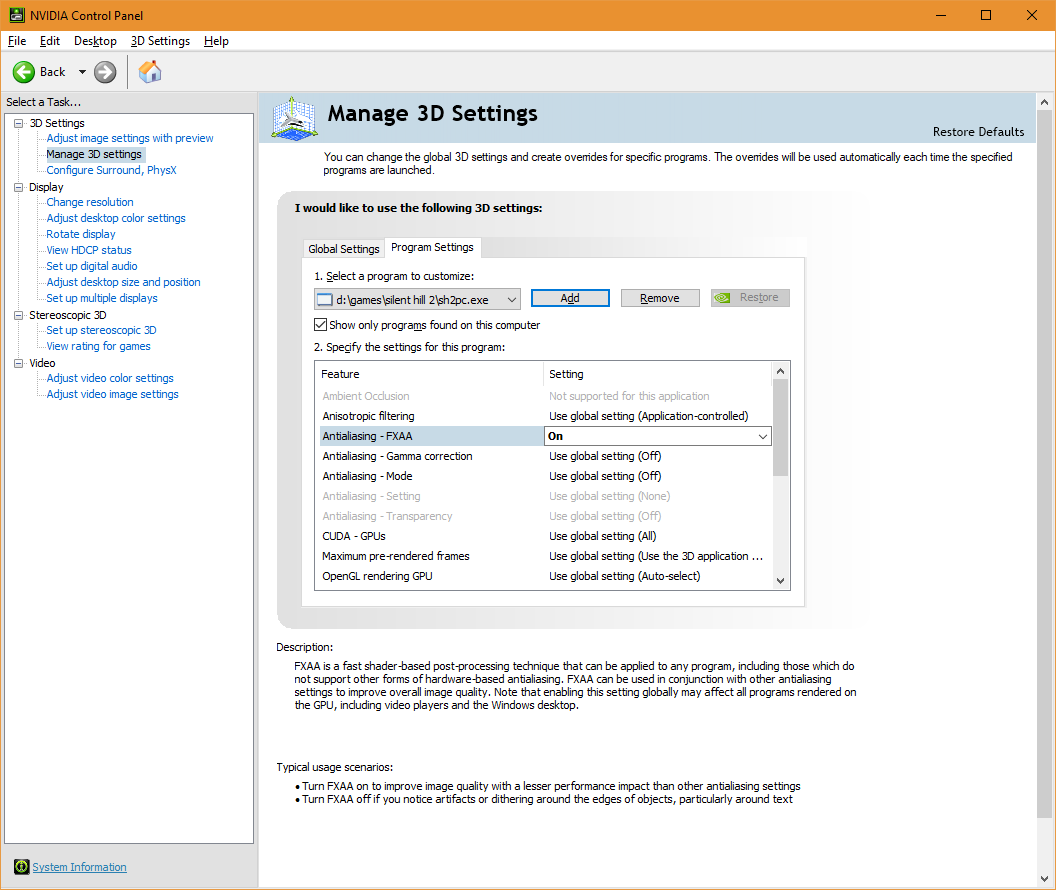
@jdkubiak, I was able to find a generic way to enable AA for Silent Hill 2 on nVidia. You can do this from the NVIDIA Control Panel. Under the "Manage 3D settings" you can add "sh2pc.exe" to the list and enable the FXAA setting. This forces AA at a lower level and works regardless of what version of DX they are using or what plug-ins they have installed.
 elishacloud
on 2 Dec 2017
elishacloud
on 2 Dec 2017
I can't test this at the moment but I used to use this method before running all the fixes. But, if memory recalls, using D3D8to9/WineD3D either crashes or makes a black screen for the game when used in conjunction with forced GPU AA override.
Polymega
on 2 Dec 2017
Is there some reason (other than my comments on the other thread) that makes you think your fix is bad?
Nope. I just thought the solution was too simple and I was missing something important, but everything appears to be working on Windows 10.
I have only done this 5 times on old games from the 90's and early 2000's. From my experience setting a function to NOP will allow you to jmp over the CD check. Sometimes that is all you need. However sometimes you also need to modify code so that it looks for the game resources (such as tex files) on the hard drive rather than the CD. Can you give me the address location of the function you set to NOP?
sh2pc10.exe
Download (provided by brunnibunny)
Function: 00408760
Call: 00408A5B
Old value: 00008760 81
New value: 00008760 C3
AeroWidescreen
on 2 Dec 2017
using D3D8to9/WineD3D either crashes or makes a black screen for the game when used in conjunction with forced GPU AA override.
This is only enabling FXAA, which is (as I understand it) slightly different than forced GPU AA override. Notice how the "Antialiasing - Mode" is still set to "Off".
But it is interesting. When I set FXAA it takes ~2 seconds to load Silent Hill 2. When using WineD3D and FXAA set globally it takes ~17 seconds to load Silent Hill 2. However when using WineD3D and FXAA set only on "sh2pc.exe" it takes ~24 seconds to load Silent Hill 2.
These times are on my 4.0 Ghz CPU and it is CPU bound so may take longer on slower CPUs. It does appear like Silent Hill 2 is stuck at a black screen when using WineD3D and FXAA but it will run if you just wait a little while.
elishacloud
on 2 Dec 2017
Ah, yes, I also did FXAA "back in the day" but that was probably it for me: After 10 seconds of a black screen I'd assume it froze/crashed and force close the game.
I think FXAA is an Nvidia exclusive technology and I can't remember if AMD had an equivalent. I can both test Aero's No CD on Windows 7 and see what AMD can do for AA possibly tomorrow.
Polymega
on 2 Dec 2017
Thanks @AeroWidescreen! It certainly can seem like it is too easy once you break the CD check. See my example here and here. Both cases only required very minor updates. Everything is easy if you know how to do it! :-)
elishacloud
on 2 Dec 2017
FXAA is an Nvidia exclusive technology
Yes, that is true. You need something like SweetFX to enable on other GPUs, unless the game itself has the option.
elishacloud
on 2 Dec 2017
I updated the Silent-Hill-2-Enhancements project to create a generic feature to disable the CD check. This works with all three binary files that @brunibunny provided.
You can download the updated asi file here.
However it looks like this patch does not work with the original exe file that came with my copy of Silent Hill 2. I believe the files that brunibunny provided have already been partially hacked. The original file that I have is 6,180,307 bytes, whereas the files brunibunny provided are much smaller.
It looks like there is more than one CD check on the vanilla version of the game. The patch that @AeroWidescreen did only bypasses one of the CD checks. The other check(s) were already bypassed. Can someone else try with their vanilla version exe file to validate this?
elishacloud
on 2 Dec 2017
Sorry for all the posts today!
It appears that the original version of Silent Hill 2 has copy protection by encrypting 5000 bytes of code between the addresses 0x0056C000 and 0x00571000. The entry point should be at address 0x0056E4E7. So they basically are encrypting ~2500 bytes before and after the entry point. The binary files that @brunibunny gave us has already decrypted the code and removed the copy protection from the binaries.
elishacloud
on 3 Dec 2017
However it looks like this patch does not work with the original exe file that came with my copy of Silent Hill 2. I believe the files that brunibunny provided have already been partially hacked.
The binary files that @brunibunny gave us has already decrypted the code and removed the copy protection from the binaries.
Thanks for pointing that out. I went ahead and rechecked my files. It looks like, somehow, I included the wrong DC exe on my zip. Your's is the correct one. Yeah... sorry, my fault. I have updated my zip file with the correct DC exe. It's the same link, if anyone needs it.
The US 1.1 exe, however, came from the official patch released by Konami which can still be found here:
https://www.gamepressure.com/download.asp?ID=2207
Is it decrypted as well? No copy protection? Why would Konami release this..?
The US 1.0 exe has me puzzled. This file was sent to me since I don't own a physical copy of the US Silent Hill 2. It may have been tampered with.. but I do trust the person who sent me this.
"Trust" isn't enough, though. I'm looking for an actual retail copy of the US release of Silent Hill 2 so I can check the exe and some other files myself.
brunibunny
on 3 Dec 2017
I have both NA and EU copies (in official disc form). I'll share their exe's with you all here when I test some other things out and respond back. I aim to do this tomorrow.
Polymega
on 3 Dec 2017
You actually have the NA version? Awesome. I was about to buy it from some shady local reseller.
brunibunny
on 3 Dec 2017
I believe the files that brunibunny provided have already been partially hacked.
Interesting. I remembered in the past trying to virtually mount the Disc 1 ISO and launching the original .exe and it wouldn't let me. I did find it weird these .exe's let me with virtual mounting but didn't think twice about it after-the-fact.
Untouched North America & European .exe:
So on that note, here is the NA and EU .exes. These were taken directly from a fresh install. My North American .exe is ver 1.0 (which I'd assume all are before running any patches):
Also, my site has the old PC downloads given out by Konami. The only thing is, with my site being as old as it is, I cannot remember if I got these downloads directly from Konami back-in-the-day or elsewhere. My gut says I did but I cannot guarantee that:
http://www.igotaletter.com/media/downloads/
^ I'm thinking running the Sound Patch is what creates the new .exe which then becomes ver 1.1? But if all ver 1.1 does is fix the sound bug (which it never actually did) and misplace the main menu text then I say to hell with it.
Aero's Hack
Aero, just for follow-up I'd like to confirm your modifications to brunibunny's .exe also worked on my Windows 7 machine; the game booted up without issue.
Elisha & Forced GPU AA
Bit of info on this Elisha: For the AMD Control Panel no settings worked for forced AA when DirectX8to9/WineD3D was in use. I chose between "Use Application Settings," "Enhance Application Settings," and "Override Application Settings" while running down the list of "Multisampling," "Adaptive Multisampling," and "Supersampling."
When I disabled DirectX8to9 these settings worked. Although "Supersampling" completely bogged down my PC when I was in the town sections (which I believe the fog layers are the culprit to my performance hit). And this makes sense as supersampling is the most resource heavy way of achieving AA.
For the Nvidia Control Panel forcing FXAA did the trick. I'm trying to think back to why I thought this didn't work in the past and my only conclusion was that the last time I tried doing this (AA alongside the fixes) I was using the ENB Converter instead of DirectX8to9 and maybe something within the ENB was causing the conflict? Or maybe I'm going crazy. That, too, is a viable answer.
Regardless, I can update the installation guide in the future to address this. Now, both major GPU brands have a solution (FXAA for Nvidia and injectSMAA for AMD.) :)
Elisha & Original .exe with SH2 Enhancements
Can someone else try with their vanilla version exe file to validate this?
I can also confirm this did not work with the original .exe's I provided further up on this post. This was tested on my Win7 machine, if that makes any difference.
Polymega
on 3 Dec 2017
The US 1.1 exe, however, came from the official patch released by Konami which can still be found here:
https://www.gamepressure.com/download.asp?ID=2207Is it decrypted as well? No copy protection? Why would Konami release this..?
The patch is considerably smaller than the sh2pc.exe binary file. Therefore I assume it just patches (updates) the existing exe file. Since you started out with an exe file that was already partially cracked the output was also partially cracked.
just for follow-up I'd like to confirm your modifications to brunibunny's .exe also worked on my Windows 7 machine; the game booted up without issue.
Yes, it worked on my Windows 10 system also. I am not sure if you want to just use this exe file that Areo already patched as the offical no-CD version. Given the complexity of the copy protection in this game I doubt I can do any better.
I am planning to take data from these cracked exe files and use them in my Silent-Hill-2-Enhancements project so that I can fully disable the CD check even on the original exe files.
elishacloud
on 3 Dec 2017
The patch is considerably smaller than the sh2pc.exe binary file. Therefore I assume it just patches (updates) the existing exe file. Since you started out with an exe file that was already partially cracked the output was also partially cracked.
I don't think that's the case.
You see, if I run the patch, it says it can't find the game instalation path and closes.
I extracted the patch file using Universal Extractor. Two files were extracted: "script.bin" which seems to be a script with strings for the patch instalation process and a file called "sh2pc" with no extension. Renaming it to "sh2pc.exe" reveals it to be a fully functional binary. This file is the one I uploaded. It's not a patched version of my exe using a diff as you would expect, but the file was actually fully extracted from the patch itself.
Not sure what could be going on here.
Well, this is irrelevant, though. Ver 1.1 is the most inferior of them all.
@jdkubiak , thanks for uploading your files. Turns out the 1.0 which was sent to me really was tampered with. Sorry for the confusion.
Well, at least it sparked a conversation about it and we can finally sort the confusion regarding all SH2 exe's.
Again, thanks.
brunibunny
on 3 Dec 2017
Sorry for double posting, but, regarding the 1.1 patch:
I managed to install it normally this time. Not sure what was the issue before. I'm using @jdkubiak's untouched exe. The patch seems to work regardless of which exe is present, though.
Anyways, the result is the same. The official 1.1 patch really seems to be partially cracked/decrypted, for some unknown reason.
For archival and preservation, here are two zips:
- "Untouched" exe pack, updated thanks to @jdkubiak
https://drive.google.com/file/d/1cULsx9z_pD-Mggn0bC60zTEp6R9qjnKE/view
- "Decrypted/partially hacked" exe pack:
https://drive.google.com/file/d/1v1ODlsRWWcJa1f2HVe4Ubec6LrFYuIdT/view
brunibunny
on 3 Dec 2017
It feels like I'm spamming at this rate, but..
I just got a physical copy of the US release of SH2. Finally.
I compared both the EU and US releases expecting major differences.. but nope. Both releases are almost the same, except for minor changes.
- Some ".tex" files have a different a header on the US release.
https://i.imgur.com/CGSeJN9.png
- The US release has a different background texture for its menu, as you would expect.
https://i.imgur.com/pDijNxF.png
- ".mes" files present some differences. These files contain text strings for dialogues, menu, options, etc.
https://i.imgur.com/Rfe6zR1.png
- And, of course, the .exe files are different.
Here's the comparison report:
The EU version has been the "de facto" release for so long. Even pcgamingwiki says the US release is the "inferior" version. But.. comparing the two.. they seem to be the same game with some minor regional changes.
I wonder how the EU release became the most popular one. Maybe because it has "Director's Cut" and that sounds fancy? Maybe community fixes at the time were targeted for the EU version only and that made people classify the US release as the "inferior" version...?
@jdkubiak should do some testing himself, but from my experience today, the US version runs perfectly fine using the fixes we currently have available.
And it's menu background doesnt look terrible, which is a plus in my book.
brunibunny
on 3 Dec 2017
I love all these new revelations being found; between anti-aliasing news and learning US 1.0 and EU .exes are basically the same where it counts.
I wonder how the EU release became the most popular one. Maybe because it has "Director's Cut" and that sounds fancy? Maybe community fixes at the time were targeted for the EU version only and that made people classify the US release as the "inferior" version...?
All valid and good guesses. I can say with 100% certainty that my US version didn't work for... some fix. It's been so long now I can't remember what it had incompatibilities with. Whether it was with the WSF, sh2proxy (before I started using WSF), or wrapping the game to DX9. I know this because, before I went ahead and bought my own physical copy of SH2 PC EU, I had my friend in the UK send me an ISO of his copy and, sure enough, whatever fix I was trying to use worked with that one.
But I was also using a cracked no-CD US .exe so I wonder if other things were modified to that executable which prevented the fixes working along side it?? This would be another reason why I'd advocate working with a "fresh" (or as close to fresh as possible) .exe going forward; there's no saying what other things people have modified on these .exe's in the past.
On that note with using the US version with these fixes:
@jdkubiak should do some testing himself, but from my experience today, the US version runs perfectly fine using the fixes we currently have available.
I'm not a programmer/modder by any stretch of the imagination but I'm more than happy to help/test through conventional play testings. The Installation Guide is going to need a major update soon anyways to provide steps for:
- Nvidia/AMD anti-aliasing
- 16:10 or 16:9 FMVs (contingent upon WSF fixes for it)
- Enhanced Audio project
- Either/or making a "de facto" .exe to use or implementing steps via Elisha's SH2 Enhancements script for using any .exe.
And it's menu background doesnt look terrible, which is a plus in my book.
100% on this. I've already mentioned I prefer the "imaged text" for the main menu (as all other versions use it) but I've never been a fan of the PC Director's Cut stark, solid black background for the main menu. It's bland and forgetful. Especially because all other versions have some sort of graphic for the BG (with them all being same-ish but slightly different to one another).
Polymega
on 3 Dec 2017
Okay, I'm going to be honest and say I only skimmed each post because there's way too much to read.
So basically the exes that brunnibunny uploaded were partially cracked, which is actually a good thing since Elisha doubts he could do any better. Moving forward, the goal is to use Elisha's script so that any exe could be used without having to replace anything. Am I missing anything?
AeroWidescreen
on 3 Dec 2017
Nah. You got the key points.
The conversation progressed to .exe differences and compatibilities.
And back to brunibunny's original request: There hasn't been a method found yet to increase texture resolution without crashing the game.
Polymega
on 3 Dec 2017
I found out why increasing the size of a resource file (like the sddata.bin file or the texture files) will crash the game. The previous comments here and here are wrong. This has nothing to do with a mutex or with multi-threading.
The issue is that the game has hard coded the memory addresses where these resource files are loaded to. However, the space between the hard coded addresses is not enough so when one file is too large it will overwrite the space where the next resource is supposed to go, causing a crash when trying to load the next resource.
I put a fix into the Silent-Hill-2-Enhancements project for this by allocating fresh memory for the sddata.bin file and then updating the pointer in the game to use this new memory location rather than the hard coded location. This allows the sddata.bin file to be any size we want. See this code check-in for the exact code I used to fix it.
The same can be done fairly easily with any texture file. However it does require that I know what the hard coded addresses are for each texture file one-by-one. To make matters a bit worse, the addresses are different for each version of the product (1.0, 1.1 and DC). There is a way to do a generic fix for this but it requires me to create a new asm function in the sh2pc.exe binary file itself, and is quite complicated (at least it is complicated for me).
If you can give me a sample texture file that is causing a crash and tell me how I can test if the texture is working then I can create a patch for that texture file.
Are you looking to replace all the texture files or only a handful?
elishacloud
on 4 Dec 2017
The issue is that the game has hard coded the memory addresses where these resource files are loaded to. However, the space between the hard coded addresses is not enough so when one file is too large it will overwrite the space where the next resource is supposed to go, causing a crash when trying to load the next resource.
Ha, so my theory was right? I had a feeling something like that was happening because it would corrupt other textures whenever it was loaded, even if all I did was increase the file size with 00s. The larger the size the worse it got, until all it could do was crash.
I put a fix into the Silent-Hill-2-Enhancements project for this by allocating fresh memory for the sddata.bin file and then updating the pointer in the game to use this new memory location rather than the hard coded location. This allows the sddata.bin file to be any size we want. See this code check-in for the exact code I used to fix it.
Nice! So the higher quality sounds should be possible now? Nothing else holding you guys back besides testing?
AeroWidescreen
on 4 Dec 2017
If you can give me a sample texture file that is causing a crash and tell me how I can test if the texture is working then I can create a patch for that texture file.
Are you looking to replace all the texture files or only a handful?
I'm personally only trying to replace some UI textures such as the main menu background and the maps.
Here is a 2048x2048 .tex of the main menu background:
Replace the one in Silent Hill 2\datapic\etc
The game should crash moments before the menu appears.
This is how the texture looks like:
brunibunny
on 4 Dec 2017
So the higher quality sounds should be possible now? Nothing else holding you guys back besides testing?
I believe so. I was privileged enough to be the first person to hear the game with the higher quality sound on a PC. I sent the full sound package to @jdkubiak to be the second person to test out the sound. Once jdkubiak has finished testing we plan to get a couple of other people to help us test privately before opening this up for public testing. jdkubiak is leading the testing effort.
Here is a 2048x2048 .tex of the main menu background.
Perfect. I will take a look at this and create a patch to fix this.
elishacloud
on 4 Dec 2017
@brunibunny I converted your main menu .tex to .tga just to get a peek and you did a really nice job with it! What file/reference did you use to get this in such a large/nice quality? Well done!
Edit: You posted a web preview of the .tex now, ha ha, should've saw that sooner.
Polymega
on 5 Dec 2017
If I can make a suggestion, as it stands things are still a little confusing (for me) as to what EXE to use to guarantee the best results, and the conversation here seems to be leaning towards compatibility with all versions to remove the strain from the user having to find the right binary.
Would it not be wiser to produce a version that we can call "as vanilla as we need", with all the right bells and whistles enabled, and distribute it freely so we have 100% certainty that it's going to work with whatever is released for it?
This would save, for example, on needing to research the different addresses for ≥3 versions of the EXE.
 seagull
on 5 Dec 2017
seagull
on 5 Dec 2017
What file/reference did you use to get this in such a large/nice quality?
Can't say for certain, but that looks like Adobe Illustrator vector-based enlargement, certainly around the text. It looks great.
seagull
on 5 Dec 2017
Would it not be wiser to produce a version that we can call "as vanilla as we need", with all the right bells and whistles enabled, and distribute it freely so we have 100% certainty that it's going to work with whatever is released for it?
This would save, for example, on needing to research the different addresses for ≥3 versions of the EXE.
Personally, I'm also a fan/advocate of this. Less moving parts doing it this way but there may be factors we're overlooking trying to push one particular version of the .exe over another. Although immediately off the top of my head I can't think of any except for if it'd affect other languages...
Polymega
on 5 Dec 2017
@brunibunny I converted your main menu .tex to .tga just to get a peek and you did a really nice job with it! What file/reference did you use to get this in such a large/nice quality? Well done!
Thanks ^^
I extracted the original background from the PS2 version and started touching up the image from there using some basic Photoshop skills I've learned through the years. Nothing amazing, but it looks alright.
Here is the reference:
https://i.imgur.com/UleVVZt.png
Can't say for certain, but that looks like Adobe Illustrator vector-based enlargement, certainly around the text. It looks great.
Man, I haven't used Illustrator in so many years. Even forgot its existence. I'm glad you think my mock-up looks this good ^^
brunibunny
on 5 Dec 2017
A quick take on the cursor texture:
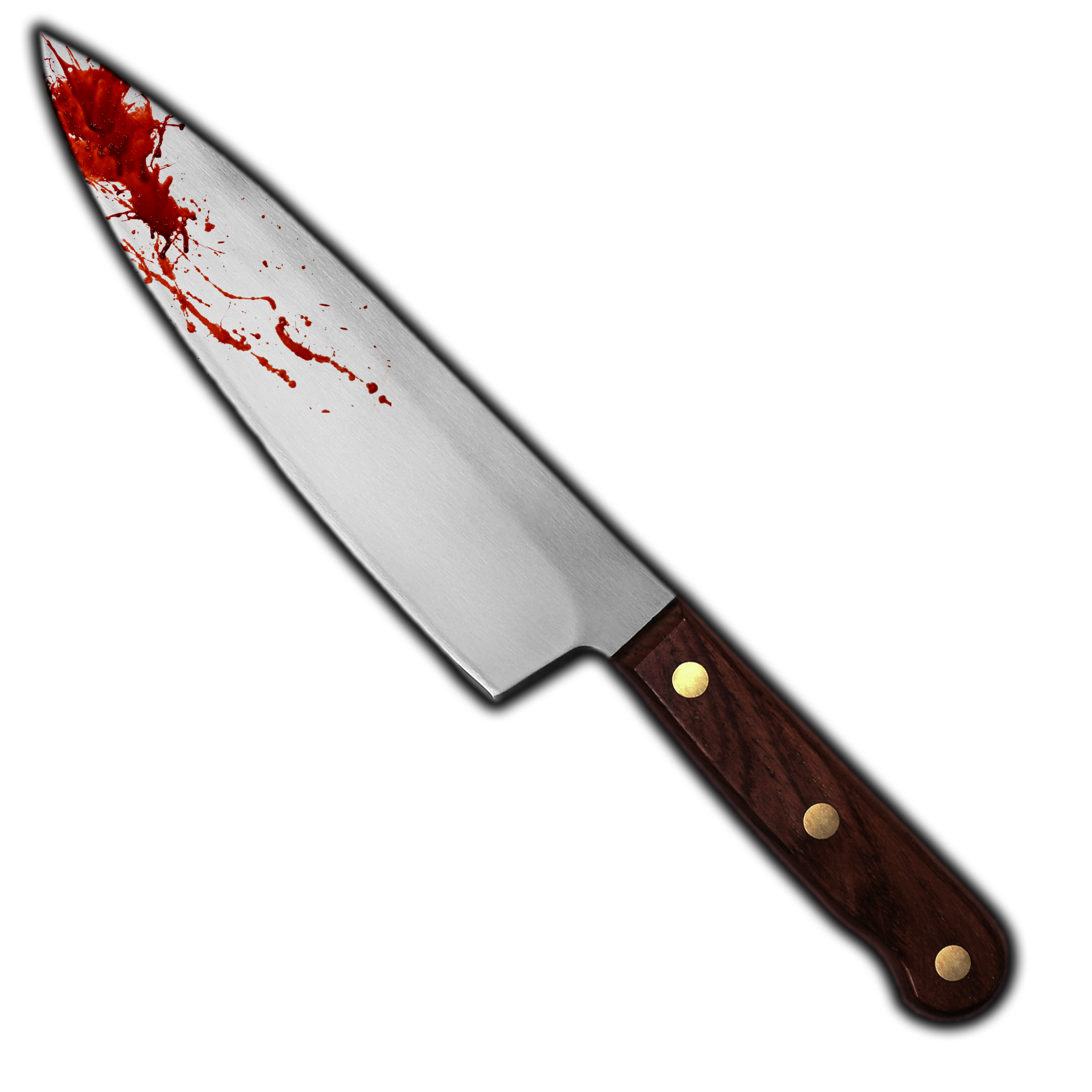
The game doesn't do a very good job at downscaling this -huge- image to display it as a cursor, though. It looks really bad.
This smaller version works better:

Just replace MousePointer.png on Silent Hill 2\datapic\etc
The game seems to have no problem loading .png textures from any size. Strange.
brunibunny
on 5 Dec 2017
Wow @brunibunny !! Wow!
I actually turned my cursor into the white arrow that's used to interact with puzzles but man-oh-man you made that knife cursor look _sharp!_ (See what I did there?) Looks like I'm using the knife again. :)
If/when the time comes and Elisha unlocks the potential to use your new cursor/menu images/fonts may I include them in the Installation Guide as a package download?
If so, I'd like to hold off and have it all ready in one neat package when the time comes before sharing on the guide's page.
Also, I have a font that almost perfectly matches the font used for the subtitles in this game. I had to modify another font here-and-there and haven't found a way to re-package the font. :-/ However, I'm more than happy to recreate the letters to help or can give you the info on how to adjust the font for yourself in the future?
Edit: You can see the font being used here: https://www.youtube.com/watch?v=878F2cbLAXo
Polymega
on 5 Dec 2017
If/when the time comes and Elisha unlocks the potential to use your new cursor/menu images/fonts may I include them in the Installation Guide as a package download?
If so, I'd like to hold off and have it all ready in one neat package when the time comes before sharing on the guide's page.
Sure! That would be great!
This is what I have right now:
https://i.imgur.com/pCY9Pym.jpg
My plan is to improve the maps as well, but I will wait for now. If modding .tex files proves to be imposible, there's no need for me to "waste" time on it since I'm the only person here using a dx11 wrapper to replace textures. It's not the best solution anyways.
Also, I have a font that almost perfectly matches the font used for the subtitles in this game. I had to modify another font here-and-there and haven't found a way to re-package the font. :-/ However, I'm more than happy to recreate the letters to help or can give you the info on how to adjust the font for yourself in the future?
Actually, that was the very first thing I tried to mod on this game. After some hours, I managed to put together a "font" that looks somewhat close to the original.
WIP:
https://i.imgur.com/yV98xdT.png
Original:
https://i.imgur.com/Nt6yyqG.png
This WIP is very basic, though. The colors are wrong and some letters are a bit off or are just placeholders.
This "project" is just sitting on my computer, though. I can't make any improvements and the WIP was probably a waste of time.
The problem is that the texture I was modding was dumped from the game's vram (I think?) using 3Dmigoto. Turns out this texture isn't normal. There's no .tex version of it on the game's files. It seems like the game engine generates this texture dynamically, acording to which random text is being display on screen.
In short.. not only this "texture" keeps changing while you play the game, but it's also not a real .tex file so we can't mod it.
That's one of the reasons I opened this issue on github. I was hoping @AeroWidescreen or @elishacloud could summon their magic coding powers to help me figure out how this "font" system works and if it is even possible to mod it.
You can see the font being used here: https://www.youtube.com/watch?v=878F2cbLAXo
It looks gorgeous!!
If it turns out the game does read these "letters" from a texture file, your help would be very welcome! thanks!
brunibunny
on 5 Dec 2017
The game seems to have no problem loading .png textures from any size. Strange.
From what I can tell .png files are not using static address pointers so they can be as large as you want. It also seems like .dat, .aix, .adx and .afs files are not using static address pointers. I have no idea why the developers used static pointers for some resources but not others. But it seems very much based on the type of resource. For example all .tex files use static pointers, whereas all .adx files don't use static pointers.
Here is a 2048x2048 .tex of the main menu background:
start00.zip
@brunibunny, It seems like the 'start00.tex' file is handled differently than other texture files. The "Silent Hill 2" text on this texture changes colors and there is a bunch of code to make this happen.
Can you give me a different texture to try with? I want to try with a normal texture before I try this one. Also please let me know how to test the texture.
I was hoping @AeroWidescreen or @elishacloud could summon their magic coding powers to help me figure out how this "font" system works and if it is even possible to mod it.
Interesting. Just after a 5 minute glace it looks like all the text in the game is stored in the 'Silent Hill 2\data\etc\message' folder in .mes files. If you open any of them up with a simple text editor you can read (or modify) any of the text from the game.
But it is not immediately obvious where the font comes from. I did open sh2pc.exe with a hex editor and found this string "XBFont: Incorrect version number on font file". Note the "XB" portion of this text.
If you look in the "Silent Hill 2\data\menu\mc" folder you will find .xbx files and a .mes file. It is possible that the files in this folder are used for fonts. The .xbx files seem to be some kind of data file used for texture and model entries. The magic number on these files is "XPR0". Check out this post here for more data on “XPR0” files.
elishacloud
on 5 Dec 2017
@elishacloud Sorry for offtopic, but in case you missed it, can I have an answer regarding this?
 ThirteenAG
on 5 Dec 2017
ThirteenAG
on 5 Dec 2017
@brunibunny, It seems like the 'start00.tex' file is handled differently than other texture files. The "Silent Hill 2" text on this texture changes colors and there is a bunch of code to make this happen.
Can you give me a different texture to try with? I want to try with a normal texture before I try this one. Also please let me know how to test the texture.
Alright, here's 2048x2048 to replace Silent Hill's map.
Replace the one in Silent Hill 2\datapic\map
Just start a new game, pick up the map inside James' car and, if it doesn't crash, it should look like this:
https://i.imgur.com/5CrbLN7.png
..And yes, that is filtered version of the save/load background. That's what I was going to send you instead of the map, but it's texture is not a .tex file, but instead .tbn2 file.
"Silent Hill 2\data\menu\mc\savebg.tbn2"
The program I'm using, "SH Texture Explorer", can edit this file just like any .tex
I'm not sure, but.. maybe .tbn2 files are just .tex files with a different extension..?
I believe @AeroWidescreen mentioned somewhere that .tex files are just .dds files with a custom header.
Maybe all textures files are simply .dds files with headers for each extension?
Maybe I'm dreaming too much here, but if we could use .dds files for all textures, It would be much easier to mod the game. SH Texture Explorer has some severe limitations.
The .xbx files seem to be some kind of data file used for texture and model entries. The magic number on these files is "XPR0". Check out this post here for more data on “XPR0” files.
I've stumbled across these files before, but I never managed to do anything with them. I will give it another go, though. It does seem promising.
brunibunny
on 5 Dec 2017
Sorry for offtopic, but in case you missed it, can I have an answer regarding this?
@ThirteenAG, just replied to the thread. Sorry I missed it before.
Alright, here's 2048x2048 to replace Silent Hill's map.
outmap.zip
Replace the one in Silent Hill 2\datapic\map
Just start a new game, pick up the map inside James' car and, if it doesn't crash, it should look like this:
Thanks @brunibunny. I will check this out.
if we could use .dds files for all textures, It would be much easier to mod the game. SH Texture Explorer has some severe limitations.
Have you tried using a .dds file to replace some texture that is already large, like the konami2048x2048.tex file? This is the very first texture that plays when you start the game.
elishacloud
on 5 Dec 2017
Maybe one of you could use your texture wizardry to re-size the splash screen so we can actually read what the text at the bottom says...
seagull
on 5 Dec 2017
Have you tried using a .dds file to replace some texture that is already large, like the konami2048x2048.tex file? This is the very first texture that plays when you start the game.
You can read @AeroWidescreen 's findings here:
https://github.com/ThirteenAG/WidescreenFixesPack/issues/257#issuecomment-308891003
I've just tried it and got some interesting results.
I have tried using DXT1 and DXT3, both worked fine when I changed some values of the header.
I couldn't test a resolution higher than 2048x2048 because anything higher than that generates a file bigger than the original and the game crashes.
Here's the little I understand about the header:
brunibunny
on 5 Dec 2017
Maybe one of you could use your texture wizardry to re-size the splash screen so we can actually read what the text at the bottom says...
There ya go, @seagull
Silent Hill 2\datapic\etc
brunibunny
on 5 Dec 2017
Ey cheers lad
seagull
on 5 Dec 2017
Alright, here's 2048x2048 to replace Silent Hill's map.
outmap.zip
@brunibunny, Well, interestingly enough the map is loaded to the same memory address as the 'start00.tex' file. In the Directors Cut version that is address 0x01E3EC40. There is all kinds of code to handle this map texture also. I found 46 references to that address.
But I also noticed that some of the textures already load into a dynamic memory space so it should not matter how big they are. 'carsol.tex', 'konami2048x2048.tex' and 'splash_logo.tex' are three textures that can be any file size. For instance, 'carsol.tex' is normally 33 KB but I increased it to 2MBs with no ill effect.
I couldn't test a resolution higher than 2048x2048 because anything higher than that generates a file bigger than the original and the game crashes.
Have you tried a higher resolution on 'konami2048x2048.tex' file? I walked the asm code and this one uses dynamically allocated memory so there should be no file size limitation with this texture. I created a 4 MB file (just concatenated two copies of the same 'konami2048x2048.tex' file) with no crash or ill effect. So I know there is no size limit on this one.
BTW: are you sure your higher resolution file is in the correct format? Have you tried doing one in 4096x4096 (exactly double the 2048x2048)? The game might be picky on what resolutions are supported.
elishacloud
on 6 Dec 2017
BTW: are you sure your higher resolution file is in the correct format?
A genious you are, master elishacloud.
https://i.imgur.com/ZGRWahT.png
Increasing this value allowed the game to load a 4096x4096 konami2048x2048.tex.
This konami2048x2048.tex is actually a .dds with a custom header and the file size is 16 MBs!
Here it is, if you want to take a peak:
https://drive.google.com/file/d/1JSwU72oD3_CpezBN17FBbTHopaufmGh-/view?usp=sharing
Amazing.
However, I dont think we can increase the size any higher than that. 4096x4096 seems to be the limit since FF is the highest value possible, as shown in the screenshot. I could be wrong though.
@brunibunny, Well, interestingly enough the map is loaded to the same memory address as the 'start00.tex' file. In the Directors Cut version that is address 0x01E3EC40. There is all kinds of code to handle this map texture also. I found 46 references to that address.
Well, .tbn2 are confirmed to be just .tex files with a different extension. So maybe you could do some testing with it instead.
Rename any bigger tex I sent you to "savebg.tbn2" on Silent Hill 2\data\menu\mc
Then go into the load/save screen.
brunibunny
on 6 Dec 2017
Very good! There are a handful of textures (such as 'start00.tex' and 'outmap.tex') that have special handling in the code and thus will require a special code fix (I'll work on it when I have time). But I think most of the textures are dynamic and should work with any file size.
Let me know if you find any other textures with issues.
elishacloud
on 6 Dec 2017
There are a handful of textures (such as 'start00.tex' and 'outmap.tex') that have special handling in the code and thus will require a special code fix (I'll work on it when I have time)
Alright. Take your time. Thanks for everything so far!
Let me know if you find any other textures with issues.
Well, I've tried using the 4096x4096 tex I created to replace the save/load background texture (savebg.tbn2) and this is what happened:
https://i.imgur.com/jm8lHdL.png
I believe something similar happened with a bigger sddata.bin on the ps2 audio project, right?
brunibunny
on 6 Dec 2017
Well, I've tried using the 4096x4096 tex I created to replace the save/load background texture (savebg.tbn2) and this is what happend:
Yes, you are right. It looks like the 'savebg.tbn2' file is also using a static address.
I believe something similar happend with a bigger sddata.bin on the ps2 audio project, right?
Yes, I fixed this one already. See comments here.
elishacloud
on 6 Dec 2017
Alright, that seems to be as far as I can go without learning your wizard coding powers.
I will focus on the .xbx files now, I guess.
brunibunny
on 6 Dec 2017
I created a quick patch for the large 'start00.tex' file. With the asi plug-in below you can now use a 'start00.tex' file of any size. This code will dynamically assign new memory and load the file from there.
However it appears that Silent Hill 2 is expecting the file to be a 512x512 file because if I use a 2048x2048 file then it only shows the top left quarter of the graphic.
Download: sh2-enhce.zip
elishacloud
on 12 Dec 2017
@brunibunny I haven't tested/used this myself but maybe it'd also allow for higher resolution text?
http://silenthillcommunity.com/viewtopic.php?f=3321&t=438146#
Polymega
on 5 Jan 2018
Any news?
 Sonicpromo
on 4 Mar 2018
Sonicpromo
on 4 Mar 2018
@Sonicpromo Nothing, I think. I was busy with some IRL stuff.. but my absence isn't a big deal since the real masterminds here are @elishacloud and @AeroWidescreen :P
@jdkubiak I have just tested that and, although it does work, it won't import a higher resolution .tga back into the .exe.. so it's not that useful for us. It does answer our question, though. The fonts are inside sh2pc.exe.
@elishacloud Yeah.. you are right. It only shows the top left quarter..
But while I was testing, I discovered something odd.
Here is the top left being displayed, as you mentioned:
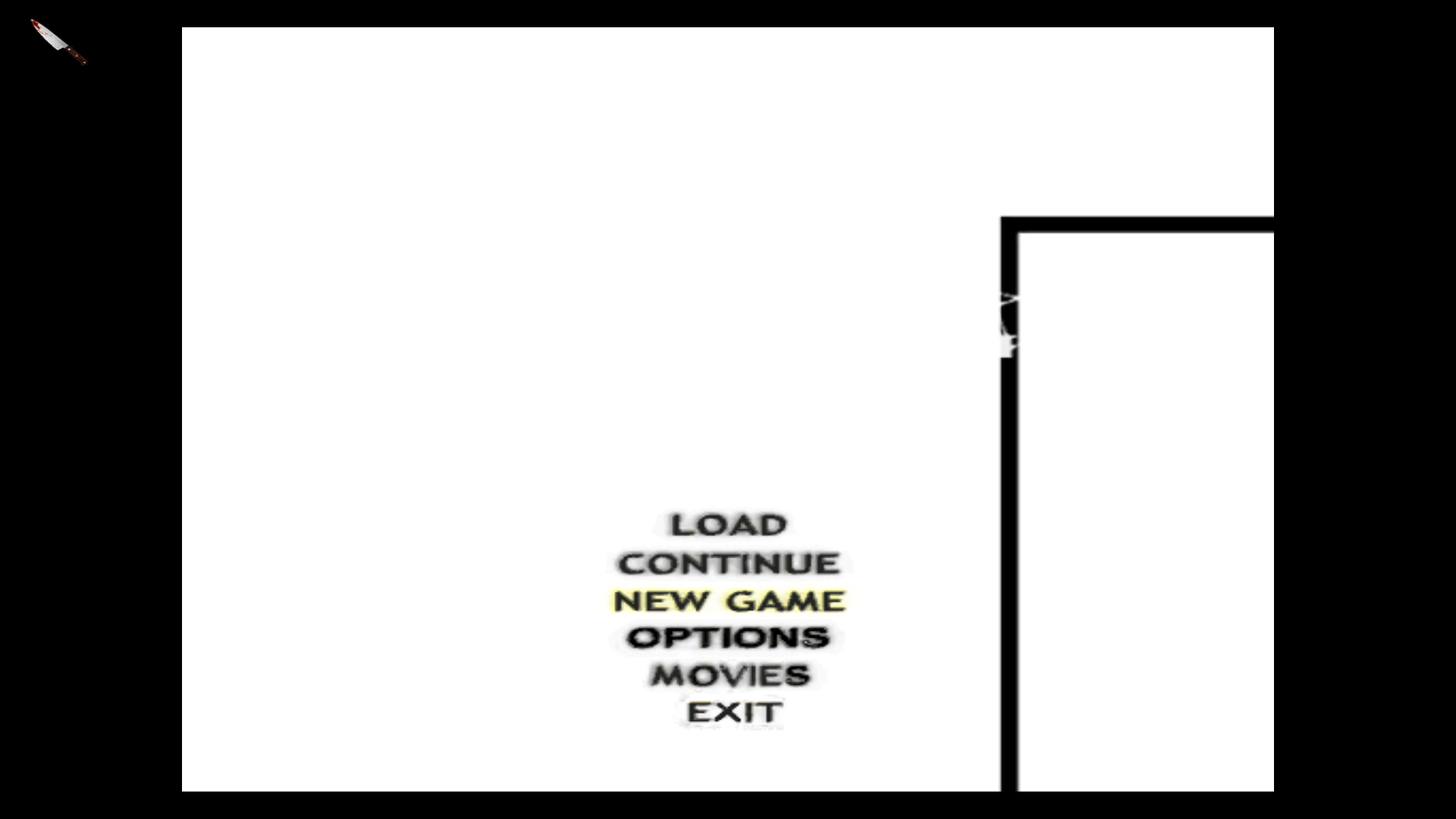
I used texmod to dump this texture and see what the game actually "did" to it. Here is the result:
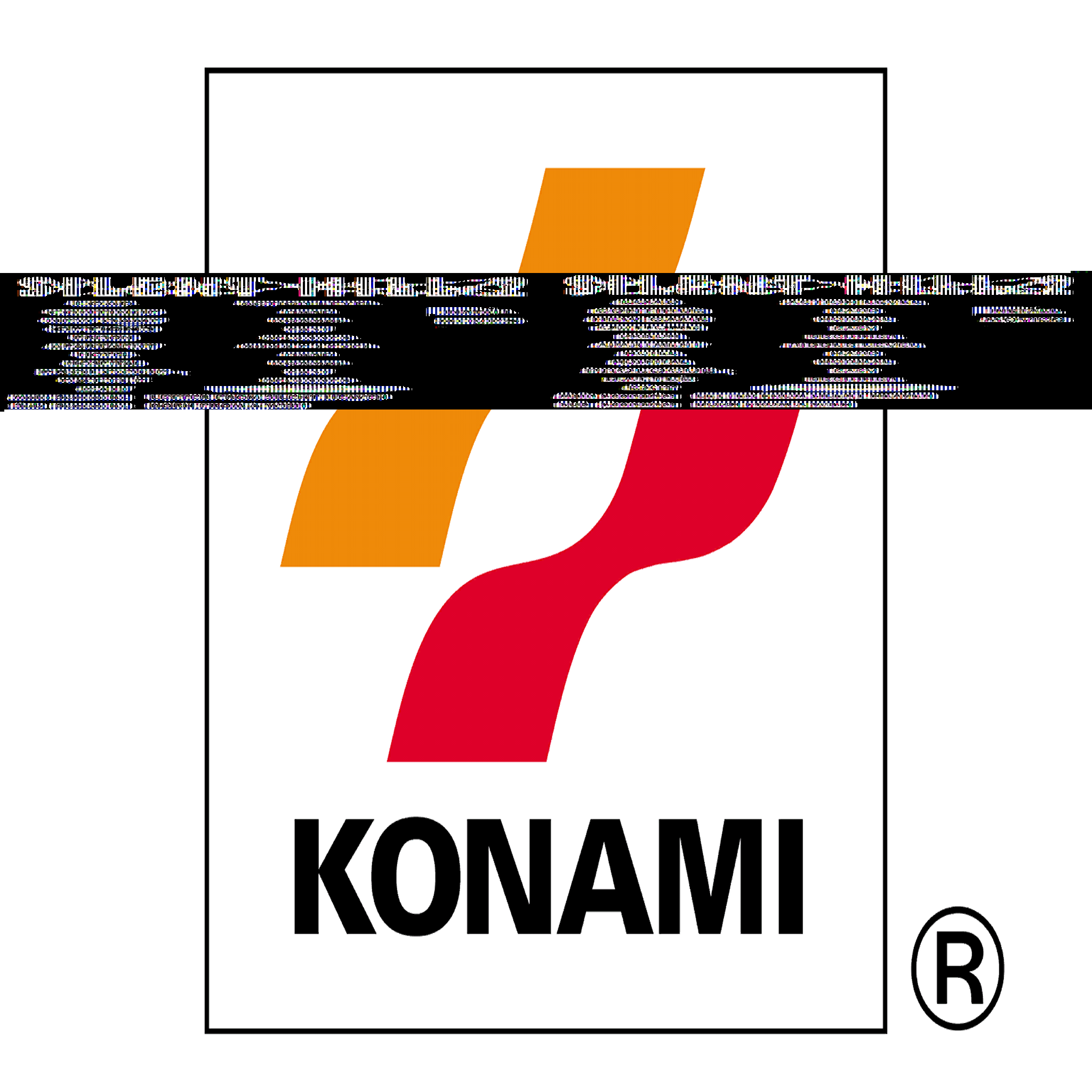
So.. the game does actually load the entire thing, but it gets "overlaped" with the previous/next texture in the memory..? That is not the case if we replace the texture after the game loads it, as in using texmod or 3dmigoto. This is way beyond my head, so I don't know if this helps you in any way.
brunibunny
on 8 Mar 2018
Hi all,
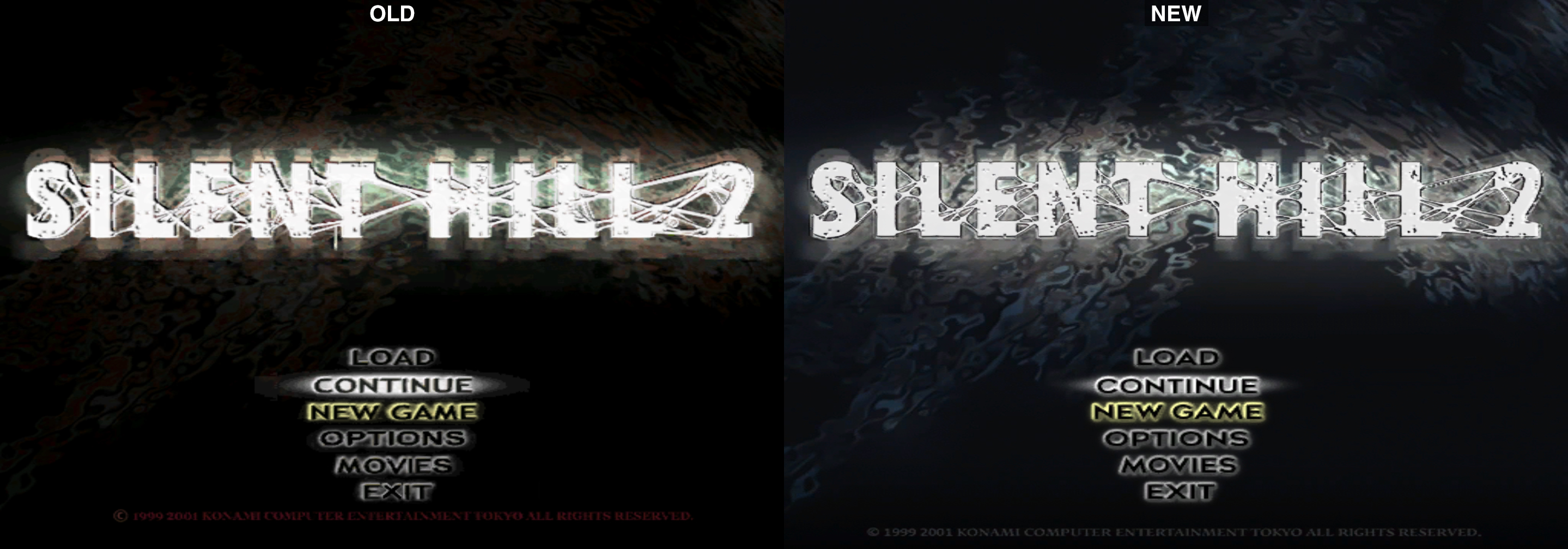
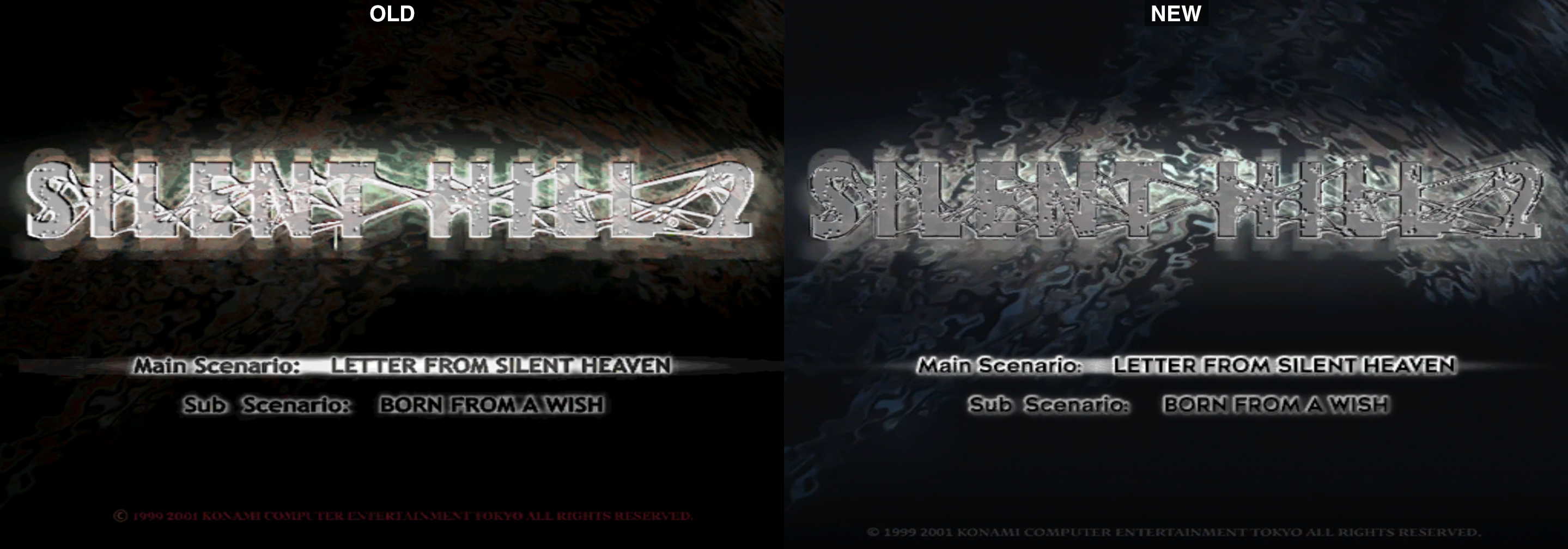
I revamped the game's main menu to make it look like the NTSC original PS2 release of the game. See images below. This involved getting a clean screengrab of the PS2's main menu from a PCSX2 playthrough, re-doing the text (and their accompanied bevels and glows), cleaning up the "highlight glow" behind the text, and aligning the white fading SH2 logo better.
You can download the files here:
http://widescreenfix.townofsilenthill.com/SH2/files/SH2PC_NOCD_Enhanced_Menus.zip
Included in this package is a "no CD" .exe with the main menu choices aligned correctly with the knife cursor and the beautifully re-done knife cursor made by brunibunny.
Comparison shots:
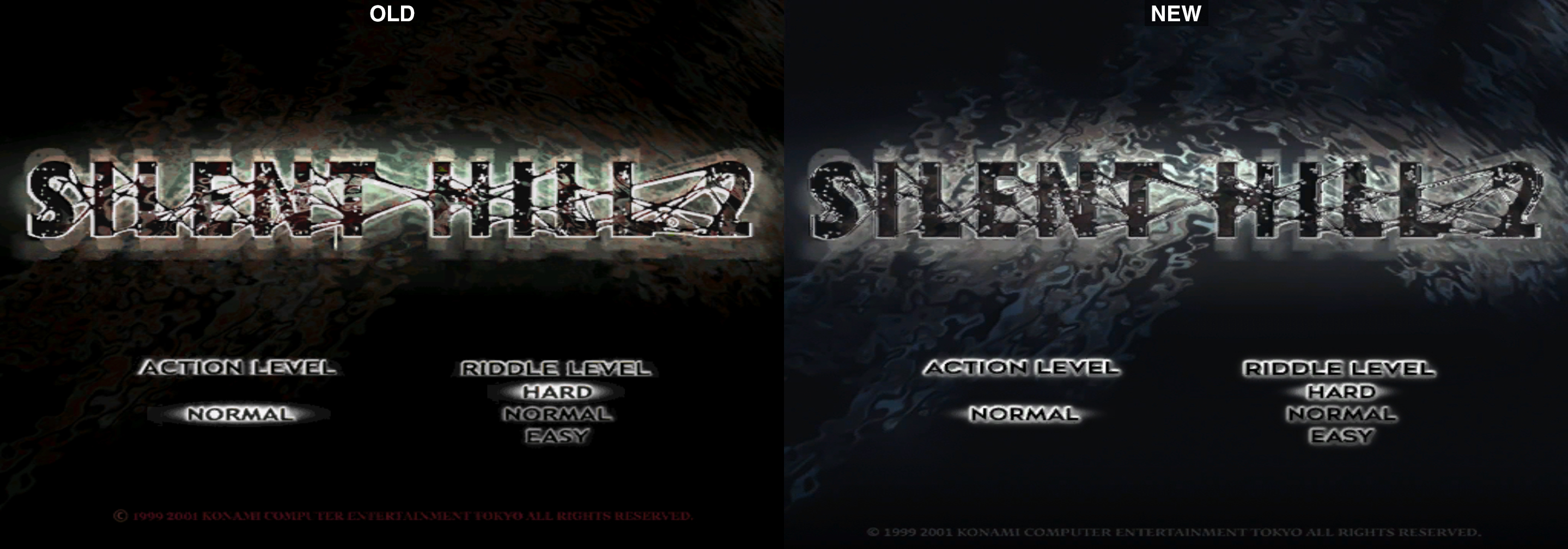
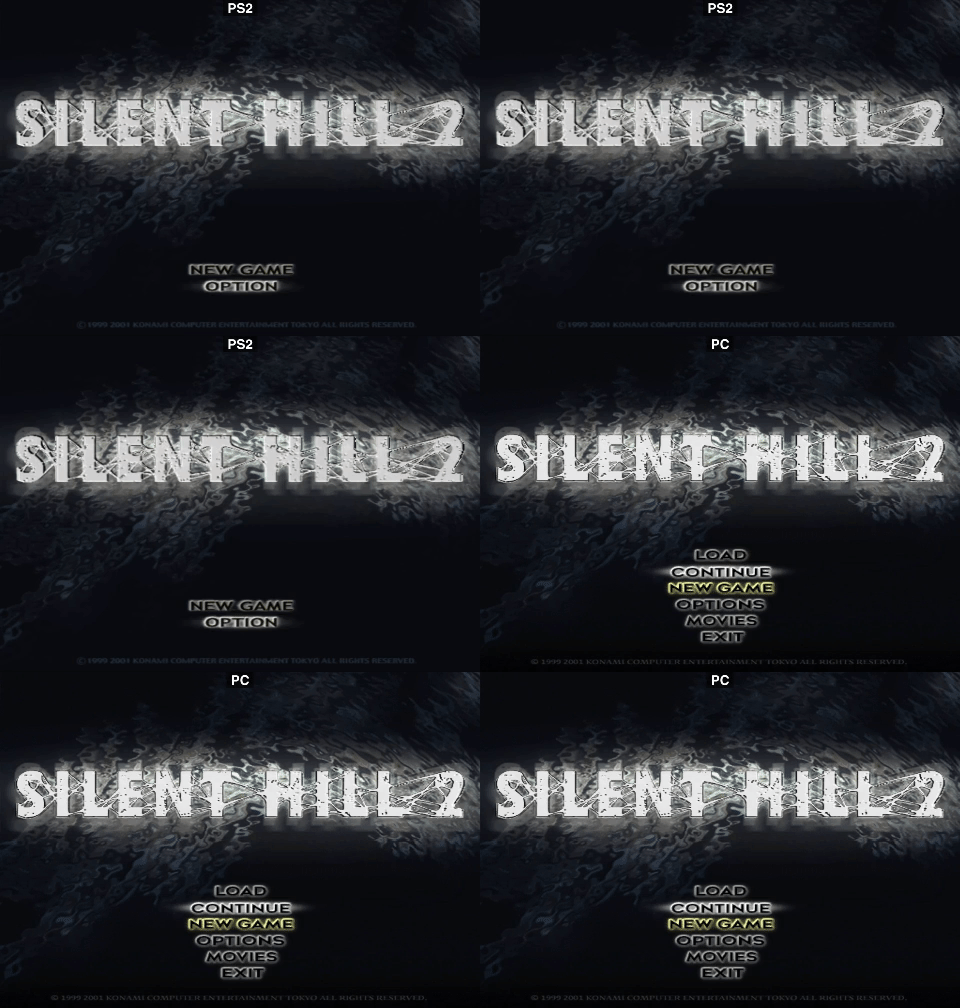
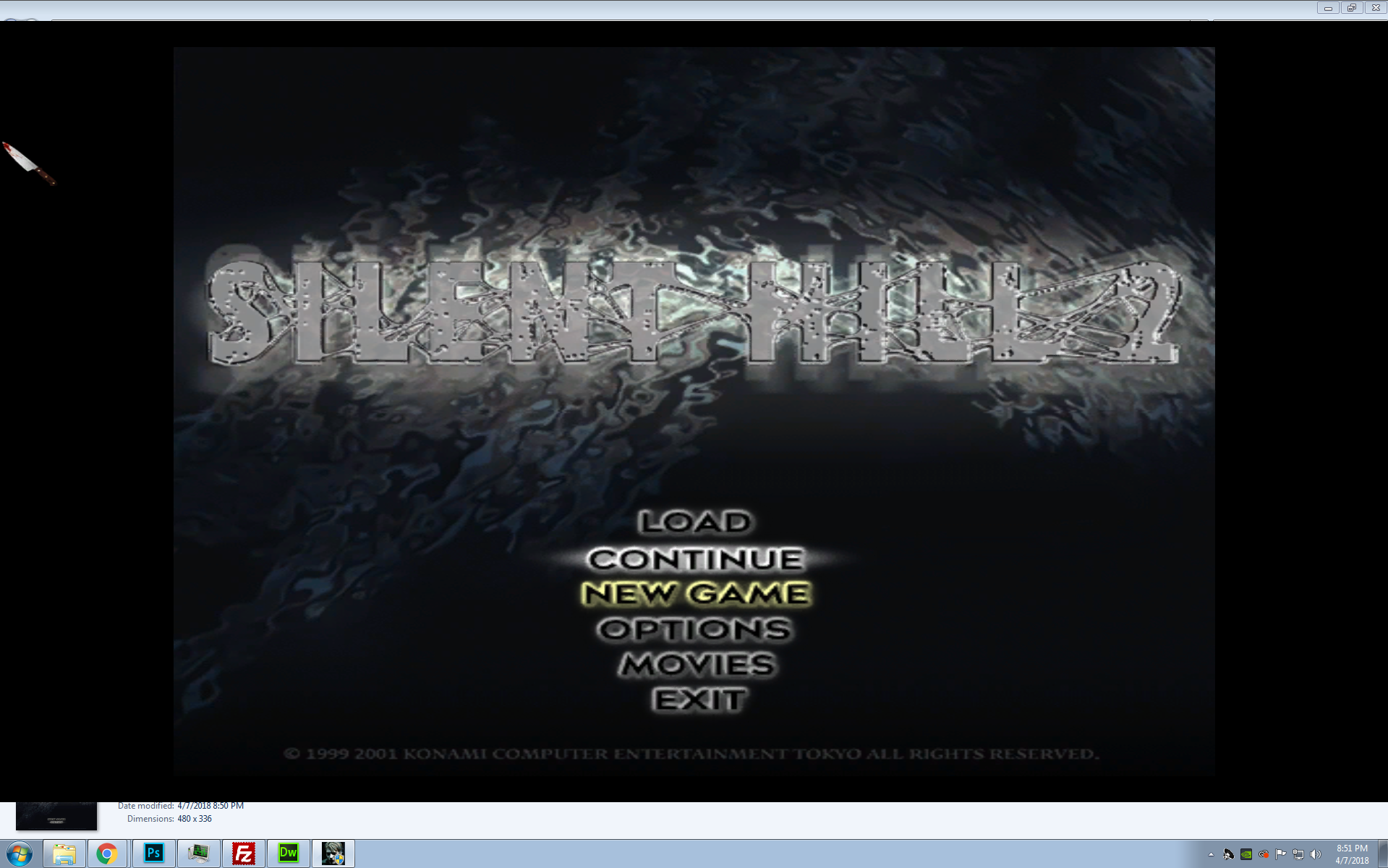
@AeroWidescreen would you know why the main menu fullscreen image doesn't go all the way to the top and bottom? This may be the only fullscreen image to do so?
Polymega
on 8 Apr 2018
Excellent work, @jdkubiak! I'll get this installed ASAP.
Quick one, since we're talking about EXEs – the only version of the EXE I've ever found with support for analogue movement with my particular controller setup – PS4 controller, DS4Windows and XPadder – was i's compatible EXE from the "SH2Fix" fix pack. All of the others I used gave me eight-way directions when using the analogue stick.
Has anyone else seen this behaviour? Is eight-way control considered normal on the PC and I've stumbled upon some hitherto unknown goldmine? Or does i's compatible EXE do something strange with analogue controllers that brings my setup into compatibility with everyone else's?
I'll try your EXE probably tomorrow and report back, but so far I've only found success with that one.
I use one that was modified to include a proper icon. https://my.mixtape.moe/jxjxxd.zip
seagull
on 8 Apr 2018
The good news is you don't need to use a specific .exe to use the new menu/cursor images. :)
Please do test out my .exe though, I'd be curious to know if it supports full movement as your's does.
Oh, and I have no problems swapping out the .exe on the Installation Guide with your's/another's. So long as a) the menu fonts are the "fat" type (and not the ugly, skinny European versions) and b) they are aligned properly when you place your cursor over them.
Unless someone sees a long-term issue with any of these .exe's we're using/sharing with others?
Polymega
on 8 Apr 2018
Wow, that is _a lot_ better than the boring empty background I had before. I'm using this from now, thanks!
@AeroWidescreen would you know why the main menu fullscreen image doesn't go all the way to the top and bottom? This may be the only fullscreen image to do so?
The black bars aren't baked into the image itself, nor are they drawn on top or else we would notice cropping. So that means the developers must have changed the height the same way we changed the width for the maps. Why? I don't know. I also don't know how they were able to achieve that in code, since what we use to control height/width affects many, many different images.
AeroWidescreen
on 8 Apr 2018
https://i.imgur.com/T9UBRTx.jpg
I'm still not sure how it works, and I haven't figured out a way to do the same for the title glow, but it's something at least.
00496C3A 00061952 // menu height; 61952 - 256 = 61696
00496C4C 00003584 // menu y pos; 3584 + 256 = 3840
AeroWidescreen
on 8 Apr 2018
Nice! A step, even a small one, is progress nonetheless.
This is really great: With you and Bigmanjapan we have a slew of even more upcoming fixes! This is very cool and very exciting.
Polymega
on 8 Apr 2018
Also, I think I discovered some hidden options by accident lol
https://www.youtube.com/watch?v=kbLpHQ5FGik
https://www.youtube.com/watch?v=zM-UdVxDxxY
AeroWidescreen
on 8 Apr 2018
So I took a second look and found that I was unable to replicate any behaviour that only delivered eight degrees of freedom on any of the EXEs I have stored; they all work perfectly with analogue. Red herring I guess, which is odd because I don't remember changing anything.
Still, this is great news – it means your EXE is almost perfect, @jdkubiak!
The only reason I say "almost" is because it lacks an icon. Using the excellent RCEdit I stitched your EXE together with the ICO file.
Grab it here: https://my.mixtape.moe/ixmohk.zip
Cheers!
seagull
on 8 Apr 2018
Also, I think I discovered some hidden options by accident lol
Good find! I wonder if those menu choices are there for demo purposes similar to the Japanese trial's menu? But then again you don't have your flashlight in these loads (can't really play/beat the game without that) so who knows what they were meant for??
Still, this is great news – it means your EXE is almost perfect, @jdkubiak!
The only reason I say "almost" is [...]
It _may_ still not be perfect even with the inclusion of a baked-in ICO image. Bigmanjapan found a way to fix the broken Japanese subtitles in the game but I'm waiting on confirmation that implementing the fix can be done WSF-side or has to be modified in the .exe itself.
Lastly, my OCD took over and I cleaned up the new main menu image a little more. I got rid of the "old" SH2 logo that was behind the new one I placed in, resulting in the removal of "crusties" that was previously around the logo:
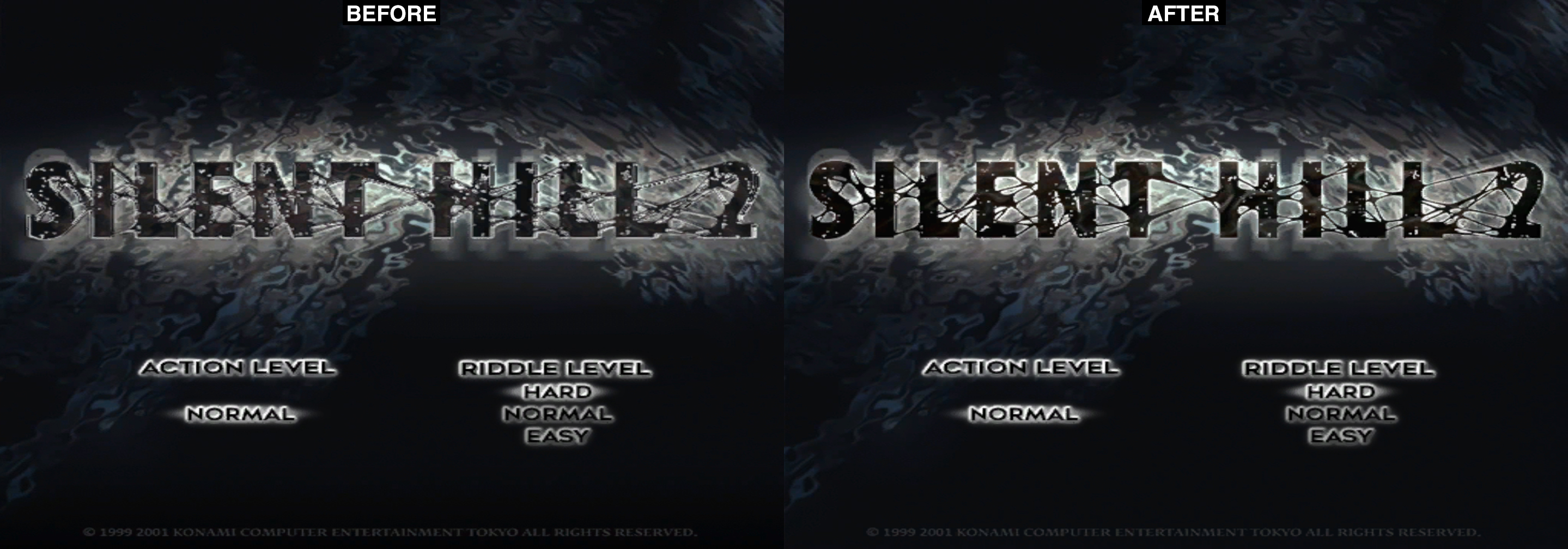
Just re-download the package from the link:
http://widescreenfix.townofsilenthill.com/SH2/files/SH2PC_NOCD_Enhanced_Menus.zip
Polymega
on 8 Apr 2018
Nice work. The EXE in both archives shares a file hash, though, so my fix still stands.
I'm happy to give you a run-through with RCEdit if you'd like to know how to attach the ICO file after the fact for further revisions, although it's not particularly difficult.
seagull
on 8 Apr 2018
Since we are back on this topic.. here is my own take on a ps2 styled background:

I also re-created the icon:
brunibunny
on 8 Apr 2018
Looks gorgeous as always, brunibunny! Have you found a way to use these higher res textures without 3Dmigoto now? Essentially a method that allows users to simply launch the game without post-launch modifications? Because I (and I'm sure all of us) would love to use your menus instead. :)
Polymega
on 8 Apr 2018
Thank you, man ^^
About using these textures without 3Dmigoto.. well.. it is technically possible. I don't know if you have ever heard of it, but there is a utility called "texmod" which also replaces textures without modding the game itself, and is designed to be used with d3d9, unlike 3Dmigoto which requires d3d11. The problem with texmod is.. you have to launch the game through the texmod application itself.. and that's not very user friendly. 3Dmigoto is better in this sense, since it works by just dropping the files on the game folder. The drawback of 3Dmigoto is that it needs to be used with dgVoodoo2.. so this kinda locks out everyone using older machines and such.
This situation kinda made me give up on this "ui remastering" project I had in mind.. since in the end, I would be the only one using all this stuff.
But, well.. who knows. Maybe someday elisha or some other wizard will find a way to properly load high-res .tex in the game :p
brunibunny
on 8 Apr 2018
Yeah, I'm a big advocate of avoiding using other UI applications to launch the game if possible. What's nice now is that users need to simply drop fix files into the game's directory but they still launch the game like normal: easy and straightforward for playing the game. (Plus, the more steps involved the greater chance for error.)
So always stay around these parts, brunibunny, because if the day comes that we can use higher res menu images in a drop-and-play method then it's a no-brainer your handy work is the way to go!
Polymega
on 8 Apr 2018
Well guys, we might be able to have a nice HD background for the start menu at the very least. The issue that @elishacloud was having with 2048x2048 was easy to fix after the letterboxing research I did last night.
00496C68 0x46000000 // menu scale; change to 32784 float for 2048x2048
00496C72 0x46000000 // menu scale; change to 32784 float for 2048x2048
I'm using a modified version of @brunibunny's start background extended for widescreen, 2048x2048, DXT1.

But that other problem still remains. I'm not sure what's causing it. Maybe it also needs the same increase in resolution? It looks very similar to when you set the wrong resolution in a texture header.
AeroWidescreen
on 9 Apr 2018
This... Is... Huge! Bravo!
That glitched image is start01.tex, for what it's worth.
Polymega
on 9 Apr 2018
That glitched image is start01.tex, for what it's worth.
It looks like it, but it's different somehow. Anyway, I think Elisha will have to take a look when he has the chance. I think it's another memory issue, unfortunately, since 1024x1024 works OK.

AeroWidescreen
on 9 Apr 2018
but it's different somehow.
start01j.tex is either identical or near-identical to start01.tex. Do you think the game is also pulling in that file for whatever reason?
Polymega
on 9 Apr 2018
I believe @AeroWidescreen is right. This is a memory issue I will need to fix. I knew about this issue before but did not try to fix it since we could not get a larger file to load anyways.
What I think is happening is that several files load from a delta of a single address. My fix moves the address location, which causes all the files to load in a new location. One of the files (maybe the start01.tex file) loads at an address slightly higher. If the background file is too large then when the other texture loads it will overwrite part of the memory of the background file. That is why it looks like one file is inside the other file.
elishacloud
on 9 Apr 2018
I have an extraction of the SH2 PS2 disc thanks to Nisto's tools and I was curious to see if I could view the .tex files from the PS2 build (I can... well, most of them anyway), namely trying to find the main menu image (I couldn't find it).
But, @AeroWidescreen , as I was searching I found something else. You'll need to put your thinking cap back on to this post:
The game uses two versions of that image for some reason. One for when you find it in the apartment, and one for when you view it in memos. The memos image is less saturated; I have no idea why they chose to do this.
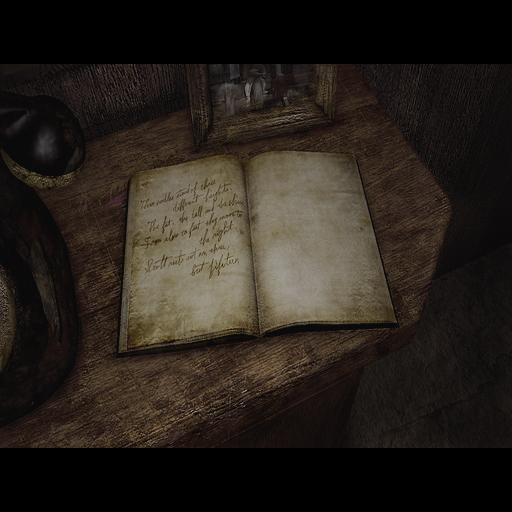
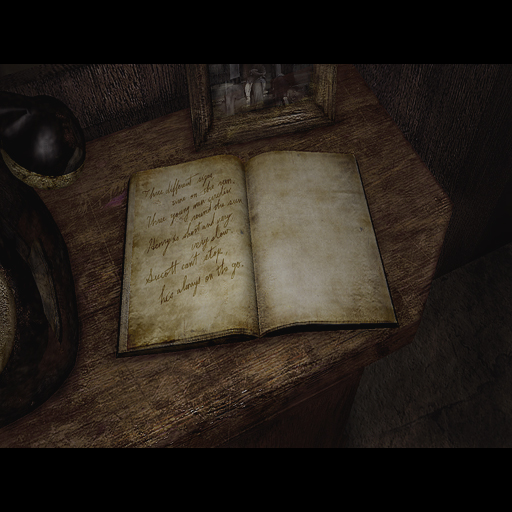
It looks like it's two totally different images (note the hand writing in each book). Nothing important about this but wanted to share my observation with you.
In my excitement to your recent discovery Aero I was also curious to see if the PS2 fullscreen images were better quality (they are) and if I could blow them up nicely.
For starters, here's a comparison (Edit: The noise seen on the PC image may be a result from extraction using the SH2-4 Texture Explorer):
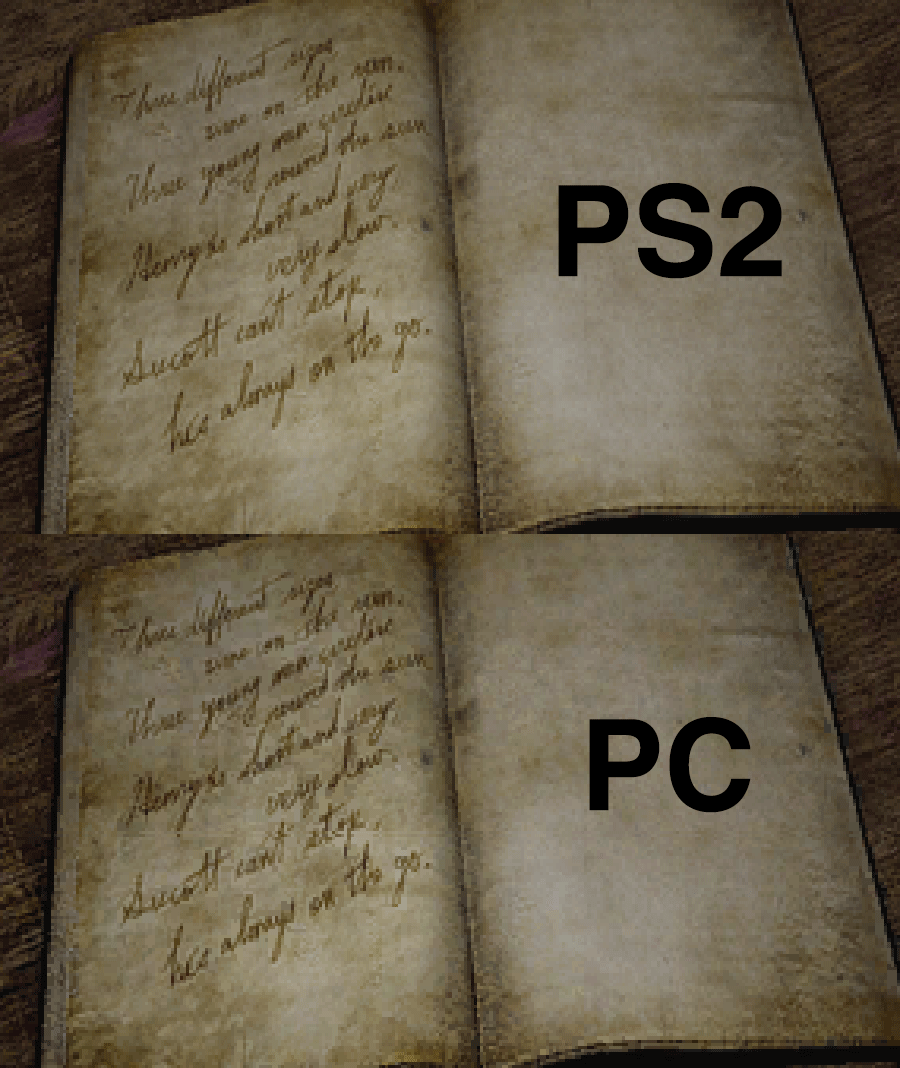
And here's one blown up to 2048 x 2048. I did a some minor adjustments to reduce pixelation/blur which of course can be improved on some more... just did what I did as a quick test (click for true size):
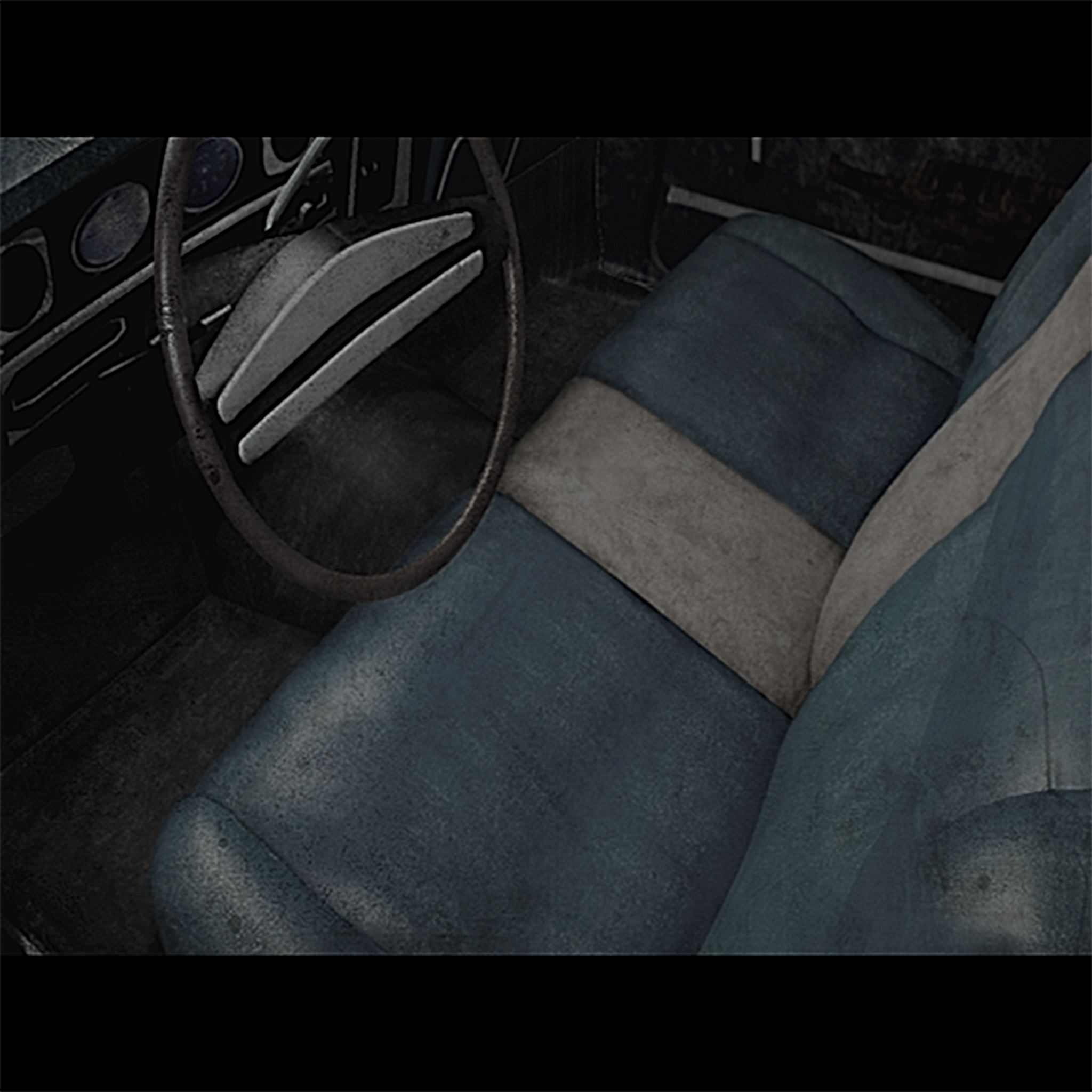
And the original PS2 file (click for true size):
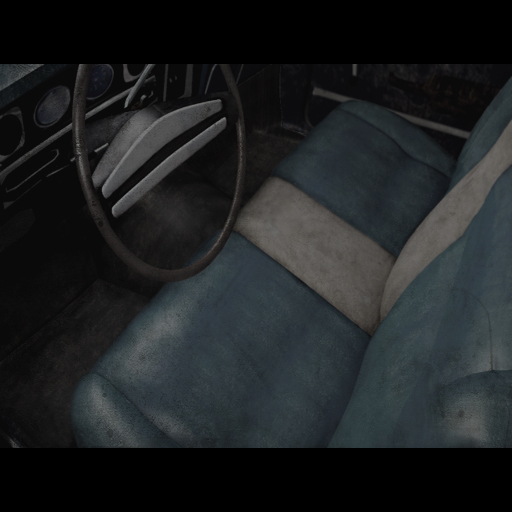
All this to say that even if nothing can become out of enlarged in-game fullscreen images we can still swap out many of the current PC files with the better PS2 ones at their native sizes. :)
Polymega
on 10 Apr 2018
namely trying to find the main menu image (I couldn't find it)
You mean the background? I was looking for it in the extracted files as well, but I gave up and dumped the texture using some quirky combination of texmod + pcsx2.
Here is the original texture:
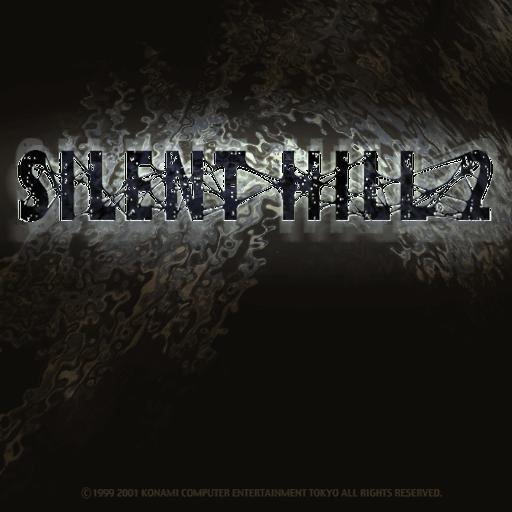
Yeah, that's the actual color of the image. The blue tone we see in the game seems to be some post-processing done by the game itself.
brunibunny
on 10 Apr 2018
Always coming in clutch, brunibunny. :)
Did you try the RGB <-> BGR setting? That may fix the colors when saving out. (Edit: I believe that fixes the problem.)
If we try to replace the PC fullscreen images with the PS2 ones (whether they're enlarged or stay native size) I may ask for your assistance because of how awesome you are at preserving detail with enlargements, if that's okay to ask?
But... I just noticed this: The SH2-4 Texture Explorer _adds_ visual noise to the files when re-importing/replacing the .tex files. See below:
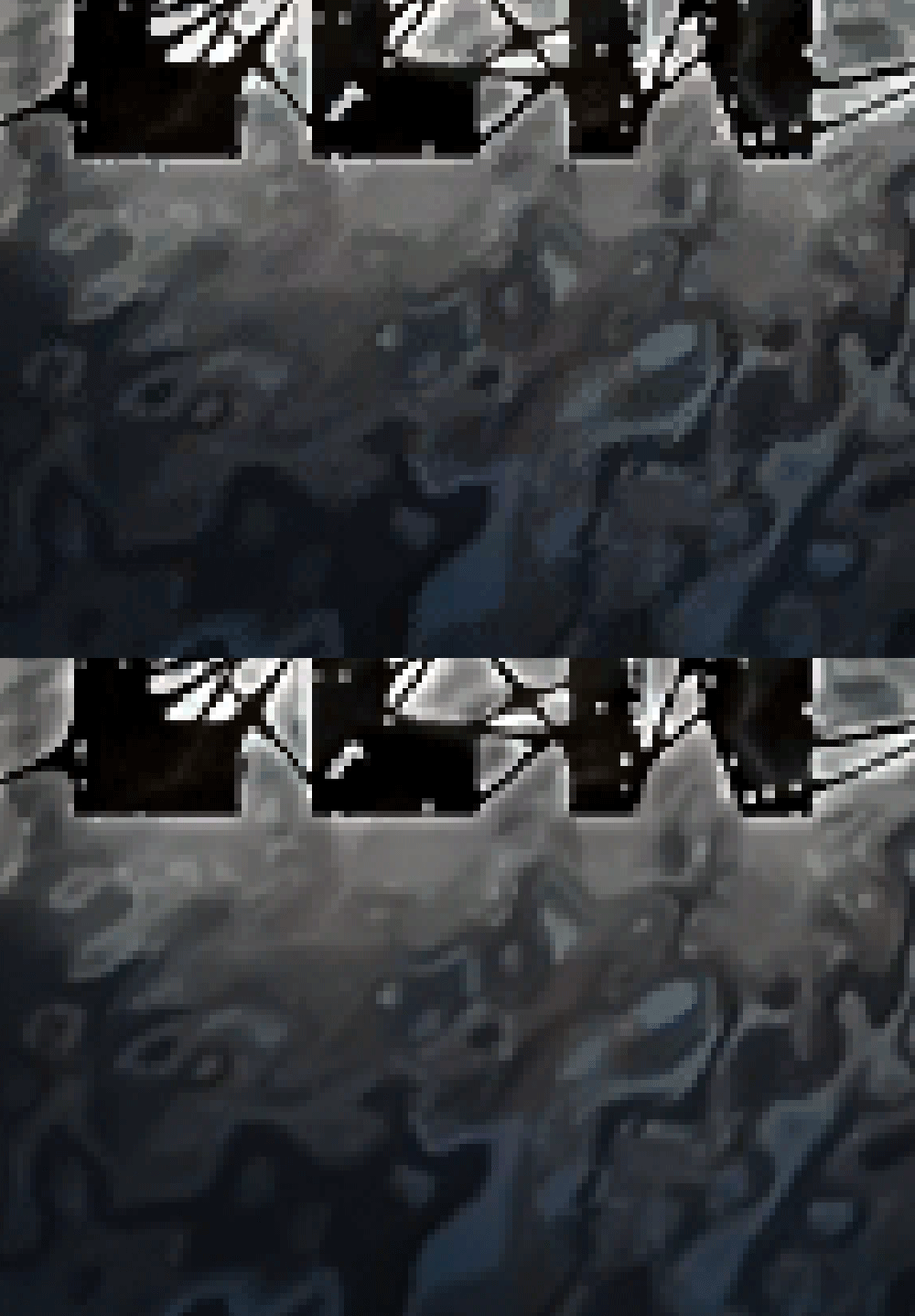
One shows my edited main menu before importing back in .tex, and the other after the conversion (notice how much noisier/grainier it is). Hmm...
Polymega
on 10 Apr 2018
Here's the R & B channels flipped around in your image brunibunny:
Polymega
on 10 Apr 2018
Heh, I didn't even consider the RGB <-> BGR thing. Nice catch, man!
If we try to replace the PC fullscreen images with the PS2 ones (whether they're enlarged or stay native size) I may ask for your assistance because of how awesome you are at preserving detail with enlargements, if that's okay to ask?
You don't even need to ask twice, man. Count on me!
The SH2-4 Texture Explorer adds visual noise to the files when re-importing/replacing the .tex files
Huh. That's.. strange. But I don't think it's that much of a problem, since we can manually create .tex files from .dds files, as Elisha and I were discussing some time ago.
It would be nice to get a re-write of this texture tool..
brunibunny
on 10 Apr 2018
It would be nice to get a re-write of this texture tool..
Indeed. jdkubiak was supposed to have a friend capable of doing this so we could have widescreen map textures without loss of quality. The issue was the memory limitation of the game, but with Elisha's help that will hopefully not be a concern anymore. I'm excited to see what comes of this.
AeroWidescreen
on 10 Apr 2018
Yeah, one person was found through a call-out by my friends on their SH FB pages but communication with him unfortunately completely vanished soon after. The other, my friend whose wildly proficient in a multitude of coding languages, sadly has never dabbled with this type of work before.
I'm excited to see what comes of this.
I am, too! This is all just hypothetical talk but, if there's ever a solution to also increase the in-game fullscreen images, what you learned with fixing the main menu image could also be applied to those images as well, Aero?
And brunibunny's solution of using .dds to make the .tex files should also prevent image degradation as what the SH2-4 Texture Explorer seems to be doing. _So cool!_
Polymega
on 10 Apr 2018
I am, too! This is all just hypothetical talk but, if there's ever a solution to also increase the in-game fullscreen images, what you learned with fixing the main menu image could also be applied to those images as well, Aero?
I checked, it should be possible, yes.
And I just realized that Elisha's memory patch changes the location of where the image number is stored, which breaks FullscreenImages. Thankfully, I'm almost certain I discovered way to acquire those values much more reliably than before so that it doesn't matter where it's stored. It requires another playthrough, unfortunately, but I will try to get it done this week.
AeroWidescreen
on 10 Apr 2018
Also, I think I discovered some hidden options by accident lol
I assume you use sh2pc.exe file from http://widescreenfix.townofsilenthill.com/SH2/#installGame ?
Setting the values to 01 or 02 on 00951458 doesn't seem to work for me...
 Bigmanjapan
on 17 Apr 2018
Bigmanjapan
on 17 Apr 2018
I assume you use sh2pc.exe file from http://widescreenfix.townofsilenthill.com/SH2/#installGame ?
Setting the values to 01 or 02 on 00951458 doesn't seem to work for me...
@AeroWidescreen is using the gimpsRus v1.1 no-cd executable, which is what the widescreen fix refers to in source code comments.
Edit: Aero, does your .exe (gimpsRus 1.1) have the main menu choices misaligned with the cursor?
Polymega
on 17 Apr 2018
@Bigmanjapan See jdkubiak's reply.
@jdkubiak Yes it does. I only use that exe for continuity at this point, because I don't feel going through the source code and updating all of those comments, and I doubt ThirteenAG would want to do that either.
AeroWidescreen
on 17 Apr 2018
No worries there, I wasn't asking for you guys to change anything like that. I believe I found the .exe you're using online and was curious about the menu alignment; that helps confirm I found the same version.
Polymega
on 17 Apr 2018
And I just realized that Elisha's memory patch changes the location of where the image number is stored, which breaks FullscreenImages. Thankfully, I'm almost certain I discovered way to acquire those values much more reliably than before so that it doesn't matter where it's stored. It requires another playthrough, unfortunately, but I will try to get it done this week.
@AeroWidescreen, What was the final outcome of this? Did you find a better fix?
elishacloud
on 18 Apr 2018
What was the final outcome of this? Did you find a better fix?
Yup, you can see it here. My previous solution was a little more complex than what you see there, but I was able to simplify it when I realized I was over complicating the whole thing. Load the pointer with a call, add 10 to get to our address, move contents to another address that we can use, and done.
If for some reason that doesn't work I still have my previous solution I can fall back on. But I've tested it with the current version of your memory patch and it hasn't failed me yet.
Edit: Just in case there's any confusion here, I'm talking about "FullscreenImages" as in the feature we have in the widescreen fix. The memory patch works fine on its own besides the aforementioned problem.
AeroWidescreen
on 18 Apr 2018
I've made a temporary, updated Widescreen Fix Demonstration Trailer you all can watch for fun here:
https://www.youtube.com/watch?v=HW9pcvKVCgU
The video includes newer mod additions along with showcasing more of the previous WSF implementations, along with Bigmanjapan's camera clip fixes and re-recording previous examples.
I'm not publishing this video yet because a) the camera clip fixes aren't live yet for the WSF and b) I'm planning on holding off and adding more to this newer video to include the increase draw distance, rowboat cutscene fix, enhanced audio mod, and, if applicable for now, the improved fullscreen images mods first.
I noticed recording lag in the second fog fix example so I'll probably re-record that section as well.
Polymega
on 25 Apr 2018
It looks really nice, just like the others did. You have a flair for slick production.
A few things, though, can improve it:
- The sound needs to be normalised. Things like the introduction and the door sounds are much louder than the background audio. I found I had to keep adjusting the volume as I listened.
- The grain effect section shows "2x, 3x, 4x" as options when the grain is actually being divided, not multiplied. This is a small one and I'm not sure how better to represent it but, especially given how much YouTube like to blur that stuff, it might be worth thinking about re-wording it to make it more obvious.
- Consider giving the camera fixes, and shader fixes their own dedicated headings; at the moment it almost looks like the fixes shown will take the form of individual improvements in the Widescreen Fix that will need to be manually enabled independently.
- Running the title at 60fps can cause issues, but I think it's still worth talking it up as a feature.
Give or take all of this stuff, naturally, as it's your project. Great work on it all so far.
Cheers!
seagull
on 25 Apr 2018
Hi seagull,
- The sound needs to be normalized.
Yeah, the intro does sound a bit louder than the rest. I will try to level this out better. The door sound I'll probably leave as-is as that's how loud the game itself plays it in that particular area. A heads-up that when the Enhanced Audio mod is showcased I'll probably also keep the audio levels as-is in the video as that's how the game plays them.
Edit: Actually, I may be able to do some editing trickery when showing off the Enhanced Audio part. Record the footage, mute the footage, and play the .wav files on top (being played raw and outside of the game) to ensure the levels are all consistent with each other during this part.
- The grain effect section shows "2x, 3x, 4x" as options when the grain is actually being divided, not multiplied.
I'm not opposed to re-wording it. The numbering just has to stay the same (1, 2, 3, and 4) as these are the numbers used in the .ini file to adjust this. What would be a better way to write this one out, though? I'm drawing a blank...
Edit: Default | 2x finer | 3x finer | 4x finer (?)
Consider giving the camera fixes, and shader fixes their own dedicated headings;
Do you mean specify in the header each area of the game that's being showcased as it's happening? (Such as, "Blue Creek Apt. Staircase Standard Widescreen Resolution Camera Clipping Fix.") If so, I don't think I want to do that. For the camera clip fixes they go by so fast that if I constantly change the headers people will be too worried about reading the newly-written header rather than seeing the changes above in action. I am already worried that particular header is a bit too wordy as-is. I also left the white shaders header "universal" as I'm not sure if there's other, smaller areas that fix may patch up that I didn't account for.Running the title at 60fps can cause issues, but I think it's still worth talking it up as a feature.
I actually thought about this one long and hard at the beginning. My thought process was that I didn't want to give people the impression in video form that 60 FPS is the way to go in this game because it causes issues. A subtle, psychological gesture to keep SH2 at 30 FPS. Looking back I kinda wish I also recorded the video itself at 60 FPS but I'm unfortunately too deep in to re-record all the previous stuff. :-/
Polymega
on 25 Apr 2018
You guys are doing God's work here! Can't wait for these resolution mods not to mention the audio mod! How is that going?
 Hunk4TH
on 30 Apr 2018
Hunk4TH
on 30 Apr 2018
Audio mod is still coming! Right now, _each, individual_ BGM track is being adjusted _by hand_ to remove all or most loop seams in the tracks.
Many of the BGM tracks are multiplexed together (meaning one file plays multiple tracks within it) and all the tracks _must_ have the same length otherwise the multiplex file won't play them right. This, of course, presents an issue when you have multiple tracks in the multiplex that need to end at different lengths for them to be seamless.
Elisha, the audio expert he is, has taken on this tremendous task and is working on tracks a few at a time whenever time permits. You can probably imagine just how tedious this work would be when there are _150 total_ BGM tracks!
Once the BGM tracks are beautified I'll do another (and hopefully final) play test before recruiting one or two others to do their own play tests (in case I missed anything). Once everything is accounted for and sounding right we'll release it for the public!
Out of a sheer guess I'd say the audio mod will come out sometime after June or July.
Polymega
on 30 Apr 2018
I'm not opposed to re-wording it. The numbering just has to stay the same (1, 2, 3, and 4) as these are the numbers used in the .ini file to adjust this. What would be a better way to write this one out, though? I'm drawing a blank...
Maybe this will help
0 = 128 // tiled 4 vertical and 4 horizontal to reach a pseudo 512
1 = 640 (1.0 x 640) // Essentially the sames results as 0 but with no tiling. I opted for 640 instead of 512
2 = 960 (1.5 x 640)
3 = 1280 (2.0 x 640)
4 = 1920 (3.0 x 640) // Skips a step to reach 1920. Having 5 modes felt redundant at the time.
AeroWidescreen
on 30 Apr 2018
Hello there, I was trying to insert a new language into the game in the past few weeks, but still have no clue...
As@brunibunny said, a "new" texture will be generated when the new characters appears, even the double-byte characters:

Left: original texture
Right: "new" texture with Japanese characters (overwritten xxx_e.mes with xxx_j.mes)
In short.. not only this "texture" keeps changing while you play the game, but it's also not a real .tex file so we can't mod it.
@brunibunny Here's the full high res font textures I've found from the game dir of a Silent Hill HD Collection on XBOX 360, these font textures can be found in both SH2/SH3 gam dir:
https://github.com/lakeviewhotel/shhd-font-textures/tree/master/.gitignore
It has all Latin Characters, Japanese Kana and Kanji Characters.
If you look in the "Silent Hill 2\data\menu\mc" folder you will find .xbx files and a .mes file. It is possible that the files in this folder are used for fonts. The .xbx files seem to be some kind of data file used for texture and model entries.
@elishacloud Don't know anything about the .xbx files, but when I'm using this tool to extract that .mes file, it gives this. It held the same formatting as the other .mes files, but according to these are hexadecimal numbers, could it be Japanese characters?
BTW, here's 2 high res savebg textures I've found from the Director's Cut (Europe) PS2 .iso:
https://drive.google.com/drive/folders/1S8np0Ej-9zqxqF20mU4DQT1v9A9r6iPN?usp=sharing
These things are as far as I know. I'm not a programmer, but just hope that helps a little.
 lakeviewhotel
on 7 May 2018
lakeviewhotel
on 7 May 2018
If it turns out the game does read these "letters" from a texture file, your help would be very welcome! thanks!
@brunibunny Hi, think I've just found the REAL font textures of Silent Hill 2, also extracted from Silent Hill HD Collection (file path: sh2_360\datapic\font\fontxxx.tex). You can find them here:
https://drive.google.com/open?id=1LrY8sPynsd3-TCqUXwmIEr6YNlcj7JRb
font000 - For dialogues, messages, options
font001 - For inventory and the Director's Cut menu (?)
font002 - ???
The texture "font002" does have lots more Cyrillic / Kanji characters (can barely see), the others only have a few. Does it mean that once the Kanji character appears in game, the game will call this map?
Another reference: Silent Hill 2/3/4 PC Font Extractor made by belek666
lakeviewhotel
on 8 May 2018
Request resolved!
@brunibunny
In reference to your post here:
https://github.com/ThirteenAG/WidescreenFixesPack/issues/375#issuecomment-349458611
May I ask how you opened/edited/repackaged the .tex files? Did you use SH Texture Explorer or another program? Because we figured out when SH Texture Explorer re-imports image files it can leave artifacts in its wake.
Your edited splash image looks crystal clear so did you use another program to achieve the modifications, since those particular image files don't have to be re-packaged into a .map file?
Polymega
on 13 Aug 2018
So interesting having a nice fonts in game! Keep the job guys =)
By the way, how can I have the level selector and that @brunibunny amazing menu screen?
https://user-images.githubusercontent.com/33870163/38471792-78020a78-3b4c-11e8-86d1-579efeeb196a.png
Mine quality is worse... I have it in spanish by the way, don't know if I can have this menu screen on my language. Thanks in advance!
 RenoFriends
on 13 Aug 2018
RenoFriends
on 13 Aug 2018
Hi guys,
The next update release for Silent Hill 2: Enhanced Edition will feature all-new title and splash screens. The Konami logo is no longer obnoxiously large and the splash screen removes all the gaudy logos everywhere and simply credits Team Silent and Creature Labs (logos made in vector from scratch by yours truly!).
Special thanks to @AeroWidescreen for teaching me how to preserve the game's .tex headers so we can use the new images!
Before:

After:

Before:
After:
If you wish to not use these files simply remove them from the following directory:
\KONAMI\Silent Hill 2\sh2e\pic\etc\konami2048x2048.tex
\KONAMI\Silent Hill 2\sh2e\pic\etc\splash_logo.tex
\KONAMI\Silent Hill 2\sh2e\pic\etc\splash_logo_us.tex
Polymega
on 14 Aug 2018
@RenoFriends
how can I have the level selector
That is a hidden menu only accessible by changing address values in the game via Cheat Engine or the like.
and that @brunibunny amazing menu screen?
It cannot be used as of right now because of its size/resolution. The game requires images to be a certain size/resolution which is why the quality for all of our copies is so low.
We hope to be able to use higher res images in the future. If/when that day comes I anticipate we'll be begging @brunibunny for their expertise in immaculately enlarging images as they've done with the main menu background. :)
Polymega
on 14 Aug 2018
@Polymega Thanks for the replay! I've been sitting here just reading all the stuff all of you are trying to achieve and is an amazing work, keep it up! I'd love to see some menus, background save screen and of course, fonts improvements someday!
RenoFriends
on 14 Aug 2018
Hi @AeroWidescreen @Polymega
Recently I've found some in-game 2d textures are different between NA version and Director's Cut (both with _Silent Hill 2: Enhanced Edition_ installed).

Video example: https://youtu.be/XTzYxVs9UwM
Looks like the 2d textures in Director's Cut are already stretched to full screen resolution. Any thoughts? Please correct me if I'm wrong.
lakeviewhotel
on 14 Aug 2018
@lakeviewhotel
You're partially correct. What you're seeing is the FullscreenImages feature of the widescreen fix. Right now it's kind of broken for the NA version, so that's why that image appears letterboxed. It's been mostly fixed in the dev build.
The reason is that a number in the texture header is different. We use this number to identify the images we scale to fullscreen.
AeroWidescreen
on 14 Aug 2018
@AeroWidescreen Thanks for answering, now I remember the "texture header" discussion in this thread!
It seems to work if replace any letterboxed textures from the EU version directly, but I don't know what it will causes...that's interesting.
lakeviewhotel
on 14 Aug 2018
The good news is the next release of the Widescreen Fix/SH2 Enhancements will fix this for both the North American and European copies, thanks to @AeroWidescreen 's work. So then, all fullscreen images will be zoomed in no matter which version you use. :)
Polymega
on 14 Aug 2018
That's AMAZING!!
Sir @Polymega , please could you check your email? I left a message through igotaletter.com
Many thanks!
lakeviewhotel
on 15 Aug 2018
@brunibunny
Any word on how to get dgVoodoo2 working with the new enhanced d3d8.dll?
 MilkManEX
on 31 Aug 2018
MilkManEX
on 31 Aug 2018
We never tested dgVoodoo2 with the Enhanced Edition. But you could rename the Enhanced Edition dll file from d3d8.dll to dsound.dll or dinput8.dll. Then you can use the d3d8.dll from dgVoodoo2. Just make sure to rename the ini file along with the dll. Keep in mind that renaming the Enhanced Edition dll will break the auto-update feature.
But, out of curiosity, why do you want to use dgVoodoo2 with this?
elishacloud
on 31 Aug 2018
The texture replacement feature of 3Dmigoto, which doesn't seem to play nice with WineD3D. I've been assembling some HD-ish textures as a proof of concept for personal use. Sitting on a pile of surprisingly decent upscales that, for the moment, I have no good way of testing.
MilkManEX
on 31 Aug 2018
The texture replacement feature of 3Dmigoto, which doesn't seem to play nice with WineD3D.
I assume you are using an Nvidia GPU, because you only need WineD3D with Nvidia. Anyways you could also use the LoadWineD3D-ASI with dgVoodoo. Here are the steps:
- Follow all the steps on the Silent Hill 2 Enhanced Edition Installation Guide.
- Modify the
d3d8.iniand setLoadPlugins = 1andLoadFromScriptsOnly = 1 - Create a
scriptsfolder in theSilent Hill 2folder. - Download and unzip the LoadWineD3D-ASI file into the
scriptsfolder. - Copy the dgVoodoo2
d3d8.dllinto thescriptsfolder. - Play the game and enjoy!
_Note: if you use dgVoodoo2 you won't be able to use the ReShade feature of Silent Hill 2 Enhanced Edition._
elishacloud
on 31 Aug 2018
That got 3Dmigoto running, but the texture replacements don't seem to be working. Seeing as how I'm pretty out of my depth here, I think I'm resigned to wait in hopes for that HD image mod's success.
MilkManEX
on 31 Aug 2018
@brunibunny @seagull
HD font is complete. I assume it'll be added to SH2E very soon. More details here: https://github.com/belek666/fontsh234/issues/2
I'm closing this now.
AeroWidescreen
on 17 Jan 2019
Oh my god
seagull
on 17 Jan 2019
Hi everyone. I need edit fonts. How can i unpack and repack xbx font files?
I must change characters for the translate.
 TROguz
on 31 Jan 2020
TROguz
on 31 Jan 2020
how extract font from SH2.exe ?
 HessamBenAlia
on 16 Jun 2020
HessamBenAlia
on 16 Jun 2020
Related issues
 tiwdaym
·
4Comments
tiwdaym
·
4Comments
 nikitastepan0v
·
13Comments
nikitastepan0v
·
13Comments
 D3xxtr
·
10Comments
D3xxtr
·
10Comments
 Storm3000
·
7Comments
Storm3000
·
7Comments
 Fanatic-64
·
5Comments
Fanatic-64
·
5Comments
Most helpful comment
Hi guys,
The next update release for Silent Hill 2: Enhanced Edition will feature all-new title and splash screens. The Konami logo is no longer obnoxiously large and the splash screen removes all the gaudy logos everywhere and simply credits Team Silent and Creature Labs (logos made in vector from scratch by yours truly!).
Special thanks to @AeroWidescreen for teaching me how to preserve the game's .tex headers so we can use the new images!
Before:
After:
Before:
After:
If you wish to not use these files simply remove them from the following directory:
\KONAMI\Silent Hill 2\sh2e\pic\etc\konami2048x2048.tex\KONAMI\Silent Hill 2\sh2e\pic\etc\splash_logo.tex\KONAMI\Silent Hill 2\sh2e\pic\etc\splash_logo_us.tex