Web-bugs: rentry.jp - site is not usable
URL: https://rentry.jp/
Browser / Version: Firefox 78.0
Operating System: Mac OS X 10.15
Tested Another Browser: Yes, Safari 13.1.1 and Vivaldi 3.1
Problem type: Site is not usable
Description: Buttons or links not working
Steps to Reproduce:
- Load the page and close any popups.
- Click on the white search box below the main image (it has a magnifying glass icon).
What should happen:
JavaScript is used to display a search page overlay, putting the search box at the top of the page.
What actually happens:
Nothing.
Browser Configuration
- None
_From webcompat.com with ❤️_
 tagawa
All 7 comments
thanks @tagawa
Confirmed.
 karlcow
on 14 Jul 2020
karlcow
on 14 Jul 2020
Markup in Firefox
<div class="input_search clearfix" id="kensaku">
    <p class="input_message">レンタルしたいカメラはお決まりですか?</p>
    <input
        style="cursor:text;opacity:1;margin-top:0px !important;"
        type="search"
        name="name"
        placeholder="商品名・キーワードで検索"
        maxlength="50"
        class="form-control ui-autocomplete-input"
        disabled="disabled"
        autocomplete="off">
  </div>
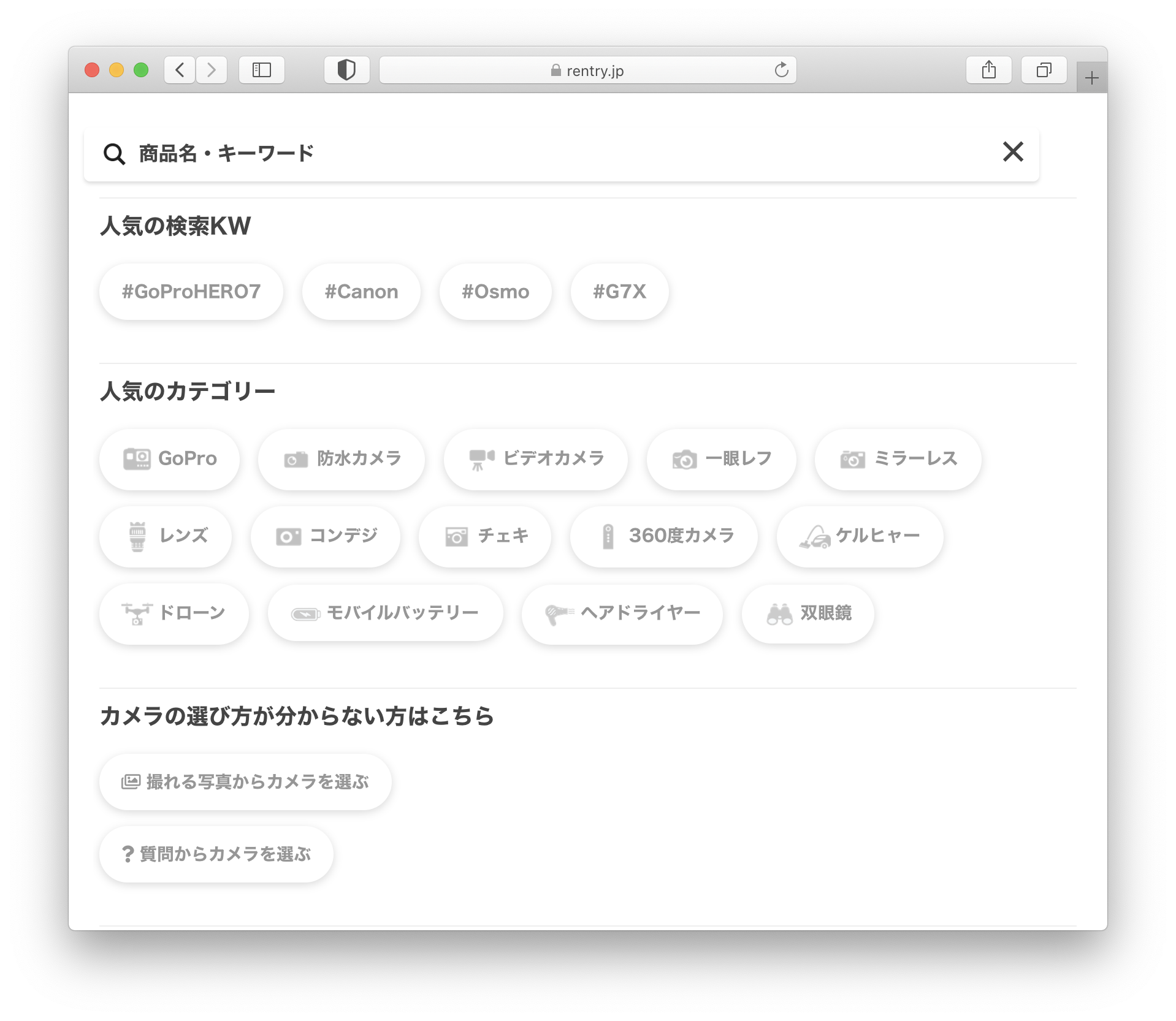
Page on safari once it has been clicked.
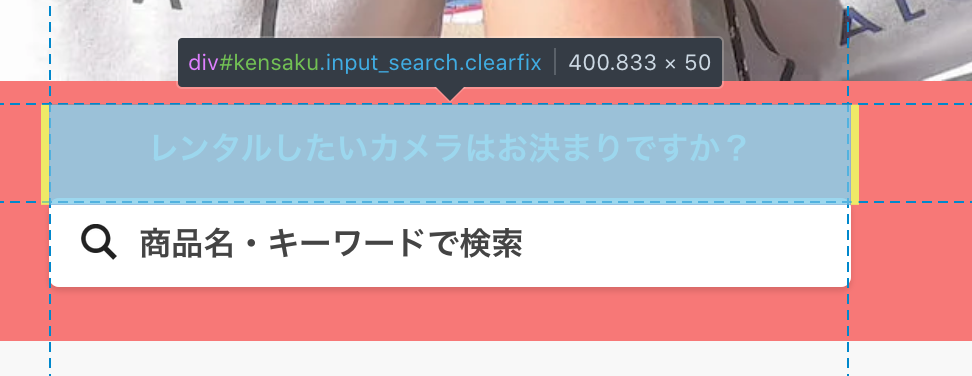
Oh I wonder if it's because the search area is not part of the hit testing area of the event.
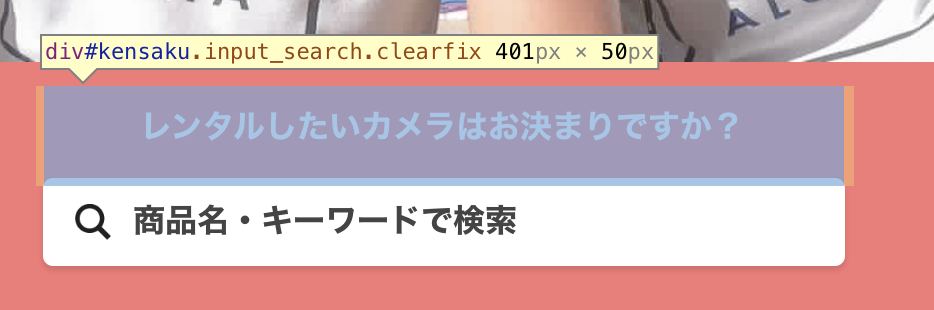
hmm no same thing in Safari
The search drawer is triggered by
<script>
    $(function(){
        //ボタンをクリック
        $("#header_search").click(function(){
            $('body').addClass('search-modal-open');
            $("#name").focus();
        });

        $("#kensaku").click(function(){
            $('body').addClass('search-modal-open');
            $("#name").focus();
        });


        //閉じるボタンをクリック
        $("#close-search_drawer, .modal-toggle").click(function(){
            $('body').removeClass('search-modal-open');
        });
    });
</script>
If I manually add search-modal-open on the body this is working.
<body ontouchstart="" id="page_homepage" class="front_page search-modal-open">
Ah but my initial thought probably still stand. Because if I click on the red part, the search drawer is opening
karlcow
on 14 Jul 2020
Yeah the white area is not receiving any click events.
The input has another event associated with
https://hm.mieru-ca.com/service/js/mieruca-hm.js?v=1594700956659
    setEventClickListener: function (d) {
      d.addEventListener('click', function (i) {
        c.initWindowElement();
        if (!b.timeOut) {
          i = i || window.event;
          var f = i.pageX !== undefined ? Math.floor(i.pageX)  : 0,
          h = i.pageY !== undefined ? Math.floor(i.pageY)  : 0;
          if (b.tempXp === f && b.tempYp === h) {
            if (this.nodeName !== 'A') {
              return
            }
            clearTimeout(b.chkPrevEvent)
          }
          b.tempXp = f;
          b.tempYp = h;
          var g = new Object();
          g.txt = this.text === undefined ? '' : this.text;
          g.href = this.href === undefined ? '' : this.href;
          g.type = 'c';
          g.xP = f;
          g.yP = h;
          g.dW = b.document_width;
          g.dH = b.document_height;
          g.wW = b.window_width;
          g.d = b.device;
          b.chkPrevEvent = setTimeout(function () {
            a.sendMessage(JSON.stringify(g));
            b.chkPrevEvent = null
          }, this.nodeName !== 'A' ? 300 : 1)
        }
      })
    }
doh… I need to clean my eyes. 🙈
The input has a disabled="disabled" which stops firefox to open the search drawer.
In chrome and Safari, it doesn't care about it or maybe it changes it on focus.
This shows that it is not working in both Firefox and Chrome. and Safari.
https://codepen.io/webcompat/pen/LYGBKKe
So the code probably changes the disabled in some ways.
And it doesn't work for a very long time.
karlcow
on 14 Jul 2020
So yeah, if I click on the レンタルしたいカメラはお決まりですか? text, the search modal opens up in Firefox, but it doesn't work on the disabled input element, even though it's a child of <div id="kensaku">.
This looks like https://bugzilla.mozilla.org/show_bug.cgi?id=1220048 (Disabled child element doesn't produce mousedown, mouseup and click events), so I think we can close this as a duplicate
 ksy36
on 14 Jul 2020
ksy36
on 14 Jul 2020
@tagawa you could also probably contact them to tell them to remove the disabled on the input.
karlcow
on 15 Jul 2020
Related issues
 bull500
·
5Comments
bull500
·
5Comments
 scheinercc
·
6Comments
scheinercc
·
6Comments
 webcompat-bot
·
5Comments
webcompat-bot
·
5Comments
 christantoan
·
4Comments
karlcow
·
5Comments
christantoan
·
4Comments
karlcow
·
5Comments
Most helpful comment
So yeah, if I click on the
レンタルしたいカメラはお決まりですか?text, the search modal opens up in Firefox, but it doesn't work on the disabled input element, even though it's a child of<div id="kensaku">.This looks like https://bugzilla.mozilla.org/show_bug.cgi?id=1220048 (Disabled child element doesn't produce mousedown, mouseup and click events), so I think we can close this as a duplicate