Web-bugs: www.udemy.com - Unable to pause video from PiP mode window
Browser / Version: Firefox 81.0b1 + Firefox Nightly 82.0a1
Operating System: Windows 10
Tested Another Browser: Yes Other
Problem type: Video or audio doesn't play
Description: Media controls are broken or missing
Steps to Reproduce:
The Videos on Udemy work fine. The functionality (Pause and Play) doesn't work only when in Picture-in-Picture mode. The video must be restored to the normal display mode, and only then it can be paused or played. Brave browser isn't even able to launch the website's videos in P-in-P mode, so testing it on that browser doesn't tell me anything.
Browser Configuration
- gfx.webrender.all: false
- gfx.webrender.blob-images: true
- gfx.webrender.enabled: false
- image.mem.shared: true
- buildID: 20200824150741
- channel: beta
- hasTouchScreen: false
- mixed active content blocked: false
- mixed passive content blocked: false
- tracking content blocked: false
_From webcompat.com with ❤️_
 webcompat-bot
All 5 comments
Thanks for the report. For me while the video is in normal mode or in full screen, Pause/Play button is functional.
While video is in PiP mode, it can't be paused from that window. As a workaround it can be paused/resumed from the main screen.
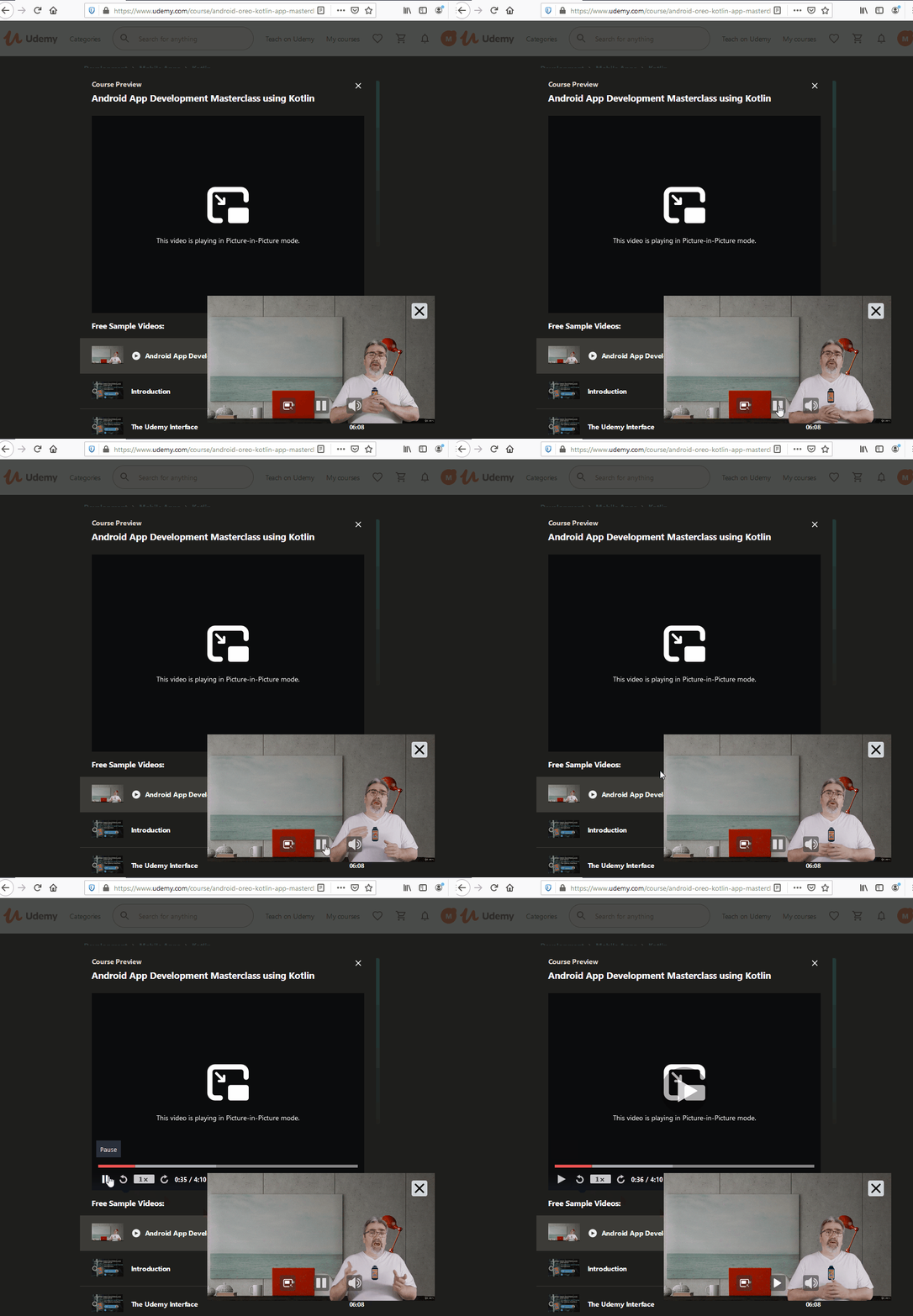
Tested with:
Browser / Version: Firefox Nightly 82.0a1 (2020-08-25)
Operating System: Windows 10 Pro
I don't think this is the right place for thing type of issues, but moving to Needsdiagnosis for further investigation.
 softvision-oana-arbuzov
on 26 Aug 2020
softvision-oana-arbuzov
on 26 Aug 2020
According to Gijs in comment 1 this is most likely an issue on udemy side. Lets contact udemy to see if they will be willing to fix it.
 ksy36
on 26 Aug 2020
ksy36
on 26 Aug 2020
Same problem here, I would be greatly appreciated if Udemy team can fix this issue.
 Ollie-lee
on 28 Sep 2020
Ollie-lee
on 28 Sep 2020
Looks like @udemy is on github. Maybe @sungjuly or @kudos could help us with this issue. Hi Sungju and Jonathan, we're wondering if you're able to pass this along to the relevant person or team? There is a bit of investigation in this comment https://bugzilla.mozilla.org/show_bug.cgi?id=1656869#c1 if that helps with identifying the root cause
ksy36
on 28 Sep 2020
@ksy36 I'll let the right people know, thanks.
 kudos
on 28 Sep 2020
kudos
on 28 Sep 2020
Related issues
webcompat-bot
·
4Comments
 massic80
·
5Comments
massic80
·
5Comments
 bull500
·
5Comments
bull500
·
5Comments
 lolrepeatlol
·
4Comments
lolrepeatlol
·
4Comments
 halwane050
·
5Comments
halwane050
·
5Comments
Most helpful comment
@ksy36 I'll let the right people know, thanks.