Web-bugs: g1.globo.com - see bug description
Browser / Version: Firefox 62 and 63
Operating System: Windows 10
Tested Another Browser: Yes
Problem type: Something else
Description: It doesn't show highlight over text selected.
Steps to Reproduce:
Click and hold over text on this popular Brazilian site. It only shows highlight over selected text when I take screenshot via context menu.
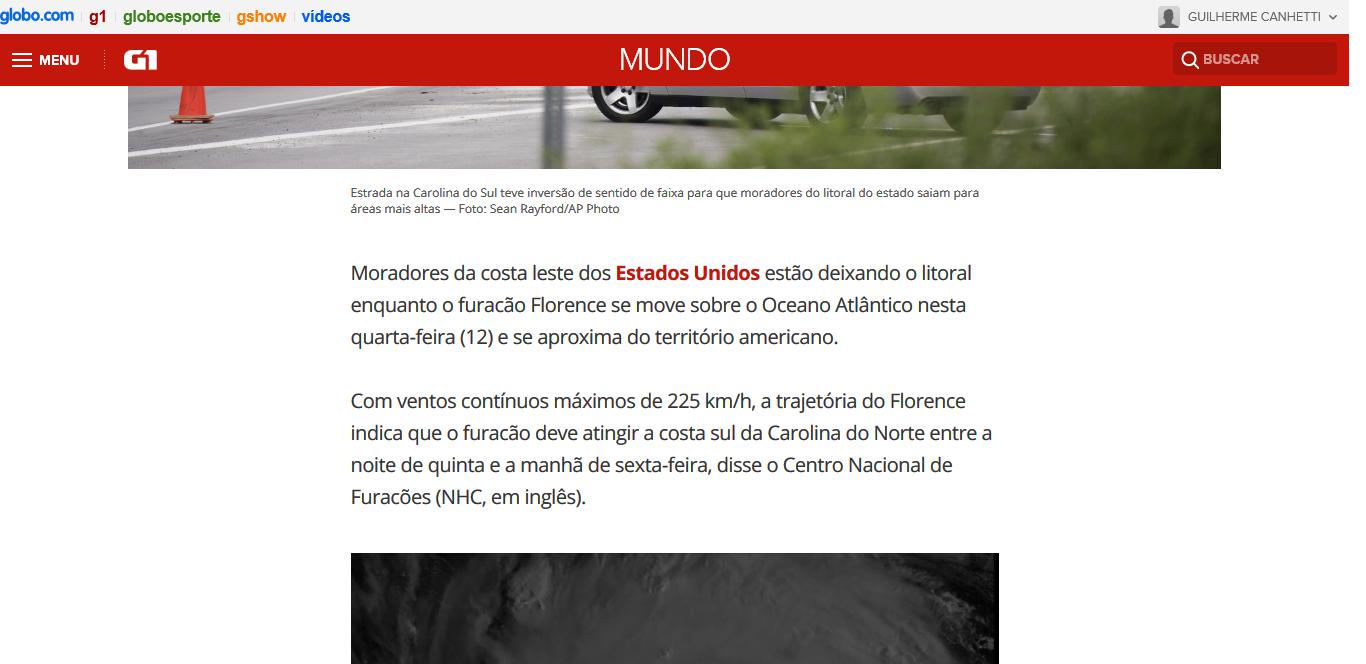
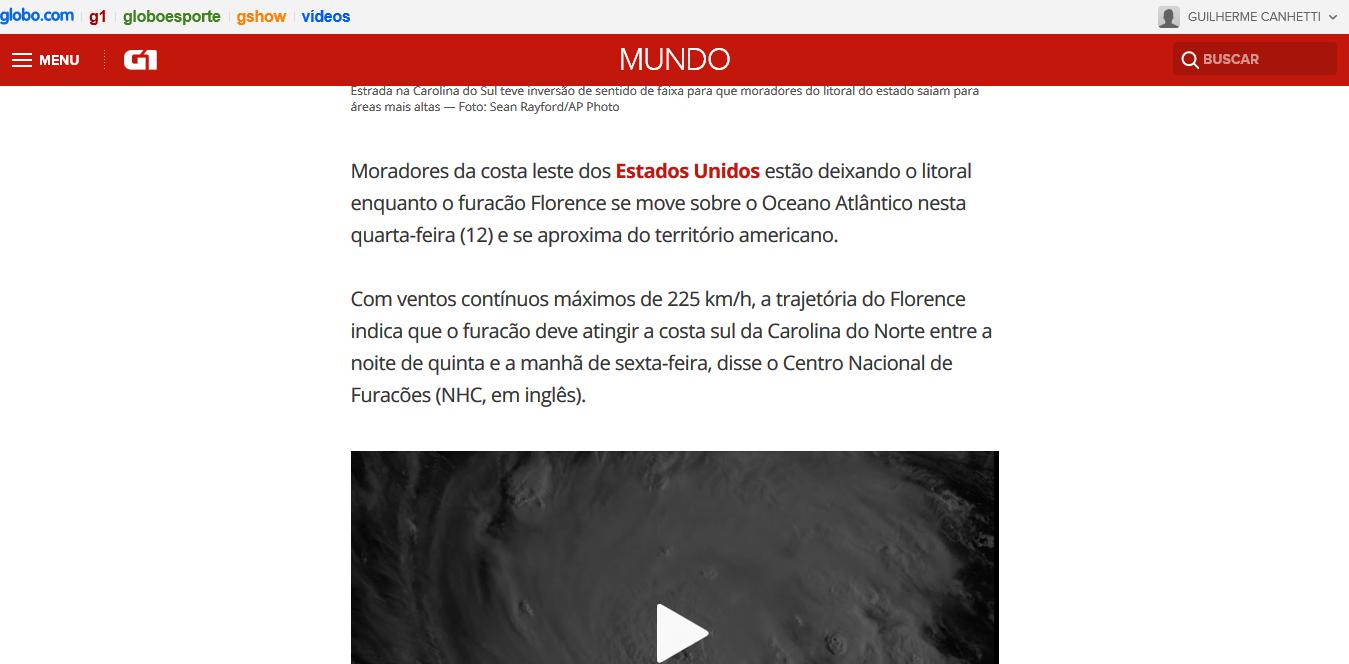
Browser Configuration
- mixed active content blocked: false
- buildID: 20180910132416
- tracking content blocked: false
- gfx.webrender.blob-images: true
- gfx.webrender.all: false
- mixed passive content blocked: false
- gfx.webrender.enabled: false
- image.mem.shared: true
- channel: beta
_From webcompat.com with ❤️_
 webcompat-bot
All 6 comments
Yep, this reproduces for me. I can see selection in Chrome as well.
Possibly some ::selection CSS doing something useless here?
 miketaylr
on 12 Sep 2018
miketaylr
on 12 Sep 2018
Yeah, square brackets…
.mc-body *::selection {
background: rgba[196, 23, 12, 0.2];
}

.mc-body *::-moz-selection {
background: rgba[196, 23, 12, 0.2];
}
The correct syntax is
.mc-body *::selection {
background: rgba(196, 23, 12, 0.2);
}
Bonus: -moz is useless here. :)
Now the interesting bit is that the invalid rule, makes selection disappears completely?
Let's move this to needscontact.
But also create a testcase for this.
Let's go to select text with Chrome and Firefox and notice the difference.
https://codepen.io/webcompat/pen/qMMgaq
 karlcow
on 17 Sep 2018
karlcow
on 17 Sep 2018
karlcow
on 17 Sep 2018
karlcow
on 17 Sep 2018
@globocom has a lot of listed people
https://github.com/orgs/globocom/people
@cezarsa is a backend engineer who seems active on github but maybe he can help us find a Web designer at G1 Globo for fixing this simple error in the CSS.
as explained in https://github.com/webcompat/web-bugs/issues/18759#issuecomment-421892740
karlcow
on 14 Oct 2019
Hi @karlcow, thanks for the ping. I'm not directly involved with this code but I'll raise the issue internally, it looks like a simple fix.
 cezarsa
on 18 Oct 2019
cezarsa
on 18 Oct 2019
The issue has been fixed. The text gets highlighted now.
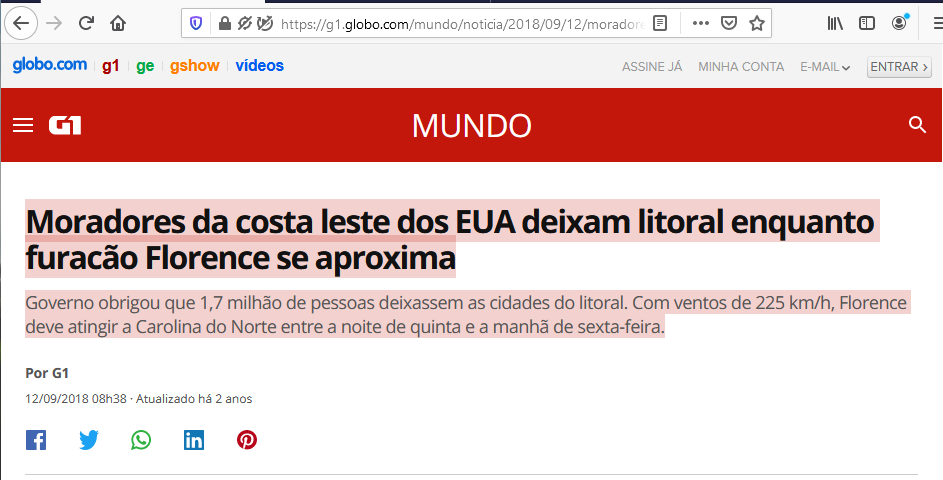
Tested with:
Browser / Version: Firefox Nightly 82.0a1 (2020-09-13)
Operating System: Windows 10 Pro
 softvision-oana-arbuzov
on 14 Sep 2020
softvision-oana-arbuzov
on 14 Sep 2020
Related issues
webcompat-bot
·
4Comments
webcompat-bot
·
5Comments
 scheinercc
·
6Comments
scheinercc
·
6Comments
 tGstep
·
3Comments
tGstep
·
3Comments
 Ezio916
·
4Comments
Ezio916
·
4Comments
Most helpful comment
Hi @karlcow, thanks for the ping. I'm not directly involved with this code but I'll raise the issue internally, it looks like a simple fix.