Waveboxapp: [feature request] wavebox built in browser - (auto) hide address bar when viewing files
Which version of Wavebox are you using?
3.4.3 betaWhich Operating System are you using?
Windows 10Description:
When viewing a file in a different window. That is:
- Go to google drive
- Select a file for preview
- Select "Open in new window"
The addressbar takes a lot of focus from viewing the document itself. That the address bar i available is good but auto hiding it unless the user wants to know what the address is would be better. It will also bring more focus to the document. Or am I missing a setting in wavebox that would allow me to do this?
 nmat
nmat
All 12 comments
Definitely. It's still a bit clunky from a UI perspective at the moment. I think there was some talk about adding tab support too, but I'm not too sure whats happening with that at the moment
 Thomas101
on 31 Oct 2017
Thomas101
on 31 Oct 2017
@Thomas101 sounds awesome! it would help when reading at least pdfs or mails that is opened in its own window to set focus on the content rather then the addressbar. :)
nmat
on 31 Oct 2017
IMO hiding the addressbar should be set to default and then use right click menu to have a "Show addressbar".....and a preference saying that it can be on by default if you wish.
If I am not wrong. The built in browser window is a bit of a way to work with sites in a more dynamic way so addressbar might not be interesting unless asked for it?
Please correct me if I am wrong. :)
nmat
on 30 Nov 2017
I think if we're just showing a pdf and there's no back/forward etc then the address bar only serves the purpose of adding the "open in browser" button. We can look to moving that into the pdf renderer and then removing the bar altogether in that scenario. I'll take a look to see what's possible
Thomas101
on 1 Dec 2017
I wonder if pdf is the only scenario though?
I mean, lets say that you would want to work on a gdoc in a different window. Will that addressbar be overused in that case? I mean....doesn't it make sense to have it hidden by default to concentrate on the actual content?
Just thinking that if open in new window would actually need the addressbar unless asked for in general?
Another example can be the call for slack. It will open a addressbar also...however you do not really "need" it and it might bring the content out of focus?
nmat
on 1 Dec 2017
I can however understand that using grammarly might need the bar. But then could the extension trigger the addressbar on lets say "new tab"? or by function?
nmat
on 1 Dec 2017
Oh I just found another bad place this would show. I did a presentation in google slides and did the play slides now using Ctrl+F5 and the addressbar is there also :/
This was not very pretty on presentations. :/
One surprise is that it worked though and I am starting to be able to use wavebox even more. :)
nmat
on 17 Dec 2017
Awesome to hear that worked :-). I haven't seen any fullscreen events in electron, we may need to add support for that in to detect when the window expands
Thomas101
on 18 Dec 2017
I would like to second this request. At least for my usage, I never need/want to see the address bar in Wavebox browser windows. It would be nice if that could hidden via an option, and possibly enabled from a context menu (or an 'open in default browser' option could be in a context menu).
 jason0x43
on 15 Oct 2018
jason0x43
on 15 Oct 2018
To give more feedback here:
Preferences in wavebox could have: User Interface -> Navigation Bar -> Show Navigation bar (default) -> On/Off
Per service Under Advanced -> Show Navigation bar (override default setting) -> On/Off
Context menu: Show Navigation Bar (Keybinding info)
This way you can cover all the areas. But its my 2 cents
nmat
on 21 Oct 2018
I'm so looking forward to this. I hope it does arrive in 4.6... :)
jason0x43
on 8 Jan 2019
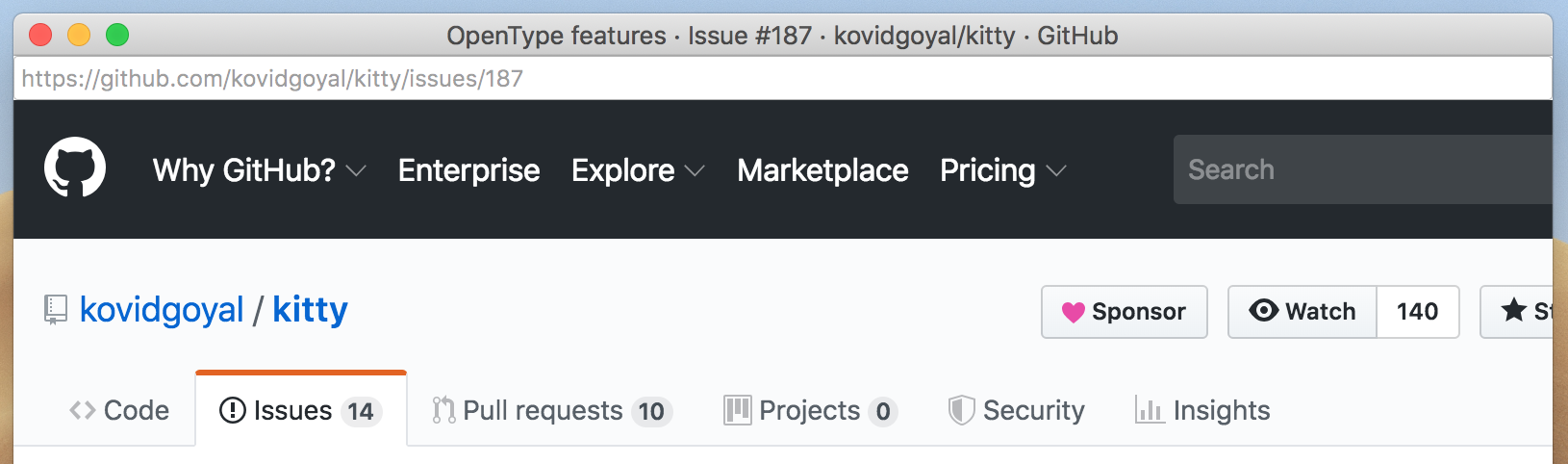
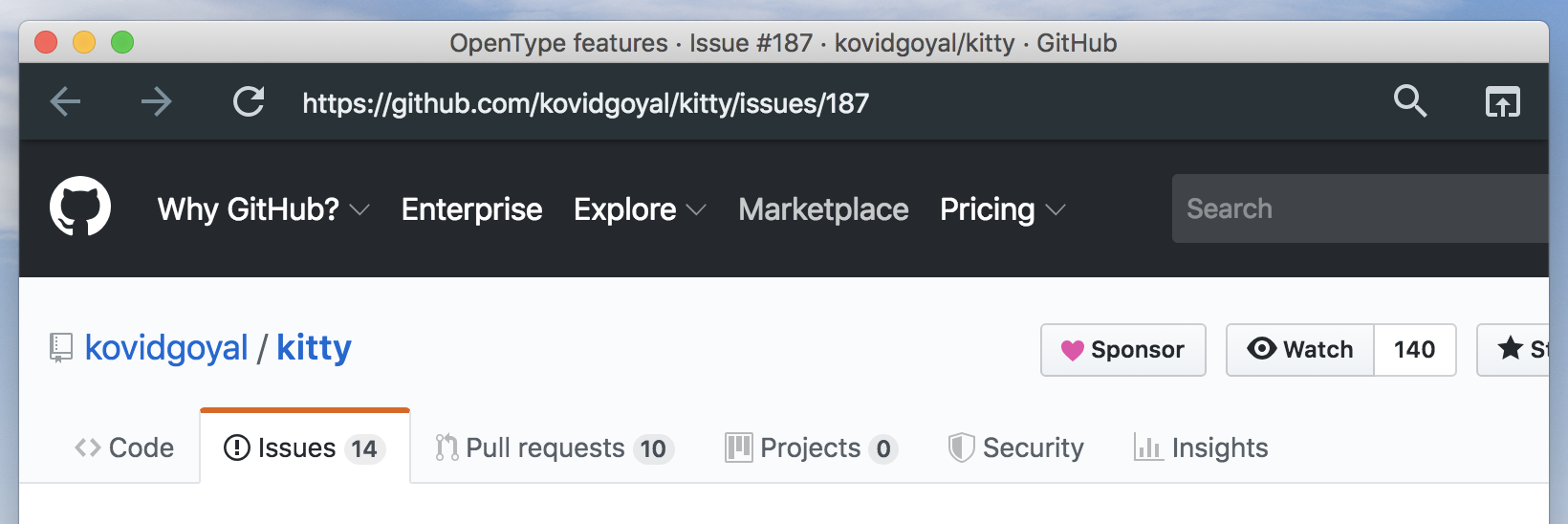
Hmmm...interestingly, Wavebox will actually open some links without adding the address bar when they're shift-clicked. It's not _quite_ the goal, but it shows that a basic mechanism for hiding or showing the full address bar is in there somewhere.
Shift-clicked GitHub issue link:
The same link via a normal click:
jason0x43
on 3 Sep 2019
Related issues
Thomas101
·
3Comments
 dzg
·
4Comments
dzg
·
4Comments
 CheechGe
·
4Comments
CheechGe
·
4Comments
 tnaseem
·
4Comments
tnaseem
·
4Comments
 phcyso
·
4Comments
phcyso
·
4Comments
Most helpful comment
To give more feedback here:
Preferences in wavebox could have: User Interface -> Navigation Bar -> Show Navigation bar (default) -> On/Off
Per service Under Advanced -> Show Navigation bar (override default setting) -> On/Off
Context menu: Show Navigation Bar (Keybinding info)
This way you can cover all the areas. But its my 2 cents