Waveboxapp: Log into LastPass by clicking the LastPass icon on the toolbar
- Wavebox Version: 4.2.0
- Operating System & Version: All
Is your feature request related to a problem? Please describe.
No
Is your feature request related to an account type?
No
Describe the solution you'd like
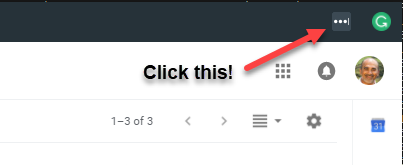
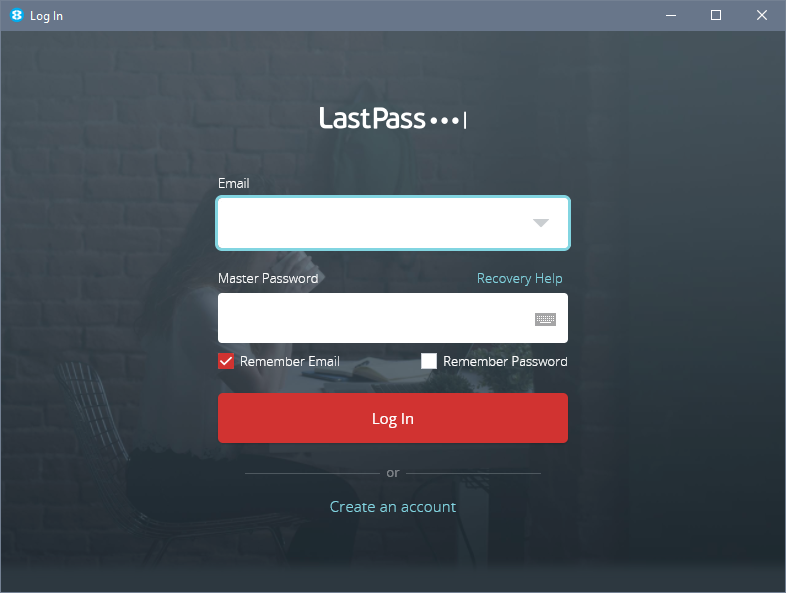
It would be a good idea to allow users to click the LastPass icon to log into and bring up the LastPass options. At the moment, to log into LastPass you have to go via the context menu on a page and to get to the Options, you have to back to Settings/Extensions.
Maybe just bring up the LastPass menu, like in Chrome? (see screenshots)...
Additional info
Click this...
to bring up this (if not logged in)...
or this (if logged in)...
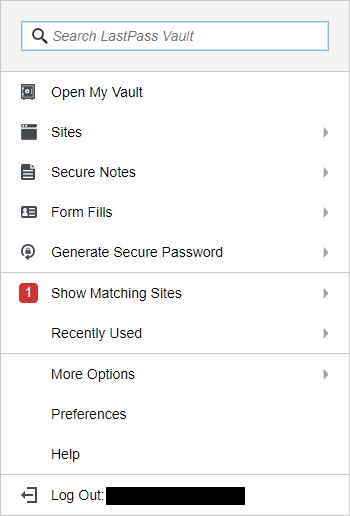
(You must be getting sick of all my 'issues' by now! sorry!)
 tnaseem
All 4 comments
It should bring up the popover as you screenshotted. I wonder if this is related to something else reported earlier.
Have you got "Show Titlebar" disabled under Settings > User Interface? When the Titlebar is hidden I think the drag handler is gobbling the click events.
 Thomas101
on 27 Sep 2018
Thomas101
on 27 Sep 2018
Ah! yes I have. So, the button only responds to click events when the title bar is enabled. Grammarly button now works too.
The tooltips, showing the extension name, also come up now, which they didn't before (rollover event, I guess).
tnaseem
on 28 Sep 2018
Hi, we’ve just released this to the beta channel of Wavebox in version 4.3.1. If you want to give it a try there are some instructions on how to use the beta channel here. Thanks
Thomas101
on 11 Oct 2018
Brilliant. It's clickable in Windows now. Many thanks :)
tnaseem
on 11 Oct 2018
Related issues
 cdeutsch
·
3Comments
cdeutsch
·
3Comments
 lots0logs
·
3Comments
lots0logs
·
3Comments
 dep
·
4Comments
dep
·
4Comments
 mgresko
·
4Comments
mgresko
·
4Comments
 MichaelTunnell
·
3Comments
MichaelTunnell
·
3Comments