Vscode-gitlens: Open File in Remote and Copy Remote File URL do not work with GitHub Enterprise
- GitLens Version: 8.5.6
- VSCode Version: 1.27.2
- OS Version: Win 10
Steps to Reproduce:
- Attempt to run either command from a GitHub Enterprise repository
- Contents doesn't get copied to your clipboard, or brower opened. "Copy URL for
to Clipboard from..." appears in Command Pallet but nothing typed works and no suggestions loaded.
I am assuming that this has to do with authentication into GitHub Enterprise to query for the URL. Another note is that we are using ssh not https for the remote url.
 jaywryan
All 10 comments
What does your remote url look like?
 eamodio
on 28 Sep 2018
eamodio
on 28 Sep 2018
I'm also having this issue, however we do have an https url for the remote. It looks like https://our.gh.enterprise.url.here/org/repo, as you would expect.
When using "Open In Remote" I'm then presented with an input with the placeholder text Open {filename} in.... If I try to type anything here and hit enter, or any other combination, nothing happens.
 sethetter
on 2 Oct 2018
sethetter
on 2 Oct 2018
That quick pick list is empty, and looking at the code it seems it should be providing me with a list of remote to choose from, must be a problem with getting the remote list.
sethetter
on 2 Oct 2018
Solved it -- I did not have the remote configured in gitlens.remotes.
"gitlens.remotes": [{ "domain": "git.corporate-url.com", "type": "GitHub" }]
Glad this works already, but I'm a little bummed, I thought this might be a good first hacktoberfest PR ;)
sethetter
on 2 Oct 2018
Hehe -- we could work on a PR that adds support for unknown remotes and allows configuring it to be added into the gitlens.remotes 😄
FYI, if you are interested in a PR please make sure to target the develop branch as that will be the next version of GitLens.
eamodio
on 2 Oct 2018
@eamodio
I really like this feature, but when i use Copy Remote File URL to Clipboard, the url is remote url without commit id, would you like to add command Copy Remote File URL With Commit ID to Clipboard? Becouse the line number may change at next commit.
 loskael
on 12 Oct 2018
loskael
on 12 Oct 2018
I am closing this issue because I believe it is working as intended.
eamodio
on 8 Jan 2019
Solved it -- I did not have the remote configured in
gitlens.remotes."gitlens.remotes": [{ "domain": "git.corporate-url.com", "type": "GitHub" }]Glad this works already, but I'm a little bummed, I thought this might be a good first hacktoberfest PR ;)
I solved this by the same method with some difficulties, so record my experience here in case someone need. My corporate using gitlab, so "type": "GitHub" doesn't work, "type": "GitLab" works.
 DeathPoem
on 29 Apr 2020
DeathPoem
on 29 Apr 2020
"gitlens.remotes": [{ "domain": "git.corporate-url.com", "type": "GitHub" }]
workd for me as well 👍
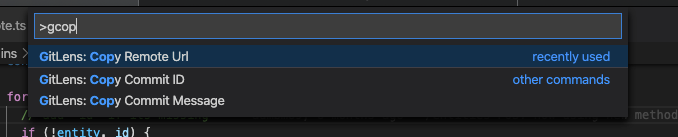
 rshemant
on 20 Jul 2020
rshemant
on 20 Jul 2020
This issue has been automatically locked since there has not been any recent activity after it was closed. Please open a new issue for related bugs.
![github-actions[bot] picture](https://avatars2.githubusercontent.com/in/15368?v=4&s=40) github-actions[bot]
on 25 Nov 2020
github-actions[bot]
on 25 Nov 2020
Related issues
 pankajpatel
·
20Comments
pankajpatel
·
20Comments
 appinteractive
·
36Comments
appinteractive
·
36Comments
 miluoshi
·
27Comments
miluoshi
·
27Comments
 lcswillems
·
32Comments
lcswillems
·
32Comments
 TomaTomoe
·
35Comments
TomaTomoe
·
35Comments
Most helpful comment
Solved it -- I did not have the remote configured in
gitlens.remotes.Found the docs!
Glad this works already, but I'm a little bummed, I thought this might be a good first hacktoberfest PR ;)