Toolkit-for-ynab: paid in full credit card assist is wonky
i'm having some issues with the paid in full credit card assist. the rectify balance button does not show up most of the time. 10%
of the time it will show up, but the dollar value it shows stays stuck on the first selected credit card. it's really weird and i cna't figure out if there is a particular reason for it. I'm using chrome.
 colinbroccoli
All 6 comments
the 'recify balance' button has also disappeared for me. clearing cache / cookies didn't help. i'm also using chrome.
 skiski456
on 28 Oct 2020
skiski456
on 28 Oct 2020
i'm attaching some images bc its a little confusing.
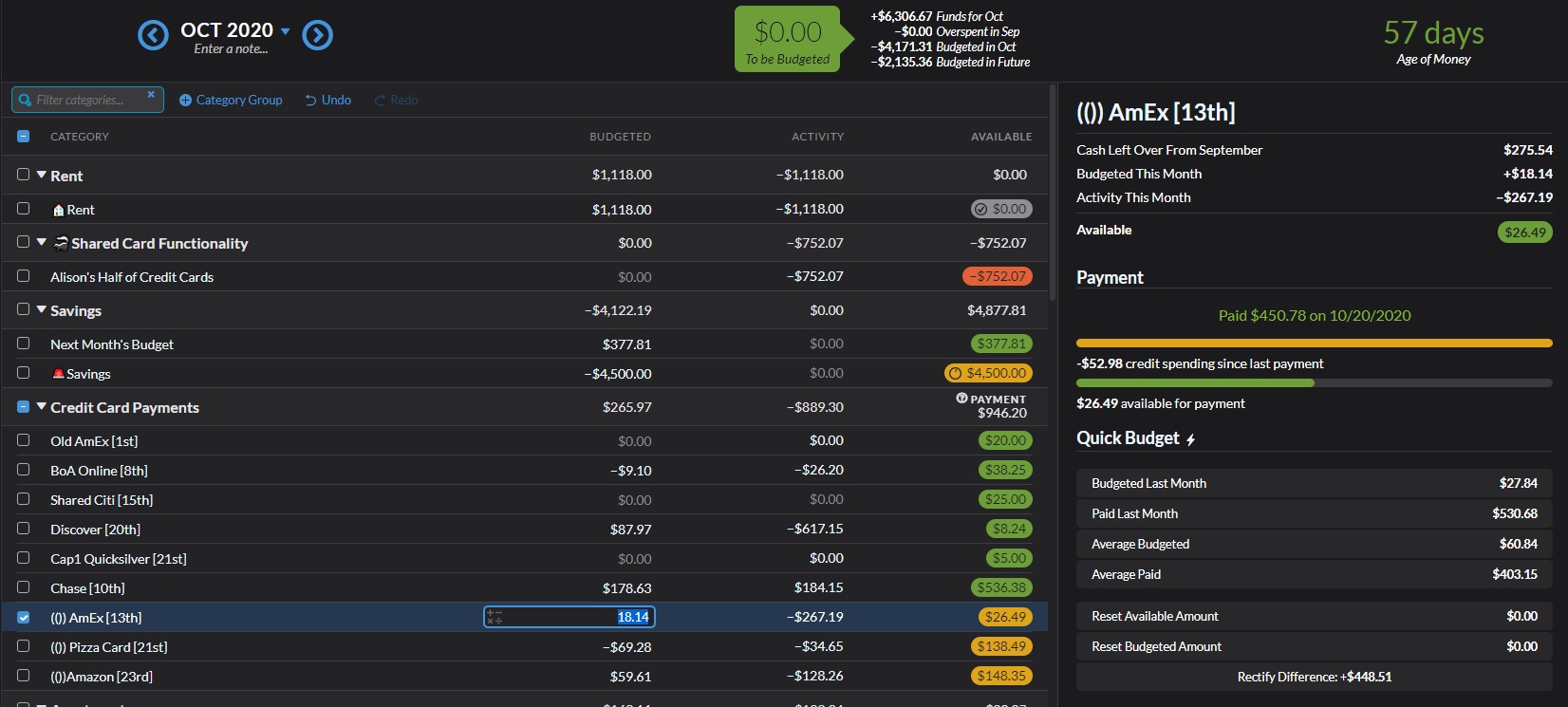
image 1: selected 'amex' card, paid in full assist shows "Rectify Difference: $448.51". This is correct.
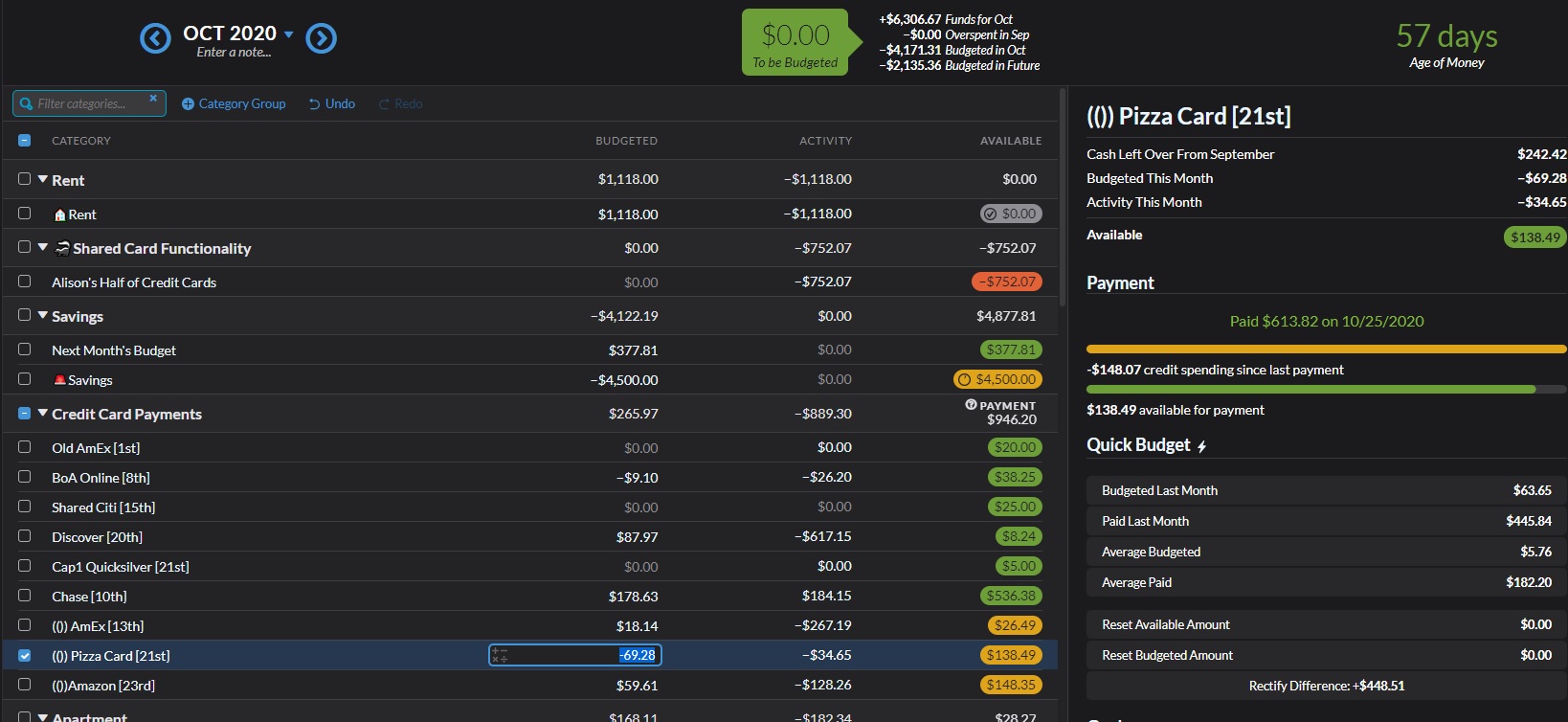
inage 2: selected 'pizza' card, paid in full assist still shows "Rectify Difference: $448.51", this is not the correct amount for this card.
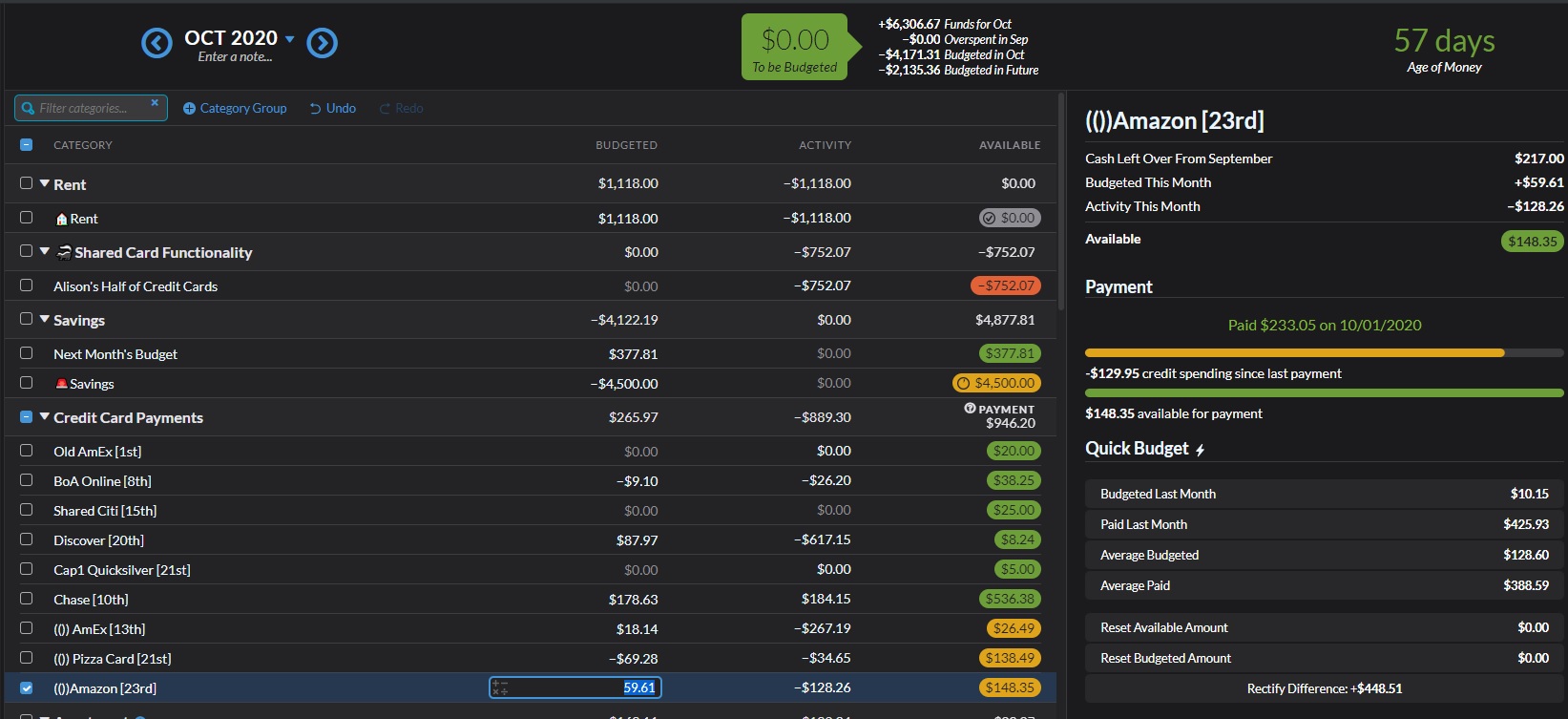
image 3: selected 'amazon' card, paid in full assist still shows "Rectify Difference: $448.51", this is not the correct amount for this card.
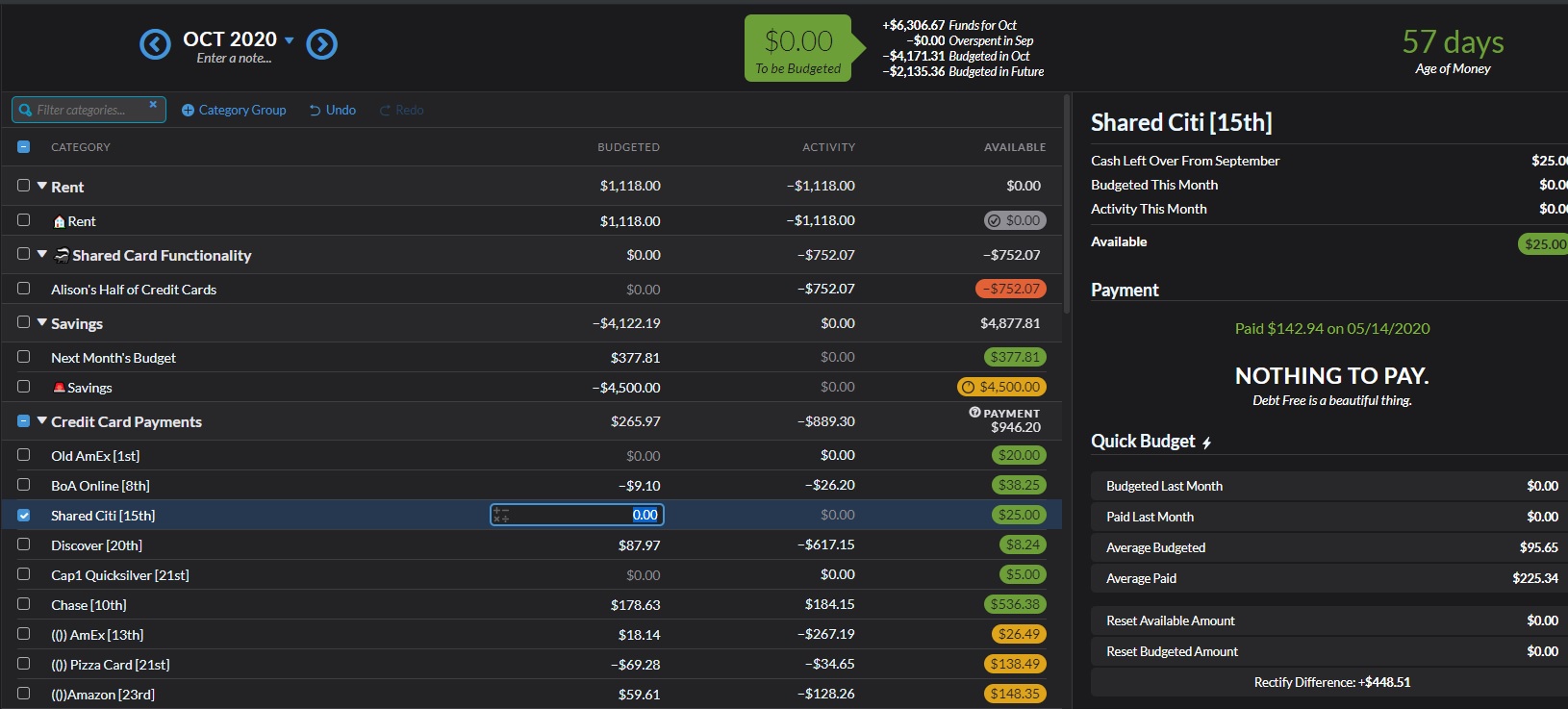
image 4: selected 'shared citi' card, paid in full assist still shows "Rectify Difference: $448.51", this is not correct bc this card is already fully budgeted for.
colinbroccoli
on 28 Oct 2020
I also have this problem in Edge 86.0.622.56. Where an account has a $0 budgeted and YNAB shows it as overspent, Rectify Difference shows 0.00.
I'm sure this is the result of a change by YNAB. Thanks for your continuing efforts to clean up behind them.
 spammagnet
on 29 Oct 2020
spammagnet
on 29 Oct 2020
same in chrome for me
 frankamedic
on 31 Oct 2020
frankamedic
on 31 Oct 2020
Same issue for me no matter the browser. I did find a temporary, somewhat tedious workaround though.
- Select the credit card you'd like assistance with
- Switch to Toolkit Reports
- Switch back to Budget
- The Rectify Difference button will now be visible and functional for that specific credit card
- Select the next credit card you'd like assistance with
- Switch back to Toolkit Reports
- Switch back to Budget
- The Rectify Difference button will now be visible and functional for this second credit card
- Rinse and repeat the Toolkit Reports/Budget toggle with any/all remaining credit cards you'd like to check
And yes, it only works by switching back and forth to Toolkit Reports because switching to either Reports or All Accounts resets your selection in Budget.
 sbennett18
on 31 Oct 2020
sbennett18
on 31 Oct 2020
Hey @colinbroccoli the fix for this should be in our current release! If you notice the issue still exists and you're definitely running the newest version of the toolkit, please reopen! Thanks!
Please note, all browser can take up to an hour to provide updates to all users. You can force an update if it's available for you by going to chrome://extensions and clicking the "Update" button. Firefox users can go to about:addons, click the setting cog, and click "Check for updates...".
 joshmadewell
on 30 Nov 2020
joshmadewell
on 30 Nov 2020
Related issues
 dsent
·
5Comments
dsent
·
5Comments
 montiac84
·
3Comments
montiac84
·
3Comments
 kev88au
·
7Comments
kev88au
·
7Comments
 byronvm
·
5Comments
byronvm
·
5Comments
 hansaliyad1
·
5Comments
hansaliyad1
·
5Comments
Most helpful comment
Same issue for me no matter the browser. I did find a temporary, somewhat tedious workaround though.
And yes, it only works by switching back and forth to Toolkit Reports because switching to either Reports or All Accounts resets your selection in Budget.