Toolkit-for-ynab: [BUG] ... "Some Accounts" in "Balance Over Time" page shows blank
Describe the bug
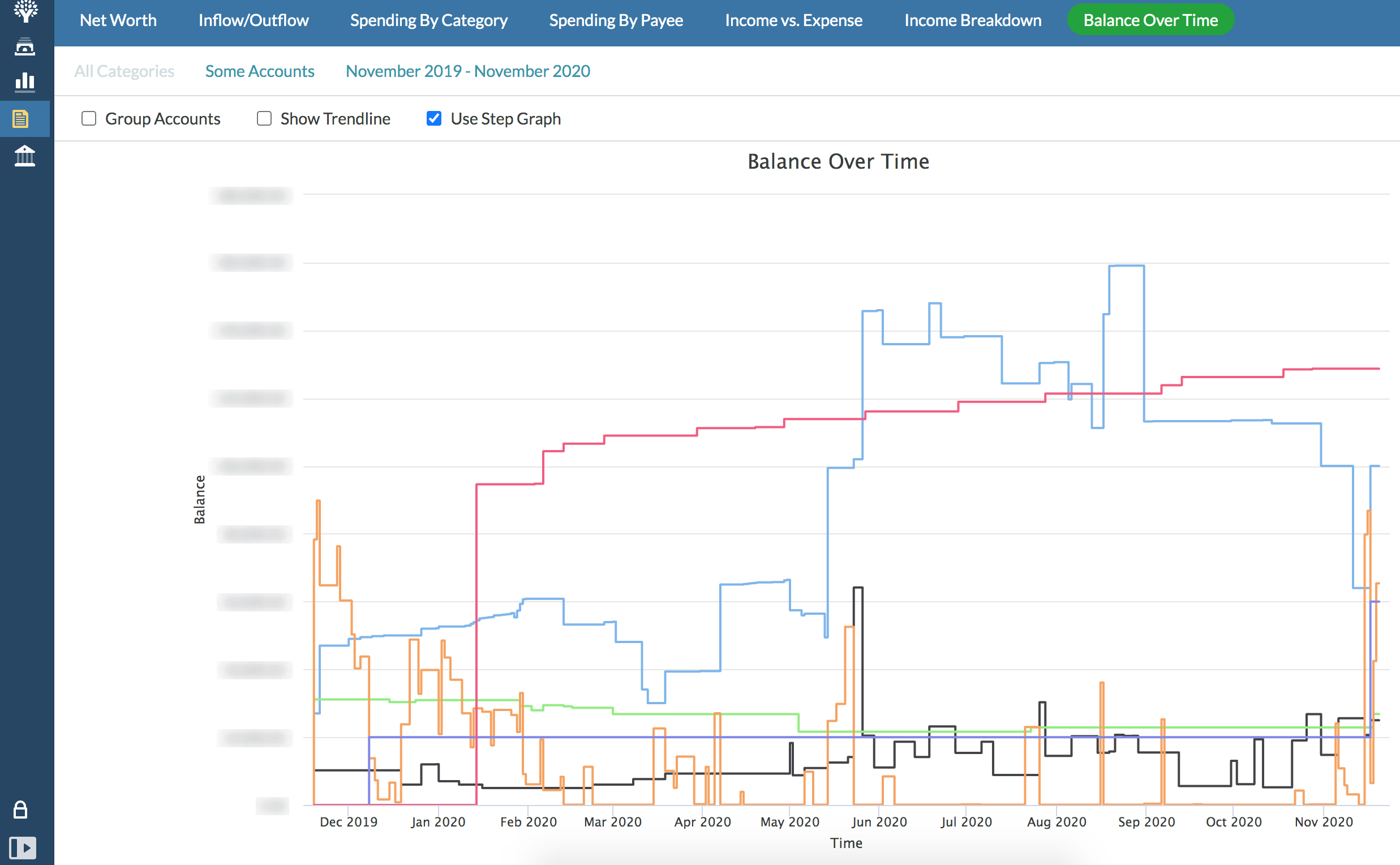
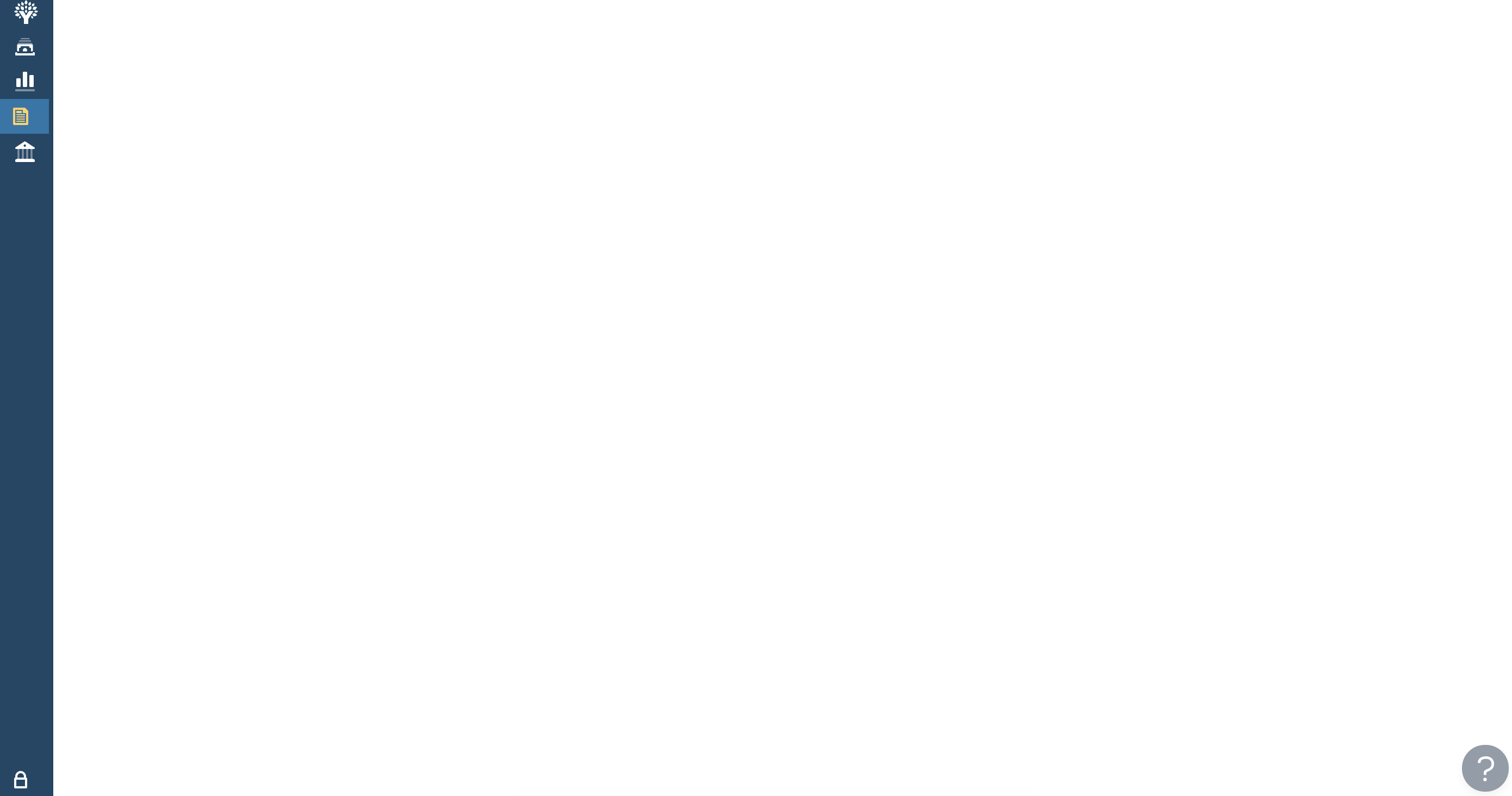
When pressing the "Some Accounts" in "Balance Over Time" page when having a pre-selected accounts shows blank page.
To Reproduce
- Press Toolkit Reports.
- Click on "Balance Over Time".
- Click on "Some Accounts".
- See error (blank page).
Expected behavior
A little window showing/allowing accounts to be selected/deselected.
Screenshots
Desktop (please complete the following information):
- OS: MacOS 10.15.7
- Browser: Chrome Version 87.0.4280.67 (Official Build) (x86_64)
- Toolkit Version: 2.29.0
Setting Export
Please replace the text below with your exported Toolkit settings. You can export these by going to the Toolkit Options page, click the Import/Export Settings button at the bottom left and copying the text in the modal which appears.
[{"key":"AccountsDisplayDensity","value":"1"},{"key":"AccountsEmphasizedInflows","value":false},{"key":"AccountsEmphasizedOutflows","value":false},{"key":"AccountsStripedRows","value":true},{"key":"AutoDistributeSplits","value":false},{"key":"AutoEnableRunningBalance","value":false},{"key":"AutomaticallyMarkAsCleared","value":false},{"key":"BetterScrollbars","value":"0"},{"key":"BottomNotificationBar","value":false},{"key":"BudgetCategoryFeatures","value":true},{"key":"BudgetProgressBars","value":"0"},{"key":"BudgetQuickSwitch","value":false},{"key":"BudgetSpendingGoal","value":false},{"key":"BulkEditMemo","value":true},{"key":"BulkManagePayees","value":false},{"key":"CalendarFirstDay","value":"0"},{"key":"CategoryActivityCopy","value":false},{"key":"CategoryActivityPopupWidth","value":"0"},{"key":"CategorySoloMode","value":"0"},{"key":"ChangeEnterBehavior","value":false},{"key":"ChangeMemoEnterBehavior","value":false},{"key":"CheckCreditBalances","value":false},{"key":"CheckNumbers","value":false},{"key":"ClearSelection","value":false},{"key":"CollapseSideMenu","value":false},{"key":"ColourBlindMode","value":false},{"key":"CompactIncomeVsExpense","value":true},{"key":"ConfirmKeyboardCancelationOfTransactionChanges","value":false},{"key":"CreditCardEmoji","value":false},{"key":"CtrlEnterCleared","value":false},{"key":"CurrentMonthIndicator","value":false},{"key":"CustomFlagNames","value":false},{"key":"DateOfMoney","value":true},{"key":"DaysOfBuffering","value":true},{"key":"DaysOfBufferingDate","value":true},{"key":"DaysOfBufferingHistoryLookup","value":"0"},{"key":"DeselectTransactionsOnSave","value":false},{"key":"DisableToolkit","value":false},{"key":"DisplayTargetGoalAmount","value":"0"},{"key":"DisplayTotalMonthlyGoals","value":false},{"key":"DisplayUpcomingAmount","value":true},{"key":"EasyTransactionApproval","value":false},{"key":"EditAccountButton","value":"2"},{"key":"EnlargeCategoriesDropdown","value":true},{"key":"EnterToMove","value":false},{"key":"FilterCategories","value":false},{"key":"GoalIndicator","value":false},{"key":"GoalWarningColor","value":false},{"key":"GoogleFontsSelector","value":"0"},{"key":"HideAccountBalancesType","value":"0"},{"key":"HideAgeOfMoney","value":false},{"key":"HideClosedAccounts","value":false},{"key":"HideDebtRatio","value":false},{"key":"HideHelp","value":true},{"key":"HideReferralBanner","value":true},{"key":"HideTotalAvailable","value":false},{"key":"HighlightNegatives","value":false},{"key":"ImportNotification","value":"0"},{"key":"IncomeFromLastMonth","value":"0"},{"key":"IncomeVsExpenseHoverHighlight","value":true},{"key":"LargerClickableIcons","value":false},{"key":"LinkToInflows","value":false},{"key":"MasterCategoryRowColor","value":false},{"key":"MemoAsMarkdown","value":false},{"key":"MonthlyNotesPopupWidth","value":"0"},{"key":"NavDisplayDensity","value":"2"},{"key":"NotesAsMarkdown","value":false},{"key":"POSStyleCurrencyEntryMode","value":false},{"key":"Pacing","value":"0"},{"key":"PrintingImprovements","value":true},{"key":"PrivacyMode","value":"2"},{"key":"QuickBudgetWarning","value":false},{"key":"ReconcileBalance","value":false},{"key":"ReconciledTextColor","value":"0"},{"key":"RemovePositiveHighlight","value":false},{"key":"RemoveZeroCategories","value":false},{"key":"ResizeInspector","value":false},{"key":"ResizeSidebar","value":false},{"key":"RightClickToEdit","value":true},{"key":"RowHeight","value":"0"},{"key":"RowsHeight","value":"0"},{"key":"SeamlessBudgetHeader","value":false},{"key":"SetMultipleFlags","value":false},{"key":"ShowCategoryBalance","value":false},{"key":"SpareChange","value":false},{"key":"SplitTransactionAutoAdjust","value":false},{"key":"SquareNegativeMode","value":false},{"key":"StealingFromFuture","value":true},{"key":"StripedBudgetRows","value":false},{"key":"SwapClearedFlagged","value":false},{"key":"TargetBalanceWarning","value":false},{"key":"ToBeBudgetedWarning","value":false},{"key":"ToggleAccountColumns","value":true},{"key":"ToggleSplits","value":false},{"key":"ToggleTransactionFilters","value":"0"},{"key":"ToolkitReports","value":true},{"key":"UnclearedAccountHighlight","value":false},{"key":"ViewZeroAsEmpty","value":true},{"key":"l10n","value":"0"},{"key":"options.dark-mode","value":false}]
 byronvm
All 5 comments
The same issue is present for me and it also appears on the Net Worth and Inflow/Outflow charts. The rest of the charts work ok when trying to select accounts.
I have Tracking accounts in my budget, I suspect that may be the issue.
I see errors in the console
rollbar.min.js:1 Toolkit Error:
  - Feature: unknown
  - Feature Setting: unknown
  - Function: global
  - Message: this._accountsCollection.getOffBudgetAccounts is not a function TypeError: this._accountsCollection.getOffBudgetAccounts is not a function
    at AccountFilterComponent.get offBudgetAccounts [as offBudgetAccounts] (chrome-extension://lmhdkkhepllpnondndgpgclfjnlofgjl/web-accessibles/ynab-toolkit.js:64085:54)
    at AccountFilterComponent.render (chrome-extension://lmhdkkhepllpnondndgpgclfjnlofgjl/web-accessibles/ynab-toolkit.js:64105:34)
    at finishClassComponent (chrome-extension://lmhdkkhepllpnondndgpgclfjnlofgjl/web-accessibles/ynab-toolkit.js:26382:31)
    at updateClassComponent (chrome-extension://lmhdkkhepllpnondndgpgclfjnlofgjl/web-accessibles/ynab-toolkit.js:26335:24)
    at beginWork$1 (chrome-extension://lmhdkkhepllpnondndgpgclfjnlofgjl/web-accessibles/ynab-toolkit.js:28083:16)
    at HTMLUnknownElement.callCallback (chrome-extension://lmhdkkhepllpnondndgpgclfjnlofgjl/web-accessibles/ynab-toolkit.js:8337:14)
    at Object.invokeGuardedCallbackDev (chrome-extension://lmhdkkhepllpnondndgpgclfjnlofgjl/web-accessibles/ynab-toolkit.js:8386:16)
    at invokeGuardedCallback (chrome-extension://lmhdkkhepllpnondndgpgclfjnlofgjl/web-accessibles/ynab-toolkit.js:8441:31)
    at beginWork$$1 (chrome-extension://lmhdkkhepllpnondndgpgclfjnlofgjl/web-accessibles/ynab-toolkit.js:33705:7)
    at performUnitOfWork (chrome-extension://lmhdkkhepllpnondndgpgclfjnlofgjl/web-accessibles/ynab-toolkit.js:32616:12)

ynab-toolkit.js:64085 Uncaught TypeError: this._accountsCollection.getOffBudgetAccounts is not a function
    at AccountFilterComponent.get offBudgetAccounts [as offBudgetAccounts] (ynab-toolkit.js:64085)
    at AccountFilterComponent.render (ynab-toolkit.js:64105)
    at finishClassComponent (ynab-toolkit.js:26382)
    at updateClassComponent (ynab-toolkit.js:26335)
    at beginWork$1 (ynab-toolkit.js:28083)
    at HTMLUnknownElement.callCallback (ynab-toolkit.js:8337)
    at Object.invokeGuardedCallbackDev (ynab-toolkit.js:8386)
    at invokeGuardedCallback (ynab-toolkit.js:8441)
    at beginWork$$1 (ynab-toolkit.js:33705)
    at performUnitOfWork (ynab-toolkit.js:32616)

rollbar.min.js:1 The above error occurred in the <AccountFilterComponent> component:
    in AccountFilterComponent (created by Context.Consumer)
    in WithReportContextProvider (created by ModalContainer)
    in div (created by ModalContainer)
    in div (created by ModalContainer)
    in ModalContainer (created by WithModalContextProvider)
    in WithModalContextProvider (created by WithReportContextProvider)
    in WithReportContextProvider
 mihomir
on 20 Nov 2020
mihomir
on 20 Nov 2020
Same issue when clicking "All Accounts" to try and filter down to "Some Accounts."
Screen goes blank and report breaks.
 swilson91
on 21 Nov 2020
swilson91
on 21 Nov 2020
Judging from the console error above, I suspect the ynab release changed one of their functions for retrieving off budget or tracking accounts which resulted in the blank page
 tonyt-vo
on 21 Nov 2020
tonyt-vo
on 21 Nov 2020
Leaving some notes if someone gets to it before me.
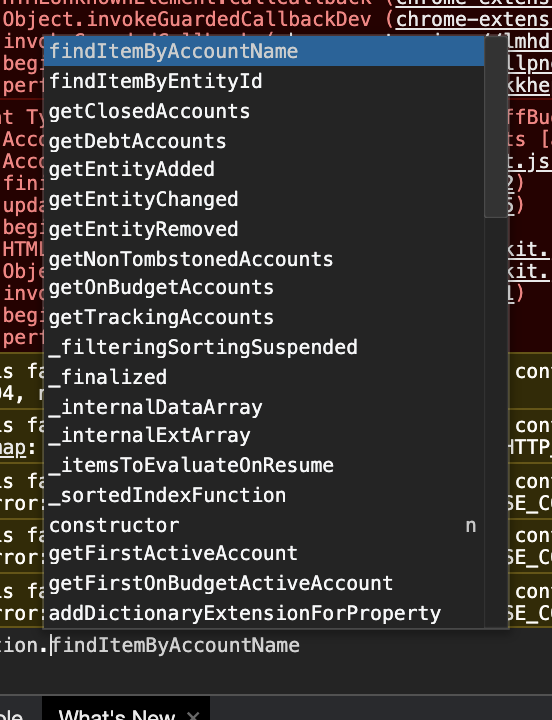
After digging in a bit, it looks like the function getOffBudgetAccounts changed to getTrackingAccounts
It fails on this line which would affect any component including tracking accounts in their calculations.
https://github.com/toolkit-for-ynab/toolkit-for-ynab/blob/cafe27adf8465cc6257746667833bb68ba959d6d/src/extension/features/toolkit-reports/pages/root/components/report-filters/components/account-filter/component.jsx#L33
References to getOffBudgetAccounts will probably need to be changed as well. Although, it looks like theres only one in this codebase.
tonyt-vo
on 21 Nov 2020
Hey @byronvm the fix for this should be in our current release! If you notice the issue still exists and you're definitely running the newest version of the toolkit, please reopen! Thanks!
Please note, all browser can take up to an hour to provide updates to all users. You can force an update if it's available for you by going to chrome://extensions and clicking the "Update" button. Firefox users can go to about:addons, click the setting cog, and click "Check for updates...".
 joshmadewell
on 30 Nov 2020
joshmadewell
on 30 Nov 2020
Related issues
 spammagnet
·
5Comments
spammagnet
·
5Comments
 jonathonbarton
·
4Comments
jonathonbarton
·
4Comments
 dsent
·
5Comments
dsent
·
5Comments
 u86
·
5Comments
u86
·
5Comments
 claudinec
·
7Comments
claudinec
·
7Comments
Most helpful comment
Leaving some notes if someone gets to it before me.
After digging in a bit, it looks like the function
getOffBudgetAccountschanged togetTrackingAccountsIt fails on this line which would affect any component including tracking accounts in their calculations.
https://github.com/toolkit-for-ynab/toolkit-for-ynab/blob/cafe27adf8465cc6257746667833bb68ba959d6d/src/extension/features/toolkit-reports/pages/root/components/report-filters/components/account-filter/component.jsx#L33
References to getOffBudgetAccounts will probably need to be changed as well. Although, it looks like theres only one in this codebase.