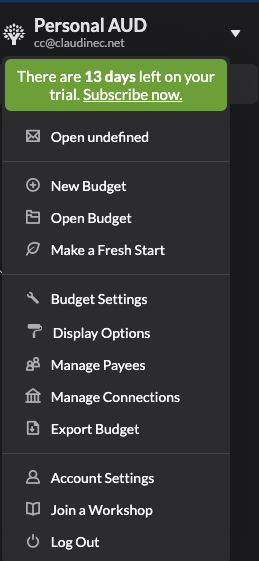
Toolkit-for-ynab: Browser Quick Switch displays 'Open undefined'
Steps to reproduce:
- Turn on the 'Budget Quick Switch' option in extension settings and reload the budget page
- Select the dropdown menu next to the budget name
What I expected to see:
At the top of the menu: 'Open other budget name' (this was working until one or two days ago)
What I saw instead:
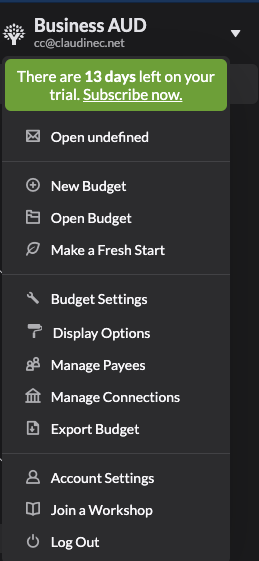
At the top of the menu: 'Open undefined'
Selecting the 'Open undefined' link still opens the correct budget, but something is going on with the budget name.
Extension version: 2.31.2
Browser version: Google Chrome 89.0.4389.90 (Official Build) (x86_64)
OS version: macOS Big Sur 11.2.3
 claudinec
All 7 comments
Having the same issue too
 lagflag
on 31 Mar 2021
lagflag
on 31 Mar 2021
The other issue for this got closed but this will be in our next release.
 joshmadewell
on 31 Mar 2021
joshmadewell
on 31 Mar 2021
Hey @claudinec the fix for this should be in our current release! If you notice the issue still exists and you're definitely running the newest version of the toolkit, please reopen! Thanks!
Please note, all browser can take up to an hour to provide updates to all users. You can force an update if it's available for you by going to chrome://extensions and clicking the "Update" button. Firefox users can go to about:addons, click the setting cog, and click "Check for updates...".
joshmadewell
on 8 Apr 2021
Thank you! How to update on Edge?
lagflag
on 8 Apr 2021
@lagflag if it doesn't happen automatically (it should) you can probably follow these steps: https://intercom.help/lean-library/en/articles/2630570-my-extension-did-not-update-automatically-how-to-update-to-the-latest-version
joshmadewell
on 8 Apr 2021
Thank you again! it is now working
lagflag
on 9 Apr 2021
Yes, it's working, thank you!
claudinec
on 9 Apr 2021
Related issues
 byronvm
·
5Comments
byronvm
·
5Comments
 GittyGee
·
7Comments
GittyGee
·
7Comments
 u86
·
5Comments
u86
·
5Comments
 shama
·
7Comments
shama
·
7Comments
 spammagnet
·
5Comments
spammagnet
·
5Comments
Most helpful comment
The other issue for this got closed but this will be in our next release.