Toolkit-for-ynab: [BUG] Excessive cursor highlighting in Toolkit Reports (Networth, Inflow/Outflow etc.)
Describe the bug
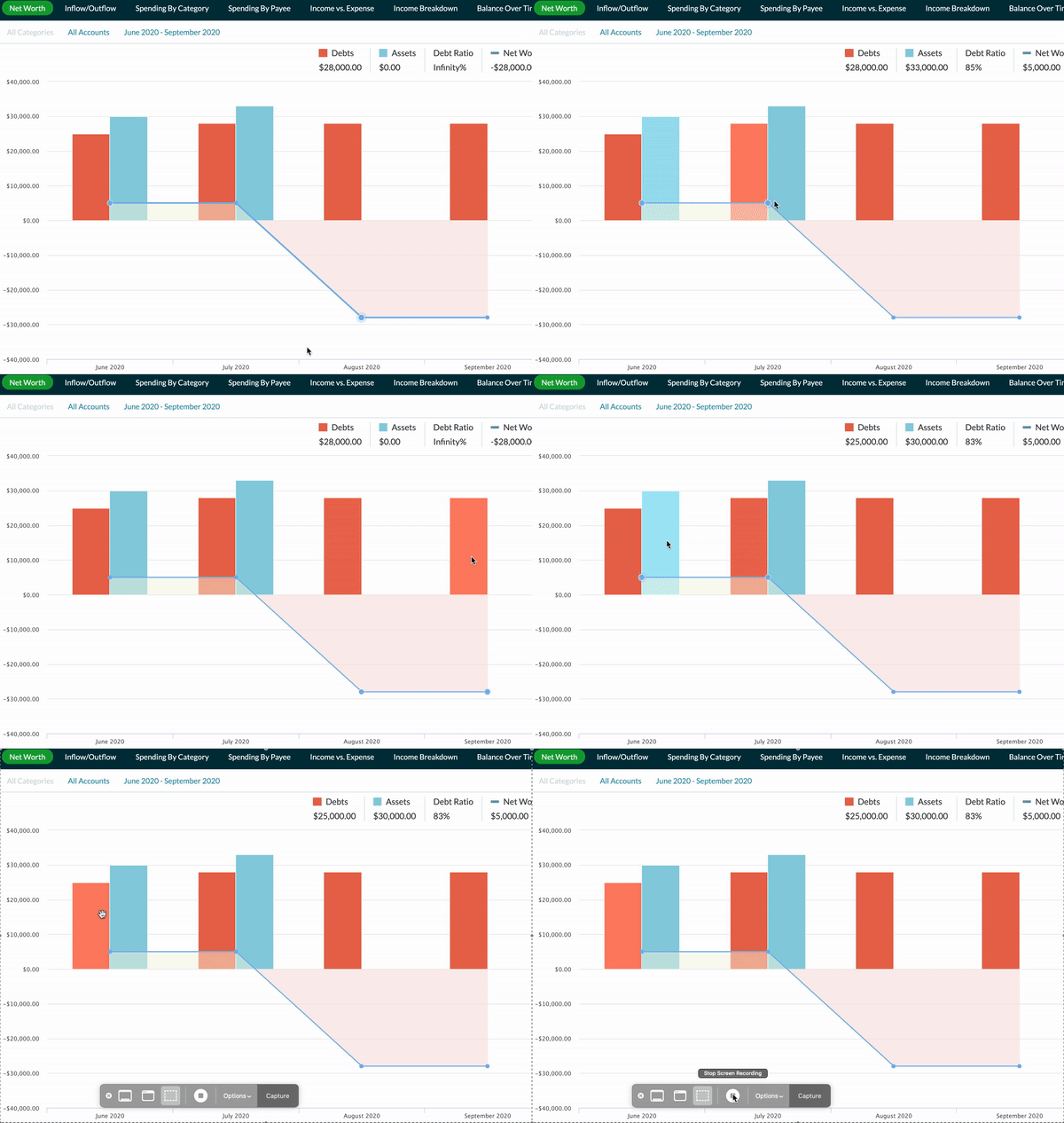
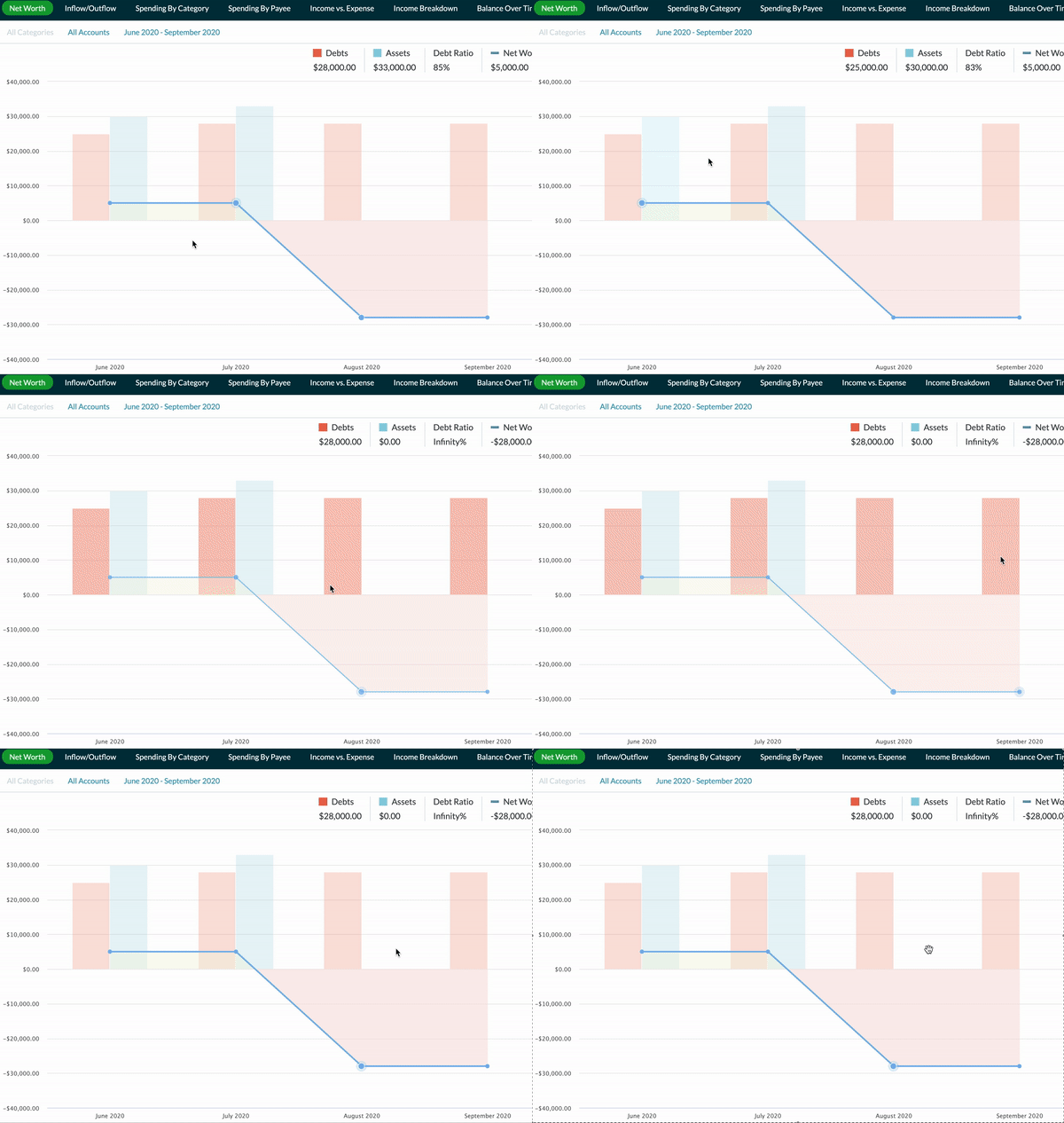
After recent release (2.28.1), there is what I believe to be excessive cursor chart highlighting/dimming for the active component. It is especially visible in the Toolkit Networth and Inflow/Outflow, but also somewhat in the Toolkit "Spending by.." pages. I believe it may be a side effect of fixing Issue 2142 #2150 (update: it's actually due to a new highcharts version)
To Reproduce
Highlight cursor over the elements in Toolkit Networth (and other pages), the highlighted graph or chart will dim/highlight excessively.
Expected behavior
I think the expected behavior for users is for a slight highlighting/emphasis of graphs, rather than the almost flashing it is now.
Screenshots
See gifs below
Desktop (please complete the following information):
Same results on Mac and Windows with Chrome and all latest updates.
Old Behavior
New Behavior
 Numex106
All 6 comments
I will look into this when I have some time, but perhaps @yatryan may know more? Probably the "hover" section of the code you changed? Thanks.
Numex106
on 22 Sep 2020
On closer look, it might just be from the bumped up HIghcharts version? Some kind of hover flag must be different by default in the new Highcharts? #2130
Numex106
on 23 Sep 2020
It looks like it was indeed highcharts version change. https://www.highcharts.com/blog/changelog/#highcharts-v7.1.0
For 7.1.0, they added an "inactive" state which by default will dim the non-hovered data. Simply disabling this "inactive" state will revert to the old behavior. I've tested in Net Worth and will fix for the other relevant Toolkit reports before submitting a PR. Any comments welcome.
Numex106
on 23 Sep 2020
Came to request this change, so glad to see it already being addressed.
 sadinar
on 23 Sep 2020
sadinar
on 23 Sep 2020
I also came to request this change! Hope it gets fixed.
 unckate7
on 23 Sep 2020
unckate7
on 23 Sep 2020
Hey @Numex106 the fix for this should be in our current release! If you notice the issue still exists and you're definitely running the newest version of the toolkit, please reopen! Thanks!
Please note, all browser can take up to an hour to provide updates to all users. You can force an update if it's available for you by going to chrome://extensions and clicking the "Update" button. Firefox users can go to about:addons, click the setting cog, and click "Check for updates...".
 joshmadewell
on 30 Nov 2020
joshmadewell
on 30 Nov 2020
Related issues
 dbaldon
·
6Comments
dbaldon
·
6Comments
 dsent
·
5Comments
dsent
·
5Comments
 montiac84
·
3Comments
montiac84
·
3Comments
 shama
·
7Comments
shama
·
7Comments
 baldwintm
·
5Comments
baldwintm
·
5Comments