Toggldesktop: Colors issue on macOS 10.13.6
💻 Environment
Platform: macOS
OS Version: 10.13.6
Toggl Version: 7.4.330 and 7.4.365 beta
🐞 Actual behavior
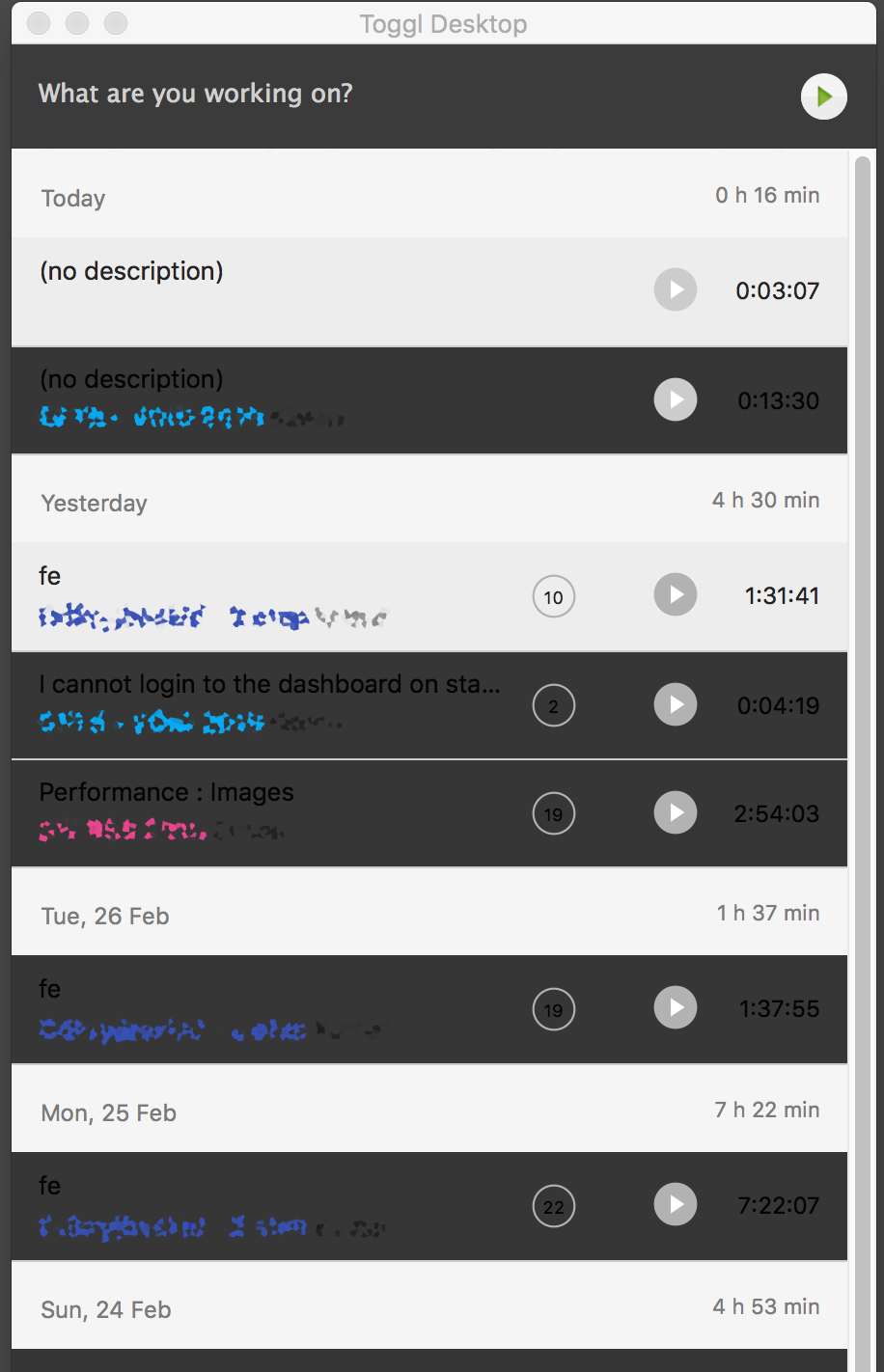
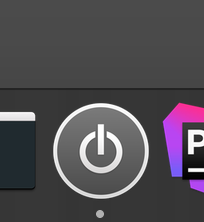
The colors are wrong (see the screenshot). I guess it has something to to with the newly introduced dark mode feature. The dock icon is also broken.
💯 Expected behavior
Correct colors ;)
🔨 Steps to reproduce
There's nothing special to do. The app looks wrong all the time. The only thing that helps is to re-install the app, then it's fine only after it's run for the first time. After I close it and re-open again the colors are broken again.
📦 Additional info
 wujekbogdan
All 11 comments
Thank for reporting it 💯
Before we released the DEV and BETA 7.4.365, we tested carefully on OS 10.14 as well as 10.11.
Both works well. I'm not sure what wrong with 10.3.6 OS 🤔 .
We will install it on our virtual machine and investigate further. Will let you know when we have any news 👍
 NghiaTranUIT
on 28 Feb 2019
NghiaTranUIT
on 28 Feb 2019
Hey @wujekbogdan,
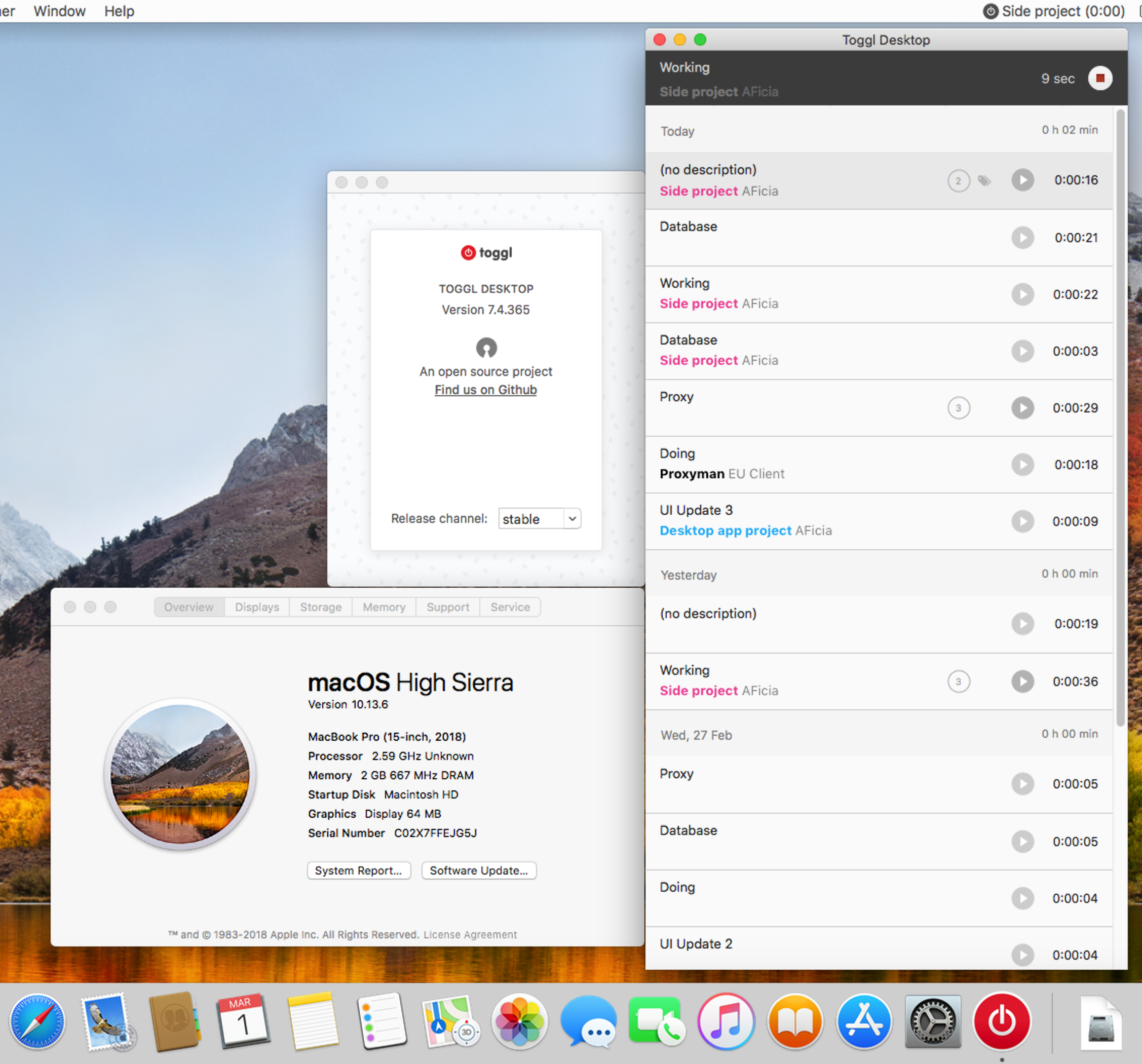
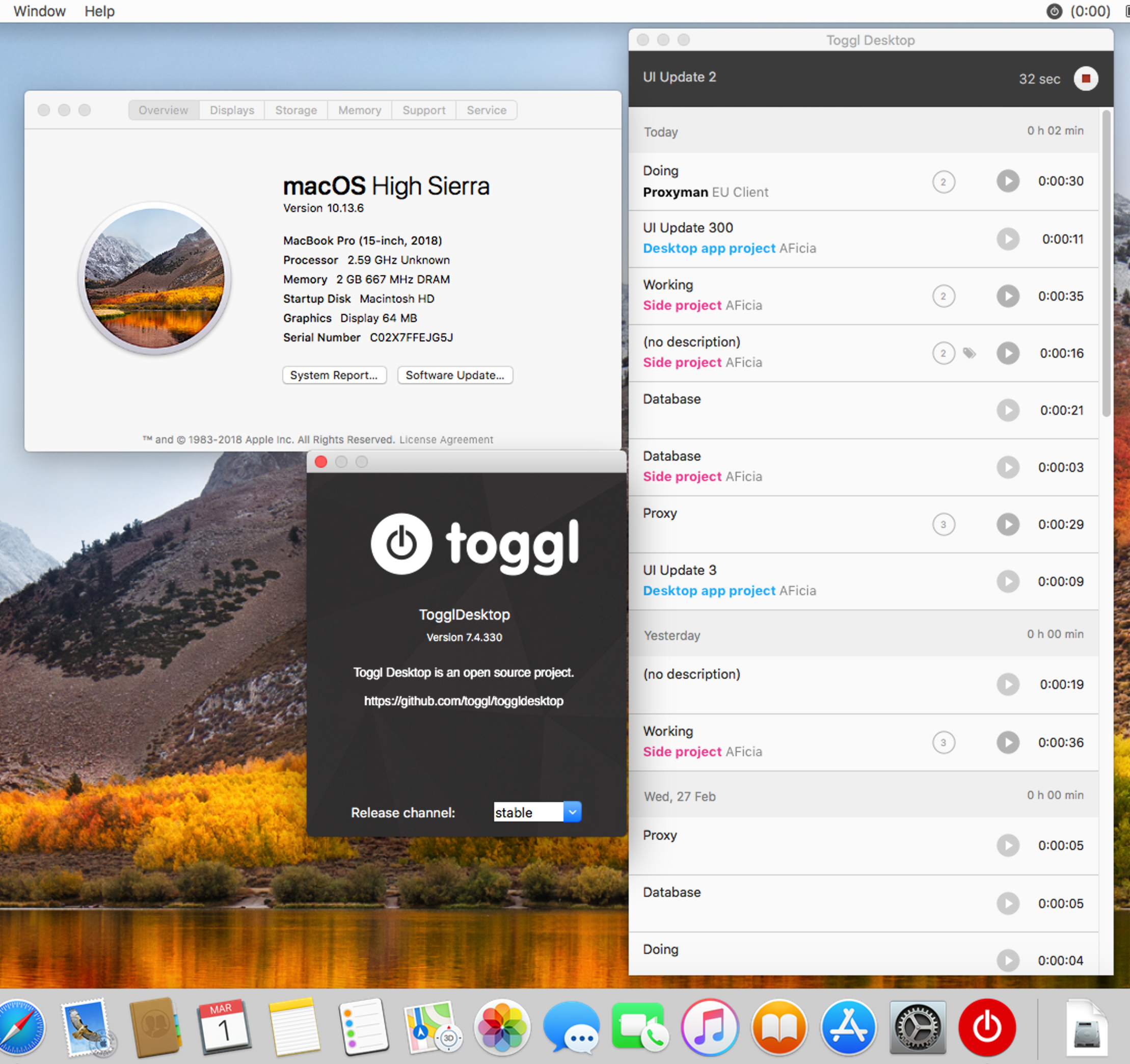
I setup and tried on Toggl 7.4.330 and 7.4.365 BETA on OS 10.13.6, but everything works well without any issue about color. Additionally, I also tested to quit and re-open the app many times, but there is no problems here (See the screenshots)
Do you have any strange configuration on System -> General or install any 3rd-parties app? because 10.13.6 hasn't officially supported dark-mode yet.
Screenshots
NghiaTranUIT
on 1 Mar 2019
@NghiaTranUIT
I forgot to mention that It used to be OK for a long time. It started to happen suddenly. I didn't update my system or Toggle or change any settings. One day Toggl colours started to look odd.
Do you have any strange configuration on System -> General or install any 3rd-parties app?
The only non-standard setting there is "Use dark menu bar and Dock" which has been set for a while and everything was OK.
Update
I've unchecked Use dark menu bar and Dock - and now Toggl looks OK. That's weird because this setting has been enabled for a long time and it wasn't causing any problems.
wujekbogdan
on 1 Mar 2019
It's unusual, we will keep investigating it
Thank for your answer 👍
NghiaTranUIT
on 1 Mar 2019
@NghiaTranUIT
I'm not sure if testing on Virtual machine is reliable. From what I know Virtualbox doesn't support graphics acceleration (that's why transparencies don't work there and the interface is laggy). I don't know how other VM handle this issue.
wujekbogdan
on 1 Mar 2019
I'm using the lasted version of Parallels and it's capable of providing virtual 3D graphics acceleration pretty well.
I installed Windows 10, Ubuntu, macOS 10.11 and 10.13.6, and they works pretty well without issues for a long time. Thus, I believe that it's reliable for development.
I will borrow my friends's macbook, let see if I could reproduce it 👍
Btw, thank for reaching to us 🥇
NghiaTranUIT
on 1 Mar 2019
Here to report the same issue. As the OP mentioned, turning off dark menu bar + dock in system preferences > General and restarting the app fixes the issue...and the issue stays resolved even if I switch dark menu bar mode back on as long as I don't restart the app.
 iansltx
on 12 Mar 2019
iansltx
on 12 Mar 2019
Thank for the report @iansltx .
Sorry for this inconvenience. We just fixed this issue in #2853. You can try it out in DEV version 👍
cc @wujekbogdan
NghiaTranUIT
on 12 Mar 2019
Not seeing a .dmg on the latest release quite yet. I'll pull down and confirm as soon as I don't have to compile this myself :)
iansltx
on 12 Mar 2019
@iansltx
use brew
→ brew search toggl
==> Casks
toggl ✔                                  toggl-beta                               toggl-dev
Latest dev build with the fix https://github.com/toggl/toggldesktop/releases/download/v7.4.371/TogglDesktop-7_4_371.dmg
 IndrekV
on 12 Mar 2019
IndrekV
on 12 Mar 2019
Related issues
 tanel
·
4Comments
tanel
·
4Comments
 sarneeh
·
6Comments
sarneeh
·
6Comments
 ghost
·
3Comments
ghost
·
6Comments
ghost
·
3Comments
ghost
·
6Comments
 vikahl
·
6Comments
vikahl
·
6Comments
Most helpful comment
Not seeing a .dmg on the latest release quite yet. I'll pull down and confirm as soon as I don't have to compile this myself :)