Teslamate: Vehicle reset causes location shift to Tesla HQ
Describe the bug
When a vehicle is factory reset the location defaults to Tesla HQ until the car has been driven enough to allow it to pick up the correct location
Expected behavior
Ideally an option in the UI when this location is picked up to clear it from the database so as not to skew teslamate data
How to reproduce it (as minimally and precisely as possible):
- Factory reset the vehicle attached to teslamate
- Check back into teslamate
- See that the API is now showing the location as Tesla HQ
- View teslamate to see that location data is showing as Tesla HQ
-->
Relevant entries from the logs
paste logs here
Screenshots
Data
Environment
- TeslaMate version:
- Type of installation: Docker or Manual
- OS TeslaMate is installed on:
- User OS & Browser:
- Others:
 kingppeb
All 8 comments
This is not a bug on Teslamate's level, and a solution is available in the documentation: https://docs.teslamate.org/docs/maintenance/manually_fixing_data
 wooter
on 17 Apr 2021
wooter
on 17 Apr 2021
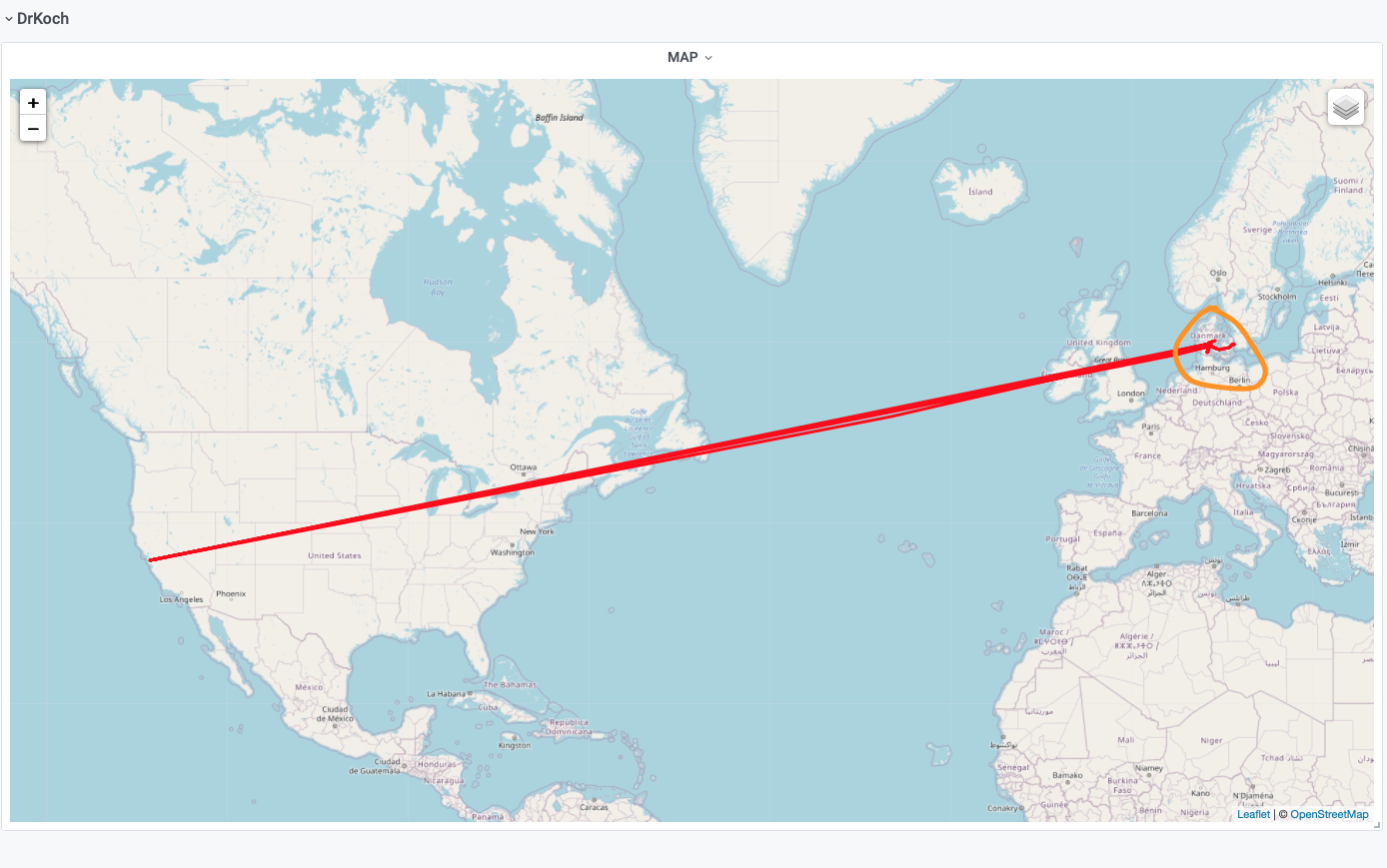
I have the same problem. I followed the intructions mentioned by @wooter and deleted the drive/charge in palo alto, but the visited maps still looks crazy (which kind of ruins the overview - check attached overview - my country is marked in orange 😁). The drive/charge have disappeared from the drives/charges list.
I really hope that this is possible to fix.
 larskochhansen
on 18 Apr 2021
larskochhansen
on 18 Apr 2021
Same issue here, deleted drive/address, restarted docker, still showing this crazy straight line, am I missing anything in the database? would be good to have an option to delete it in web interface, thanks
 ddjj181
on 17 May 2021
ddjj181
on 17 May 2021
You can find all entries with a location near the Tesla HQ with the following SQL query:
SELECT *
FROM positions
WHERE
earth_distance(
ll_to_earth(latitude, longitude),
ll_to_earth(37.394229560763236, -122.1502025306691)
) < 10000;
To run it, connect to the database as described in the link above. If you really wan to delete the entries, replace SELECT * with DELETE.
 adriankumpf
on 17 May 2021
adriankumpf
on 17 May 2021
I've tried the suggested solution (see attached) but the problem remains. As if the "visited map" gets its data somewhere else :)
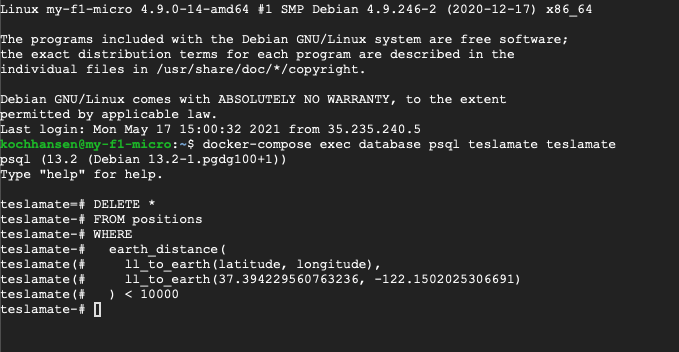
I also tried DELETE (without) the asterixis. Am I entering it wrong?
Thanks in advance
/L
larskochhansen
on 17 May 2021
Is there a ";" missing at the end perhaps?
 DrMichael
on 17 May 2021
DrMichael
on 17 May 2021
Is there a ";" missing at the end perhaps?
Thank you very much... I ran the
DELETE
FROM positions
WHERE
  earth_distance(
    ll_to_earth(latitude, longitude),
    ll_to_earth(37.394229560763236, -122.1502025306691)
  ) < 10000
;
... and now the "TESLA HQ" has disappeared. THANK you very much 👍
larskochhansen
on 17 May 2021
Is there a ";" missing at the end perhaps?
worked like a charm, thanks
ddjj181
on 18 May 2021
Related issues
 petariga
·
5Comments
petariga
·
5Comments
 cwanja
·
3Comments
cwanja
·
3Comments
 russinating
·
4Comments
russinating
·
4Comments
 bahree
·
5Comments
bahree
·
5Comments
bahree
·
5Comments
bahree
·
5Comments
Most helpful comment
Thank you very much... I ran the
DELETE
FROM positions
WHERE
  earth_distance(
    ll_to_earth(latitude, longitude),
    ll_to_earth(37.394229560763236, -122.1502025306691)
  ) < 10000
;
... and now the "TESLA HQ" has disappeared. THANK you very much 👍