Tdesktop: Fonts become monospaced when pages are opened from Telegram
Steps to reproduce
- Open Telegram Desktop
- Click link
Expected behaviour
The default browser opens the page rendered correctly. (see attached screenshot below)
Actual behaviour
The default browser opens the page with monospaced fonts. (see attached screenshot below)
Configuration
Ubuntu 18.10 and 19.04 running in several different computers.
Browsers tested: Mozilla Firefox 66.0 (64 bits) and Google Chrome 73.0.3683.86 (Official Version) 64 bits.
Telegram Desktop 1.6.1.
Default theme.
Screenshots
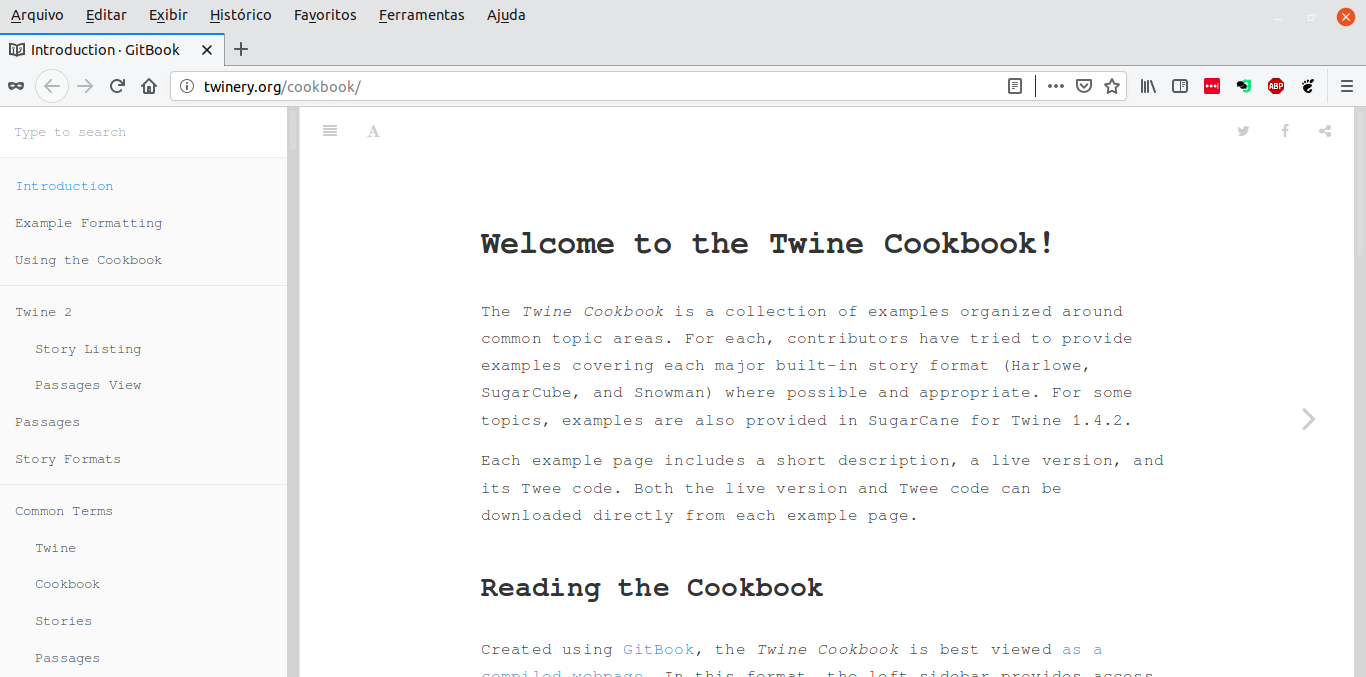
Link opened in Telegram
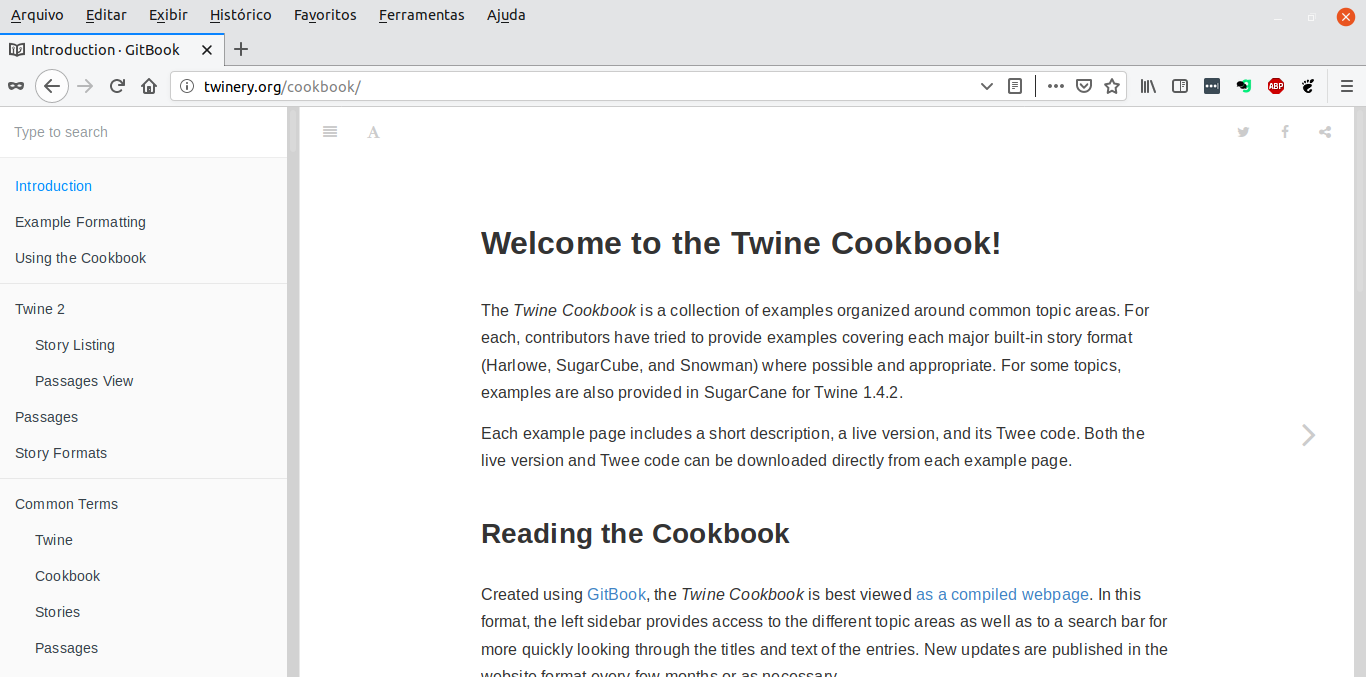
Link opened directly
 jvlianodorneles
All 8 comments
OS: Ubuntu 19.04 5.0.0-13-generic #14-Ubuntu SMP Mon Apr 15 14:59:14 UTC 2019 x86_64 x86_64 x86_64 GNU/Linux
Telegram Desktop: v 1.6.7 binary distribution from https://desktop.telegram.org/
Issue persists on several other apps launched from Telegram Desktop: Sublime Text, Nautilus File Manager and few more. Google Chrome even crashes if I open a link from Telegram app.
 drunckoder
on 25 Apr 2019
drunckoder
on 25 Apr 2019
it's probably because telegram has it's own font config files and xdg stuff just passes FONTCONFIG related enviroment variables as is.
 stek29
on 27 Apr 2019
stek29
on 27 Apr 2019
Yep, can confirm. This happens on Fedora 29 using KDE Plasma desktop as well.
 JochemKuijpers
on 29 Apr 2019
JochemKuijpers
on 29 Apr 2019
I am able to reproduce this, too. I use i3 on Ubuntu.
If you already have opened the browser, a new tab is added. But if the browser isn’t opened, it opens with monospace fonts. So as long as it isn’t fixed, you can just open the browser and then click on links.
 aruseni
on 26 Aug 2019
aruseni
on 26 Aug 2019
Still happens on Fedora 30 with KDE Plasma Desktop. As a bonus, Telegram takes very long to boot the first time (2-5 minutes at least, 100% CPU load on one core).
JochemKuijpers
on 7 Sep 2019
@JochemKuijpers Exactly, first boot is very long.
aruseni
on 23 Sep 2019
It’s OK though, but UX would be a lot better if it displayed something on screen.
aruseni
on 23 Sep 2019
fixed already.
 Aokromes
on 1 Mar 2020
Aokromes
on 1 Mar 2020
Related issues
 whywhyy
·
3Comments
whywhyy
·
3Comments
 LeonTheOriginal
·
3Comments
LeonTheOriginal
·
3Comments
 TheAppService
·
3Comments
TheAppService
·
3Comments
 FunctionalHacker
·
3Comments
FunctionalHacker
·
3Comments
 DRSDavidSoft
·
3Comments
DRSDavidSoft
·
3Comments
Most helpful comment
it's probably because telegram has it's own font config files and xdg stuff just passes FONTCONFIG related enviroment variables as is.