Surge: Surge-AU/VST2 UI: LFO Waveform is not displayed
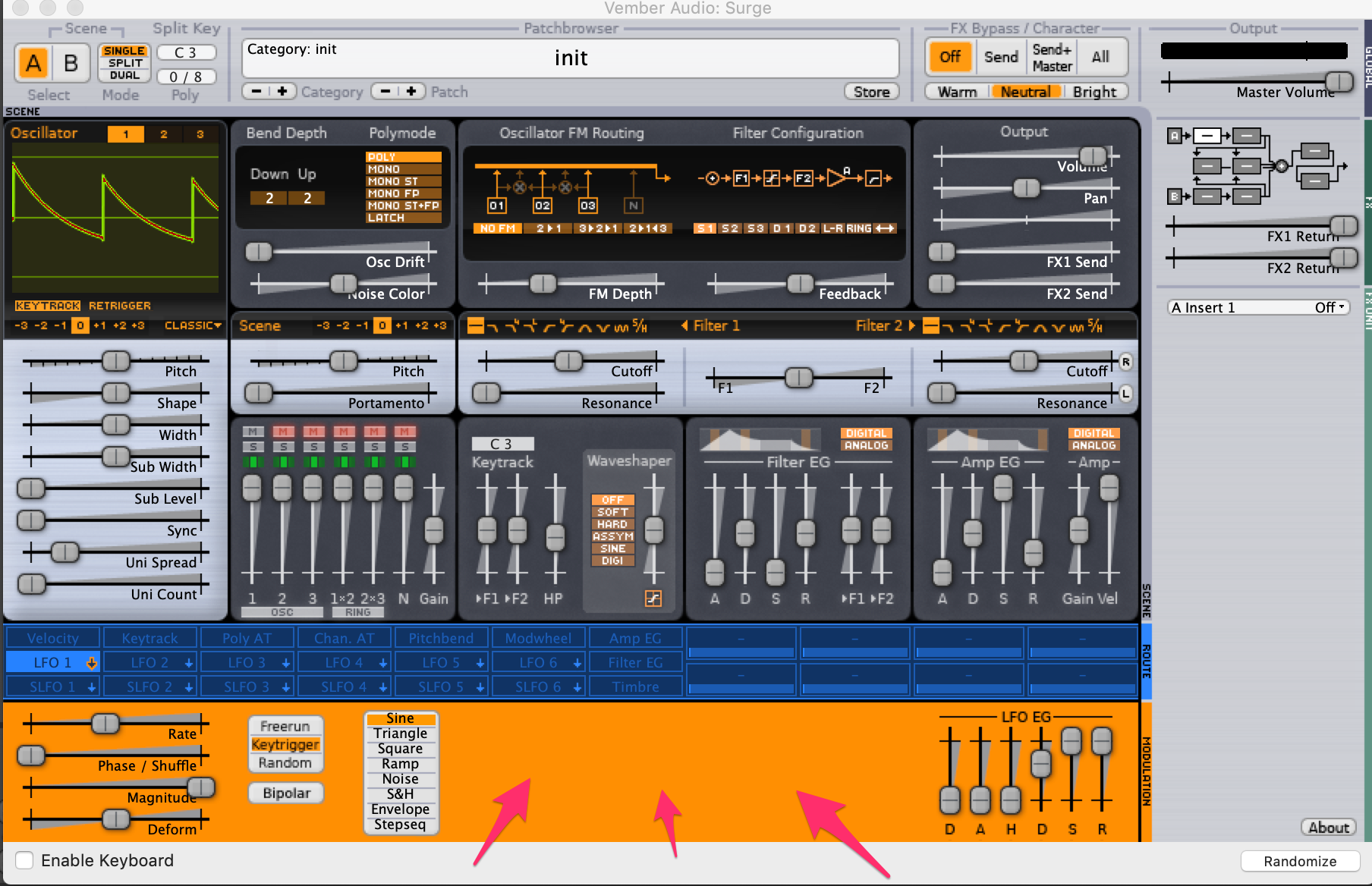
Current (15th December 2018) VST2/AU:
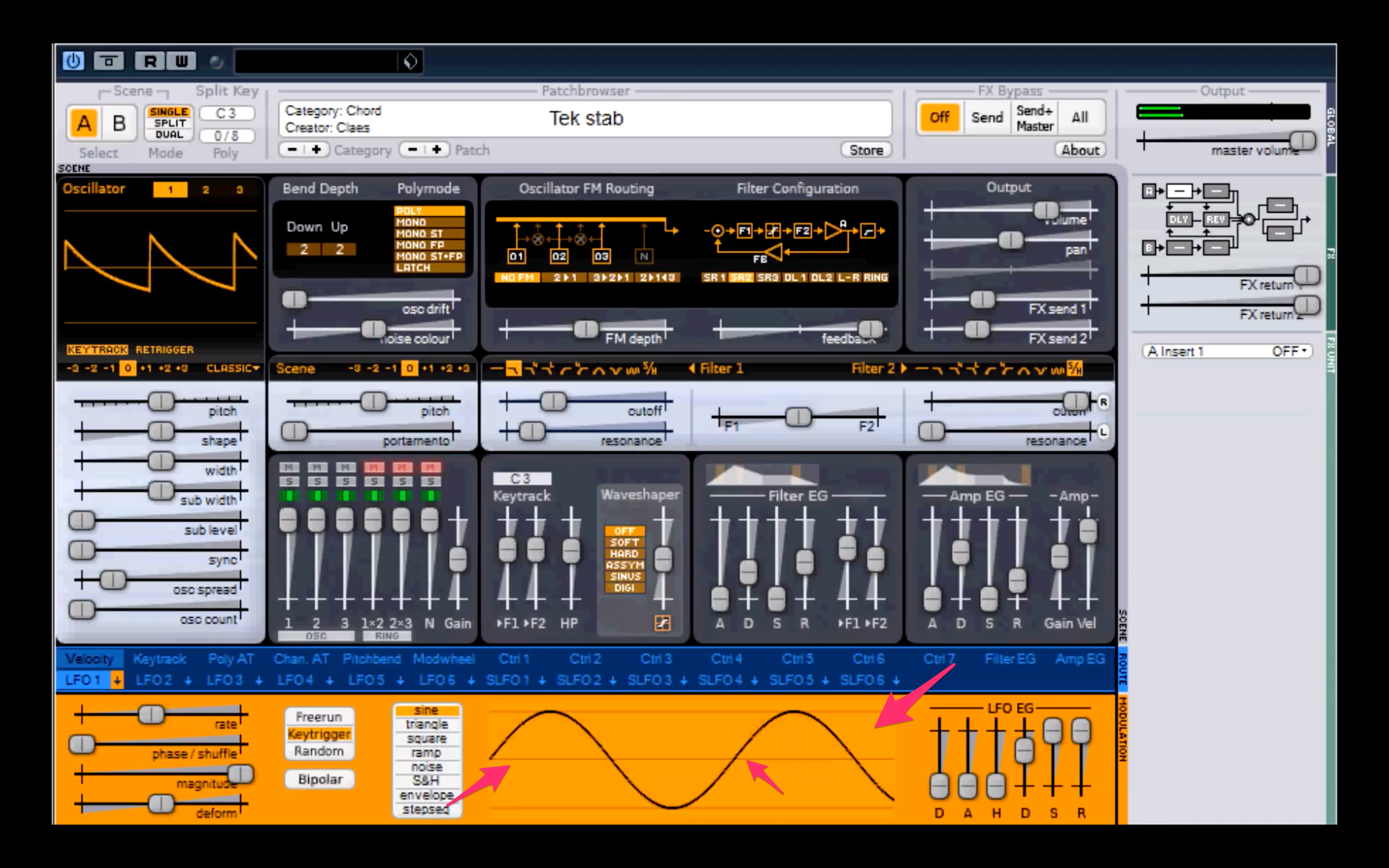
Screenshot from YouTube video
@baconpaul you might find this interesting - it appears that the LFO waveform on the bottom center is not rendered with the macOS 64-bit AudioUnit/macOS VST2 for now.
p.s. here's one YouTube video that shows the LFO waveform on the bottom: https://www.youtube.com/watch?v=JdRZpDTi5QM
 esaruoho
All 13 comments
Thanks!
In my build I see the one in the top left corner and that changes when I do things like change wave shape or wave table. But the bottom one is definitely missing.
I’m not coding today, but one thing I was thinking was I should put together at least a small hacky “make an alpha release” script which just makes a dmg with an install shell script, the component, and the resources. Then I can build that from my branch so we can get other folks testing more easily. I think I have a bit of time to do that tomorrow.
Also: I really appreciate all the building, looking, host checking, and work you’ve been doing here @esaruoho . As I told a friend over breakfast yesterday “isnt’ it cool that some random dude from the states (me) and some random dude from Sweden (you) are talking on the internet to get open source things working using github”. So just sending a positive thought your way for a good weekend!
 baconpaul
on 15 Dec 2018
baconpaul
on 15 Dec 2018
I've modified the ticket to be about the LFO waveform only. btw I'm not Swedish, instead Finnish.
Thanks for taking the time to write about the ~/Library/Application Support/Surge and how resources/data needs to be copied there before the waveform on the top left corner is displayed :) Much appreciated!
Yeah it's really awesome work you've been doing with the audiounit, I'm just happy to be along for the ride!
I hope @kurasu is, too.
esaruoho
on 15 Dec 2018
Oh so sorry! Didn't mean to mistake your country of origin. But still a pleasure hacking along with you!!
baconpaul
on 15 Dec 2018
no worries, @baconpaul :)
i wonder where those lfo waveforms reside.. weird!
esaruoho
on 15 Dec 2018
Should be easy to see once I look at the code, now I know they are missing. Will peek this week
baconpaul
on 15 Dec 2018
So the LFO Waveform display is super clever. It actually configures an LFO and runs it, sampling the data, drawing the graph. So this problem is not a missing resource problem, its a "bug in the drawing code on mac" problem.
Just letting you know to make sure we don't conflate this LFO display issue with all the ~/Library/Application Support issues kicking around in last couple of days (which #89 makes a bunch better).
baconpaul
on 16 Dec 2018
Just a breadcrumb to myself. The problem is entirely in the coltable structure which is used to go from y values to painting colors.
 /*
            cdisurf->setPixel(x, y,
                              coltable[min((unsigned int)255, /.*(y>>1) +*./ (column[y] >> aa_bs))]);
             */
             if( column[ y ] != 0 )
                 cdisurf->setPixel( x, y, 0xFF0000FF );
this mod which makes each pixel where there is LFO "action" a nasty blue rather than the color from the table gives us this UI which responds appropriately.
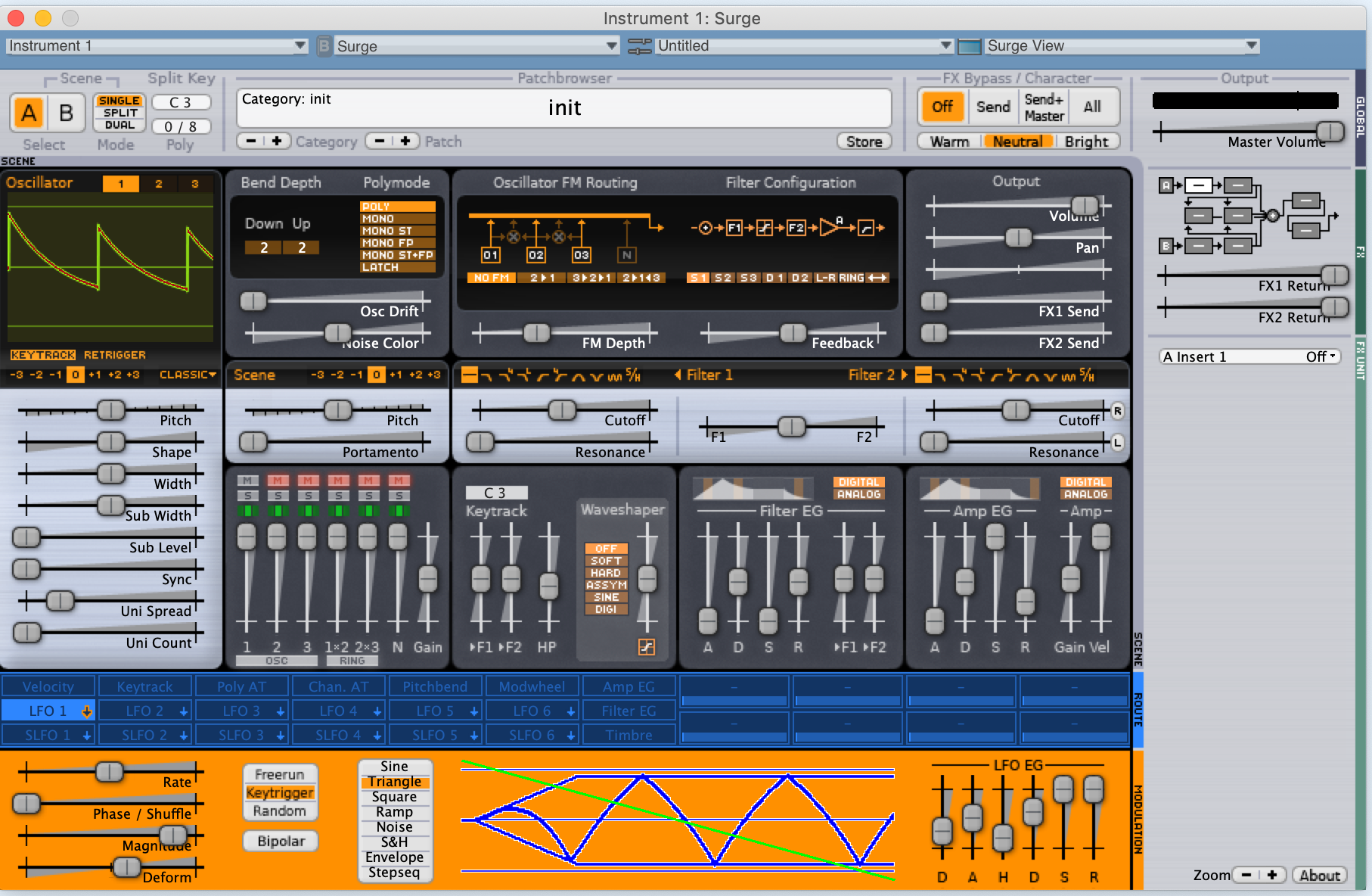
so now I know where to debug!
baconpaul
on 16 Dec 2018
OK I found the problem. Mac has a different rgba pixel order than windows so the color table was making everything transparent
To fix that is a one line change. to realize that one line change I changed 100 things so I want to blow away my changes and start again. I'll do that later today.
baconpaul
on 16 Dec 2018
OK I got this one fixed. @esaruoho and @kzantow if you are making a master PR if you could pull this in, along with the rest of zoomable-ui. The final commit to pull to is
https://github.com/baconpaul/surge/commit/094fa0bdf59430badf5a50daacbc2a3ee58e77a9
Here's the screenshot
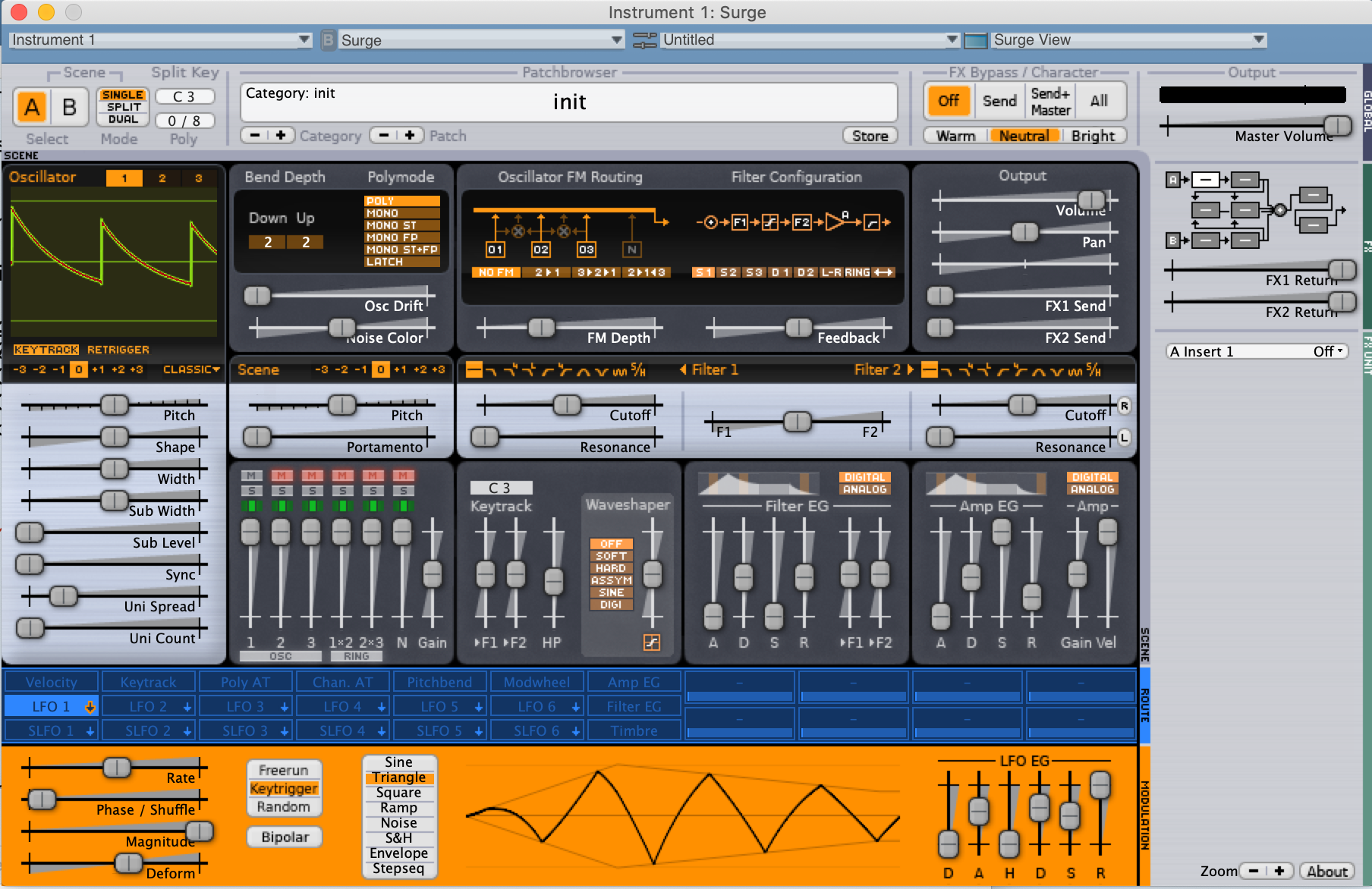
The actual problem is shift ordering for raw bits. Whereas windows does r | g < 8 | b < 16 | a < 24 mac does a | b < 8 | g < 16 | r < 24.
baconpaul
on 16 Dec 2018
@baconpaul didnt this get fixed in #92 ? If so, closing after i see it with my own very eyes :)
esaruoho
on 18 Dec 2018
It did! We can close this. I haven’t had time to run upstream master yet but I’m sure it is fine.
baconpaul
on 18 Dec 2018
I can verify that @baconpaul's changes definitely fixed the LFO rendering. It's awesome now!
 kzantow
on 18 Dec 2018
kzantow
on 18 Dec 2018
closing! thanks @baconpaul
esaruoho
on 19 Dec 2018
Related issues
 VincyZed
·
5Comments
VincyZed
·
5Comments
 itsmedavep
·
9Comments
itsmedavep
·
9Comments
 jarkk0sakkinen
·
5Comments
jarkk0sakkinen
·
5Comments
 arjen-klar
·
6Comments
baconpaul
·
7Comments
arjen-klar
·
6Comments
baconpaul
·
7Comments
Most helpful comment
Should be easy to see once I look at the code, now I know they are missing. Will peek this week