Surge: LFO: Step seq trigger lane UX update
As I was playing around with the skin stuff I thought "You know it would be great to have the trigger lane steps activate as I drag across them all not only on mouseUp"
This video should show how it works now. Which may or may not be that useful now that Im thinking about it LOL.

 itsmedavep
All 9 comments
Perfectly clear. May be annoying to fix but if it’s easy I can!
 baconpaul
on 22 Mar 2020
baconpaul
on 22 Mar 2020
Vincy mentioned something about an annoying flashing that was happening when the trigger lane was first introduced. Perhaps thats something we can fix with skin colors now or something. IDK. just throwing that out there.
itsmedavep
on 22 Mar 2020
Yeah I saw that. I think it is just that each click toggles your to both a b or some such and the drag was walking through that. Knowing I am in a drag and applying starting point is the state management I will have to do
baconpaul
on 22 Mar 2020
Oh i fixed the annoying flash. The drag still not there but the annoying flash bit the dust once i had the vector render correct
baconpaul
on 28 May 2020
OK so here's the thing
I can make this so that a drag across is a toggle
but I'm not sure that is exactly what we want
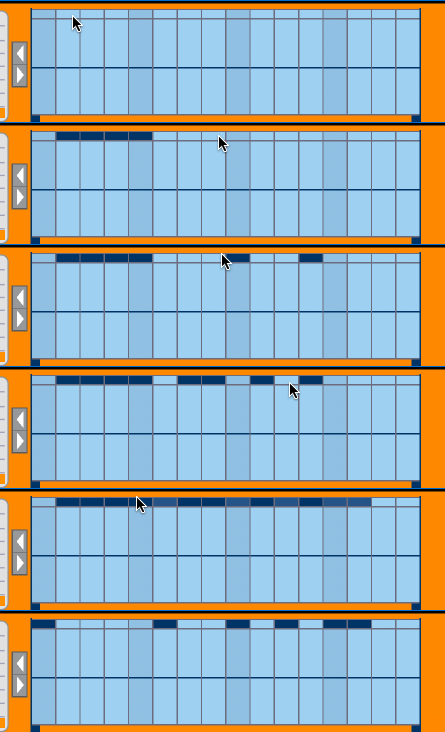
lemme explain in a gif.
I am presuming that what we would want is to apply all on when we drag? But right now since click is toggle this creates a bunch of clicks on drags == a bunch of toggles
So do we want it to toggle? Set the state that a click in the first would have? Always turn on?
I pushed but didn't merge this in baconpaul/ss-drag-trig-1659 while we figure out what we actually want.
baconpaul
on 29 May 2020
BTW I think what should happen is "the toggle state you would get to where you first click applies"
So if you click on an off and drag all your drags go on.
If you click on an on and drag all your drags go off
If you shift-click on a filter AEG and drag, all your drags to to attack AEG
etc
but before I code that wanted confirmation
baconpaul
on 29 May 2020
I agree, that's the best solution. Also, before implementing independent trigger lanes, if I understand your explanation correctly, that's exactly what happened. (Just tested in 1.6.3 for instance):
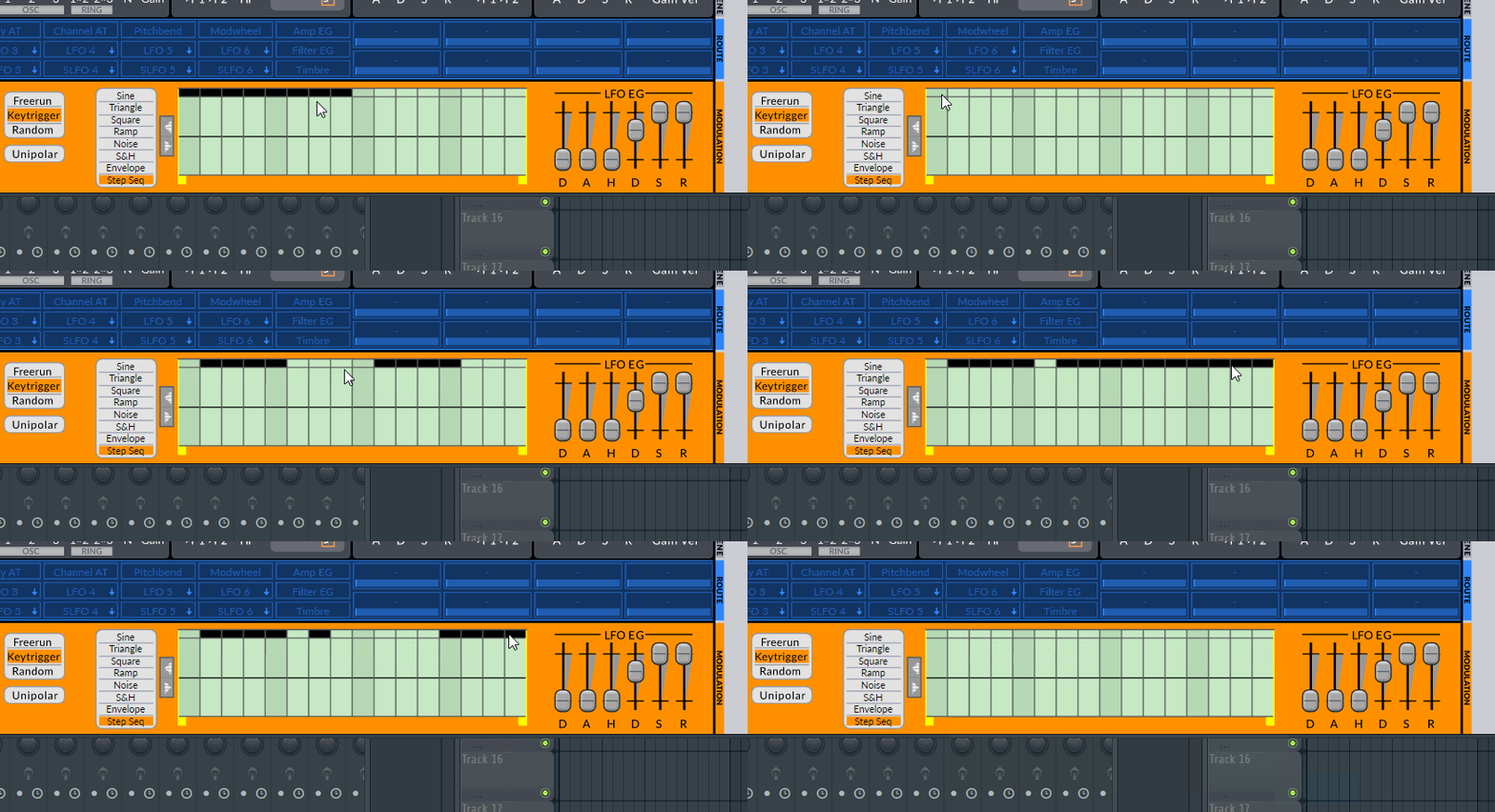
So like in the above GIF, the state you would get to if you simply clicked and released should be applied to all of the other ones.
So if you click on an empty one and drag, it fills up everything you drag over to (including the one you clicked before dragging). If you click on a filled on and drag, it clears up everything you drag over to. Same principle would apply for shift clicking or right-clicking I presume (apply the next state to all the steps).
 VincyZed
on 29 May 2020
VincyZed
on 29 May 2020
Yeah super useful. OK I have that coded up. Will push it now and close this issue.
baconpaul
on 29 May 2020
Would it be possible to delete the steps as we drag instead of only when releasing? Right now it updates as we drag for adding, but not deleting:
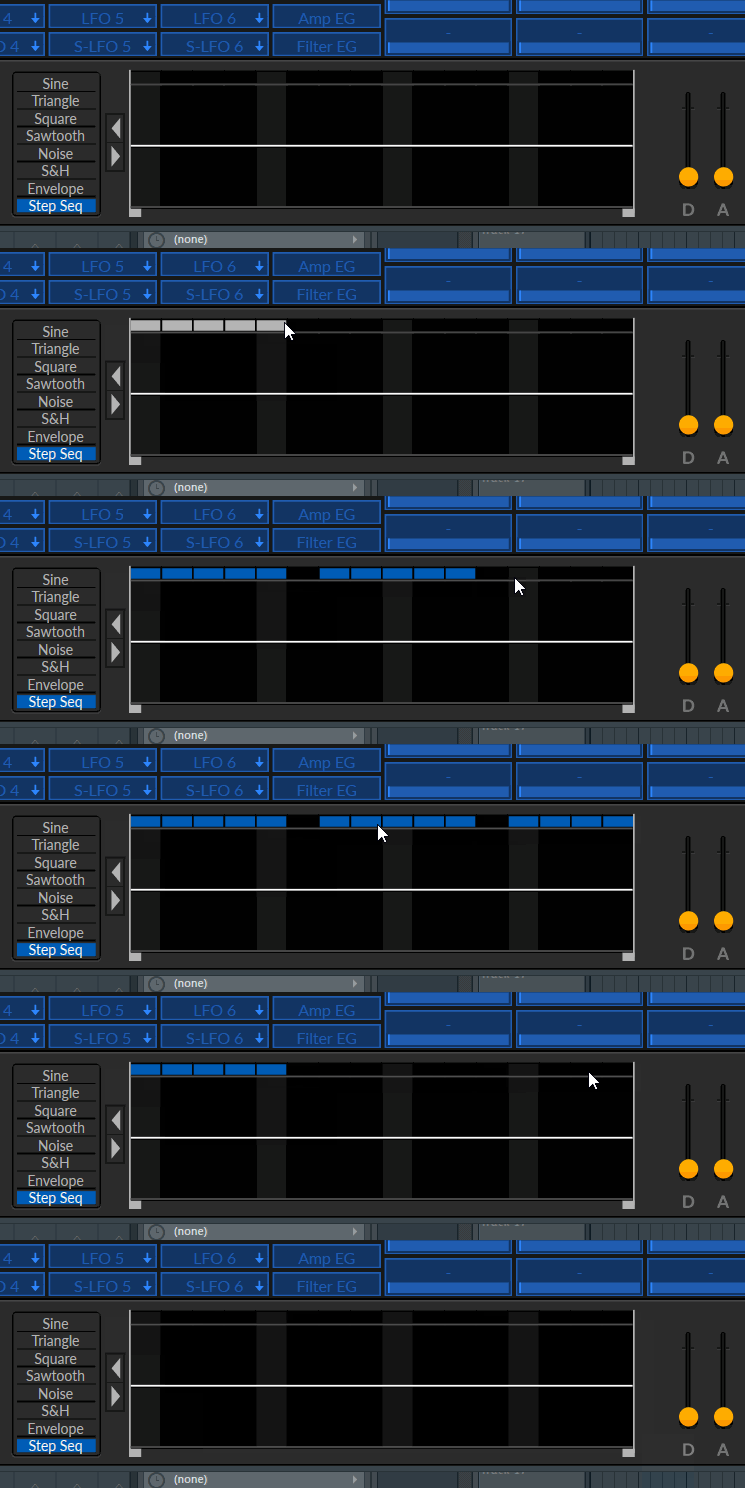
I've looked at the code trying to do it myself but have trouble understanding.
Just going to reopen this instead of creating a new issue.
VincyZed
on 3 Jun 2020
Related issues
 fgimian
·
4Comments
baconpaul
·
8Comments
baconpaul
·
6Comments
VincyZed
·
5Comments
fgimian
·
4Comments
baconpaul
·
8Comments
baconpaul
·
6Comments
VincyZed
·
5Comments
 mkruselj
·
6Comments
mkruselj
·
6Comments
Most helpful comment
Yeah super useful. OK I have that coded up. Will push it now and close this issue.