Spectacle: Arrange window with custom padding
It would be awesome if we could arbitrarily set a margin so that what ever app you are aligning, will not go all the way to the edge of the screen. So if I se a 20px margin, and I set an app to go lower left, it would place itself 20px up from the bottom and 20px in from the right.
I suppose you would want to be able to set the margin individually for each monitor..
I'm not to sure I put this idea in the right place. My apologies if I didn't.
Thanks!
 AnthonySchultz
All 26 comments
Very specific request, but it could be nice to have for all those little modal windows for instance.
 exalted
on 4 Nov 2012
exalted
on 4 Nov 2012
Size Up has this feature, it is really handy, I switched to spectacle but am considering moving back as this feature makes such a difference.
I like to still be able to access icons on my desktop so a margin is perfect for that, also when you have two aps taking 50% of the screen each with no space around them the screen feels ver cramped!
 dahliacreative
on 15 Jul 2013
dahliacreative
on 15 Jul 2013
@dahliacreative
+1
I agree wholeheartedly. Being able to have the app handle margins is great. Gives great access to the desktop.
 mattsnowky
on 14 Nov 2013
mattsnowky
on 14 Nov 2013
+1
In addition to having access to the desktop, I like my backgrounds to _bleed_ a bit around windows. I have screen real state to spare and the effect is really pleasing. E.g:

 jzfgo
on 8 Oct 2014
jzfgo
on 8 Oct 2014
+1 to margins/gutters
 s3ththompson
on 13 Aug 2015
s3ththompson
on 13 Aug 2015
With this enhancement Spectacle would introduce a configurable padding along the edges of a display and along edges of individual windows. This effectively combines #67 and #413 into one enhancement.
 eczarny
on 14 Aug 2015
eczarny
on 14 Aug 2015
This would be great to see!
 arcataroger
on 3 Sep 2015
arcataroger
on 3 Sep 2015
:+1:
 apazzolini
on 5 Sep 2015
apazzolini
on 5 Sep 2015
And if this ever gets implemented, I'd also like the ability to configure the padding per display...
 wmertens
on 7 Sep 2015
wmertens
on 7 Sep 2015
With all the recent releases i still hope for this feature every time
 leifniem
on 1 Mar 2016
leifniem
on 1 Mar 2016
Totally agree, a great little piece of software, with added customization for the user I think it could become even better!
And perhaps set presets, so you give a certain keybinding a preset if you are constantly manually re-sizing a window specifically.
 HighDensityAwesome
on 8 Mar 2016
HighDensityAwesome
on 8 Mar 2016
I'd love to see this as well. I'm coming from SizeUp too and it's surprisingly helpful, for instance, having padding on the right side allows me to access a column of desktop icons even when a window is oriented to the right or fullscreen.
And making the padding configurable as well allows you to do things like have one app fullscreen-except-for-padding on one side, and another full-screen-except-for-padding on the other side.
 rootwork
on 10 Jun 2016
rootwork
on 10 Jun 2016
100% agree. I still use and prefer Divvy for it's margin and gutter customization.
 jesseleite
on 17 Aug 2016
jesseleite
on 17 Aug 2016
I would like this feature as well
 kingmatusevich
on 29 Sep 2016
kingmatusevich
on 29 Sep 2016
is this feature no longer on the roadmap?
 chrisdrackett
on 15 Dec 2016
chrisdrackett
on 15 Dec 2016
Closed as I have no plans to implement this functionality. Sorry, should have mentioned this when I originally closed the issue.
eczarny
on 24 May 2017
For those of us looking for this—I found an app that does it: Mosaic
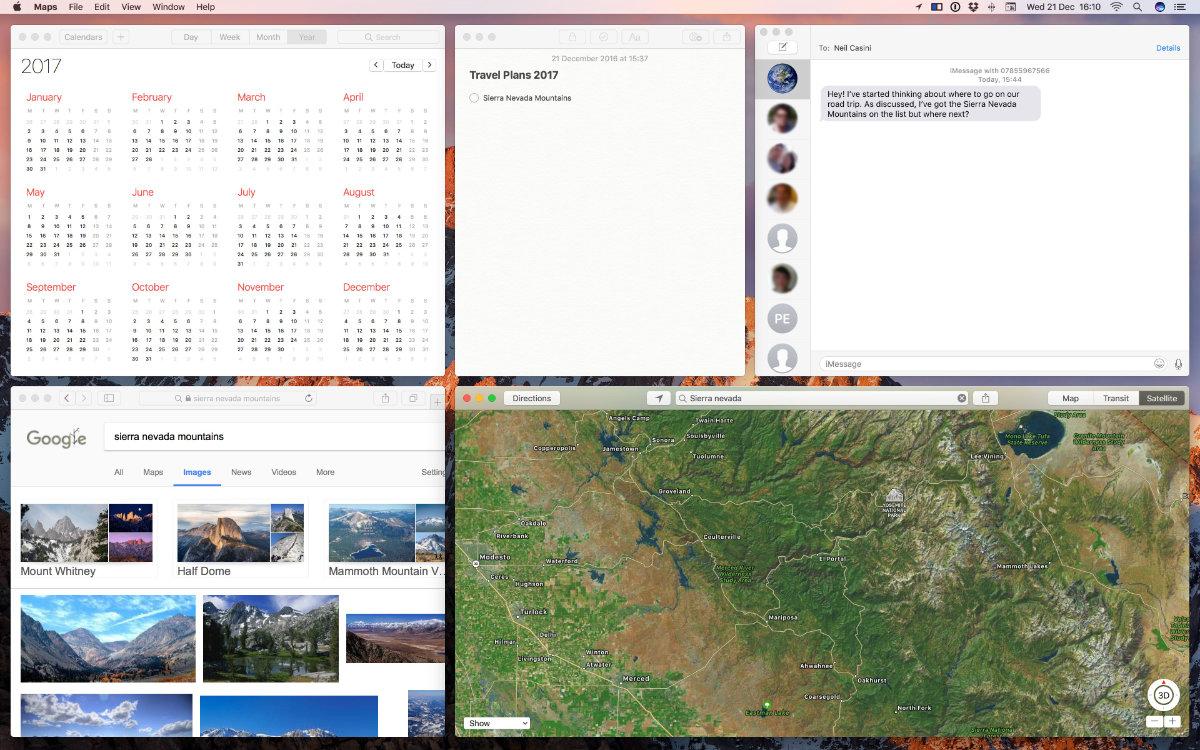
 movingobjects
on 27 Feb 2018
movingobjects
on 27 Feb 2018
Any hope of this being reopened?
 ctr26
on 8 Feb 2019
ctr26
on 8 Feb 2019
I, too, would love to see this implemented. The current behavior just makes things look so cluttered that I find myself just using my mouse for window management.
 sniarn
on 1 Jun 2019
sniarn
on 1 Jun 2019
Yep, here we are, 2019, and we still need this.
 adamkdean
on 17 Jul 2019
adamkdean
on 17 Jul 2019
Instead of making a toxic/useless comment, why don't you give it a try if the app is open source?
 karimhossenbux
on 28 Apr 2020
karimhossenbux
on 28 Apr 2020
For anyone interested in this feature, you should check out Rectangle, which is basically a clone of Spectacle, but written in swift.
https://github.com/rxhanson/Rectangle#adding-gaps-between-windows
 adamalbrecht
on 28 Apr 2020
adamalbrecht
on 28 Apr 2020
Doesn't have the window padding feature either as far as I see?On 28 Apr 2020 14:13, Adam Albrecht notifications@github.com wrote:
For anyone interested in this feature, you should check out Rectangle, which is basically a clone of Spectacle, but written in swift.
https://github.com/rxhanson/Rectangle#adding-gaps-between-windows
—You are receiving this because you commented.Reply to this email directly, view it on GitHub, or unsubscribe.
ctr26
on 28 Apr 2020
@ctr26 Thanks for the tip. Rectangle seems to have the exact feature I was after. Enabled by doing this:
defaults write com.knollsoft.Rectangle gapSize -float 20
@karimhossenbux feature demand ≠ toxic/useless. Signalling demand to product owners is simply feedback. For what it's worth, I moved over to Mosaic and couldn't be happier.
adamkdean
on 28 Apr 2020
@adamkdean there is a better way of asking this
karimhossenbux
on 28 Apr 2020
Related issues
 mcmccaleb
·
6Comments
mcmccaleb
·
6Comments
 geoHeil
·
8Comments
geoHeil
·
8Comments
 EvgeniiProkofevItomych
·
7Comments
EvgeniiProkofevItomych
·
7Comments
 ifigueroap
·
7Comments
ifigueroap
·
7Comments
 aziz
·
3Comments
aziz
·
3Comments
Most helpful comment
Any hope of this being reopened?