Simulator: Using the radar sensor without Apollo or Autoware, with just ros2 - Unsupported message type error
Hey,
I'd like to use the radar sensor with just ros2. I saw that you have already implemented the necessary code to make it work with lgsvl. Look through the code, I see these additions.
1 . LGSVL - https://github.com/lgsvl/simulator/blob/release-2020.05/Assets/Scripts/Bridge/Ros/Messages/Lgsvl.cs#L200
- Rosbridge - https://github.com/lgsvl/simulator/blob/release-2020.05/Assets/Scripts/Bridge/Ros/RosBridge.cs#L252
- Rosconversions - https://github.com/lgsvl/simulator/blob/release-2020.05/Assets/Scripts/Bridge/Ros/RosConversions.cs#L202
- Radarobjectdata - https://github.com/lgsvl/simulator/blob/release-2020.05/Assets/Scripts/Bridge/Data/DetectedRadarObject.cs
- RadarSensor - https://github.com/lgsvl/simulator/blob/release-2020.05/Assets/Scripts/Sensors/RadarSensor.cs
and, - lgsvl_msgs - https://github.com/lgsvl/lgsvl_msgs/blob/master/msg/DetectedRadarObject.msg
And yet, when I add the json sensor parameter with bridge type ros2
{
    "type": "Radar",
    "name": "Radar",
    "params": {
      "Frequency": 13.4,
      "Topic": "/radar"
    },
    "transform": {
      "x": 0,
      "y": 0.689,
      "z": 2.272,
      "pitch": 0,
      "yaw": 0,
      "roll": 0
    }
}
I get an error Invalid: Unsupported message type Simulator.Bridge.Data.DetectedRadarObjectData used for ROS bridge.
How can I solve this error and make radar sensor work?
As far as I can see, everything seems fine. Is there something I need to edit to make it work?
Thank you.
 dr563105
All 15 comments
@hadiTab Any idea on this?
 EricBoiseLGSVL
on 14 Jul 2020
EricBoiseLGSVL
on 14 Jul 2020
@dr563105 I'm going to have to look into this, but off the top of my head I kind of remember that we haven't completed the implementation for ros2 yet.
 hadiTab
on 14 Jul 2020
hadiTab
on 14 Jul 2020
Thank you.
dr563105
on 14 Jul 2020
Hey @hadiTab , is it possible to point me where this implementation has yet to be completed and provide with a sample code to fix it, please? I'm kind of pressed for time. I'd like to try it on my own too. I had a look to various sensors, everything seems to be implemented similarly. Thanks.
dr563105
on 20 Jul 2020
@dr563105 I looked through and I can't see anything missing for ROS2. It seems like we are missing the converter function for ROS 1 though. Are you sure you have the bridge set to ROS2 and not ROS1?
hadiTab
on 20 Jul 2020
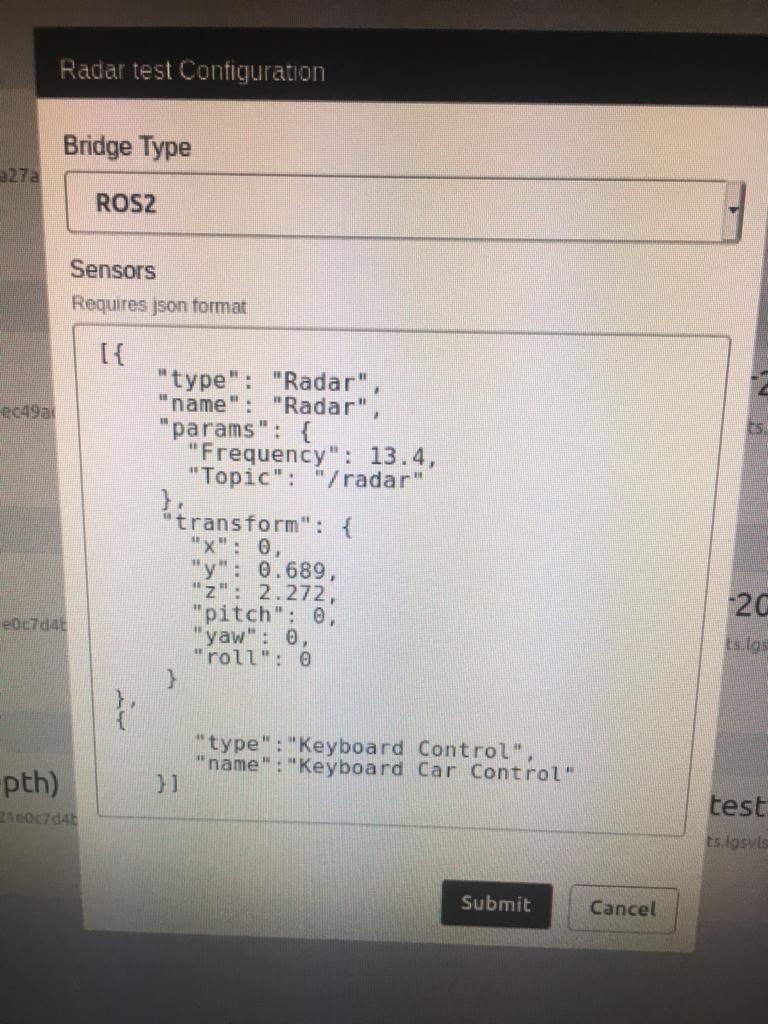
Yeah sure using ROS2. I would like it indeed for ROS2.
I added the json sensor mentioned above. Using 2020.05 built in linux binary from releases page.
dr563105
on 20 Jul 2020
@hadiTab I did some digging, I think it is because of this check -- else if (type == typeof(DetectedRadarObjectData) && Apollo) https://github.com/lgsvl/simulator/blob/release-2020.05/Assets/Scripts/Bridge/Ros/RosBridge.cs#L243 where it is necessary for both conditions to be true, is the problem.
It could be changed to
else if (type == typeof(DetectedRadarObjectData) || Apollo) //change && to ||
{
    if (Apollo)
    {
          type = typeof(Apollo.Drivers.ContiRadar);
          writer = new Writer<DetectedRadarObjectData, Apollo.Drivers.ContiRadar>(this, topic, Conversions.ConvertFrom) as IWriter<T>;
    }
    else
    {
        type = typeof(Lgsvl.DetectedRadarObjectArray);
        writer = new Writer<DetectedRadarObjectData, Lgsvl.DetectedRadarObjectArray>(this, topic, Conversions.ROS2ConvertFrom) as IWriter<T>;
     }
}
Update: Verified it with the change. Radar now works. @EricBoiseLGSVL
dr563105
on 22 Jul 2020
@dr563105 you are right! We actually don't need || Apollo either since the if statement that comes after checks for it.
hadiTab
on 22 Jul 2020
I tried to use the sensor to do data collection and I'm getting "Null reference exception".
I import the radar related array from lgsvl_msgs.msg import DetectedRadarObject, DetectedRadarObjectArray
Then sub_radar = message_filters.Subscriber(self, DetectedRadarObjectArray, '/simulator/sensor/radar')
In callback, I try to do len(sub_radar.objects). Instead of an int number, it is getting null.
In the player.log, I see an exception in Assets/Scripts/Bridge/Ros/RosConversions.cs Line: 216 and consquently in Assets/Scripts/Bridge/Ros/RosWriter.cs:60.
Could you please tell me why this is happening? Using 2020.05. Also made some change to 2020.03 and tried it with that. Same error.
edit: attaching player.log
LGSVLplayer.log
Edit2: Since it was a datatype issue, I included the changes need for custom datatype mentioned here. Still the problem exists.
Attaching the log with those changes.
LGSVLplayer_withchanges.log
@EricBoiseLGSVL @daviduhm Can you please have a look?
dr563105
on 23 Jul 2020
@hadiTab Since I was having null reference exception, I started hacking the code to make it disappear.
In RosConversions.cs(after line 211), I added a line of code objects = new List<LGSVL.DetectedRadarObject>(), just like it was for Apollo a few line above contiobs = new List<Apollo.Drivers.ContiRadarObs>(),. Is this correct?
This change made the null error go away. However, at my subscriber node, I'm not receiving any radar data.
What am I doing wrong?
Update: As the problem might be because the rosbridge doesn't allow the message type, I did these -
- Added below line 27,
typeof(DetectedRadarObjectData),. Then built and tried. Not luck. - Then I removed the added line and inside
ros2bridgefactorymethod, added these lines similar toros apollobridge type -
public override IEnumerable<Type> SupportedDataTypes => base.SupportedDataTypes.Concat(new[]
{
    typeof(DetectedRadarObjectData),
});
That also didn't work.
- For good measure I tried to combine both 1 and 2. No change.
So I'm wondering where the issue might be for the subscriber node not to receive radar data. Am I missing something?
dr563105
on 25 Jul 2020
Since I was having null reference exception, I started hacking the code to make it disappear.
In RosConversions.cs(after line 211), I added a line of code objects = new List(), just like it was for Apollo a few line above contiobs = new List (),. Is this correct?
This seems correct except that I believe the namespace name is Lgsvlnot LGSVL.
Update: As the problem might be because the rosbridge doesn't allow the message type, I did these -
- Added below line 27, typeof(DetectedRadarObjectData),. Then built and tried. Not luck.
- Then I removed the added line and inside ros2bridgefactory method, added these lines similar to ros apollo bridge type -
These are also correct (except only one at a time).
So I'm actually not sure what you are missing. Can you get the log the ros2-web-bridge to make sure it isn't having issues handling the radar message? To do that you can start the bridge using the following command and let it run for just a few seconds before stopping it:
DEBUG=ros2-web-bridge* node bin/rosbridge.js 2> log.txt
Please post the log here. Thanks.
hadiTab
on 28 Jul 2020
I tried both 2020.03 and 2020.05. In 03 it was still LGSVL. I just added radar message data and avoided other changes.
In fact I have the same issue with Segmentation camera sensor. Please see here — https://github.com/lgsvl/simulator/issues/881#issuecomment-665219765
For ros2 bridge I use “docker-compose up collect” command which runs the script and establishes a rosbridge. You can find a link to that in Lanefollowing repo. Anyway I’ll update manual ros web bridge creation.
Additionally, I added Debug.Log statements in RosConversions and saw that it actually detected the objects. However, there were long delays like 10 seconds. Do you know why this is?
dr563105
on 28 Jul 2020
Okay. I was also not receiving segmentation camera images which I solved it by resolving some conflicts conda enviroment.
I tried the same logic here for radar. Unfortunately, it doesn't work.
Attaching the rosbridge radar log
log_radar_202005.txt
I used the May simulator version this time. Although those changes I mentioned above how to be made for radar to work.
As you can see in the log, I'm getting lgsvl_msgs not found error. I don't know if it means the subscriber node or the message published by simulator. I can see that the radar data is getting logged.
In RosBridgeFactory.cs I added/removed these lines. Still no effect.
typeof(DetectedRadarObjectData),
typeof(Lgsvl.DetectedRadarObjectArray),
May be I'm overlooking something obvious. Can you please help?
Edit:
Included the outputs when I build the packages using docker and non-docker.
deepak@localadmin-System-Product-Name:~/Documents/testoutLF/lanefollowing/ros2_ws$ docker-compose up build_ros
Starting lanefollowing_build ... done
Attaching to lanefollowing_build
lanefollowing_build | Starting >>> lane_following
lanefollowing_build | Starting >>> lgsvl_msgs
lanefollowing_build | Starting >>> message_filters
lanefollowing_build | Finished <<< lane_following [0.60s]
lanefollowing_build | Finished <<< message_filters [17.7s]
lanefollowing_build | Finished <<< lgsvl_msgs [19.1s]
lanefollowing_build |
lanefollowing_build | Summary: 3 packages finished [19.2s]
lanefollowing_build exited with code 0
deepak@localadmin-System-Product-Name:~/Documents/testoutLF/lanefollowing/ros2_ws$ colcon build --symlink-install
Starting >>> lane_following
Starting >>> lgsvl_msgs
Starting >>> message_filters
Finished <<< lane_following [0.61s]
Finished <<< message_filters [17.1s]
Finished <<< lgsvl_msgs [20.4s]

Summary: 3 packages finished [20.5s]
Solved. It.
After all the changes the problem was indeed the ros2-web-bridge inability to recognise lgsvl_msgs/msg/DetectedRadarObjectArray.
I used a combination of these two issues -
- https://github.com/RobotWebTools/ros2-web-bridge/issues/110#issuecomment-487805034
- https://github.com/RobotWebTools/rclnodejs/issues/483
Both deal with problem of custom ros messages.
Solution -
- If installing ros2-web-bridge for the first time, I reckon nothing needs to be done apart from making sure the project is locally ros env sourced before running the bridge.
- In the case of previously used, a ros2-web-bridge, this directory
~/ros2-web-bridge/node_modules/rclnodejs/generatedmust be deleted. This directory is generated in runtime when thenode bin/rosbridge.jsis executed. It contains all the necessary ros messages. It is here thelgsvl_msgswas absent. So after deleting it and running the bridge solved the issue.
At the simulator side -
In RosBridgeFactory.cs, in public class Ros2BridgeFactory : RosBridgeFactoryBase{} class, these lines need to be included.
public override IEnumerable<Type> SupportedDataTypes => base.SupportedDataTypes.Concat(new[]
{
     typeof(DetectedRadarObjectData),

});
That's it.
Now I'm to receive radar data and the ros2-web-bridge now reads without errors.
2020-07-31T10:35:58.179Z ros2-web-bridge:index The ros2-web-bridge has started.
2020-07-31T10:35:58.289Z ros2-web-bridge:Bridge Web bridge f69e8f2a-b81d-4728-afa7-b70471a70463 is created
2020-07-31T10:35:58.289Z ros2-web-bridge:Bridge JSON command received: {"op":"advertise","topic":"/simulator/sensor/radar","type":"lgsvl_msgs/DetectedRadarObjectArray"}
2020-07-31T10:35:58.289Z ros2-web-bridge:Bridge advertise a topic: /simulator/sensor/radar
2020-07-31T10:35:58.296Z ros2-web-bridge:ResourceProvider Publisher has been created, and the topic name is /simulator/sensor/radar.
2020-07-31T10:35:58.297Z ros2-web-bridge:Bridge Response: {"op":"set_level","level":"none"}
dr563105
on 31 Jul 2020
@hadiTab @daviduhm However, I'm still unable to receive radar data using lanefollowing docker. Opening a new issue for that.
Update: Nevermind. I solved it. I had to go inside the container(collect) and then delete the generated directory. Also include source ~/ros2ws/install/local_setup.bash in ros2_bridge.sh after the general ros2 dashing sourcing.
Now I can receive radar data in both.
dr563105
on 31 Jul 2020
Related issues
 michaelhany55
·
17Comments
dr563105
·
28Comments
michaelhany55
·
17Comments
dr563105
·
28Comments
 MccAlfh
·
14Comments
MccAlfh
·
14Comments
 weihunko
·
23Comments
weihunko
·
23Comments
 RamoramaInteractive
·
13Comments
RamoramaInteractive
·
13Comments
Most helpful comment
@dr563105 you are right! We actually don't need
|| Apolloeither since theifstatement that comes after checks for it.